
Introduction
AI-powered WordPress plugins increasingly rely on external model providers to generate content, summarize information, answer questions, classify data, and automate website tasks. These integrations can make WordPress applications more intelligent, but they also introduce an important security challenge: AI provider responses must be treated as untrusted input.
An AI provider may return plain text, structured JSON, HTML fragments, Markdown, URLs, recommendations, or proposed actions. Even when the response comes from a legitimate provider, its contents should not automatically be trusted by the WordPress application.
A model can produce unexpected output because of ambiguous prompts, malicious instructions in supplied content, incorrect reasoning, malformed responses, provider-side errors, or compromised upstream data. A response that looks valid may still contain unsafe HTML, misleading URLs, unexpected fields, or instructions that should never be executed by the website.
For example, an AI assistant might return a suggested WordPress action alongside its response. The plugin must not execute that action simply because it appears in the provider's output. Similarly, an HTML response should not be inserted into a page without applying an appropriate sanitization and rendering process.
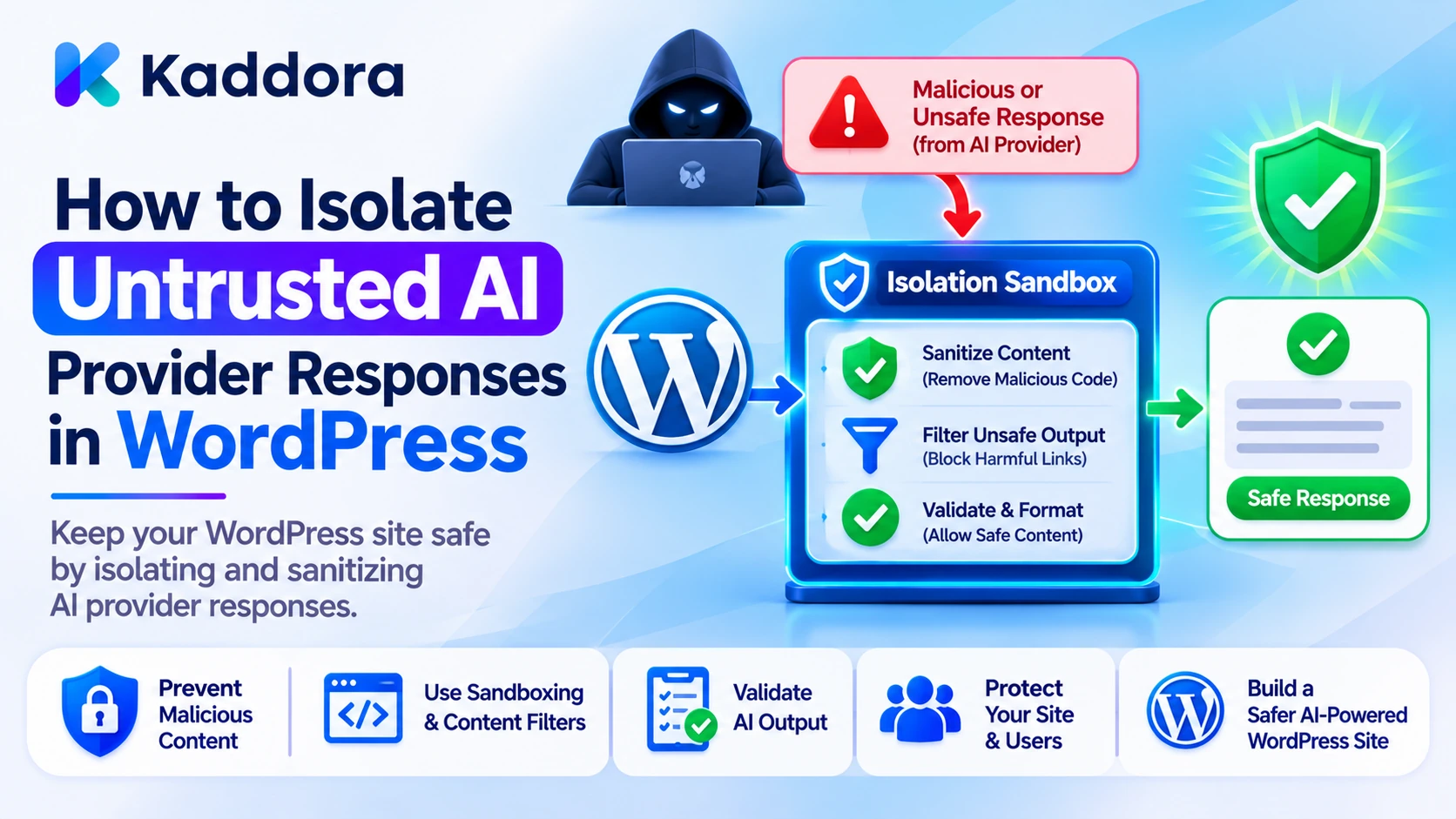
The solution is to create a clear isolation boundary between the external AI provider and the WordPress application.
This article explains how to isolate untrusted AI provider responses in WordPress, validate returned data, prevent unauthorized actions, safely process generated content, and build a more secure architecture for AI-powered plugins.
1. Why AI Provider Responses Must Be Treated as Untrusted
AI providers return generated output based on the information supplied to them and the behavior of their models. Their responses are not guaranteed to be accurate, complete, correctly formatted, or safe for every application context.
Even when a provider offers structured output or JSON mode, the WordPress plugin still needs to validate the returned data.
Consider an AI content generator that receives a request to create a product description. It might return:
The requested product description.
Unexpected HTML elements.
A script-like payload.
An external URL that was not requested.
Additional JSON properties.
Incorrect or fabricated product information.
An action proposal that attempts to modify website data.
The application should not assume that every returned element is appropriate for the requested feature.
A secure implementation separates two responsibilities:
AI provider responsibility: Generate a response based on the supplied input.
WordPress application responsibility: Validate the response, determine which information is acceptable, enforce permissions, and decide whether anything can be displayed or executed.
The provider can suggest content or actions, but WordPress must retain control over its own data, permissions, and execution environment.
2. Create a Dedicated AI Response Isolation Layer
One of the most effective approaches is to prevent individual plugin features from communicating directly with provider responses.
Instead, create a centralized response-processing layer between the AI provider and the rest of the plugin.
A secure processing flow can look like this:
WordPress Feature | v AI Request Handler | v External AI Provider | v Untrusted Provider Response | v Response Isolation Layer | +---- Transport Validation | +---- JSON Parsing | +---- Schema Validation | +---- Content Sanitization | +---- Permission and Action Checks | v Validated Application Data | v WordPress Feature
The isolation layer acts as a controlled boundary. It ensures that a provider response cannot automatically become executable WordPress functionality.
For example, a content-generation module should receive validated content rather than the complete raw HTTP response.
A simple class structure could look like this:
class Kaddora_AI_Response_Isolation { public function process_response( $response ) { if ( is_wp_error( $response ) ) { return new WP_Error( 'kaddora_ai_provider_error', 'The AI provider request failed.' ); } $status_code = wp_remote_retrieve_response_code( $response ); if ( 200 !== $status_code ) { return new WP_Error( 'kaddora_ai_invalid_status', 'The AI provider returned an unsuccessful response.' ); } $body = wp_remote_retrieve_body( $response ); if ( ! is_string( $body ) || '' === $body ) { return new WP_Error( 'kaddora_ai_empty_response', 'The AI provider returned an empty response.' ); } return $this->validate_response_body( $body ); } private function validate_response_body( $body ) { $decoded = json_decode( $body, true ); if ( JSON_ERROR_NONE !== json_last_error() ) { return new WP_Error( 'kaddora_ai_invalid_json', 'The AI provider returned invalid JSON.' ); } if ( ! is_array( $decoded ) ) { return new WP_Error( 'kaddora_ai_invalid_structure', 'The AI provider response has an invalid structure.' ); } return $decoded; } }
This example establishes basic transport and JSON validation. It is not a complete security boundary by itself. Each feature must also validate the structure and meaning of the data it expects.
3. Validate the Response Before Processing Its Contents
A response should pass multiple validation stages before the plugin uses it.
The first stage checks whether the HTTP request succeeded. The second checks whether the response can be decoded. The third verifies whether the expected fields exist and have the correct data types.
For example, an AI product-description feature might expect:
{ "title": "Wireless Headphones", "description": "A comfortable wireless audio experience.", "features": [ "Wireless connectivity", "Rechargeable battery", "Lightweight design" ] }
The plugin should not accept an arbitrary JSON object and pass every field to the next application component.
Instead, it should define an expected structure.
function kaddora_ai_validate_product_response( $data ) { if ( ! is_array( $data ) ) { return new WP_Error( 'kaddora_ai_invalid_data', 'Invalid AI response data.' ); } $allowed_keys = array( 'title', 'description', 'features', ); foreach ( array_keys( $data ) as $key ) { if ( ! in_array( $key, $allowed_keys, true ) ) { return new WP_Error( 'kaddora_ai_unexpected_field', 'The AI response contains an unexpected field.' ); } } if ( ! isset( $data['title'] ) || ! is_string( $data['title'] ) ) { return new WP_Error( 'kaddora_ai_invalid_title', 'The generated title is invalid.' ); } if ( ! isset( $data['description'] ) || ! is_string( $data['description'] ) ) { return new WP_Error( 'kaddora_ai_invalid_description', 'The generated description is invalid.' ); } if ( ! isset( $data['features'] ) || ! is_array( $data['features'] ) ) { return new WP_Error( 'kaddora_ai_invalid_features', 'The generated features are invalid.' ); } foreach ( $data['features'] as $feature ) { if ( ! is_string( $feature ) ) { return new WP_Error( 'kaddora_ai_invalid_feature_item', 'A generated feature has an invalid format.' ); } } return array( 'title' => sanitize_text_field( $data['title'] ), 'description' => sanitize_textarea_field( $data['description'] ), 'features' => array_map( 'sanitize_text_field', $data['features'] ), ); }
This example demonstrates strict field validation for a specific feature. Production implementations should also enforce reasonable maximum lengths, item counts, required-field rules, and any business-specific constraints.
The important principle is to accept only the fields that the feature actually needs.
4. Keep Raw Provider Responses Away From WordPress Rendering
One of the most common mistakes in AI plugin development is displaying a provider response directly.
For example:
echo $ai_response;
This is unsafe because the response might contain HTML or other content that is not appropriate for the output context.
The plugin should decide how the content will be displayed and escape it accordingly.
For plain text:
echo esc_html( $generated_text );
For an HTML attribute:
echo esc_attr( $generated_value );
For a URL:
echo esc_url( $generated_url );
If a feature intentionally supports a limited amount of HTML, sanitize it using an appropriate allowlist:
echo wp_kses_post( $generated_html );
However, wp_kses_post() is not a universal solution for every type of content. It allows a set of HTML elements and attributes appropriate for post content. It does not establish that a URL is trustworthy, prove that text is factually correct, or authorize an administrative action.
The correct approach depends on the output context.
For example:
Output context
Recommended handling
Plain text
esc_html()
HTML attribute
esc_attr()
URL
esc_url()
Limited post-style HTML
wp_kses_post()
Custom HTML requirements
wp_kses() with a carefully defined allowlist
Stored plain text
Sanitize on input and escape when output
Sanitization and escaping serve different purposes. Sanitization helps normalize or restrict data, while output escaping protects the context in which the data is displayed.
5. Prevent AI Responses From Executing WordPress Actions
A particularly important isolation requirement applies to AI-powered agents and automation plugins.
A model may return a response that proposes an operation such as:
Creating a WordPress post.
Updating a product price.
Deleting a record.
Changing a user role.
Sending an email.
Modifying plugin settings.
Triggering a WooCommerce workflow.
A provider response must never be treated as permission to perform these operations.
Consider this illustrative AI response:
{ "message": "I have prepared the product update.", "action": "update_product_price", "product_id": 125, "price": "1.00" }
The presence of an action field does not authorize the plugin to modify a product.
A safer design uses an application-controlled action registry. The plugin determines which operations are available, validates every argument, and performs its own permission checks.
function kaddora_ai_execute_approved_action( $action_data ) { if ( ! is_array( $action_data ) ) { return new WP_Error( 'kaddora_ai_invalid_action', 'Invalid action request.' ); } if ( ! isset( $action_data['action'] ) || ! is_string( $action_data['action'] ) ) { return new WP_Error( 'kaddora_ai_missing_action', 'The requested action is invalid.' ); } if ( 'update_product_price' !== $action_data['action'] ) { return new WP_Error( 'kaddora_ai_action_not_allowed', 'This action is not available.' ); } if ( ! current_user_can( 'edit_products' ) ) { return new WP_Error( 'kaddora_ai_permission_denied', 'You do not have permission to update products.' ); } if ( ! isset( $action_data['product_id'] ) || ! is_numeric( $action_data['product_id'] ) ) { return new WP_Error( 'kaddora_ai_invalid_product_id', 'The product identifier is invalid.' ); } if ( ! isset( $action_data['price'] ) || ! is_scalar( $action_data['price'] ) || ! is_numeric( $action_data['price'] ) ) { return new WP_Error( 'kaddora_ai_invalid_price', 'The proposed product price is invalid.' ); } $product_id = absint( $action_data['product_id'] ); $price = wc_format_decimal( $action_data['price'] ); $product = wc_get_product( $product_id ); if ( ! $product ) { return new WP_Error( 'kaddora_ai_product_not_found', 'The requested product could not be found.' ); } // Require explicit application-level approval before saving. return array( 'status' => 'approval_required', 'product_id' => $product_id, 'price' => $price, ); }
This example deliberately stops before saving the product. A separate approval workflow should confirm the proposed change before execution.
A complete implementation should also verify that the current user can edit the specific product, apply business-specific price rules, and protect the confirmation endpoint with appropriate authentication and nonce checks when using WordPress cookie-based requests.
A nonce is not a replacement for a capability check. Both must be used for their respective purposes.
6. Isolate URLs and External Resources Returned by AI
AI-generated responses may contain external links, image URLs, document references, or resource locations.
These values should not automatically be opened, downloaded, embedded, or used in server-side requests.
For example, a model might return:
{ "title": "Product Guide", "resource_url": "https://example.com/product-guide" }
The URL may be legitimate, incorrect, irrelevant, or potentially harmful.
Before displaying a link, validate its format and apply the appropriate output escaping.
function kaddora_ai_validate_external_url( $url ) { if ( ! is_string( $url ) || '' === trim( $url ) ) { return new WP_Error( 'kaddora_ai_invalid_url', 'The supplied URL is invalid.' ); } $url = esc_url_raw( trim( $url ), array( 'https' ) ); if ( '' === $url ) { return new WP_Error( 'kaddora_ai_unsupported_url', 'Only valid HTTPS URLs are accepted.' ); } $host = wp_parse_url( $url, PHP_URL_HOST ); if ( ! is_string( $host ) || '' === $host ) { return new WP_Error( 'kaddora_ai_invalid_url_host', 'The URL does not contain a valid host.' ); } return $url; }
This is a basic validation example, not a complete URL security policy. A plugin that supports only a known set of external resources should maintain an explicit hostname allowlist.
If the WordPress server needs to request an external resource, the plugin should apply strict destination controls and use the WordPress HTTP API safely. URL validation alone does not prevent every server-side request forgery scenario.
Never let the model choose an unrestricted server-side destination.
7. Separate AI-Generated Content From Trusted Plugin Configuration
AI output should not be mixed with internal plugin configuration.
For example, an AI response should not be able to modify:
API keys.
Provider endpoints.
Authentication settings.
Plugin permissions.
Database table names.
File system paths.
Role and capability definitions.
Security configuration.
Internal feature flags.
These values should remain under application and administrator control.
A dangerous design would accept a provider response and save it directly into plugin options:
// Unsafe: Do not save arbitrary provider output as plugin configuration. update_option( 'kaddora_ai_settings', $ai_response );
A safer design uses explicit configuration fields and accepts changes only through an authenticated administrative workflow.
function kaddora_ai_update_display_setting( $value ) { if ( ! current_user_can( 'manage_options' ) ) { return new WP_Error( 'kaddora_ai_settings_permission_denied', 'You cannot update this setting.' ); } if ( ! is_string( $value ) ) { return new WP_Error( 'kaddora_ai_invalid_setting', 'The setting value is invalid.' ); } $sanitized_value = sanitize_text_field( $value ); update_option( 'kaddora_ai_display_label', $sanitized_value ); return true; }
In a real administrative request handler, verify the request nonce as well as the user's capability. The example focuses on the separation between generated content and trusted settings.
If an AI feature proposes a configuration change, present it as a proposal. Require an authorized administrator to approve it through the plugin's own settings interface.
8. Control Which Data Enters the Response-Processing Pipeline
Isolation does not end when the provider returns its response. The plugin must also control which parts of that response are passed to other components.
For example, an AI assistant might return a long message containing:
A short answer.
A suggested customer email.
An internal explanation.
A proposed action.
A list of references.
Unexpected metadata.
A customer-facing chatbot should not receive every field merely because it exists.
Use feature-specific data transfer structures or normalized arrays that contain only the required information.
A simple normalization function might look like this:
function kaddora_ai_normalize_chat_response( $data ) { if ( ! is_array( $data ) ) { return new WP_Error( 'kaddora_ai_invalid_chat_response', 'Invalid chatbot response.' ); } if ( ! isset( $data['message'] ) || ! is_string( $data['message'] ) ) { return new WP_Error( 'kaddora_ai_missing_chat_message', 'The chatbot response is missing its message.' ); } return array( 'message' => sanitize_textarea_field( $data['message'] ), ); }
The normalized output contains only the message required by the chatbot interface.
This prevents unrelated fields from accidentally reaching frontend templates, database operations, or automation handlers.
Feature-specific normalization is especially useful when a plugin supports multiple AI capabilities through one shared provider integration.
9. Apply Size Limits and Resource Controls
Untrusted provider responses can also create availability and performance problems.
A response may be unexpectedly large, contain a huge array, or include deeply nested structures that consume excessive processing resources.
A secure plugin should establish limits for:
Maximum response-body size.
Maximum generated text length.
Maximum number of array items.
Maximum accepted nesting depth.
Maximum processing time.
Maximum number of external requests per operation.
For example, a plugin might reject an unexpectedly large response before decoding it:
function kaddora_ai_check_response_size( $body ) { if ( ! is_string( $body ) ) { return new WP_Error( 'kaddora_ai_invalid_response_body', 'The response body is invalid.' ); } $maximum_bytes = 1024 * 1024; if ( strlen( $body ) > $maximum_bytes ) { return new WP_Error( 'kaddora_ai_response_too_large', 'The AI response exceeds the allowed size.' ); } return true; }
The one-megabyte limit is only an illustrative value. Actual limits should reflect the feature's expected output, hosting environment, provider capabilities, and operational requirements.
The plugin should also configure reasonable HTTP timeouts and avoid unlimited retry loops. Resource limits help prevent malformed or unexpectedly large responses from affecting the entire WordPress application.
10. Use Safe Error Handling and Avoid Exposing Internal Details
When a provider response fails validation, the plugin should stop processing it safely.
However, error handling should not expose internal implementation details to website visitors.
Avoid displaying raw provider errors, API credentials, request headers, internal stack traces, or complete raw response bodies in the frontend.
For example:
function kaddora_ai_handle_response_failure( $error ) { if ( is_wp_error( $error ) ) { // Record a safe internal event. do_action( 'kaddora_ai_response_validation_failed', $error->get_error_code() ); return new WP_Error( 'kaddora_ai_processing_failed', 'The AI response could not be processed safely.' ); } return true; }
Production logging should use an appropriate logging mechanism rather than assuming that firing an action automatically stores an event.
Logs should capture useful diagnostic information, such as an event identifier, feature name, provider, response status, processing stage, and error category. Avoid recording API keys, authorization headers, unnecessary personal information, or entire prompts and responses by default.
The frontend should receive a simple, understandable error message. The administrator can receive more detailed diagnostics through a protected logging or troubleshooting interface.
11. Add Human Approval for High-Impact AI Operations
Some AI operations are low risk. Displaying a generated summary or suggesting a product description generally does not change important website data.
Other operations can have significant consequences. Examples include deleting records, changing customer information, publishing important content, modifying prices, or sending bulk communications.
The plugin should classify actions according to their potential impact.
A useful action-handling model includes three categories:
Action category
Example
Recommended handling
Informational
Generate a summary
Validate and display
Low-impact modification
Save a draft description
Apply permissions and appropriate review
High-impact operation
Delete records or send bulk emails
Require explicit authorization and confirmation
Human approval should be tied to a specific proposed operation. A confirmation should identify what will happen, which resource will be affected, and what values will change.
The plugin should not allow a model to approve its own proposed action through another generated response.
For background tasks, store the approved operation and its relevant context securely. Recheck authorization and resource state when the task executes, enforce expiration, and prevent accidental duplicate execution.
These controls ensure that the AI provider remains a source of suggestions rather than an independent authority over the WordPress installation.
12. Test AI Response Isolation Against Unexpected Inputs
A response-isolation layer should be tested with more than successful provider responses.
Developers should create test cases that simulate unexpected and malicious output.
Important test cases include:
Empty provider responses.
Invalid JSON.
Missing required fields.
Unexpected additional fields.
Incorrect data types.
Extremely long strings.
Oversized arrays.
HTML containing unsafe elements or attributes.
Invalid and unsupported URLs.
Unexpected action names.
Invalid resource identifiers.
Provider error messages containing sensitive information.
For example, a unit test can verify that unexpected fields are rejected:
public function test_rejects_unexpected_ai_response_fields() { $data = array( 'title' => 'Example Product', 'description' => 'Example description.', 'features' => array( 'Lightweight design' ), 'admin_action' => 'delete_users', ); $result = kaddora_ai_validate_product_response( $data ); $this->assertWPError( $result ); }
Another test should verify that a provider response cannot execute an action outside the plugin's approved action registry.
Also test the full flow from the HTTP response to the final frontend output. A secure parser is not sufficient if a later component bypasses the validation layer and renders the original response.
Automated tests, code reviews, and realistic provider-response fixtures help identify these gaps before release.
Common Mistakes to Avoid
WordPress developers should avoid the following mistakes when integrating AI providers:
Trusting valid JSON automatically: Valid JSON confirms that data can be parsed. It does not prove that the values are safe or appropriate.
Displaying raw provider output: Directly printing generated HTML or text can create security problems. Use context-appropriate output escaping.
Passing every response field to every feature: Normalize responses and expose only the data required by each component.
Treating AI suggestions as authorized actions: A model cannot grant itself WordPress permissions. Enforce permissions and approval inside the application.
Saving raw responses as configuration: Keep generated content separate from trusted settings, API credentials, and internal plugin configuration.
Accepting arbitrary URLs: Validate destinations and use explicit allowlists when a feature supports a limited set of external hosts.
Using sanitization as a complete security solution: Sanitization does not replace schema validation, authorization, contextual escaping, or business-rule checks.
Logging complete prompts and responses unnecessarily: Store only the diagnostic information required to troubleshoot and audit the integration.
Ignoring failure scenarios: When validation fails, stop processing and return a controlled error rather than silently accepting incomplete data.
Best Practices Checklist
Before releasing a WordPress plugin that uses external AI providers, verify the following:
Treat every provider response as untrusted input.
Process responses through a centralized isolation layer.
Validate HTTP status and response format.
Parse JSON with explicit error handling.
Validate required fields and expected data types.
Reject unexpected fields where strict schemas are required.
Apply output escaping according to the display context.
Sanitize supported HTML using an appropriate allowlist.
Keep provider output separate from plugin configuration.
Never execute AI-generated actions without application-controlled checks.
Validate all resource identifiers and external URLs.
Enforce user capabilities and approval requirements.
Apply response-size, timeout, and processing limits.
Avoid exposing internal errors and credentials.
Use privacy-conscious logging.
Test malformed, oversized, and malicious responses.
Verify that downstream components cannot bypass validation.
Why Choose Kaddora?
Kaddora focuses on practical digital solutions that help businesses, developers, and website owners improve their WordPress websites and digital workflows. Building reliable AI-powered functionality requires more than connecting a plugin to a model provider. It also requires careful attention to security boundaries, data handling, application permissions, and maintainable development practices.
With a structured approach to WordPress and AI integration, developers can create features that are easier to test, maintain, and expand. The objective is to make AI useful without allowing external responses to take control of the website.
Conclusion
AI provider responses introduce a new category of untrusted input into WordPress applications. Even when the provider is reliable, generated content can contain unexpected fields, unsafe HTML, invalid URLs, misleading information, or unauthorized action proposals.
The most effective protection is to establish a dedicated isolation layer between the provider and the WordPress application.
Validate response formats, enforce feature-specific schemas, normalize returned data, apply context-aware output escaping, and keep generated content separate from trusted configuration. For actions that modify website data, use application-controlled permissions and explicit approval workflows.
Most importantly, never allow an AI provider response to become an executable WordPress instruction simply because it appears in a successful API response.
A well-designed isolation architecture allows WordPress plugins to benefit from AI capabilities while keeping website data, administrative permissions, and application behavior under controlled and predictable rules.
Frequently Asked Questions
Why should AI provider responses be treated as untrusted input?
AI responses can contain malformed data, unsafe HTML, unexpected fields, incorrect information, or proposed actions. Treating them as untrusted ensures the WordPress application validates their contents before using them.
What is an AI response isolation layer in WordPress?
An AI response isolation layer is a controlled processing component between an external AI provider and the WordPress application. It validates, normalizes, and filters provider output before allowing other plugin features to use it.
Is valid JSON from an AI provider automatically safe?
No. Valid JSON only means that the response follows a parseable JSON structure. Developers must still validate field names, data types, lengths, values, and business rules before using it.
Should WordPress plugins execute actions returned by AI providers?
No. AI-generated actions should be treated as proposals. The plugin must verify that the action is allowlisted, validate its arguments, check user permissions, and require explicit approval for sensitive operations.
How can developers safely display AI-generated HTML in WordPress?
Developers should sanitize supported HTML with an appropriate allowlist, such as wp_kses_post() for post-style content. They should also apply contextual output escaping and avoid rendering raw provider responses.
Can AI-generated URLs be used directly in WordPress plugins?
No. URLs should be validated before display or use. Plugins should restrict supported protocols, enforce hostname allowlists where appropriate, and apply additional destination controls before making server-side requests.
How can developers test AI response isolation?
Developers can test invalid JSON, missing fields, unexpected properties, incorrect data types, oversized responses, unsafe HTML, invalid URLs, and unauthorized action requests. Automated tests should verify that rejected responses cannot reach sensitive application operations.
Why choose ThemeKaddora?
ThemeKaddora provides WordPress plugins, themes, and templates for developers, agencies, and website owners who want practical digital resources to build and improve websites, extend functionality, and support different online business requirements.
Comments (0)