
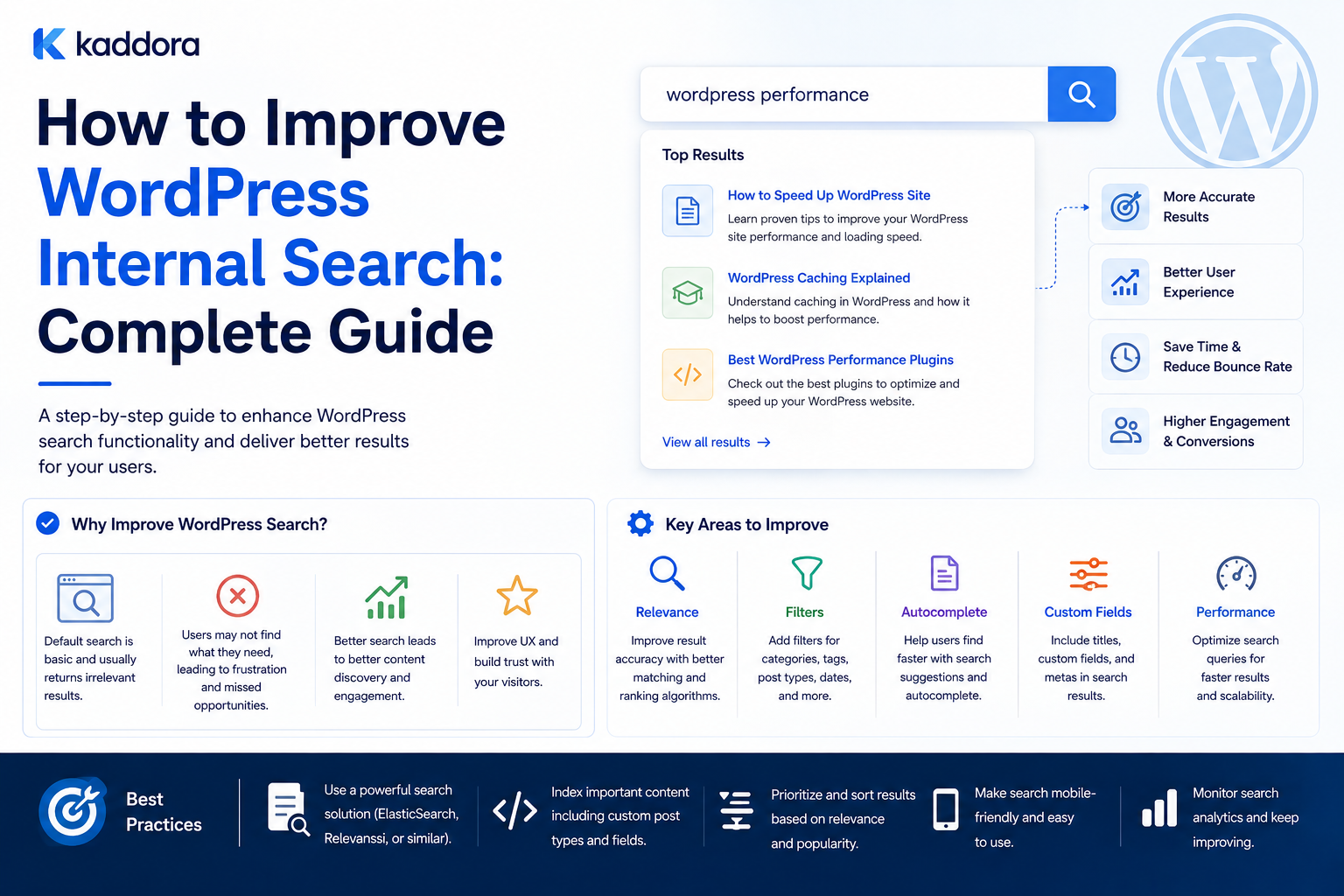
How to Improve WordPress Internal Search: Complete Guide
Introduction
Internal search is one of the most important discovery tools on a content-rich WordPress website.
A visitor may arrive on your website and immediately search for:
WordPress API, WooCommerce analytics, AI chatbot, Laravel template, CRM integration
The quality of the search experience determines whether that visitor quickly finds the right resource or leaves the site.
A basic search flow looks like:
User Query ↓ WordPress Search ↓ Database ↓ Results
This works well for many smaller websites.
However, as a site grows, users often expect more:
Better relevance
Multiple content types
Taxonomy filters
Custom-field search
Autocomplete
Typo tolerance
Search suggestions
Faster results
Search analytics
Product-aware discovery
Personalized recommendations
A large WordPress website might contain:
Articles Products Documentation FAQs Reviews Courses Templates
A single keyword search may not be enough to connect all of this information effectively.
Improving internal search therefore involves more than changing the search form.
It requires understanding:
Content ↓ Searchable Data ↓ Candidate Retrieval ↓ Relevance ↓ Filters ↓ Presentation ↓ Analytics
The key principle is:
Improve internal search by making results more relevant, easier to filter, faster to retrieve, and more closely aligned with what visitors actually want to find.
What Is WordPress Internal Search?
WordPress internal search is the search functionality used to find content within your own website.
A visitor typically enters a query into a search form:
Search: WordPress API
WordPress then processes that query and returns matching content.
A theme commonly renders those results through a search template such as:
search.php
The exact retrieval behavior depends on the WordPress query and any plugins or customizations used by the site.
Why Improve WordPress Search?
Native search can be sufficient for a simple website.
Improvement becomes more valuable when visitors need to find:
Specific products
Technical documentation
Custom post types
Content by category
Content by topic
Content by technology
Content by audience
Content by compatibility
Content by multiple attributes
A better search experience reduces the effort required to find useful information.
Start by Measuring the Current Search
Before changing the search system, measure it.
Useful metrics include:
Search Volume Search Latency Zero-Result Rate Search Result Clicks Search Refinements Search-to-Conversion Rate
You need evidence before deciding what to fix.
For example:
Total Searches: 20,000 Zero Results: 4,000
A 20% zero-result rate is a strong signal that the search experience needs attention.
The cause could be:
Missing content
Poor indexing
Synonym problems
Incorrect filters
Weak relevance
User query mismatch
Analyze What Visitors Search For
Search queries reveal what users actually need.
Examples:
"woocommerce webhook" "api authentication" "invoice template" "ai seo"
This information can guide:
Content strategy
Product taxonomy
Search synonyms
New documentation
Recommendation logic
Internal search analytics can therefore become a product-development tool.
Improve Search Relevance First
A search engine should prioritize the most useful results.
Suppose a visitor searches:
WordPress API
A good result order might be:
1. WordPress API Development Guide 2. WordPress REST API Tutorial 3. WordPress HTTP API Guide 4. API Authentication Documentation
rather than simply returning documents in an arbitrary order.
Give Titles More Weight
For many websites, a match in the title is more meaningful than a match deep inside the content.
Conceptually:
Title Match → High Weight Excerpt Match → Medium Weight Body Match → Lower Weight
This can improve ranking.
The exact weights should be tested rather than assumed.
Exact Phrase Matching
A user searching:
WordPress API Authentication
may expect results specifically related to that phrase.
Exact or phrase-aware matching can improve relevance compared with treating every word independently.
Partial Matching
Users do not always type complete terms.
For example:
wordpres api
may be an incomplete or misspelled version of:
WordPress API
Advanced search systems can provide partial matching and typo tolerance.
Search Synonyms
Users may use different terms for the same concept.
For example:
ecommerce e-commerce online store online shop
A synonym layer can map appropriate variations to a common concept.
Do not create synonym rules without considering context.
Search Normalization
Normalize harmless variations such as:
WordPress API wordpress api WORDPRESS API
so equivalent searches can be handled consistently.
Normalization can also improve search analytics by reducing duplicate query variations.
Search Stop Words
Depending on the search engine, common words such as:
the a for with
may have little value.
Do not manually remove words without considering language, search technology, and query intent.
Search Across Custom Post Types
A content-rich WordPress website may use:
post product documentation faq course template
A unified search experience may need to search across all of them.
For example:
$query = new WP_Query( array( 'post_type' => array( 'post', 'kdr_product', 'kdr_documentation', 'kdr_faq', ), 's' => 'API', ) );
The exact types depend on the site's implementation.
Label Results by Content Type
Cross-content search becomes easier to understand when results are labeled.
For example:
WordPress API Security Article API Integration Toolkit Product Authentication Setup Documentation API FAQ FAQ
Users immediately know what they are viewing.
Search Custom Fields
Products and structured content may contain important information in metadata.
For example:
Product ├── Technology ├── Compatibility ├── Industry └── Features
Searching these fields can help users find more precise results.
However, metadata-heavy database searches can become expensive at scale.
Use Taxonomies for Search Filtering
Taxonomies are useful for structured filters.
For example:
Search: API Filters: Technology = WordPress Content Type = Tutorial Difficulty = Advanced
This separates text retrieval from structured classification.
Search by Content Type
A simple filter such as:
All Articles Products Documentation FAQs
can make a large search result set easier to navigate.
Search by Topic
For example:
Topic: WordPress APIs
The user can narrow a broad search to a specific subject.
Search by Technology
This can be especially useful for developer-focused websites:
Technology: WordPress PHP Laravel React JavaScript
It can also support product discovery.
Search by Compatibility
For digital products, compatibility can be a strong search filter.
For example:
Compatibility: WooCommerce Elementor WordPress PHP 8.2+
This helps visitors find usable products rather than simply matching words.
Search Filters Should Be Meaningful
Do not add dozens of filters simply because the database contains many fields.
Every filter should answer a useful user question.
For example:
"Which products work with WooCommerce?"
is meaningful.
A filter for an internal database flag probably is not.
Improve Search With Autocomplete
Autocomplete can help users discover available searches while typing.
For example:
wordp
might suggest:
WordPress WordPress API WordPress plugins WordPress themes
Autocomplete can also suggest products, topics, or documentation.
Search Suggestions vs Autocomplete
These features are related but different.
Autocomplete
Completes the user's query.
wordp → WordPress
Suggestions
Recommends useful search queries.
WordPress API WordPress plugin development WordPress security
Both can improve discovery.
Use Debouncing for Live Search
Live search should not send a request after every keystroke.
Instead:
User Types ↓ Short Delay ↓ Send Request
A client-side debounce can reduce unnecessary API calls.
The exact delay should be tuned to the interface.
Minimum Query Length
Avoid expensive searches for very short queries unless there is a strong reason to support them.
For example:
a
may produce too many potential matches.
A minimum query length can improve performance.
Cancel Outdated Search Requests
Consider:
User searches: word ↓ Request A User quickly types: wordpress ↓ Request B
If Request A returns later, it should not overwrite the newer result.
Client-side request cancellation or sequence tracking can help.
AJAX Search
AJAX allows search results to update without a full page refresh.
Conceptually:
Search Box ↓ AJAX / REST Request ↓ Search Service ↓ Results
This can improve the interface.
It does not automatically make the underlying search query faster.
Search Result Previews
A useful search result can include:
Title Content Type Short Excerpt Category / Topic Updated Date
Avoid displaying huge excerpts that make result scanning difficult.
Highlight Search Terms
Search results can visually emphasize matched terms.
For example:
WordPress API
may highlight the matching text in a result preview.
Ensure the highlighting is safely escaped and does not create markup vulnerabilities.
Search Pagination
Do not load thousands of search results into a single request.
Use:
Page 1 Page 2 Page 3
or infinite scrolling where appropriate.
Pagination also reduces server-side processing and frontend rendering.
Use Efficient Result Limits
If the interface shows only 10 results, there is little reason to retrieve 500 during the initial request.
Use a small candidate window and fetch more only when required.
Improve Search Query Performance
If native database search becomes slow, first identify the actual bottleneck.
Possible causes include:
Complex joins
Metadata filtering
Taxonomy queries
Large datasets
Inefficient custom SQL
Missing indexes
Expensive post-processing
Measure before optimizing.
Avoid Excessive Metadata Searches
Repeated searches across many post-meta values can become expensive.
For high-volume search requirements, a normalized search index may be more appropriate.
Search Indexing
A custom search index can store normalized searchable data:
ID Type Title Excerpt Content Taxonomies Fields Relationships Status Updated Date URL
The search system then queries the index instead of repeatedly joining WordPress tables.
Incremental Indexing
When content changes:
Content Updated ↓ Index Job ↓ Update Search Document
Do not rebuild the complete index after every edit.
Background Indexing
Use queues or background workers for expensive indexing tasks.
For example:
100,000 Articles ↓ Queue ↓ Batch 1 Batch 2 Batch 3 ...
This prevents indexing from blocking normal website requests.
Search Index State
Track:
Indexed Pending Failed Stale Reindexing
This makes synchronization problems visible.
Search Freshness
A search result may be technically correct but stale.
Track:
Content Updated Search Index Updated
The difference is your index lag.
Search Index Failure Handling
If WordPress saves successfully but indexing fails:
WordPress: Updated ✓ Search Index: Failed ✗
the content remains safe in WordPress, but search needs recovery.
Retry failed indexing jobs.
Search Relevance With Relationships
Structured content relationships can improve ranking.
For example:
Current Product → Official Documentation
may deserve more weight than an article that only mentions the product name.
Weighted Search Signals
A ranking system can combine:
Exact Title Match + Phrase Match + Taxonomy Match + Relationship Match + Freshness + Editorial Priority
This creates a more meaningful relevance model.
Search by User Intent
Search queries often reveal intent.
For example:
"how to"
can indicate informational intent.
"download"
may indicate resource intent.
"best plugin"
may indicate comparison intent.
The search interface can use these patterns carefully to improve result ranking.
Intent Should Not Override Relevance
Detecting intent is useful, but a poor content match should not be ranked highly simply because its wording resembles an intent category.
Use intent as one signal.
Search and Personalized Results
A personalized search experience may consider:
Recent activity
Preferred categories
User role
Past searches
Saved products
Only use data that is necessary and appropriate.
Avoid Over-Personalizing Search
The same query should not produce completely unpredictable results simply because users have different history.
Maintain a strong relevance foundation, then add personalization where useful.
Search for Anonymous Visitors
Anonymous visitors can still receive contextual personalization based on:
Current Page Session History Recent Searches
subject to appropriate privacy practices.
Search and Multilingual Sites
For multilingual websites, search may need language-aware behavior:
English Index Hindi Index Spanish Index
or a shared multilingual index with language metadata.
The architecture depends on the search engine.
Search and Typo Tolerance
Visitors may type:
wordpres woocomerce authentcation
A typo-tolerant engine can suggest:
WordPress WooCommerce Authentication
This can improve the experience significantly for large content libraries.
Search and Synonym Management
Create controlled synonym groups where appropriate.
For example:
WooCommerce ↔ Woo Commerce
Use caution with ambiguous terms.
Search and Phrase Boosting
Exact phrase matches can receive additional ranking weight.
For example:
"WordPress REST API"
should generally be highly relevant to a search for exactly that phrase.
Search Analytics
Track:
Query Search Count Clicks Zero Results Refinements Result Position Conversions
This provides a feedback loop for improving search.
Track Search Click-Through Rate
A basic metric:
CTR = Search Result Clicks ÷ Searches
Compare CTR across query categories.
Low CTR may indicate poor ranking or unclear result presentation.
Track Zero-Result Searches
Queries returning no useful result can reveal:
Missing content
Missing synonyms
Poor indexing
Taxonomy gaps
Search problems
These queries are especially valuable for content planning.
Search Exit Rate
If users search and immediately leave the site, it may indicate that the search results did not satisfy the query.
Treat this as a diagnostic signal rather than proof of a specific problem.
Turn Search Data Into Content Ideas
Suppose users frequently search:
WooCommerce webhook retry
but the site has no dedicated guide.
That search can become:
New Content Opportunity
Search analytics can therefore inform the editorial roadmap.
Search Results and Content Quality
Better search cannot compensate for missing or weak content.
Search improvement should work together with:
Content modeling
Taxonomy
Content relationships
Editorial governance
Content freshness
Search UI Design
A strong search interface should make it easy to:
Enter a query
See suggestions
Understand result types
Apply useful filters
Read concise previews
Refine searches
Clear filters
Avoid overwhelming users with unnecessary controls.
Search Page Structure
A useful layout can be:
Search Box Filters ────────────── Content Type Topic Technology Compatibility Results ────────────── Result Result Result
The exact interface depends on the site.
Empty Search State
If the user searches without entering a meaningful query, provide helpful options such as:
Popular Searches Featured Topics Browse Categories
Avoid expensive empty queries.
Zero-Result Page
A zero-result page can provide:
No results found. Try: - Different keywords - Fewer words - A category filter - Popular searches Related Topics: WordPress APIs WooCommerce
This turns a dead end into another discovery opportunity.
Search Recommendations
A recommendation system can also operate on search results.
For example:
Search: WordPress API No Exact Match Recommend: WordPress REST API Guide HTTP API Tutorial API Authentication Guide
This creates a stronger fallback.
Search and Content Graphs
A content graph can help find:
Query ↓ Topic ↓ Articles ↓ Products ↓ Documentation
This can improve discovery beyond direct text matching.
Search and AI
AI can enhance internal search through:
Query understanding
Intent detection
Semantic retrieval
Query rewriting
Natural-language responses
Result summarization
But AI should sit on top of a well-structured content foundation.
Natural-Language Search
A user may ask:
How do I secure OAuth tokens in a WordPress plugin?
rather than:
WordPress OAuth token security
Semantic retrieval can help identify relevant technical content.
AI Search Does Not Replace Content Architecture
A semantic search system still benefits from:
Content Types Taxonomies Relationships Metadata Freshness Permissions
Good search depends on good underlying information architecture.
Search Security
Always protect:
Private content
Customer content
Tenant-specific resources
Internal documentation
Search analytics
Search should never become a data-leak mechanism.
Multi-Tenant Search
For SaaS:
Tenant A Query ↓ Tenant A Index Scope
The search query must be restricted to the correct tenant.
Never retrieve everything and filter tenant data afterward in application code if the underlying system can enforce the scope earlier.
Search Access Control
Search results should respect the same permissions users would encounter when opening the content directly.
A user should not see a restricted document's title through search merely because the document itself is protected.
Search Performance Monitoring
Monitor:
Average Search Latency P95 Search Latency Search Error Rate Zero-Result Rate Index Lag Cache Hit Rate
A dashboard helps distinguish search-engine issues from content-quality issues.
Search Caching
Caching can help with:
Popular Queries Autocomplete Popular Filters
Avoid creating an enormous cache for every unique search phrase.
Search Query Normalization for Analytics
Normalize:
wordpress api WordPress API WORDPRESS API
into a consistent reporting representation.
This makes analytics easier to interpret.
Search Architecture Evolution
A practical roadmap is:
Stage 1 Native WordPress Search ↓ Stage 2 Custom Search Queries + Filters ↓ Stage 3 Structured Search Index ↓ Stage 4 Dedicated Search Engine ↓ Stage 5 Hybrid Keyword + Semantic Search
Progress to the next stage when actual requirements justify it.
Common WordPress Internal Search Mistakes
Changing the Search Template Only
Presentation changes do not automatically improve retrieval.
Searching Every Metadata Field
Can produce expensive queries.
No Relevance Model
Results may be technically matching but practically useless.
Too Many Filters
Creates a confusing interface.
No Search Analytics
Makes it difficult to understand real user needs.
No Zero-Result Reporting
Misses content opportunities.
No Index Synchronization
Produces stale results.
No Permission Filtering
Can expose private content.
Overusing AI
Semantic search cannot compensate for poor data modeling or missing content.
Best Practices for Improving WordPress Internal Search
A professional WordPress search strategy should:
Start by measuring actual search behavior.
Prioritize relevance before adding advanced features.
Search across the content types users actually need.
Use taxonomies and structured metadata as relevance signals.
Give important fields appropriate ranking weight.
Provide meaningful filters without overwhelming users.
Use autocomplete and live search only when they improve discovery.
Normalize queries and manage synonyms carefully.
Track zero-result searches.
Protect private and tenant-specific content.
Keep indexing incremental and observable.
Use caching for expensive or frequently repeated operations.
Consider dedicated search infrastructure when native queries become a bottleneck.
Combine semantic search with structured content rather than replacing the content model with AI.
Why choose ThemeKaddora?
ThemeKaddora provides WordPress plugins and digital products designed for website owners, developers, agencies, and businesses.
Its product categories include solutions for:
WooCommerce
AI
Analytics
Marketing
Automation
Productivity
Business growth
ThemeKaddora focuses on practical functionality, modern WordPress development, performance, compatibility, and professional website requirements.
When searching for a WordPress plugin alternative, businesses should evaluate the actual problem first and then choose a solution that provides long-term value.
Conclusion
Improving WordPress internal search is not simply about adding a better search box.
The search box is only the entry point.
A useful search system must understand:
What Content Exists ↓ What the User Asked For ↓ Which Content Matches ↓ Which Result Is Most Relevant ↓ Which Results the User Can Access
The first principle is measure before changing the architecture.
Search analytics can reveal whether your real problem is:
Poor Relevance Missing Content Slow Queries Bad Filters Zero Results
The second principle is improve relevance.
Title matching, phrase matching, taxonomy relevance, structured relationships, and business rules can produce much better results.
The third principle is search across meaningful content types.
If a site contains:
Products Articles Documentation FAQs
a unified search experience should understand these entities.
The fourth principle is use filters strategically.
A filter should answer a real user question rather than expose every field in the database.
The fifth principle is make search fast without hiding the real bottleneck.
AJAX does not make a slow query fast.
The underlying retrieval layer still needs optimization.
The sixth principle is use analytics as a feedback loop.
Track:
Popular Queries Zero-Result Searches Search CTR Search Refinements
These reveal what users need.
The seventh principle is build for security.
Search results must respect content visibility, permissions, memberships, and tenant boundaries.
The eighth principle is keep indexing synchronized.
If WordPress has updated content but the search index still contains old information, users receive stale results.
The ninth principle is introduce advanced search infrastructure gradually.
A practical path is:
Native Search ↓ Custom Queries ↓ Custom Index ↓ Dedicated Search Engine ↓ Hybrid Semantic Search
The tenth principle is do not use AI to hide a weak information architecture.
AI can improve query understanding and semantic retrieval, but strong search still depends on:
Structured Content + Relationships + Taxonomies + Fresh Data + Good Ranking
For ThemeKaddora, a strong internal search experience can bring together:
Products Articles Documentation FAQs Templates
through one structured discovery system.
The recommended architecture is:
Search Interface ↓ Search API ↓ Query Normalizer ↓ Candidate Retrieval ↓ Filters ↓ Relevance Ranking ↓ Visibility Rules ↓ Results
with:
Search Index Autocomplete Synonyms Analytics Recommendations
The most important principle is:
Make WordPress search useful by improving the relevance and accessibility of the underlying content, not merely by changing the appearance of the search interface.
A professional WordPress internal search system should be:
Relevant
→ Fast
→ Content-Aware
→ Filterable
→ Observable
→ Secure
→ Fresh
→ Analytics-Driven
→ Scalable
→ Maintainable
When these principles are applied, internal search becomes more than a basic WordPress query—it becomes a discovery system that helps users find products, information, documentation, and answers efficiently.
Frequently Asked Questions
How can I improve WordPress internal search?
Start by measuring search behavior, then improve relevance, include important content types and structured fields, add useful filters, monitor zero-result queries, and optimize search performance.
Why are my WordPress search results not relevant?
The default retrieval model may not understand your site's content relationships, custom fields, taxonomies, or business priorities. Weighted ranking and structured search signals can improve relevance.
Can I search custom post types?
Yes. WordPress queries can be configured to search multiple custom post types.
Can WordPress search custom fields?
Yes, but extensive metadata searching can become expensive on large sites. A normalized search index may be more appropriate as search requirements grow.
Should I add autocomplete?
Autocomplete can improve discovery when users benefit from suggestions, but it should be implemented with debouncing, reasonable query limits, and efficient suggestion retrieval.
How do I improve zero-result searches?
Analyze zero-result queries to determine whether the issue is missing content, poor synonyms, incorrect indexing, or insufficient relevance. Use these queries as both search and content-planning signals.
When should I use a dedicated search engine?
Consider one when native WordPress queries cannot efficiently support the required scale, filtering, ranking, latency, or search features.
Can AI improve WordPress search?
Yes. AI can improve query understanding, semantic matching, natural-language search, and result summarization, but it works best when supported by structured content and reliable indexing.
How should search work in a multi-tenant WordPress SaaS?
Every search request should enforce the correct tenant and permission scope before returning candidates or results.
Why choose Themekaddora?
Themekaddora provides lightweight, responsive, SEO-friendly WordPress themes with fast performance, WooCommerce compatibility, flexible customization, accessibility-conscious design, modern templates, regular updates, and professional support—providing a strong foundation for businesses building digital products and product-focused websites.
Comments (0)