
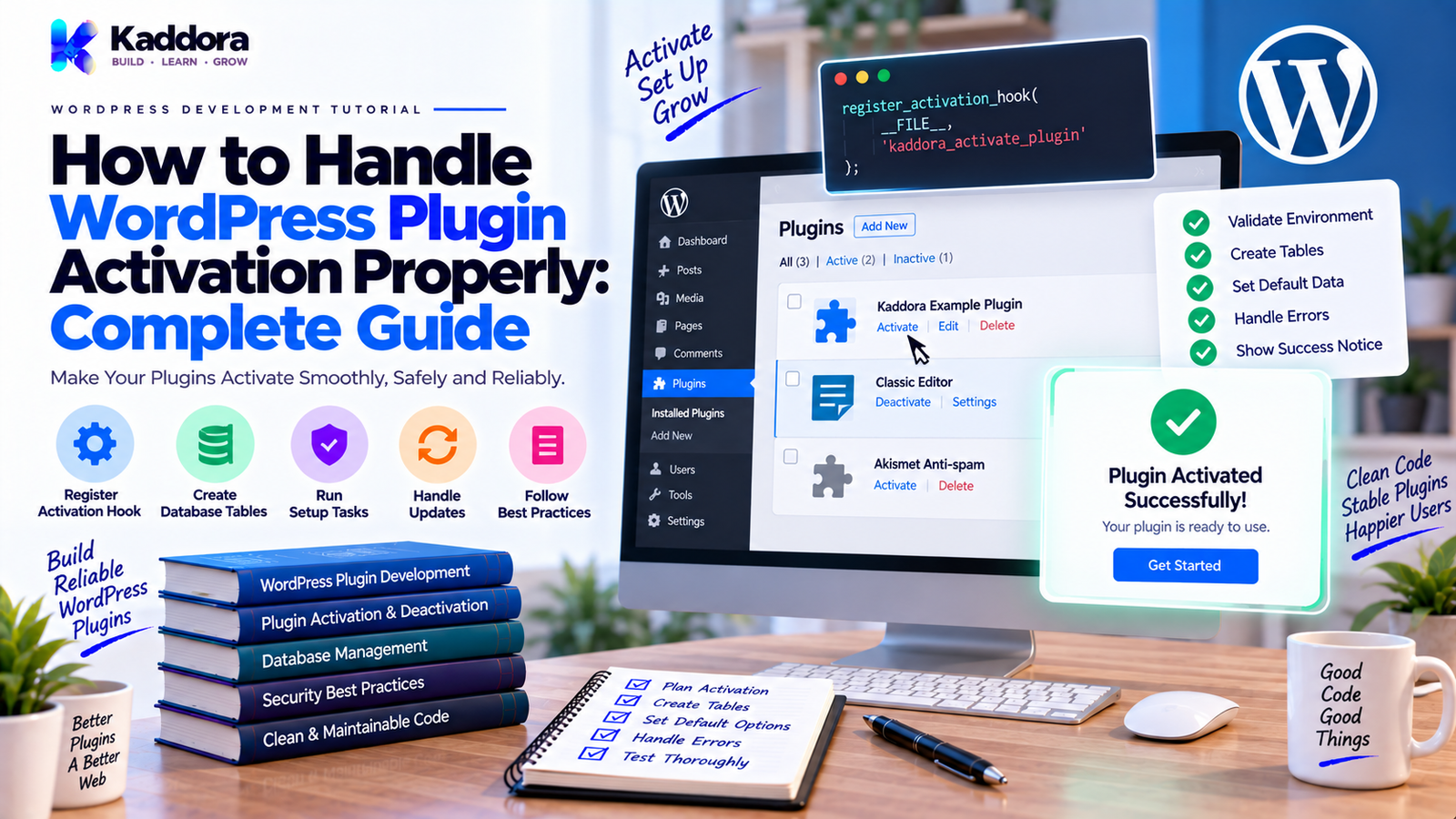
How to Handle WordPress Plugin Activation Properly: Complete Developer Guide
Introduction
Plugin activation is one of the most important lifecycle events in WordPress plugin development.
It is the point where WordPress tells a plugin:
The site administrator has activated you. Perform your required one-time setup.
This can include tasks such as:
Creating database tables
Adding default settings
Registering initial configuration
Creating scheduled events
Preparing required resources
Setting initial plugin versions
Performing compatibility checks
However, activation should not become a place where a plugin performs all of its runtime work.
A common mistake is treating activation like normal plugin initialization.
For example:
Activation ↓ Create Tables ↓ Set Defaults ↓ Prepare Plugin
while normal runtime should look more like:
Plugin Loaded ↓ Bootstrap ↓ Register Hooks ↓ Run Features
These are different responsibilities.
A clean activation architecture is especially important for plugins that contain:
Custom database tables
WooCommerce integrations
Email systems
Automation
Analytics
REST APIs
Background processing
Scheduled jobs
Large modular architectures
In this guide, you'll learn how WordPress plugin activation works, how to use register_activation_hook(), what should and should not happen during activation, how to create database tables safely, how to set defaults, how to schedule tasks, how to handle multisite, how to deal with activation errors, and how to design activation code that remains maintainable as your plugin grows.
What Is WordPress Plugin Activation?
Plugin activation is the lifecycle event triggered when a site administrator activates a WordPress plugin.
A plugin can register an activation callback using:
register_activation_hook( __FILE__, 'kaddora_example_activate' );
When the plugin is activated, WordPress executes the registered callback.
A typical lifecycle looks like:
Plugin Installed ↓ Plugin Activated ↓ Activation Callback ↓ Initial Setup ↓ Plugin Available for Normal Runtime
Activation is generally a setup phase.
It should prepare the plugin so that normal runtime operations can happen afterward.
Why Is Proper Plugin Activation Important?
Poor activation logic can create serious problems.
For example:
Activation errors can prevent a plugin from being enabled.
Incorrect database schemas can break core features.
Repeated setup logic can create unnecessary work.
Missing defaults can cause undefined behavior.
Scheduled tasks can be duplicated.
Multisite installations can behave incorrectly.
Unsupported environments can produce fatal errors.
A clean activation process reduces these risks.
Good activation code should be:
Predictable
Idempotent where practical
Safe
Lightweight
Testable
Compatible with the rest of the plugin lifecycle
The WordPress Activation Hook
The most common API is:
register_activation_hook( __FILE__, 'kaddora_example_activate' );
The first parameter identifies the main plugin file.
The second parameter identifies the callback.
A callback can be a function or a static class method where appropriate.
For example:
function kaddora_example_activate() { // Activation setup. }
The function should perform only the setup required at activation.
Activation in an Object-Oriented Plugin
Larger plugins can keep activation logic in a dedicated installer class.
For example:
namespace Kaddora\Example; defined( 'ABSPATH' ) || exit; class Activator { public static function activate() { // Installation logic. } }
The main plugin file can register it:
register_activation_hook( __FILE__, array( \Kaddora\Example\Activator::class, 'activate' ) );
This keeps setup logic separate from the main runtime bootstrap.
Keep Activation Separate From Runtime Bootstrap
This distinction is important.
Activation
Used for one-time or setup-related operations.
Activation ↓ Schema Defaults Scheduled Tasks Initial State
Runtime Bootstrap
Used whenever the active plugin loads.
Plugin Load ↓ Autoloader ↓ Bootstrap ↓ Services ↓ Hooks
Don't put activation-only operations into normal plugin loading.
What Should Happen During Plugin Activation?
Common activation tasks include:
Creating custom database tables
Setting initial options
Storing the plugin version
Creating required pages
Scheduling required recurring tasks
Preparing default configuration
Registering installation state
Not every plugin needs all of these.
Use only what your plugin actually requires.
What Should NOT Happen During Activation?
Avoid using activation to perform unrelated runtime work.
For example, don't use activation to:
Import millions of records
Send large email campaigns
Make unnecessary external API requests
Process a large analytics dataset
Perform expensive reports
Delete unrelated user data
Run long background operations without planning
Activation occurs in an administrative context and can be sensitive to execution limits.
Heavy tasks should generally be moved to a controlled background process.
Use Activation for Initial Database Setup
Plugins that require custom database tables often create them during activation.
For example:
Plugin Activation ↓ Check Database ↓ Create Required Tables ↓ Store Schema Version
A simple installer class might be:
namespace Kaddora\Example; defined( 'ABSPATH' ) || exit; class Installer { public static function activate() { global $wpdb; $table_name = $wpdb->prefix . 'kaddora_orders'; $charset_collate = $wpdb->get_charset_collate(); $sql = "CREATE TABLE {$table_name} ( id bigint(20) unsigned NOT NULL AUTO_INCREMENT, customer_id bigint(20) unsigned NOT NULL, status varchar(50) NOT NULL, created_at datetime NOT NULL, PRIMARY KEY (id), KEY customer_id (customer_id) ) {$charset_collate};"; require_once ABSPATH . 'wp-admin/includes/upgrade.php'; dbDelta( $sql ); } }
The exact schema should reflect the plugin's real requirements.
Why Use dbDelta()?
WordPress provides dbDelta() for creating and updating database tables.
For example:
require_once ABSPATH . 'wp-admin/includes/upgrade.php'; dbDelta( $sql );
This can be useful because the same mechanism can also support controlled schema changes.
However, dbDelta() has specific SQL formatting and schema-diff behavior.
Don't assume that arbitrary SQL written for another database system will behave exactly as expected.
Test the schema creation process.
Use the WordPress Database Prefix
Never hard-code:
wp_kaddora_orders
Instead use:
$table_name = $wpdb->prefix . 'kaddora_orders';
This supports installations where the WordPress database prefix is different.
For multisite, additional site-specific considerations may apply.
Use $wpdb Safely
When working with database operations:
Use $wpdb
Use prepared queries for dynamic values
Validate identifiers such as table names
Avoid concatenating untrusted values into SQL
For example:
$result = $wpdb->get_var( $wpdb->prepare( "SELECT COUNT(*) FROM {$table_name} WHERE status = %s", $status ) );
The table identifier itself should come from trusted plugin-controlled configuration rather than user input.
Activation code should follow the same security principles as normal plugin code.
Store a Database Schema Version
If your plugin has custom tables, store a schema version.
For example:
update_option( 'kaddora_example_db_version', '1.0' );
Then future updates can compare versions:
Current Schema: 1.0 ↓ Plugin Requires: 1.1 ↓ Run Migration ↓ Store 1.1
This is much safer than attempting to recreate the database structure every time the plugin loads.
Activation vs Database Migration
Activation and migration are related but not identical.
Initial Activation
Create the initial database structure.
Version Upgrade
Upgrade an existing structure from one schema version to another.
For example:
Version 1.0 ↓ Migration ↓ Version 1.1 ↓ Migration ↓ Version 1.2
A mature plugin should have a predictable migration strategy.
Don't depend on users deactivating and reactivating the plugin to trigger database upgrades.
Why Reactivation Should Not Be Your Migration Strategy
A user may update a plugin without deactivating it.
Therefore, database upgrades cannot depend exclusively on the activation hook.
A better runtime strategy is:
Plugin Updated ↓ Detect Schema Version ↓ Run Required Migration ↓ Update Stored Version
This can be performed through a controlled update routine rather than requiring manual reactivation.
The exact migration trigger should be chosen carefully to avoid running expensive operations on every request.
Set Default Plugin Options During Activation
Activation is a good place to create initial settings.
For example:
if ( false === get_option( 'kaddora_example_settings', false ) ) { add_option( 'kaddora_example_settings', array( 'enabled' => true, 'batch_size' => 50, ) ); }
This avoids overwriting existing settings if the plugin is reactivated.
That distinction matters.
A plugin should not reset user configuration every time it is activated again.
Activation Should Be Idempotent
A useful principle is:
Running activation more than once should not unnecessarily damage or duplicate the installation.
For example:
Activate ↓ Create Settings Deactivate ↓ Reactivate ↓ Keep Existing Settings
Avoid code that blindly does:
update_option( 'kaddora_example_settings', $default_settings );
if doing so would overwrite user changes.
Use logic that distinguishes first-time setup from reactivation.
Schedule Cron Tasks During Activation
Some plugins need scheduled events.
For example:
if ( ! wp_next_scheduled( 'kaddora_example_daily_sync' ) ) { wp_schedule_event( time(), 'daily', 'kaddora_example_daily_sync' ); }
This avoids creating duplicate scheduled events.
Normal runtime can register the callback:
add_action( 'kaddora_example_daily_sync', array( $sync_service, 'run' ) );
The two responsibilities remain separate:
Activation ↓ Schedule Event Runtime ↓ Register Callback Cron ↓ Execute Callback
Be Careful With WP-Cron
WordPress cron is not a traditional always-running system scheduler.
Scheduled tasks depend on WordPress's execution model and site traffic or external scheduling depending on configuration.
For high-volume or mission-critical background workloads, more robust scheduling or queue infrastructure may be appropriate.
Activation should only schedule tasks that the plugin genuinely needs.
Creating Required WordPress Pages
Some plugins may need to create pages during activation.
Examples include:
Checkout page
Account page
Dashboard page
Booking page
Confirmation page
If you create pages:
Check whether the page already exists
Avoid duplicates
Store the page ID
Allow users to change configuration later
For example:
Activation ↓ Find Required Page ↓ Exists? / \ Yes No ↓ ↓ Store Create ↓ Store ID
Don't create a new page every time the plugin is activated.
Creating Default Taxonomies or Content
A plugin may register custom post types and taxonomies during normal runtime.
Activation can be used to create initial content where necessary, but don't assume every activation requires content generation.
For example, an appointment plugin might create a default page.
A content-heavy plugin should avoid automatically creating large amounts of content without a clear reason.
Flush Rewrite Rules Carefully
Plugins that register custom post types or rewrite structures sometimes need rewrite rules refreshed.
A common activation pattern is:
flush_rewrite_rules();
However, rewriting rules should not be flushed on every request.
A typical pattern is:
Activation ↓ Register CPT ↓ Flush Rewrite Rules
Then during normal runtime:
Plugin Loaded ↓ Register CPT
Some plugins also flush rewrite rules on deactivation after unregistering their rewrite structures when appropriate.
Because flushing can be relatively expensive, avoid doing it repeatedly.
Activation and Custom Post Types
If a plugin depends on a custom post type, make sure the post type is registered before flushing rewrite rules during activation.
This often means the activation callback temporarily invokes the relevant registration logic before calling:
flush_rewrite_rules();
Keep the process deterministic.
Check WordPress and PHP Requirements
A plugin may require specific:
PHP version
WordPress version
WooCommerce version
PHP extensions
External service configuration
Activation is one point where compatibility can be checked.
For example:
Environment Check ↓ Requirements Met? / \ Yes No ↓ ↓ Activate Fail Safely
Don't let the plugin proceed into unsupported functionality when a controlled failure path is possible.
Activation Error Handling
Activation failures should be handled carefully.
A plugin should not silently leave the site in a partially configured state.
Before performing a sequence of setup tasks:
Validate Requirements ↓ Prepare Setup ↓ Create Resources ↓ Store Configuration ↓ Complete Activation
If a required step fails, provide a useful error where the WordPress activation process can report it appropriately.
Avoid hiding serious failures.
Don't Hide Fatal Configuration Problems
For example, if a plugin absolutely requires a missing dependency, don't continue as if activation succeeded.
Instead, communicate the requirement clearly.
Possible requirements include:
Minimum PHP version
Minimum WordPress version
Required plugin
Required extension
Missing runtime dependency
Good error messages help administrators resolve installation problems quickly.
Activation and Optional Dependencies
Not every dependency should block activation.
Suppose a plugin's core works without WooCommerce, but one module needs WooCommerce.
Then:
Plugin Activation ↓ Core Setup ↓ Plugin Active ↓ WooCommerce Module ↓ Enabled only when available
This is often better than preventing the entire plugin from activating.
Dependency severity should be based on actual requirements.
Activation and Multisite
Multisite requires additional planning.
A plugin may be:
Activated on one site
Network activated
Configured separately per site
Configured at the network level
The plugin should define which setup operations are:
Site-specific
or:
Network-wide
For example:
Network Activation ↓ Network Setup ↓ Individual Sites ↓ Site-Level Setup When Needed
Don't assume a single-site activation callback automatically provides the exact behavior required for every multisite installation.
Network Activation Considerations
Plugins that support network activation may need to iterate across sites for site-specific setup.
However, doing expensive work across many sites during one activation request can become problematic.
For large multisite networks, consider a staged or deferred setup process rather than performing massive operations immediately.
The correct approach depends on the plugin's data model and requirements.
Activation and User Permissions
WordPress controls who can activate plugins, but plugin functionality still needs its own authorization checks.
Activation does not mean:
Every subsequent operation can skip permission checks.
Admin pages, AJAX endpoints, REST endpoints, and settings operations still need appropriate:
Capability checks
Nonces
Validation
Sanitization
Keep lifecycle management separate from runtime authorization.
Activation and Data Privacy
A plugin may need to initialize tables containing:
Customer information
Email addresses
Analytics
Bookings
Orders
User metadata
Activation should create only the data structures required by the plugin.
Don't collect unnecessary information simply because the plugin has a table available.
Data collection and external transmission should be clearly justified by the functionality being provided.
Should Activation Contact External APIs?
Generally, keep external API work out of activation unless it is genuinely required for initial configuration.
For example, avoid automatically:
Activation ↓ Download Massive Dataset ↓ Process Data ↓ Save Thousands of Records
This can create timeouts and unpredictable activation failures.
A better approach is:
Activation ↓ Store Initial State ↓ Schedule Setup Job ↓ Background Processing
This is especially useful for:
Large imports
AI indexing
Analytics initialization
External synchronization
Product catalog imports
Activation and API Credentials
Never hard-code API credentials into activation logic.
If the plugin requires an external service, activation may create the configuration structure, but credentials should be supplied through an appropriate settings interface or configuration mechanism.
Avoid sending secrets to third parties without a clear reason and appropriate user control.
Activation and AI Plugins
AI-powered plugins may need to prepare:
Default settings
Provider configuration
Prompt templates
Feature flags
Database tables
But activation should not automatically send user data to an AI provider simply because the plugin was activated.
A safer flow is:
Activation ↓ Create AI Settings ↓ AI Disabled by Default / Await Configuration ↓ User Configures Provider ↓ Feature Executes
The exact defaults depend on the product.
Activation and Email Marketing Plugins
An email plugin may need:
Subscriber tables
Campaign tables
Template tables
Automation settings
Queue configuration
Activation can create the schema and defaults.
It should not automatically send marketing emails.
A safer architecture is:
Activation ↓ Create Email Tables ↓ Create Defaults ↓ Plugin Active ↓ User Creates Campaign ↓ Queue ↓ Send
Activation and WooCommerce Plugins
A WooCommerce-related plugin may create settings or custom storage during activation.
However, the plugin should determine whether WooCommerce is a hard requirement or an optional integration.
For optional support:
Activation ↓ Core Setup ↓ Plugin Active ↓ WooCommerce Available? / \ Yes No ↓ ↓ Register Wait Integration Safely
This keeps the core plugin more flexible.
Activation and Plugin Versioning
Store the installed plugin version when necessary.
For example:
update_option( 'kaddora_example_version', '1.0.0' );
Then future releases can detect changes.
For example:
Installed: 1.0.0 Current: 1.2.0 ↓ Run Required Upgrades ↓ Store 1.2.0
Don't rely only on the activation hook for version upgrades.
Plugin Activation and Uninstall
Activation and uninstall are opposite lifecycle concerns, but they should not be treated as exact reversals.
Activation
Creates or prepares required resources.
Uninstall
May permanently remove plugin data when appropriate and explicitly intended.
For example:
Activation ↓ Create Tables Uninstall ↓ Optional Cleanup
A plugin should generally not delete permanent user data during activation, deactivation, or ordinary runtime.
Activation vs Deactivation
These events have different responsibilities.
Activation
Prepare the plugin.
Deactivation
Stop or pause appropriate runtime behavior.
For example:
Activate ↓ Schedule Cron
Then:
Deactivate ↓ Clear Temporary Cron
Persistent business data should normally remain unless the user explicitly chooses permanent deletion during uninstall.
Activation and Caching
If activation changes data that is cached, the plugin may need to invalidate appropriate caches.
However, don't flush every cache on activation without a reason.
For example:
Create / Update Configuration ↓ Invalidate Relevant Cache
Keep cache invalidation targeted where practical.
Activation and Object Registration
Activation code may need to call registration methods before certain setup operations.
For example:
Activation ↓ Register CPT ↓ Flush Rewrite Rules
But avoid registering the entire application and performing normal runtime work merely to activate the plugin.
Use the minimum initialization required for setup.
Keep Activation Logic Testable
Activation code should be separated into small methods or classes.
For example:
Activator ├── check_requirements() ├── create_tables() ├── create_defaults() ├── schedule_events() └── finalize_install()
This makes individual responsibilities easier to test.
Avoid:
activate() 2,000 lines
A clean activator is easier to debug and maintain.
Example Activation Class
A practical structure could be:
namespace Kaddora\Example; defined( 'ABSPATH' ) || exit; class Activator { public static function activate() { self::check_requirements(); self::create_tables(); self::create_defaults(); self::schedule_events(); self::store_version(); } private static function check_requirements() { // Validate minimum requirements. } private static function create_tables() { // Create required tables. } private static function create_defaults() { // Add defaults without overwriting existing settings. } private static function schedule_events() { // Schedule only required tasks. } private static function store_version() { update_option( 'kaddora_example_version', '1.0.0' ); } }
The exact implementation depends on the plugin.
The architectural principle is the important part:
One activation process, several clearly defined setup responsibilities.
Example Main Plugin File
The main plugin file can remain small:
<?php /** * Plugin Name: Kaddora Example * Version: 1.0.0 * Text Domain: kaddora-example */ defined( 'ABSPATH' ) || exit; require_once __DIR__ . '/vendor/autoload.php'; register_activation_hook( __FILE__, array( \Kaddora\Example\Activator::class, 'activate' ) ); $plugin = new \Kaddora\Example\Core\Plugin(); $plugin->boot();
This separates:
Activation ↓ Activator Runtime ↓ Plugin Bootstrap
The architecture remains clear.
Activation Checklist
Requirements
PHP requirements checked
WordPress requirements checked
Required dependencies checked
Optional integrations handled separately
Database
Required tables created
WordPress database prefix used
dbDelta() used where appropriate
Schema version stored
Dynamic queries use prepared statements
Defaults
Default options created
Existing settings preserved
No unnecessary data created
Scheduled Tasks
Required cron events scheduled
Duplicate events avoided
Heavy processing deferred
Pages and Content
Required pages checked before creation
Duplicate pages avoided
IDs stored where necessary
Rewrite rules handled only when required
Security
Activation logic validates trusted data
No secrets hard-coded
No unnecessary external transmission
Runtime permissions remain enforced
Lifecycle
Activation separated from bootstrap
Deactivation handled separately
Uninstall handled separately
Database migrations handled independently
Testing
Fresh installation tested
Reactivation tested
Upgrade tested
Multisite tested where applicable
Failure conditions tested
Required dependencies missing tested
Common WordPress Plugin Activation Mistakes
Recreating Tables on Every Request
Database setup belongs in activation and migration logic, not normal runtime.
Overwriting Settings
Reactivation should not normally erase user configuration.
Sending API Requests During Activation
Large or unnecessary network requests can cause activation failures.
Running Heavy Imports
Use deferred or background processing for large workloads.
Scheduling Duplicate Cron Events
Always check whether an event already exists.
Depending on Reactivation for Updates
Users don't necessarily deactivate and reactivate plugins when updating.
Ignoring Multisite
Network activation can require a different setup strategy.
Flushing Rewrite Rules Everywhere
Rewrite flushing should be limited to lifecycle situations where it is actually necessary.
Blocking Optional Integrations
Don't prevent the entire plugin from activating when only one optional module is unavailable.
Mixing Activation With Runtime Bootstrap
Setup code and runtime code have different responsibilities.
Deleting Data During Deactivation
Deactivation should generally not be used for permanent destructive cleanup.
How to Handle Activation Errors
A practical error-handling strategy is:
Validate Requirements ↓ Requirements OK? / \ Yes No ↓ ↓ Continue Stop Safely ↓ ↓ Setup Explain Problem ↓ Complete
Examples of useful error conditions include:
Unsupported PHP version
Unsupported WordPress version
Missing required plugin
Missing runtime dependency
Database setup failure
An administrator should receive enough information to understand what must be fixed.
Avoid hiding the underlying problem.
How to Handle Large Initial Setup
Suppose a plugin needs to initialize 100,000 records.
Do not necessarily do this:
Activation ↓ Process 100,000 Records ↓ Finish
Instead:
Activation ↓ Create Initial Configuration ↓ Schedule Setup Job ↓ Background Processing ↓ Process Batches ↓ Track Progress
This makes the setup more resilient.
For complex jobs, consider queues or appropriate background-processing mechanisms rather than one long request.
How to Test Plugin Activation
Test at least these scenarios.
Fresh Installation
Does a new site activate the plugin correctly?
Reactivation
Does deactivation followed by activation preserve important configuration?
Upgrade
Does an existing installation migrate correctly?
Missing Dependency
Does the plugin fail safely?
Database Failure
Does the plugin report setup problems clearly?
Multisite
Does activation behave correctly when network activation is used?
Scheduled Tasks
Are duplicate events avoided?
Existing Pages
Does the plugin avoid creating duplicate pages?
Plugin Activation Best Practices
A practical activation strategy is:
Validate First
Check required environment and dependencies.
Keep Setup Focused
Perform only activation-specific work.
Create Safely
Use appropriate WordPress database APIs and preserve existing configuration.
Avoid Heavy Operations
Defer large workloads.
Prevent Duplicates
Check existing options, pages, tables, and cron events.
Store Versions
Track installed plugin and schema versions.
Separate Lifecycle Responsibilities
Keep activation, bootstrap, deactivation, migration, and uninstall logic distinct.
Test Failure Paths
Activation code should be tested for both successful and unsuccessful setup.
Why Choose ThemeKaddora?
At ThemeKaddora, we develop WordPress plugins, WooCommerce solutions, AI tools, analytics products, marketing systems, automation tools, HTML templates, UI kits, SaaS solutions, and business-focused digital products.
As plugins grow, proper lifecycle management becomes increasingly important.
A reliable activation architecture helps prepare capabilities such as:
WooCommerce integrations
AI modules
Analytics tables
Email marketing systems
Automation workflows
REST APIs
Custom admin tools
Background processing
ThemeKaddora focuses on practical WordPress development patterns that keep activation logic separate from runtime functionality.
The objective is to create plugins that install cleanly, preserve user configuration, handle dependencies properly, and remain maintainable as features grow.
Final Thoughts
WordPress plugin activation is more than calling register_activation_hook().
A reliable activation strategy combines:
Requirement Checks
Database Setup
Default Configuration
Scheduled Tasks
Initial Resources
Version Tracking
Error Handling
Testing
=
Reliable WordPress Plugin Installation
The key principle is:
Activation prepares the plugin; runtime executes the plugin.
Use activation for tasks such as creating custom tables, setting initial options, scheduling required events, creating necessary resources, and storing installation state.
Avoid heavy imports, unnecessary network requests, large reports, and other expensive work during activation.
Protect existing user settings.
Prevent duplicate cron events.
Use WordPress database APIs correctly.
Store database schema versions.
Don't depend on plugin reactivation for database migrations.
Handle multisite deliberately.
Keep optional dependencies optional when the core plugin can work without them.
And keep activation separate from deactivation and uninstall.
For small plugins, activation logic may only require a few lines.
For larger plugins, a dedicated activator or installer class can keep responsibilities organized without introducing unnecessary architectural complexity.
The best activation system is not the one that performs the most work.
It is the one that prepares exactly what the plugin needs, fails safely when requirements are not met, preserves existing data, and leaves the plugin ready for normal runtime execution.
Frequently Asked Questions
What is WordPress plugin activation?
Plugin activation is the lifecycle event that occurs when a WordPress administrator activates a plugin.
What is register_activation_hook()?
register_activation_hook() allows a plugin to register a callback that WordPress executes when the plugin is activated.
Where should register_activation_hook() be registered?
It should be registered from the plugin's main file, using the correct main plugin file reference and activation callback.
What should happen during plugin activation?
Activation can create database tables, add default settings, schedule required tasks, create necessary resources, and store initial plugin or schema state.
What should not happen during plugin activation?
Avoid unnecessary heavy processing, massive imports, large email sends, expensive reports, and unrelated external API operations.
Can I create database tables during plugin activation?
Yes. Custom plugin tables can be created during activation when the plugin genuinely requires them.
Should AI plugins call AI providers during activation?
Usually not unless external communication is genuinely required for setup. Activation can create configuration and feature state while AI processing occurs when the feature is actually used.
Should email marketing plugins send emails during activation?
No. Activation should prepare the campaign infrastructure, not send marketing messages automatically.
Can activation create custom database tables and uninstall remove them?
Yes, when the plugin intentionally supports permanent cleanup and handles the process carefully.
Should uninstall always delete everything?
Not necessarily. Data deletion should be deliberate and aligned with the plugin's documented cleanup behavior and user expectations.
Why choose ThemeKaddora?
ThemeKaddora develops WordPress plugins, WooCommerce solutions, AI tools, analytics products, email marketing systems, automation tools, templates, UI kits, SaaS solutions, and business-focused digital products using practical and maintainable WordPress development patterns.
Comments (0)