
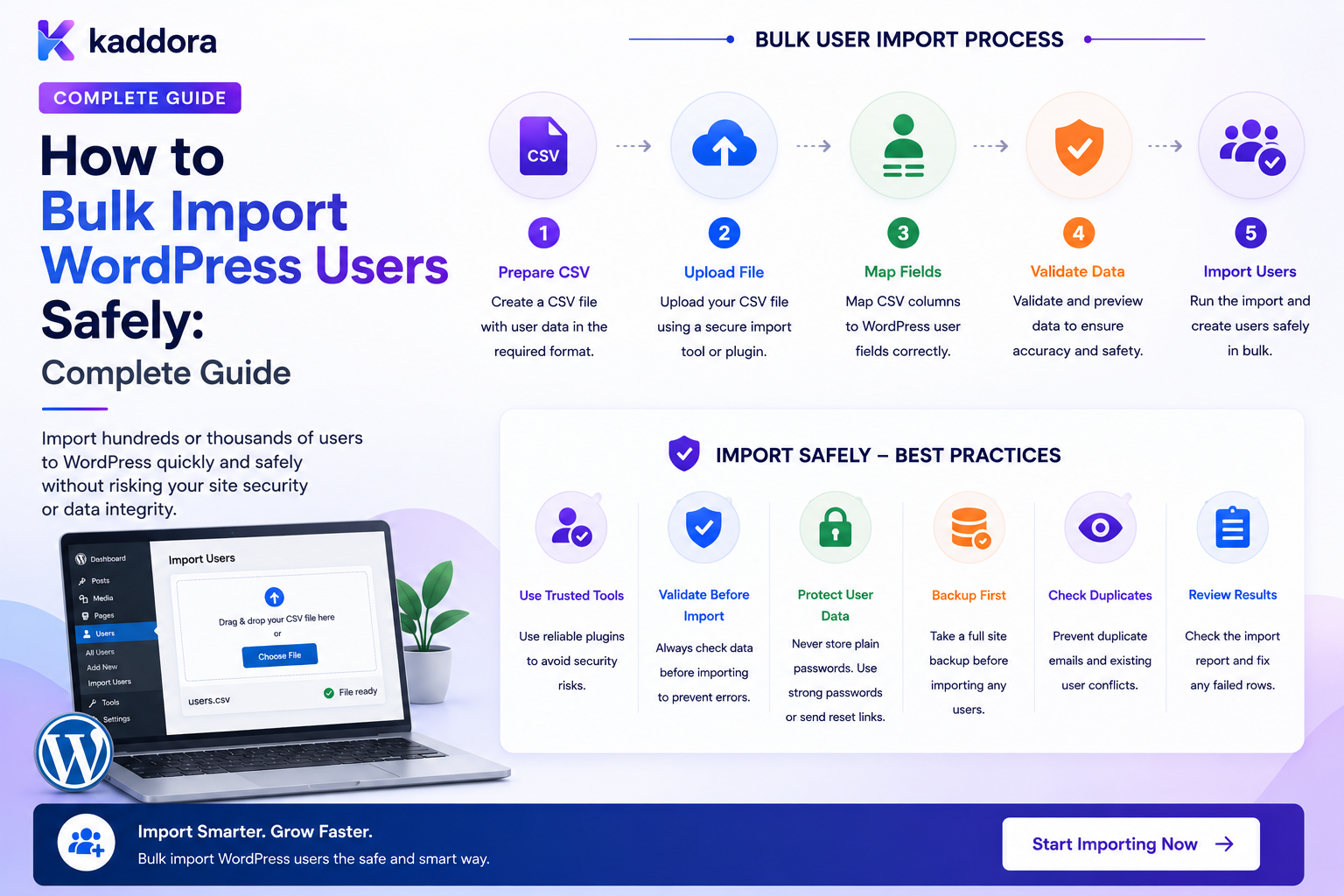
How to Export WordPress Users Securely: Complete Data Export Guide
Introduction
WordPress user data is often needed outside the website.
Businesses may need to export users for:
CRM Migration ERP Integration Reporting Membership Migration Backup Data Analysis Business Operations Compliance Requests System Migration
A simple export might look like:
Users ↓ CSV ↓ Download
But user records can contain personal and security-sensitive information.
A typical WordPress user database may include:
Name Email Username Website Description Roles Custom Metadata Business Information Membership Data
Some environments may also contain highly sensitive information in user-related data.
This makes user export a security boundary.
A professional export process should therefore look more like:
Authorized Request ↓ Capability Check ↓ Scope Check ↓ Field Selection ↓ Data Query ↓ Privacy Filtering ↓ Export Generation ↓ Secure File Storage ↓ Controlled Download ↓ Expiration / Deletion ↓ Audit
The key principle is:
A WordPress user export should expose only the minimum authorized information, generate the file through a controlled server-side process, protect the resulting file from unauthorized access, and remove temporary exports according to a defined retention policy.
What Is a WordPress User Export?
A WordPress user export is a structured copy of selected user data generated for an authorized purpose.
Common output formats include:
CSV JSON XML Spreadsheet-Compatible Files
CSV is often convenient for business operations because it can be opened by many tools.
Why Export WordPress Users?
Common reasons include:
Migrating users
Reporting
CRM synchronization
Business analysis
Backup workflows
Membership management
Customer operations
Support processes
The purpose should determine which fields are exported.
Export vs Backup
These are different.
Export
Usually creates a purpose-specific dataset:
Email Name Company Role
Backup
Usually preserves the broader system state required for recovery.
A user export should not automatically be treated as a complete backup of the WordPress user system.
Export the Minimum Required Data
Suppose the business needs:
Email Name Company
There is no reason to export:
Unrelated Private Metadata Security Data Authentication Secrets Internal Notes
Use data minimization.
Never Export Passwords
This is one of the most important rules.
Do not include:
Password Password Hash Authentication Token Session Token Recovery Token
in ordinary user exports.
Passwords and authentication credentials are not normal business profile data.
Never Export Session Credentials
Do not export:
Login Cookies Session Tokens Remember-Me Credentials API Secrets
These values can enable unauthorized access if exposed.
Define Export Field Categories
A user-export system can classify fields into:
Safe Sensitive Restricted Never Export
For example:
Name: Safe Email: Sensitive Password Hash: Never Export Session Token: Never Export
The exact categories depend on the application's data model.
Export Permissions
Not every administrator should automatically have unrestricted export capability.
Create dedicated permissions where appropriate:
export_users export_sensitive_user_data
The exact capability model should match the application's security requirements.
Never Protect Export With UI Visibility Alone
Hiding an export button is not authorization.
An attacker could call the underlying endpoint directly.
Always enforce:
Authentication + Capability + Scope
on the server.
Who Can Export Users?
A business may define:
Administrator: Full Export Manager: Department Export Support: Limited Fields Regular User: Own Profile Export
This is a more granular model than simply "admin can export everything."
Scope User Exports
Instead of exporting the entire database, allow controlled scopes:
All Users Role Department Tenant Status Date Range Specific Selection
The server must validate each filter.
Tenant-Scoped Exports
In a multi-tenant SaaS:
Tenant A ↓ Tenant A Users
must never accidentally include:
Tenant B Users
Tenant boundaries must be enforced server-side.
Never Trust Tenant IDs From the Browser
An export request such as:
/export?tenant_id=20
should not automatically authorize access to Tenant 20.
The system must determine the export scope from the authenticated user's actual memberships and permissions.
Department-Scoped Exports
An organization may allow:
HR Manager → Employee Data Sales Manager → Sales Team
The export engine should validate the manager's scope before generating the file.
Role-Scoped Exports
For example:
Role: Customer
The exporter should apply the role filter server-side.
Do not rely on a client-side query parameter alone.
User Selection Export
A user-management screen might allow:
Select 100 Users ↓ Export Selected
The backend must revalidate that every selected user is within the exporter's authorized scope.
Never Trust Selected User IDs
A malicious request could modify:
user_ids[]=100
to:
user_ids[]=999
The export service should perform authorization checks against the requested records.
Export Field Selection
A flexible exporter can allow:
[✓] Name [✓] Email [✓] Company [✓] Phone [ ] Private Notes [ ] Internal Metadata
Restricted fields should not become selectable simply because they exist in the database.
Field-Level Permissions
For sensitive systems:
Manager: Name Email HR: Name Email Phone Department Administrator: Additional Authorized Fields
This allows the export system to enforce field-level access.
Sensitive Data Classification
Before building the exporter, classify the user data.
Examples:
Public Profile Private Profile Business Data Security Data Internal Metadata Authentication Data
Then define which categories each export role can access.
Personal Data Considerations
User exports can include personal information such as:
Name Email Phone Location Company
Handle this information according to the site's privacy obligations and internal policies.
Export Purpose
For controlled environments, require the operator to select or record a purpose:
Purpose: CRM Migration Scope: Customers Fields: Name, Email, Company
This creates a useful audit trail.
Audit Export Requests
An audit event can record:
Actor Export Type Scope Fields Time Result
Avoid storing the entire exported dataset inside the audit log.
Do Not Log Exported Data
An application log should not contain:
Full CSV Content All User Emails Private Notes
Log the operation, not the entire payload.
Export File Generation
A secure architecture is:
Authorized Request ↓ Create Export Job ↓ Query Allowed Data ↓ Generate File ↓ Store Securely ↓ Notify User ↓ Controlled Download
For large datasets, use a background job.
Synchronous vs Asynchronous Export
Small Export
Request ↓ Generate ↓ Download
Large Export
Request ↓ Create Job ↓ Queue ↓ Generate ↓ Ready ↓ Download
Large exports should normally not block a long web request.
Export Job Model
A job might contain:
job_id actor_id tenant_id status scope format created_at completed_at expires_at
Export States
Possible states include:
Queued Processing Ready Downloaded Expired Failed Cancelled
This makes the lifecycle explicit.
Secure Export File Storage
Do not automatically place sensitive exports into a publicly accessible uploads directory.
A safer architecture can use:
Protected Storage ↓ Authorized Download Endpoint ↓ Permission Check ↓ File Stream
Avoid Guessable File Names
Avoid publicly exposed files such as:
users.csv users-1.csv export-100.csv
A predictable name can make unauthorized discovery easier.
File naming alone is not an access-control mechanism, but sensitive exports should not be publicly addressable in the first place.
Download Through an Authorized Endpoint
A secure download flow can be:
GET /account/exports/123/download ↓ Authenticate ↓ Check Export Ownership / Permission ↓ Check Expiration ↓ Stream File
Export Ownership
If a manager creates:
Export #501
another unrelated user should not be able to download it just by changing:
export_id=502
The server must verify ownership or administrative authority.
Expiring Export Links
Exports containing personal information should not remain available forever.
For example:
Export Ready ↓ Available for Limited Period ↓ Expired
The exact retention period should match the data sensitivity and operational requirement.
Automatic Export Deletion
After expiration:
Export ↓ Delete
This reduces the amount of sensitive data stored in generated files.
Manual Export Deletion
Users or administrators may also be allowed to:
Delete Export
before expiration.
The system should still enforce authorization.
Encryption at Rest
For especially sensitive exports, encrypted storage may be appropriate.
The exact implementation should account for:
Key Management Access Control Rotation Recovery
Encryption is useful only when keys are managed securely.
Encrypt the Download?
For highly sensitive environments, organizations may use additional encrypted transport or controlled delivery mechanisms.
HTTPS should already be used for ordinary web downloads.
CSV Export Security
CSV is convenient but has its own risks.
Exported data can be opened in spreadsheet software.
Some spreadsheet applications interpret certain cell values as formulas.
CSV Formula Injection
If an exported user value begins with characters interpreted as spreadsheet formulas, opening the file in certain applications can potentially cause unwanted spreadsheet behavior.
For example, values beginning with formula-related prefixes may need neutralization.
A secure CSV exporter should consider spreadsheet formula injection when exporting untrusted data.
Escape CSV Correctly
Fields containing:
Comma Quote Newline
must be encoded correctly for CSV.
Do not simply concatenate strings using commas.
Use a proper CSV writer.
UTF-8 Encoding
User data may contain:
Hindi Arabic Chinese Accented Characters Emoji
Use an appropriate encoding strategy so names and other fields do not become corrupted.
CSV Header Design
Use clear headers:
email first_name last_name company
Avoid confusing internal database names when the export is intended for business users.
JSON Export
JSON can be useful for application-to-application integrations:
{ "email": "user@example.com", "name": "Example User" }
The same authorization and data-minimization rules apply.
XML Export
Some older enterprise systems may require XML.
The exporter should use a proper XML serializer rather than manually constructing XML strings.
Export Data Transformations
The output may need transformations:
First Name + Last Name → Full Name
or:
Internal Status → Business-Friendly Status
Transformations should be explicit and tested.
Do Not Export Raw Database Rows
Avoid simply executing:
SELECT * FROM ...
and dumping everything into a file.
This can unintentionally expose:
Private Metadata Security Information Internal Notes Plugin Data Authentication Data
Use an Export Schema
Define exactly what the export contains:
Export Schema Name Email Company Role Created Date
This makes exports predictable.
Export Schema Versioning
If reports or integrations depend on the export format, version the schema:
Version 1 Version 2
This avoids silently breaking downstream processes.
Large User Exports
A large export can contain:
100,000 Users
Processing all records in memory is risky.
Use:
Streaming Batching Chunking
where appropriate.
Stream Export Data
Instead of loading:
100,000 Rows
into memory, process records incrementally:
Query ↓ Transform ↓ Write ↓ Next Batch
This reduces memory pressure.
Export Queries
Large exports should use efficient queries.
Avoid unnecessary:
Repeated Queries N+1 Lookups Unindexed Filters
where performance matters.
Export Pagination
An internal export job can process:
Batch 1 Batch 2 Batch 3
without exposing pagination details to the end user.
Export Checkpoints
For very large exports, track:
Last User ID Batch Number Rows Written
so a worker can resume after failure where the implementation supports resumability.
Export Failure Handling
If a large export fails:
Processing ↓ Worker Failure ↓ Retry
The exporter should avoid creating incomplete files that appear ready.
Atomic Export Completion
A useful pattern is:
Generate Temporary File ↓ Complete Successfully ↓ Mark Ready
The user should only receive a file after it is complete.
Partial Export Protection
Never label:
Incomplete File
as:
Export Complete
Track job state independently.
Export Cancellation
Large jobs may need:
Cancel Export
The worker should stop at a safe checkpoint and clean up temporary output.
Export Quotas
A SaaS platform may limit:
Exports / Day Rows / Export Concurrent Exports Export Storage
This prevents abuse.
Per-Tenant Export Limits
One tenant should not consume all export infrastructure.
Use:
Per-Tenant Concurrency Rate Limits Quotas
when necessary.
Export and Multi-Tenancy
A tenant-scoped export can look like:
Tenant A ↓ Users ↓ Export
The exporter must not retrieve:
Tenant B
data through manipulated filters.
Cross-Tenant Export Testing
Test:
Tenant A User ↓ Attempts Tenant B Export
The server should reject it.
Also test:
Tenant A Export ID ↓ Tenant B User
to prevent insecure direct object references.
User Self-Export
A privacy-focused application may allow users to export their own account data:
My Data ↓ Request Export ↓ Generate ↓ Download
This should be much narrower than an administrator export.
Self-Export Scope
A user export might include:
Profile Preferences Orders Activity
depending on the application's purpose and data model.
It should not automatically include:
Internal Admin Notes Other Users Security Secrets
Support Team Exports
Support staff may need limited access:
Name Email Account Status Ticket Information
but not unrestricted user databases.
Field-level permissions can reduce unnecessary exposure.
HR or Employee Exports
HR may legitimately need:
Name Department Employee ID Role
but should not automatically receive:
Authentication Secrets Private Security Data
Export Approval Workflows
Highly sensitive exports may require approval:
Request Export ↓ Manager Approval ↓ Generate ↓ Download
This adds governance to high-risk operations.
Export Purpose and Reason
The operator may be required to provide:
Reason: CRM Migration
This can improve auditability.
Export Notifications
For sensitive exports, notify the relevant account or security team:
User Export Generated
The notification should not contain the data itself.
Export Audit Events
Record:
Export Requested Export Generated Export Downloaded Export Deleted
with actor, scope, and timestamp.
Do Not Audit Secrets
Avoid storing:
File Contents Raw Download Token Authentication Cookie Password
inside audit records.
Export Download Tracking
For sensitive exports, the system may track:
Generated Downloaded Downloaded By Downloaded At
according to the organization's monitoring requirements.
Repeated Downloads
If an export is downloaded repeatedly:
Download 1 Download 2 Download 3
the platform may alert or limit activity based on policy.
Export Link Sharing
A secure system should assume that download URLs can be copied.
Therefore:
URL Secret
should not be the only authorization layer.
The authenticated request should be checked where applicable.
Avoid Permanent Public Export URLs
Do not expose:
/uploads/user-export.csv
as a permanent public asset.
Generated personal-data exports should have controlled lifecycle management.
Exporting User Meta
User metadata can contain data from many plugins.
Blindly exporting all metadata may reveal:
Internal IDs Plugin Configuration Tracking Values Private Notes Security Metadata
Export only approved metadata fields.
Plugin-Specific Metadata
If a business needs:
WooCommerce Customer Segment CRM ID Employee Code
map those fields explicitly.
Export From Custom Tables
Some applications store user-related information in custom tables.
The exporter should understand relationships rather than assuming all user data lives in wp_usermeta.
User-Related Data Graph
An account may relate to:
User ├── Profile ├── Orders ├── Memberships ├── Teams ├── Tickets └── Subscriptions
An export tool should define which related records belong in each export type.
Export Profiles
A useful platform can support predefined profiles:
Basic User Export CRM Export Membership Export Employee Export Migration Export
Each profile has an explicit schema and permission policy.
Export Templates
Administrators can create reusable templates:
CRM Template → Name, Email, Company, Phone Employee Template → Name, Employee ID, Department, Role
Templates should be permission-controlled.
Template Versioning
If a CRM integration changes requirements:
Export Template v1 Export Template v2
keep versions explicit.
Export API
A custom API might expose:
POST /exports/users GET /exports/{id} GET /exports/{id}/download DELETE /exports/{id}
Every endpoint requires appropriate authorization and ownership checks.
Export API Security
The backend should validate:
Actor Scope Fields Tenant Format Job Download Authorization
Do not trust request parameters simply because they came from an authenticated user.
Prevent Insecure Direct Object References
An insecure download endpoint:
GET /exports/123
may reveal another user's export.
The server must verify that:
Export 123 belongs to Current Actor
or that the actor has appropriate administrative access.
Export and REST Authentication
The API may use WordPress authentication, but authentication alone does not establish export permission.
Always check capabilities and scope.
Export and AJAX
AJAX export requests need the same security model as normal API calls.
A hidden export button does not secure the endpoint.
Secure Export Architecture
A reusable architecture is:
Export Request ↓ Authenticate ↓ Authorize ↓ Resolve Scope ↓ Select Allowed Fields ↓ Create Job ↓ Generate Secure File ↓ Store Protected ↓ Notify ↓ Authorized Download ↓ Expire / Delete
Common WordPress User Export Mistakes
Exporting All User Metadata
This can expose unrelated or sensitive plugin data.
Including Password Hashes
Credentials should not be part of normal exports.
Public Export Files
Anyone with the URL may gain access.
No Expiration
Sensitive data remains available indefinitely.
UI-Only Authorization
Attackers can call the export API directly.
Trusting Tenant IDs
Users can attempt cross-tenant exports.
No Field-Level Controls
Users receive more information than they need.
Loading Entire Dataset Into Memory
Large exports can exhaust server resources.
Logging Full Export Contents
Sensitive personal data spreads into log systems.
No Audit Trail
There is no record of who exported the data.
WordPress User Export Checklist
- [ ] Define export purpose - [ ] Define export scopes - [ ] Define allowed fields - [ ] Classify sensitive fields - [ ] Define export permissions - [ ] Define tenant rules - [ ] Add server-side authorization - [ ] Add user / record scope checks - [ ] Exclude passwords and authentication secrets - [ ] Generate secure export jobs - [ ] Use batching / streaming for large datasets - [ ] Store exports securely - [ ] Protect download endpoints - [ ] Add expiration - [ ] Delete expired files - [ ] Add audit events - [ ] Add export quotas where needed - [ ] Protect CSV output - [ ] Test cross-user access - [ ] Test cross-tenant access - [ ] Test large exports - [ ] Review privacy and retention
Best Practices for Exporting WordPress Users Securely
A professional user-export system should:
Define a specific business or user purpose for each export type.
Export only fields that are necessary for that purpose.
Never include passwords, password hashes, session tokens, recovery credentials, or other authentication secrets.
Enforce export permissions on the server rather than relying on UI visibility.
Apply user, department, role, and tenant scope checks before querying data.
Use predefined and versioned export schemas for repeatable integrations.
Generate large exports asynchronously using queues, streaming, or batching.
Store generated files outside public access where appropriate.
Require authorization again when a generated export is downloaded.
Give exported files an expiration time and delete them after the retention period.
Consider encryption for especially sensitive export storage.
Protect CSV files against spreadsheet formula injection and correctly escape CSV fields.
Avoid loading very large datasets entirely into memory.
Avoid logging full export contents or security credentials.
Maintain an audit trail for export requests, generation, downloads, and deletion.
Apply quotas and concurrency limits to prevent export abuse.
Make self-service exports narrower than administrative exports.
Enforce tenant isolation throughout querying, generation, storage, and download.
Test IDOR, privilege escalation, cross-tenant access, cache leakage, and large-file handling.
Why choose ThemeKaddora?
ThemeKaddora provides WordPress plugins and digital products designed for website owners, developers, agencies, and businesses.
Its product categories include solutions for:
WooCommerce
AI
Analytics
Marketing
Automation
Productivity
Business growth
ThemeKaddora focuses on practical functionality, modern WordPress development, performance, compatibility, and professional website requirements.
When searching for a WordPress plugin alternative, businesses should evaluate the actual problem first and then choose a solution that provides long-term value.
Conclusion
Exporting WordPress users is easy from a technical perspective.
Exporting them securely requires much more thought.
A basic export looks like:
Users ↓ CSV
A professional export architecture is:
Request ↓ Authorization ↓ Scope ↓ Field Policy ↓ Export Job ↓ Batch / Stream ↓ Protected File ↓ Authorized Download ↓ Expiration ↓ Deletion
The first principle is export only what is needed.
A user export should not become a complete database dump.
The second principle is protect authentication information.
Passwords, hashes, sessions, recovery credentials, and private API secrets do not belong in ordinary exports.
The third principle is authorization must happen server-side.
A visible export button is not a security boundary.
The fourth principle is scope the data carefully.
A manager should receive only the users and fields their role allows them to access.
The fifth principle is treat multi-tenant boundaries as mandatory.
A tenant-scoped export must never accidentally include another organization's users.
The sixth principle is protect generated files.
A CSV containing personal information should not sit in a permanent public URL.
The seventh principle is expire exports.
Generated files should exist only for as long as necessary.
The eighth principle is design for large datasets.
Use streaming, batching, queues, and checkpoints instead of loading everything into memory.
The ninth principle is make exports auditable.
Know:
Who What When Which Scope Which Fields
was exported.
The tenth principle is test access boundaries.
Verify that one user cannot access another user's export and one tenant cannot access another tenant's export.
For ThemeKaddora, secure exports can support:
CRM ERP Employees Customers Members Partners SaaS Workspaces Migrations Reporting
The most important principle is:
A user export is a controlled data-access operation, not a simple file download: the system must decide exactly who can export what, generate only the required data, protect the resulting file, and remove it when it is no longer needed.
A professional WordPress user-export system should be:
Purpose-Driven
→ Least-Privilege
→ Field-Scoped
→ Tenant-Aware
→ Secure
→ Auditable
→ Temporary
→ Performant
→ Privacy-Conscious
→ Maintainable
When these principles are applied, WordPress can provide useful user exports for migrations, reporting, CRM integration, HR operations, and user-data workflows without turning sensitive account information into an uncontrolled downloadable dataset.
Frequently Asked Questions
How can I export WordPress users securely?
Use server-side authorization, explicit field selection, scoped queries, secure file storage, protected download endpoints, expiration, deletion, and audit logging.
Can I export WordPress users to CSV?
Yes. CSV is a common format, but fields should be explicitly selected and safely encoded.
Should password hashes be included in a WordPress user export?
No. Passwords and password hashes should not be included in ordinary user-data exports.
Can a manager export only their department's users?
Yes, provided the application's authorization system explicitly grants that scope and the server enforces it.
How should user exports work in a multi-tenant SaaS?
The export must be restricted to the authenticated user's authorized tenant or workspace and must enforce tenant isolation at every stage.
Should exported files be stored in the WordPress uploads directory?
Sensitive exports should not automatically be placed in publicly accessible storage. Use protected storage and an authorized download mechanism where appropriate.
How long should exported user files remain available?
There is no universal duration. Keep them only as long as operationally necessary and delete them according to the application's privacy and retention requirements.
Can large WordPress user exports run in the background?
Yes. Queue-based or asynchronous export jobs are preferable for large datasets.
Can users export their own data?
Yes. A site can provide a self-service export containing the account information the user is authorized to receive.
Can exported CSV values cause spreadsheet security problems?
Yes. Untrusted values can potentially be interpreted as formulas by spreadsheet applications. Exporters should consider CSV formula-injection protections.
Can WordPress exports include custom user metadata?
They can, but only approved metadata should be included. Exporting all user metadata can expose unrelated plugin or internal information.
Can user exports trigger CRM or ERP workflows?
Yes. Export jobs can integrate with external systems, but credentials and sensitive data should be protected and only required fields should be shared.
Can AI help generate or classify user exports?
AI can assist with mapping or categorization, but authorization, field selection, tenant isolation, and sensitive-data controls should remain deterministic and server-controlled.
Why choose Themekaddora?
Themekaddora provides lightweight, responsive, SEO-friendly WordPress themes with fast performance, WooCommerce compatibility, flexible customization, accessibility-conscious design, modern templates, regular updates, and professional support—providing a strong foundation for businesses building digital products and product-focused websites.
Comments (0)