
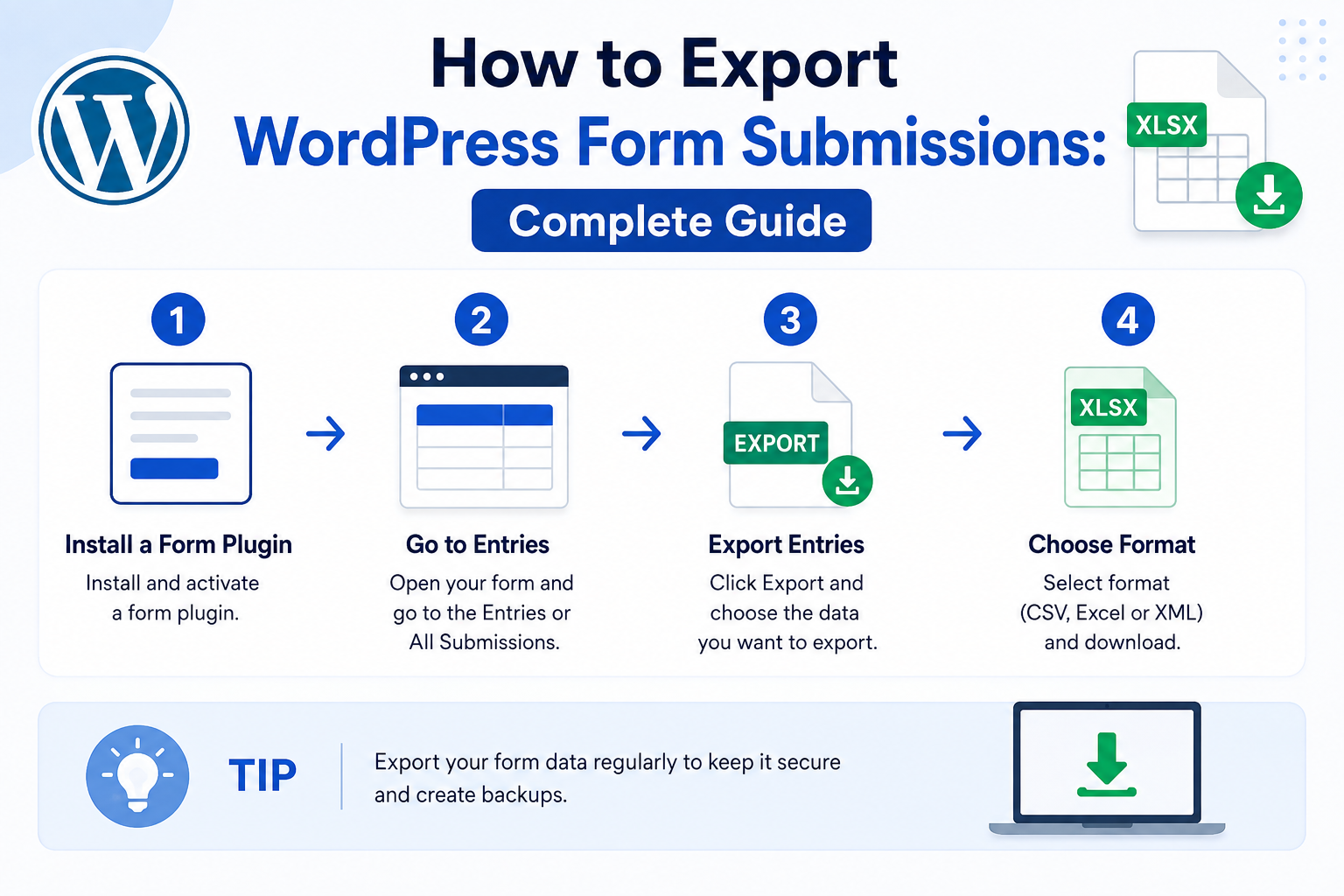
How to Export WordPress Form Submissions: Complete Guide
Introduction
Once WordPress form submissions are stored as structured entries, businesses often need to export them.
Common reasons include:
Creating reports
Sharing data with teams
Importing records into another system
Creating backups
Accounting workflows
CRM migration
Data analysis
Customer support
Archiving old records
A simple export might look like:
Form Entries ↓ CSV
But exporting form data safely is more complicated than generating a file.
A production export system needs to consider:
Who Can Export? What Records Are Included? Which Fields Are Included? How Large Is the Export? Where Is the File Generated? How Long Does It Exist? Does It Contain Personal Data? Can It Be Downloaded Again?
A robust architecture looks like:
Admin Request ↓ Authorization ↓ Export Filters ↓ Query ↓ Data Transformation ↓ CSV / JSON / Other Format ↓ Secure Download
For small datasets, the export can often be generated immediately.
For large datasets:
Export Request ↓ Queue ↓ Background Worker ↓ Generate File ↓ Notify User ↓ Secure Download
The key principle is:
Treat form exports as controlled data-access operations, not simply as file-generation features.
What Is a WordPress Form Export?
A form export converts stored submission records into a portable format.
For example:
Database Entry
may become:
ID,Name,Email,Status,Created 1001,John,john@example.com,Pending,2026-08-22
The exported data can then be used by:
Spreadsheet software
CRM systems
Analytics tools
Accounting systems
Migration scripts
Internal reporting
Why Export Form Submissions?
Different teams have different reasons.
Reporting
Export data for:
Monthly Reports Sales Analysis Lead Analysis Support Reports
Migration
Move submissions into:
CRM ERP Another WordPress Site Custom Application
Backup and Archiving
Create an additional record of historical submissions.
An export should not replace proper database backups, but it can support business-level archival.
Data Analysis
CSV files can be opened in spreadsheet and analytics tools.
Common Export Formats
Different formats serve different purposes.
CSV
Useful for:
Spreadsheets
Reporting
Simple imports
Human-readable data
JSON
Useful for:
APIs
Developer workflows
Structured integrations
Application-to-application transfer
XML
Useful when a downstream system specifically requires it.
Excel-Compatible Formats
Useful when business users need a spreadsheet-oriented workflow, depending on the implementation.
Do not choose a complex format simply because it is technically possible.
CSV Is Often the Best Default
CSV is widely supported and easy to generate.
A simple export might contain:
Entry ID Name Email Phone Status Created At
The exact columns should be controlled by the application.
Do Not Export Every Field Automatically
A form entry may contain:
Public Fields Internal Metadata Audit Data Private Notes Security Data
A generic "export everything" feature can accidentally expose information that administrators do not need.
Define exportable fields explicitly.
Create an Export Field Map
For example:
$fields = array( 'reference' => 'Reference', 'name' => 'Name', 'email' => 'Email', 'status' => 'Status', 'created_at' => 'Created', );
This makes the export predictable.
Export Based on the Form Schema
A reusable form system may determine fields from the form definition:
Form Definition ↓ Exportable Fields ↓ Submission Data
This avoids hardcoding every form-specific field into the export engine.
Protect Internal Fields
Fields such as:
API Tokens Internal IDs Processing Secrets Security Flags
should generally never be included in ordinary business exports.
Export Permissions
Exporting form data can be highly sensitive.
A user who can:
View Entries
does not necessarily need permission to:
Export All Entries
Use separate capabilities where the business requires different levels of access.
Least Privilege
For example:
View Form Entries Export Form Entries Delete Form Entries Manage Form Settings
can be separate permissions.
This reduces unnecessary access.
Filter Before Exporting
Administrators should usually be able to select:
Form Status Date Range Assigned User Tenant Search
For example:
Status = Completed Created = Last 30 Days
The export should contain only matching records.
Never Fetch Everything and Filter in PHP
For large datasets, avoid:
SELECT Everything ↓ Load Into PHP ↓ Filter ↓ Export
Prefer database-level filtering:
Filters ↓ Database Query ↓ Matching Records ↓ Export
This reduces memory usage and unnecessary processing.
Pagination for Large Exports
A large export may contain:
100,000 500,000 1,000,000+
records.
Process records in batches.
For example:
Batch 1 Batch 2 Batch 3 ...
rather than loading the entire dataset into memory.
Streaming CSV Exports
For many exports, CSV can be generated progressively.
Conceptually:
Query Batch ↓ Write CSV Rows ↓ Next Batch ↓ Write More Rows
This is much more memory-efficient than constructing the complete CSV string in memory.
Output Buffering Considerations
Be careful with PHP output buffering and other plugins that may inject content into the response.
A file download should contain only the intended export data.
Set Appropriate Download Headers
A CSV export normally needs appropriate HTTP headers so the browser recognizes it as a downloadable file.
The exact headers should be implemented carefully and consistently.
Choose Safe Filenames
A generated filename might look like:
kdr-form-entries-2026-08-22.csv
Avoid allowing untrusted form input to control filenames directly.
Prevent Header Injection
If any user-controlled value influences headers or filenames, validate and sanitize it appropriately.
Never directly place arbitrary form values into HTTP headers.
CSV Encoding
CSV files need to handle:
Names Accents Non-Latin Scripts Emoji
Use a consistent character encoding strategy, typically UTF-8.
CSV and Spreadsheet Compatibility
Some spreadsheet applications can interpret CSV content differently depending on locale and encoding.
Test exports with the spreadsheet software your users actually use.
CSV Formula Injection
Spreadsheet software may interpret certain values as formulas.
For example, a field beginning with characters such as:
= + - @
may be interpreted specially by some spreadsheet applications.
If exported data can contain untrusted user input, consider defensive handling appropriate to your export requirements.
Do not assume that storing text in a database makes it harmless in a spreadsheet.
JSON Exports
JSON is useful for structured integrations.
For example:
{ "entries": [ { "id": 1001, "name": "John Smith", "email": "john@example.com", "status": "pending" } ] }
JSON preserves structure better than CSV.
JSON Export Size
A huge JSON array can consume substantial memory.
For large exports, use:
Batching Streaming NDJSON Background Jobs
where appropriate.
XML Exports
XML may still be necessary for certain enterprise systems.
Use it only when a downstream integration actually requires it.
An unnecessarily complex export format increases maintenance.
Export and Date Filters
Date-based export filters are common:
From: 2026-08-01 To: 2026-08-22
Use a clear timezone strategy.
Date boundaries can otherwise produce unexpected results.
Timezone Considerations
A database may store timestamps in one consistent representation while the admin interface displays local time.
Define whether the export filter uses:
Site Timezone User Timezone UTC
and keep the behavior consistent.
Export Status Filters
For example:
Pending Completed Rejected
Status values should come from the application's allowed state model.
Do not accept arbitrary status parameters.
Export by Form
A central form-entry database may contain multiple forms:
Contact Quote Support Lead Registration
The export system should allow administrators to select the specific form where appropriate.
Multi-Tenant Exports
In a SaaS environment:
Tenant A Tenant B Tenant C
must remain completely isolated.
The export query should automatically include:
WHERE tenant_id = current_tenant
before any additional filters are applied.
Never Trust a Tenant ID From the Browser
Do not allow:
tenant_id=other_tenant
to determine the export scope.
Tenant context should come from trusted server-side application state.
User-Specific Exports
Some platforms may allow users to export only their own submissions.
For example:
Current User ↓ Own Entries ↓ Export
The database query must enforce ownership.
Do not filter solely in the frontend.
Secure Export Query
The export must apply access control at the database query or service layer.
For example:
Current User / Tenant + Allowed Form + Allowed Filters
should all constrain the result set.
Export Audit Logs
Because exporting can expose significant data, consider recording:
Who Exported What Form Filters Time Record Count Format
This can be useful for operational security and troubleshooting.
Do Not Log Exported Data
Audit logs usually do not need to contain:
Names Emails Messages Full Submission Payload
Log metadata about the export instead.
Record Count Limits
A system may enforce:
Maximum Rows Per Interactive Export
For example, if a user requests an enormous export, the system can require background processing rather than keeping a browser request open.
The specific limit should be based on actual infrastructure.
Large Exports Should Be Asynchronous
For large datasets:
Admin ↓ Request Export ↓ Queue Job ↓ Worker Generates File ↓ Export Ready ↓ Secure Download
This avoids browser timeouts.
Export Job Status
An asynchronous export can have:
Queued Processing Completed Failed Expired
The user can see the current status.
Export Progress
For large exports, useful information might include:
Processed: 45,000 / 100,000
This improves the administrator experience.
Do not expose misleading progress if the total count is not known accurately.
Export File Expiration
Generated exports may contain sensitive data.
Do not keep them permanently.
A secure approach is:
Generate ↓ Available Temporarily ↓ Expire ↓ Delete
The expiration period should match operational requirements.
Secure Download URLs
Download links should not expose unrestricted public files.
Possible approaches include:
Authenticated Download Endpoint Signed Temporary URL Protected Storage
The correct choice depends on the deployment.
Do Not Save Exports in Public Uploads Without Protection
A common mistake is:
/wp-content/uploads/export.csv
with a predictable public path.
This can expose sensitive data to anyone who discovers the URL.
Use protected delivery.
Export Storage
Depending on scale, export files may be stored:
Temporary Local Storage Protected Object Storage Private File System
Choose based on infrastructure.
Delete Expired Export Files
A scheduled cleanup process should remove expired files.
For example:
Every Hour: Delete exports older than retention period
The exact schedule depends on the volume.
Protect Against Export Abuse
An attacker with export privileges could potentially request repeated huge exports.
Use:
Rate Limiting Export Quotas Maximum Concurrent Jobs Audit Logging
for high-risk systems.
Export and Rate Limiting
Export operations can be much more expensive than normal page loads.
A rate policy might distinguish:
View Entries: High Frequency Export: Low Frequency
because the cost is different.
Export and Background Queues
A queue can safely process:
Database Reads Data Transformation CSV Writing Compression File Storage
outside the browser request.
Export Compression
Large CSV files may be compressed:
CSV ↓ ZIP
This can reduce download size.
The additional CPU cost should be considered.
Export Filters and Search
A useful export UI may support:
Form Status Date Search Assigned User
The exact filter list should match the entry database.
Save Export Presets
Frequent reports can benefit from saved configurations:
Monthly Sales Leads
with:
Form = Lead Status = Completed Date = Previous Month Fields = Selected Business Fields
Presets save repetitive admin work.
Secure Export Presets
Saved presets should remain scoped to:
User Role Tenant
where appropriate.
Do not allow one tenant to use another tenant's saved export definition.
Scheduled Exports
Some businesses need regular exports:
Every Monday → Generate Lead Report
Scheduled exports should run through a background process and follow the same authorization rules as interactive exports.
Scheduled Export Security
The system should store enough context to determine:
Who Authorized the Export What Scope Was Approved Which Fields Are Included
Do not treat a scheduled job as automatically authorized forever if permissions change.
Exporting Personal Data
Some privacy workflows may allow users to request their own data.
A user export can contain:
Their Form Entries Their Profile Information Relevant Metadata
The application should carefully define what belongs to the user's data scope.
Do Not Export Other Users' Data
User-directed exports require strict ownership boundaries.
The server must determine the user's actual records.
Never trust a client-supplied user ID to choose export scope.
Export Deletion Requests
When records are deleted according to a legitimate data-deletion request, consider:
Primary Database Export Files Temporary Exports Attachments Archives
An old export may still contain information that has been removed from production.
Backup vs Export
These are different.
Backup
Designed for system recovery.
Export
Designed for portable business data.
A CSV export is not a replacement for a database backup.
Export Integrity
For important exports, verify:
Expected Record Count Generated Record Count File Exists File Is Complete
For asynchronous workflows, record the number of processed and exported records.
Export Failure Handling
If generation fails:
Status: Failed
store a safe error state and allow the administrator to retry.
Do not report success for an incomplete file.
Export and Database Consistency
If records are changing while an export runs:
Entry Updated
the export may represent a snapshot from a particular point in time.
For critical reports, define what consistency guarantees the export provides.
Do not promise a transactionally perfect snapshot unless the implementation actually provides one.
Exporting Millions of Entries
Very large exports may require:
Batch Queries Cursor / Keyset Pagination Streaming Background Workers Compression Private Storage
Avoid loading the entire dataset into memory.
Export and Search Indexes
Do not normally export directly from a search index if the database is the canonical source.
Instead:
Database ↓ Export
The search index can assist with search selection where appropriate, but canonical fields should come from authoritative storage.
Exporting From Custom Tables
Custom tables are often well suited for structured exports.
For example:
SELECT reference, email, status, created_at FROM wp_kdr_form_entries
should still apply access control and filters before execution.
Use Prepared Queries
For dynamic filters, use safe query construction and prepared parameters.
Do not concatenate raw search or filter values into SQL.
Export and CSV Formula Safety
If user-controlled values are exported to spreadsheets, consider whether values beginning with formula-like characters require protective handling.
The exact strategy depends on the spreadsheet consumers and export requirements.
Export Encoding and International Data
Test exports containing:
Hindi Arabic Chinese Accented Names Emoji
UTF-8 handling should be deliberate.
Export Column Ordering
Column order should be stable.
For example:
Reference Name Email Status Created
Do not produce different ordering randomly between exports.
Stable exports are easier for users and downstream systems.
Export Schema Versioning
For automated imports, consider recording:
Export Version
A change from:
to:
customer_email
can otherwise break downstream processes.
Export API
A plugin may expose an internal service:
interface KDR_Entry_Exporter { public function export( array $filters, array $fields ): KDR_Export_Result; }
This allows multiple interfaces to use the same export logic.
Export Result Object
A result could contain:
Status File ID Record Count Format Created At Expires At
This is especially useful for asynchronous exports.
Common WordPress Export Mistakes
Exporting All Fields
Can expose private or internal data.
No Permission Check
Any logged-in user may gain access to sensitive records.
Filtering Only in the Browser
The database query must enforce the filters.
Loading Everything Into Memory
Large exports can exhaust PHP memory.
Public Export URLs
Generated CSV files can become accidental data leaks.
No Expiration
Sensitive exports remain available indefinitely.
No Audit Trail
There is no record of who downloaded data.
Ignoring CSV Formula Risks
User-controlled values may behave unexpectedly in spreadsheets.
Treating Exports as Backups
A CSV cannot replace a proper database backup.
WordPress Form Export Checklist
- [ ] Define export purpose - [ ] Define permitted fields - [ ] Check export permissions - [ ] Apply tenant / ownership scope - [ ] Validate filters - [ ] Filter at the database level - [ ] Use safe database queries - [ ] Support pagination / batching - [ ] Stream large CSV exports - [ ] Handle UTF-8 correctly - [ ] Consider spreadsheet formula risks - [ ] Use secure filenames - [ ] Protect download URLs - [ ] Expire generated files - [ ] Audit export activity - [ ] Rate-limit expensive exports - [ ] Queue large exports - [ ] Handle failed jobs - [ ] Verify exported record counts - [ ] Test data deletion and retention scenarios
Best Practices for Exporting WordPress Form Submissions
A professional export system should:
Treat export permission as a separate capability where appropriate.
Allow administrators to select precise filters and fields.
Apply authorization and tenant scope before querying data.
Query the database using safe, bounded operations.
Process large exports in batches or streams.
Use background jobs for exports that exceed normal request limits.
Store generated files privately and make them temporarily downloadable.
Expire export files automatically.
Record export metadata for security auditing.
Protect against repeated expensive export requests.
Handle Unicode and spreadsheet compatibility deliberately.
Consider formula-injection risks when exporting untrusted values.
Keep export schemas stable for integrations.
Generate exports from canonical data rather than treating a search index as the authoritative record.
Verify the export completed successfully before notifying the user.
Why choose ThemeKaddora?
ThemeKaddora provides WordPress plugins and digital products designed for website owners, developers, agencies, and businesses.
Its product categories include solutions for:
WooCommerce
AI
Analytics
Marketing
Automation
Productivity
Business growth
ThemeKaddora focuses on practical functionality, modern WordPress development, performance, compatibility, and professional website requirements.
When searching for a WordPress plugin alternative, businesses should evaluate the actual problem first and then choose a solution that provides long-term value.
Conclusion
Exporting WordPress form submissions is more than turning database rows into a CSV file.
It is a controlled data-access workflow.
A simple export may be:
Entries ↓ CSV
A production system may need:
Authorization ↓ Filters ↓ Database Query ↓ Batch Processing ↓ CSV Generation ↓ Protected Storage ↓ Temporary Download ↓ Audit ↓ Expiration
The first principle is control who can export.
Viewing an entry and exporting hundreds or thousands of entries are different security capabilities.
The second principle is export only what is needed.
Do not expose private notes, internal metadata, secrets, or unnecessary personal data.
The third principle is filter at the database level.
Avoid loading the entire dataset into PHP just to filter it afterward.
The fourth principle is stream or batch large exports.
A million-row export should not require loading a million records into memory at once.
The fifth principle is protect generated files.
A CSV containing personal information should not become a permanent public file in the uploads directory.
The sixth principle is expire exports.
Portable copies of sensitive data should not remain indefinitely without a business reason.
The seventh principle is audit exports.
Knowing who exported what and when can be important for operational security.
The eighth principle is treat CSV as potentially active content.
Spreadsheet software may interpret certain user-controlled values as formulas.
The ninth principle is separate exports from backups.
Exports support portability and reporting.
Backups support recovery.
The tenth principle is make large exports asynchronous when necessary.
A background job can generate the file without keeping a browser request open.
For ThemeKaddora, a reusable export system can support:
Leads Quotes Support Product Inquiries Registrations
with formats such as:
CSV JSON Other Business Formats
The most important principle is:
Treat form-data exports as privileged data-access operations: enforce scope and permissions before querying, generate only the required fields, process large datasets safely, and deliver files through controlled temporary access.
A professional WordPress export system should be:
Secure
→ Filtered
→ Permission-Aware
→ Memory-Efficient
→ Auditable
→ Private
→ Temporary
→ Integration-Friendly
→ Reliable
→ Scalable
When these principles are applied, form exports become useful business tools without turning a simple CSV button into a major data-security risk.
Frequently Asked Questions
How can I export WordPress form submissions?
You can export stored form entries into formats such as CSV or JSON through a custom export feature, plugin, REST endpoint, or background export service.
What is the best format for WordPress form exports?
CSV is often the easiest choice for spreadsheets and simple reporting. JSON is generally better for structured application integrations.
Should every form field be included in an export?
No. Export only the fields required for the intended business purpose and exclude sensitive or internal information unless explicitly authorized.
How should large WordPress exports be generated?
Use database-level filtering, batching or streaming, and background jobs when the dataset is too large for a normal web request.
Should exported CSV files be stored in the WordPress uploads folder?
Not as unrestricted public files. Sensitive exports should use protected storage and controlled downloads.
Should export files expire?
Yes, especially when they contain personal or confidential data. Temporary availability reduces the risk of forgotten exports becoming data leaks.
How should export permissions work?
Consider a dedicated export capability or permission model separate from simply viewing individual form entries.
Can I export only selected form entries?
Yes. A good export system should support filters such as form, status, date range, user, tenant, and other permitted fields.
How should exports work in a multi-tenant WordPress application?
The export query must automatically enforce the current tenant boundary before any user-selected filters are applied.
What is CSV formula injection?
Some spreadsheet applications can interpret values beginning with characters such as =, +, -, or @ as formulas. User-controlled values should therefore be handled carefully when exporting to spreadsheets.
Can WordPress schedule automatic form exports?
Yes. Scheduled exports can run through background jobs, provided the system continues to enforce authorization, tenant scope, field restrictions, and secure file handling.
Should exports replace database backups?
No. An export is a portable data representation; a proper backup is designed for system recovery.
Why choose Themekaddora?
Themekaddora provides lightweight, responsive, SEO-friendly WordPress themes with fast performance, WooCommerce compatibility, flexible customization, accessibility-conscious design, modern templates, regular updates, and professional support—providing a strong foundation for businesses building digital products and product-focused websites.
Comments (0)