
Introduction
AI-powered WordPress plugins can help website owners generate content, analyze business information, summarize documents, manage customer interactions, and automate repetitive tasks. However, when these features are available to multiple users, controlling who can access which information becomes essential.
A WordPress administrator may need access to all AI features, while an editor may only need content-generation tools. A support employee might be allowed to analyze assigned customer requests, whereas a customer should only access information associated with their own account.
Without proper access controls, an AI feature could retrieve private records, generate reports using unauthorized information, or expose sensitive data through a response.
WordPress already provides a role and capability system for managing user permissions. Developers can extend this system to control access to AI functionality, individual data resources, administrative operations, and automated workflows.
However, simply checking whether someone has an administrator or editor role is not enough. A secure implementation must enforce permissions throughout the AI workflow, from the initial request to data retrieval, prompt construction, processing, and response delivery.
This article explains how to enforce role-based AI data access in WordPress plugins using custom capabilities, resource-level authorization, secure API endpoints, tenant-aware filtering, and practical PHP implementation examples.
Understanding Role-Based AI Data Access
Role-based access control (RBAC) is an authorization approach in which users receive permissions through assigned roles.
WordPress uses roles and capabilities to determine which operations a user can perform. A role is a collection of capabilities, while a capability represents permission to perform a particular operation.
For example, a WordPress website may contain administrators, editors, authors, contributors, subscribers, and custom business roles.
An AI plugin can introduce additional capabilities to define who may use specific features.
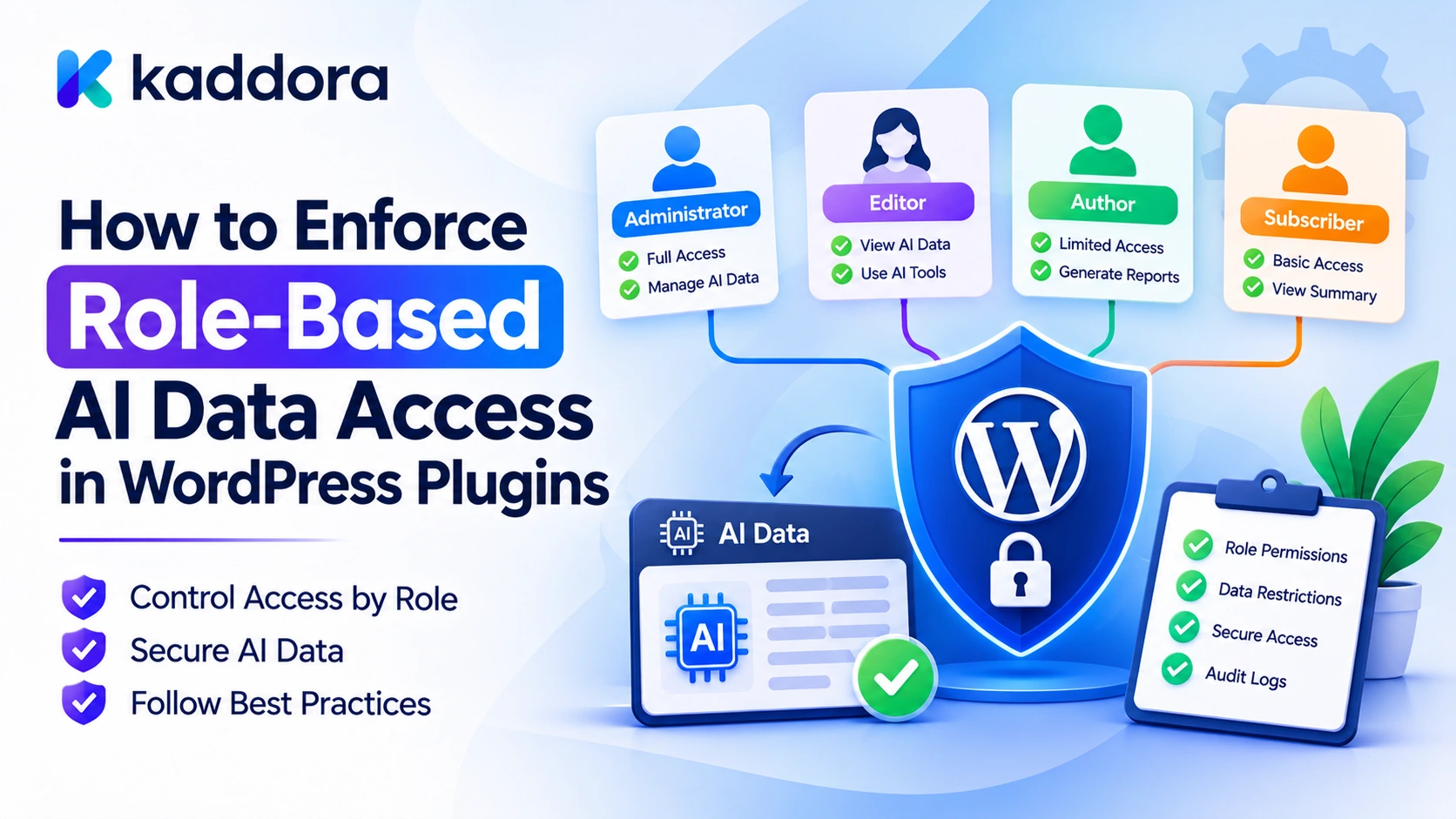
Consider an AI business assistant with the following requirements:
User role
AI access
Administrator
Manage AI settings and access authorized business reports
Editor
Use approved AI content tools
Author
Generate and manage permitted content
Support employee
Analyze assigned support records
Customer
Use restricted account-specific AI assistance
These are illustrative policies. A plugin must explicitly register and assign the capabilities required by its own features.
The important distinction is that role-based access determines what a user may do, while resource-level authorization determines which particular records the user may access.
For example, two employees may both have permission to use an AI support assistant, but each employee may only be authorized to analyze their own assigned tickets.
A secure AI plugin should enforce both levels of access.
Why AI Plugins Need Role-Based Access Control
Traditional WordPress functionality often has clear boundaries. A user opens an administrative page, performs an operation, and WordPress checks whether the user has the required capability.
AI introduces more complicated data flows.
An AI assistant might retrieve information from several database tables, combine content from multiple sources, send selected information to an external model provider, and generate a response.
If authorization is not enforced at every relevant stage, a user may receive information that would otherwise be inaccessible through the normal WordPress interface.
Common risks include:
Unauthorized users accessing administrative AI features.
Employees retrieving information belonging to other departments.
Customers receiving another customer's private information.
AI-generated reports exposing restricted business records.
Users accessing protected documents through semantic search.
Background jobs processing data after the original user's permissions change.
REST API endpoints exposing AI operations without adequate authorization.
Role-based AI data access helps prevent these problems by making application permissions part of the AI processing architecture.
Design a Role-Based AI Authorization Architecture
Before implementing custom capabilities, developers should define how authorization will work across the plugin.
A practical architecture separates the authorization process from the AI provider integration.
WordPress User | v User Authentication | v Role and Capability Checks | v AI Feature Authorization | v Resource-Level Permission Checks | v Authorized Data Retrieval | v AI Context Preparation | v AI Provider Processing | v Response Validation | v Authorized Result Delivery
Each component has a specific responsibility.
User authentication identifies the person making the request.
Role and capability checks determine whether the user can access the requested AI functionality.
Resource-level authorization verifies access to specific posts, documents, customer records, or other resources.
Authorized data retrieval ensures that only permitted information enters the AI workflow.
AI context preparation selects and minimizes the information needed for the task.
Response validation ensures generated output is processed safely.
Result delivery verifies that the requesting user is still allowed to receive the generated information.
The AI provider should never determine WordPress permissions. The plugin must remain responsible for authorization decisions.
Create Custom Capabilities for AI Features
WordPress provides functions such as add_cap(), remove_cap(), and current_user_can() that developers can use to implement custom permissions.
Instead of checking role names throughout the plugin, define capabilities for specific AI operations.
For example, an AI plugin might use these capabilities:
Custom capability
Purpose
use_kaddora_ai_assistant
Access the AI assistant
generate_kaddora_ai_content
Generate website content
analyze_kaddora_ai_records
Analyze authorized business records
view_kaddora_ai_reports
Access generated AI reports
manage_kaddora_ai_settings
Manage AI configuration
approve_kaddora_ai_actions
Approve restricted AI operations
These names are illustrative and can be adapted to a plugin's actual naming conventions.
A helper function can check whether a user has permission to use a particular AI feature:
function kaddora_ai_user_can_generate_content() { if ( ! is_user_logged_in() ) { return false; } return current_user_can( 'generate_kaddora_ai_content' ); }
The feature should call this function before processing an AI request.
function kaddora_ai_generate_content( $prompt ) { if ( ! kaddora_ai_user_can_generate_content() ) { return new WP_Error( 'kaddora_ai_access_denied', 'You do not have permission to generate AI content.' ); } if ( ! is_string( $prompt ) || '' === trim( $prompt ) ) { return new WP_Error( 'kaddora_ai_invalid_prompt', 'Please provide a valid prompt.' ); } // Continue with validated request processing. }
The helper centralizes the access check and reduces the chance that individual plugin features implement inconsistent permission rules.
Assign AI Capabilities to the Appropriate Roles
After defining custom capabilities, a plugin must assign them to the intended roles.
For example, administrators might receive access to all AI management capabilities, while editors receive only content-generation permissions.
A capability registration function could look like this:
function kaddora_ai_register_role_capabilities() { $role_capabilities = array( 'administrator' => array( 'use_kaddora_ai_assistant', 'generate_kaddora_ai_content', 'analyze_kaddora_ai_records', 'view_kaddora_ai_reports', 'manage_kaddora_ai_settings', 'approve_kaddora_ai_actions', ), 'editor' => array( 'use_kaddora_ai_assistant', 'generate_kaddora_ai_content', ), 'author' => array( 'use_kaddora_ai_assistant', 'generate_kaddora_ai_content', ), ); foreach ( $role_capabilities as $role_name => $capabilities ) { $role = get_role( $role_name ); if ( ! $role ) { continue; } foreach ( $capabilities as $capability ) { $role->add_cap( $capability ); } } }
The plugin can call this function during activation or through an appropriate versioned capability-migration process.
There are several important considerations:
Do not register role capabilities on every frontend request.
Account for custom roles created by other plugins.
Avoid assuming that every website uses the default WordPress roles.
Provide an intentional strategy for removing or updating capabilities when plugin permissions change.
Do not remove capabilities that an administrator or another plugin may have independently assigned without carefully defining ownership of those permissions.
For larger plugins, maintain capability changes through versioned upgrade routines so existing installations receive new permissions consistently.
Also remember that a custom role name does not automatically provide access to a feature. The required capability must actually be assigned.
Enforce Access at the AI Feature Level
Every AI feature should check its own required capability.
A common mistake is checking permissions only when rendering the plugin's dashboard.
For example, hiding an AI report button from unauthorized users does not protect the underlying REST API endpoint or AJAX handler.
A user may still attempt to call the endpoint directly.
Therefore, authorization must happen inside the server-side operation that performs the requested task.
Consider an AI reporting function:
function kaddora_ai_generate_business_report() { if ( ! current_user_can( 'view_kaddora_ai_reports' ) ) { return new WP_Error( 'kaddora_ai_report_access_denied', 'You cannot access AI business reports.' ); } // Retrieve only authorized reporting data. // Build the AI context. // Process the provider request. // Validate and return the generated report. }
The permission check must occur before any protected business information is retrieved or sent to an external provider.
For operations involving sensitive information, do not rely on frontend visibility controls or JavaScript checks.
The server must independently authorize every request.
Add Resource-Level Authorization for User-Specific Data
Role-based permissions determine which features users can access, but they do not automatically authorize access to every resource.
For example, an employee may have permission to use an AI support assistant but should only analyze tickets assigned to them.
Consider a custom post type called support_ticket.
An implementation might check both the user's capability and the individual record's permissions:
function kaddora_ai_can_analyze_support_ticket( $ticket_id ) { $ticket_id = absint( $ticket_id ); if ( ! $ticket_id || ! is_user_logged_in() ) { return false; } if ( ! current_user_can( 'analyze_kaddora_ai_records' ) ) { return false; } if ( ! current_user_can( 'read_post', $ticket_id ) ) { return false; } return kaddora_ai_ticket_is_assigned_to_user( $ticket_id, get_current_user_id() ); }
The function kaddora_ai_ticket_is_assigned_to_user() represents an application-specific ownership or assignment check that the plugin must implement.
The exact authorization rules depend on the data model. For example, some support systems may allow team managers to access all tickets assigned to their department.
The plugin should explicitly model these rules rather than relying exclusively on post ownership.
A useful authorization design separates:
Feature-level capability checks.
Record ownership checks.
Assignment and department checks.
Organization or tenant membership checks.
Additional business-specific restrictions.
Only after all relevant checks pass should the record be included in the AI request.
Filter Database Queries Before Retrieving AI Context
An AI feature should never retrieve unrestricted records and rely on the AI model to ignore unauthorized information.
Filtering must happen before the data enters the prompt.
For example, consider a plugin that stores customer-related records in a custom database table.
A secure query should include the authorized user's scope:
function kaddora_ai_get_user_records( $user_id ) { global $wpdb; $user_id = absint( $user_id ); if ( ! $user_id || $user_id !== get_current_user_id() ) { return new WP_Error( 'kaddora_ai_invalid_user_context', 'The requested user context is invalid.' ); } if ( ! current_user_can( 'analyze_kaddora_ai_records' ) ) { return new WP_Error( 'kaddora_ai_record_access_denied', 'You cannot analyze these records.' ); } $table_name = $wpdb->prefix . 'kaddora_customer_records'; $records = $wpdb->get_results( $wpdb->prepare( "SELECT id, record_title, record_summary FROM {$table_name} WHERE owner_user_id = %d ORDER BY id DESC LIMIT %d", $user_id, 20 ), ARRAY_A ); return is_array( $records ) ? $records : array(); }
This example assumes that the plugin's data model uses owner_user_id to define access. A more advanced application may need additional department, assignment, or tenant conditions.
The table name is constructed from the trusted WordPress database prefix and a fixed plugin-controlled table name. User input should never determine SQL identifiers.
Dynamic values must be passed through $wpdb->prepare().
The main principle is that the SQL query itself should enforce the intended data scope whenever possible.
Enforce Permissions in WordPress REST API Endpoints
Many AI-powered plugins use REST API endpoints to connect frontend interfaces with backend processing functions.
Every protected REST endpoint should have an appropriate permission_callback.
For example:
add_action( 'rest_api_init', function () { register_rest_route( 'kaddora-ai/v1', '/generate-content', array( 'methods' => WP_REST_Server::CREATABLE, 'callback' => 'kaddora_ai_rest_generate_content', 'permission_callback' => 'kaddora_ai_rest_can_generate_content', ) ); } ); function kaddora_ai_rest_can_generate_content( $request ) { if ( ! is_user_logged_in() ) { return new WP_Error( 'kaddora_ai_authentication_required', 'Authentication is required.', array( 'status' => 401 ) ); } if ( ! current_user_can( 'generate_kaddora_ai_content' ) ) { return new WP_Error( 'kaddora_ai_permission_denied', 'You cannot use this AI feature.', array( 'status' => 403 ) ); } return true; }
The route callback should also validate input and enforce any resource-level permissions required by the operation.
For cookie-authenticated REST API requests, configure WordPress REST nonce handling correctly. A nonce helps protect against cross-site request forgery, but it does not replace authentication or authorization.
A valid nonce does not mean the user can access every AI feature or database record.
Control AI Access in AJAX Handlers
Some WordPress plugins use admin-ajax.php to process AI requests.
AJAX handlers should enforce permissions inside the server-side callback.
For example:
add_action( 'wp_ajax_kaddora_ai_generate_content', 'kaddora_ai_ajax_generate_content' ); function kaddora_ai_ajax_generate_content() { check_ajax_referer( 'kaddora_ai_generate_content', 'security' ); if ( ! current_user_can( 'generate_kaddora_ai_content' ) ) { wp_send_json_error( array( 'message' => 'You cannot use this AI feature.', ), 403 ); } $prompt = isset( $_POST['prompt'] ) ? sanitize_textarea_field( wp_unslash( $_POST['prompt'] ) ) : ''; if ( '' === $prompt ) { wp_send_json_error( array( 'message' => 'Please provide a valid prompt.', ), 400 ); } $result = kaddora_ai_process_prompt( $prompt ); if ( is_wp_error( $result ) ) { wp_send_json_error( array( 'message' => 'The AI request could not be completed.', ), 400 ); } wp_send_json_success( array( 'result' => $result, ) ); }
This example assumes that kaddora_ai_process_prompt() performs the remaining provider communication and response validation.
The nonce check and capability check serve different security purposes:
check_ajax_referer() verifies the request nonce.
current_user_can() checks whether the current user has permission to perform the operation.
Both are important for a protected cookie-authenticated AJAX operation.
Public AJAX actions should be registered separately and must use a deliberately restricted public access policy. A public endpoint should never expose private records just because a user can submit a request without logging in.
Apply Role-Based Access to AI Knowledge Bases and RAG Systems
Retrieval-Augmented Generation (RAG) allows AI plugins to search external or internal information sources before generating responses.
A knowledge base might include:
Private company documents.
Internal support articles.
Customer records.
Department resources.
Product documentation.
Organization-specific files.
Restricted operational information.
Not every user should be able to retrieve every document.
For example, an HR employee may have permission to access approved HR documents, while a general employee should only see published company policies.
A secure knowledge-base record should contain appropriate access metadata, such as:
$document_metadata = array( 'document_id' => 125, 'access_capability' => 'view_kaddora_hr_documents', 'tenant_id' => 10, 'visibility' => 'restricted', );
This is an illustrative data structure, not a complete authorization system.
When retrieving documents, the plugin should verify:
The requesting user's capabilities.
The document's visibility.
The user's organization or tenant membership.
Any ownership or assignment requirements.
Whether the document is still available.
Whether its access rules have changed.
For vector databases and semantic retrieval systems, store the relevant access metadata with each indexed document and apply server-side filters during retrieval.
However, vector metadata must not become the sole source of authorization. The plugin should verify permissions against trusted application data before including retrieved content in an AI prompt.
Do not retrieve unrestricted documents and expect the AI model to remove information the user should not see.
Prevent Cross-Role and Cross-Tenant Data Leakage
Multi-user WordPress websites may contain multiple departments, organizations, customers, or business accounts.
Even when users have the same WordPress role, they may belong to different access groups.
For example, two support employees might both have the capability to use an AI support assistant, but each should only access their assigned tickets.
Similarly, two managers might both have permission to view business reports but belong to different organizations.
A secure plugin should combine capabilities with tenant and resource-level authorization.
An example authorization process might look like this:
function kaddora_ai_can_access_tenant_resource( $tenant_id, $resource_id ) { $tenant_id = absint( $tenant_id ); $resource_id = absint( $resource_id ); $user_id = get_current_user_id(); if ( ! $user_id || ! $tenant_id || ! $resource_id ) { return false; } if ( ! current_user_can( 'analyze_kaddora_ai_records' ) ) { return false; } if ( ! kaddora_ai_user_belongs_to_tenant( $user_id, $tenant_id ) ) { return false; } return kaddora_ai_resource_belongs_to_tenant( $resource_id, $tenant_id ); }
The two tenant functions represent plugin-specific database checks and must use trusted records.
Do not accept a tenant ID from a browser request or AI-generated response without verifying the user's actual membership and the resource's association.
This approach helps prevent one user, department, or organization from accessing another's private information.
Control Permissions for AI-Generated Actions
Some AI plugins do more than generate text. They can propose or execute actions such as creating posts, updating products, managing customer information, or triggering business workflows.
These operations require careful permission control.
For example, an AI assistant might propose publishing an article. A user who can generate draft content should not automatically receive permission to publish it.
The plugin should separate action permissions.
function kaddora_ai_can_publish_generated_content() { return current_user_can( 'publish_posts' ) && current_user_can( 'approve_kaddora_ai_actions' ); }
Before publishing generated content, the plugin should verify that the user can publish the specific post and that any additional approval requirement has been satisfied.
For WooCommerce products, verify the relevant product-editing capability and the user's authority over the individual product.
For deleting records or sending bulk communications, consider requiring explicit confirmation from an authorized user.
An AI-generated action should be treated as a proposal, not as proof of permission.
The model must not be allowed to select arbitrary PHP functions, WordPress hooks, database operations, or administrative commands. Use an application-controlled list of permitted actions, validate every argument, and perform authorization immediately before execution.
Handle Permissions in Background AI Jobs
AI operations may run through scheduled tasks or background queues when processing large documents, generating reports, or analyzing many records.
A common mistake is checking the user's permissions only when the job is created.
For example:
A manager requests an AI report.
The plugin adds the request to a background queue.
The manager loses access to the relevant department.
The queued job executes later.
The job processes records that are no longer within the user's permitted scope.
To prevent this situation, the plugin should store a controlled job context.
A job record may include:
$job_context = array( 'requesting_user_id' => get_current_user_id(), 'operation' => 'generate_department_report', 'tenant_id' => $authorized_tenant_id, 'resource_ids' => $approved_resource_ids, 'approval_status' => 'approved', );
This is an illustrative structure. A production implementation should store job data securely and validate it when the job is executed.
Before processing a background job:
Confirm the job is valid and has not expired.
Verify the requesting user or approved service identity.
Recheck the current permissions required for the task.
Verify tenant membership and resource access.
Confirm any required approval is still valid.
Prevent duplicate execution.
Restrict the job to the approved resources.
Do not run all background AI operations with unrestricted administrator permissions simply to avoid authorization failures.
Protect AI Caches With Permission-Aware Keys
AI plugins often cache responses to reduce provider costs and improve performance.
However, shared caching can expose private data when cache keys do not reflect the user's access scope.
For example, if a response generated for one employee is cached using only the prompt text, another employee might receive the same response even though they cannot access the underlying records.
A safer cache key can include relevant authorization context:
$cache_context = array( 'user_id' => get_current_user_id(), 'tenant_id' => $authorized_tenant_id, 'feature' => 'support_summary', 'version' => '1', ); $cache_key = 'kaddora_ai_' . md5( wp_json_encode( $cache_context ) );
This is an illustrative cache design. Depending on the application, the key may also need resource identifiers, permission-policy versions, department membership, or other access boundaries.
A user-specific cache key does not replace authorization. Permissions can change after a response has been cached.
Therefore, the plugin should recheck access before returning sensitive cached results and invalidate relevant entries when ownership, membership, or permissions change.
Avoid sharing cached AI responses across users unless the data is genuinely permitted for all recipients.
Audit Role-Based AI Access Decisions
A secure role-based authorization system should provide enough visibility to understand which users accessed AI features and whether their requests were allowed or denied.
An audit event might contain:
$event = array( 'event_id' => wp_generate_uuid4(), 'user_id' => get_current_user_id(), 'feature' => 'ai_customer_analysis', 'operation' => 'data_retrieval', 'result' => 'denied', 'reason' => 'missing_capability', 'created_at' => current_time( 'mysql', true ), );
This example creates an event structure; a production plugin must implement a suitable protected storage mechanism.
Useful audit information includes:
User identifier.
AI feature name.
Requested operation.
Relevant resource or tenant reference.
Permission decision.
Reason for denial.
Timestamp.
Background job or request identifier.
Avoid logging full prompts, private documents, API credentials, or unnecessary personal information.
Audit logs should have restricted access and appropriate retention rules. Ordinary users should not be able to modify or delete security records.
Logging important authorization decisions helps administrators investigate unexpected behavior and identify attempts to access restricted AI functionality.
Common Mistakes to Avoid
Checking roles instead of capabilities: Role names alone are not a reliable way to manage all feature permissions. Use capabilities and application-specific authorization rules.
Checking permissions only in the interface: Hiding a button does not protect the underlying PHP function, REST API route, or AJAX handler.
Relying only on feature-level access: A user may be allowed to use an AI assistant but not every record the assistant can retrieve.
Sending unrestricted records to AI: Never expect a model to filter private data. Enforce access before constructing the AI context.
Trusting tenant IDs from requests: Verify tenant membership using trusted application data.
Using nonces as authorization: A nonce protects request integrity against CSRF. It does not grant permission to use a feature or access a record.
Ignoring background-job authorization: Recheck relevant permissions when queued tasks execute.
Using shared caches without access boundaries: Cache keys and result delivery must respect user, tenant, and resource permissions.
Allowing AI to select arbitrary actions: Use a controlled action registry and server-side authorization checks.
Logging sensitive information: Keep audit records useful for security review without unnecessarily storing private prompts, documents, or credentials.
Best Practices Checklist
Before releasing a WordPress plugin with role-based AI features, verify that:
AI functionality uses clearly defined custom capabilities.
Capabilities are assigned to appropriate roles and users.
Role changes are handled through controlled upgrade routines.
Server-side operations enforce permissions independently of the interface.
REST API routes define appropriate permission callbacks.
AJAX handlers validate nonces and check capabilities where required.
Record-level ownership and assignment checks are enforced.
Database queries retrieve only authorized information.
Tenant and department boundaries are checked.
RAG retrieval applies permission-aware filtering.
AI-generated actions use an application-controlled allowlist.
Background jobs recheck relevant authorization.
AI caches respect user and resource access boundaries.
Generated reports have appropriate ownership and sharing controls.
Audit events record significant authorization decisions.
Logs avoid unnecessary sensitive information.
Automated tests cover unauthorized users and cross-user access attempts.
Why Choose Kaddora?
Kaddora focuses on WordPress development, AI integration, and digital solutions that help businesses improve their website functionality and workflows. Reliable AI plugins need more than model connectivity; they need a practical permission architecture that protects information while allowing different users to work efficiently.
ThemeKaddora provides WordPress plugins, themes, and templates for developers, agencies, and website owners working on different digital projects. A strong understanding of WordPress capabilities, secure integrations, and application architecture helps developers build AI-powered functionality that remains manageable as websites grow.
Conclusion
Role-based AI data access is an essential part of developing secure WordPress plugins for websites with multiple users.
WordPress roles and capabilities provide a foundation for deciding which users can access individual AI features. However, secure implementations must go further by checking resource ownership, tenant membership, department assignments, and business-specific authorization rules.
Developers should enforce permissions on the server, filter database queries before retrieving information, protect REST and AJAX endpoints, and apply permission-aware retrieval for AI knowledge bases. Background jobs, cached responses, and AI-generated actions must follow the same access policies.
Most importantly, an AI provider should never become the authority for deciding which WordPress records a user can access. That responsibility belongs to the plugin's authorization layer.
By combining WordPress capabilities with resource-level checks and consistent authorization throughout the AI workflow, developers can create intelligent plugins that support different user roles without exposing information beyond their permitted access.
Frequently Asked Questions
How can Kaddora help with role-based AI development?
Kaddora focuses on WordPress development and AI-powered functionality. Understanding capabilities, authorization boundaries, and secure data handling helps developers build more dependable multi-user AI features.
What is role-based AI data access in WordPress?
Role-based AI data access controls which AI features and information users can access according to their assigned WordPress roles and capabilities. It can also include record ownership, tenant membership, and additional application permissions.
Why should WordPress AI plugins use custom capabilities?
Custom capabilities allow developers to define precise permissions for AI operations, such as generating content, analyzing records, viewing reports, or managing AI settings, without depending entirely on default WordPress roles.
Are WordPress roles enough to protect AI data?
Not always. Roles provide feature-level permissions, but individual records may require additional ownership, assignment, department, tenant, or resource-level authorization checks.
How can developers restrict AI features to specific user roles?
Developers can register custom capabilities, assign those capabilities to appropriate roles, and use current_user_can() inside server-side functions, REST API permission callbacks, and AJAX handlers.
How can AI plugins prevent users from accessing another user's data?
Plugins should verify record ownership and authorization before retrieving information. They should also apply appropriate database filters and confirm that only authorized records are added to the AI prompt.
How does role-based access control work with RAG systems?
A RAG system can use user capabilities and document-access metadata to filter retrieval results. The plugin should verify permissions against trusted application data before sending retrieved content to an AI provider.
Why choose ThemeKaddora?
ThemeKaddora offers WordPress plugins, themes, and templates that help developers, agencies, and website owners find practical resources for expanding website capabilities and building digital projects.
Should AI-generated actions automatically inherit a user's permissions?
No. AI-generated actions are proposals, not authorization decisions. The plugin must validate the requested operation, check the user's current capabilities and resource permissions, and require additional approval for sensitive actions.
Comments (0)