
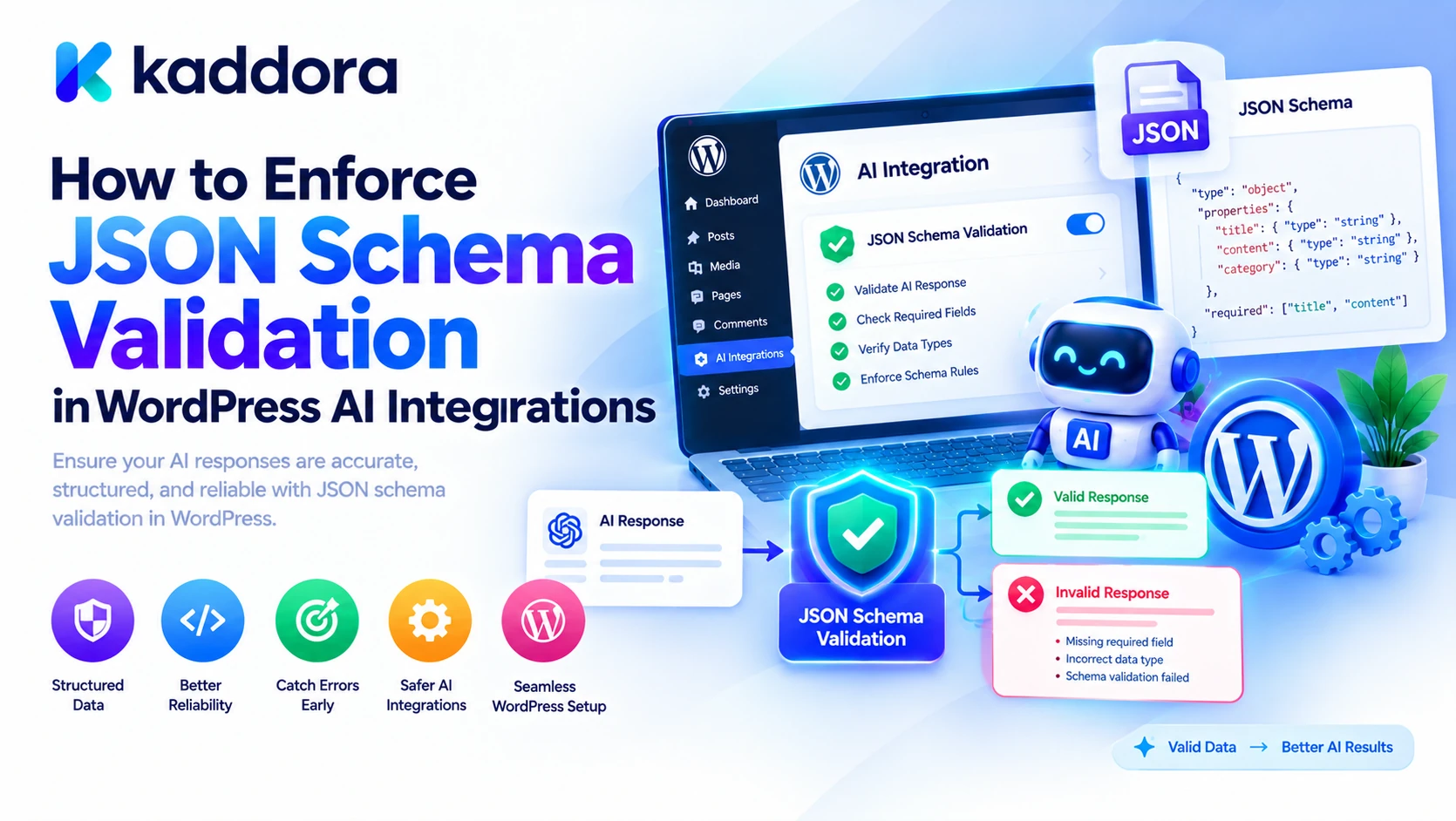
Introduction
AI integrations are making WordPress plugins more capable. Developers can use AI to categorize support tickets, generate SEO metadata, analyze WooCommerce products, manage content workflows, and recommend business actions.
However, AI-generated data must be predictable before a plugin can safely use it. A response may contain valid JSON but still have missing fields, unexpected values, incorrect data types, or information that violates the application's rules.
For example, an AI-powered customer support plugin might expect a priority value of low, normal, or high. If the model returns urgent-critical, the response may be understandable to a person, but the application might not know how to process it.
JSON Schema validation solves this structural consistency problem by defining the data an integration is permitted to accept.
In WordPress, developers can combine provider-supported structured outputs with PHP validation and WordPress's built-in REST API schema functions. This approach creates a reliable boundary between AI-generated data and the automation that consumes it.
This guide explains how to define schemas, enforce validation, handle provider responses, reject invalid data, and protect downstream WordPress operations.
What Is JSON Schema Validation?
JSON Schema is a specification for describing the expected structure, types, and constraints of JSON data.
A schema can define:
Required fields.
Permitted data types.
Allowed values for specific fields.
Nested objects and arrays.
Whether unexpected properties are accepted.
Constraints on values, where supported by the chosen validator.
Suppose a WordPress AI plugin classifies customer support requests. It could expect a response like this:
{ "intent": "refund_request", "priority": "high", "requires_human_review": true, "summary": "The customer requested a refund.", "suggested_action": "send_to_support" }
The plugin can use the schema to verify that the response contains the expected fields and permitted values before it enters the workflow.
It is important to distinguish three separate steps:
Step
Purpose
Structured generation
Ask a compatible AI provider to generate data matching a schema.
Schema validation
Check the received data against the expected structure.
Business-rule validation
Confirm the data is appropriate for the specific operation.
These steps complement each other. A schema cannot establish whether a customer is genuinely eligible for a refund, whether the current user has permission to publish a post, or whether an AI recommendation is factually correct.
Why Enforce JSON Schema in WordPress AI Integrations?
Without strict validation, an AI integration may fail in ways that are difficult to diagnose.
Inconsistent response structures: Different responses contain different fields, making downstream code unreliable.
Unexpected data types: A field expected to contain a boolean arrives as a string.
Unsupported values: A model proposes an action that the plugin does not implement.
Unwanted properties: Additional fields enter the workflow even though the application has no reason to accept them.
Broken automation: Malformed or incomplete data causes a content, commerce, or support workflow to stop unexpectedly.
Security risks: Unvalidated AI output is passed into a privileged operation without checking permissions or business policies.
A schema gives your plugin a clear contract. If the returned data fails that contract, the integration can reject it before the workflow continues.
1. Define a Strict JSON Schema
Start by identifying the fields your WordPress feature actually needs. Avoid designing a schema around every possible answer the AI could produce. A narrow, task-specific schema is easier to validate and maintain.
For this example, a support-ticket classification feature expects five properties: intent, priority, a human-review flag, a summary, and a suggested action.
<?php /** * Return the schema for AI support-ticket classification. * * @return array */ function kaddora_get_ai_ticket_schema() { return array( 'type' => 'object', 'properties' => array( 'intent' => array( 'type' => 'string', 'enum' => array( 'order_status', 'refund_request', 'product_question', 'other', ), ), 'priority' => array( 'type' => 'string', 'enum' => array( 'low', 'normal', 'high', ), ), 'requires_human_review' => array( 'type' => 'boolean', ), 'summary' => array( 'type' => 'string', ), 'suggested_action' => array( 'type' => 'string', 'enum' => array( 'send_to_support', 'request_order_id', 'reply_with_order_link', 'none', ), ), ), 'required' => array( 'intent', 'priority', 'requires_human_review', 'summary', 'suggested_action', ), 'additionalProperties' => false, ); }
This schema requires every listed field, restricts the category and action values, and disallows undeclared properties.
The example uses a PHP array because WordPress's built-in schema validation functions accept schemas in this form. It also uses keywords supported by the basic strict structured-output pattern of many AI providers.
Important: WordPress's schema validator implements a subset of JSON Schema Draft 4, while AI providers can support different subsets of JSON Schema. A provider may impose additional restrictions. Check the supported keywords for your provider and model before using one schema unchanged across every system. See the WordPress REST API schema handbook and OpenAI Structured Outputs documentation.
2. Request Structured Output From the AI Provider
Whenever the AI provider supports structured outputs, use the schema in the provider request instead of relying exclusively on a prompt that says, "Return valid JSON."
For example, the following illustrates the response-format configuration for OpenAI's Responses API:
$kaddora_ai_schema = kaddora_get_ai_ticket_schema(); $kaddora_ai_format = array( 'type' => 'json_schema', 'name' => 'support_ticket_triage', 'strict' => true, 'schema' => $kaddora_ai_schema, );
The request payload uses that format configuration under the Responses API's text.format field. The final API request must also include the chosen model and input in the structure required by the provider.
This approach asks the provider to constrain the response according to the schema. It can reduce malformed output and make downstream code more predictable.
Nevertheless, your integration should not assume that every request will result in a usable object. Requests can fail, models can refuse a request, output can be interrupted by limits, and provider response envelopes can differ.
Read the provider's documented result structure and extract the actual generated output before applying WordPress validation. Do not attempt to validate the complete provider HTTP response as though it were the business object your plugin expects.
Also, never expose an AI provider's secret API key in frontend JavaScript. Send provider requests from your server using protected configuration.
3. Decode the Generated JSON in PHP
Before validating fields, your plugin must confirm that the extracted response text can be decoded into the expected PHP data structure.
The following function uses PHP's JSON error reporting and returns a WordPress WP_Error when the output cannot be processed.
<?php /** * Decode JSON returned by an AI integration. * * @param string $kaddora_ai_json Generated JSON text. * @return array|WP_Error */ function kaddora_decode_ai_json( $kaddora_ai_json ) { if ( ! is_string( $kaddora_ai_json ) || '' === trim( $kaddora_ai_json ) ) { return new WP_Error( 'kaddora_ai_empty_output', 'The AI response is empty.' ); } $kaddora_ai_data = json_decode( $kaddora_ai_json, true, 32 ); if ( JSON_ERROR_NONE !== json_last_error() ) { return new WP_Error( 'kaddora_ai_invalid_json', 'The AI response is not valid JSON.' ); } if ( ! is_array( $kaddora_ai_data ) ) { return new WP_Error( 'kaddora_ai_invalid_structure', 'The AI response must be a JSON object.' ); } return $kaddora_ai_data; }
This step catches malformed JSON, empty output, and decoded values that are not represented as PHP arrays.
Since PHP decodes both JSON objects and JSON arrays into PHP arrays when the second argument is true, this initial check should not be treated as a full structural validation. The next schema-validation step must also run. The required named properties in the schema ensure that a list with numeric indexes cannot pass as a valid support-ticket object.
For additional details, see the PHP json_decode() documentation.
4. Enforce the Schema With WordPress's Built-In Validator
You do not always need to install a third-party validation package. WordPress includes rest_validate_value_from_schema(), which checks a value against a supported WordPress REST API schema and returns either true or a WP_Error.
That makes it a practical choice for many WordPress plugin integrations.
<?php /** * Validate AI output against the ticket schema. * * @param array $kaddora_ai_data Decoded AI output. * @return array|WP_Error */ function kaddora_validate_ai_ticket( $kaddora_ai_data ) { $kaddora_ai_schema = kaddora_get_ai_ticket_schema(); $kaddora_ai_validation = rest_validate_value_from_schema( $kaddora_ai_data, $kaddora_ai_schema, 'ai_output' ); if ( is_wp_error( $kaddora_ai_validation ) ) { return new WP_Error( 'kaddora_ai_schema_validation_failed', 'The AI response does not match the required schema.' ); } $kaddora_ai_sanitized = rest_sanitize_value_from_schema( $kaddora_ai_data, $kaddora_ai_schema, 'ai_output' ); if ( is_wp_error( $kaddora_ai_sanitized ) ) { return new WP_Error( 'kaddora_ai_schema_sanitization_failed', 'The AI response could not be sanitized.' ); } return $kaddora_ai_sanitized; }
This function follows an important order:
Validate the decoded data.
Reject it when validation fails.
Sanitize it according to the supported schema.
Return the processed data only after both steps succeed.
WordPress's documentation recommends validating before applying schema-based sanitization. The sanitizer is not a replacement for validation, nor does it replace application-specific escaping when displaying values.
The public error in this example intentionally avoids returning the full provider response or raw model output. During development, a plugin can record a safe internal diagnostic code to help developers identify the failure without exposing sensitive information.
Official references: WordPress rest_validate_value_from_schema() and WordPress REST API schema guidance.
5. Combine Decoding and Validation Into One Pipeline
Separate helper functions make the integration easier to test and maintain. A higher-level function can combine them so downstream code has one clear entry point.
<?php /** * Process an AI response as a validated ticket object. * * @param string $kaddora_ai_json Generated JSON text. * @return array|WP_Error */ function kaddora_process_ai_ticket_output( $kaddora_ai_json ) { $kaddora_ai_data = kaddora_decode_ai_json( $kaddora_ai_json ); if ( is_wp_error( $kaddora_ai_data ) ) { return $kaddora_ai_data; } $kaddora_ai_validated = kaddora_validate_ai_ticket( $kaddora_ai_data ); if ( is_wp_error( $kaddora_ai_validated ) ) { return $kaddora_ai_validated; } if ( '' === trim( $kaddora_ai_validated['summary'] ) || strlen( $kaddora_ai_validated['summary'] ) > 2000 ) { return new WP_Error( 'kaddora_ai_invalid_summary', 'The AI summary is empty or exceeds the allowed size.' ); } return $kaddora_ai_validated; }
The final summary check illustrates an application-specific restriction. It is separate from the basic schema because different integrations may impose their own size requirements. strlen() measures bytes, so applications that need a Unicode character limit should use an appropriate multibyte-aware function.
The returned data is now suitable for the next stage of the workflow, subject to business-rule checks and authorization. The code does not itself create a support ticket, send an email, publish content, or perform any other side effect.
6. Add Business Rules After Schema Validation
Schema validation checks structure and declared constraints. It does not establish whether a recommendation is appropriate for your business.
For example, an AI response may correctly use refund_request and send_to_support while incorrectly setting requires_human_review to false.
If your support policy requires human review for refund requests, enforce that policy in trusted PHP code.
<?php /** * Apply the support workflow's review policy. * * @param array $kaddora_ai_data Validated AI output. * @return array|WP_Error */ function kaddora_check_ai_ticket_policy( $kaddora_ai_data ) { if ( 'refund_request' === $kaddora_ai_data['intent'] && false === $kaddora_ai_data['requires_human_review'] ) { return new WP_Error( 'kaddora_ai_review_required', 'This request must be reviewed by a person.' ); } return $kaddora_ai_data; }
This is an illustrative policy; the actual rules must match your application.
Other business rules may verify that a product exists, a booking is available, an order is eligible for a requested operation, or a post status is permitted. A schema can restrict an output to a known action name, but the plugin must still decide whether that action is allowed in the current context.
7. Keep Schema Validation Separate From Permissions
A structurally valid response must never be treated as authorization to execute a sensitive action.
Suppose an AI agent produces:
{ "action": "publish_post", "post_id": 845 }
The structure may be valid, but the plugin must still confirm that the post exists, the action is allowed, and the current user has the required capabilities.
Use an explicit action allowlist and map approved names to known handlers rather than executing arbitrary instructions generated by a model. For WordPress operations, use the appropriate capability checks and validate the target object before changing it.
For high-impact operations, such as refunds, bulk email campaigns, changes to user accounts, or publishing sensitive material, include the appropriate human approval step.
This separation protects the application even when an AI provider returns data that matches its schema perfectly.
8. Handle Invalid Outputs and Provider Errors
An enforced schema does not eliminate every failure. Your integration should distinguish among different failure categories:
Malformed JSON: The response cannot be decoded.
Schema violation: The decoded object does not match the contract.
Business-rule violation: The response conflicts with application policy.
Provider error: The API request failed or returned an error.
Incomplete response: The provider stopped before returning a usable result.
Refusal: The provider declined to complete the request.
Use a limited retry policy for recoverable failures. For example, your integration might make one additional attempt after a transient failure or correctable validation error. Do not repeatedly retry permanent authentication errors or unsupported schemas.
If validation still fails, stop the workflow and return a controlled error or send the task for human review. Do not silently invent missing identifiers, replace unsupported actions with arbitrary defaults, or execute partially validated data.
For operations with side effects, use appropriate idempotency protections so a repeated request does not accidentally send duplicate emails or repeat an order update.
9. Choose Between the WordPress Validator and a Dedicated Library
WordPress's built-in validation is convenient for schemas compatible with the REST API's supported subset. It is particularly suitable when the plugin already relies on WordPress request schemas and needs to check common field types, required properties, enums, and additional properties.
A dedicated JSON Schema library may be more appropriate when the integration requires a broader set of JSON Schema features or a specific schema draft.
For example, Opis JSON Schema is a PHP validation library distributed through Composer. Before using it in a WordPress plugin, review its current requirements, supported specification, license, and dependency-management approach. Ensure the deployed plugin actually bundles or loads the dependency correctly in its target environment.
Avoid choosing a validator solely because it supports more keywords. Choose one that supports the requirements of your schema and can be maintained reliably in your plugin.
If an AI provider has its own restricted structured-output schema, that schema also needs to conform to the provider's documented rules. Local validation and provider-side constrained generation solve related but different problems.
10. Test the Validation Layer Before Releasing the Plugin
Test normal output as well as deliberately incorrect responses.
Test case
Expected result
All required fields and values are valid
Pass structural validation
JSON contains a syntax error
Reject during decoding
A required field is missing
Reject schema validation
An undeclared property appears
Reject when additional properties are disallowed
Priority is not an allowed value
Reject schema validation
A boolean is returned as a string
Reject type validation
The summary is empty or too long
Reject the application-specific check
Refund handling violates policy
Reject business-rule validation
The provider returns an HTTP error
Stop before output processing
The user lacks the required capability
Block the protected operation
Use unit tests for the schema and helper functions, and integration tests to verify the complete provider-to-WordPress workflow. Save representative mock responses so the validation tests can run without a live AI request.
Re-run the tests whenever the schema changes. Changes to required properties, enum values, or data types can affect every downstream part of the plugin.
Common Mistakes to Avoid
Assuming that syntactically valid JSON is valid application data.
Relying only on a prompt to enforce output formatting.
Assuming every JSON Schema keyword is supported by every provider.
Skipping server-side validation when structured output is enabled.
Accepting undeclared fields when the workflow requires a fixed structure.
Treating schema validation as a substitute for permissions.
Silently correcting invalid actions without an explicit policy.
Retrying permanent errors indefinitely.
Logging entire customer prompts or secret API credentials.
Changing a schema without updating its tests and downstream handlers.
Best Practices Checklist
Define a narrow schema for each AI task.
Use structured-output features when the provider supports them.
Check API status and response completeness.
Decode generated JSON with explicit error handling.
Validate required fields, types, enums, and unexpected properties.
Sanitize validated data where appropriate.
Apply business rules independently of the model.
Check authorization before performing sensitive actions.
Use safe error handling and bounded retries.
Test valid, invalid, incomplete, and refused responses.
Keep provider credentials on the server.
Update tests whenever schema definitions change.
Why Choose Kaddora?
Kaddora focuses on WordPress-oriented digital products and development solutions for website functionality, automation, and business workflows.
Dependable AI integrations require more than connecting an API. They need predictable data structures, maintainable PHP, secure request handling, business-rule enforcement, and consistent testing.
ThemeKaddora is a marketplace for WordPress plugins, themes, and templates. Developers and website owners can explore WordPress-focused resources while planning their digital projects.
Whether you are building an AI chatbot, an SEO assistant, a WooCommerce automation tool, or a business workflow plugin, structured validation can help make the transition from AI-generated recommendations to application logic more predictable and maintainable.
Conclusion
Enforcing JSON Schema validation in WordPress AI integrations is a practical way to improve the reliability of generated data. A clear schema defines what the application expects, structured output can help constrain generation, and WordPress's built-in validation functions can verify compatible data on the server.
The strongest implementations go further by adding business-rule validation, authorization checks, controlled retries, and tests for failure scenarios. These safeguards prevent a correctly formatted but inappropriate recommendation from becoming an unintended action.
Treat the schema as a maintained contract between the AI integration and the rest of your plugin. Validate before processing, reject output that does not meet the contract, and allow only explicitly approved operations to proceed.
Frequently Asked Questions
What is JSON Schema validation in WordPress AI integrations?
It is the process of checking that an AI-generated JSON response matches a defined structure and satisfies the validation rules required by a WordPress plugin.
Does WordPress have a built-in JSON Schema validator?
Yes. WordPress provides rest_validate_value_from_schema() and rest_sanitize_value_from_schema() for schemas supported by its REST API validation system.
Is JSON Schema validation necessary when using structured AI outputs?
Yes. Provider-side structured generation can reduce formatting errors, but server-side validation is still important for handling API failures, incomplete results, and application-specific requirements.
Does valid JSON mean an AI response is safe?
No. Valid JSON only means the text can be parsed. Your application must also validate fields, enforce business rules, and check permissions before executing operations.
Can WordPress validate every JSON Schema feature?
No. WordPress supports a subset of JSON Schema Draft 4. If your integration requires features beyond that subset, evaluate a dedicated PHP validator compatible with your chosen schema.
Why choose ThemeKaddora?
ThemeKaddora is a marketplace for WordPress plugins, themes, and templates for website owners and developers.
Should an AI model execute WordPress actions directly?
No. Treat model output as a proposed action, validate it, map approved actions to known handlers, and check permissions and business rules before execution.
How should a plugin handle repeated schema validation failures?
Use a bounded retry policy for recoverable errors. If validation still fails, stop the workflow, return a controlled error, or route the task for human review.
Comments (0)