
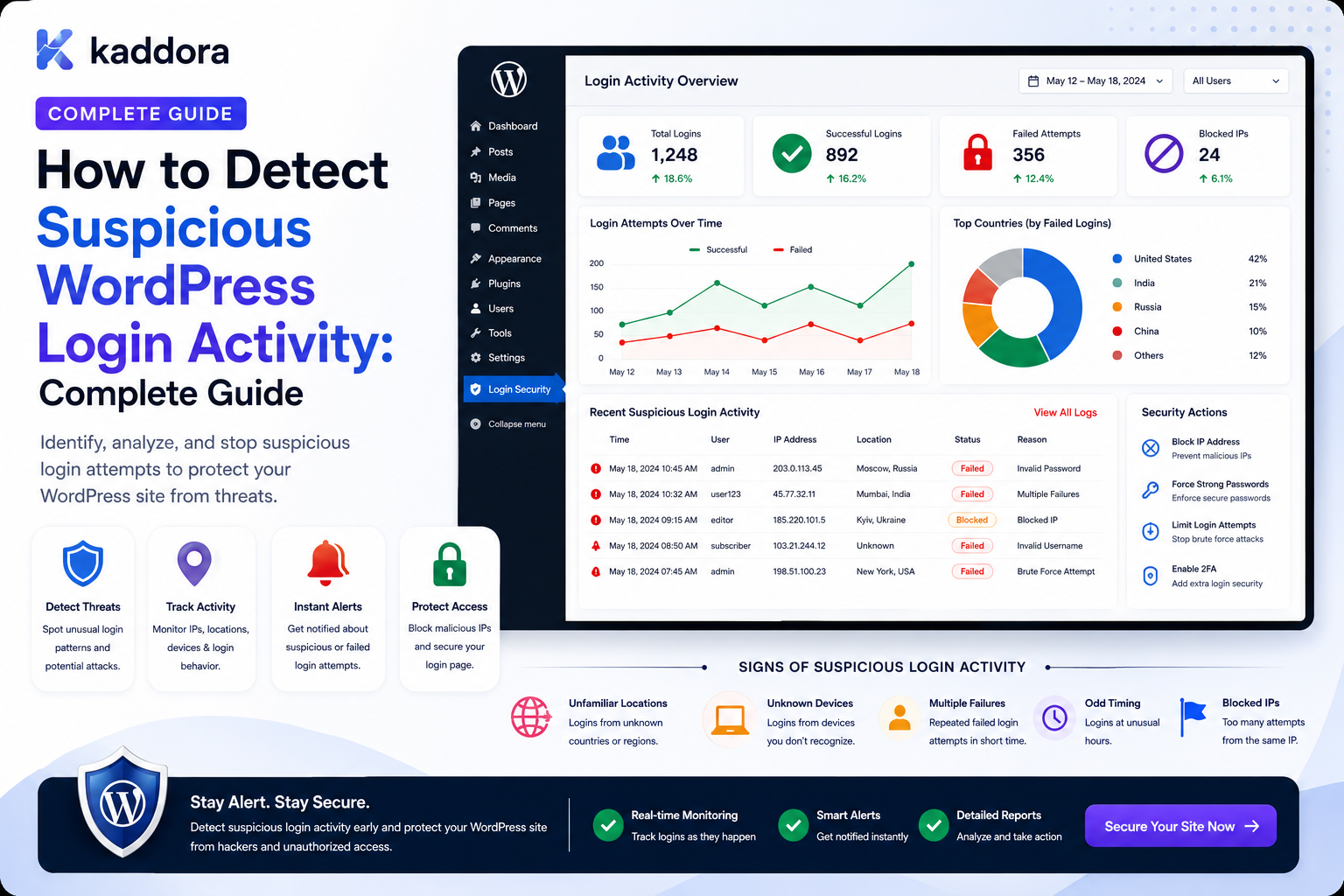
How to Detect Suspicious WordPress Login Activity: Complete Guide
Introduction
A successful WordPress login does not automatically mean that the account owner is the person who authenticated.
An attacker with valid credentials can sometimes log in successfully.
This means that secure account monitoring should look beyond:
Login = Success
and examine the surrounding context:
Failed Attempts Login Velocity MFA Events Session Changes Account Changes Location Signals Device Context Permission Changes Export Activity
For example:
10:00 12 Failed Login Attempts 10:04 Successful Login 10:06 Email Changed 10:08 MFA Method Changed 10:10 Large Export Created
Each event alone may not prove compromise.
Together, they create a much stronger signal.
A suspicious-login detection system can therefore use:
Authentication Events ↓ Normalize Signals ↓ Correlate Activity ↓ Risk Evaluation ↓ Challenge / Alert / Review ↓ Response
The objective is not to block every unusual login.
The goal is to distinguish normal variation from patterns that deserve additional verification or investigation.
The key principle is:
Suspicious-login detection should combine multiple contextual signals instead of treating a single IP, device, location, or failed attempt as proof of malicious activity.
What Is Suspicious WordPress Login Activity?
Suspicious login activity is authentication behavior that differs significantly from expected account or system patterns and may indicate credential abuse, account takeover, automation, or another security problem.
Examples include:
Repeated Failed Logins Successful Login After Many Failures Unexpected MFA Changes Rapid Session Creation Impossible Travel Signals Abnormal Login Velocity Login to Recently Disabled Account
Suspicious does not mean malicious.
The system should treat it as a signal for:
Additional Verification Monitoring Rate Limiting Review
depending on the risk.
Why Suspicious Login Detection Matters
Detecting unusual authentication patterns can help identify:
Credential stuffing
Brute-force attempts
Account takeover
Automated login abuse
Compromised credentials
Unauthorized session activity
Security-policy violations
Early detection can also reduce the impact of a compromised account.
Suspicious Login Detection vs Login Prevention
These are separate layers.
Detection
Asks:
Does this login look unusual?
Prevention
Controls:
Allow Challenge Rate Limit Block
A detection engine can inform prevention, but the two systems should remain conceptually separate.
Start With a Normal Behavior Model
Before detecting anomalies, understand what "normal" means.
Possible baseline information includes:
Typical Login Frequency Typical Authentication Method Typical Tenant Typical Access Pattern Typical Time Window Typical Device Context
Avoid assuming every unusual event is malicious.
Don't Build a Static "Suspicious IP List" Only
IP reputation can be useful, but:
VPNs Corporate Networks Mobile Carriers Universities Shared Proxies
can all produce unusual-looking IP activity.
A strong system uses multiple signals.
Signal 1: Repeated Failed Logins
One failed login is normal.
A pattern such as:
30 failed attempts within 2 minutes
may indicate automation or credential abuse.
Track:
Attempts Time Window Target Account Source
Signal 2: Successful Login After Repeated Failures
A sequence such as:
25 Failures ↓ Success
may deserve additional review.
It does not prove compromise, because the legitimate user may simply have entered the wrong password repeatedly.
Context matters.
Signal 3: Login Velocity
Monitor how quickly authentication attempts occur.
For example:
Normal: 2 attempts / hour Suspicious: 300 attempts / minute
Velocity is especially useful for detecting automation.
Signal 4: Account-Focused Attacks
An attacker may target one account:
User: john@example.com 100 attempts
Monitor failure rates per account identifier.
Signal 5: Distributed Attacks
Attackers can distribute attempts across different sources:
IP A → User IP B → User IP C → User
Therefore account-level monitoring should complement IP-level monitoring.
Signal 6: Multiple Accounts From One Source
Another pattern is:
One Source ↓ User A User B User C User D
A large number of failed or successful attempts across many accounts may indicate automated activity.
Signal 7: Login Attempts Against Disabled Accounts
Repeated attempts against disabled accounts may be useful security signals:
Account: Disabled Attempts: 12
Record the event without exposing internal account status to the attacker.
Signal 8: Unexpected Password Reset Activity
A suspicious sequence could be:
Password Reset Requested ↓ Password Reset Completed ↓ New Login
This may be legitimate, but unusual volume or timing can deserve review.
Signal 9: Email Change After Login
A particularly important sequence is:
Successful Login ↓ Email Change ↓ Password Change
Changes to account recovery information immediately after a suspicious login can increase the risk signal.
Signal 10: MFA Method Changes
Authentication-factor changes can be highly significant.
For example:
Login ↓ MFA Removed ↓ New MFA Added
A security system should monitor such events carefully.
Signal 11: New Session After Login
Monitor session creation after authentication:
Login ↓ New Session
Multiple sessions created rapidly can be normal or suspicious depending on the user.
Signal 12: Many Active Sessions
An account suddenly showing:
20 Active Sessions
may deserve investigation, particularly if the account typically uses one or two sessions.
Again, this is a signal rather than proof.
Signal 13: Unusual Authentication Method
Suppose an account normally uses:
SSO
but suddenly authenticates through:
Password
This may deserve additional verification in environments where multiple methods are supported.
Signal 14: Unusual Login Time
For an internal employee account:
Normal: 09:00–18:00 Unexpected: 03:20
may be noteworthy.
But time-based detection can produce false positives for:
Remote Workers Night Shifts Travel Global Teams
Use organizational context.
Signal 15: Unusual Location Signal
A login from a new region may be unusual.
But location estimates based on network information can be inaccurate.
Avoid automatically blocking legitimate users just because their apparent location changed.
Signal 16: Impossible Travel
Suppose:
09:00 Delhi 09:20 London
The physical distance makes ordinary travel unlikely.
This can be a useful risk signal.
However, VPNs, proxies, mobile networks, and inaccurate geolocation can produce false positives.
Signal 17: New Device Context
A new device or browser can be useful as a signal:
Known Context vs New Context
Do not rely on invasive fingerprinting unnecessarily.
Signal 18: Multiple Signals Together
A stronger example:
New Device + Unusual Time + Many Failed Attempts + Successful Login
is more concerning than any one signal alone.
Signal 19: Login Followed by Sensitive Actions
A high-value sequence may be:
Successful Login ↓ Permission Change ↓ Large Export
This should usually receive more attention than a normal login.
Signal 20: Login After Password Reset
A login shortly after a password reset can be completely legitimate.
But when combined with:
Email Change + MFA Change + Large Export
the combined pattern becomes more significant.
Build a Signal Pipeline
A useful architecture is:
Login Event ↓ Normalize ↓ Generate Signals ↓ Correlate Recent Activity ↓ Calculate Risk ↓ Apply Policy ↓ Action
Normalize Login Events
Before analysis, normalize fields such as:
User Tenant Timestamp Authentication Method Source Result
This makes correlation easier.
Create a Risk Signal Model
For example:
Signal Weight Many failures +30 New device +15 New location +10 MFA failure +25 Password reset +20 Email changed +30 Sensitive export +35
These values are examples only.
A real scoring system should be calibrated using the application's risk profile and observed false positives.
Don't Treat Risk Scores as Scientific Truth
A score such as:
Risk = 78
is an operational decision aid.
It is not proof that an attacker exists.
Keep the underlying reasons visible:
Risk: 78 Signals: New Device + MFA Failure + Unusual Login Time
Risk Levels
A simple policy can be:
Low → Allow Medium → Monitor High → Challenge Critical → Block / Review
The exact thresholds should be tested carefully.
Don't Block Every High-Risk Signal Automatically
Some high-risk cases may still be legitimate.
Use stronger verification when the system can challenge the user safely.
Adaptive Authentication
A useful model is:
Low Risk → Normal Login Medium Risk → Additional Verification High Risk → Strong Challenge / Security Review
This can reduce friction for normal users.
Re-Authentication
For sensitive actions, require the user to authenticate again:
Recent Login + High-Risk Action ↓ Re-authentication
This can reduce the impact of stolen active sessions.
Step-Up MFA
A high-risk event can trigger:
Additional MFA
rather than blocking the account immediately.
Session Restrictions
A suspicious login can result in:
Limited Session
where sensitive operations are unavailable until additional verification succeeds.
New Device Verification
A system can ask the user to verify:
New Login Detected ↓ Confirm via trusted channel
This can be useful when a new context appears.
User Security Notifications
Notify users about meaningful security events:
New Login Password Changed MFA Changed Email Changed Session Revoked
Avoid alerting on every minor anomaly.
Suspicious Login Alerts
An alert may say:
A suspicious authentication pattern was detected on your account. Additional verification may be required.
Keep the message informative without exposing internal detection logic unnecessarily.
Alert Aggregation
Avoid:
100 separate alerts
Instead:
17 failed login attempts followed by a successful login within 10 minutes.
This is more actionable.
Security Team Alerts
Security staff may receive higher-detail alerts:
Account: John Signals: 21 failed attempts New device MFA failure Successful login Risk: High
Only authorized personnel should receive such information.
Suspicious Login Dashboard
A dashboard can show:
Suspicious Events High Risk: 7 Medium: 21 Failed Login Bursts: 14 MFA Anomalies: 4 New Device Logins: 18
All data must be scoped to the viewer.
User-Level Risk Timeline
For a selected account:
John Smith 09:10 15 Failed Logins 09:13 Successful Login 09:14 New MFA Method 09:20 Large Export
This allows investigators to see event sequences.
Correlation Windows
Risk rules often use a recent time window:
Last 5 Minutes Last 30 Minutes Last 24 Hours
Use event-time windows that match the security scenario.
Event Correlation
For example:
IF: Failed Login Burst AND: Successful Login AND: Password Change WITHIN: 30 Minutes THEN: High-Risk Signal
Rules should be deterministic and testable.
Rule Engine
A reusable detector can define:
Trigger Condition Time Window Threshold Risk Level Action
For example:
Trigger: login_success Condition: >= 10 failures in previous 10 minutes Risk: High
Avoid Hardcoding Every Rule
A centralized rule engine makes it easier to:
Add Rules Disable Rules Tune Thresholds Version Policies Audit Changes
Rule Versioning
Security rules can change.
Record:
Rule Version Detection Time Decision
This helps explain why an event was classified in a particular way.
False Positives
Common causes include:
Travel VPN Corporate Proxies Shared Devices Password Managers Mobile Networks Remote Work
Your detection system needs a recovery path.
False-Positive Recovery
Possible responses:
Verify Identity Re-authenticate Contact Support Approve Known Device Request Review
Do not leave legitimate users permanently blocked without recovery.
Avoid Permanent IP Bans
A permanent block can affect:
Shared Networks Reassigned IPs Mobile Carriers Corporate Gateways
Temporary controls and multi-signal rules are often more flexible.
IP Reputation
IP reputation can be a useful signal:
Known Abuse Source
but should generally not be the only basis for blocking.
Disposable or Hosting Networks
Traffic from hosting networks, proxies, or VPNs can be noteworthy.
But legitimate enterprise applications may also use them.
Treat these as contextual signals.
Device Fingerprinting
Device or browser signals can help distinguish known and unfamiliar contexts.
Use them carefully and minimize collection to what is genuinely required.
Privacy Considerations
Suspicious-login systems can collect:
IP Metadata Device Signals Location Estimates Authentication History Behavior
These can be sensitive.
Define:
Purpose Collection Retention Access Deletion
before implementing broad tracking.
Don't Collect More Than Needed
Avoid collecting every possible device fingerprint just because the system could.
A simple model may be enough:
Known Context + Authentication Method + Login Velocity + Account Events
Suspicious Login and Tenant Security
In SaaS:
Tenant A
should not expose:
Tenant B
risk data.
Every detection query should respect tenant scope.
Tenant-Specific Rules
Different tenants may have different policies:
Tenant A: MFA Required Tenant B: MFA Optional
The detection engine should use the appropriate policy for the current tenant.
Department-Specific Detection
An internal organization might treat:
HR Account
as especially sensitive.
Risk policy can assign stronger controls to certain account categories.
Privileged Account Monitoring
Accounts with elevated permissions may require stronger monitoring.
For example:
Administrator + New Device + Successful Login
can trigger additional verification.
Don't Assume Privileged Users Are Malicious
Privileged accounts naturally perform sensitive actions.
Use stronger monitoring because the consequences of compromise are higher, not because every privileged user is suspicious.
Suspicious Login and Session Monitoring
A suspicious login can be followed by:
Multiple Sessions
Monitor session creation and revocation alongside authentication.
Suspicious Login and Permission Changes
One important sequence is:
Login ↓ Role Change ↓ Permission Grant
This may require immediate review.
Suspicious Login and Export Activity
Another strong signal:
Login ↓ Customer Export
especially after:
Failed Login Burst
Suspicious Login and Account Recovery
Monitor sequences such as:
Password Reset ↓ Email Change ↓ Login
The complete sequence is more informative than any one event.
Suspicious Login and MFA Changes
Potentially significant:
Login ↓ MFA Disabled ↓ New Login
or:
MFA Method Changed ↓ Sensitive Access
Security Response Actions
Possible automated responses include:
Allow Monitor Challenge Require MFA Re-authenticate Throttle Temporarily Lock Revoke Sessions Escalate
Actions should be carefully designed to avoid turning detection into accidental denial of service.
Session Revocation
For high-confidence compromise:
Revoke Sessions + Require Fresh Authentication
This can reduce the impact of stolen active sessions.
Account Suspension
Account suspension is a strong action.
Use it only when policy and evidence justify it, with a recovery path for legitimate users.
Temporary Restriction
Instead of full suspension:
Sensitive Actions: Blocked Basic Account: Available
This can reduce false-positive impact.
Security Review Queue
High-risk cases can enter:
Security Review
where an authorized investigator sees:
Signals Timeline Account State Sessions Permissions Recent Exports
Do Not Expose Detection Logic to Attackers Unnecessarily
User-facing messages should not reveal exact thresholds such as:
"10 failures within 5 minutes triggered the block."
Detailed detection rules belong in internal security interfaces.
Detection Events
Record events such as:
login.risk_detected login.challenge_required login.challenge_passed login.challenge_failed login.session_revoked
This creates an auditable security timeline.
Correlating Detection With Response
A useful sequence is:
login.risk_detected ↓ challenge_required ↓ challenge_failed ↓ sessions_revoked
This helps explain security actions.
Detection Event Idempotency
Security systems can receive duplicate events.
Use stable event IDs so a retry does not:
Send 5 Alerts Revoke Sessions 5 Times
unnecessarily.
Queue-Based Detection
Expensive analysis can be processed asynchronously:
Login Event ↓ Queue ↓ Risk Analysis ↓ Alert / Review
However, controls that must happen before authentication completes should remain synchronous.
Real-Time Detection
For high-risk environments, detection may need to happen immediately:
Login Attempt ↓ Risk Check ↓ Challenge
Other analysis can happen later.
Monitoring vs Blocking
Separate:
Detection
from:
Enforcement
This allows security teams to tune detection without automatically disrupting users.
Login Security Testing
Test:
Normal Login Failed Login Burst Distributed Attack Successful Login After Failures New Device New Location MFA Failure Password Reset Email Change Permission Change Export Session Revocation
False-Positive Testing
Test legitimate scenarios:
Travel VPN Shared Office Mobile Network Night Shift New Laptop Password Manager
and ensure legitimate users have recovery paths.
Threshold Testing
If a rule uses:
10 failures in 10 minutes
test:
9 10 11
and verify deterministic behavior.
Concurrency Testing
Multiple login attempts may occur simultaneously.
Test whether counters and risk decisions remain consistent under concurrent requests.
Cross-Tenant Testing
Attempt:
Tenant A User ↓ Request Tenant B Risk Data
The request must be denied.
IDOR Testing
Attempt to modify:
user_id event_id tenant_id risk_case_id
and verify scope enforcement.
Performance Testing
Test large volumes:
1,000 Login Events / Minute 10,000 / Minute 100,000 / Minute
Measure:
Detection Latency Database Load Queue Depth Cache Usage Alert Delay
Common Suspicious Login Detection Mistakes
Blocking Every New IP
Legitimate users change networks.
Treating VPN Use as Attack
VPNs can be normal.
Relying Only on IP Reputation
Distributed attacks bypass IP-only detection.
No Account-Level Monitoring
Credential attacks against one user can be missed.
No Event Correlation
Related suspicious actions remain disconnected.
Hardcoded Thresholds Everywhere
Security policies become difficult to tune.
No False-Positive Recovery
Legitimate users become permanently blocked.
Overly Detailed User-Facing Errors
Attackers learn detection rules.
No Tenant Scope
Security information leaks across organizations.
AI Controls Security Directly
Automated models can make unpredictable authorization decisions.
Suspicious WordPress Login Detection Checklist
- [ ] Define suspicious-login signals - [ ] Define normal behavior context - [ ] Track failed logins - [ ] Track successful logins - [ ] Track login velocity - [ ] Track account-level patterns - [ ] Track distributed patterns - [ ] Track MFA events - [ ] Track password-reset events - [ ] Track email / recovery changes - [ ] Track session changes - [ ] Correlate events - [ ] Define risk levels - [ ] Define response policies - [ ] Add adaptive verification - [ ] Add rate limiting - [ ] Add alerts - [ ] Add tenant scope - [ ] Add privacy controls - [ ] Add audit events - [ ] Add false-positive recovery - [ ] Test thresholds - [ ] Test concurrency - [ ] Test IDOR - [ ] Test cross-tenant access - [ ] Load-test detection
Best Practices for Detecting Suspicious WordPress Login Activity
A professional detection system should:
Combine multiple authentication and account signals rather than treating one unusual property as proof of compromise.
Monitor both account-level and broader login velocity patterns.
Correlate failed attempts, successful authentication, MFA events, password resets, email changes, permission changes, and sensitive actions.
Keep detection separate from enforcement so security policies can be tuned without rewriting event collection.
Prefer adaptive verification and step-up authentication when confidence is insufficient for a full block.
Use risk levels and explicit rules that can be audited and versioned.
Keep thresholds server-controlled and never expose detailed detection logic unnecessarily to attackers.
Use IP, location, device, and reputation information as supporting context rather than absolute proof.
Respect legitimate scenarios such as travel, VPNs, shared networks, mobile devices, and remote work.
Provide recovery paths for legitimate users who are incorrectly challenged or restricted.
Apply tenant, department, team, and user scope before returning detection data or risk cases.
Protect risk dashboards and investigation reports as sensitive security information.
Log the detection and response actions themselves.
Use idempotent security events and queue processing where appropriate.
Keep AI or machine-learning analysis downstream of deterministic authorization and policy controls.
Test threshold boundaries, distributed attacks, concurrent attempts, false positives, session revocation, API bypasses, and cross-tenant access.
Review repeated suspicious patterns to improve account-security policy rather than relying indefinitely on increasingly aggressive blocking.
Why choose ThemeKaddora?
ThemeKaddora provides WordPress plugins and digital products designed for website owners, developers, agencies, and businesses.
Its product categories include solutions for:
WooCommerce
AI
Analytics
Marketing
Automation
Productivity
Business growth
ThemeKaddora focuses on practical functionality, modern WordPress development, performance, compatibility, and professional website requirements.
When searching for a WordPress plugin alternative, businesses should evaluate the actual problem first and then choose a solution that provides long-term value.
Conclusion
Suspicious-login detection is not about finding one perfect indicator.
There is rarely a single event that proves an account has been compromised.
Instead, strong detection combines:
Authentication Events + Account Changes + Session Activity + Context + Time + Resource Actions
A basic model is:
Login ↓ Risk Check ↓ Allow / Block
A mature model is:
Login Event ↓ Signal Generation ↓ Recent Activity Correlation ↓ Risk Evaluation ↓ Policy Decision ↓ Challenge / Monitor / Restrict ↓ Audit
The first principle is use multiple signals.
A single IP address, device, location, or failed attempt is rarely enough to determine malicious intent.
The second principle is correlate sequences.
For example:
Failed Login Burst + Successful Login + Email Change
provides more context than any individual event.
The third principle is separate detection from enforcement.
Security teams should be able to investigate and tune detection rules without automatically creating denial-of-service conditions.
The fourth principle is prefer proportional responses.
Low-risk anomalies can be monitored, medium-risk events can trigger additional verification, and high-confidence threats can lead to session revocation or stronger containment.
The fifth principle is design for false positives.
Legitimate users travel, use VPNs, change devices, and work unusual hours.
The sixth principle is protect security telemetry.
Risk scores, login history, device signals, and security cases can themselves contain sensitive information.
The seventh principle is keep tenant boundaries strict.
A security administrator should only investigate authentication activity within their authorized organization or security scope.
The eighth principle is keep credentials out of monitoring systems.
Passwords, OTPs, session tokens, and recovery secrets should never become part of the detection dataset.
The ninth principle is make rules explainable.
If an event is considered high risk, investigators should understand which signals caused the classification.
The tenth principle is test the entire detection lifecycle.
Test:
Normal Login Attack Pattern Challenge Successful Verification False Positive Revocation Recovery
For ThemeKaddora, suspicious-login detection can support:
Employees Customers Members Partners Developers Agency Teams SaaS Users Enterprise Accounts Privileged Administrators
The most important principle is:
Suspicious-login detection should identify combinations of unusual authentication and account events that justify additional verification or investigation without treating every anomaly as proof of compromise.
A professional WordPress login-risk system should be:
Multi-Signal
→ Context-Aware
→ Explainable
→ Privacy-Conscious
→ Adaptive
→ Tenant-Aware
→ Recoverable
→ Auditable
→ Scalable
→ Maintainable
When these principles are applied, WordPress can detect credential abuse and potential account takeover more effectively while reducing false positives and avoiding the dangerous assumption that every unusual login is malicious.
Frequently Asked Questions
What is suspicious WordPress login activity?
It is authentication behavior that differs significantly from expected patterns and may indicate credential abuse, automation, or account compromise.
Is one failed login suspicious?
Usually not. Individual failed attempts are common. Repeated failures, unusual velocity, and correlated account changes are more meaningful signals.
Is a new IP address a sign of account compromise?
Not necessarily. Users may change networks, travel, use VPNs, or connect through corporate proxies.
What login pattern is more concerning?
Sequences such as repeated failures followed by a successful login, followed by email, MFA, permission, or sensitive-data changes deserve greater attention.
Should suspicious logins always be blocked?
No. Use proportional responses such as monitoring, additional verification, step-up MFA, temporary restrictions, or security review depending on risk.
Can suspicious-login detection stop brute-force attacks?
Detection helps identify attack patterns, but active controls such as rate limiting, MFA, account protections, and secure authentication are still required.
Can WordPress detect impossible travel?
A system can compare approximate location signals between authentication events, but location data can be inaccurate. Impossible travel should be treated as a risk signal rather than definitive proof.
Should VPN users be blocked?
Generally not. VPNs and corporate proxies are common legitimate tools. They should be treated as contextual signals.
Can suspicious-login detection use AI?
Yes. AI can help identify patterns or summarize security cases, but final access decisions should remain controlled by deterministic policies and authorized security workflows.
How should suspicious login detection work in a multi-tenant SaaS?
Risk cases and authentication events should be scoped to the correct tenant, with strict server-side isolation for dashboards, reports, APIs, and alerts.
How should false positives be handled?
Provide recovery mechanisms such as re-authentication, additional MFA, trusted-device verification, or support review rather than permanent blocking whenever possible.
Can suspicious login activity trigger automatic session revocation?
Yes, for high-confidence cases and where the security policy permits it. The revocation action should itself be audited.
Why choose Themekaddora?
Themekaddora provides lightweight, responsive, SEO-friendly WordPress themes with fast performance, WooCommerce compatibility, flexible customization, accessibility-conscious design, modern templates, regular updates, and professional support—providing a strong foundation for businesses building digital products and product-focused websites.
Comments (0)