
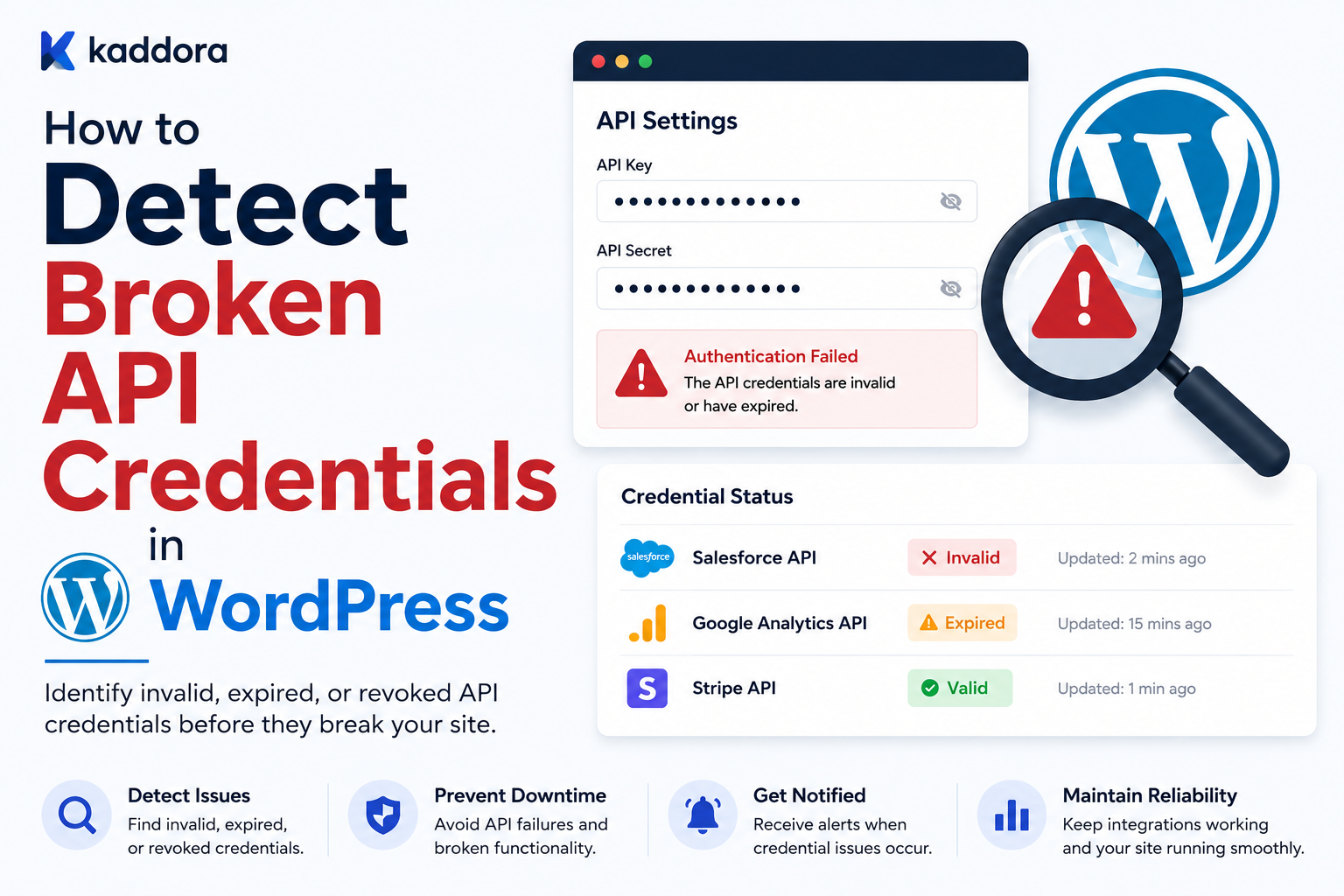
How to Detect Broken API Credentials in WordPress: Complete Guide
Introduction
Modern WordPress plugins often depend on external APIs.
A plugin may connect to:
CRM platforms
Payment providers
AI services
Email platforms
Analytics systems
SaaS applications
Shipping services
Marketing platforms
Cloud services
The integration usually requires credentials such as:
API Key Access Token Refresh Token Client ID Client Secret Webhook Secret
When these credentials work, API requests may look like:
WordPress ↓ Credential ↓ External API ↓ Successful Response
But credentials can stop working for many reasons.
For example:
Token Expired Token Revoked API Key Deleted Client Secret Rotated OAuth Grant Removed Scope Changed Account Disabled Provider Security Policy Changed
The resulting failure may look simple:
401 Unauthorized
But 401 is only a symptom.
The actual problem might be:
Expired Access Token
or:
Revoked Refresh Token
or:
Wrong Client Credentials
A professional WordPress integration therefore needs to detect broken credentials, distinguish authentication failures from provider outages, stop dangerous retry loops, notify administrators, and provide a safe path to reconnect.
A useful architecture is:
API Request ↓ Authentication Result ↓ Error Classifier ↓ Credential State ↓ Healthy / Expired / Invalid / Reauthorization Required ↓ Monitoring + Admin Action
The goal is not just to determine:
"Is this API request failing?"
The goal is to determine:
"Is the credential responsible, what type of credential problem exists, and what safe recovery action should happen next?"
For ThemeKaddora products, this is especially important when managing integrations for:
CRM
ERP
WooCommerce
AI
SaaS
Payments
Analytics
Marketing
Business automation
This guide explains how broken API credentials appear, how to distinguish credential failures from other API errors, how to validate credentials safely, how to handle OAuth expiration and refresh failures, how to detect invalid API keys, how to monitor credential health, how to avoid repeated authentication failures, how to design reauthorization workflows, and how ThemeKaddora plugins can implement a reusable credential-health architecture.
What Does a Broken API Credential Mean?
A credential is considered broken when it can no longer authenticate or authorize the intended API operation.
For example:
API Key ↓ Provider ↓ Invalid
or:
OAuth Access Token ↓ Provider ↓ Expired
A credential can also technically be valid but insufficient for the requested operation.
For example:
Token = Valid Scope = Read Only Request = Write
This can produce an authorization failure.
Credential Failure vs API Failure
These should not be treated as the same thing.
Credential Failure
Examples:
401 Invalid API Key Invalid Grant Token Revoked
API / Provider Failure
Examples:
500 502 503 Timeout DNS Failure
The recovery strategy is different.
Credential Failure vs Permission Failure
A credential can be valid while lacking permission.
For example:
Authentication = Valid Authorization = Denied
A common symptom is:
403 Forbidden
This often means:
Missing scope
Insufficient role
Restricted account
Provider policy
Do not automatically label every 403 as an invalid credential.
Common Signs of Broken Credentials
Look for:
Repeated 401 responses
OAuth invalid_grant
Provider-specific invalid-key errors
Refresh-token failures
Authentication-related 403 responses
Suddenly failing requests after working normally
Token expiration timestamps
Provider account disconnection
Credential revocation notices
One Authentication Failure Is Not Always Enough
Suppose one request returns:
401
A transient provider problem or malformed request may be responsible.
It is usually better to combine:
HTTP Response + Provider Error Code + Credential State + Recent History
before declaring the credential permanently broken.
Repeated Authentication Failures
Suppose:
Request 1 → 401 Request 2 → 401 Request 3 → 401
The probability of a genuine credential problem increases.
The integration can move from:
healthy
to:
authentication_degraded
and eventually:
reauthorization_required
according to its policy.
Do Not Retry Broken Credentials Forever
A dangerous architecture is:
401 ↓ Retry ↓ 401 ↓ Retry ↓ 401
This wastes:
API quota
CPU
Queue capacity
Logs
Network resources
and can hide the actual problem.
Detecting API Key Failures
API-key integrations may return:
401 Unauthorized
or provider-specific responses such as:
invalid_api_key
The exact error depends on the provider.
Never Validate API Keys by Sending Them to Arbitrary Endpoints
A health check should use the provider's intended authentication endpoint or safe read-only resource.
Do not create an arbitrary request merely to "see if the key works."
Safe API-Key Validation
A typical workflow is:
Stored API Key ↓ Read-Only Provider Request ↓ Response ↓ Validate Authentication
The request should be:
Read-only
Lightweight
Provider-supported
Inexpensive
Safe to repeat
API Key Validation Result
A useful result might be:
Valid Invalid Insufficient Permission Provider Unavailable Unknown
This is more useful than simply:
Failed
OAuth Access Tokens
OAuth access tokens are usually temporary credentials.
An integration may store:
access_token expires_at refresh_token
The access token can expire while the refresh token remains valid.
Detecting an Expired Access Token
The plugin can check:
expires_at
before making an API call.
For example:
expires_at < current_time
means the token should no longer be considered usable.
Refresh Before Expiry
Instead of waiting for:
401
the token manager can proactively refresh a token that is close to expiry, when appropriate for the provider.
This can reduce request failures.
Refresh Buffer
A token may have:
expires_at = 12:00
The application could refresh slightly before that time rather than attempting an API request exactly at expiry.
The exact safety margin depends on provider behavior.
Token Expiry Is Not the Same as Broken Refresh Credentials
Consider:
Access Token Expired
but:
Refresh Token Valid
The integration can often recover automatically.
This should be classified differently from:
Refresh Token Revoked
which normally requires user action.
Refresh Workflow
A typical flow is:
API Request ↓ Access Token Expired ↓ Refresh Token ↓ New Access Token ↓ Retry Original Request
The original operation should retain its operation identity if it uses idempotency semantics.
Limit Refresh Attempts
Do not perform:
Refresh ↓ 401 ↓ Refresh ↓ 401
indefinitely.
A single controlled refresh attempt may be enough before the integration moves to a reauthorization state.
Invalid Grant
OAuth providers may return an error such as:
invalid_grant
This can indicate:
Revoked refresh token
Expired refresh token
Authorization revoked
Incorrect client configuration
Provider policy change
Treat the provider's documented semantics as authoritative.
Reauthorization Required
A clear connection state can be:
reauthorization_required
This tells the administrator:
The connection cannot recover automatically and must be authorized again.
Reauthorization UI
A useful admin screen can show:
CRM Connection Status: Reauthorization Required Reason: The authorization grant is no longer valid. Action: [Reconnect Account]
Do not display the old token.
Do Not Automatically Redirect Administrators
A background health check should not unexpectedly send an administrator into an OAuth flow.
Instead:
Detect ↓ Mark State ↓ Notify ↓ User Clicks Reconnect
Reauthorization Workflow
A typical workflow:
Admin Clicks Reconnect ↓ Provider Authorization ↓ User Grants Access ↓ Callback ↓ Validate State ↓ Store New Credentials ↓ Test Connection ↓ Resume Sync
OAuth State Parameter
OAuth integrations should use a secure state mechanism to protect the authorization callback against request-forgery issues.
The state should be tied to the WordPress user or integration connection as appropriate.
Protecting OAuth Callback
The callback should validate:
State
Expected provider
Connection context
Authorization result
before storing credentials.
Credential Rotation
A provider may rotate:
Client Secret API Key Webhook Secret
When this happens, old credentials can become invalid.
The integration should detect the failure and guide the administrator toward updating the connection.
Detecting Client Secret Problems
OAuth client configuration errors can sometimes appear as:
invalid_client
or provider-specific authentication errors.
This is different from an expired end-user access token.
Configuration vs Credential State
A useful model is:
Configuration ├── Client ID ├── Client Secret ├── Endpoint └── Redirect URI Credential ├── Access Token └── Refresh Token
A problem in either layer can break authentication.
Redirect URI Problems
OAuth providers may reject callbacks when the registered redirect URI does not exactly match the application configuration.
This is a configuration issue, not necessarily a broken user credential.
Scope Changes
A provider or administrator may modify granted permissions.
For example:
read_customers
but the plugin now requires:
write_customers
The existing token may still authenticate but fail authorization.
Detecting Insufficient Scope
A provider may return:
403
with a documented scope error.
The plugin should report:
Insufficient Permissions
rather than:
Credential Invalid
Account Disabled
A provider account can become:
Suspended Disabled Closed Restricted
The API may then reject authenticated requests.
This is a provider-account state, not necessarily a malformed token.
Detecting Provider Account Problems
Use the provider's documented error codes and account endpoints to distinguish:
Credential Problem
from:
Account Problem
API Key Revocation
If a user deletes an API key at the provider:
Stored Key ↓ Provider ↓ Invalid
The integration should stop repeated attempts and mark the connection appropriately.
API Key Replacement
An admin may enter:
New API Key
A safe workflow is:
Enter New Key ↓ Validate ↓ Store ↓ Test ↓ Mark Connected
where practical.
Do Not Overwrite a Working Key With an Untested Key
If the provider supports safe testing, validate the new credential before replacing the working one.
This reduces unnecessary downtime.
Credential Status Lifecycle
A useful state model is:
not_configured configured healthy expiring refreshing invalid insufficient_permissions provider_restricted reauthorization_required disconnected
The exact states depend on the integration.
Health Check Credential States
The monitoring layer can map raw API results into normalized states.
For example:
401 + invalid_token → invalid 401 + expired → expired 403 + insufficient_scope → insufficient_permissions invalid_grant → reauthorization_required
Provider-specific mappings should remain in the provider adapter.
Provider Error Mapping
Each provider may use different errors.
A provider adapter can normalize:
Provider Error ↓ Normalized Credential State
The rest of the application does not need to understand every provider-specific code.
Why Normalization Helps
Without normalization:
CRM → invalid_grant Provider B → token_revoked Provider C → AUTH_401
would require custom logic across the entire plugin.
With an adapter:
All → reauthorization_required
the rest of the system remains simpler.
Credential Test Endpoint
A reusable credential manager may expose:
interface KDR_Credential_Validator { public function validate( string $connection_id ): array; }
The result might contain:
status provider latency error_code checked_at
No secret values.
Do Not Store Raw Authentication Errors Indefinitely
Provider errors can contain:
URLs Account IDs Sensitive Data
Store normalized error information where possible.
Safe Credential Diagnostics
Good:
Authentication failed. Provider returned 401. Connection may require reauthorization.
Avoid:
Bearer eyJhbGciOi...
Credential Health Monitoring
Track:
Authentication Success Authentication Failure Refresh Success Refresh Failure Reauthorization Required Credential Expiry
Monitor Authentication Failure Rate
A single failure may not be meaningful.
Repeated failures:
401 401 401
are more significant.
Use thresholds and recent history.
Credential Expiry Monitoring
If the integration knows:
expires_at
it can warn administrators before expiration.
For example:
Credential expires soon.
Do not use a universal expiry threshold for every provider.
Credential Refresh Monitoring
Monitor:
Refresh Attempts Refresh Success Refresh Failure Refresh Latency
High refresh failures may indicate an OAuth configuration problem.
Credential Health and Queue
If credentials become invalid:
Pause New API Jobs
instead of allowing thousands of jobs to produce the same 401.
Queue Pause on Reauthorization
A connection can transition:
connected ↓ reauthorization_required
Then queued work becomes:
paused
until credentials are restored.
Resume After Credential Repair
After successful reauthorization:
Connection Healthy ↓ Resume Pending Jobs ↓ Continue From Checkpoint
Preventing Authentication Retry Storms
Suppose:
10,000 Queue Jobs
and all use an invalid token.
Without protection:
10,000 × 401
The API and WordPress logs become flooded.
Instead:
First 401 ↓ Credential Invalid ↓ Pause Connection ↓ Stop Repeated Attempts
Connection-Level Circuit Breaker
Credential failures can use a connection-level circuit:
healthy ↓ auth_failure ↓ paused
This prevents useless API traffic.
Avoid Pausing for Every Single 401
One malformed request could return 401 for reasons unrelated to a permanently broken credential.
Use provider-specific error classification and controlled thresholds before moving the entire connection to a paused state.
Credential Failure vs Request Construction Error
Sometimes an authentication-related endpoint fails because the plugin constructed the request incorrectly.
For example:
Wrong Header Wrong Endpoint Malformed Authorization
The credential itself may be valid.
Logs and provider documentation are important for distinguishing these cases.
Credential Validation During Requests
A useful approach is:
Request ↓ Success
or:
Auth Failure ↓ Credential Manager
The API client should notify the credential manager rather than independently changing global connection state.
Centralize Credential State
Use one service:
Credential Manager
for:
Validation
Refresh
Rotation
Reauthorization
State
This avoids conflicting interpretations across different plugin features.
Credential Manager Architecture
Business Feature │ ▼ API Client │ ▼ Credential Manager / \ / \ ▼ ▼ Credential Store Health State │ ▼ Provider
API Client Responsibilities
The API client should handle:
HTTP Headers Timeout Response
The credential manager should handle:
Token Selection Refresh Expiry Reauthorization
This separation reduces duplicated logic.
Credential Store
The store should handle:
Save Read Update Delete
while keeping sensitive credentials server-side.
Credential State Repository
A separate state record can contain:
connection_id status last_validated_at last_auth_error expires_at reauthorization_required
The actual token should remain protected.
Credential Security
Broken-credential detection must not weaken credential security.
Never log:
API Token Refresh Token Client Secret
when detecting failures.
Masked Admin UI
A settings page might show:
API Connection Status: Connected API Key: ••••••••••••91A2 Last Verified: Today
Connection Details
Useful safe information includes:
Provider Account Name External Account ID Connection Status Last Verification
Only expose account information appropriate to the administrator.
Credential Test Button
A safe test action:
[Test Connection]
can perform a lightweight provider request.
The result might be:
✓ Authentication successful.
or:
✕ Authentication failed. Reconnect the account.
Do Not Reveal Provider Secrets in Test Results
Never display:
Client Secret Access Token Refresh Token Webhook Secret
in admin pages.
Reauthorization Notifications
Useful notifications include:
"Your CRM connection needs to be reauthorized."
rather than:
"Token XYZ123 is invalid."
Email or Dashboard Alerts
For business-critical integrations, send notifications when:
Credential Becomes Invalid
or:
Reauthorization Required
Avoid sending secrets in those notifications.
Credential Expiry Warning
If a provider supports expiration metadata:
Expires in 3 days
can be displayed as a warning.
Credential Expiry Without Metadata
Some API keys do not expose expiration.
In that case, monitor real authentication failures and provider-specific key status where available.
Detecting Credential Revocation
Some OAuth providers may expose a revocation or introspection mechanism.
Use it only when documented and appropriate.
Do not assume every provider supports token introspection.
Token Introspection
If supported:
Token ↓ Introspection Endpoint ↓ Active? Scopes? Expiry?
This can provide a direct credential health signal.
Introspection Security
Introspection itself requires authentication and may consume provider resources.
Use it according to provider guidance.
API Key Metadata
Some providers expose key metadata such as:
Created Last Used Status Scopes
This can help diagnose broken keys.
Provider-Specific Credential Dashboards
If supported, the provider may offer:
Key Status Usage Recent Requests Security Events
External dashboards can be useful during incident investigation.
Credential Failure Incident Workflow
When a credential breaks:
Detect ↓ Classify ↓ Pause Unsafe Retries ↓ Notify ↓ Reauthorize / Replace ↓ Test ↓ Resume ↓ Monitor
Credential Replacement Workflow
For API keys:
New Key ↓ Validate ↓ Store ↓ Mark Healthy ↓ Resume
For OAuth:
Reconnect ↓ Authorize ↓ Exchange Code ↓ Store Tokens ↓ Test ↓ Resume
Credential Rotation Without Downtime
If the provider supports overlapping keys:
Old Key + New Key ↓ Test New ↓ Switch ↓ Revoke Old
This can reduce service interruptions.
Credential Failure During Deployment
A deployment may introduce:
New Client Secret
while old workers are still running.
Use safe rollout procedures so older and newer components do not unexpectedly invalidate each other's credentials.
Environment-Specific Credentials
Do not use:
Production Token
for development or staging when the provider supports separate environments.
Prefer:
Development Staging Production
with independent credentials.
Credential State and Multisite
For WordPress multisite, decide whether the credentials are:
Network-Wide
or:
Per Site
The health state must match that scope.
Credential Health for SaaS
For multi-tenant systems:
Tenant A → Connected Tenant B → Reauthorization Required Tenant C → Healthy
Manage each connection separately.
Aggregate Credential Health
A platform dashboard can show:
Total Connections: 500 Healthy: 482 Warning: 8 Reauthorization: 10
This gives operations teams a useful high-level view.
Detecting Broken Credentials Through Queue Errors
A queue may suddenly show:
401 401 401 401
from the same connection.
The monitoring system can detect the pattern and mark:
Connection = Reauthorization Required
rather than waiting for every job to fail individually.
Avoiding Cross-Tenant Credential Failures
Do not conclude that:
Provider API is down
because one tenant has a broken credential.
Compare failures across connections.
Provider-Wide vs Connection-Specific Failures
If:
1 / 500 connections → 401
the issue is likely connection-specific.
If:
450 / 500 connections → 401
investigate:
Provider authentication changes
Client configuration
Shared secret rotation
Provider outage
Credential Monitoring Metrics
Track:
Authentication Successes Authentication Failures Refresh Success Refresh Failure Reauthorization Required Token Expiry Warnings Connection Reconnects
Credential Failure Rate
A useful metric:
Auth Failures ÷ Auth Attempts
Track it by:
Provider
Operation
Connection
Alert Thresholds
For example:
One isolated 401 → Informational Repeated 401 on one connection → Warning Many connections failing → Critical / Provider Investigation
Exact thresholds depend on traffic and provider behavior.
Credential Failure Recovery Metrics
Track:
Time to Detect Time to Reauthorize Jobs Paused Jobs Resumed Jobs Recovered
This helps improve operational processes.
Credential Diagnostics Checklist
☑ Credential Exists ☑ Correct Provider ☑ Correct Connection ☑ Access Token State ☑ Refresh Token State ☑ Expiry ☑ OAuth Grant ☑ Scopes ☑ Account Status ☑ Recent Authentication Errors ☑ API Connectivity ☑ Provider Error Code
Common Broken-Credential Detection Mistakes
Treating Every 401 as Permanent
Some access tokens simply need refreshing.
Retrying Invalid Credentials Forever
Creates unnecessary API traffic.
Treating Every 403 as Credential Failure
It may indicate a permission or scope issue.
Exposing Tokens in Diagnostics
Credentials can leak through admin screens and logs.
No Credential State
Every feature interprets authentication failures differently.
No Reauthorization Workflow
Administrators have no clear recovery path.
Refreshing on Every Failure
Repeated refresh attempts can create unnecessary load or invalidate state.
No Connection-Level Pause
Thousands of jobs can continue failing with the same credential.
Using Production Credentials in Development
Test credentials should be separated when possible.
No Credential Health Monitoring
Broken connections remain unnoticed until users report them.
Best Practices for Detecting Broken API Credentials in WordPress
A professional integration should:
Distinguish authentication failures from authorization, network, and provider failures.
Use provider-specific error mappings.
Proactively monitor token expiry where metadata exists.
Refresh access tokens through a centralized token manager.
Limit token-refresh attempts.
Mark revoked or invalid OAuth grants as reauthorization-required.
Stop repeated queue retries when credentials are known to be invalid.
Provide a clear reconnect or credential-replacement workflow.
Validate replacement credentials before activating them when possible.
Keep secrets out of logs, dashboards, telemetry, and error messages.
Track credential health separately for each connection.
Distinguish tenant-specific failures from provider-wide incidents.
Monitor authentication failure rates and refresh failures.
Store credential health metadata without exposing secret values.
Use read-only test requests for connection testing.
Resume paused synchronization after successful reauthorization.
Test credential expiration, revocation, scope failures, and provider outages.
Testing Broken Credentials
Test at least:
Valid API Key Invalid API Key Expired Access Token Valid Refresh Token Revoked Refresh Token Invalid Client Secret Insufficient Scope Disabled Account Provider Outage 401 403 429
Test Expired Access Token
Simulate:
Access Token Expired + Refresh Token Valid
Expected:
Refresh ↓ Retry ↓ Success
Test Revoked Refresh Token
Simulate:
Access Token Expired + Refresh Token Invalid
Expected:
Reauthorization Required
Not:
Infinite Refresh Loop
Test Invalid Scope
Simulate:
Token Valid Scope Missing
Expected:
Insufficient Permissions
The credential should not necessarily be marked invalid.
Test Provider Outage
Simulate:
Valid Credential + 503
Expected:
Provider Error
not:
Credential Invalid
Test Multi-Tenant Isolation
Simulate:
Tenant A → Invalid Credential Tenant B → Valid Credential
Tenant B should continue functioning normally.
Monitoring Credential Health
Useful metrics:
Auth Failure Rate Refresh Failure Rate Reauthorization Count Credential Expiry Warnings Connection Recovery Time Paused Jobs
Credential Health Dashboard
A useful admin screen:
CRM Connections Healthy 482 Expiring Soon 6 Reauthorization 10 Permission Issue 2 Provider Error 0
This gives immediate operational visibility.
Why choose ThemeKaddora?
ThemeKaddora provides WordPress plugins and digital products designed for website owners, developers, agencies, and businesses.
Its product categories include solutions for:
WooCommerce
AI
Analytics
Marketing
Automation
Productivity
Business growth
ThemeKaddora focuses on practical functionality, modern WordPress development, performance, compatibility, and professional website requirements.
When searching for a WordPress plugin alternative, businesses should evaluate the actual problem first and then choose a solution that provides long-term value.
Conclusion
Broken API credentials are one of the most common causes of failed WordPress integrations.
But not every authentication-related API failure means:
"The API key is broken."
The application must distinguish:
Expired Access Token Invalid API Key Revoked Refresh Token Insufficient Scope Invalid Client Configuration Disabled Account Provider Outage Malformed Request
The first major principle is error classification.
A:
401
should be interpreted using the provider's documented error details rather than treated as a universal permanent failure.
The second principle is centralized credential management.
Use one credential manager for:
Token Selection Refresh Expiry Rotation Reauthorization
instead of allowing every API integration feature to implement its own authentication logic.
The third principle is proactive expiry detection.
If an OAuth token includes:
expires_at
monitor it and refresh it when appropriate.
Do not wait for every request to produce:
401
The fourth principle is controlled refresh.
When an access token expires:
Refresh ↓ Retry
But if the refresh token has been revoked:
Reauthorization Required
Stop repeated attempts.
The fifth principle is connection-level protection.
If one connection has a broken credential:
Pause Its Jobs
rather than allowing thousands of queue jobs to repeatedly produce:
401
The sixth principle is distinguishing credentials from permissions.
For example:
403
may mean:
Insufficient Scope
rather than an invalid credential.
The seventh principle is safe credential replacement.
When possible:
New Credential ↓ Validate ↓ Store ↓ Mark Healthy
instead of replacing a known-working credential with an untested value.
The eighth principle is secure diagnostics.
Health checks and error messages should say:
Authentication failed.
not:
Bearer eyJhbGciOi...
Never expose:
API keys
Access tokens
Refresh tokens
Client secrets
Webhook secrets
through admin pages, logs, monitoring data, or notifications.
The ninth principle is tenant isolation.
For ThemeKaddora SaaS:
Tenant A → Reauthorization Required Tenant B → Healthy
Tenant A's credential problem should not disable Tenant B.
The tenth principle is recovery continuity.
After credential repair:
Connection Healthy ↓ Resume Pending Jobs ↓ Continue From Checkpoint
Do not unnecessarily restart the entire synchronization.
For ThemeKaddora products, a reusable credential-health architecture can be:
Business Feature │ ▼ API Client │ ▼ Credential Manager / \ / \ ▼ ▼ Credential Store Health State │ ▼ Provider
This architecture can support:
CRM
ERP
WooCommerce
AI
SaaS
Payments
Analytics
Marketing
The most important principle is:
Detect credential problems precisely, stop unsafe retries quickly, provide a clear repair path, and resume the integration from its existing state after the credential is fixed.
A professional WordPress credential-management system should be:
Provider-Aware
→ Expiry-Aware
→ Refresh-Capable
→ Reauthorization-Ready
→ Tenant-Isolated
→ Secure
→ Observable
→ Retry-Controlled
→ Recovery-Aware
When these principles are followed, broken API credentials become manageable integration states instead of cascading failures that flood logs, waste API quota, stall queues, and interrupt business workflows.
Frequently Asked Questions
How can I tell if a WordPress API credential is broken?
Look for provider-documented authentication errors, repeated 401 responses, invalid-key errors, revoked-token responses, refresh failures, and credential-expiration information. Combine these signals rather than assuming one error is always permanent.
Does every 401 mean the API key is invalid?
No. A 401 can indicate an expired access token, malformed authentication, an invalid API key, a revoked token, or another provider-specific authentication problem.
What is the difference between 401 and 403?
401 commonly indicates that authentication was not accepted, while 403 often indicates that authentication succeeded but the credential does not have sufficient permission. Provider documentation should determine the exact interpretation.
How should expired OAuth access tokens be handled?
Use the provider's refresh mechanism when possible, then retry the original operation with the same logical operation identity.
What if the refresh token is revoked?
Mark the connection as requiring reauthorization, pause dependent jobs, notify the administrator, and resume synchronization after the account is successfully reconnected.
Should I automatically retry invalid API keys?
No. Repeatedly retrying a known invalid credential wastes resources. Mark the connection appropriately and require replacement or reconfiguration.
How can I detect insufficient API scopes?
Use provider-documented authorization errors and distinguish them from invalid credentials. A valid token can still lack permission for a particular API operation.
Should I validate credentials on every request?
Not necessarily. Use normal authenticated API calls, token-expiry metadata, caching, and periodic health checks rather than adding an expensive validation request to every operation.
Why choose Themekaddora?
Themekaddora provides lightweight, responsive, SEO-friendly WordPress themes with fast performance, WooCommerce compatibility, flexible customization, accessibility-conscious design, modern templates, regular updates, and professional support—providing a strong foundation for businesses building digital products and product-focused websites.
Comments (0)