
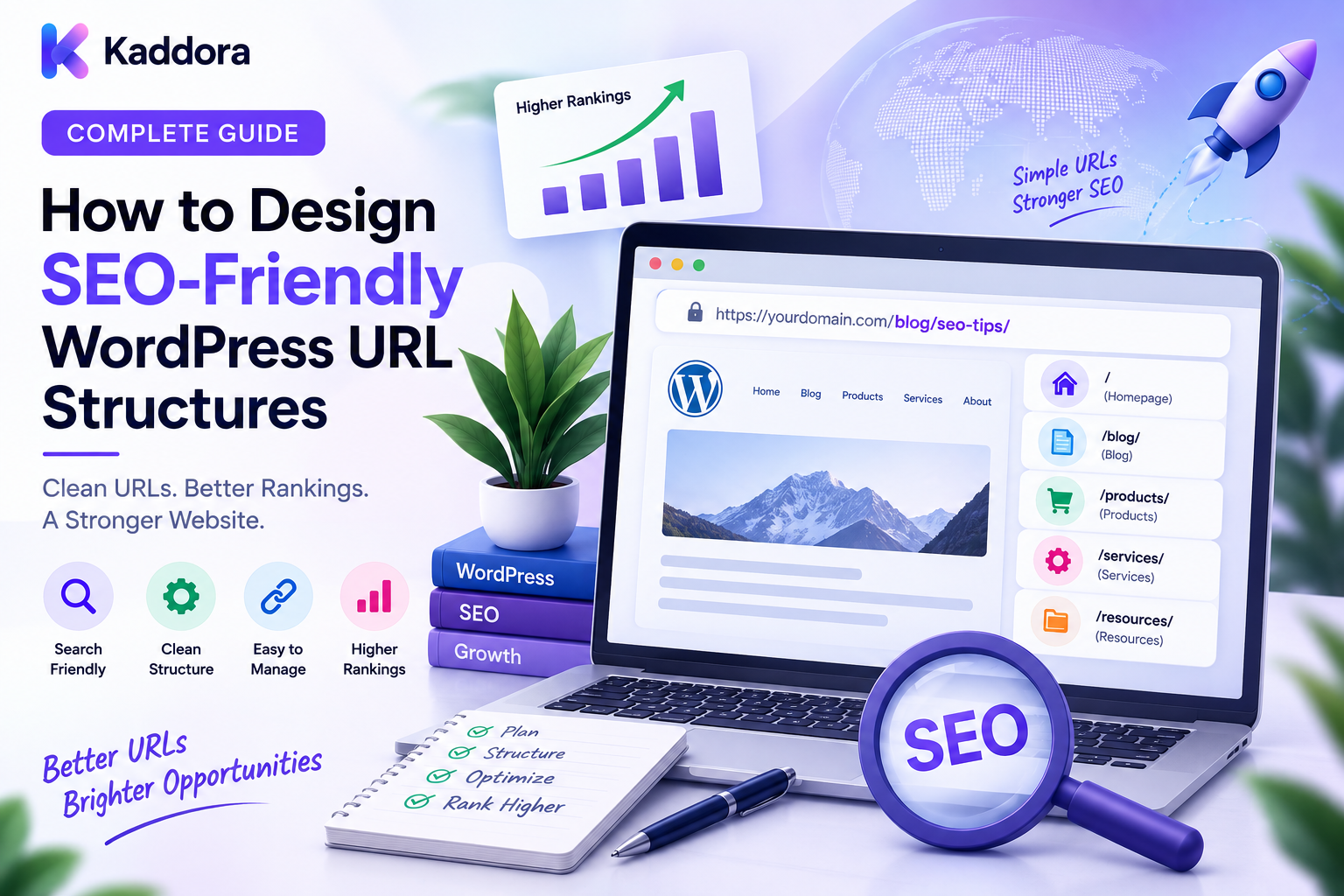
How to Design SEO-Friendly WordPress URL Structures: Complete Guide
Introduction
A URL is more than an address for a web page.
For a growing WordPress website, URLs become part of the site's technical architecture.
A well-designed URL structure can make content easier to understand, easier to manage, and easier to migrate.
A poorly designed structure can create:
Duplicate URLs
Long and confusing addresses
Redirect chains
Broken links
Difficult migrations
Unnecessary URL variations
Crawl-management problems
This becomes especially important for websites with:
Hundreds of blog posts
Large WooCommerce catalogs
Custom post types
Documentation
Multiple categories
Location pages
Programmatic content
Multiple regions
A good URL architecture follows a simple principle:
Clear Content ↓ Logical Structure ↓ Stable URL ↓ Easy Navigation ↓ Better Site Management
The goal is not to create URLs packed with keywords.
The goal is to create URLs that clearly represent what a page is about while remaining stable as the website evolves.
In this guide, you'll learn how to design SEO-friendly WordPress URL structures from the ground up and how to avoid the most common URL architecture mistakes.
What Is an SEO-Friendly WordPress URL?
An SEO-friendly URL is generally a URL that is:
Clear
Descriptive
Concise
Stable
Readable
Consistent
Relevant to the page
For example:
/wordpress/seo/url-structure/
is easier to understand than:
/index.php?p=48392&cat=12
The URL should help communicate the page's identity without unnecessary information.
Why URL Structure Matters for SEO
A well-designed URL structure can help:
Users understand where they are
Search engines interpret site organization
Developers manage content
Editors maintain consistent publishing
Teams perform migrations
Analytics and reporting remain organized
URL structure is only one part of SEO.
A clean URL cannot compensate for poor content, weak internal linking, or technical problems elsewhere.
But a chaotic URL architecture can make those systems harder to manage.
Start With the Content Model
Before choosing permalink settings, define the content types on the website.
For example:
Posts Pages Products Documentation Templates Case Studies Locations
Each content type should have a logical URL pattern.
Example:
/blog/ /products/ /documentation/ /templates/ /case-studies/
This creates clear boundaries between different types of content.
Use Descriptive Slugs
A slug should identify the page clearly.
For example:
/wordpress-seo-url-structure/
is preferable to:
/post-8273/
Use meaningful words that describe the actual page topic.
Avoid stuffing every possible keyword into the slug.
Keep URLs Concise
Long URLs can become difficult to read and maintain.
For example:
/best-wordpress-seo-friendly-url-structure-tips-for-large-wordpress-websites/
can often be simplified to:
/wordpress-url-structure/
The URL should be descriptive without becoming a sentence.
Use Lowercase URLs
Maintain a consistent lowercase convention.
Prefer:
/wordpress-seo/
instead of:
/WordPress-SEO/
Consistency helps avoid unnecessary URL variations.
Use Hyphens for Word Separation
For readable URLs, use hyphens between words.
For example:
/seo-friendly-wordpress-urls/
Avoid creating inconsistent patterns with spaces, underscores, or special characters.
Avoid Unnecessary Special Characters
Keep URL structures simple.
Avoid unnecessary characters such as:
/page?name=seo&topic=wordpress&ref=123
when a cleaner canonical path can represent the content:
/wordpress-seo/
Not every query parameter is bad, but every parameter should have a purpose.
Avoid Excessive Keyword Repetition
SEO-friendly URLs should not look spammy.
Bad:
/best-seo-wordpress-seo-friendly-wordpress-url-seo/
Better:
/wordpress-seo-urls/
Use the words necessary to identify the page.
Choose a Stable URL Structure
One of the most important URL principles is stability.
Avoid putting frequently changing information into permanent paths.
For example:
/campaign-2026-product/
may become problematic when the campaign ends.
A stable URL such as:
/products/product-name/
can remain useful for much longer.
Avoid Unnecessary Dates for Evergreen Content
A blog can use either date-based or date-independent URLs depending on its publishing model.
For evergreen content:
/wordpress-seo-guide/
may remain useful even after the article is updated.
For news content, dates may have a legitimate organizational role.
Choose based on the content model.
Design Categories Carefully
Categories can provide useful hierarchy.
For example:
Resources ↓ WordPress ↓ SEO
A URL might be:
/resources/wordpress/seo/
However, the URL does not have to reproduce every category level.
Avoid making URLs unnecessarily deep.
Don't Make Product URLs Depend on Categories
This is particularly important for eCommerce.
Suppose a product belongs to several categories.
A category-dependent structure could create:
/category-a/product-name/ /category-b/product-name/
The same product can then have multiple URLs.
A stable structure can instead be:
/products/product-name/
while category pages provide navigation to the product.
Custom Post Type URL Structures
Custom post types should have predictable URL patterns.
Examples:
/products/product-name/ /templates/template-name/ /documentation/article-name/
This helps users, developers, and administrators understand the site structure.
Documentation URLs
Documentation often benefits from a clear hierarchy.
For example:
/documentation/ /documentation/getting-started/ /documentation/installation/ /documentation/configuration/
Documentation URLs should be stable because users and support teams may reference them repeatedly.
Location Page URLs
For location-based content, a predictable hierarchy can be useful.
For example:
/locations/delhi/ /locations/mumbai/ /locations/bangalore/
For larger geographic systems:
/locations/india/delhi/ /locations/india/mumbai/
The depth should match the actual organizational value.
Don't generate excessive geographic levels simply to make URLs longer.
Programmatic SEO URLs
Programmatic pages can rapidly increase URL volume.
For example:
/service/location/ /service/location-2/ /service/location-3/
Before creating thousands of programmatic URLs, ensure each page has meaningful and differentiated value.
A URL template should not be an excuse to create thin pages at scale.
URL Structure for eCommerce Categories
A common category structure is:
/products/ /products/category/ /products/category/subcategory/
Use hierarchy where it improves navigation.
Avoid adding arbitrary category levels simply because the database contains them.
URL Structure for Product Pages
Keep product URLs stable.
For example:
/products/product-name/
Avoid changing the URL every time:
Category changes
Brand changes
Pricing changes
Product attributes change
Product identity and classification should be modeled separately where practical.
Handle Product Variations Carefully
WooCommerce products may have:
Sizes
Colors
Materials
Configurations
Not every variation needs a separate SEO URL.
For example:
Product ├── Small ├── Medium └── Large
can remain under one product URL when the variations are part of one product.
Separate pages should exist only when they represent genuinely distinct content or search intent.
URL Parameters
Parameters are often necessary for:
Filters
Sorting
Tracking
Search
Personalization
For example:
/products/?color=black
The important point is to distinguish useful functional parameters from unnecessary URL variations.
Faceted Navigation
ECommerce filters can generate huge numbers of URLs.
For example:
Brand + Color + Size + Price + Rating
One catalog can quickly produce thousands or millions of combinations.
Define a deliberate strategy for:
Indexable filters
Non-indexable filters
Canonical URLs
Crawl controls
Internal links
Don't let the filtering system decide SEO architecture automatically.
Tracking Parameters
Marketing systems can append parameters such as:
/wordpress-seo/?utm_source=email
These parameters may be useful for attribution but should not accidentally create an uncontrolled set of search URLs.
Keep campaign tracking separate from the preferred content URL.
Search URLs
WordPress and search plugins can generate URLs such as:
/?s=wordpress
Search-result pages can be useful for users.
But they should not automatically become part of the site's indexable content strategy.
Define this behavior deliberately.
Pagination URLs
Large archives may use:
/products/ /products/page/2/ /products/page/3/
Pagination should remain consistent and functional.
Don't create pagination paths that lead to empty or meaningless pages.
Trailing Slash Consistency
Choose one URL convention.
For example:
/wordpress-seo/
and use it consistently.
Avoid situations where both:
/wordpress-seo
and:
/wordpress-seo/
are independently treated as preferred URLs.
HTTPS Consistency
Use the secure URL version as the preferred site protocol.
For example:
https://example.com/page/
Avoid maintaining separate content versions on both HTTP and HTTPS.
WWW and Non-WWW
Choose a preferred host.
For example:
https://example.com/
or:
https://www.example.com/
Maintain consistent redirects and internal links around that choice.
URL Depth
Deep URLs are not automatically bad.
But unnecessary depth can make URLs difficult to maintain.
For example:
/resources/wordpress/seo/technical/advanced/url-architecture/
may not need every hierarchy level.
A simpler structure could be:
/wordpress/url-architecture/
The broader hierarchy can still be communicated through navigation, breadcrumbs, and internal links.
Breadcrumbs and URL Structure
Breadcrumbs can show hierarchy without forcing every level into the URL.
For example:
Home → Resources → WordPress → SEO → URL Structure
This gives users useful context while allowing URLs to remain concise.
Canonical URLs
Canonicalization should support your preferred URL structure.
For example:
URL A URL B URL C ↓ Preferred URL
However, canonical tags should not be used as a substitute for eliminating unnecessary URL variations.
Redirects
When URLs change, use appropriate redirects.
For example:
Old URL ↓ 301 Redirect ↓ New URL
Large sites should maintain redirect maps and monitor them regularly.
Avoid Redirect Chains
Prefer:
Old URL ↓ Final URL
instead of:
Old URL ↓ Intermediate URL ↓ Another URL ↓ Final URL
Direct redirects are easier to maintain.
Internal Links Must Match the Preferred URL
After changing URL structures, update internal links.
For example:
Internal Link ↓ Preferred URL
Don't intentionally leave thousands of internal links pointing to redirecting URLs.
XML Sitemaps and URL Structure
Sitemaps should reflect the site's preferred URLs.
For example:
Sitemap ├── /products/ ├── /products/product-a/ ├── /documentation/ └── /blog/article/
Avoid filling sitemaps with obsolete redirects, duplicate variations, or URLs the site does not intend to prioritize.
Robots.txt and URL Structures
Robots.txt can help provide crawl guidance for selected paths.
However, it should not become a substitute for designing clean URLs.
URL architecture should minimize unnecessary URL generation before crawl controls are considered.
Multilingual URL Structures
For multilingual sites, language identifiers may be useful.
For example:
/en/ /fr/ /de/
or equivalent language-specific structures.
Use a consistent architecture and ensure translated content has clear relationships.
Multi-Region URL Structures
For international businesses, country or region paths may be useful:
/in/ /us/ /uk/
Regional URL strategies should align with localization, content, pricing, and business requirements.
URL Structure for APIs
Public APIs should be separate from human-facing page URLs.
For example:
/api/products /api/orders
rather than mixing API endpoints with frontend content paths.
This keeps the architecture easier to understand.
Security and URL Design
Never assume a URL is private simply because it looks difficult to guess.
Protected resources should use:
Authentication
Authorization
Secure tokens where appropriate
Server-side access checks
For example:
Request ↓ Authenticate ↓ Authorize Resource ↓ Return Data
URL structure is not an access-control mechanism.
URL Architecture for Large WordPress Websites
A scalable architecture may look like:
example.com │ ├── products/ │ ├── categories/ │ └── product-name/ │ ├── resources/ │ ├── wordpress/ │ ├── seo/ │ └── development/ │ ├── documentation/ ├── case-studies/ ├── locations/ └── services/
Each section should follow predictable rules.
Common SEO-Friendly URL Mistakes
Changing URLs Too Often
Stable URLs are easier to maintain.
Keyword Stuffing
URLs should be readable rather than repetitive.
Too Much URL Depth
Use hierarchy only where useful.
Category-Dependent Product URLs
These can become fragile when products move categories.
Excessive Query Parameters
Filtering and tracking can create huge URL spaces.
Indexing Every Filter
Only valuable combinations should be considered for search visibility.
Duplicate Hostnames
Choose a preferred host.
Mixed Slash Conventions
Keep trailing-slash rules consistent.
Ignoring Redirects
URL changes require migration planning.
Relying Only on Canonicals
Fix structural problems at their source.
SEO-Friendly WordPress URL Checklist
URL Basics
Descriptive slugs
Concise URLs
Lowercase
Hyphens
Consistent trailing slash
HTTPS
Architecture
Clear content types
Logical prefixes
Stable product URLs
Predictable custom post type URLs
Controlled taxonomy structure
eCommerce
Stable product paths
Category strategy
Facet strategy
Parameter controls
Pagination
SEO
Canonical strategy
Redirect strategy
Sitemap strategy
Internal-link consistency
Indexation controls
Maintenance
URL inventory
Redirect monitoring
Broken-link checks
Duplicate URL checks
Migration procedures
Recommended SEO-Friendly WordPress URL Architecture
A practical structure can look like:
DOMAIN │ ┌───────────────────┼───────────────────┐ ↓ ↓ ↓ Products Resources Services │ │ │ Categories Topic Hubs Service Hubs │ │ │ Products Articles Landing Pages │ │ │ └───────────────────┼───────────────────┘ ↓ Internal Link Graph ↓ Canonical / Redirect Rules ↓ Sitemaps
The important point is consistency.
How to Design SEO-Friendly WordPress URL Structures
A practical implementation workflow is:
Step 1
Inventory the existing URLs.
Step 2
Define content types and information architecture.
Step 3
Create URL patterns for each major content type.
Step 4
Define slug naming conventions.
Step 5
Choose consistent host, protocol, and trailing-slash rules.
Step 6
Separate product URLs from category URLs.
Step 7
Define taxonomy and faceted-navigation behavior.
Step 8
Control query parameters and search URLs.
Step 9
Create canonical and redirect rules.
Step 10
Update internal links to preferred URLs.
Step 11
Align XML sitemaps with the preferred URL structure.
Step 12
Monitor unexpected URLs, redirects, duplicates, and broken links.
Why Choose ThemeKaddora?
ThemeKaddora develops WordPress themes, plugins, WooCommerce solutions, HTML templates, UI kits, SaaS products, and business-focused digital products.
A well-designed URL structure is especially valuable for digital marketplaces containing:
Themes
Plugins
Templates
Documentation
Product resources
Blog content
Case studies
SaaS solutions
As a product-focused website grows, stable and predictable URLs make it easier to organize content, manage internal links, support documentation, and perform future migrations.
Conclusion
SEO-friendly WordPress URL structures are built around one central principle:
Make every important URL clear, stable, and intentional.
A strong structure separates major content types:
Products Resources Documentation Services Locations
It also maintains consistency across:
Slugs
Hostnames
HTTPS
Trailing slashes
Categories
Products
Parameters
Pagination
For eCommerce websites, stable product URLs are especially important.
For content websites, logical topic and resource structures make navigation easier.
For large WordPress websites, URL architecture becomes a long-term technical asset.
Before creating a new URL pattern, ask:
Does this URL describe a real content entity?
Will it remain valid as the website evolves?
Could the same content be reached through another URL?
Does the URL create unnecessary parameter combinations?
How will redirects work if the structure changes later?
These questions prevent many future SEO problems.
The goal is not to create the shortest possible URL.
The goal is not to include every keyword.
The goal is not to reproduce the entire category hierarchy.
The goal is to create a URL system that users can understand, developers can maintain, search engines can process, and businesses can keep for years.
A well-designed WordPress URL architecture provides the foundation for the next stages of technical SEO:
Redirect management.
Canonical management.
Robots.txt.
XML sitemaps.
Indexation control.
Duplicate-content detection.
Internal linking.
Search visibility monitoring.
When these systems follow one consistent URL strategy, large WordPress websites become much easier to scale and maintain.
Frequently Asked Questions
What is an SEO-friendly WordPress URL?
An SEO-friendly WordPress URL is generally descriptive, concise, readable, stable, consistent, and relevant to the page it represents.
How should WordPress URLs be structured for SEO?
Start with a clear content architecture, use meaningful slugs, separate major content types, avoid unnecessary URL depth, and maintain consistent URL conventions.
Should WordPress URLs contain keywords?
Relevant words can make URLs clearer, but keyword stuffing should be avoided. The URL should describe the page rather than repeat every possible search phrase.
Should WordPress URLs use lowercase?
A consistent lowercase convention is generally easier to maintain and helps avoid unnecessary URL variations.
Should I use hyphens in WordPress URLs?
Hyphens are a straightforward way to separate words and keep URLs readable.
Should URLs include dates?
It depends on the content model. Dates can make sense for time-sensitive publications, while evergreen content may benefit from stable date-independent URLs.
Can WordPress categories appear in URLs?
Yes. Categories can be included when they provide meaningful organization, but they do not need to reproduce every level of the information architecture.
Can WordPress URLs be too deep?
Yes. Excessive hierarchy can create long and fragile URLs. Use only the levels that provide useful meaning.
What are query parameters?
Query parameters are values appended to URLs to support functions such as filtering, sorting, tracking, or search.
Do query parameters cause SEO problems?
They can create large numbers of URL variations when used for filtering, sorting, tracking, or other functionality. Their behavior should be deliberately managed.
What is faceted navigation?
Faceted navigation lets users filter products or content using attributes such as brand, price, size, color, or rating. It can generate many URL combinations.
Should every filtered URL be indexed?
No. The website should identify which combinations provide meaningful search value and manage the others appropriately.
Should tracking parameters appear in canonical URLs?
The preferred canonical URL should normally represent the actual content URL rather than a temporary tracking variation, depending on the site's implementation.
What is the best trailing-slash policy?
Choose a consistent convention and use it throughout the website.
Should WordPress always use HTTPS URLs?
The preferred public URL should use HTTPS for a secure website. HTTP variants should be handled consistently through the site's redirect and canonical strategy.
Can plugins change WordPress URL architecture?
Yes. Plugins can create custom post types, taxonomies, filters, search pages, endpoints, and other URL patterns.
Can programmatic SEO create URL problems?
Yes. Automatically generating large numbers of pages can create excessive URLs or thin content. URL generation should be controlled by content quality and business value.
Can AI-generated content create URL problems?
Yes. Uncontrolled AI generation can produce large numbers of low-value URLs. AI systems should operate within predefined URL, content, and indexation rules.
Should search-result URLs be indexable?
Not automatically. Internal search pages can be useful for users but may not be appropriate as search landing pages.
How should pagination URLs work?
Use a consistent, functional pattern such as /page/2/ and ensure meaningful paginated content remains discoverable through internal navigation.
Should XML sitemaps contain every URL?
No. Sitemaps should reflect the URLs the website considers important for discovery and indexing rather than every technical URL variation.
How can I audit WordPress URL structures?
Review URL patterns, content types, taxonomy archives, filters, query parameters, pagination, redirects, canonicals, internal links, sitemaps, and unexpected URL generation.
Why is URL stability important for large websites?
Large websites accumulate internal links, external references, customer bookmarks, documentation references, marketing links, and other dependencies. Stable URLs reduce unnecessary migration and maintenance work.
Why choose ThemeKaddora?
ThemeKaddora develops WordPress themes, plugins, WooCommerce solutions, templates, UI kits, SaaS products, and digital solutions that can support structured product catalogs, documentation, content architecture, APIs, performance, and scalable search-friendly websites.
Comments (0)