
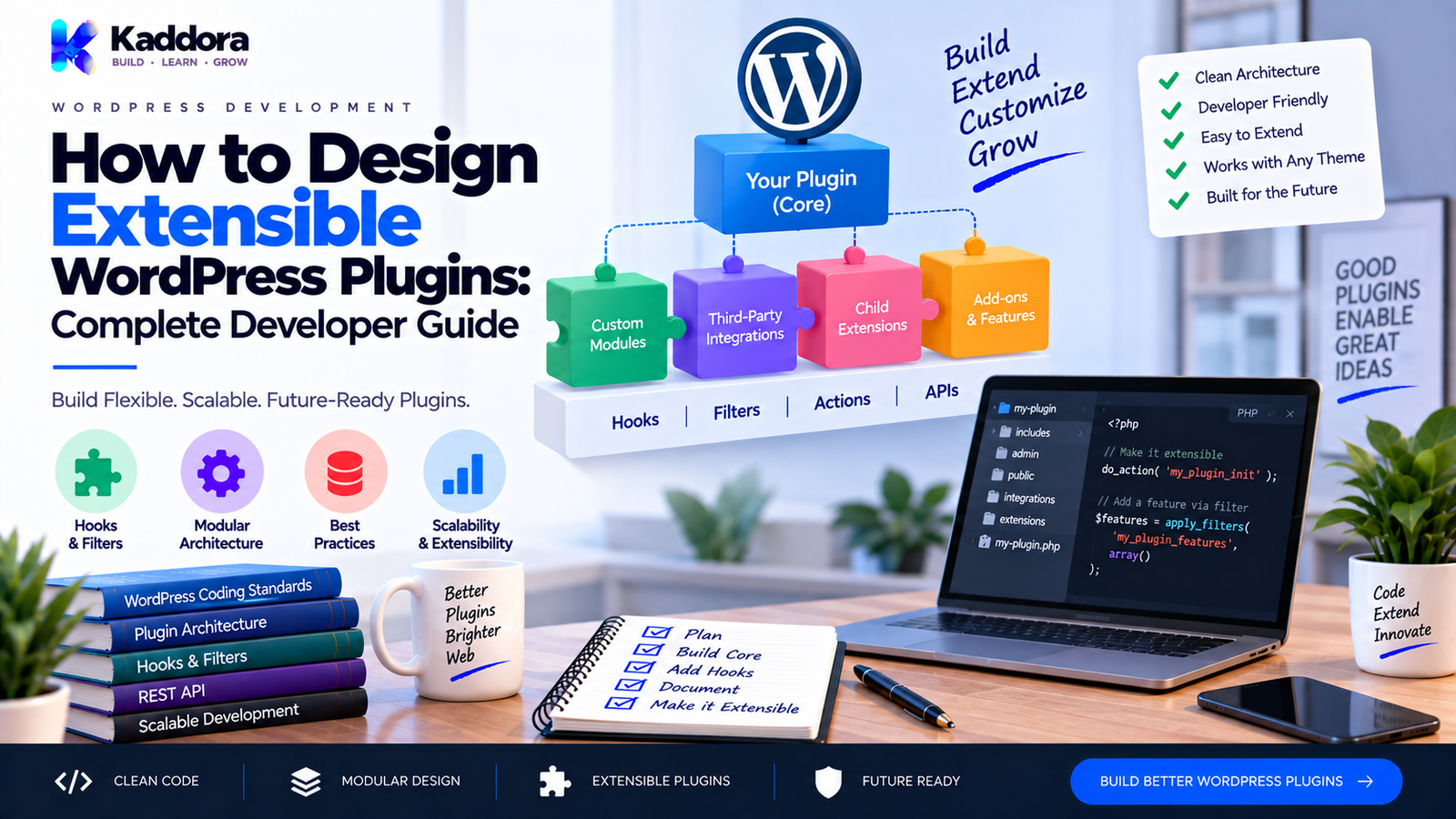
How to Design Extensible WordPress Plugins: Complete Developer Guide
Introduction
A WordPress plugin may start as a simple solution to one problem.
You might create a plugin that:
Adds a custom form
Registers a custom post type
Connects to an API
Adds WooCommerce functionality
Creates an analytics dashboard
Sends automated emails
Adds an SEO feature
At the beginning, a few PHP files may be enough.
But successful plugins often grow.
As more users request customization, integrations, developer hooks, premium modules, third-party extensions, and new features, the original code structure can become difficult to change.
This is where plugin extensibility becomes important.
An extensible WordPress plugin is designed so that developers can modify or extend its behavior without editing the plugin's core files.
For example:
Core Plugin ↓ Actions + Filters ↓ Custom Integrations ↓ Third-Party Extensions ↓ Additional Features
Instead of forcing developers to modify internal code, the plugin provides controlled extension points.
This makes the software easier to customize, maintain, test, and evolve.
In this guide, you'll learn what plugin extensibility means, why it matters, how to design extension points, how to use WordPress actions and filters, how to build modular plugin architectures, how to document developer hooks, how to maintain backward compatibility, and how to create plugins that are easier for other developers to extend.
What Does Extensible Mean in WordPress Plugin Development?
An extensible plugin provides clearly defined ways for other developers to change or add functionality.
These extension points can include:
Actions
Filters
APIs
Interfaces
Service classes
Template overrides
Custom database structures
Events
Shortcodes
REST endpoints
Blocks
Integration classes
The idea is simple:
Developers should be able to extend functionality without directly modifying the original plugin code.
For example:
$value = apply_filters( 'kaddora_example_order_status', $value, $order_id );
Another plugin can then modify that value:
add_filter( 'kaddora_example_order_status', 'my_custom_order_status', 10, 2 );
This creates a clean relationship:
Plugin ↓ Extension Point ↓ Third-Party Code
Why Is Plugin Extensibility Important?
Extensibility provides value to both plugin users and plugin developers.
Easier Customization
Users can modify behavior without editing plugin files.
Better Integrations
Other plugins can connect to your functionality.
Reduced Core Modifications
Extensions can live in separate codebases.
Better Upgrade Safety
Plugin updates are less likely to overwrite customizations.
Larger Ecosystem
Developers can build extensions around a well-designed plugin.
Easier Maintenance
The original code can remain stable while additional functionality evolves separately.
A plugin that is easy to extend can become a platform rather than just a standalone feature.
Extensible Plugin vs Hard-Coded Plugin
Consider a hard-coded approach.
function kaddora_example_discount() { $discount = 10; return $discount; }
A developer who wants to change the discount may need to modify the plugin file directly.
A more extensible approach is:
function kaddora_example_discount() { $discount = 10; return apply_filters( 'kaddora_example_discount', $discount ); }
Now another developer can customize the value without changing the original file.
add_filter( 'kaddora_example_discount', function ( $discount ) { return 20; } );
This is a small example, but the same principle applies to larger systems.
Design Extensibility Around Real Requirements
Extensibility doesn't mean adding hooks everywhere.
Too many extension points can make a plugin difficult to understand.
Before adding a hook, ask:
Is this part of the plugin likely to need customization?
Good extension candidates often include:
Output values
Query arguments
API requests
Email content
Template data
Validation rules
Feature behavior
Integration settings
Automation events
Avoid creating public hooks for every local variable.
The goal is useful extensibility, not maximum hook count.
Use Namespaced, Unique Hook Names
A plugin should use distinctive hook names.
For example:
kaddora_example_before_order_save kaddora_example_order_created kaddora_example_customer_data
Avoid generic names such as:
before_save order_created customer_data
Generic hook names increase the risk of conflicts with other plugins.
A good hook naming strategy typically uses:
vendor_plugin_context_event
For example:
kaddora_appointments_before_booking_create
Use Actions for Events
Actions are useful when the purpose is to announce that something happened or allow additional code to run.
For example:
do_action( 'kaddora_example_order_created', $order_id );
Another plugin can respond:
add_action( 'kaddora_example_order_created', 'my_order_created_handler' );
Actions are useful for events such as:
Order created
Booking created
Campaign sent
User registered
Import completed
API synchronization finished
The core plugin doesn't need to know every possible extension.
It simply announces the event.
Use Filters for Values
Filters are useful when developers need to modify data or configuration.
For example:
$email_subject = apply_filters( 'kaddora_example_email_subject', $email_subject, $campaign_id );
An extension can modify it:
add_filter( 'kaddora_example_email_subject', function ( $subject, $campaign_id ) { return '[Important] ' . $subject; }, 10, 2 );
Filters can be used for:
Email subjects
Query arguments
API parameters
Output data
Template variables
Labels
Feature configuration
Design Hooks With Useful Parameters
A hook becomes much more useful when it provides enough context.
Compare:
do_action( 'kaddora_example_order_created' );
with:
do_action( 'kaddora_example_order_created', $order_id, $customer_id, $order );
The second provides more useful information to extension developers.
However, don't expose unnecessary internal data.
Provide parameters that represent stable, meaningful parts of the event.
Document Every Public Hook
If developers are expected to use your hooks, document them.
For example:
/** * Fires after an order is created. * * @since 1.2.0 * * @param int $order_id The created order ID. * @param int $customer_id The customer ID. */ do_action( 'kaddora_example_order_created', $order_id, $customer_id );
Documentation should explain:
Hook name
Hook type
Parameters
Parameter types
When it fires
Since version
Example usage
Whether changing behavior is safe
Good documentation turns hidden implementation details into a usable developer API.
Think About Hooks as a Public API
Once developers begin using your hooks, those hooks become part of your plugin's public interface.
Changing this:
kaddora_example_order_created
to:
kaddora_order_created
can break integrations.
Therefore, public hooks should be treated carefully.
Before changing a hook:
Consider backward compatibility.
Provide migration guidance.
Deprecate old hooks when appropriate.
Document replacement hooks.
Avoid unnecessary renaming.
A hook may look like one line of PHP, but it can become a dependency for many external systems.
Use Modular Plugin Architecture
Large plugins become easier to extend when functionality is separated into modules.
A possible structure is:
plugin/ │ ├── plugin.php │ ├── src/ │ ├── Plugin.php │ ├── Admin/ │ ├── Api/ │ ├── Database/ │ ├── Services/ │ ├── Integrations/ │ └── Modules/ │ ├── templates/ ├── assets/ └── languages/
A module could represent:
Analytics
WooCommerce
AI
Automation
Reporting
Payments
This makes it easier to enable, replace, or extend specific functionality.
Separate Core Services From Integrations
A common extensibility problem is putting everything into one giant class.
For example:
Plugin Class │ ├── WooCommerce ├── CRM ├── Email ├── Analytics ├── REST API ├── AI └── Admin
This becomes difficult to maintain.
Instead:
Core │ ├── Services ├── Contracts └── Utilities Integrations │ ├── WooCommerce ├── CRM ├── Email └── Analytics
The core system can remain independent while integrations connect through defined interfaces and hooks.
Use Interfaces for Replaceable Services
Interfaces can provide useful extension boundaries.
For example:
namespace Kaddora\Example\Contracts; interface MailerInterface { public function send( $to, $subject, $message ); }
A default implementation can be:
namespace Kaddora\Example\Services; class WordPressMailer implements \Kaddora\Example\Contracts\MailerInterface { public function send( $to, $subject, $message ) { return wp_mail( $to, $subject, $message ); } }
Another implementation could connect to an external email API.
The interface creates a clear contract.
This is especially useful when the implementation may need to change.
Don't Overuse Interfaces
Interfaces are useful when a dependency genuinely needs multiple implementations or a stable contract.
Don't create interfaces simply because every class should have one.
For example, a simple settings page may not need:
SettingsInterface SettingsFactory SettingsContainer SettingsResolver SettingsProvider SettingsManager
when one straightforward class would solve the problem.
Good extensibility is still simple.
Provide Configuration Filters
Developers often need to adjust plugin configuration.
For example:
$settings = apply_filters( 'kaddora_example_settings', $settings );
This can allow integrations to modify configuration without changing core files.
Good configuration filters may cover:
API request parameters
Default settings
Query arguments
Email settings
Feature flags
Template data
Configuration should remain predictable and documented.
Provide Data Filters Carefully
Consider an API response:
$response = $client->request( $endpoint ); $response = apply_filters( 'kaddora_example_api_response', $response, $endpoint );
A developer can now modify the response.
But exposing every raw internal response may make future changes difficult.
Only expose data that you are willing to treat as part of your extension contract.
Create Extension Points at Stable Boundaries
A useful design principle is:
Put extension points at stable boundaries.
Examples include:
User Input ↓ Validation ↓ Business Logic ↓ Persistence ↓ Output
Potential extension points can exist around:
Validation rules
Business events
Stored data
Output formatting
Notifications
Avoid exposing fragile implementation details deep inside private logic.
Extensible Database Design
Database design also affects plugin extensibility.
If developers need to extend your data model, think about:
Custom tables
Metadata
Custom post types
Taxonomies
Relationships
Public APIs
For example, if a plugin stores bookings in a custom table, a documented repository or service layer can provide a cleaner extension boundary than forcing developers to query the table directly.
Avoid requiring third-party developers to depend on undocumented database internals.
Provide Public APIs Instead of Direct Database Access
Suppose your plugin stores orders in:
wp_kaddora_orders
A third-party developer could directly query the table.
But that creates a tight dependency on the internal schema.
Instead, provide a public API:
$order = $order_service->get( $order_id );
Now you can change the internal storage later without necessarily breaking the external integration.
This is one of the most important principles of extensible plugin design.
Design Extensible REST APIs
If your plugin exposes REST endpoints, use stable endpoint structures.
For example:
/wp-json/kaddora-example/v1/orders
Document:
Methods
Parameters
Authentication
Permissions
Responses
Error formats
Versioning
A well-designed REST API can become an extension surface for:
Mobile applications
Dashboards
SaaS applications
External integrations
Automation systems
Design Extensible Admin Interfaces
Developers may also need to add functionality to your admin screens.
Useful extension points can include:
Admin actions
Screen-specific hooks
Additional settings sections
Custom columns
Row actions
Admin notices
For example:
do_action( 'kaddora_example_after_settings', $settings );
An extension can add its own UI without modifying the original plugin.
Avoid injecting arbitrary markup into every screen.
Provide specific, documented extension points where they make sense.
Template Extensibility
Plugins that generate HTML often benefit from template overrides.
For example:
templates/ ├── email/ ├── checkout/ └── dashboard/
A template system can allow a controlled override mechanism.
For example:
Plugin Template ↓ Theme Override ↓ Custom Output
However, template overrides must be documented carefully.
Changing template variables or structure without notice can break custom implementations.
Extensible Email Systems
An email plugin may provide filters for:
Subject
Headers
Recipient
Body
Template variables
Attachments
For example:
$subject = apply_filters( 'kaddora_mail_subject', $subject, $email_context );
This enables extensions such as:
CRM integrations
Custom branding
Conditional subjects
Additional recipients
Customer-specific content
Each hook should have a clear contract.
Extensible WooCommerce Integrations
WooCommerce plugins often need to work with third-party extensions.
Useful extension points can include:
Product data
Order processing
Checkout validation
Customer events
Cart calculations
Notifications
For example:
$fee = apply_filters( 'kaddora_example_checkout_fee', $fee, $cart );
A third-party integration can adjust the fee without changing the original plugin.
WooCommerce compatibility should still be based on supported APIs and hooks rather than undocumented internals.
Extensibility for AI Features
Modern WordPress plugins increasingly include AI functionality.
For example, an AI plugin might allow developers to customize:
Prompt ↓ Context ↓ Provider ↓ Response ↓ Output
Extension points may include:
Prompt filters
Context filters
Provider selection
Request parameters
Response processing
For example:
$prompt = apply_filters( 'kaddora_ai_prompt', $prompt, $context );
Don't expose private credentials through filters.
API keys and sensitive configuration should remain protected.
Make Integrations Optional
A plugin should not assume every installation has every dependency.
For example:
Core Plugin | +---- WooCommerce available? | ↓ | Enable Module | +---- CRM available? | ↓ | Enable Integration | +---- AI provider configured? ↓ Enable Feature
This keeps the core plugin more flexible.
Optional integrations should be loaded only when their dependencies are available.
Use Dependency Checks
Before enabling an integration, verify that the required dependency exists.
For example:
if ( class_exists( 'WooCommerce' ) ) { // Register WooCommerce integration. }
For WordPress features, also check:
Function existence
Class existence
Required version
Plugin activation state
Don't assume optional dependencies are always installed.
Make Extension Loading Predictable
A plugin may eventually support its own extension system.
For example:
Core Plugin ↓ Detect Extensions ↓ Validate Compatibility ↓ Load Extension ↓ Register Hooks
Extensions should not be loaded from arbitrary filesystem locations without proper controls.
Keep extension loading predictable, documented, and compatible with WordPress permissions and security expectations.
Backward Compatibility Matters
Extensibility is strongly connected to backwards compatibility.
Suppose a plugin provides:
apply_filters( 'kaddora_example_customer_name', $name );
and developers build integrations around it.
Removing that hook without planning can break those integrations.
When changing public extension points:
Mark old hooks as deprecated
Explain replacement hooks
Maintain compatibility when practical
Document the version change
Test existing integrations
A stable plugin API encourages developers to invest in your ecosystem.
Version Your Extension APIs Carefully
Versioning can apply to:
REST endpoints
Data formats
Public classes
Events
Hook parameters
For REST APIs, versions such as:
kaddora-example/v1 kaddora-example/v2
can provide a controlled migration path.
For PHP hooks, include @since documentation and maintain compatibility where practical.
Avoid Breaking Hook Parameters
Suppose a hook originally sends:
do_action( 'kaddora_example_order_created', $order_id, $customer_id );
Adding an optional third parameter may be relatively safe:
do_action( 'kaddora_example_order_created', $order_id, $customer_id, $order );
But changing or reordering existing parameters can break callback implementations.
Treat existing parameters as part of the API contract.
Design for Third-Party Developers
When building an extensible plugin, think beyond your internal development team.
A third-party developer needs to understand:
What can be extended?
Where can it be extended?
What parameters are available?
What values are expected?
Which hooks are stable?
Which APIs are public?
Which features require dependencies?
What version introduced the extension point?
Good developer documentation can be as important as the extension code itself.
Create Developer Documentation
A plugin extension guide could contain:
Developer Documentation │ ├── Getting Started ├── Hooks ├── Filters ├── REST API ├── Public Classes ├── Template Overrides ├── WooCommerce Integration ├── Examples ├── Compatibility └── Changelog
Include practical code examples.
Developers should not have to inspect your entire plugin source code just to discover how to extend a common feature.
Extensibility and Security
More extension points also mean more attack surface if poorly designed.
Every extension mechanism should respect WordPress security principles.
Use:
Capability checks
Nonces
Input validation
Sanitization
Escaping
Prepared SQL queries
Permission callbacks
Authentication
Secure API credentials
Never assume that code attached to your hooks is trustworthy.
Your plugin should protect its own boundaries.
Don't Expose Sensitive Information
Avoid passing sensitive information through public hooks unless absolutely necessary.
Do not expose:
Passwords
API keys
Authentication tokens
Secret credentials
Private customer information
For example, instead of:
do_action( 'kaddora_example_request', $api_key );
use a safe context that excludes secrets.
Extension developers should receive the information they need, not everything the plugin knows.
Testing an Extensible WordPress Plugin
Extensibility should be tested intentionally.
Test:
Core Behavior
Does the plugin work without extensions?
Hook Behavior
Do actions fire at the correct time?
Filter Behavior
Can expected values be modified safely?
Parameters
Are hook arguments correct?
Compatibility
Do extensions still work after updates?
Failure Handling
Does the core plugin remain stable when an extension returns unexpected data?
Example Extensibility Test
Suppose:
$value = apply_filters( 'kaddora_example_value', 10 );
A test can verify that the filter is applied:
add_filter( 'kaddora_example_value', function ( $value ) { return 25; } ); $this->assertSame( 25, kaddora_example_get_value() );
The exact testing framework depends on the plugin's test setup.
The key idea is that extension points themselves should be treated as testable behavior.
Common Extensibility Mistakes
Adding Hooks Everywhere
More hooks do not automatically mean better architecture.
Using Generic Hook Names
Generic names increase collision risk.
No Documentation
Undocumented hooks are difficult to use safely.
Exposing Internal Implementation Details
External developers should depend on stable APIs, not private variables.
Direct Database Dependency
Third-party code should ideally use public APIs rather than internal table structures.
Breaking Hooks Without Warning
Public extension points should be treated as API contracts.
Ignoring Security
Extension points still need secure boundaries.
Overengineering
A plugin doesn't need a framework-sized architecture simply because it supports extensibility.
Making Every Feature Optional
Optional architecture should be based on realistic integration requirements.
A Practical Extensible Plugin Architecture
A balanced structure could look like:
plugin/ │ ├── plugin.php │ ├── src/ │ ├── Plugin.php │ ├── Contracts/ │ ├── Services/ │ ├── Admin/ │ ├── Api/ │ ├── Database/ │ └── Integrations/ │ ├── templates/ │ ├── assets/ │ ├── languages/ │ └── tests/
Inside the application flow:
Bootstrap ↓ Core Services ↓ Business Logic ↓ Actions / Filters ↓ Integrations ↓ External Extensions
This keeps the extension layer close to the stable parts of the application without turning every internal implementation detail into public API.
How to Build a Developer-Friendly Hook Strategy
A practical hook strategy can follow this pattern:
Before Event
do_action( 'kaddora_example_before_save', $data );
Validate
Input ↓ Validation
Save
Validated Data ↓ Database
After Event
do_action( 'kaddora_example_after_save', $record_id, $data );
Output Filter
$output = apply_filters( 'kaddora_example_output', $output, $record_id );
This creates clear extension stages.
Extensible Plugin Development Checklist
Architecture
Core functionality is separated from integrations
Responsibilities are modular
Public APIs are clearly defined
Internal implementation remains private where possible
Optional integrations are isolated
Actions
Important events have documented actions
Hook names are unique
Parameters are meaningful
@since versions are documented
Filters
Important customizable values have filters
Filter arguments are documented
Return expectations are documented
Sensitive information is not exposed
APIs
REST endpoints are versioned
Permissions are enforced
Public classes are documented
Database internals are not treated as public APIs
Compatibility
Existing hooks are preserved where practical
Deprecated hooks have migration guidance
Hook parameters are changed cautiously
Extensions are tested after updates
Security
Capability checks
Nonces
Validation
Sanitization
Escaping
Prepared SQL
Secure authentication
Documentation
Hook reference
API reference
Examples
Integration guide
Compatibility notes
Changelog
How to Make a Plugin Extensible Without Making It Overcomplicated
A practical strategy is:
Identify Stable Extension Points ↓ Add Useful Actions and Filters ↓ Separate Core From Integrations ↓ Document Public APIs ↓ Test Extension Behavior ↓ Maintain Backward Compatibility
Don't begin by designing dozens of interfaces, factories, containers, and extension registries.
Start with the actual requirements.
For many WordPress plugins, native WordPress actions and filters provide most of the extensibility developers need.
As the plugin grows, stable public services, interfaces, REST endpoints, template systems, or dedicated extension modules can be introduced where they solve a real problem.
Why Choose ThemeKaddora?
At ThemeKaddora, we develop WordPress plugins, themes, HTML templates, UI kits, SaaS solutions, WooCommerce tools, AI products, analytics systems, marketing tools, and business-focused digital products.
For a growing WordPress product ecosystem, extensibility can make it easier to support:
Custom integrations
WooCommerce workflows
CRM systems
Email providers
AI services
Analytics
Automation
Custom business logic
A well-designed plugin should provide practical extension points while keeping the core architecture understandable.
ThemeKaddora focuses on modern WordPress development using native WordPress APIs, clear plugin architecture, maintainable code, performance-conscious design, and developer-friendly extension patterns.
The goal is not to make every internal function customizable.
The goal is to expose the right capabilities at the right boundaries.
Final Thoughts
An extensible WordPress plugin is designed with future developers in mind.
The core principle is:
Don't force developers to edit your plugin. Give them safe ways to extend it.
A practical extensibility model combines:
Actions
Filters
Stable APIs
Modular Architecture
Documented Extension Points
Backward Compatibility
Security
=
Extensible WordPress Plugin
Start with the extension points that solve real customization requirements.
Use actions for events.
Use filters for values.
Use unique hook names.
Pass useful but safe parameters.
Separate core functionality from optional integrations.
Avoid exposing undocumented database structures as public APIs.
Document every public extension point.
Test hooks and APIs as carefully as the core functionality.
And remember that extensibility should reduce complexity, not create it.
A plugin becomes valuable to other developers when they can integrate with it without fighting its architecture.
The best extensible plugins are not necessarily the ones with the most hooks.
They are the ones with clear, stable, useful, and well-documented extension points.
Frequently Asked Questions
What is an extensible WordPress plugin?
An extensible WordPress plugin provides documented ways for other developers to modify or add functionality without changing the plugin's core files.
Why should WordPress plugins be extensible?
Extensibility allows integrations, customizations, third-party extensions, and future features to be added while keeping the core plugin easier to maintain.
How do WordPress plugins become extensible?
Plugins can use actions, filters, public APIs, interfaces, template overrides, REST endpoints, custom events, and modular components.
What are WordPress actions?
Actions are hooks that allow additional code to run when a particular event occurs.
What are WordPress filters?
Filters allow developers to modify a value before the plugin continues processing it.
Should every plugin use actions and filters?
Not every line of a plugin needs a hook. Add extension points where customization is reasonably likely to be useful.
How should I name custom WordPress hooks?
Use a unique prefix or namespace related to your plugin or company to reduce conflicts with other plugins.
Can AI WordPress plugins be extensible?
Yes. AI plugins can provide controlled extension points for prompts, context, provider selection, request parameters, and response handling.
Should I expose my plugin database tables?
Usually, third-party developers should use documented public APIs rather than depending directly on internal database structures.
Why choose ThemeKaddora?
ThemeKaddora develops WordPress plugins, themes, templates, UI kits, WooCommerce tools, AI solutions, analytics products, marketing tools, and business-focused digital products using practical and maintainable WordPress development patterns.
Comments (0)