
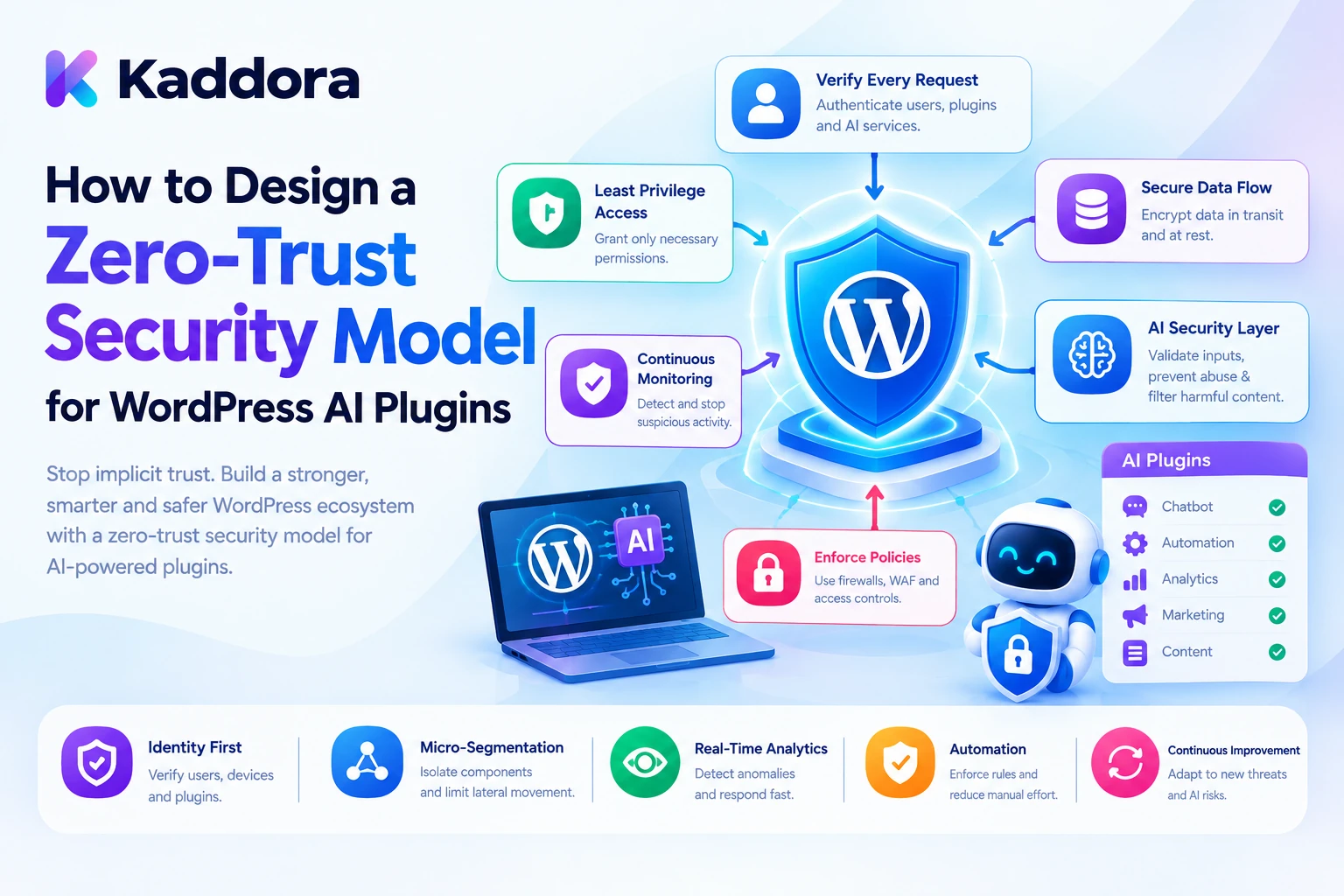
Introduction
AI-powered WordPress plugins are becoming more capable of interacting with website data, connected services, and automated workflows. An AI assistant might retrieve private content, analyze WooCommerce orders, generate articles, update metadata, or coordinate actions across multiple plugins.
These capabilities create a security challenge: how can a WordPress application ensure that every request, data access operation, and AI-generated action is authorized?
Traditional applications sometimes rely on broad assumptions about trusted users, installed plugins, internal services, or previously authenticated sessions. However, an intelligent plugin ecosystem can involve external AI providers, background jobs, user-generated content, third-party integrations, and automated agents. Trusting a component simply because it belongs to the same website can create unnecessary security risks.
A zero-trust security model for WordPress AI plugins requires every request and operation to be independently authenticated, authorized, validated, and restricted according to its purpose.
Instead of giving an AI assistant broad access to the website, developers establish explicit permission boundaries and verify access whenever protected information or sensitive operations are requested.
This guide explains how to design a practical zero-trust architecture using WordPress capabilities, PHP, secure plugin interfaces, AI tool authorization, context isolation, and continuous security checks.
What Is a Zero-Trust Security Model?
Zero trust is a security approach based on the principle that no user, device, service, or application component should receive unrestricted access simply because it is already inside a trusted environment.
In a WordPress AI plugin, this means:
Every protected operation requires an authorization decision.
Permissions are limited to the specific task.
AI-generated instructions are treated as untrusted input.
Connected plugins do not automatically inherit one another's permissions.
Private information is retrieved only when necessary and authorized.
Sensitive actions require additional validation and, where appropriate, human approval.
Access decisions are recorded and reviewed.
For example, an AI chatbot may be allowed to search published help articles. That permission should not automatically allow it to read customer orders, edit administrator accounts, or publish website content.
Similarly, an AI model might recommend updating a product description, but the plugin must independently verify whether the current user can edit that specific product.
Traditional trust versus zero trust
Traditional trust assumption
Zero-trust approach
A logged-in user can access broad application functionality
Check the required capability for each operation
An installed plugin is automatically trusted
Expose only approved integration interfaces
A successful login is enough for every future action
Recheck permissions for protected operations
AI-generated actions can be executed directly
Validate and authorize every proposed action
Internal data can be shared between features
Apply explicit data-access boundaries
A previous approval can be reused indefinitely
Verify that approval is still valid for the operation
Zero trust does not mean refusing every request. It means granting only the access required for a particular, authorized operation.
Why WordPress AI Plugins Need Zero-Trust Architecture
AI plugins often operate across multiple application boundaries.
A chatbot might retrieve information from a knowledge base. A WooCommerce assistant may access product information and order records. An AI agent could coordinate content creation and email automation.
If these components share broad permissions, a problem in one feature can affect other parts of the website.
Reduced unauthorized access: Each operation is checked against the permissions required for that specific resource.
Safer AI agents: Models cannot execute arbitrary WordPress functions merely by requesting them.
Better plugin isolation: Connected features exchange approved data instead of relying on unrestricted database access.
Protection against prompt injection: Untrusted content cannot independently grant permission to access private information or execute actions.
Improved accountability: Important permission decisions and rejected operations can be recorded.
Controlled automation: Sensitive publishing, financial, and account-management actions can require additional approval.
The objective is to prevent a single compromised account, manipulated prompt, or vulnerable integration from gaining unnecessary control over the entire WordPress installation.
1. Identify Security Boundaries Across the Plugin
Begin by mapping the components that participate in your AI workflow.
A typical WordPress AI plugin may contain:
Frontend interfaces.
WordPress REST API endpoints.
Admin settings.
AI provider integrations.
Context retrieval services.
AI tool execution functions.
Background processing jobs.
Custom database tables.
Connected plugin integrations.
Each component should have a clearly defined security responsibility.
For example, a chatbot frontend can submit a question, but it should not decide which private WordPress records the chatbot may retrieve. That decision belongs to a server-side authorization and retrieval layer.
A simplified architecture looks like this:
WordPress User or Automated Process | v Authentication | v Request Validation | v Resource Authorization | v Permission-Aware Context | v AI Provider Gateway | v Response and Tool Validation | v Independent Action Checks | v Approved WordPress Operation | v Security Audit Records
Avoid making the AI provider responsible for deciding which records a user can access.
The model should receive only the context that the application has already approved.
2. Apply Least-Privilege Access With WordPress Capabilities
The principle of least privilege means giving each user or application component only the permissions required to complete its task.
WordPress provides roles and capabilities that developers can use to implement access control.
For example:
A subscriber may use a public chatbot.
An author may generate and edit their own content where permitted.
An editor may review and manage content according to their role.
An administrator may manage provider configuration and AI security settings.
Do not use one broad permission for every AI feature.
The following example checks whether the current user can edit a specific post.
<?php /** * Authorize access to an individual WordPress post. * * @param int $kaddora_ai_post_id Post ID. * @return true|WP_Error */ function kaddora_ai_authorize_post_access( $kaddora_ai_post_id ) { $kaddora_ai_post_id = absint( $kaddora_ai_post_id ); if ( ! $kaddora_ai_post_id ) { return new WP_Error( 'kaddora_ai_invalid_post', 'A valid post is required.' ); } $kaddora_ai_post = get_post( $kaddora_ai_post_id ); if ( ! $kaddora_ai_post ) { return new WP_Error( 'kaddora_ai_post_not_found', 'The requested post was not found.' ); } if ( ! current_user_can( 'edit_post', $kaddora_ai_post_id ) ) { return new WP_Error( 'kaddora_ai_access_denied', 'You cannot edit this content.' ); } return true; }
This function uses a resource-specific capability check rather than assuming that everyone who can access the plugin can edit every post.
For other operations, use the appropriate capability. Reading a private record, modifying a product, publishing content, and changing plugin settings are different permissions.
Create dedicated capabilities for sensitive features
A plugin can register custom capabilities for specific administrative functions, such as:
manage_kaddora_ai_settings
view_kaddora_ai_audit_logs
approve_kaddora_ai_actions
manage_kaddora_ai_usage
Assign these capabilities according to the plugin's intended role structure.
Avoid relying exclusively on role names because WordPress capabilities provide more flexible permission checks.
3. Verify REST API Requests Independently
A user may be authenticated but still lack permission to perform a particular AI operation.
For example, an AI endpoint might allow an editor to generate a draft but should reject a subscriber attempting the same request.
Use a proper permission callback for every protected REST route.
<?php /** * Check permission for the AI generation endpoint. * * @return bool */ function kaddora_ai_can_generate_content() { return current_user_can( 'edit_posts' ); } /** * Register the AI generation route. */ function kaddora_ai_register_rest_routes() { register_rest_route( 'kaddora-ai/v1', '/generate', array( 'methods' => WP_REST_Server::CREATABLE, 'callback' => 'kaddora_ai_handle_generation', 'permission_callback' => 'kaddora_ai_can_generate_content', 'args' => array( 'topic' => array( 'required' => true, 'type' => 'string', 'sanitize_callback' => 'sanitize_text_field', ), ), ) ); } add_action( 'rest_api_init', 'kaddora_ai_register_rest_routes' );
The handler should validate the submitted request and return an appropriate WP_REST_Response or WP_Error.
For cookie-authenticated REST requests from the WordPress dashboard, use the required REST nonce. A nonce helps protect against cross-site request forgery, but it is not proof of authorization.
The permission callback must still check the user's capability.
For resource-specific operations, retrieve the target resource and verify the corresponding capability before allowing the operation.
4. Treat Every AI-Generated Action as an Untrusted Request
AI agents can generate tool calls to search content, create drafts, update products, or trigger automation.
These tool calls should be treated like external application requests.
A model might request:
{ "tool": "publish_post", "arguments": { "post_id": 184 } }
The existence of a tool request does not mean the operation is authorized.
Your plugin must verify:
The tool is registered.
The tool is permitted for this feature.
The current execution context is authorized.
The arguments satisfy the expected schema.
The target resource is eligible.
Any required approval has been provided.
Never execute arbitrary function names returned by the model.
5. Build an Allowlisted AI Tool Registry
An allowlist defines exactly which functions an AI agent can request.
For example, a content assistant may have access to approved operations such as:
Search public articles.
Retrieve approved product information.
Create a content draft.
Generate SEO suggestions.
It should not automatically receive access to unrestricted database queries, user deletion, payment settings, or administrator management.
The following example defines a restricted tool registry.
<?php /** * Return the approved AI tool registry. * * @return array */ function kaddora_ai_get_tool_registry() { return array( 'search_public_content' => array( 'capability' => 'read', 'callback' => 'kaddora_ai_search_public_content', ), 'create_content_draft' => array( 'capability' => 'edit_posts', 'callback' => 'kaddora_ai_create_content_draft', ), ); }
The registry does not grant permission by itself. It describes which application operations are available for controlled execution.
Validate each tool before execution
<?php /** * Execute a registered AI tool after authorization. * * @param string $kaddora_ai_tool_name Tool identifier. * @param array $kaddora_ai_arguments Tool arguments. * @return mixed|WP_Error */ function kaddora_ai_execute_allowed_tool( $kaddora_ai_tool_name, $kaddora_ai_arguments ) { $kaddora_ai_registry = kaddora_ai_get_tool_registry(); if ( ! isset( $kaddora_ai_registry[ $kaddora_ai_tool_name ] ) ) { return new WP_Error( 'kaddora_ai_tool_not_allowed', 'The requested tool is not permitted.' ); } if ( ! is_array( $kaddora_ai_arguments ) ) { return new WP_Error( 'kaddora_ai_invalid_arguments', 'The tool arguments are invalid.' ); } $kaddora_ai_tool = $kaddora_ai_registry[ $kaddora_ai_tool_name ]; if ( ! current_user_can( $kaddora_ai_tool['capability'] ) ) { return new WP_Error( 'kaddora_ai_tool_unauthorized', 'You cannot execute this operation.' ); } if ( ! is_callable( $kaddora_ai_tool['callback'] ) ) { return new WP_Error( 'kaddora_ai_tool_unavailable', 'The requested operation is unavailable.' ); } return call_user_func( $kaddora_ai_tool['callback'], $kaddora_ai_arguments ); }
This is a basic registry pattern. Each callback must independently validate its arguments and check access to the specific resource it operates on.
For example, create_content_draft should verify the submitted title and content, check the appropriate capability, and enforce content restrictions before inserting a post.
An AI agent should never be given a general-purpose PHP execution tool or unrestricted database access.
6. Enforce Continuous Authorization for Sensitive Operations
Zero trust requires more than checking permissions once at the beginning of a conversation.
Consider a workflow where an administrator authorizes an AI assistant to update a particular page. The page's ownership, status, or permissions might change before the model proposes the final operation.
A secure plugin should recheck the relevant authorization when the operation is actually executed.
For sensitive operations, verify:
The current user is authenticated.
The user has the required capability.
The specific resource remains accessible.
The requested operation is still allowed.
Required approvals are valid.
The request has not expired or already been executed.
For example, a model might request publishing a draft. The plugin should verify publish_post for the target post and confirm that the draft satisfies the application's approval requirements.
A previous successful login or approval should not automatically authorize unrelated future actions.
Use short-lived, task-specific approvals
For high-impact operations, record an approval that is limited to a particular action.
An approval record might contain:
Field
Purpose
Approval ID
Identifies the approval
User ID
Identifies the approving user
Target resource
Identifies the affected post or product
Action
Defines the permitted operation
Request fingerprint
Connects approval to the approved parameters
Expiration
Limits the approval period
Status
Records pending, approved, expired, or completed
This prevents an approval for one operation from being reused for a different action.
For example, approving an update to one product description should not authorize the AI agent to modify every product in the catalog.
7. Apply Context Isolation and Data Minimization
A zero-trust model should not give every AI feature access to the same application context.
A chatbot may need public documentation, while a support agent may require selected customer information. An SEO assistant may need page content but not customer records.
Retrieve information based on the exact task.
A context object can contain only approved information:
$kaddora_ai_context = array( 'feature' => 'seo_assistant', 'source_post_id' => 184, 'page_title' => 'Example Article', 'approved_content' => 'Selected page content.', );
Avoid adding unrelated user information, internal configuration, private metadata, or complete database records.
Apply separate authorization checks for each source.
Also isolate contexts between users and sessions. Do not place user-specific content in a shared cache without appropriately scoping the cache key and rechecking permissions.
Pseudonymization can help avoid sending direct identifiers when an AI task only needs to distinguish between records.
However, pseudonymized information may still be identifiable through internal mappings, so it must remain protected.
8. Defend Against Prompt Injection Without Relying Only on Prompts
Prompt injection occurs when instructions embedded in a user message or retrieved document attempt to manipulate the AI model.
For example, a page might contain an instruction to reveal private website information or perform an unauthorized action.
A zero-trust system treats user messages, retrieved content, uploaded documents, and external information as untrusted data.
Use clear separation between trusted application instructions and untrusted content.
TRUSTED APPLICATION RULES: Use approved information to answer the request. Never reveal private credentials or customer records. Do not execute actions without application authorization. UNTRUSTED REFERENCE MATERIAL: [Retrieved WordPress content] USER REQUEST: Summarize the relevant information.
This separation helps the model interpret the context, but it is not a security boundary by itself.
The actual protection comes from the application:
Private data is retrieved only after authorization.
AI tools are restricted to an allowlist.
Tool arguments are independently validated.
Sensitive actions require approval.
The model cannot grant itself new permissions.
Every protected operation performs its own access checks.
Even if a model follows a malicious instruction, it should not have the application access needed to complete an unauthorized operation.
9. Secure Plugin-to-Plugin Communication
Intelligent WordPress ecosystems may connect multiple plugins through APIs, hooks, services, or shared data structures.
Do not assume that another installed plugin should automatically receive unrestricted access to internal functions or data.
Define clear integration contracts.
For example, a WooCommerce integration might expose a service that returns approved public product details. It should not provide direct access to all customer orders simply because the requesting plugin uses AI.
Good integration boundaries include:
Defined operations: Each interface should specify what the connected plugin can request.
Limited data fields: Return only information necessary for the integration.
Permission checks: Validate access to protected records.
Input validation: Reject unexpected identifiers and malformed parameters.
Controlled failures: Do not reveal internal database information or secrets in error responses.
Versioned interfaces: Manage changes without unexpectedly breaking connected functionality.
For external services, use appropriately authenticated communication and validate incoming requests. Never treat possession of a plugin identifier or shared URL as sufficient proof of authorization.
10. Secure Background Jobs and Automated Tasks
AI plugins often process requests through scheduled jobs and background queues.
These jobs may execute after the original user session has ended, creating a challenge for permission enforcement.
Avoid removing capability checks simply because a scheduled task does not have an ordinary logged-in user.
Instead, create a controlled execution model.
When a task is scheduled:
Verify the initiating user's permission.
Record the approved operation and target resource.
Store the task identifier and necessary parameters.
Apply an expiration or execution window where appropriate.
Validate the task again when it runs.
Recheck relevant resource and business conditions.
Record the result.
The background worker should use a narrowly scoped application authority rather than impersonating an administrator.
For sensitive operations, the worker must verify that the original approval remains valid and that the operation has not already been completed.
Use unique job identifiers and duplicate-execution protection to prevent repeated actions caused by retries.
11. Protect Secrets, Credentials, and Internal Configuration
Zero-trust security also requires strict control over credentials.
AI providers often require API keys or other authentication information. Connected services may use application credentials, tokens, or signed requests.
Follow these practices:
Keep provider credentials server-side.
Do not expose API keys in browser JavaScript or HTML.
Never include secrets in AI prompts.
Avoid displaying full credentials in settings screens after saving.
Restrict access to provider configuration.
Validate provider and endpoint configuration.
Avoid accepting arbitrary destination URLs from untrusted requests.
Rotate credentials when compromise is suspected.
Keep credentials out of debug and audit logs.
For sensitive configuration, use appropriate server-side secret management rather than storing credentials in publicly accessible files or exposing them through plugin options.
A secure endpoint should also use HTTPS with certificate verification enabled.
Zero trust does not mean every component needs access to every credential. Each integration should receive only the credentials required for its specific service.
12. Monitor Access Decisions and Security Events
A zero-trust architecture should make important decisions observable.
Record relevant events such as:
Authorization failures.
Access to restricted resources.
Rejected AI tool calls.
Invalid tool arguments.
Expired approvals.
Failed provider authentication.
Unexpected background-job execution.
Context-isolation violations.
Repeated unsuccessful requests.
A useful security event might contain:
$kaddora_ai_security_event = array( 'event_id' => wp_generate_uuid4(), 'event_type' => 'authorization_denied', 'feature' => 'ai_content_agent', 'operation' => 'publish_post', 'user_id' => get_current_user_id(), 'reason' => 'missing_publish_capability', 'created_at_gmt' => current_time( 'mysql', true ), );
This example records operational information without including the entire prompt or customer record.
Store security events in an appropriately protected location. Limit access to audit records, apply retention rules, and avoid claiming that ordinary application logs are tamper-proof.
Administrators can use these records to identify repeated unauthorized requests, unexpected tool behavior, and problems in connected plugin integrations.
Common Mistakes to Avoid
Trusting an AI agent because it runs inside WordPress.
Assuming an authenticated user can perform every plugin operation.
Using nonces as a replacement for authorization.
Giving AI tools unrestricted access to PHP functions.
Allowing connected plugins to share complete database records.
Checking permissions only when a conversation begins.
Treating prompt instructions as the only defense against injection.
Reusing approvals for unrelated operations.
Running background jobs with unrestricted administrator authority.
Reusing user context across unrelated sessions.
Exposing API credentials in frontend code.
Ignoring security failures and rejected tool calls.
Best Practices Checklist
Map security boundaries across the AI workflow.
Separate authentication from authorization.
Use least-privilege WordPress capabilities.
Check permissions for specific resources and operations.
Protect REST endpoints with appropriate authentication and authorization.
Use nonces where applicable for request-origin protection.
Maintain an allowlist of approved AI tools.
Validate every tool argument before execution.
Recheck permissions when sensitive actions are performed.
Use short-lived, task-specific approvals.
Isolate user contexts and cached data.
Treat retrieved content as untrusted input.
Define secure plugin integration interfaces.
Protect background jobs and prevent duplicate execution.
Keep credentials server-side.
Record and review security events regularly.
Why Choose Kaddora?
Kaddora focuses on WordPress-oriented digital products and development solutions for website functionality, AI integration, and business automation.
Building intelligent WordPress products requires more than adding AI features. Developers also need structured access control, secure plugin communication, reliable automation, and clear boundaries around sensitive operations.
Kaddora's WordPress development focus aligns with creating practical digital solutions that combine useful automation with maintainable application architecture and responsible security practices.
Whether you are developing an AI chatbot, content assistant, WooCommerce automation tool, or connected plugin ecosystem, a zero-trust approach helps make access decisions more consistent and AI operations easier to control.
Conclusion
A zero-trust security model helps WordPress AI plugins protect users, data, integrations, and automated operations by removing unnecessary assumptions of trust.
The strongest implementation combines least-privilege capabilities, resource-specific authorization, restricted AI tools, context isolation, prompt injection defenses, secure credentials, and continuous monitoring.
The most important principle is that an AI model should never decide its own permissions. Every protected operation must pass through application-controlled access checks and validation, regardless of what the model requests or what instructions appear in its context.
Start with one AI feature, identify its data and action boundaries, and enforce authorization at every protected operation. Extend the same approach to connected plugins, background jobs, and AI agents as the ecosystem grows.
With a carefully designed zero-trust architecture, WordPress developers can build intelligent plugin ecosystems that are more secure, controlled, and maintainable.
Frequently Asked Questions
What is a zero-trust security model for WordPress AI plugins?
It is a security approach in which every user, service, request, and AI-generated action must be independently verified and authorized before accessing protected data or performing an operation.
How can Kaddora help with zero-trust WordPress AI development?
Kaddora's WordPress development focus is relevant to creating AI-powered applications with structured authorization, controlled integrations, secure automation, and maintainable plugin architecture.
What is the principle of least privilege in WordPress?
Least privilege means giving a user or application component only the capabilities required to perform its specific tasks instead of granting broad administrative access.
Is WordPress authentication enough for zero-trust security?
No. Authentication identifies the requester, but the plugin must also verify whether that requester can access the specific resource or perform the requested operation.
How can developers secure AI agents in WordPress?
Use registered and allowlisted tools, validate arguments, check capabilities at execution time, restrict data access, and require appropriate approval for sensitive operations.
Does zero trust prevent prompt injection attacks?
Zero trust helps limit the damage that prompt injection can cause by restricting data access and tool execution. Prompt injection cannot be reliably eliminated through instructions alone, so application-level controls remain essential.
How should background AI jobs follow a zero-trust model?
Background jobs should use a controlled execution authority, validate their stored task parameters, recheck important permissions and business conditions, and prevent duplicate or unauthorized execution.
How can I test a WordPress AI zero-trust architecture?
Test authentication, resource permissions, restricted data access, malicious prompts, AI tool execution, approval expiration, background jobs, plugin communication, credential protection, and security-event logging across the complete workflow.
Why choose ThemeKaddora?
ThemeKaddora provides WordPress plugins, themes, and templates for developers, agencies, and website owners looking for digital resources to build, customize, and extend their websites.
Comments (0)