
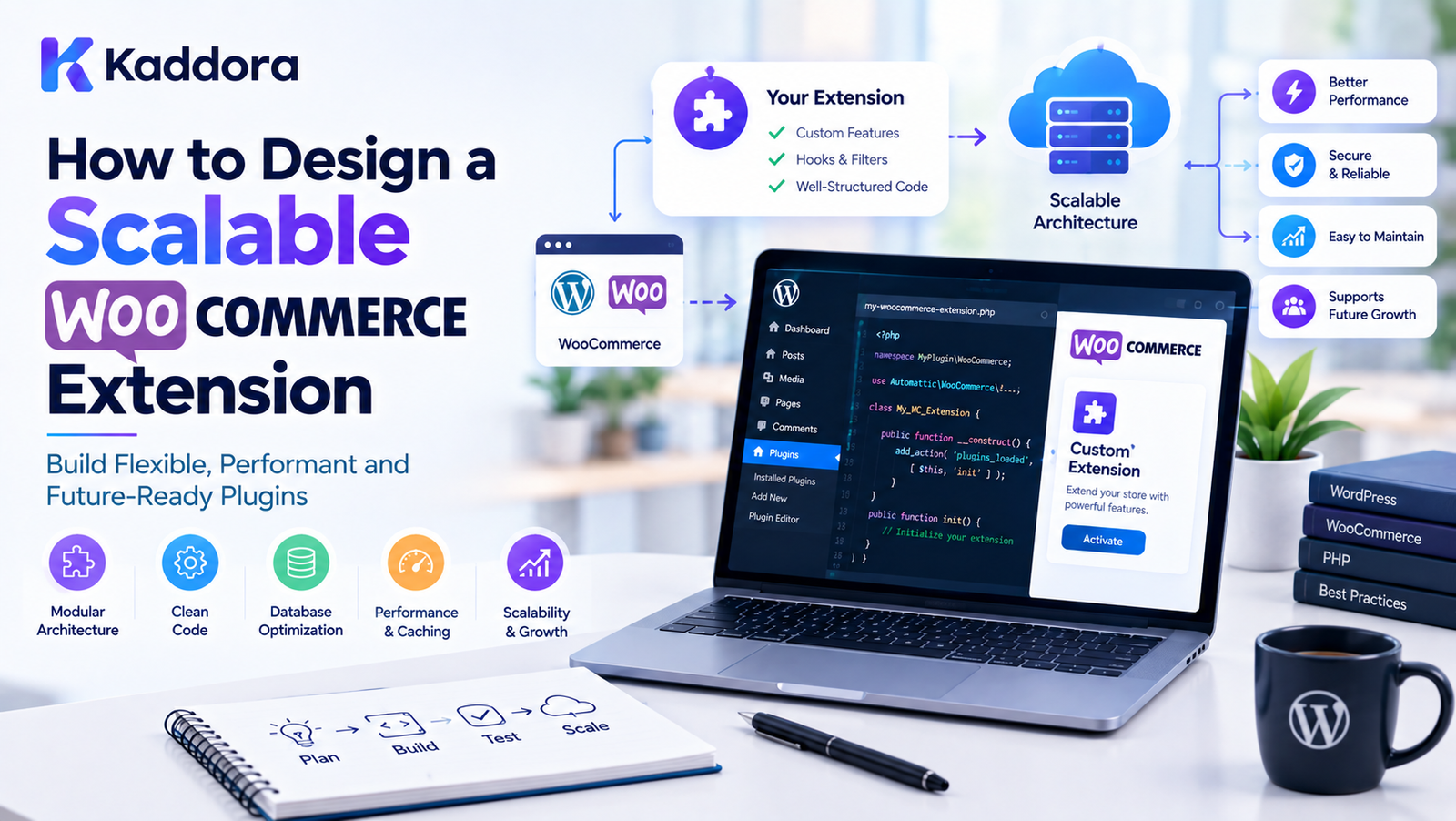
How to Design a Scalable WooCommerce Extension
Introduction
WooCommerce makes it possible to build powerful online stores on WordPress, but many stores eventually require functionality that is not available in the core WooCommerce experience.
Businesses may need:
Custom checkout workflows
Advanced product management
Custom payment workflows
Subscription features
Inventory synchronization
Advanced reporting
AI-powered recommendations
Customer automation
Custom order processing
External API integrations
This is where a WooCommerce extension can become useful.
However, creating a WooCommerce extension is not only about making a feature work.
A good extension should also be:
Maintainable
Secure
Performant
Compatible
Extensible
Testable
Modular
Easy to update
Prepared for increasing store complexity
A small extension may initially serve a few products and orders.
Later, the same extension may need to handle:
10 Products ↓ 1,000 Products ↓ 10,000 Products ↓ 100,000+ Products
The architecture needs to account for that growth.
A scalable WooCommerce extension should therefore be designed around clear responsibilities rather than a collection of tightly connected functions.
What Is a WooCommerce Extension?
A WooCommerce extension is software that adds or modifies functionality in a WooCommerce store.
It may be implemented as:
A WordPress plugin
A WooCommerce-specific plugin
A custom integration
A module inside a larger plugin
An extension of existing WooCommerce functionality
For example:
WooCommerce ↓ Custom Extension ↓ New Business Functionality
The extension can interact with WooCommerce through documented APIs, hooks, data stores, interfaces, and other supported mechanisms.
What Makes a WooCommerce Extension Scalable?
Scalability means the extension can continue operating effectively as the complexity or workload of the store increases.
Scalability can involve:
More products
More orders
More customers
More API requests
More background tasks
More database records
More integrations
More extension modules
A scalable architecture might look like:
WooCommerce ↓ Extension Bootstrap ↓ Services ↓ Business Logic ↓ Data Access ↓ Background Processing ↓ External Integrations
Each layer should have a clearly defined responsibility.
Start With a Clear Architecture
Before writing code, define the architecture.
A basic structure can be:
WooCommerce Extension │ ├── Bootstrap ├── Admin ├── Frontend ├── Domain ├── Services ├── Data ├── Integrations ├── REST API ├── Background Jobs └── Compatibility
The exact structure can vary depending on the extension.
The important principle is separation of responsibilities.
Avoid Putting Everything in One File
A common problem with small plugins is putting everything into a single main PHP file.
For example:
plugin.php
may eventually contain:
Admin menus
Hooks
Database queries
API calls
Product logic
Order logic
Settings
AJAX
REST endpoints
Email logic
This becomes difficult to maintain.
A better architecture separates responsibilities.
src/ ├── Admin/ ├── Domain/ ├── Services/ ├── Data/ ├── API/ └── Integrations/
Use a Strong Plugin Bootstrap
The main plugin file should primarily initialize the extension.
A conceptual structure is:
Plugin File ↓ Environment Check ↓ Dependency Check ↓ Bootstrap ↓ Service Registration ↓ Extension Initialization
Avoid placing large amounts of business logic directly inside the plugin entry file.
Check WooCommerce Dependencies
A WooCommerce extension should verify that required dependencies are available.
For example:
Extension ↓ Is WordPress Available? ↓ Is WooCommerce Available? ↓ Is Required Version Supported? ↓ Initialize
If WooCommerce is unavailable, the extension should fail gracefully.
Define Supported Versions
A scalable extension should have a clear compatibility strategy.
Document:
Minimum WordPress version
Minimum WooCommerce version
Supported PHP versions
Supported database environment
Required extensions
External service requirements
Compatibility requirements should be reviewed whenever the extension changes.
Use WooCommerce Hooks Properly
Hooks are fundamental to WooCommerce development.
They allow extensions to integrate with existing workflows without modifying WooCommerce core files.
Conceptually:
WooCommerce Event ↓ Action Hook ↓ Extension Callback ↓ Custom Business Logic
This makes the extension easier to maintain than modifying core code.
Avoid Editing WooCommerce Core
Never build an extension by modifying WooCommerce's core plugin files.
A proper architecture should be:
WooCommerce Core + Your Extension
not:
WooCommerce Core ↓ Modified Core Files
Core modifications make updates and troubleshooting significantly harder.
Separate Business Logic
Business logic should not be scattered across hooks, templates, controllers, and AJAX callbacks.
Instead:
Hook ↓ Service ↓ Business Logic ↓ Repository / Data Layer
This allows the same business logic to be reused from multiple entry points.
Use Service Classes
Services can represent application operations.
For example:
OrderService ProductService CustomerService InventoryService NotificationService
A service can coordinate several operations without forcing controllers or hooks to contain the entire workflow.
Use Repository Abstraction Carefully
A repository can isolate data access from business logic.
For example:
Business Service ↓ Product Repository ↓ WooCommerce Data Layer
This can make code easier to test and change.
However, abstraction should solve a real problem rather than adding unnecessary complexity.
Avoid Over-Abstraction
A scalable architecture does not mean creating hundreds of classes for simple functionality.
For example, a basic operation does not necessarily require:
Factory Manager Provider Resolver Repository Gateway Adapter Strategy Builder
all at once.
Use abstractions where they provide clear value.
Use WooCommerce Data APIs
WooCommerce provides supported ways to work with products, orders, customers, and other store data.
Prefer supported APIs and data stores rather than relying on fragile implementation details.
Conceptually:
Extension ↓ WooCommerce API / Data Store ↓ Store Data
This can improve compatibility with WooCommerce changes.
Optimize Product Queries
Large WooCommerce stores can contain thousands or millions of records.
Poor queries can create serious performance problems.
Avoid unnecessary patterns such as:
Load Everything ↓ Filter in PHP
when the filtering could be performed efficiently at the data layer.
Prefer:
Specific Query ↓ Required Records ↓ Process Results
Avoid Loading Thousands of Products at Once
A scalable extension should avoid:
100,000 Products ↓ Load All Into Memory
Instead use:
Page 1 ↓ Page 2 ↓ Page 3 ↓ ...
or appropriate batching and background processing.
Use Pagination
Pagination limits the amount of data processed in a single request.
For example:
Products │ ├── Batch 1 ├── Batch 2 ├── Batch 3 └── Batch 4
This can reduce memory usage and request duration.
Use Batch Processing
Large operations should often be divided into smaller tasks.
For example:
100,000 Products ↓ Batch 1: 500 ↓ Batch 2: 500 ↓ Batch 3: 500 ↓ ...
Batch size should be selected based on the workload and hosting environment.
Use Background Processing
Long-running operations should not necessarily run during a normal browser request.
For example:
Admin Click ↓ Create Background Job ↓ Process Data ↓ Update Progress ↓ Complete
Potential background operations include:
Product synchronization
Inventory imports
External API synchronization
Report generation
Bulk updates
Data migration
Use Queues for Large Workloads
A queue can organize background tasks.
Task A Task B Task C Task D ↓ Queue ↓ Worker ↓ Processing
This can improve reliability and prevent large operations from blocking the user interface.
Design Idempotent Jobs
A background task may be retried.
Therefore, it should be safe to execute a job more than once when possible.
For example:
Job ↓ Process ↓ Failure ↓ Retry
The retry should not accidentally duplicate records or transactions.
Optimize Database Operations
Database performance becomes increasingly important as stores grow.
Avoid unnecessary queries.
Instead of:
Loop ↓ Query ↓ Loop ↓ Query ↓ Loop ↓ Query
look for opportunities to reduce repeated database operations.
Avoid N+1 Query Patterns
A common scalability problem is:
1 Query for Products ↓ 100 Product Records ↓ 100 Additional Queries
This creates unnecessary database load.
Where possible, fetch related data efficiently and avoid repeated queries inside large loops.
Use Caching Carefully
Caching can reduce repeated expensive operations.
Potential caching targets include:
Configuration
API responses
Product metadata
Computed reports
Expensive calculations
However, cached data must be invalidated when the underlying data changes.
Cache Invalidation Matters
For example:
Product Price ↓ Cached Result
When the price changes:
Price Updated ↓ Invalidate Cache ↓ Generate New Result
Incorrect cache invalidation can cause stale information.
Use Transients Appropriately
WordPress transients can be useful for temporary cached values.
However, they should not be treated as a permanent database.
For more complex caching requirements, choose the appropriate caching mechanism for the workload.
Optimize External API Calls
Many WooCommerce extensions communicate with:
Payment systems
Shipping platforms
ERP systems
CRM systems
Marketing services
AI services
Inventory systems
External requests can be expensive.
Avoid:
Product Loop ↓ API Call ↓ Product Loop ↓ API Call
when requests can be grouped, cached, queued, or processed asynchronously.
Use API Timeouts
External requests should have reasonable timeout handling.
A scalable extension should not allow an unavailable external service to block the entire WooCommerce request indefinitely.
Conceptually:
API Request ↓ Timeout ↓ Failure Handling ↓ Retry / Queue / Log
Handle API Failures Gracefully
External services can fail.
Possible causes include:
Timeout
Authentication failure
Rate limiting
Server error
Invalid response
Network failure
The extension should handle these cases without crashing the store.
Use Retry Strategies Carefully
Not every failure should be retried.
For example:
Temporary Network Error ↓ Retry
may make sense.
But:
Invalid API Credentials ↓ Retry 100 Times
does not.
Retries should have limits and appropriate backoff.
Respect API Rate Limits
External services may restrict the number of requests.
A scalable extension should monitor and respect those limits.
A queue can help:
1000 API Requests ↓ Rate Controller ↓ Controlled Processing
Design for WooCommerce HPOS
High-Performance Order Storage, commonly called HPOS, changes how WooCommerce order data can be stored and accessed.
Extensions that interact with orders should be designed using WooCommerce-supported APIs and compatibility guidance rather than relying on assumptions about the underlying storage implementation.
For new WooCommerce extensions, HPOS compatibility should be part of the architecture from the beginning.
Avoid Direct Order Database Assumptions
Avoid designing order logic around a fixed set of database tables.
Instead:
Extension ↓ WooCommerce Order APIs ↓ Order Data
This makes the extension more resilient to storage changes.
Design for Blocks and Modern WooCommerce Experiences
WooCommerce continues to use modern frontend technologies and block-based experiences.
Extensions that modify checkout, cart, product, or account experiences should consider the relevant WooCommerce integration APIs and block compatibility requirements.
Do not assume that a classic PHP template customization will automatically cover every modern WooCommerce experience.
Separate Admin and Frontend Code
Admin functionality and customer-facing functionality have different responsibilities.
A good structure can be:
Admin ├── Settings ├── Reports └── Tools Frontend ├── Product ├── Cart └── Checkout
Load only what is necessary in each environment.
Avoid Loading Assets Everywhere
A common performance problem is loading extension CSS and JavaScript on every page.
Instead:
Product Page ↓ Load Product Assets
rather than:
Every Page ↓ Load Everything
Use appropriate WordPress enqueue mechanisms.
Optimize JavaScript
Large JavaScript bundles can slow down storefront pages.
Consider:
Loading scripts only where needed
Splitting functionality
Avoiding unnecessary dependencies
Reducing repeated requests
Deferring non-critical functionality where appropriate
Optimize CSS
Only load styles required for the current functionality.
Avoid shipping a large stylesheet for a small feature.
Use Lazy Loading Where Appropriate
Expensive functionality can sometimes be loaded only when needed.
For example:
Page Loads ↓ Basic Interface ↓ User Requests Advanced Feature ↓ Load Additional Functionality
The exact implementation depends on the feature.
Build a Secure WooCommerce Extension
Security should be part of the architecture from the beginning.
Important areas include:
Capability checks
Nonces
Input validation
Sanitization
Escaping
SQL preparation
API authentication
Secure file handling
Access control
Check User Capabilities
Do not rely only on whether a user is logged in.
Administrative operations should check appropriate capabilities.
Conceptually:
Request ↓ Authenticated? ↓ Authorized? ↓ Valid Nonce? ↓ Process
Use Nonces for Appropriate Requests
Nonces help protect WordPress requests against certain forms of unauthorized request execution.
Use them appropriately for:
Admin actions
AJAX operations
Form submissions
Remember that nonces are not an authorization mechanism by themselves.
Sanitize Input
Input from users should be validated and sanitized according to its expected type.
For example:
Text URL Email Integer Boolean Array
Different input types require different handling.
Escape Output
Output should be escaped according to its context.
For example:
HTML Attribute URL JavaScript
Context-aware escaping helps prevent security issues.
Use Prepared SQL Queries
If an extension needs custom database queries, use $wpdb with prepared statements.
Conceptually:
Input ↓ Validation ↓ Prepared Query ↓ Database
Avoid concatenating untrusted input directly into SQL.
Avoid Storing Unnecessary Customer Data
A scalable extension should not collect customer information simply because it can.
Ask:
Is this data necessary?
before storing it.
This can reduce:
Security risk
Storage requirements
Privacy complexity
Maintenance overhead
Design Clear Extension Settings
Settings should be organized logically.
For example:
General ├── Enable Extension └── Default Options Integration ├── API └── Authentication Performance ├── Cache └── Background Processing Advanced ├── Debugging └── Developer Options
Avoid creating a large unstructured settings page.
Use Configuration Objects
Instead of reading raw options everywhere:
get_option() get_option() get_option()
a configuration layer can centralize settings.
Configuration ↓ Services
This can make the code easier to maintain.
Design Extension Points
A scalable extension should provide appropriate extension points.
For example:
Custom Product Data ↓ Filter / Action ↓ Third-Party Extension
This allows other developers to extend functionality without modifying your code.
Use Stable Public APIs
If developers will integrate with your extension, document public APIs clearly.
Separate:
Public API
from:
Internal Implementation
Internal classes can change more freely when consumers are not relying on them directly.
Document Hooks and Filters
If your extension provides hooks, document:
Hook name
Hook type
Parameters
Expected return value
Execution context
Example usage
For example:
kaddora_extension_before_sync
Documentation makes extension ecosystems easier to build.
Use Namespaces or Strong Prefixes
WordPress has a large ecosystem.
Name collisions are possible.
Use:
Appropriate namespaces
Unique class names
Unique function prefixes
Unique constants
This reduces conflicts with other plugins and themes.
Use Dependency Injection Where Useful
Dependency injection can make services easier to test and replace.
For example:
OrderService ↓ OrderRepository
instead of constructing every dependency internally.
However, dependency injection should remain practical for the project's size.
Design for Testability
Scalable code should be testable.
Separate:
Business Logic
from:
WordPress Hook
This allows business operations to be tested independently.
Unit Testing
Unit tests can validate isolated business logic.
Potential areas include:
Pricing calculations
Discount rules
Eligibility logic
Product recommendations
Data transformation
Integration Testing
Integration tests can verify communication between components.
For example:
WooCommerce ↓ Extension ↓ External API
Testing should cover important integration paths.
Test Large Data Sets
Do not test only:
5 Products 10 Orders
Also consider realistic larger datasets.
For example:
10,000 Products 100,000 Orders Large Customer Dataset
Testing should reflect the expected workload.
Test Failure Conditions
A scalable extension should be tested when things go wrong.
Examples:
WooCommerce unavailable
API unavailable
Database error
Invalid credentials
Timeout
Duplicate event
Large import
Interrupted background job
Logging and Debugging
Good logging can make production issues easier to diagnose.
Useful log information may include:
Event Timestamp Operation Status Error Reference ID
Avoid logging sensitive credentials or unnecessary personal data.
Database Migration Strategy
If an extension introduces custom tables or schema changes, it should have a controlled migration strategy.
Conceptually:
Version 1 ↓ Migration ↓ Version 2 ↓ Migration ↓ Version 3
Do not assume every installation starts from the latest version.
Backward Compatibility
Updates should consider existing installations.
For example:
Old Data ↓ Migration ↓ New Data Structure
If a setting or database structure changes, provide an appropriate migration path.
Avoid Destructive Updates
An extension update should not unexpectedly delete customer or business data.
Data migrations should be:
Deliberate
Tested
Documented
Recoverable where possible
Design for Extensibility
A scalable extension should be capable of adding features without rewriting its core architecture.
For example:
Core ├── Product Module ├── Order Module ├── Customer Module ├── Analytics Module └── Integration Module
New modules can then be added independently.
Modular WooCommerce Extension Architecture
A larger extension might use:
src/ │ ├── Core/ │ ├── Admin/ │ ├── Product/ │ ├── Order/ │ ├── Customer/ │ ├── Analytics/ │ ├── Integrations/ │ ├── REST/ │ ├── Background/ │ └── Compatibility/
Modules should communicate through well-defined interfaces.
Design for Multiple Integrations
If an extension integrates with several services, avoid embedding provider-specific logic everywhere.
Instead:
Integration Interface ↓ ┌─────┼─────┐ ↓ ↓ ↓ ERP CRM API
This allows individual providers to be replaced more easily.
Adapter Pattern for Integrations
An adapter can translate between your extension's internal interface and an external service.
Extension ↓ Integration Interface ↓ Adapter ↓ External Service
This can reduce vendor-specific code throughout the application.
WooCommerce Extension Performance Checklist
Before releasing an extension, check:
Queries are optimized
Large datasets are paginated
Background processing is used where appropriate
External API calls have timeouts
API retries are controlled
Caching is used appropriately
Assets load only where needed
Admin and frontend code are separated
HPOS compatibility is considered
Block-based WooCommerce experiences are considered
Large imports are tested
Memory usage is monitored
WooCommerce Extension Security Checklist
Check:
Capability checks
Nonces
Input validation
Sanitization
Output escaping
Prepared SQL
Secure API credentials
Webhook validation
Access control
Secure file handling
Minimal data collection
Safe logging
WooCommerce Extension Architecture Checklist
A scalable extension should have:
Clear bootstrap
Modular architecture
Separated business logic
Service layer
Data access layer where useful
Dependency handling
Compatibility checks
Background processing
Error handling
Logging
Migration strategy
Extension points
Public API documentation
Automated tests
Example Scalable WooCommerce Extension Flow
Consider an inventory synchronization extension.
The architecture might be:
WooCommerce Product ↓ Product Event ↓ Sync Service ↓ Queue ↓ Integration Adapter ↓ ERP API ↓ Response ↓ Sync Status ↓ WooCommerce
If the store has thousands of products, the synchronization can be processed in controlled batches rather than synchronizing everything inside a single browser request.
Example: Scalable Order Integration
A large store may need to send orders to an external ERP.
Instead of:
Customer Places Order ↓ Call ERP API ↓ Wait ↓ Complete Checkout
a more resilient architecture can be:
Customer Places Order ↓ Order Created ↓ Queue Integration Job ↓ Checkout Continues ↓ Background Worker ↓ ERP API ↓ Update Integration Status
The exact approach depends on business requirements and the integration's consistency needs.
Example: Scalable Product Import
A large product import can use:
CSV / API ↓ Import Job ↓ Batch 1 ↓ Batch 2 ↓ Batch 3 ↓ ... ↓ Import Complete
Each batch can process a controlled number of records.
How to Plan a Scalable WooCommerce Extension
Before development, answer these questions:
What problem does the extension solve?
Define the primary business problem.
What WooCommerce data does it use?
Identify products, orders, customers, subscriptions, or other data.
What is the expected data volume?
Estimate realistic store sizes.
Does it require external APIs?
Identify integrations and failure scenarios.
Does it require background processing?
Determine whether tasks can exceed normal request limits.
Does it need custom database tables?
Only introduce them when the data model genuinely requires them.
What are the public APIs?
Define what third-party developers can safely use.
How will updates work?
Plan migrations and backward compatibility.
Why Choose Kaddora?
Kaddora focuses on WordPress and WooCommerce solutions with an emphasis on practical business functionality and extensible architecture.
A scalable WooCommerce ecosystem may involve:
WooCommerce plugins
Analytics
ERP integrations
AI-powered features
Marketing automation
Product recommendations
Order management
Customer workflows
Performance optimization
Business intelligence
Kaddora's WooCommerce-focused solutions can help businesses explore these capabilities while keeping the broader WordPress ecosystem in mind.
For developers and store owners, the important principle is to build functionality that can evolve as the store grows.
A WooCommerce extension should not only solve today's problem.
It should provide a maintainable foundation for tomorrow's requirements.
Conclusion
Designing a scalable WooCommerce extension requires more than adding features to a WordPress plugin.
A strong extension should consider:
Architecture + Performance + Security + Compatibility + Data Management + Background Processing + API Reliability + Testing + Extensibility
Start with a clear architecture and separate business logic from WordPress hooks, templates, and controllers.
Use WooCommerce-supported APIs and design with modern WooCommerce requirements such as HPOS and block-based experiences in mind.
For large workloads, use pagination, batching, queues, caching, and background processing where appropriate.
For external integrations, implement timeouts, controlled retries, authentication, error handling, and logging.
Most importantly, avoid building unnecessary complexity. A scalable architecture should make the extension easier to maintain as its requirements grow—not simply make the codebase larger.
When performance, security, compatibility, and extensibility are considered from the beginning, a WooCommerce extension can provide a much stronger foundation for growing stores and evolving business requirements.
Frequently Asked Questions
What is a WooCommerce extension?
A WooCommerce extension is software that adds or modifies functionality in a WooCommerce store. It can be a dedicated plugin, custom integration, or modular extension.
What makes a WooCommerce extension scalable?
A scalable extension can handle increasing products, orders, customers, integrations, and workloads through modular architecture, optimized data access, background processing, and efficient resource usage.
Should WooCommerce extensions use custom database tables?
Not always. Custom tables can be useful for specialized datasets or high-volume workloads, but they should be introduced only when the data model and performance requirements justify them.
How can I improve WooCommerce extension performance?
Optimize database queries, avoid loading unnecessary data, use pagination, cache expensive operations appropriately, process large tasks in batches, and load frontend assets only when required.
What is the best architecture for a WooCommerce extension?
There is no single architecture for every extension. A modular structure separating bootstrap, business logic, data access, integrations, administration, and frontend functionality is often easier to maintain.
Should I modify WooCommerce core files?
No. Extensions should integrate with WooCommerce through supported APIs, hooks, interfaces, and other extension mechanisms rather than modifying core plugin files.
Can WooCommerce extensions integrate with ERP systems?
Yes. Extensions can integrate WooCommerce with ERP systems through APIs, webhooks, queues, synchronization services, and other appropriate integration mechanisms.
Can WooCommerce extensions integrate with AI services?
Yes. Extensions can integrate with AI APIs for features such as recommendations, content generation, customer support, analytics, and automation.
Why choose Themekaddora?
Themekaddora provides lightweight, responsive, SEO-friendly WordPress themes with fast performance, WooCommerce compatibility, flexible customization, accessibility-conscious design, modern templates, regular updates, and professional support—providing a strong foundation for businesses building digital products and product-focused websites.
Comments (0)