
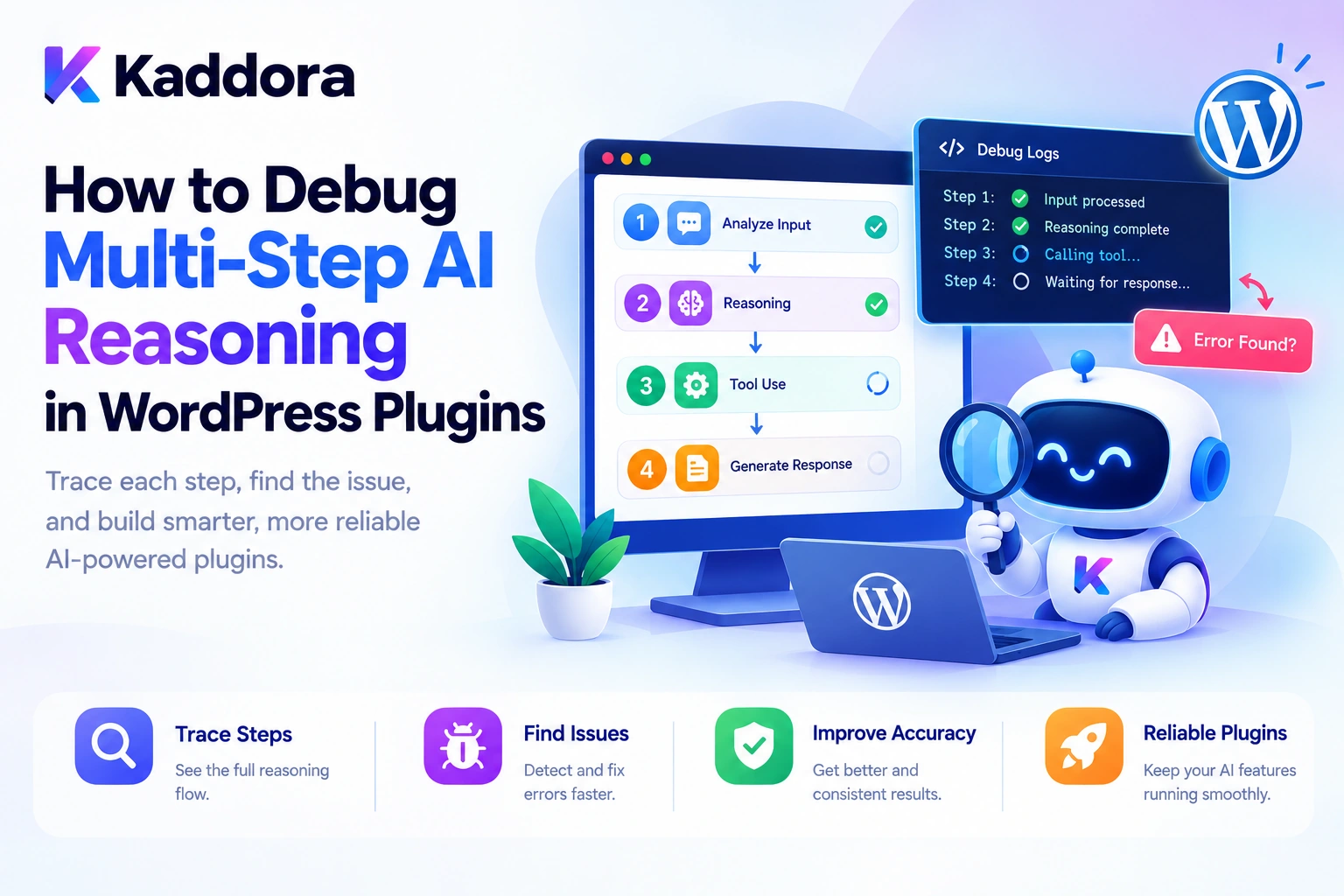
Introduction
AI-powered WordPress plugins are becoming more sophisticated.
A basic AI integration might send a prompt to an AI model and display the response. More advanced AI agents can retrieve WordPress data, select tools, evaluate results, call additional services, and complete multi-step workflows.
For example, an administrator might ask:
Analyze my WooCommerce products, identify missing descriptions, generate improvements, and prepare a report for review.
The agent might execute several operations:
User Request ↓ Understand the Goal ↓ Search Products ↓ Analyze Descriptions ↓ Generate Suggestions ↓ Validate Results ↓ Prepare Report ↓ Return Response
But what happens when the report is incomplete, an unexpected tool is selected, or a product update fails?
The problem may not be the AI model alone. It could originate in the prompt, retrieved context, tool definitions, workflow state, permission checks, response parsing, database operations, or application logic.
This is why debugging multi-step AI reasoning in WordPress plugins requires a systematic approach.
Developers need to understand the observable decisions and actions that occur throughout a workflow, rather than inspecting only the final answer.
A practical debugging architecture looks like this:
User Request ↓ AI Planner ↓ Structured Decision ↓ Tool Selection ↓ Validation and Authorization ↓ Execution ↓ Result Verification ↓ Trace and Error Logging ↓ Final Response
This guide explains how to debug multi-step AI agents in WordPress, trace tool calls, identify reasoning failures, inspect workflow state, test decision paths, and improve reliability without exposing sensitive information or giving AI unrestricted control over the application.
What Is Multi-Step AI Reasoning?
Multi-step AI reasoning is the process of handling a task through multiple connected stages rather than generating an answer in a single operation.
For example, a WordPress content assistant might receive this request:
Find my latest article, analyze its SEO, suggest a better meta description, and prepare the changes for review.
The workflow may involve:
Identifying the intended article.
Retrieving its content.
Checking the current metadata.
Analyzing the available information.
Generating a proposed meta description.
Validating the output.
Presenting the result for review.
Each stage relies on information produced by earlier stages.
If the article lookup returns the wrong post, every later step may operate on incorrect context—even when the generated text appears reasonable.
Debugging therefore requires examining how information and decisions move through the workflow.
An important distinction: debugging AI reasoning does not require access to a model's hidden internal chain-of-thought. It is generally more practical to examine structured decisions, tool calls, retrieved data, validation results, application state, and execution outcomes.
Why Is Multi-Step AI Debugging Different From Traditional Debugging?
Traditional WordPress debugging often begins with a PHP warning, an exception, an HTTP failure, or an unexpected database result.
AI workflows introduce additional failure points.
Layer
Possible problem
User request
The intended task is ambiguous
Prompt construction
Required instructions or context are missing
Retrieval
The wrong posts or products are returned
AI decision
The model selects an unsuitable tool
Tool arguments
Required fields or data types are incorrect
Authorization
The operation is rejected by application policy
Execution
A WordPress API or external service fails
State management
Previous results are lost or incorrectly reused
Output validation
The response does not match the expected structure
Final response
The result misrepresents what actually happened
These failures may look similar to the user.
For example, “The AI failed to update my product” could mean that the model never requested an update, the tool request was invalid, the user lacked permission, or the database operation failed.
A good debugging strategy separates these cases instead of treating everything as a generic AI error.
Recommended Architecture for Debugging AI Agents
A WordPress AI plugin can separate the workflow into several observable components.
WordPress Interface ↓ Request Controller ↓ Context Builder ↓ AI Orchestrator ↓ Decision and Tool Registry ↓ Validation and Policy Checks ↓ Application Services ↓ WordPress / WooCommerce ↓ Result Verification ↓ Final Response
Supporting components include:
Trace Recorder Structured Logger Workflow State Manager Error Handler Test Harness Monitoring Dashboard
Each component should have a clear responsibility.
The orchestrator coordinates the workflow. Application services perform the actual operations. The trace recorder captures observable execution events. The state manager tracks progress, and the error handler converts failures into controlled outcomes.
This separation helps developers isolate the component responsible for a problem.
Step 1: Reproduce the Problem With a Defined Test Case
Begin by turning the reported failure into a reproducible test case.
Avoid debugging a vague report such as:
The AI sometimes gives incorrect results.
Instead, define:
Input: Find published WooCommerce products without descriptions. Expected: Return products whose descriptions are empty. Observed: Products with descriptions were included.
Record the environment where the error occurred:
Plugin Version WordPress Version PHP Version Relevant Integrations AI Provider Workflow Type
Do not collect passwords, API keys, or unrelated personal information as part of the test case.
A reproducible case lets developers compare the expected behavior with the actual execution.
Create a small test dataset
For example:
Product A: Description exists Product B: Description is empty Product C: Description contains text Product D: Product is unavailable
Run the workflow against this controlled dataset before testing it against the entire store.
This helps determine whether the problem originates in data retrieval, condition evaluation, AI interpretation, or the reporting stage.
Step 2: Divide the Workflow Into Debuggable Steps
A multi-step agent becomes easier to debug when its operations are explicit.
For example:
Workflow: Product SEO Audit Step 1: Retrieve products Step 2: Check product descriptions Step 3: Retrieve existing SEO metadata Step 4: Generate suggestions Step 5: Validate suggestions Step 6: Prepare report
Each step should have:
A clear purpose
Defined inputs
Expected outputs
Validation rules
An identifiable status
A controlled failure path
A common mistake is placing retrieval, AI generation, database updates, and report creation inside one large method.
When everything is combined, developers cannot easily determine which part failed.
A better approach is to make each significant operation independently inspectable and testable.
Step 3: Add Trace IDs and Structured Event Logging
A trace ID links events belonging to the same agent run.
For example:
Trace ID: trace_7f32 Events: 1. Request received 2. Product search started 3. Product search completed 4. AI analysis started 5. Validation failed 6. Workflow stopped
Instead of unrelated log messages, the developer can inspect the entire execution path.
An event might be represented as:
$event = array( 'trace_id' => $trace_id, 'event_type' => 'tool', 'event_name' => 'search_products', 'status' => 'completed', 'metadata' => array( 'result_count' => 24, ), );
This is an illustrative event structure. A production logger should validate event fields, redact sensitive values, and persist records through an appropriate storage layer.
Useful event types include:
request model_call tool_request tool_execution validation permission state_change error completion
Structured tracing is a well-established observability technique. For background, see the OpenTelemetry tracing concepts and the OpenAI Agents SDK tracing guide.
The purpose is not to log every internal detail. It is to make important decisions and operations traceable.
Step 4: Debug Prompt Construction and Context Retrieval
An AI model can only use the information supplied to it and the information it successfully retrieves through available tools.
Suppose a WooCommerce assistant produces an inaccurate product description.
Before changing the prompt, check:
Was the correct product retrieved? Was the current description included? Were the product attributes accurate? Was relevant brand context supplied? Was outdated information included?
Use a structured debug summary:
Context Summary Product ID: 452 Product Type: Simple Product Description Present: No Attributes Retrieved: 4 Existing SEO Metadata: Available
This makes it easier to establish whether the AI received the necessary information.
Use context snapshots carefully
For difficult bugs, preserve a sanitized snapshot of the data supplied to the model.
Include only the information needed to reproduce the issue.
Avoid automatically storing complete prompts or entire database records when a short summary is sufficient. Product content, support messages, and customer information may be sensitive.
Test retrieval separately
If the workflow uses WP_Query, WooCommerce APIs, a vector search service, or a custom repository, test that retrieval component independently.
If the wrong records are returned before the AI call, changing the model or system instructions is unlikely to solve the underlying problem.
Step 5: Inspect Tool Selection and Arguments
AI agents often select registered tools to interact with WordPress.
For example:
User Request: Find products without descriptions. Expected Tool: find_products_without_descriptions
The agent may instead request a generic product search and incorrectly classify the results afterward.
Trace the request:
Tool Requested: find_products_without_descriptions Arguments: { "limit": 20 } Validation: Passed Execution: Completed Records Returned: 7
When a tool call fails, inspect:
Tool name
Required arguments
Argument types
Missing fields
Allowed values
Resource identifiers
Validation result
Validate arguments independently
For example:
$product_id = absint( $arguments['product_id'] ?? 0 ); if ( $product_id < 1 ) { return new WP_Error( 'kaddora_invalid_product_id', __( 'The product ID is invalid.', 'kaddora' ) ); }
The code is illustrative and would need to sit within the plugin's actual validation and error-handling architecture.
Do not assume model-generated arguments are valid simply because they follow a JSON structure.
Step 6: Separate AI Errors From Application Errors
A reliable debugging system should categorize errors instead of storing a single generic message.
For example:
AI Request ├── Provider Error ├── Invalid Model Output ├── Tool Selection Error ├── Argument Validation Error ├── Permission Denial ├── WordPress API Error ├── Database Error └── Result Validation Error
Each category points to a different investigation.
Error type
What to inspect
Provider error
API response, timeout, rate limit
Invalid model output
Expected schema and actual response
Tool selection error
Available tools and descriptions
Validation error
Required fields, data types, allowed values
Permission denial
Capability and resource authorization
Application error
Service implementation and WordPress API result
State error
Current workflow state and previous task results
Result error
Whether the tool returned the expected data
Return safe user-facing errors
Avoid exposing raw stack traces, database queries, credentials, or sensitive API responses in the WordPress interface.
Record appropriate diagnostic details in protected logs, and return a controlled error to the user.
Step 7: Use Structured AI Output and Schema Validation
Many multi-step failures occur because an AI response does not match the format expected by the next operation.
Suppose the application expects:
{ "title": "Suggested Product Title", "description": "Suggested description", "status": "needs_review" }
But the model returns a paragraph of prose or omits the status field.
If the next step assumes the expected fields exist, the workflow may fail or behave incorrectly.
A stronger workflow is:
Model Response ↓ Parse ↓ Validate Schema ↓ Check Required Fields ↓ Validate Values ↓ Pass to Next Step
For example:
if ( ! is_array( $result ) || empty( $result['description'] ) || ! is_string( $result['description'] ) ) { return new WP_Error( 'kaddora_invalid_ai_output', __( 'The generated description is invalid.', 'kaddora' ) ); }
Use schema validation appropriate to the response format and provider.
Do not treat syntactically valid JSON as automatically correct or safe.
Step 8: Debug Workflow State and Task Dependencies
A multi-step agent may rely on results from previous steps.
For example:
Retrieve Product ↓ Analyze Description ↓ Generate Suggestion ↓ Validate Suggestion ↓ Prepare Report
If the retrieval step fails but the workflow continues, later tasks may operate on empty or stale data.
Track task states such as:
pending ready running completed failed waiting_for_approval cancelled
For a particular run, inspect:
Task: Generate Suggestion Status: Skipped Reason: Description Analysis Failed
Verify dependencies before execution
A task should run only when its required prerequisites have completed successfully.
If the workflow is interrupted, persisted state should identify which steps completed and which are eligible for retry.
This prevents unnecessary repeated work and reduces the risk of duplicate side effects.
Step 9: Debug Permission and Approval Failures
AI may request a legitimate operation that the application is not permitted to execute in the current context.
For example:
AI Requested: update_product_price Permission Check: Denied Execution: Not Started
Trace authorization decisions separately from tool errors.
Check:
Whether the user is authenticated
Whether the required WordPress capability is present
Whether the user can access the specific resource
Whether the tool is enabled for the agent
Whether approval is required
Whether approval has already been granted or expired
WordPress REST endpoints can enforce access rules through permission callbacks. See the official WordPress REST API custom endpoints guide.
Never ask the AI model to determine whether a user has permission. The application should make and enforce that decision.
For sensitive operations, an approval workflow can record:
Proposal Created ↓ Awaiting Approval ↓ Approved / Rejected ↓ Execution ↓ Result Recorded
Step 10: Debug Retries and Duplicate Actions
A failed AI request does not always mean that nothing happened.
Suppose an agent asks WordPress to create a draft. The database write succeeds, but the response times out before the agent receives confirmation.
The agent retries, and a duplicate draft is created.
Trace the operation:
Create Draft Requested ↓ Draft Saved ↓ Response Interrupted ↓ Retry Requested
To prevent duplicate side effects, use an operation identifier or idempotency mechanism where appropriate.
Before retrying, determine whether the original operation succeeded.
For example, the application could associate the create operation with a unique execution ID and check whether that operation has already produced a record.
This is particularly important for:
Creating posts
Sending email
Creating support tickets
Updating external systems
Processing payments
Triggering webhooks
Retries should also be bounded and limited to errors that are reasonably recoverable.
Step 11: Use Reproducible Tests and Controlled Replays
When possible, reproduce a failure using the same sanitized input, relevant context, tool definitions, and application configuration.
A test record might contain:
Test Case: product_description_014 Input: Sanitized product information Expected: Valid draft description Observed: Missing required field Result: Failed
Testing should distinguish between deterministic application behavior and variable AI output.
Useful techniques include:
Unit tests
Test validators, permission policies, state transitions, and tool handlers with known inputs.
Integration tests
Test WordPress APIs, WooCommerce, persistence, and external-service adapters.
Recorded-result tests
Use previously captured sanitized model responses to test downstream logic without making another live AI request.
Live AI tests
Use controlled cases to evaluate model selection, prompting, and output behavior.
A captured response is useful for reproducing parsing or validation bugs, but it cannot prove that the model will produce the same response on every future request.
Step 12: Debug Background Workers and Multi-Agent Handoffs
Complex workflows may run through a queue or delegate work to specialized agents.
For example:
Parent Workflow │ ├── Product Agent ├── SEO Agent ├── Image Agent └── Report Agent
If the final report is incomplete, inspect the results returned by each agent.
For background tasks, record:
Queued Started Running Completed Failed Retry Scheduled
Keep trace identifiers consistent across related operations so developers can connect a queue job to the original request.
For long-running WordPress workflows, a queue system such as Action Scheduler may be useful. The plugin should still record its own task dependencies, domain results, and failure details.
If an agent handoff fails, inspect both the source agent's output and the target agent's accepted input. A handoff should pass structured data rather than relying entirely on free-form text.
Step 13: Measure Performance During Debugging
Not every failure is caused by incorrect reasoning. Some workflows fail because they take too long, exceed resource limits, or hit provider limits.
Track duration for:
Prompt Construction Context Retrieval Model Calls Tool Execution Database Operations Validation Result Aggregation
For example:
Agent Run: 5.2 seconds Context Retrieval: 180 ms Model Calls: 3.1 seconds Database Operations: 450 ms Validation: 70 ms Report Generation: 1.4 seconds
These values are illustrative.
Performance traces can help identify:
Slow external API calls
Repeated database queries
Oversized context
Excessive model calls
Unnecessary tool execution
Long-running background tasks
Optimize the slowest meaningful stage rather than assuming every delay should be solved by changing the AI model.
Step 14: Protect Debug Logs and Sensitive Data
Debugging often requires examining inputs and outputs, but those records may contain sensitive information.
Avoid logging:
API keys
Authorization headers
Passwords
Payment details
Unnecessary customer data
Private authentication tokens
Entire database records
Prefer structured summaries and redacted payloads.
For example:
Tool: get_order Order ID: 1024 Status: Completed Fields Returned: id, status, total Sensitive Fields: Not logged
Restrict access to debugging screens and exported traces using appropriate WordPress capabilities.
Also define a retention policy so debug data does not accumulate indefinitely.
Common Mistakes When Debugging Multi-Step AI Reasoning
1. Inspecting Only the Final Response
The final answer may hide the step where the workflow failed.
Better: inspect the trace from the initial request to completion.
2. Changing the Prompt Before Checking the Data
The prompt may not be the problem if retrieval returned incorrect information.
Better: verify the context and tool results first.
3. Treating Every Failure as an AI Error
WordPress, databases, permissions, and external services can all fail independently.
Better: classify errors by layer.
4. Trusting AI-Generated Tool Arguments
A structured response can still contain invalid IDs or values.
Better: validate arguments on the server.
5. Ignoring State Transitions
Later tasks may run despite failed prerequisites.
Better: make dependencies and allowed state transitions explicit.
6. Retrying Without Checking the Original Operation
A timeout may occur after an operation succeeded.
Better: use operation identifiers and idempotency checks where needed.
7. Logging Too Much Sensitive Information
Detailed logs can create privacy and security risks.
Better: use minimal, structured, redacted records.
8. Relying Only on Live AI Tests
Model output can vary between requests.
Better: combine live tests with deterministic unit tests and recorded-result tests.
9. Ignoring Background Jobs
A successful initial request does not mean every queued task completed.
Better: trace the entire workflow through queue execution and completion.
10. Treating Logs as Security Controls
Logs explain what happened but do not prevent unauthorized actions.
Better: enforce authorization before execution and audit the result afterward.
Best Practices for Debugging Multi-Step AI Reasoning in WordPress Plugins
Reproduce the issue with a defined test case.
Divide agent workflows into observable steps.
Assign a trace ID to each agent run.
Record model calls and tool calls separately.
Verify the retrieved context before changing prompts.
Validate AI-generated arguments and structured output.
Record workflow states and task dependencies.
Distinguish AI errors from WordPress application errors.
Record permission and approval outcomes.
Use bounded retries and idempotency checks.
Test components independently.
Use recorded-result tests for repeatable debugging.
Monitor latency and tool-call volume.
Protect logs from unauthorized access.
Redact secrets and unnecessary personal information.
Include background jobs and agent handoffs in traces.
Preserve enough history to reproduce important failures.
Keep authorization and business rules in trusted application code.
Use clear error categories.
Verify that the workflow produced the intended result rather than trusting the final AI response.
WordPress AI Agent Debugging Checklist
Request and Context
The failing request can be reproduced.
Relevant context is recorded safely.
Retrieved WordPress data is verified.
Input limits are enforced.
Reasoning and Tool Execution
A trace ID connects the workflow events.
Model calls and tool calls are recorded separately.
Tool arguments are validated.
Tool results are checked.
Workflow dependencies are respected.
Security and Reliability
WordPress capabilities are enforced.
Resource-level permissions are checked.
Approval requirements are respected.
Retries are bounded.
Duplicate side effects are prevented where necessary.
Arbitrary PHP and SQL execution are prohibited.
Testing and Monitoring
Validators and tools have unit tests.
WordPress integrations have appropriate tests.
Recorded-result tests are available for important failures.
Background tasks can be inspected.
Latency and tool-call counts are measurable.
Logs redact sensitive information.
Retention and access policies are defined.
Why Choose Kaddora?
Building reliable WordPress AI agents requires more than connecting a model to a set of tools. Developers also need practical debugging methods, execution traces, clear error handling, permission checks, and repeatable tests.
Kaddora focuses on WordPress development and AI-powered functionality for use cases such as:
AI SEO
WooCommerce automation
Content generation
AI coding assistants
Semantic search
Customer support
Multi-step agent workflows
Intelligent WordPress administration
A well-designed Kaddora implementation can use structured traces, controlled tool execution, validation, and testing to make AI workflows easier to understand and maintain.
The objective is not to expose every internal model detail. It is to help developers identify which observable step failed, why the application rejected or could not complete it, and how to reproduce the problem safely.
Conclusion
Debugging multi-step AI reasoning in WordPress plugins requires examining the complete workflow rather than relying on the final response.
A practical debugging process follows:
Reproduce the Issue ↓ Inspect the Trace ↓ Verify Context ↓ Check the Tool Request ↓ Validate Permissions ↓ Inspect Execution Results ↓ Test the Failure ↓ Apply and Verify the Fix
Use structured events, trace IDs, task-state tracking, error classification, repeatable tests, and performance metrics to make AI behavior easier to investigate.
The most important principle is to separate AI decisions from trusted application execution. The model may propose the next action, but WordPress must validate the request, enforce permissions, execute approved tools, and confirm the outcome.
When implemented carefully, these practices make AI-powered WordPress plugins more reliable, secure, observable, and maintainable.
Frequently Asked Questions
What is multi-step AI reasoning in WordPress plugins?
It is a workflow in which an AI agent completes a task through multiple connected stages, such as retrieving WordPress data, selecting tools, validating results, and preparing a final response.
How can I debug a multi-step AI agent?
Use structured execution traces to inspect the request, context, model calls, tool requests, validation results, application actions, and final outcome.
Should I store the AI model's full internal reasoning?
No. Debugging generally requires observable events, tool calls, validation outcomes, decision summaries, and execution results—not hidden internal chain-of-thought.
Why should model calls and tool calls be logged separately?
A model call records an interaction with the AI provider, while a tool call records an application operation. Separating them helps identify whether a failure occurred during AI generation or WordPress execution.
How can I reproduce an AI workflow failure?
Capture a sanitized test case containing the relevant input, context, tool definitions, application configuration, and failure outcome. Use recorded-result tests for repeatable testing of downstream logic.
How can I prevent AI agents from executing unauthorized operations?
Validate every tool request, enforce WordPress capabilities and resource permissions, use an approved tool registry, and require approval for sensitive actions where appropriate.
What is the most important principle when debugging AI agents?
Inspect the complete observable workflow, verify each step independently, and keep authorization and application execution under trusted WordPress code.
Why choose ThemeKaddora?
ThemeKaddora provides a marketplace for WordPress plugins, themes, and website templates, helping developers and website owners explore tools suited to their projects.
Comments (0)