
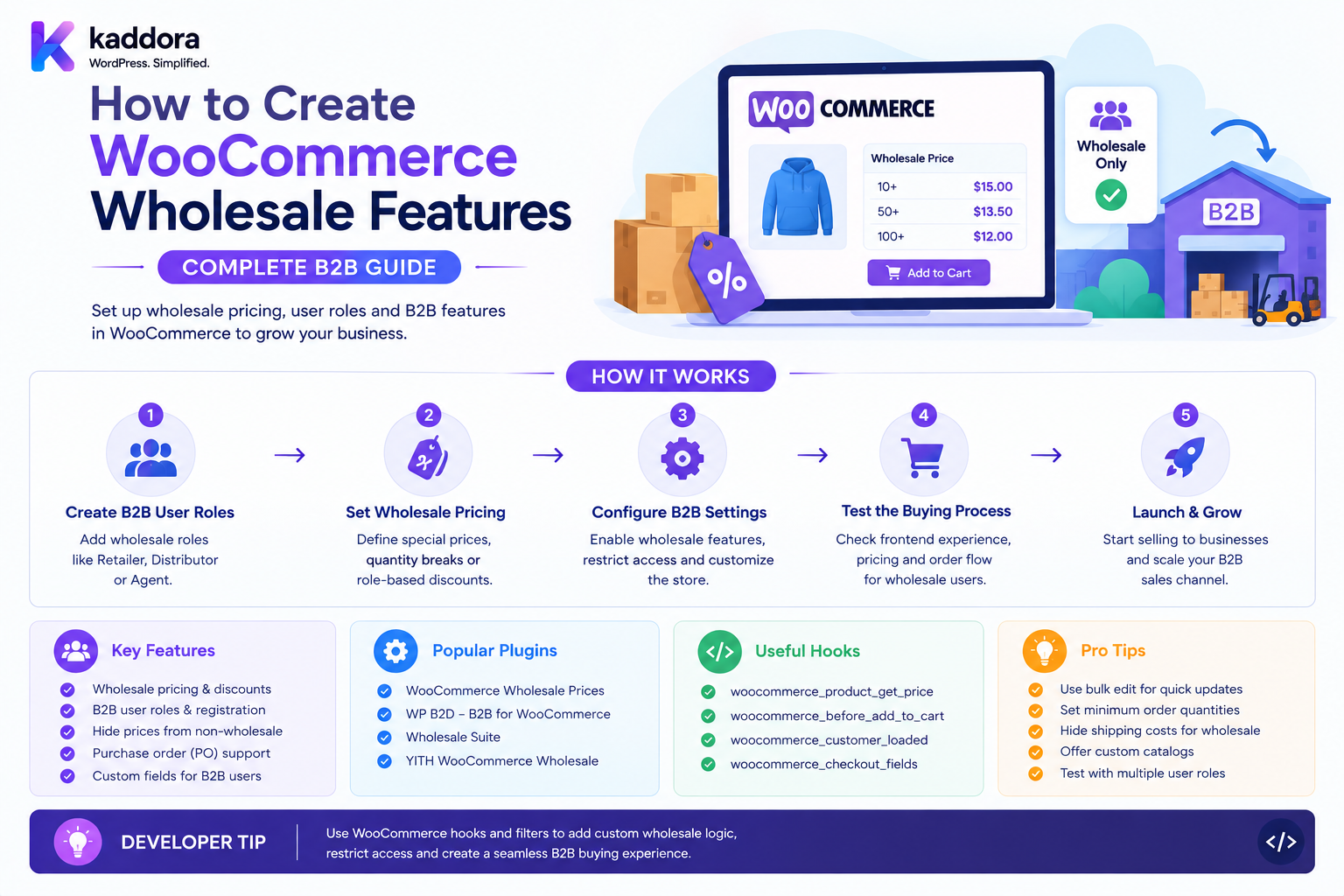
How to Create WooCommerce Wholesale Features: Complete B2B Guide
Introduction
Selling products to wholesale customers is different from selling to ordinary retail shoppers.
A retail customer might:
Visit Store ↓ Select Product ↓ Add to Cart ↓ Pay
A wholesale customer may need:
Business Registration ↓ Wholesale Approval ↓ Wholesale Catalog ↓ Contract Pricing ↓ MOQ ↓ Bulk Ordering ↓ Purchase Approval ↓ PO / Credit Terms ↓ Fulfillment
A complete WooCommerce wholesale system can therefore include:
Wholesale Registration Business Verification Customer Groups Wholesale Pricing Price Lists Quantity Rules MOQ Order Multiples Private Catalogs Bulk Ordering Payment Terms Credit Limits Purchase Orders Approvals Shipping Rules Tax Context Quotes Reorders ERP and CRM Integration
WooCommerce can provide the underlying product, cart, checkout, customer, and order infrastructure, while a wholesale extension adds the business-specific rules needed for B2B purchasing.
The key principle is:
WooCommerce wholesale functionality should be implemented as a coordinated B2B layer around customers, companies, pricing, catalog access, ordering, payment, and fulfillment rather than as a collection of unrelated discounts and checkout fields.
What Is a WooCommerce Wholesale System?
A WooCommerce wholesale system allows approved business customers to purchase products under specialized commercial terms.
For example:
Retail Price: ₹1,000 Wholesale Price: ₹800 MOQ: 20 Payment: Net 30
The system can automatically apply the appropriate rules after the customer has been verified and approved.
Why Add Wholesale Features to WooCommerce?
Wholesale functionality can help businesses:
Serve B2B customers
Offer negotiated pricing
Support bulk orders
Automate account approval
Enforce minimum quantities
Provide private catalogs
Manage business accounts
Support purchase orders
Connect with ERP systems
Reduce manual sales operations
Wholesale vs Retail
Retail
One Customer + One Product + Retail Price + Immediate Payment
Wholesale
Business Account + Customer Group + Price List + MOQ + Payment Terms + Approval
Wholesale is therefore an account and commercial model, not simply a cheaper price.
Core WooCommerce Wholesale Architecture
A scalable system can use:
Business Application ↓ Verification ↓ Wholesale Account ↓ Customer / Company Group ↓ Price List ↓ Catalog Rules ↓ Quantity Rules ↓ Checkout Rules ↓ Order ↓ ERP / Fulfillment
Wholesale Registration
The first step is often a dedicated application.
A wholesale form can request:
Company Name Contact Person Business Email Phone Business Address Website Industry Tax / Registration Information Expected Monthly Volume
Only request fields that are necessary for the verification process.
Wholesale Application vs Customer Registration
These should be separated.
Customer Registration
Creates an account.
Wholesale Application
Requests access to B2B commercial privileges.
A customer should not receive wholesale benefits simply because an account exists.
Wholesale Application States
Use a workflow such as:
Submitted ↓ Under Review ↓ Approved
or:
Submitted ↓ Rejected
Other states can include:
Needs Information Expired Suspended
Wholesale Approval
After verification:
Application Approved ↓ Assign Wholesale Group ↓ Activate Wholesale Pricing ↓ Enable Wholesale Catalog
These actions should happen server-side.
Never Let Customers Self-Approve Wholesale
A customer must not be able to submit:
wholesale=true
and instantly unlock wholesale pricing.
Approval should require an authorized business process.
Business Verification
Verification may involve:
Company Information Business Documents Tax Information Website Phone Email
The business should define what evidence is required.
Wholesale Group
Approved customers can be assigned:
Wholesale
This provides context for other systems.
However, the customer group itself should not contain every wholesale rule.
Wholesale Customer Groups
Different tiers may include:
Wholesale Distributor Dealer Reseller Enterprise
Each group can have different commercial rules.
Wholesale Tier Structure
For example:
Wholesale Tier 1: 10% Discount Wholesale Tier 2: 15% Discount Distributor: 20% Discount
Alternatively, fixed price lists may be used.
Wholesale Pricing
Wholesale pricing can be:
Fixed Product Price Percentage Discount Tiered Quantity Price Customer-Specific Contract Price List
The pricing engine should determine which rule applies.
Fixed Wholesale Price
Example:
Retail: ₹1,000 Wholesale: ₹800
This provides a predictable price.
Wholesale Discount
Example:
Retail: ₹1,000 Wholesale Discount: 15% Wholesale Price: ₹850
This is simpler but may be unsuitable for products with widely different margins.
Wholesale Price Lists
A price list can contain thousands of product prices:
Wholesale India SKU-001: ₹800 SKU-002: ₹1,200 SKU-003: ₹500
Customers assigned to the price list receive those prices.
Company-Specific Price Lists
A company can have its own negotiated price list:
ABC Ltd SKU-001: ₹760 SKU-002: ₹1,150
This is useful for contract customers.
Wholesale Quantity Pricing
Bulk purchases can use quantity tiers:
1–9: ₹1,000 10–49: ₹900 50–99: ₹850 100+: ₹800
The pricing engine selects the appropriate tier.
Minimum Order Quantity
Wholesale products may require:
MOQ: 20
If the buyer enters:
Quantity: 5
the checkout should explain the minimum requirement.
Order Multiples
A wholesale product may require:
Multiple: 10
Allowed quantities:
10 20 30 40
This is different from MOQ.
MOQ vs Order Multiple
MOQ
Minimum:
20
Multiple
Increment:
10
A valid quantity might therefore need to satisfy:
Quantity >= 20 AND Quantity % 10 = 0
Wholesale Pack Sizes
Suppliers may sell products by carton:
1 Carton = 24 Units
The wholesale store can display:
Cartons: 5 Total Units: 120
The system should clearly distinguish units and packs.
Wholesale Bulk Ordering
Retail cart interfaces may be inconvenient for large orders.
A wholesale interface can provide:
SKU Product Quantity Unit Price Subtotal
Example:
SKU-001 Quantity: 100 Price: ₹800 Subtotal: ₹80,000
Quick Order Form
A B2B customer may enter:
SKU: CHAIR-001 Qty: 100 [ Add to Order ]
The server validates:
SKU Product Pricing MOQ Availability Customer Eligibility
CSV Bulk Ordering
A wholesale platform can allow uploads:
SKU,Quantity SKU-001,100 SKU-002,50 SKU-003,250
Uploaded files should be validated and processed safely.
Bulk Order Validation
Before creating the cart:
Validate Every Row ↓ Report Errors ↓ Import Valid Items
Do not silently skip invalid products.
Bulk Order Error Reporting
Example:
SKU-001: ✓ 100 units SKU-002: ✗ MOQ is 50 SKU-003: ✗ Product unavailable
This is much more useful than showing a generic import failure.
Wholesale Product Visibility
Some businesses want wholesale products visible only to approved customers.
Possible models:
Hidden Login Required Wholesale Only Public Product + Wholesale Price
Wholesale Catalog
A dedicated catalog can display:
Wholesale Products Wholesale Prices MOQ Case Size Availability
The server must enforce catalog permissions.
Product Access Security
Hiding a product link is not authorization.
A restricted product should also be protected through:
Direct URL Search REST API Store API Cart Checkout
Wholesale Product Categories
A catalog can contain:
Retail Products Wholesale Products Distributor Products
Access should be determined using trusted customer context.
Wholesale Product Search
Search results should respect wholesale catalog permissions.
A product hidden from category pages should not accidentally appear through a search endpoint.
Wholesale Login Pricing
A business may allow customers to see wholesale prices after login:
Guest: ₹1,000 Approved Wholesale: ₹800
The price must be calculated server-side.
Price Leakage Through Cache
Never globally cache:
₹800
on a product page if retail visitors should see:
₹1,000
Use customer-aware caching or render personalized pricing appropriately.
Wholesale Payment Methods
Wholesale customers may use:
Bank Transfer Purchase Order Credit Terms Card Invoice
Payment method eligibility should be determined from trusted business context.
Purchase Order Payments
A B2B checkout can accept:
PO Number: PO-2026-1001
The system may require verification before fulfillment.
Purchase Order Workflow
Wholesale Order ↓ PO Verification ↓ Approved ↓ Fulfillment
This is an order workflow rather than merely a checkout field.
Credit Terms
Wholesale customers may receive:
Net 30 Net 60
Payment terms need appropriate credit-management controls.
Credit Limit
Example:
Credit Limit: ₹500,000 Current Exposure: ₹450,000 New Order: ₹80,000
The order may require additional approval.
Credit Check
A B2B checkout can evaluate:
Credit Limit Current Balance Pending Orders New Order Value
before allowing credit-based checkout.
Wholesale Order Approval
A B2B order may require:
Customer ↓ Submit Order ↓ Manager Approval ↓ Finance Approval ↓ Fulfillment
Approval should be modeled explicitly.
Approval Thresholds
For example:
Order < ₹10,000 → Auto Approve Order ≥ ₹10,000 → Manager Review
Actual limits should be configured by the business.
Multi-Level Approval
Enterprise customers may use:
Department ↓ Finance ↓ Procurement
A dedicated approval workflow is generally more scalable than creating one order status for every approval step.
Wholesale Shipping
Wholesale orders may use:
Freight LTL Pallet Carrier Account Customer Pickup
Shipping rules should determine which option is available.
Wholesale Shipping Rates
Rates can depend on:
Weight Volume Destination Warehouse Customer Group Carrier Order Value
Customer-Provided Carrier Account
Some businesses allow customers to provide:
Carrier: FedEx Account: Customer Contract
This needs secure handling and appropriate authorization.
Wholesale Warehouse Allocation
For large orders:
Warehouse A: 40 Warehouse B: 200
the fulfillment system may allocate:
Order: 150 → Warehouse B
Split Wholesale Fulfillment
An order can be split:
Warehouse A: 50 Warehouse B: 100
The order and shipments should remain linked.
Wholesale Inventory Allocation
A store may reserve stock specifically for wholesale customers:
Total Stock: 1,000 Wholesale Allocation: 300 Retail Available: 700
This is an inventory policy, not merely a customer-group setting.
Wholesale Stock Reservations
If a wholesale customer receives an approved quote:
Quote: 500 Units
the system may reserve inventory until the quote expires.
This requires an explicit reservation system.
Wholesale Quotes
B2B buyers often request:
Quote
before placing an order.
A quote can contain:
Products Quantities Prices Discounts Shipping Validity Terms
Quote Approval
A sales representative may:
Create Quote ↓ Manager Approve ↓ Send Customer ↓ Customer Accepts ↓ Order
Quote Expiration
A quote can expire:
September 30
After expiration:
Customer: Cannot convert quote without renewal.
Quote-to-Order Conversion
When a quote is accepted:
Quote ↓ Validate Current Conditions ↓ Create Order ↓ Preserve Approved Commercial Terms
The original quote should remain as historical evidence of what was agreed.
Wholesale Reordering
Existing B2B customers frequently reorder the same products.
A reorder feature can show:
Previous Order: #1001 [ Reorder All ]
The server must revalidate:
Current Product Current Price Current Availability MOQ Customer Eligibility
before recreating the cart.
Quick Reorder
A wholesale dashboard can provide:
SKU Previous Quantity Current Price Current Stock [ Add ]
This can dramatically improve B2B purchasing speed.
Saved Order Templates
Businesses may repeatedly purchase the same products.
A saved order template can contain:
Monthly Office Supplies ├── Paper ├── Ink ├── Pens └── Toner
The template should use product references rather than permanently locking obsolete prices.
Recurring Wholesale Orders
A business may want:
Every Month: 100 Chairs
Recurring wholesale orders require:
Schedule Price Policy Inventory Payment Fulfillment
The recurring-order system should revalidate current availability and commercial terms.
Wholesale Customer Dashboard
A useful B2B account portal can show:
Orders Quotes Invoices Purchase Orders Reorders Addresses Users Credit Contracts
Multiple Users Per Wholesale Company
A company can have:
ABC Ltd ├── Buyer ├── Approver ├── Finance └── Admin
Each user may have different permissions.
Wholesale Company Permissions
Possible permissions:
Place Orders View Orders View Prices Request Quotes Approve Orders Manage Users View Invoices
Keep company permissions separate from ordinary WordPress roles when the B2B application has complex organization-level access.
Company Ownership
A user should be linked to the correct company server-side.
Do not trust:
company_id=123
from a public request.
Wholesale Customer Group and Company
A company might belong to:
Enterprise
while the buyer has:
Buyer Role
These are different dimensions.
Wholesale Pricing and Groups
The pricing engine can resolve:
Company + Customer Group + Contract + Product + Quantity
to determine the price.
Wholesale Pricing and Contracts
A company may have:
Contract: CON-500 SKU: SKU-001 Price: ₹760
Contract pricing should be more specific than generic wholesale pricing when policy requires it.
Wholesale Price Lists
Price lists can simplify management:
Wholesale India Distributor India Enterprise India
Each contains the applicable commercial prices.
Wholesale Discounts
Wholesale can use:
10% 15% 20%
but fixed negotiated prices are often more predictable for major accounts.
Wholesale Taxes
Wholesale status itself does not automatically determine tax treatment.
Use the appropriate tax rules based on:
Location Customer Status Product Tax Configuration
Wholesale Customer-Specific Tax Information
If a business collects tax or registration information, the information should be validated according to its actual purpose and applicable requirements.
Do not treat an arbitrary customer-entered tax number as automatic proof of tax eligibility.
Wholesale Documents
A B2B portal may provide:
Invoice Credit Note Quote Purchase Order Delivery Note
The accounting/document system should own document generation and numbering.
Wholesale Invoices
An invoice may contain:
Company Tax Information PO Number Items Prices Taxes Payment Terms
Wholesale Credit Notes
Refunds or adjustments may create:
Credit Note
This should be linked to the relevant financial transaction.
Wholesale Customer Service
A B2B account can have:
Account Manager Support Priority SLA
These should be stored independently from basic group membership.
Wholesale CRM Integration
A CRM can manage:
Company Contacts Opportunities Contracts Account Manager
WooCommerce can consume approved commercial context from the CRM.
Wholesale ERP Integration
The ERP may own:
Inventory Procurement Credit Accounting Fulfillment
WooCommerce should not silently compete with the ERP for ownership of the same financial/inventory state.
Wholesale Synchronization
A scalable architecture is:
WooCommerce ↕ Integration Layer ↕ ERP / CRM
Use queues and idempotency.
Wholesale API
A custom B2B API might provide:
Register Company Apply Wholesale Get Price Get Price List Create Quote Accept Quote Create Bulk Order Get Credit Get Invoices Get Reorder Templates
Sensitive operations require authentication and authorization.
Wholesale API Security
Verify:
Customer Company Permission Tenant Product Pricing Context
for every request.
Wholesale API IDOR
A buyer from:
Company A
must not be able to retrieve:
Company B
orders, contracts, pricing, invoices, or credit information by changing an ID.
Wholesale Multi-Tenant Architecture
For a SaaS wholesale platform:
Tenant A ├── Companies ├── Price Lists ├── Contracts └── Orders Tenant B ├── Companies ├── Price Lists ├── Contracts └── Orders
Every table and query must be tenant-aware.
Wholesale Data Security
Protect:
Contract Prices Credit Limits Invoices PO Documents Tax Information Company Contacts
from unauthorized users.
Wholesale Pricing Cache
Wholesale prices are customer/context-specific.
Never use a global cache that can expose:
Wholesale: ₹800
to retail visitors.
Use contextual cache keys.
Wholesale Catalog Cache
Private wholesale products should not leak into public cache responses.
Authorization must happen on the server.
Wholesale Checkout Validation
At checkout, revalidate:
Customer Approval Company Membership Price MOQ Quantity Multiple Credit Payment Terms Product Availability
Do not assume that cart-time validation remains valid.
Wholesale Order History
Orders should preserve:
Applied Price Quantity Discount Tax Contract PO Number Company
where required for audit.
Wholesale Order Automation
A paid wholesale order can trigger:
ERP Order Warehouse Allocation Invoice CRM Update Customer Notification
through an event-driven automation system.
Wholesale Return and Exchange
B2B returns may require:
Return Authorization Company Approval Warehouse Inspection Credit Note Replacement
The return domain should own these states.
Wholesale Refunds
Refunds should use the original transaction pricing.
Current wholesale group status should not change the historical refund amount.
Wholesale Exchange
An exchange can involve:
Original: 50 Units Replacement: 50 Units Price Difference: ₹5,000
The system must preserve the original transaction and track the replacement separately.
Wholesale Inventory Reservation
Large quotes can reserve inventory:
Quote: 500 Units Reservation: 500 Expires: September 30
Reservations should be server-side and time-limited.
Wholesale Product MOQ UI
A product page can show:
Wholesale Price: ₹800 Minimum: 20 Units Order In Multiples: 10
The server must enforce the rules regardless of the UI.
Wholesale Quick Order UI
A useful interface:
SKU Qty Price Total SKU-001 100 ₹800 ₹80,000 SKU-002 50 ₹450 ₹22,500
Wholesale Order Import
CSV or spreadsheet import can accelerate bulk ordering.
Validate:
SKU Quantity Customer Eligibility Price Stock MOQ
before creating the order.
Wholesale Order Import Security
Uploaded files should not be trusted.
Validate:
File Type File Size Encoding Rows Values
and process imports safely.
Wholesale Analytics
Track:
Wholesale Revenue Average Order Value Order Frequency Top Customers Top Products Return Rate Quote Conversion
Wholesale Customer Lifetime Value
A business can calculate:
Wholesale Revenue - Discounts - Returns - Support / Shipping Costs
to estimate account profitability.
The exact financial methodology should be clearly defined.
Wholesale Quote Conversion
Measure:
Quotes Created → Quotes Accepted
This helps sales teams understand pricing effectiveness.
Wholesale Reorder Rate
Track:
Wholesale Customers → Repeat Orders
This can reveal account retention.
Wholesale Product Demand
Analyze:
SKU Wholesale Quantity Order Frequency
to inform inventory planning.
Wholesale Pricing Analytics
Compare:
Retail Margin Wholesale Margin Distributor Margin Contract Margin
to understand profitability.
Wholesale Feature Testing
Test:
Application Approval Pricing Catalog MOQ Quantity Checkout PO Credit Quote Reorder
Wholesale Security Testing
Test:
Retail → Wholesale Price Customer A → Company B Buyer → Approve Order Customer → Assign Wholesale
All unauthorized actions should fail.
Wholesale Pricing Boundary Testing
Test:
MOQ - 1 MOQ MOQ + 1 Tier Boundary Contract Expiry
Wholesale Quote Testing
Test:
Valid Quote Expired Quote Modified Product Stock Shortage Price Change
The quote-to-order process must use the documented policy.
Wholesale Credit Testing
Test:
Below Limit At Limit Above Limit Pending Exposure
Wholesale Multi-User Testing
Test:
Buyer Approver Finance Company Admin
and verify each has only the intended permissions.
Wholesale Concurrency Testing
Test:
Two Buyers + Same Last Stock
and:
Two Approvers + Same Order
The system should produce deterministic outcomes.
Wholesale API Testing
Test:
Authenticated Unauthenticated Wrong Company Wrong Tenant Expired Contract Unauthorized Price Request
Wholesale ERP Failure Testing
If ERP is unavailable:
WooCommerce: Order Created ERP: Sync Pending
The integration should retry without creating duplicate orders.
Wholesale Upgrade Testing
After plugin updates verify:
Companies Groups Price Lists Contracts Orders Quotes Permissions Queued Jobs
remain intact.
Wholesale Uninstall Strategy
Define what happens to:
Wholesale Accounts Groups Contracts Price Lists Quotes Orders Memberships Audit Logs
Historical order information must not be destroyed simply because the wholesale extension is removed.
Common WooCommerce Wholesale Mistakes
Treating Wholesale as Only a Discount
Wholesale requires customer, catalog, pricing, quantity, payment, and operational rules.
Letting Customers Self-Assign
Protected wholesale access requires verification.
Using One Global Wholesale Price
Different products often need different margins and negotiated prices.
Ignoring MOQ
Wholesale orders often have minimum quantities.
Ignoring Order Multiples
Suppliers may sell only in case or pack quantities.
Leaking Wholesale Prices Through Cache
Personalized prices require context-aware caching.
Hiding Products Without Authorization
Direct URLs and APIs must also enforce access.
No Company-Level Accounts
Large B2B buyers usually need multiple users.
No Approval Workflow
High-value wholesale orders may require finance or management approval.
Mixing Pricing With Group Logic
Groups provide context; the pricing engine calculates price.
No Quote System
Negotiated B2B purchases often require quotes.
No Reorder Tools
Repeat buyers benefit from quick reordering.
No ERP Integration
Large wholesale operations often need inventory, accounting, and procurement synchronization.
No Multi-Tenant Isolation
B2B SaaS platforms require strict company and tenant boundaries.
WooCommerce Wholesale Features Checklist
- [ ] Wholesale registration - [ ] Business verification - [ ] Wholesale approval - [ ] Customer groups - [ ] Company accounts - [ ] Multiple company users - [ ] Role permissions - [ ] Wholesale price lists - [ ] Customer-specific pricing - [ ] Contract pricing - [ ] Quantity tiers - [ ] MOQ - [ ] Order multiples - [ ] Pack sizes - [ ] Wholesale catalog - [ ] Product restrictions - [ ] Quick order - [ ] CSV bulk order - [ ] Reorder templates - [ ] Quotes - [ ] Purchase orders - [ ] Credit terms - [ ] Credit limits - [ ] Approval workflows - [ ] Wholesale shipping - [ ] Warehouse allocation - [ ] Inventory reservation - [ ] ERP integration - [ ] CRM integration - [ ] Invoicing - [ ] Returns - [ ] Exchanges - [ ] Refunds - [ ] Analytics - [ ] API security - [ ] Tenant isolation - [ ] Audit logs
Best Practices for Creating WooCommerce Wholesale Features
A professional wholesale system should:
Treat wholesale as a complete B2B commerce layer rather than simply applying a discount to retail prices.
Separate company accounts, customer users, customer groups, pricing, contracts, catalog permissions, and payment terms.
Use a verified application and approval workflow before granting protected wholesale access.
Support fixed prices, quantity tiers, price lists, and customer/company-specific contracts.
Enforce MOQ, order multiples, pack sizes, and quantity limits on the server.
Provide quick-order and bulk-import workflows for large B2B purchases.
Preserve historical prices and commercial terms in completed orders.
Support B2B quotes with clear validity dates and controlled quote-to-order conversion.
Provide company-level accounts with role-based permissions for buyers, approvers, finance users, and administrators.
Keep credit limits and payment terms in a dedicated financial/credit domain rather than treating them as simple customer fields.
Keep wholesale product visibility protected across product pages, search, REST APIs, storefront APIs, cart, and checkout.
Use contextual caching so wholesale prices and private products cannot leak into public caches.
Revalidate customer approval, company membership, pricing, quantity rules, inventory, credit, and payment terms at checkout.
Use queues and idempotent integrations for ERP, CRM, WMS, shipping, invoices, and notifications.
Treat inventory reservation separately from wholesale customer-group assignment.
Provide reorder templates that recalculate current price and availability rather than blindly copying old cart state.
Protect purchase orders, contracts, credit information, company data, and pricing as confidential business information.
Maintain audit logs for approval, pricing changes, membership changes, quotes, and significant B2B actions.
Use AI for recommendations, account insights, and demand analysis within controlled business rules rather than allowing autonomous high-value purchasing.
Test pricing boundaries, MOQ, contracts, quotes, credit limits, company permissions, cache isolation, concurrency, ERP failures, and multi-tenant security.
Why choose ThemeKaddora?
ThemeKaddora provides WordPress plugins and digital products designed for website owners, developers, agencies, and businesses.
Its product categories include solutions for:
WooCommerce
AI
Analytics
Marketing
Automation
Productivity
Business growth
ThemeKaddora focuses on practical functionality, modern WordPress development, performance, compatibility, and professional website requirements.
When searching for a WordPress plugin alternative, businesses should evaluate the actual problem first and then choose a solution that provides long-term value.
Conclusion
WooCommerce wholesale features are fundamentally a B2B commerce architecture problem.
A scalable system is:
Business Application ↓ Verification ↓ Company / Customer ↓ Group ↓ Price List / Contract ↓ Catalog ↓ Quantity Rules ↓ Checkout ↓ Approval / Credit ↓ Order ↓ ERP / WMS / CRM
The first principle is treat wholesale as more than discounted retail.
Wholesale buyers have different ordering, pricing, approval, payment, shipping, and account requirements.
The second principle is verify wholesale customers before granting privileges.
Self-declared wholesale status should not be enough to access protected pricing or catalogs.
The third principle is separate customer classification from pricing.
A wholesale group identifies the customer context; the pricing engine resolves the commercial price.
The fourth principle is make bulk ordering easy.
Quick order, SKU-based ordering, CSV imports, and reorder templates can dramatically improve the B2B purchasing experience.
The fifth principle is enforce quantities server-side.
MOQ, order multiples, pack sizes, and inventory must be validated again during cart and checkout.
The sixth principle is support company accounts.
Wholesale businesses often have multiple employees with different purchasing and approval permissions.
The seventh principle is support negotiated commerce.
Quotes, contracts, customer-specific price lists, payment terms, and purchase orders are often essential for serious B2B operations.
The eighth principle is protect commercial data.
Wholesale pricing, contracts, credit limits, and company information should never leak through public caches or unauthorized APIs.
The ninth principle is integrate with back-office systems.
ERP, WMS, CRM, accounting, and procurement platforms often become essential as wholesale volume grows.
The tenth principle is preserve historical transaction truth.
Changes to current groups, pricing, contracts, or customer relationships should never rewrite completed orders.
For ThemeKaddora, a complete wholesale platform can support:
Wholesale Registration Business Verification Company Accounts Customer Groups Price Lists Contract Pricing MOQ Quantity Tiers Bulk Ordering Quick Reorder Quotes Purchase Orders Credit Terms Approvals Private Catalogs Warehouse Allocation ERP / WMS / CRM Integration Wholesale Analytics AI-Assisted B2B Recommendations
The most important principle is:
Build WooCommerce wholesale functionality as a connected B2B system covering verified accounts, commercial pricing, catalog access, quantity rules, purchasing, approvals, fulfillment, and back-office integration.
A professional wholesale system should be:
B2B-Focused
→ Verified
→ Company-Aware
→ Pricing-Aware
→ Quantity-Aware
→ Permission-Controlled
→ Checkout-Safe
→ ERP-Compatible
→ API-Secure
→ Auditable
→ Scalable
When these principles are applied, WooCommerce can evolve from a retail storefront into a complete B2B commerce platform capable of supporting wholesalers, distributors, dealers, resellers, enterprise accounts, negotiated contracts, bulk purchasing, and complex procurement workflows.
Frequently Asked Questions
What are WooCommerce wholesale features?
WooCommerce wholesale features are tools that help businesses sell to approved B2B customers using specialized pricing, catalogs, quantities, payment terms, ordering, approvals, and fulfillment workflows.
Is WooCommerce wholesale just a discounted price?
No. Wholesale often requires company accounts, verification, MOQ, quantity tiers, contracts, private catalogs, purchase orders, and B2B payment workflows in addition to pricing.
How do customers become wholesale customers?
A common workflow is customer registration, wholesale application, business verification, approval, and then assignment to a wholesale customer group or account.
Can WooCommerce have different prices for wholesale customers?
Yes. A pricing engine can provide wholesale prices, fixed price lists, quantity tiers, or customer-specific contract prices.
Can WooCommerce support MOQ?
Yes. A wholesale product can require a minimum quantity before it can be purchased under the wholesale rules.
What is the difference between MOQ and order multiples?
MOQ defines the minimum quantity, while an order multiple defines the allowed quantity increments. A product could require at least 20 units and then require quantities in multiples of 10.
Can wholesale customers order in bulk?
Yes. Quick-order forms, SKU-based ordering, CSV imports, and reorder templates can make bulk purchasing much easier.
Can wholesale customers have different payment terms?
Yes. Approved business accounts can be offered payment methods such as bank transfer, purchase orders, or approved credit terms, subject to the business's payment and credit policies.
Can WooCommerce support B2B credit limits?
Yes. A separate credit-management system can evaluate current exposure, credit limits, pending orders, and the new order before allowing credit-based purchasing.
Can wholesale customers have private products?
Yes. Product and catalog authorization can restrict specific products or categories to approved business customers.
Can wholesale customers have company accounts with multiple users?
Yes. A B2B company can contain buyers, finance users, approvers, and administrators with different permissions.
Can wholesale pricing be customer-specific?
Yes. A contract can provide a specific price for a particular customer or company and product.
Can WooCommerce wholesale systems support quotes?
Yes. Quotes can contain negotiated prices, quantities, discounts, shipping, payment terms, and expiration dates before being converted into orders.
Can wholesale orders require approval?
Yes. Large or credit-based orders can be routed through manager, finance, or procurement approval workflows.
Can wholesale products use quantity-based pricing?
Yes. Quantity tiers can provide progressively better pricing as order volume increases.
Can WooCommerce wholesale features integrate with ERP?
Yes. Orders, inventory, procurement, invoices, credit, and fulfillment can be synchronized with ERP systems through authenticated, idempotent integrations.
Can wholesale customers have different shipping rules?
Yes. Shipping rules can depend on customer group, company, destination, weight, volume, warehouse, or carrier.
Can wholesale customers reorder previous purchases?
Yes. Reorder tools can recreate previous product selections while recalculating current price, inventory, MOQ, and eligibility.
Can wholesale features work with headless WooCommerce?
Yes. A headless frontend can request customer-specific catalog and pricing context from a secured backend.
How do I prevent wholesale prices from leaking to retail customers?
Resolve pricing from authenticated customer context and ensure group-specific results are not stored in globally shared page, API, or CDN caches.
Can AI help with WooCommerce wholesale?
Yes. AI can recommend reorders, analyze account purchasing patterns, forecast demand, summarize customer activity, and assist sales teams, while important pricing and purchase decisions remain controlled by business rules.
Why choose Themekaddora?
Themekaddora provides lightweight, responsive, SEO-friendly WordPress themes with fast performance, WooCommerce compatibility, flexible customization, accessibility-conscious design, modern templates, regular updates, and professional support—providing a strong foundation for businesses building digital products and product-focused websites.
Comments (0)