
Introduction
WordPress plugins increasingly integrate artificial intelligence to generate content, answer customer questions, analyze website data, recommend products, and automate business operations. These integrations often connect WordPress with external AI providers, knowledge bases, customer records, third-party plugins, and automated tools.
Each connection creates a potential security boundary.
Consider a WooCommerce AI assistant that retrieves product information, accesses customer orders, generates responses, and can initiate support actions. An attacker might manipulate the assistant through a customer message, exploit an insecure retrieval endpoint, or influence the model through malicious content stored in a product description.
Without a structured security assessment, developers may overlook how these components interact and how an attack on one component could affect the rest of the application.
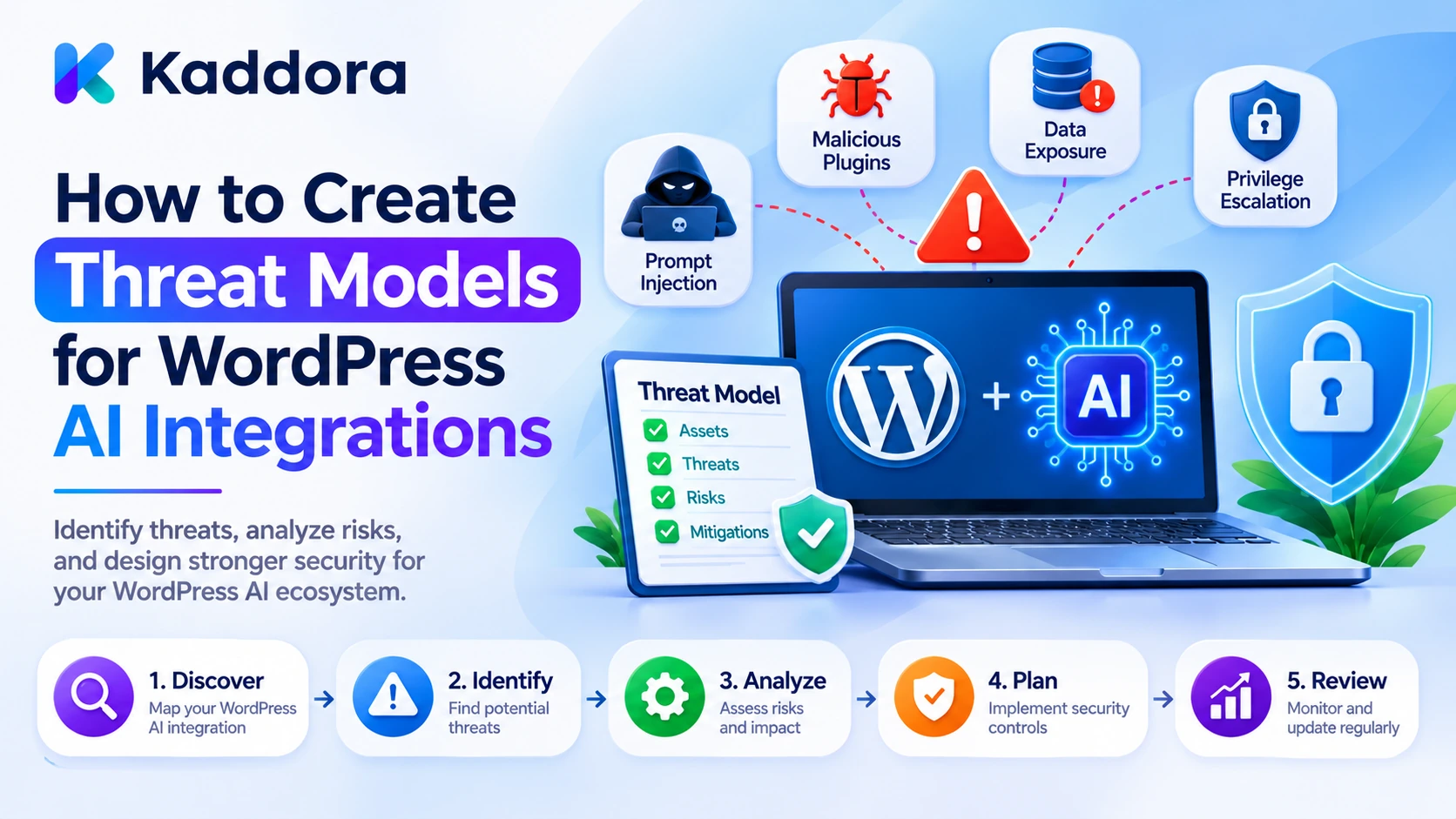
Threat modeling for WordPress AI integrations is a structured process for identifying assets, entry points, trust boundaries, attack scenarios, and security weaknesses before implementing or deploying an AI-powered feature.
It helps developers understand what they are protecting, how an attacker might compromise the integration, what the consequences could be, and which controls should be implemented.
This guide explains how to create practical threat models for WordPress AI integrations using data-flow analysis, threat classification, PHP security examples, risk scoring, and mitigation planning.
What Is a Threat Model for a WordPress AI Integration?
A threat model is a documented representation of an application's security risks and the controls intended to address them.
For a WordPress AI integration, it describes how users, plugins, WordPress services, AI providers, and external systems exchange information and perform operations.
A typical integration might involve:
A WordPress frontend or administration interface.
A REST API endpoint.
An authentication and authorization layer.
A data retrieval service.
A prompt construction component.
An external AI provider.
A response validation component.
AI tools that execute WordPress operations.
A database and audit-record system.
A threat model examines each component and asks:
What information does it access?
Who can interact with it?
Which operations can it perform?
Where does information cross a trust boundary?
What could an attacker manipulate?
What happens if a component becomes unavailable or compromised?
Threat modeling versus security testing
Activity
Main purpose
Threat modeling
Identifies possible attacks and weaknesses in the design
Security testing
Checks whether vulnerabilities exist in the implementation
Risk assessment
Evaluates the likelihood and impact of identified threats
Security mitigation
Implements controls that reduce risks
Security monitoring
Detects suspicious activity after deployment
Threat modeling is most useful when performed before or during development. It helps developers decide which security requirements belong in the architecture rather than relying entirely on testing after implementation.
Why WordPress AI Integrations Need Dedicated Threat Models
Traditional WordPress security assessments cover important risks such as unauthorized access, SQL injection, cross-site scripting, and insecure file handling.
AI integrations introduce additional concerns because they process natural-language instructions, retrieve external information, and may allow models to request application actions.
Prompt injection: Malicious instructions can enter through user messages, retrieved documents, and uploaded files.
Data exposure: Private WordPress or WooCommerce information may be included unnecessarily in AI requests.
Unsafe tool execution: An AI agent may request an operation that exceeds the user's permissions.
External provider risks: API credentials, transmitted context, and provider responses create additional security boundaries.
Context leakage: Information from one user or conversation may accidentally appear in another request.
Usage abuse: Repeated AI requests can consume API quotas and create unexpected expenses.
Integration weaknesses: Connected plugins may expose data or functionality beyond their intended responsibilities.
A dedicated threat model helps identify how these risks affect the complete integration rather than analyzing the AI model in isolation.
1. Define the Scope of the AI Integration
Start by selecting the specific AI integration you want to assess.
Avoid creating one vague threat model covering every feature in a large plugin. Different AI capabilities may have different data sources, permissions, external connections, and operational consequences.
For example, consider these separate integrations:
AI integration
Main purpose
Important security concerns
AI Chatbot
Answer customer questions
Conversation privacy and prompt injection
AI Content Generator
Create WordPress drafts
Source integrity and publishing permissions
AI SEO Assistant
Analyze page content
Access to unpublished information
WooCommerce AI Assistant
Answer order and product questions
Customer authorization and data isolation
AI Agent
Execute application operations
Tool permissions and approval controls
Document Summarizer
Process uploaded files
File security and indirect prompt injection
For the selected integration, document:
Its business purpose.
Intended users.
WordPress components involved.
AI provider and model.
Information it retrieves.
Operations it can perform.
External services it contacts.
Expected output.
Security requirements.
Example scope: AI customer-support assistant
Purpose: Answer questions about orders and product information.
Users: Authenticated customers and authorized support staff.
Data sources: WooCommerce orders, approved product records, and support documentation.
External service: Configured AI provider.
Available actions: Retrieve approved information and generate support responses.
Restricted operations: Refunds, payment changes, account modifications, and access to unrelated customer records.
Defining the scope makes the threat-modeling exercise more precise and helps prevent unrelated features from being overlooked.
2. Identify Assets and Information That Need Protection
An asset is any resource or information that should be protected from unauthorized access, modification, or disruption.
For a WordPress AI integration, assets include more than database records.
Consider the following categories:
Asset
Example
Security objective
Provider credentials
AI API keys
Prevent unauthorized usage
Customer information
Order details and account data
Protect confidentiality
WordPress content
Private posts and drafts
Prevent unauthorized disclosure or modification
AI instructions
System prompts and application rules
Protect configuration integrity
Conversation history
Chat records
Prevent cross-user exposure
AI tools
Content and order operations
Prevent unauthorized execution
Provider configuration
Model and endpoint settings
Prevent unauthorized changes
Usage records
Token and cost information
Protect operational data
Audit history
Approval and security events
Maintain accountability
Classify these assets according to their sensitivity.
For example, published product information may be public, while customer order details and provider credentials require stronger protection.
Also identify which assets are temporarily processed rather than permanently stored. Context passed to an AI provider, cached retrieval results, and background-job parameters can create exposure even when they are not saved in the main WordPress database.
3. Identify Users, Systems, and Potential Attackers
Next, identify every person or system that can interact with the integration.
Potential actors include:
Unauthenticated website visitors.
Authenticated customers.
WordPress editors and administrators.
Plugin developers.
Background processing services.
External AI providers.
Connected WordPress plugins.
Third-party APIs.
Malicious content contributors.
Attackers with compromised accounts.
For each actor, document its permissions and possible actions.
For example:
Actor
Potential access
Threat to assess
Public visitor
Public chatbot endpoint
Request abuse and direct prompt injection
Customer
Own order information
Attempts to retrieve another customer's order
Editor
Content-generation features
Manipulated content or unauthorized publishing
Administrator
Plugin configuration
Credential or policy compromise
AI provider
Submitted request context
Data handling and external processing risks
Background worker
Scheduled operations
Execution beyond the original authorization
Do not assume that a user becomes fully trusted after logging in.
An authenticated customer should still be restricted to authorized records. An editor should not automatically receive permission to modify every private resource. A background job should not inherit unrestricted administrator access simply because it was scheduled by an administrator.
4. Draw a Data-Flow Diagram
A data-flow diagram shows how information moves through the integration.
It is one of the most useful tools for identifying attack paths.
Consider an AI chatbot that retrieves WordPress content and sends selected information to an AI provider.
WordPress Visitor | v Chat Interface | v WordPress REST API | v Authentication and Validation | v Permission Checks | v Content Retrieval Layer | v Context Preparation | v AI Provider Gateway | v Model Response | v Output Validation | v WordPress Response | v User Interface
Add other components when your integration requires them, such as WooCommerce, document storage, email services, or AI tools.
Document the information moving between components
For every connection, record:
Source of the information.
Destination.
Data format.
Authentication method.
Permission requirements.
Sensitivity of the transmitted information.
Validation performed.
Expected failure behavior.
For example, the connection between WordPress and an AI provider should identify whether the request includes customer information, whether the provider endpoint is fixed, and how credentials are protected.
A data-flow diagram should describe actual application behavior rather than an idealized architecture that the implementation does not follow.
5. Identify Trust Boundaries
A trust boundary is a point where information moves between components with different security responsibilities or levels of trust.
Important boundaries in WordPress AI integrations include:
User to WordPress: The application must establish identity and request permissions.
WordPress to external AI provider: Data leaves the website and enters another processing environment.
Retrieved content to model context: Website content becomes input to an AI system.
Model response to WordPress tools: Generated instructions may attempt to trigger application operations.
Plugin to plugin: Information or functionality moves between separately maintained components.
Background worker to protected data: An automated process accesses information without an ordinary user session.
For each boundary, ask:
Is the sender authenticated?
Is the receiver authorized to access the information?
Is the transmitted data minimized?
Can the information be manipulated?
Can the receiving component perform additional operations?
Is the result validated?
Are failures recorded safely?
Example trust-boundary analysis
A model receives a product description from WooCommerce.
The product description is useful reference information, but it should not be allowed to change the application's security configuration or instruct the model to disclose private information.
The AI provider may return a request to update a product. That request crosses another boundary: the application must validate the proposed operation and check the current user's permission before execution.
Each boundary should have a corresponding set of controls.
6. Identify Threats Using STRIDE and AI-Specific Scenarios
STRIDE provides six categories for identifying traditional application security threats:
Spoofing.
Tampering.
Repudiation.
Information disclosure.
Denial of service.
Elevation of privilege.
Apply these categories to each component in your data-flow diagram.
STRIDE category
WordPress AI integration example
Spoofing
An attacker impersonates an authorized user
Tampering
A request parameter is modified to target another record
Repudiation
An automated action has no usable audit record
Information disclosure
A chatbot reveals private customer data
Denial of service
Repeated AI requests exhaust available resources
Elevation of privilege
A restricted user triggers an administrator-level operation
STRIDE is a useful starting point, but AI integrations also need dedicated threat scenarios.
AI-specific threats to assess
Direct prompt injection: A user attempts to override the model's application instructions.
Indirect prompt injection: Retrieved content contains malicious instructions.
Sensitive context exposure: Unnecessary personal information enters a provider request.
Unsafe tool calling: A model requests an unauthorized WordPress operation.
Retrieval poisoning: Manipulated source content influences generated responses.
Output manipulation: Generated content contains unsafe HTML, misleading citations, or unexpected structured values.
AI usage abuse: Repeated requests create unexpected provider consumption and financial costs.
Cross-session leakage: Context from one user becomes available to another user.
Document both conventional and AI-specific threats. An integration can be secure against SQL injection and still be vulnerable to prompt injection or unauthorized agent actions.
7. Write Attack Scenarios for Each Threat
Threat names are useful, but concrete attack scenarios help developers understand how an attack could happen.
For each identified threat, write a short description covering:
Attacker's starting position.
Required access.
Target component.
Attack method.
Potential consequence.
Existing controls.
Proposed mitigation.
Example attack scenario: Unauthorized order retrieval
Starting position: An authenticated customer can access the chatbot.
Target: WooCommerce order retrieval service.
Attack method: The customer supplies an order ID belonging to another customer.
Weakness: The retrieval function checks whether the user is logged in but does not verify order ownership.
Potential consequence: Private order information is exposed.
Mitigation: Retrieve the order, verify customer ownership or an explicitly authorized support capability, and return only the required fields.
Example attack scenario: Indirect prompt injection
Starting position: An attacker can influence a document retrieved by the AI assistant.
Target: Context retrieval and AI response workflow.
Attack method: Malicious instructions are inserted into a product description or support document.
Weakness: Retrieved content is treated as trusted instructions.
Potential consequence: The model may attempt to reveal private information or request an unauthorized tool.
Mitigation: Treat retrieved text as untrusted data, restrict context, use an allowlisted tool registry, and validate every action independently.
Attack scenarios turn abstract security concerns into implementation and testing requirements.
8. Calculate and Prioritize Threat Risks
Once threats are documented, estimate their likelihood and potential impact.
A simple method assigns values from 1 to 5.
[
\text{Risk Score} =
\text{Likelihood} \times \text{Impact}
]
For example:
Likelihood 1: Unlikely.
Likelihood 3: Plausible.
Likelihood 5: Very likely or frequently exposed.
Impact can be assessed using consequences such as customer-data exposure, unauthorized changes, financial loss, and service disruption.
An illustrative risk classification is:
Score
Classification
Recommended response
1–4
Low
Monitor and review
5–9
Moderate
Apply appropriate safeguards
10–16
High
Prioritize mitigation
17–25
Critical
Restrict the affected feature until adequate controls exist
These thresholds are examples, not universal standards or measured probabilities.
Example threat-risk register
Threat
Likelihood
Impact
Score
Priority
Unauthorized order retrieval
3
5
15
High
Indirect prompt injection
4
4
16
High
API credential exposure
2
5
10
High
Excessive AI request usage
4
3
12
High
Invalid generated HTML
3
3
9
Moderate
Missing audit records
2
3
6
Moderate
The example helps demonstrate prioritization. Your actual scores should reflect the integration's architecture, exposure, existing controls, and business impact.
9. Implement Security Mitigations in WordPress
After prioritizing threats, translate each one into a specific technical control.
For WordPress AI integrations, common mitigations include:
Capability-based authorization: Use WordPress capabilities to restrict protected functionality.
Resource-specific checks: Verify access to the exact post, product, order, or user record.
Input validation: Validate identifiers, request sizes, expected formats, and allowed values.
Prepared database queries: Use $wpdb->prepare() for dynamic SQL values.
Data minimization: Retrieve only fields required for the task.
Secret protection: Keep provider credentials on the server.
Output filtering: Apply appropriate WordPress sanitization and escaping.
Tool restrictions: Expose only registered AI operations.
Human approval: Require explicit approval for sensitive actions.
Rate limiting: Restrict repeated or expensive AI requests.
Example: resource-specific authorization
<?php /** * Check whether the current user can access a post. * * @param int $kaddora_ai_post_id Post ID. * @return true|WP_Error */ function kaddora_ai_check_post_permission( $kaddora_ai_post_id ) { $kaddora_ai_post_id = absint( $kaddora_ai_post_id ); if ( ! $kaddora_ai_post_id ) { return new WP_Error( 'kaddora_ai_invalid_post', 'A valid post is required.' ); } $kaddora_ai_post = get_post( $kaddora_ai_post_id ); if ( ! $kaddora_ai_post ) { return new WP_Error( 'kaddora_ai_post_missing', 'The requested post was not found.' ); } if ( ! current_user_can( 'edit_post', $kaddora_ai_post_id ) ) { return new WP_Error( 'kaddora_ai_permission_denied', 'You are not authorized to access this post.' ); } return true; }
This function demonstrates a resource-specific check. Similar controls should be implemented for other protected resources and operations.
For an external AI integration, also verify that provider requests use an approved endpoint, secure server-side credentials, and a suitable timeout.
The mitigation should directly address the weakness identified in the attack scenario rather than adding unrelated security functions.
10. Validate AI Tools and Generated Actions
AI agents introduce a particularly important threat boundary because model output can request operations in the application.
For example, the model might suggest:
{ "tool": "update_product", "arguments": { "product_id": 184, "price": "10.00" } }
This is only a proposed operation. It is not permission to change the product.
Your application should verify:
The requested tool is registered.
Its arguments match the expected schema.
The user can perform the requested operation.
The target record is accessible.
Business rules permit the change.
Required approval has been obtained.
Use a fixed tool allowlist instead of evaluating arbitrary function names returned by the AI.
For example, an AI content generator may be allowed to create drafts but not publish them. A WooCommerce assistant may retrieve approved product information but require a separate authorized workflow for product changes.
Treat each tool as an independently protected application endpoint.
11. Document Threat Mitigations in a Security Register
A threat model should produce an actionable security register that developers can maintain.
For each threat, document:
Field
Purpose
Threat ID
Unique reference
Component
Affected integration component
Threat description
What could happen
Attack scenario
How the threat could be exploited
Likelihood
Estimated probability category or score
Impact
Potential consequences
Risk rating
Combined assessment
Existing controls
Current protections
Planned mitigation
Additional controls required
Owner
Responsible person
Test case
How the mitigation will be verified
Status
Open, in progress, mitigated, or accepted
This register makes it possible to track unresolved risks instead of treating threat modeling as a one-time diagram exercise.
A risk should not be marked mitigated simply because a developer has written the corresponding code. The control should be tested against the original attack scenario.
Where a risk is accepted rather than fixed, document the reason, responsible approver, remaining exposure, and review conditions.
12. Test the Threat Model Against Realistic Attack Scenarios
After implementing mitigations, run security tests that reproduce the threats identified in the model.
Useful scenarios include:
An unauthenticated user calling a protected AI endpoint.
A customer attempting to retrieve another customer's order.
A user submitting a prompt injection instruction.
A retrieved WordPress document containing malicious instructions.
An AI agent requesting an unregistered tool.
A valid tool request with insufficient permissions.
A background job executing after approval expires.
A provider response containing unexpected HTML.
A repeated request attempting to exhaust AI usage limits.
Two users accessing separate conversation contexts simultaneously.
An external request targeting an unapproved destination.
An audit-record operation failing during a sensitive action.
Measure whether each mitigation prevents the attack or reduces its impact.
Useful indicators include:
Authorization enforcement: Whether restricted resources consistently reject unauthorized access.
Tool execution compliance: Whether only registered and authorized operations are executed.
Prompt injection resilience: Whether malicious direct and indirect instructions can cause prohibited behavior.
Data isolation: Whether user-specific context remains separate.
Usage protection: Whether request limits prevent uncontrolled API consumption.
Audit coverage: Whether important operations produce the expected security records.
Use mock users, test documents, and harmless tool callbacks. Do not test destructive operations against real customer data or production settings.
13. Update Threat Models When Integrations Change
WordPress plugins evolve. New AI models, tools, providers, and retrieval sources can introduce attack paths that were not present in the original architecture.
Update the threat model when:
A new AI provider is introduced.
An AI agent receives additional tools.
Private data becomes available to a feature.
A new REST API endpoint is created.
A retrieval system changes.
A connected plugin adds operations.
A background workflow gains new permissions.
Publishing or other sensitive automation is introduced.
A change review should identify the affected components, reconsider trust boundaries, reassess risks, and update relevant tests.
Keep versioned threat-model records so that developers can understand which security assumptions were valid for a particular plugin release.
Common Mistakes to Avoid
Creating a threat model without defining its scope.
Focusing only on the AI model and ignoring WordPress components.
Forgetting temporary context, caches, and background jobs.
Ignoring indirect prompt injection.
Treating published content as trusted instructions.
Assuming authentication automatically grants resource access.
Giving AI agents unrestricted application tools.
Assigning risk scores without documenting the reasoning.
Implementing mitigations without testing the original attack scenarios.
Accepting unresolved risks without an accountable owner.
Failing to update threat models after integration changes.
Logging unnecessary private information during security testing.
Best Practices Checklist
Define the scope of each AI integration.
Identify protected assets and information.
Document threat actors and their capabilities.
Create an accurate data-flow diagram.
Identify trust boundaries and external connections.
Use STRIDE and AI-specific threat categories.
Write concrete attack scenarios.
Assess likelihood and impact.
Prioritize threats using documented criteria.
Implement resource-specific authorization.
Restrict AI tools through explicit allowlists.
Protect provider credentials and external requests.
Validate generated responses and tool arguments.
Maintain a threat mitigation register.
Test controls against realistic attack scenarios.
Reassess the threat model when the architecture changes.
Why Choose Kaddora?
Kaddora focuses on WordPress-oriented digital products and development solutions for website functionality, AI integration, and business automation.
Creating secure AI integrations requires more than connecting a model to a WordPress website. Developers must understand how information moves between components, where trust boundaries exist, and how an attacker could misuse connected functionality.
Kaddora's WordPress development focus aligns with building practical digital solutions that combine intelligent features with structured security controls and maintainable application architecture.
Whether you are developing an AI chatbot, content generator, WooCommerce assistant, or connected plugin ecosystem, threat modeling helps identify weaknesses early and establish clearer security requirements for development.
Conclusion
Threat modeling provides WordPress developers with a systematic way to understand and reduce the security risks introduced by AI integrations.
The process begins with defining the integration's scope, identifying assets and actors, mapping data flows, and locating trust boundaries. Developers can then identify conventional and AI-specific threats, create realistic attack scenarios, prioritize risks, and implement appropriate mitigations.
The most important outcome is an actionable security plan. Every identified high-priority threat should have a responsible owner, a mitigation strategy, and a test that demonstrates whether the protection works.
Start by threat-modeling one AI integration before expanding the exercise across the entire plugin ecosystem. Revisit the model whenever new tools, providers, data sources, or automated operations are introduced.
With this systematic approach, WordPress developers can build AI integrations that are more secure, easier to investigate, and better prepared for evolving threats.
Frequently Asked Questions
What is threat modeling for WordPress AI integrations?
It is a structured security assessment that identifies assets, users, trust boundaries, attack scenarios, vulnerabilities, and mitigation requirements across a WordPress AI integration.
What are the first steps in creating an AI integration threat model?
Define the integration's scope, identify its protected assets and users, map its data flow, and document the trust boundaries between WordPress, AI providers, connected plugins, and other services.
What is the difference between STRIDE and AI-specific threat modeling?
STRIDE organizes traditional threats such as spoofing, tampering, information disclosure, and privilege escalation. AI-specific threat modeling additionally examines prompt injection, manipulated context, unsafe tool execution, model-output risks, and AI usage abuse.
Why are data-flow diagrams important for WordPress AI security?
They show how information moves between users, APIs, WordPress services, databases, AI providers, and tools. This helps developers identify where information might be exposed, modified, or used without authorization.
How can I prioritize threats in an AI integration?
Estimate the likelihood and potential impact of each threat using documented criteria. Prioritize high-impact risks such as unauthorized customer-data access, credential exposure, and unapproved sensitive actions.
Should every AI tool be included in a threat model?
Yes. Every tool that retrieves information, communicates with an external service, modifies WordPress data, or triggers an automated operation should be assessed for its permissions, inputs, and possible misuse.
When should a WordPress AI threat model be updated?
Update it whenever significant changes are introduced to AI providers, models, prompts, data sources, tool permissions, REST endpoints, background jobs, or connected plugin integrations.
Why choose ThemeKaddora?
ThemeKaddora helps WordPress developers, agencies, and website owners explore plugins, themes, and templates that support different website projects, customization requirements, and digital business needs.
Comments (0)