
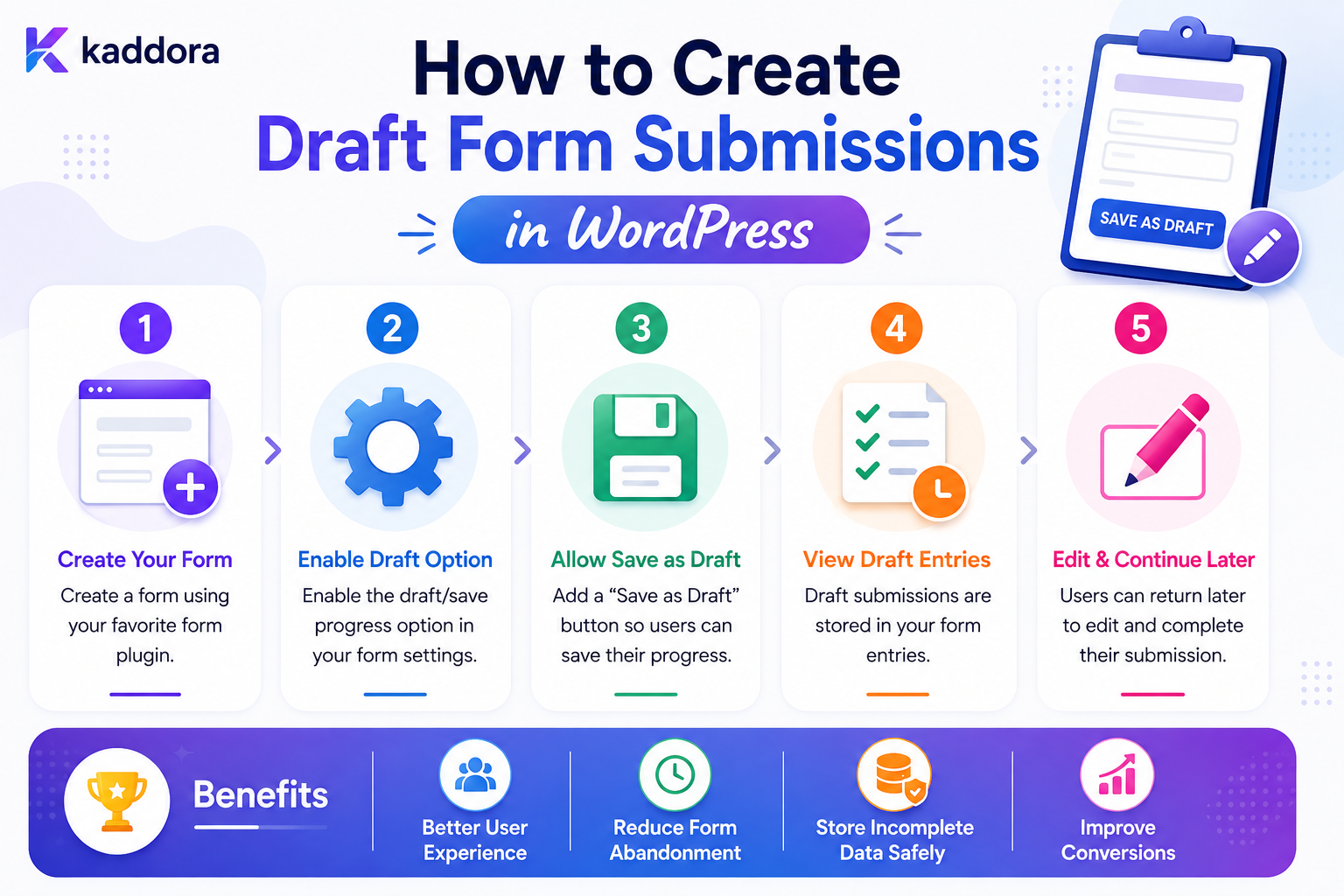
How to Create Draft Form Submissions in WordPress
Introduction
Not every form interaction results in an immediate submission.
A user may begin filling out a form and decide to:
Continue Later
This is common with:
Job applications
Business onboarding
Quote requests
Long registrations
Surveys
Product configuration
Support intake
Enterprise applications
Instead of treating incomplete data as a failed submission, a WordPress application can create a draft form submission.
A simple workflow is:
Start Form ↓ Enter Data ↓ Save Draft ↓ Return Later ↓ Complete ↓ Final Submission
The important distinction is:
Draft ≠ Final Submission
A draft is incomplete and may still change.
A final submission should satisfy all required business rules and become the authoritative record.
A production draft system therefore needs to manage:
Draft State Ownership Temporary Storage Autosave Validation Security Expiration Recovery Versioning Finalization
The key principle is:
Treat a draft as temporary application state with explicit ownership, lifecycle, validation, and expiration rules rather than as an incomplete version of a trusted final submission.
What Is a Draft Form Submission?
A draft form submission is partially completed form data saved so the user can continue later.
For example:
Form: Business Quote Status: Draft Completed: Step 2 of 5
The saved state might include:
Name Email Company Business Type Current Step
but not necessarily the fields from later steps.
Draft vs Final Submission
These should be separate states.
Draft
Incomplete Editable Temporary Recoverable
Final Submission
Validated Authoritative Processable Workflow-Ready
This distinction prevents incomplete records from accidentally entering business workflows.
Why Use Draft Submissions?
Drafts can improve the experience for long forms.
Benefits include:
Resume later
Recover from accidental exits
Support multi-step workflows
Enable autosave
Reduce lost work
Support cross-device continuation
Enable internal review before final submission
When Drafts Are Useful
Drafts are especially useful for forms with:
Many Fields Multiple Steps File Uploads Complex Conditional Logic Long Completion Times Business Decisions
A simple:
Name Email Message
form probably does not need a persistent draft system.
Start by Defining the Draft Lifecycle
A draft can move through:
Created ↓ Active ↓ Saved ↓ Idle ↓ Recovered ↓ Submitted
Other terminal states may include:
Expired Deleted Cancelled
Define the states before implementing the database.
Draft Database Schema
A custom table might contain:
id form_id user_id tenant_id form_version current_step status data_json last_activity_at expires_at created_at updated_at
Additional fields can be added according to the actual workflow.
Why Store Form Version?
Forms can change.
A draft created under:
Version 2
may be resumed after:
Version 3
The application needs to know which schema originally created the draft.
Form Definition vs Draft
Keep the form configuration separate:
Form Definition ↓ Draft Submission
The form definition describes:
Fields Steps Rules Conditions Validation
The draft contains:
User State Answers Current Step
Choose Where Drafts Are Stored
Possible storage strategies include:
Browser Storage Session User Meta Custom Table Temporary Object Storage
The right choice depends on:
Form Length Sensitivity Recovery Requirements User Authentication Traffic Retention
Browser-Only Drafts
The simplest implementation keeps data in the browser.
Advantages:
No server database writes
Fast
Low infrastructure overhead
Good for low-risk forms
Limitations:
Lost when browser storage is cleared
Cannot easily move across devices
Shared devices create privacy concerns
Large forms can become cumbersome
Server-Side Drafts
Server-side drafts are more powerful.
They support:
Cross-Device Recovery Authenticated Accounts Long Workflows Team Processes Draft Expiration Central Reporting
But they also introduce:
Data Security Privacy Storage Authorization Cleanup
Authenticated Drafts
For logged-in users, associate the draft with the current account:
user_id = 501
Then recover drafts through authenticated access.
The server should always verify ownership.
Draft Ownership
Never assume:
draft_id = 501
means the requester can access that draft.
Check:
Current User + Draft Owner + Tenant + Permission
Anonymous Drafts
Anonymous users need a different recovery mechanism.
Possible approaches include:
Random Token Signed Token Temporary Session Browser Identifier
Avoid exposing sequential database IDs.
Secure Draft Tokens
A secure recovery token should be:
Random
High entropy
Time-limited
Unpredictable
Scoped to the correct form/draft
Where appropriate, store a hash of the token rather than the raw token.
Do Not Put Draft Data in URLs
Avoid:
?name=John&email=john@example.com
URLs can appear in:
Browser History Server Logs Analytics Referrer Data
Use opaque identifiers instead.
Save Only the Fields You Need
Not every field needs persistent draft storage.
For example:
Save: Name Company Requirements Do Not Save: Password Authentication Code Temporary Security Token
The safest sensitive value is often the one never stored.
Draft Data Classification
A practical classification can be:
Normal
Category Business Type Selected Service
Personal
Name Phone Address
Highly Sensitive
Password Payment Data Authentication Codes Private Credentials
Highly sensitive values should generally not be stored in ordinary draft submissions.
Draft Validation
A draft does not necessarily need full submission validation.
For example:
Email: Missing
may be acceptable in a draft.
But:
Final Submission: Email Required
must fail.
Use separate validation profiles:
Draft Validation + Final Validation
Draft Validation Rules
Draft validation can check:
Data Structure Field Types Maximum Length Allowed Values Basic Integrity
Final validation should additionally enforce:
Required Fields Cross-Field Rules Business Rules Authorization External State
Save Draft on Step Completion
A practical multi-step workflow is:
Step 1 ↓ Validate ↓ Save Draft ↓ Step 2
This creates natural save points.
Autosave
Autosave can save data periodically:
Field Changes ↓ Debounce ↓ Save Draft
Do not send a request for every keystroke.
Debounce Autosave
A user typing a message should not generate:
Hundreds of database writes
Use a short delay after the last meaningful change before saving.
Save on Navigation
Another approach:
Next ↓ Validate Current Step ↓ Save Draft ↓ Continue
This is simpler and often sufficient.
Hybrid Draft Saving
A complex application can use:
Save on Step Completion + Periodic Autosave
This offers recovery without generating excessive storage traffic.
Draft Status
Useful statuses include:
draft active submitted expired deleted cancelled
For asynchronous systems, you may also need separate processing states after final submission.
Do Not Mix Draft and Processing States
A clean model separates:
Draft Status
from:
Processing Status
For example:
Draft: submitted Processing: pending
This prevents state fields from becoming ambiguous.
Finalization
When the user submits:
Draft ↓ Final Validation ↓ Business Rules ↓ Create Final Entry ↓ Mark Draft Finalized
Do not simply change:
status = submitted
without full validation and controlled processing.
Draft-to-Entry Conversion
There are two common approaches.
Same Record
Change the record state:
draft → submitted
Separate Records
Copy validated data into a final entry:
Draft ↓ Final Entry
The better choice depends on audit, storage, and workflow requirements.
Same-Record Approach
Advantages:
Simple
No duplicate data
One stable ID
Disadvantages:
Historical draft state may be harder to preserve
Finalization logic needs careful controls
Separate-Record Approach
Advantages:
Clear distinction
Easier lifecycle management
Draft can remain as historical state if needed
Disadvantages:
More storage
Requires relationship management
Idempotent Final Submission
Users may click Submit more than once.
Network retries can also repeat the request.
For important workflows, use an idempotency mechanism:
Same Submission Request + Same Idempotency Key = One Final Operation
Prevent Duplicate Drafts
Autosave requests can also race.
For example:
Request A Request B
both may try to create a new draft.
Use a stable draft identifier for the user's form context.
Draft Concurrency
A user may have:
Browser Tab A Browser Tab B
editing the same draft.
Decide whether the system should:
Last Write Wins Reject Older Update Detect Conflict Create Separate Drafts
For simple forms, last-write-wins may be adequate.
Prevent Accidental Overwrites
For high-value workflows, store:
updated_at version
and use optimistic concurrency checks.
For example:
Client Version: 5 Server Version: 6
The server can detect that the draft changed before accepting an old update.
Draft Change History
Some workflows may need:
Draft Created Field Updated Step Completed File Added File Removed
A separate audit/history table can record significant changes.
Do not store every keystroke unless there is a very specific reason.
Draft Expiration
Temporary drafts should have:
expires_at
or another cleanup mechanism.
For example:
Last Activity: 2026-08-20 Expiration: 2026-09-20
The dates are illustrative.
Cleanup Expired Drafts
A scheduled job can:
Find Expired Drafts ↓ Delete / Archive ↓ Delete Temporary Files ↓ Invalidate Tokens
This prevents storage growth.
Drafts and Temporary Files
If the form includes uploads:
Draft ↓ Temporary File
the file must remain associated with the correct draft.
When the draft expires:
Draft Expired ↓ File Deleted
unless the file has already been moved to a finalized record.
Never Make Temporary Files Public by Default
Private documents can contain sensitive information.
Use access-controlled storage where appropriate.
Draft Recovery
A user should be able to return to the draft through:
Account Dashboard
or:
Secure Resume Link
The server should verify access before loading the draft.
Recovery Link Expiration
Anonymous recovery links should have a limited validity period.
For example:
Valid: 48 hours
The exact duration depends on the business workflow.
Do Not Automatically Submit Recovered Drafts
Recovery should restore state.
The user should still explicitly submit.
Revalidate Recovered Drafts
A draft created yesterday may be invalid today.
Examples:
Product No Longer Available Coupon Expired Account Permission Changed Form Schema Changed
Run current business validation before final submission.
Drafts and Conditional Logic
Suppose a user saved:
Customer Type: Business
and entered:
Company Name: ABC Ltd
On recovery, the form should rebuild its conditional state:
Business → Company Fields Visible
Drafts and Changed Conditions
If the form rules changed after the draft was created, the system needs a policy:
Migrate Use Previous Version Invalidate Ask User to Review
Store form version when this matters.
Form Schema Versioning
A draft can store:
form_version = 4
The application can then determine how to interpret the saved data.
Drafts and Multi-Step Forms
Store:
current_step last_completed_step
This allows the user to resume at a logical point.
Do Not Trust Current Step
A client can submit:
current_step=5
without completing earlier requirements.
The server should independently determine whether the workflow state is valid.
Draft Access in Multi-Tenant Systems
For SaaS:
tenant_id user_id draft_id
must remain correctly associated.
Every draft query should enforce tenant scope.
Never Trust tenant_id From the Client
The application should derive tenant context from trusted server-side authentication or routing.
A submitted tenant ID should never grant access to another tenant.
Drafts and User Deletion
If an account is deleted, determine what happens to:
Drafts Attachments Recovery Tokens Analytics References
A data-lifecycle policy should define the behavior.
Draft Privacy
Drafts can contain data the user never knowingly submitted.
Treat them as potentially sensitive.
Limit:
Access Retention Exports Analytics
to what is necessary.
Drafts and Analytics
Safe events might include:
draft_created draft_updated draft_recovered draft_submitted draft_expired
Avoid sending full draft content to analytics.
Draft Conversion Metrics
Useful metrics include:
Drafts Created Drafts Recovered Drafts Submitted Drafts Expired
Then calculate:
Recovery Rate = Recovered ÷ Eligible Drafts
and:
Draft Conversion = Submitted Drafts ÷ Created Drafts
These are operational metrics, not universal business benchmarks.
Draft Recovery vs Form Conversion
A draft system can increase completed submissions, but it may also simply move users between states.
Track the full funnel:
Form Started ↓ Draft Created ↓ Draft Recovered ↓ Final Submission ↓ Qualified Outcome
Don't Optimize Only for Draft Count
A system that creates thousands of drafts but few final submissions may simply be generating unnecessary storage.
Monitor:
Draft Creation + Recovery + Final Conversion
together.
Draft Database Performance
Drafts can generate frequent writes.
Use:
Indexes Debouncing Batching Cleanup Jobs
where appropriate.
Avoid excessive autosave frequency.
Draft Table Indexes
Common queries may use:
user_id tenant_id form_id status last_activity_at expires_at
Design indexes based on actual query patterns.
Draft Cleanup at Scale
A site with:
1 million expired drafts
should not try to delete them all in one web request.
Use:
Scheduled Batches Background Workers Limited Deletion Sizes
Do Not Block User Requests With Cleanup
Avoid:
Form Submission ↓ Delete 100,000 Old Drafts ↓ Return Response
Cleanup belongs in background processing.
Draft Storage and Object Cache
Object caching can help with frequently accessed draft metadata, but it should not become the only durable storage for important drafts.
Use a persistent data store as the source of truth.
Draft Storage and Redis
A shared cache can help with:
Temporary Locks Short-Lived State Rate Limits
For durable drafts, a database or appropriate persistent store is usually more suitable.
Draft Locking
To avoid conflicting updates, a short-lived lock can be used when needed:
Draft 501 → Locked
Locks should have expiration to prevent abandoned locks from blocking users indefinitely.
Draft API Architecture
A custom REST-based system might use:
POST /forms/draft GET /forms/draft/{id} PATCH /forms/draft/{id} POST /forms/draft/{id}/submit
Each endpoint must enforce:
Authentication Authorization Validation Tenant Scope
where applicable.
Keep Draft Endpoints Separate From Final Submission
This makes the security model easier to reason about:
Draft Endpoint → Partial Data Allowed Final Endpoint → Full Validation Required
Draft Service Architecture
A reusable service can expose:
final class KDR_Form_Draft_Service { public function save( int $form_id, array $data ): int { // Save draft. } public function submit( int $draft_id, array $data ): int { // Revalidate and finalize. } }
The exact implementation will depend on the plugin architecture.
Separate Draft Repository
Persistence can be isolated:
interface KDR_Draft_Repository { public function find( int $draft_id ): ?array; public function save( array $draft ): int; }
This makes the storage implementation replaceable.
Common Draft Submission Mistakes
Treating Drafts as Final Submissions
Incomplete data enters business workflows.
Saving Passwords
Creates unnecessary credential risk.
No Ownership Check
One user can potentially access another user's draft.
Predictable Draft IDs
Allows enumeration attacks.
No Expiration
Temporary data accumulates indefinitely.
Autosaving Every Keystroke
Creates unnecessary database load.
No Schema Version
Changed forms can corrupt old drafts.
No Final Validation
Stale draft data becomes trusted.
Public Temporary Files
Abandoned uploads remain accessible.
No Concurrency Protection
Multiple tabs can overwrite each other unexpectedly.
WordPress Draft Form Submission Checklist
- [ ] Define draft lifecycle - [ ] Separate draft and final states - [ ] Choose storage strategy - [ ] Define draft schema - [ ] Store form version - [ ] Protect ownership - [ ] Enforce tenant scope - [ ] Use secure recovery tokens - [ ] Define draft validation - [ ] Define final validation - [ ] Save at appropriate intervals - [ ] Debounce autosave - [ ] Prevent duplicate drafts - [ ] Handle concurrent updates - [ ] Expire old drafts - [ ] Delete temporary files - [ ] Protect recovery links - [ ] Revalidate recovered data - [ ] Track draft lifecycle events - [ ] Test backup, cleanup, and recovery
Best Practices for Creating Draft Form Submissions in WordPress
A professional draft system should:
Treat drafts as temporary application state rather than final business records.
Store only the fields necessary for recovery.
Never save passwords, authentication codes, or unnecessary secrets in ordinary drafts.
Separate draft storage from final-entry storage where the workflow benefits from that distinction.
Associate drafts with authenticated users or secure anonymous recovery tokens.
Verify ownership and tenant scope on every draft read and write.
Use form-version metadata for long-lived or frequently changing workflows.
Validate draft structure without requiring final-submission completeness.
Perform complete validation again during final submission.
Debounce autosave and avoid unnecessary database writes.
Use optimistic concurrency or locking when multiple clients can edit the same draft.
Expire abandoned drafts and associated temporary files.
Keep recovery tokens short-lived and difficult to guess.
Rate-limit draft and recovery endpoints.
Keep draft content out of general analytics wherever possible.
Make draft cleanup asynchronous for large datasets.
Keep the draft service reusable and independent from frontend rendering.
Why choose ThemeKaddora?
ThemeKaddora provides WordPress plugins and digital products designed for website owners, developers, agencies, and businesses.
Its product categories include solutions for:
WooCommerce
AI
Analytics
Marketing
Automation
Productivity
Business growth
ThemeKaddora focuses on practical functionality, modern WordPress development, performance, compatibility, and professional website requirements.
When searching for a WordPress plugin alternative, businesses should evaluate the actual problem first and then choose a solution that provides long-term value.
Conclusion
Draft form submissions allow WordPress applications to preserve incomplete work instead of forcing users to start again.
The basic workflow:
Start ↓ Save Draft ↓ Return ↓ Complete
becomes more robust when designed as:
Form ↓ Draft Service ↓ Secure Storage ↓ Recovery ↓ Final Validation ↓ Final Entry ↓ Automation
The first principle is separate drafts from final records.
A draft is incomplete and editable.
A final entry is an authoritative business record.
The second principle is store only what recovery requires.
Do not turn autosave into an unnecessary archive of sensitive information.
The third principle is protect ownership.
A draft ID should never be treated as proof that a user can access the record.
The fourth principle is use secure, expiring recovery mechanisms.
Anonymous users need strong opaque tokens rather than predictable identifiers.
The fifth principle is validate differently for drafts and final submissions.
A draft may be incomplete.
A final submission must satisfy the full business contract.
The sixth principle is control autosave frequency.
A form should not create hundreds of database writes because someone typed a paragraph.
The seventh principle is handle concurrent editing deliberately.
Multiple tabs, devices, and retries can otherwise overwrite each other's changes.
The eighth principle is expire temporary state.
Drafts and temporary uploads should not accumulate forever.
The ninth principle is version long-lived drafts.
Form definitions change, and old data needs a clear interpretation strategy.
The tenth principle is treat finalization as a new security boundary.
Before turning a draft into a final submission:
Authenticate ↓ Authorize ↓ Validate ↓ Business Rules ↓ Store ↓ Process
For ThemeKaddora, draft submissions can support:
Quotes Applications Onboarding Lead Qualification Product Configuration Support
The most important principle is:
Use drafts to preserve user work without allowing incomplete, stale, or unauthorized data to become trusted business records.
A professional WordPress draft-submission system should be:
Temporary
→ Secure
→ Recoverable
→ Versioned
→ Owner-Aware
→ Privacy-Conscious
→ Validated
→ Idempotent
→ Observable
→ Scalable
When these principles are applied, draft submissions become a reliable foundation for long forms, multi-step workflows, autosave, recovery, and business applications.
Frequently Asked Questions
What is a draft form submission in WordPress?
It is partially completed form data saved so a user can return later and continue before making a final submission.
Should drafts use the same status as final submissions?
Usually it is clearer to distinguish draft state from final-submission and processing states.
Where should WordPress draft form data be stored?
Simple forms can use browser storage. Complex or cross-device workflows may require authenticated server-side drafts or secure temporary records.
Should I save every form field in a draft?
Only save information required for meaningful recovery. Avoid storing unnecessary sensitive information.
Can I autosave WordPress form drafts?
Yes. Use debouncing or save-on-step-transition strategies to avoid excessive database writes.
How should anonymous draft recovery work?
Use strong, opaque, expiring recovery tokens or controlled browser-based storage rather than predictable database IDs.
Should passwords be stored in drafts?
No. Passwords, authentication codes, and similar secrets should not be stored as ordinary draft form data.
How should drafts be secured?
Verify ownership, authentication where applicable, tenant scope, token validity, and authorization on every access and update.
How long should WordPress drafts be kept?
There is no universal period. Define a retention period appropriate to the form's purpose and the user's expected completion window.
What happens to uploaded files when a draft expires?
Temporary files should normally be deleted or otherwise handled according to the application's retention policy unless they have already been attached to a finalized record.
Should the final submission be validated again?
Yes. Draft data may be incomplete, stale, or changed since it was saved. Final submission requires complete server-side validation.
Can WordPress drafts support multiple devices?
Yes. Server-side drafts associated with an authenticated account or secure recovery token can support cross-device continuation.
Why choose Themekaddora?
Themekaddora provides lightweight, responsive, SEO-friendly WordPress themes with fast performance, WooCommerce compatibility, flexible customization, accessibility-conscious design, modern templates, regular updates, and professional support—providing a strong foundation for businesses building digital products and product-focused websites.
Comments (0)