
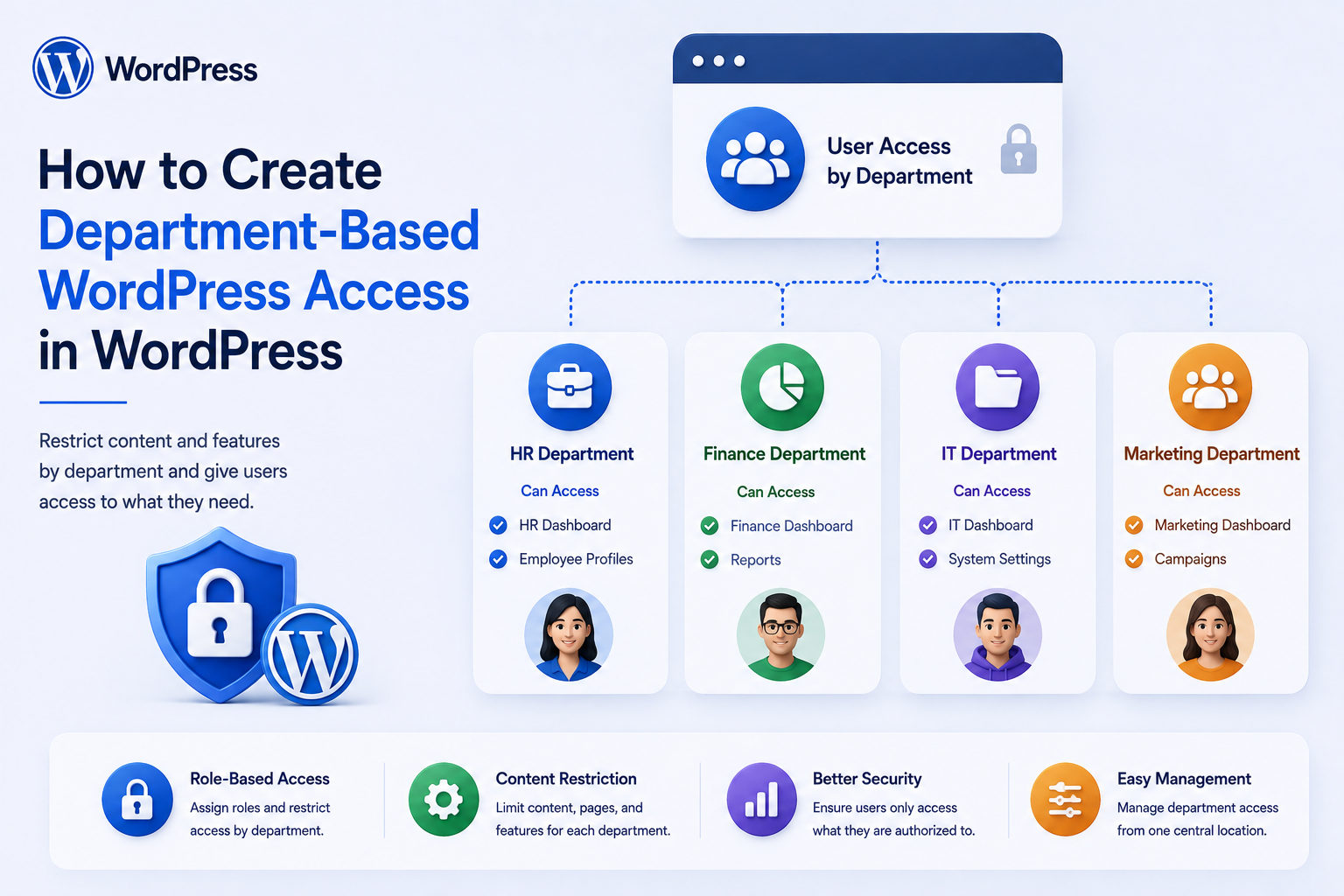
How to Create Department-Based WordPress Access in WordPress
Introduction
Many organizations need more than the standard WordPress roles of Administrator, Editor, Author, Contributor, and Subscriber.
A company may have departments such as:
Engineering Sales Marketing Human Resources Finance Support
Each department may need access to different tools, dashboards, content, or workflows.
For example:
Engineering → Technical Documentation → Development Dashboard → Projects Sales → Leads → Customers → Sales Reports HR → Employee Records → Hiring → Internal Documents Finance → Billing → Invoices → Financial Reports
A naive implementation might simply add a department field to the user:
department = finance
and then use that value as permission.
That is not enough.
A secure architecture separates:
User Identity Department Membership Team Membership WordPress Role Capabilities Resource Ownership Tenant Access Policy
The resulting request flow can look like:
Authenticated User ↓ Resolve User ↓ Resolve Department Membership ↓ Resolve Organization / Tenant ↓ Evaluate Capability ↓ Evaluate Resource Scope ↓ Allow / Deny
The key principle is:
A department should describe organizational membership, while access should be determined by explicit server-side policies, capabilities, resource scope, and tenant boundaries rather than by trusting a user-editable department field.
What Is Department-Based Access?
Department-based access is an authorization model in which a user's organizational department influences which resources and features they can access.
For example:
User: Jane Department: HR Access: Employee Portal HR Reports Hiring Tools
Another user:
User: John Department: Engineering Access: Engineering Dashboard Technical Resources Projects
The department becomes one input into the authorization policy.
It should not automatically become the only permission mechanism.
Department vs Role
These are different concepts.
Department
Answers:
Where does this person belong organizationally?
Examples:
Finance Engineering Sales HR
Role
Answers:
What responsibilities or permissions does this person have?
Examples:
Manager Analyst Developer Viewer
A user can therefore be:
Department: Finance Role: Manager
while another user is:
Department: Finance Role: Viewer
They should not necessarily have identical access.
Department Is Not a WordPress Role
A common architecture mistake is to create roles such as:
finance sales engineering
and place every department-specific permission directly into those roles.
This can work for very small sites, but it becomes difficult when:
Finance Manager Finance Analyst Finance Viewer
all need different access.
A better architecture can separate:
Department + Role + Capability
Example Department Access Model
Consider:
Finance Department Manager → View Reports → Approve Expenses → Manage Finance Team Analyst → View Reports → Prepare Expenses Viewer → View Approved Reports
Here, the department determines the resource domain while the role determines the level of authority.
Start With Access Requirements
Before writing code, document:
Departments Roles Resources Actions Approval Rules Data Scope
For example:
Finance - Reports - Invoices - Expenses Engineering - Projects - Documentation - Technical Tools
Then define what each role can do.
Create a Department Model
A department may have:
Department ID Name Description Organization ID Status Manager Created At
For a simple company, user metadata may be enough.
For larger organizations, dedicated tables usually provide better relationships.
Department Table
A conceptual model might be:
departments id organization_id name slug status created_at updated_at
The exact schema depends on the application's architecture.
Department Membership
A separate membership record can contain:
User ID Department ID Membership Status Position Joined At Ended At
This is more flexible than storing only:
user_department = 5
in user metadata.
Why Membership Tables Matter
A user might belong to:
Engineering + Product
or move between departments:
Engineering ↓ Product
A membership model can preserve history without rewriting the user's entire identity record.
Primary Department
Some organizations require one primary department:
Primary: Engineering Secondary: Architecture
Define clearly how the primary department affects access.
Department History
For HR and auditing, maintain:
Department Started Ended Actor Reason
where historical tracking is required.
Department Status
Departments can have:
Active Inactive Archived
Access policies should define what happens when a department is deactivated.
Department-Based Capability Model
A secure access model can look like:
User ↓ Department Membership ↓ Role ↓ Capabilities ↓ Resource Scope
For example:
Finance + Manager + approve_expense
allows an approval action.
Custom Capabilities
A plugin can define capabilities such as:
view_finance_reports manage_expenses approve_expenses view_employee_records manage_sales_leads
The exact capability names depend on the application.
Do Not Use Department Names as Security Checks Everywhere
Avoid scattering code such as:
if ( $user_department === 'finance' ) { // Allow action. }
throughout the plugin.
This makes authorization difficult to maintain and easy to bypass inconsistently.
Instead, centralize policy decisions.
Department Access Service
A reusable authorization service might conceptually expose:
can_access_department_resource() can_view_department_data() can_manage_department() can_perform_department_action()
The service resolves membership and capability rules.
Authorization Flow
For an operation such as viewing an expense:
Request ↓ Current User ↓ Department Membership ↓ Role ↓ Capability ↓ Expense Department ↓ Allow / Deny
Every relevant layer should be enforced server-side.
Resource Ownership
Suppose an expense belongs to:
Finance Department
A Finance user may have access.
But an Engineering user should not automatically gain access merely by changing:
department_id=finance
The server must evaluate the actual resource and current user's authorization.
Never Trust Department IDs From Requests
An unsafe request might contain:
/reports?department_id=10
The browser should not be able to select arbitrary departments as an access mechanism.
Resolve accessible departments from authenticated membership.
Department-Scoped Queries
A secure query model is:
Current User ↓ Accessible Department IDs ↓ Query Resources
rather than:
Browser Department ID ↓ Query Resources
Department Data Scoping
For example:
SELECT finance_records WHERE department_id IN (authorized_departments)
The actual implementation should use safe parameterization and appropriate query architecture.
Department Dashboard
A department dashboard might show:
Finance Dashboard Pending Expenses Monthly Reports Invoices Approvals Team Activity
The dashboard should query only data the current user can access.
Role-Specific Department Dashboards
A manager may see:
Team Performance Approvals Reports
while an analyst may see:
Assigned Work Reports Expenses
This combines department and role.
Department + Role Matrix
A simple policy matrix can look like:
Department
Role
Access
Finance
Manager
Reports, Expenses, Approvals
Finance
Analyst
Reports, Expenses
Finance
Viewer
Reports
Engineering
Manager
Projects, Team, Reports
Engineering
Developer
Projects, Technical Tools
Engineering
Viewer
Read-only Resources
This is often easier to manage than creating dozens of WordPress roles.
Why Role Explosion Is a Problem
Imagine:
5 Departments × 4 Roles
You could end up maintaining:
20 Department Roles
Add locations, organizations, and special permissions and the number grows quickly.
A policy-based model can reduce this complexity.
Department and WordPress Capabilities
WordPress capabilities can remain the foundation for technical permissions.
Application logic can then add department scope.
Conceptually:
Capability: manage_expenses Scope: Finance Department
A user needs both the capability and the correct resource scope.
Department-Specific Content
Some organizations need to restrict content:
Finance Documents → Finance Engineering Documents → Engineering
Do not rely only on page URLs or categories for access control.
The protected content must be checked server-side.
Department-Based WordPress Content
A custom post type can contain:
Department
For example:
Document: Annual Finance Report Department: Finance
The viewer's department membership can then be evaluated before exposing the document.
Department Taxonomy
A department taxonomy may be useful for organization and filtering.
But taxonomy membership should not automatically be treated as an authorization system.
Use taxonomy for classification and a dedicated permission layer for access.
Protecting Private Posts
A common mistake is:
Private Post + Department Taxonomy
and assuming that taxonomy alone protects it.
It does not.
A user who knows the URL may still attempt to access the post directly.
The application must enforce authorization.
Department-Based REST APIs
A custom REST endpoint could expose:
GET /wp-json/kdr/v1/department/reports
The endpoint should derive the user's authorized departments from server-side membership.
Do Not Trust REST Parameters for Authorization
Avoid:
GET /reports?department=finance
as proof that the user can access Finance.
The server must independently verify access.
AJAX Department Dashboards
AJAX requests need the same authorization rules as normal page requests.
Hiding:
Finance Dashboard
from the menu does not secure the endpoint.
Department-Based Account Pages
A custom account page can show:
My Department My Team Department Dashboard Department Resources
based on current membership.
Department Switching
Users with multiple memberships might be allowed to switch:
Current: Engineering Switch to: Product
The server must confirm that the user actually belongs to the selected department.
Never Trust Client-Side Department Switching
A browser request such as:
switch_department=5
must be validated against the user's memberships.
Active Department Context
A SaaS application may maintain an active workspace or department context:
Authenticated User ↓ Current Workspace ↓ Current Department
This context must not expand permissions beyond the user's actual memberships.
Department vs Workspace
In a multi-tenant system:
Tenant ↓ Department ↓ Team ↓ User
A department exists inside an organizational scope.
A user can be authenticated without having access to every tenant or department.
Multi-Tenant Department Access
Consider:
Tenant A └── Finance Tenant B └── Finance
A Finance user in Tenant A must not automatically gain access to Tenant B's Finance resources.
The tenant must be checked before department access.
Correct Authorization Order
A safer model is:
User ↓ Tenant Membership ↓ Department Membership ↓ Role ↓ Capability ↓ Resource
Department Managers
A manager may be able to:
View Team Assign Tasks Approve Requests View Department Reports
But this should come from an explicit manager policy.
Do not simply check:
job_title = manager
as proof of authorization.
Manager Role vs Job Title
This is important:
Job Title: Engineering Manager
is descriptive information.
The authorization model should instead use something like:
Department Role: manager
and enforce the associated capabilities.
Department Delegation
A manager may delegate authority:
Manager ↓ Delegate Approval ↓ Another Employee
Delegation should have:
Scope Start End Allowed Actions
and should be auditable.
Temporary Department Access
Sometimes an employee from another department needs temporary access.
For example:
Engineering User ↓ Temporary Finance Access ↓ Expires
This should be represented explicitly rather than permanently changing the user's department.
Expiring Access
A temporary permission can contain:
User Department Capability Expires At Granted By
The server should stop honoring it after expiration.
Emergency Access
Organizations may provide temporary elevated access for incidents:
Incident ↓ Emergency Access ↓ Time Limit ↓ Audit
This should be tightly controlled.
Department Access Requests
A user may request access:
Request: Finance Reports Reason: Audit Support
Workflow:
Request ↓ Manager Review ↓ Approval ↓ Temporary Access
Access Request Audit
Record:
Requester Department Resource Reason Reviewer Decision Time Expiration
This makes temporary access traceable.
Department Access Revocation
Access may need to be revoked immediately:
Department Membership Removed ↓ Access Revoked
or:
Security Incident ↓ Revoke Department Access
The authorization layer should evaluate current membership rather than trusting stale session state.
Session Considerations
A user may remain logged in after:
Department Changed
The application should still evaluate current authorization for protected operations.
Do not assume the login session permanently preserves old department permissions.
Department Changes
Suppose:
Yesterday: Finance Today: Engineering
The employee's account can remain authenticated while the allowed resources change.
This is why:
Authentication
and:
Authorization
must remain separate.
Department Access Notifications
Important access changes can generate:
Department Changed Access Granted Access Revoked Temporary Access Expiring
Security notifications should be separated from optional marketing messages.
Department Audit Logs
Useful events include:
Department Created User Added User Removed Role Changed Access Granted Access Revoked Policy Changed
Do not log sensitive credentials.
Department Management Dashboard
Administrators might see:
Departments Finance 12 Members Engineering 31 Members Sales 18 Members
Actions:
View Edit Members Policies Archive
Department Member Management
A manager may see:
Finance Team John Smith Manager Jane Doe Analyst Alex Kumar Viewer
But member data should remain scoped to the manager's authorized department.
Department Directory
A department page can list:
Department: Engineering Members: John Jane Alex
Apply visibility rules to profile fields.
Department Reports
A department dashboard may contain:
Performance Tasks Expenses Approvals Projects
The reporting layer should use department-scoped queries.
Department-Based Notifications
Notifications can target:
Finance Department
or:
Engineering Managers
Recipient selection must be derived from current membership.
Don't Cache Department Membership Forever
If membership changes frequently, stale authorization caches can create incorrect access.
Use appropriate cache invalidation or short-lived caching.
Authorization Cache
If department membership is cached, the cache key should include appropriate identity and organization scope.
For example:
tenant_id + user_id
Never share authorization state between users.
Department Access and Object Caching
If the result of:
"Can User A view Report X?"
is cached, it must not be reused for User B unless the policy genuinely guarantees identical authorization.
Department-Based Search
Search results can also be department scoped:
Engineering User ↓ Search Projects ↓ Only Engineering / Authorized Projects
Apply authorization before returning the result.
Department-Based File Access
Private documents can use:
Authenticated Request ↓ Tenant Check ↓ Department Check ↓ Capability Check ↓ File Access
Never rely on a private-looking filename or directory path.
Department-Based Media
Media libraries may require department-level permissions.
Again, the access rule must be enforced at retrieval time.
Department-Based Custom Post Types
Examples:
Finance Documents Engineering Projects Sales Leads HR Records
Each record can have structured department ownership.
Department and WooCommerce
A business portal could separate:
Sales: Orders Customers Finance: Invoices Payments Support: Tickets
These are application permissions, not automatically standard WooCommerce roles.
Department and CRM
A CRM integration may assign contacts to:
Sales Support Customer Success
WordPress can synchronize department information while the CRM remains authoritative for CRM-specific objects.
Department and ERP
An ERP may define:
Finance Procurement Operations HR
If WordPress displays or manages ERP-related functionality, department scope must be validated before exposing records.
Department and AI
AI assistants can use department context to tailor:
Knowledge Suggestions Reports Workflows
But department membership must come from trusted authorization state.
Do not let users prompt:
"I'm from Finance."
and receive Finance-only data without verification.
AI and Department Data
An AI system should receive only information the current user is authorized to access.
A secure pipeline is:
User ↓ Department / Tenant Authorization ↓ Allowed Data ↓ AI Context ↓ Response
Department-Based Knowledge Base
A knowledge system may contain:
Finance Knowledge Engineering Knowledge HR Knowledge
Access should be filtered before content enters search or AI retrieval.
Department Access and Search Indexes
If a search index contains private department content, filtering must be enforced at query time or through appropriately isolated indexes.
Do not rely on the frontend to filter results after retrieval.
Department Access and REST API Design
A custom API can have:
GET /department/resources
but it should resolve:
Current Tenant Current Departments Current Role Current Capabilities
from authenticated context.
API Error Handling
Avoid exposing whether another department's resource exists if that information itself is sensitive.
A safe response may simply indicate insufficient access.
Department Access Testing
Test:
Correct Department Wrong Department No Department Multiple Departments Expired Access Revoked Access Cross-Tenant Access Role Change
IDOR Testing
Try modifying:
department_id resource_id team_id
in requests.
The server should only return authorized records.
Privilege Escalation Testing
Test whether a user can manipulate:
Role Department Capability Tenant Manager Status
through forms, APIs, imports, or profile updates.
Import Security
Department membership may be imported from HR or ERP systems.
The importer must validate:
External Department Destination Department User Tenant Role
and must not accept arbitrary access mappings from untrusted files.
Department Synchronization
A recurring sync can be:
HR System ↓ Department Changes ↓ WordPress ↓ Authorization Updated
Membership changes should trigger appropriate cache invalidation and audit events.
Department Deprovisioning
When an employee leaves:
Employee Removed ↓ Department Membership Revoked ↓ Department Access Revoked
Additional session or account-security actions may be required according to the organization's policy.
Department Access Reconciliation
Periodically compare:
HR Membership vs WordPress Membership
to detect stale access.
Department Security Monitoring
Monitor events such as:
Unexpected Access Repeated Denials Large Data Exports Department Changes Temporary Access
These signals can help identify configuration or security issues.
Department-Based Access Architecture
A reusable architecture can use:
User Authentication ↓ Tenant Resolver ↓ Department Membership ↓ Role / Capability ↓ Resource Policy ↓ Allow / Deny
Supporting components:
Department Management Access Requests Temporary Permissions Audit Notifications HR / ERP Sync
Common Department-Based Access Mistakes
Using a Department Field as the Only Permission
A user-editable field is not an authorization system.
Mixing Department and WordPress Roles
Organizational membership and technical permissions are different concepts.
Trusting Department IDs
Client-provided IDs can be manipulated.
No Tenant Validation
Identical department names across organizations can cause cross-tenant leakage.
Granting Access Based on Job Title
Display text should not determine authorization.
Stale Access After Department Changes
Authorization caches may continue granting old permissions.
No Temporary Access Model
Organizations resort to permanently changing user departments.
Exposing Department Data Through APIs
Unauthorized users can bypass the frontend.
No Access Reconciliation
Former employees may retain stale permissions.
No Audit Trail
Security-sensitive membership changes become difficult to investigate.
Department-Based WordPress Access Checklist
- [ ] Define departments - [ ] Define roles - [ ] Define capabilities - [ ] Define department resources - [ ] Define membership rules - [ ] Define tenant boundaries - [ ] Define access matrix - [ ] Build department membership model - [ ] Add server-side authorization - [ ] Protect REST / AJAX endpoints - [ ] Enforce resource ownership - [ ] Add temporary access where needed - [ ] Add access-request workflow - [ ] Add audit history - [ ] Add cache invalidation - [ ] Add HR / ERP synchronization - [ ] Add access reconciliation - [ ] Add department dashboards - [ ] Add scoped search - [ ] Protect private files - [ ] Test IDOR - [ ] Test privilege escalation - [ ] Test cross-tenant access - [ ] Test stale access
Best Practices for Department-Based WordPress Access
A professional department-access system should:
Model departments as organizational entities rather than treating them as WordPress security roles.
Keep department membership separate from authentication and technical capabilities.
Combine department scope with explicit roles and capabilities to determine effective permissions.
Resolve department membership server-side from trusted records.
Never trust department, tenant, role, or manager identifiers supplied directly by users.
Apply department and tenant restrictions to HTML, REST, AJAX, search, files, exports, and background workflows.
Use structured department and team relationships for large organizations.
Support multiple memberships where employees or users work across departments.
Define temporary, delegated, and emergency access separately from permanent department membership.
Expire temporary permissions automatically according to server-side timestamps.
Invalidate or refresh authorization caches when memberships change.
Keep job titles and display information separate from security decisions.
Protect private department documents and data with resource-level authorization.
Use approval and access-request workflows for exceptions rather than permanently changing user roles.
Synchronize authoritative department changes from HR, ERP, or other trusted systems carefully.
Reconcile organizational membership against WordPress access regularly.
Record membership, role, permission, and access changes in an appropriate audit history.
Test IDOR, privilege escalation, stale-session access, cross-department leakage, cross-tenant access, and API bypasses.
Why choose ThemeKaddora?
ThemeKaddora provides WordPress plugins and digital products designed for website owners, developers, agencies, and businesses.
Its product categories include solutions for:
WooCommerce
AI
Analytics
Marketing
Automation
Productivity
Business growth
ThemeKaddora focuses on practical functionality, modern WordPress development, performance, compatibility, and professional website requirements.
When searching for a WordPress plugin alternative, businesses should evaluate the actual problem first and then choose a solution that provides long-term value.
Conclusion
Department-based access allows WordPress to support organizational applications without forcing every business structure into the standard WordPress role system.
A simple model might be:
User ↓ Department ↓ Access
A mature model is:
User ↓ Tenant / Organization ↓ Department Membership ↓ Team Membership ↓ Role ↓ Capabilities ↓ Resource Policy ↓ Access
The first principle is separate organization from authorization.
A department describes where someone works. It does not, by itself, fully determine what they can do.
The second principle is combine scope with capability.
A Finance Manager and Finance Viewer may belong to the same department but need different permissions.
The third principle is enforce everything server-side.
A browser should never be able to choose a department or role and thereby grant itself access.
The fourth principle is protect tenant boundaries.
Finance in Tenant A and Finance in Tenant B are separate security domains.
The fifth principle is support temporary access explicitly.
Employees sometimes need cross-department access. Grant temporary permission rather than permanently changing their organizational identity.
The sixth principle is keep access current.
Department changes, employee departures, and role changes should update authorization promptly.
The seventh principle is protect APIs and search.
Unauthorized users should not gain department data by bypassing the frontend through REST, AJAX, or search endpoints.
The eighth principle is design for integration.
HR, ERP, and CRM systems may own different parts of the organizational data. Define those ownership boundaries clearly.
The ninth principle is make sensitive changes auditable.
Record who granted, changed, or revoked department access.
The tenth principle is test the boundaries.
Important tests include:
Wrong Department Wrong Tenant Changed Role Expired Access Revoked Access Modified IDs API Bypass
For ThemeKaddora, department-based access can support:
Employee Portals HR Systems CRM ERP SaaS Workspaces Internal Tools Department Dashboards Knowledge Bases
The most important principle is:
A department should define organizational scope, while actual access must be determined by trusted membership, roles, capabilities, resource ownership, and tenant policy enforced on the server.
A professional department-access system should be:
Structured
→ Permission-Aware
→ Tenant-Aware
→ Resource-Scoped
→ Auditable
→ Revocable
→ Time-Aware
→ Integratable
→ Performant
→ Secure
→ Maintainable
When these principles are applied, WordPress can support sophisticated department-level employee portals, business dashboards, SaaS workspaces, and internal applications without turning organizational fields into fragile security shortcuts.
Frequently Asked Questions
What is department-based access in WordPress?
It is an authorization approach in which a user's department membership influences which resources, tools, dashboards, or workflows they can access.
Is a WordPress department the same as a WordPress role?
No. A department describes organizational membership, while a role and capabilities determine what actions the user is allowed to perform.
Can one user belong to multiple departments?
Yes. A membership-based architecture can support multiple department relationships where the business requires them.
Should department names control permissions directly?
Not ideally. Department scope should be combined with explicit capabilities, roles, and resource policies rather than scattered string comparisons throughout the application.
Can department access be temporary?
Yes. Temporary department permissions can have an explicit expiration date and should be revoked automatically when the authorization period ends.
Can a user request access to another department?
Yes. An access-request workflow can route the request to an authorized manager or administrator and grant temporary or permanent access after approval.
How should department access work in a multi-tenant SaaS?
The server should resolve the user's tenant first, then evaluate department membership and role within that tenant. A department in one tenant must never grant access to another tenant.
Can WordPress departments control private documents?
Yes. Documents can be associated with departments and protected by server-side authorization checks before access is granted.
Can department access work with REST APIs?
Yes. REST endpoints must independently enforce tenant, department, capability, and resource-level authorization.
How should department changes affect existing sessions?
Authentication can remain active while authorization changes. Protected operations should evaluate current department membership rather than relying on stale permissions stored in the login session.
Can HR or ERP systems manage department membership?
Yes. A trusted HR or ERP system can act as the source of truth, with controlled synchronization into WordPress.
Can AI use department information?
Yes. Department context can help personalize search, knowledge retrieval, and recommendations, but the AI system must receive only data the authenticated user is authorized to access.
Why choose Themekaddora?
Themekaddora provides lightweight, responsive, SEO-friendly WordPress themes with fast performance, WooCommerce compatibility, flexible customization, accessibility-conscious design, modern templates, regular updates, and professional support—providing a strong foundation for businesses building digital products and product-focused websites.
Comments (0)