
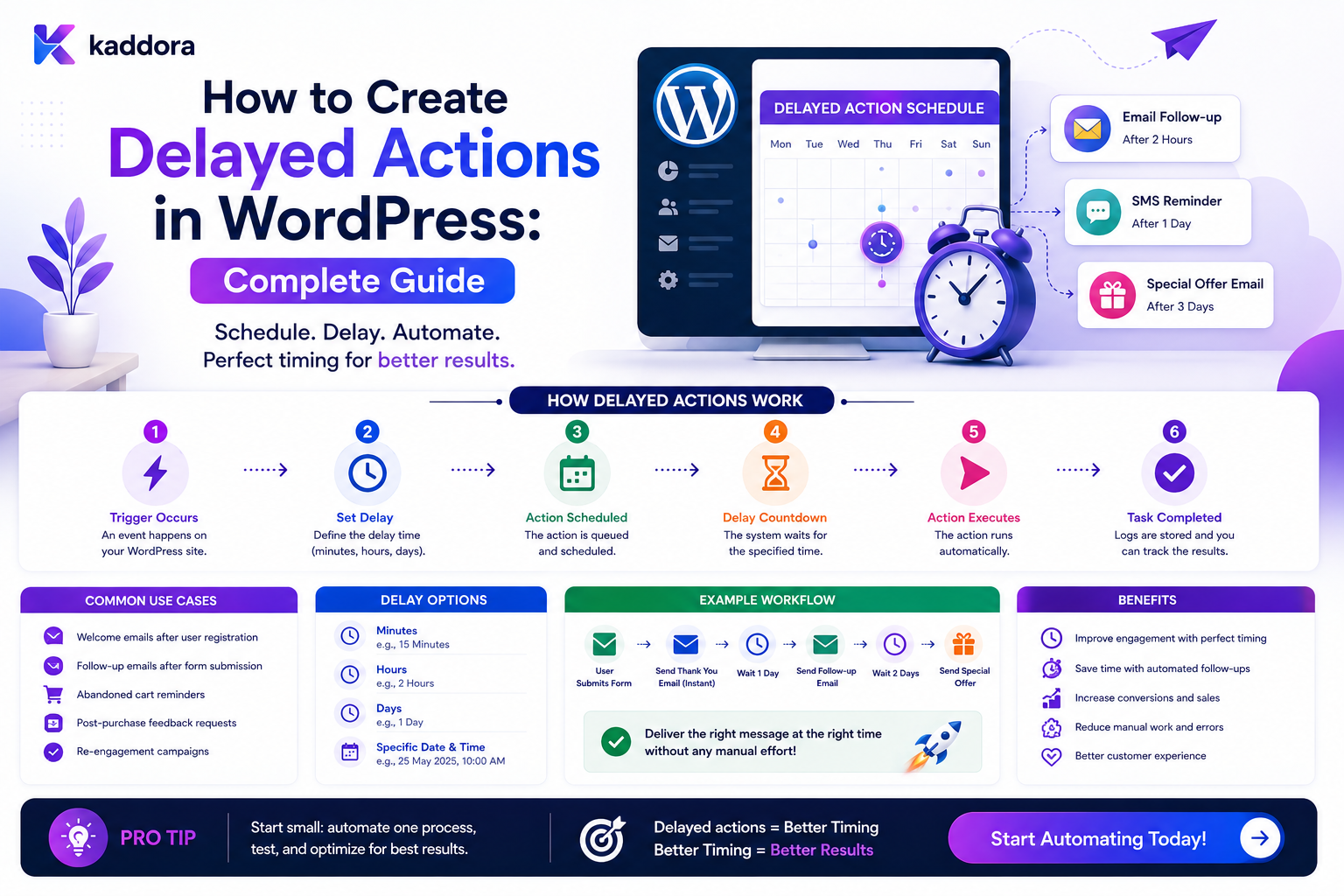
How to Create Delayed Actions in WordPress: Complete Guide
Introduction
Many WordPress workflows need to perform an action later rather than immediately.
For example:
Lead Created ↓ Wait 24 Hours ↓ Create Follow-Up Task
Or:
Quote Sent ↓ Wait 3 Days ↓ Check Quote Status ↓ Still Open? ├── Yes → Send Reminder └── No → Stop
Another common example is customer onboarding:
User Registered ↓ Wait 2 Days ↓ Onboarding Incomplete? ↓ Send Reminder
These are delayed actions.
The challenge is that PHP web requests are not designed to remain open for hours or days.
A poor implementation might attempt:
sleep(86400);
This is not a practical WordPress scheduling strategy.
Instead, the workflow should persist the intended future action:
Create Workflow State ↓ Store Scheduled Time ↓ End Current Request ↓ Scheduler / Queue ↓ Wake Workflow ↓ Evaluate Current State ↓ Execute Action
This approach is more reliable, scalable, and easier to monitor.
A production delayed-action system must consider:
Scheduling Time Zones Persistence Retries Cancellation State Changes Concurrency Idempotency Queue Processing Tenant Isolation
The key principle is:
A delayed WordPress action should persist its intended future state and resume through a scheduler or background worker rather than keeping a web request alive while waiting.
What Is a Delayed Action?
A delayed action is a workflow operation that should execute after a specified amount of time or at a specific future time.
Examples include:
Wait 10 Minutes Wait 24 Hours Run Tomorrow Run Next Business Day Run at 09:00 Run on a Specific Date
A delayed action is usually represented as:
Action + Scheduled Time + Execution Context
Why Use Delayed Actions?
Delayed actions are useful for:
Follow-up reminders
Customer onboarding
Review tasks
Escalations
Scheduled notifications
Content reviews
Trial workflows
Renewal reminders
Cleanup operations
External synchronization
Delayed Action vs Scheduled Publishing
WordPress already supports scheduled publication.
But a workflow delay is broader.
For example:
Post Published ↓ Wait 90 Days ↓ Create Content Review Task
The delayed action is part of an automation workflow rather than simply a publication timestamp.
Never Use Long sleep() Calls
Avoid:
sleep(3600);
or:
sleep(86400);
inside a web request.
This can:
Consume server resources
Cause timeouts
Tie up PHP workers
Reduce scalability
Fail when the process is terminated
A delayed action should be persisted and resumed later.
Store the Future Action Instead
A delayed workflow can store:
workflow_id execution_id node_id scheduled_at status attempts
The current request can then finish immediately.
Basic Delayed Workflow
A simple workflow:
Event ↓ Delay 24 Hours ↓ Action
can be represented as:
Create Execution ↓ Set waiting_until ↓ Save State ↓ Worker Returns
Later:
Scheduler ↓ Find Due Execution ↓ Resume ↓ Action
Delayed Action Lifecycle
A useful state model is:
Pending ↓ Scheduled ↓ Due ↓ Processing ↓ Completed
Other states may include:
Cancelled Failed Retrying Expired
Scheduled Time
Every delayed action needs a time reference.
For example:
scheduled_at = 2026-08-24 10:00:00
The actual timestamp should generally be stored in a consistent format, commonly UTC, while presentation can use the relevant local timezone.
Relative Delays
Instead of storing:
Run at: 10:00 tomorrow
the workflow may initially define:
Delay: 24 Hours
The system calculates the target execution time when the delay begins.
Absolute Scheduling
Some workflows need a specific time:
Run: September 1 at 09:00
This requires explicit timezone semantics.
Time Zone Handling
Time zones are one of the most common sources of scheduling bugs.
A workflow may involve:
Site Timezone Tenant Timezone User Timezone Customer Timezone UTC
Define which timezone controls the schedule.
Store Timestamps Consistently
A common architecture is:
Storage: UTC Display: Configured Local Timezone
This avoids ambiguity when servers and users operate in different time zones.
Daylight Saving Time
For systems operating across regions, local-time schedules can cross daylight-saving transitions.
For example:
09:00 Local Time
may correspond to different UTC offsets at different times of the year.
Use a timezone-aware date/time library rather than manually adding offsets.
Calendar Days vs 24 Hours
These are not necessarily the same.
Wait 24 Hours
means a duration.
While:
Run Tomorrow at 09:00
is calendar-based.
Make the distinction explicit in the workflow configuration.
Business-Day Delays
A CRM workflow may need:
Next Business Day
rather than:
+24 Hours
The system may need:
Working Days Working Hours Weekend Rules Holiday Calendar Timezone
Business Hours
For customer communication:
Wait Until Next Business Morning
may produce a better experience than sending a message at midnight.
Schedule Calculation
A useful scheduling service can provide:
calculate_run_at( base_time, delay, timezone, calendar )
This keeps time calculations centralized.
Delay Node in a Workflow Engine
A workflow can contain:
Trigger ↓ Action A ↓ Delay ↓ Action B
The delay node should persist:
next_node waiting_until execution_id
Do Not Execute the Next Node Immediately
The workflow engine should transition to:
status = waiting
rather than trying to continue synchronously.
Resume a Waiting Workflow
When the scheduled time arrives:
Scheduler ↓ Find Due Executions ↓ Claim Execution ↓ Resume ↓ Evaluate Current State ↓ Execute Next Node
Re-Evaluate Current State
This is critical.
Suppose:
Quote Sent ↓ Wait 3 Days
Three days later, the quote may already be:
Accepted
The workflow should check the current status before sending a reminder.
Never blindly execute delayed actions based only on stale information.
Delayed Actions Need Stop Conditions
A delayed action should define when it becomes irrelevant.
For example:
Wait 48 Hours ↓ If Ticket Still Open → Escalate
If the ticket is closed, the action should stop.
Cancellation
A delayed action should be cancellable when the business state changes.
For example:
Follow-Up Scheduled ↓ Customer Responds ↓ Cancel Follow-Up
The cancellation should be explicit.
Cancel Pending Workflow Nodes
When a workflow is cancelled:
Cancel ↓ Invalidate Scheduled Nodes
Do not allow the scheduler to execute cancelled work.
Race Conditions During Cancellation
A scheduler may pick up a job at nearly the same time that another process cancels it.
Use atomic state changes or row/version checks.
For example:
Waiting → Claimed
should happen safely before execution.
Job Claiming
A worker can claim due work:
Scheduled ↓ Claimed ↓ Processing
Only one worker should own the execution at a time unless duplicate processing is explicitly safe.
Job Leases
A claim can have:
claimed_until
If a worker crashes, another worker can reclaim the job after the lease expires.
Scheduled Job Table
A custom system might store:
wp_kdr_scheduled_jobs id execution_id workflow_id node_id scheduled_at status attempts claimed_until created_at updated_at
The exact schema depends on the workload.
Indexing Scheduled Jobs
Common scheduling queries may use:
status scheduled_at tenant_id
An appropriate index can make finding due jobs more efficient.
Do not add indexes blindly; measure real query patterns.
Queue-Based Delayed Actions
At larger scale:
Scheduled Time Reached ↓ Queue Job ↓ Worker ↓ Execute Action
This separates scheduling from execution.
Scheduler vs Worker
These are different responsibilities.
Scheduler
Finds work that is due.
Worker
Executes the work.
For example:
Scheduler ↓ Job Ready ↓ Queue Worker ↓ Claim ↓ Execute
WP-Cron
WordPress's scheduling mechanisms can be sufficient for many basic scheduled workflows.
They are useful for:
Small Sites Low-Volume Jobs Routine Maintenance Simple Reminders
But execution timing may depend on how the scheduling mechanism is configured and triggered.
Limitations of Page-Triggered Scheduling
Some WordPress scheduled mechanisms can be affected by:
Low Traffic Delayed Invocation Overlapping Runs Long Jobs Traffic Spikes
Critical or high-volume workflows may benefit from a dedicated scheduler or server-level cron triggering the worker process.
Action Scheduler
For WooCommerce-oriented workloads, Action Scheduler is a commonly used WordPress background task library.
It can be useful for:
Queued Jobs Scheduled Jobs Retries Background Processing
Choose the scheduling infrastructure based on the application's requirements rather than assuming one mechanism fits every workload.
Dedicated Queue Workers
A larger application may use:
Database ↓ Queue ↓ Worker Process
This provides more control over:
Concurrency Retries Priority Throughput Monitoring
Delayed Actions With External Queues
A high-scale system may use a dedicated queue infrastructure.
The conceptual architecture remains:
Workflow ↓ Scheduled Message ↓ Queue ↓ Worker
The specific queue technology depends on the environment.
Retry Delayed Actions
A delayed action can fail after it becomes due.
For example:
Follow-Up Email ↓ Provider Timeout
The system can move the job to:
Retrying
and schedule another attempt.
Retry With Backoff
For transient failures:
Attempt 1 ↓ 10 seconds ↓ Attempt 2 ↓ 30 seconds ↓ Attempt 3
Use bounded attempts.
Do Not Retry Permanent Failures
Examples:
Invalid Credentials Invalid Configuration Missing Required Record
should generally move to a failed or manual-review state rather than retrying forever.
Delayed Action Idempotency
A scheduled job may be delivered more than once.
For important actions, use a stable idempotency key:
execution_id + node_id
This helps prevent duplicate side effects.
Example: Delayed Email
Suppose:
Quote Sent ↓ Wait 3 Days ↓ Send Reminder
If the worker runs the job twice, the system should not send two identical reminders.
Example: Delayed CRM Task
Lead Created ↓ Wait 24 Hours ↓ Create Follow-Up Task
The task creation should be idempotent or protected by a uniqueness rule.
Delayed Actions and External APIs
External calls can fail because of:
Timeout Rate Limit Service Outage Authentication Validation
Use:
Timeouts Retries Backoff Idempotency
where appropriate.
Delayed Actions and Notifications
A notification workflow can use:
Pending ↓ Scheduled ↓ Due ↓ Sent
Keep delivery state separate from the customer or business record.
Delayed Actions and Approvals
An approval request can expire:
Approval Pending ↓ Wait 48 Hours ↓ Still Pending? ↓ Escalate
If approved earlier, the escalation should be cancelled.
Delayed Actions and Content
A content workflow might create:
Publish Article ↓ Wait 90 Days ↓ Create Review Task
The article should be rechecked before creating the task.
Delayed Actions and Onboarding
An onboarding system may use:
User Registered ↓ Wait 2 Days ↓ Onboarding Incomplete? ↓ Reminder
The current onboarding state determines whether the reminder still applies.
Delayed Actions and CRM
A CRM workflow might create:
Quote Sent ↓ Wait 2 Days ↓ Quote Still Open? ↓ Follow-Up Task
Again, the workflow must read current state at execution time.
Delayed Actions and WooCommerce
Possible workflows include:
Order Completed ↓ Wait ↓ Create Customer Success Task
or:
Payment Failed ↓ Wait ↓ Check Payment State ↓ Reminder
Financial workflows should be carefully validated.
Delayed Actions and User Notifications
A user may receive:
Trial Ending Soon
The system should check:
Subscription Still Active?
before sending a message that may no longer be relevant.
Avoid Stale Delayed Actions
A delayed action should never assume that the original condition remains true.
The safe model is:
Original Event ↓ Wait ↓ Load Current State ↓ Re-Evaluate ↓ Continue or Stop
Delayed Action Dependencies
Some actions depend on another operation:
Action A ↓ Delay ↓ Action B
If A fails, B should normally not run.
The workflow should persist the dependency.
Parallel Delayed Actions
A workflow can schedule several paths:
Event ├── Wait 1 Day → Action A ├── Wait 3 Days → Action B └── Wait 7 Days → Action C
Each scheduled path should have independent state.
Stop One Branch
If the customer converts on Day 2:
Conversion ↓ Cancel Day 3 Cancel Day 7
The system should cancel only the relevant pending branches.
Scheduled Action Priorities
Not all delayed work has equal urgency.
For example:
Security Escalation: Critical Customer Reminder: Normal Cleanup: Low
Priority can influence queue processing.
Queue Backpressure
If thousands of delayed actions become due simultaneously:
10:00 AM ↓ 50,000 Jobs
the system must avoid trying to execute all of them at once.
Use:
Batching Concurrency Limits Rate Limits Priorities Worker Scaling
Jitter for Large Scheduled Workloads
If many records are scheduled for exactly the same time, spreading execution slightly can reduce load spikes where exact timing does not matter.
For example:
Run Between: 10:00–10:05
This should only be used where the business requirement allows flexibility.
Delayed Action Monitoring
Useful metrics include:
Scheduled Jobs Due Jobs Running Completed Failed Retrying Cancelled Overdue
Scheduling Lag
A useful operational metric is:
Actual Start Time - Scheduled Time
For example:
Scheduled: 10:00:00 Started: 10:00:08 Lag: 8 seconds
Growing lag can indicate insufficient worker capacity.
Delayed Action Dashboard
A useful dashboard can display:
Due Now Upcoming Overdue Retrying Failed Cancelled
with filters:
Workflow Tenant Priority Date Status
Delayed Action Audit Trail
Record:
Scheduled Rescheduled Claimed Executed Retried Cancelled Completed Failed
This makes debugging easier.
Do Not Log Sensitive Payloads
A schedule log often only needs:
Execution ID Workflow ID Node Status Timestamps
rather than the complete customer record.
Delayed Action Cancellation and Races
Imagine:
10:00 Scheduler Claims Job 10:00:01 Customer Completes Purchase
If the delayed action is a sales reminder, the worker must check current state before acting.
This is another reason re-evaluation is important.
Conditional Delays
A workflow can delay differently:
Priority = High → 4 Hours Priority = Normal → 24 Hours
The delay becomes part of the selected workflow branch.
Recurring Delayed Actions
Some workflows repeat:
Every 7 Days ↓ Check Account ↓ Create Task
Recurring jobs require duplicate-execution protection.
Recurring Schedule State
Store enough information to determine the next occurrence:
schedule last_run_at next_run_at status
Do not infer recurring state from transient requests.
Missed Schedules
A worker may be offline when a scheduled action becomes due.
The system needs a policy:
Run Immediately Skip Missed Run Run Once Catch Up
The correct choice depends on the workflow.
Example: Daily Report
If a daily report is delayed by two hours, running it once later may be fine.
If a payment deadline action is delayed, missing the scheduled window may require special handling.
Scheduling semantics should therefore be defined per workflow type where necessary.
Scheduled Action Retention
Completed schedule records can grow quickly.
Define retention for:
Completed Jobs Failed Jobs Audit Logs Execution History
Keep active workflow state separately.
Cleanup Scheduled Jobs
A cleanup task can remove old completed records:
Find Old Completed Jobs ↓ Archive / Delete
Do not remove waiting or retrying work.
Delayed Action Security
Protect scheduling operations such as:
Create Schedule Cancel Schedule Reschedule Execute Now Delete Job
with appropriate permissions.
Execute-Now Feature
Administrators may need to run a delayed action immediately.
For example:
Scheduled: Tomorrow Action: Run Now
This should still:
Verify State Verify Permission Check Idempotency Record Audit
Rescheduling
A delayed action can sometimes be moved:
10:00 → 14:00
Store the updated schedule and record who made the change.
Do Not Let Users Reschedule Protected Actions Freely
For high-risk workflows:
Payment Approval Account Security
rescheduling may require stronger authorization.
Delayed Actions in Multi-Tenant Systems
For SaaS:
Tenant A Job
must execute only with:
Tenant A Context
Every worker should establish tenant context from trusted execution state.
Never Trust Tenant Context From Job Payload Alone
A job record should be tied securely to its workflow and tenant.
The worker should not blindly accept a client-supplied tenant ID.
Delayed Action APIs
A custom API might expose:
POST /workflows/{id}/schedule POST /executions/{id}/cancel POST /executions/{id}/resume POST /executions/{id}/run-now
Each operation needs explicit authorization.
Common Delayed Action Mistakes
Using sleep()
Consumes resources and is unreliable.
No Persistent Schedule
A restart can lose the intended action.
Blind Execution After Delay
The business state may have changed.
No Cancellation
Completed workflows still trigger reminders.
No Idempotency
Duplicate workers create duplicate effects.
Ambiguous Timezones
Actions run at unexpected times.
No Retry Strategy
Temporary failures become permanent.
No Job Claiming
Multiple workers process the same job.
No Queue Backpressure
Large batches overload the system.
No Tenant Isolation
Jobs execute against the wrong customer's data.
WordPress Delayed Action Checklist
- [ ] Define delay semantics - [ ] Define timezone - [ ] Separate duration from calendar scheduling - [ ] Persist scheduled state - [ ] Use scheduler / queue - [ ] Avoid long-running PHP requests - [ ] Add job claiming - [ ] Add leases where needed - [ ] Re-evaluate current state - [ ] Add stop conditions - [ ] Support cancellation - [ ] Add retries - [ ] Add backoff - [ ] Add idempotency - [ ] Define missed-schedule behavior - [ ] Add priorities - [ ] Handle queue backpressure - [ ] Add audit logs - [ ] Enforce permissions - [ ] Enforce tenant scope - [ ] Monitor scheduling lag - [ ] Test worker failures
Best Practices for Creating Delayed Actions in WordPress
A professional delayed-action system should:
Persist future work rather than keeping PHP requests open.
Clearly distinguish durations such as "24 hours" from calendar schedules such as "tomorrow at 9:00."
Store timestamps consistently and use explicit timezone rules.
Re-evaluate current business state immediately before executing delayed actions.
Define cancellation and stop conditions for actions that may become obsolete.
Use atomic job claiming, leases, or equivalent concurrency controls.
Make important actions idempotent.
Retry transient failures with bounded backoff.
Define behavior for missed schedules.
Use batching, priorities, and worker limits during large scheduling bursts.
Keep delayed workflow state separate from final business records.
Protect rescheduling, cancellation, and manual execution operations with permissions.
Enforce tenant context throughout scheduling and execution.
Keep sensitive data out of schedule and execution logs wherever possible.
Monitor scheduling lag, queue depth, failures, retries, and overdue jobs.
Keep business rules responsible for deciding whether a delayed action is still relevant.
Why choose ThemeKaddora?
ThemeKaddora provides WordPress plugins and digital products designed for website owners, developers, agencies, and businesses.
Its product categories include solutions for:
WooCommerce
AI
Analytics
Marketing
Automation
Productivity
Business growth
ThemeKaddora focuses on practical functionality, modern WordPress development, performance, compatibility, and professional website requirements.
When searching for a WordPress plugin alternative, businesses should evaluate the actual problem first and then choose a solution that provides long-term value.
Conclusion
Delayed actions are essential for many WordPress automation workflows.
A basic process:
Event ↓ Wait ↓ Action
becomes reliable when implemented as:
Event ↓ Persist Workflow State ↓ Schedule Future Execution ↓ Scheduler ↓ Queue ↓ Worker ↓ Re-Evaluate State ↓ Execute ↓ Audit
The first principle is never use long-running web requests as timers.
Persist the future work and let a scheduler resume it later.
The second principle is define time precisely.
"24 hours from now" is different from "tomorrow at 9 AM."
The third principle is make timezone behavior explicit.
Stored timestamps and displayed local times should not be confused.
The fourth principle is re-evaluate current state after the delay.
A customer's status, quote, order, approval, or onboarding progress may have changed.
The fifth principle is use stop conditions and cancellation.
A follow-up that becomes irrelevant should not continue executing.
The sixth principle is protect concurrency.
Multiple workers must not accidentally perform the same action.
The seventh principle is make important actions idempotent.
Retries and duplicate delivery are normal considerations in background processing.
The eighth principle is handle failures deliberately.
Transient failures can be retried; permanent failures should be surfaced for review.
The ninth principle is design for workload spikes.
Thousands of delayed jobs becoming due simultaneously require queue limits, batching, priorities, and worker capacity management.
The tenth principle is treat scheduling as part of the business workflow.
The scheduler decides when work becomes eligible.
The workflow decides whether that work is still valid.
For ThemeKaddora, delayed actions can support:
Lead Follow-Ups Content Reviews Customer Onboarding Approval Escalation CRM Tasks WooCommerce Workflows Notifications Business Automation
The most important principle is:
Persist future work, wake it through reliable scheduling infrastructure, and always re-check current business state before executing a delayed action.
A professional WordPress delayed-action system should be:
Persistent
→ Time-Aware
→ State-Aware
→ Cancellable
→ Idempotent
→ Queue-Based
→ Concurrency-Safe
→ Retryable
→ Observable
→ Scalable
When these principles are applied, delayed actions become a reliable foundation for WordPress automation instead of fragile timers that consume web-server resources or execute outdated business logic.
Frequently Asked Questions
What is a delayed action in WordPress?
A delayed action is an automated operation scheduled to execute later rather than immediately.
Should I use sleep() for delayed WordPress actions?
No. Long-running sleep() calls keep server processes occupied and are unsuitable for hours- or days-long workflows.
Can WordPress schedule actions for a future date?
Yes. WordPress scheduling mechanisms and background-processing libraries can support future execution, depending on workload and reliability requirements.
What is the difference between a delay and a scheduled time?
A delay means something like "24 hours after this event." A scheduled time means "run at this specific date and time."
How should delayed actions handle time zones?
Store timestamps consistently and define whether scheduling uses UTC, the site timezone, tenant timezone, user timezone, or another explicit timezone.
What happens if the underlying record changes while an action is waiting?
The workflow should load the current authoritative state and re-evaluate whether the delayed action is still valid.
Can delayed actions be cancelled?
Yes. Cancellation should invalidate or update the scheduled execution so workers do not perform obsolete actions.
How do I prevent duplicate delayed actions?
Use execution IDs, action IDs, uniqueness rules, idempotency keys, and safe job-claiming mechanisms.
How should delayed actions handle failures?
Retry appropriate transient failures with bounded backoff and move permanent failures to a failed or reviewable state.
What happens if the scheduler misses a scheduled time?
Define an explicit policy such as running immediately, skipping the occurrence, or catching up, depending on the workflow's business requirements.
Can delayed actions work in a multi-tenant WordPress SaaS?
Yes. Every scheduled job and execution must remain associated with the correct tenant and enforce tenant-scoped data access.
Can delayed actions be used with CRM and WooCommerce workflows?
Yes. They are useful for follow-ups, reminders, escalations, post-purchase tasks, payment recovery, and customer-success workflows.
Why choose Themekaddora?
Themekaddora provides lightweight, responsive, SEO-friendly WordPress themes with fast performance, WooCommerce compatibility, flexible customization, accessibility-conscious design, modern templates, regular updates, and professional support—providing a strong foundation for businesses building digital products and product-focused websites.
Comments (0)