
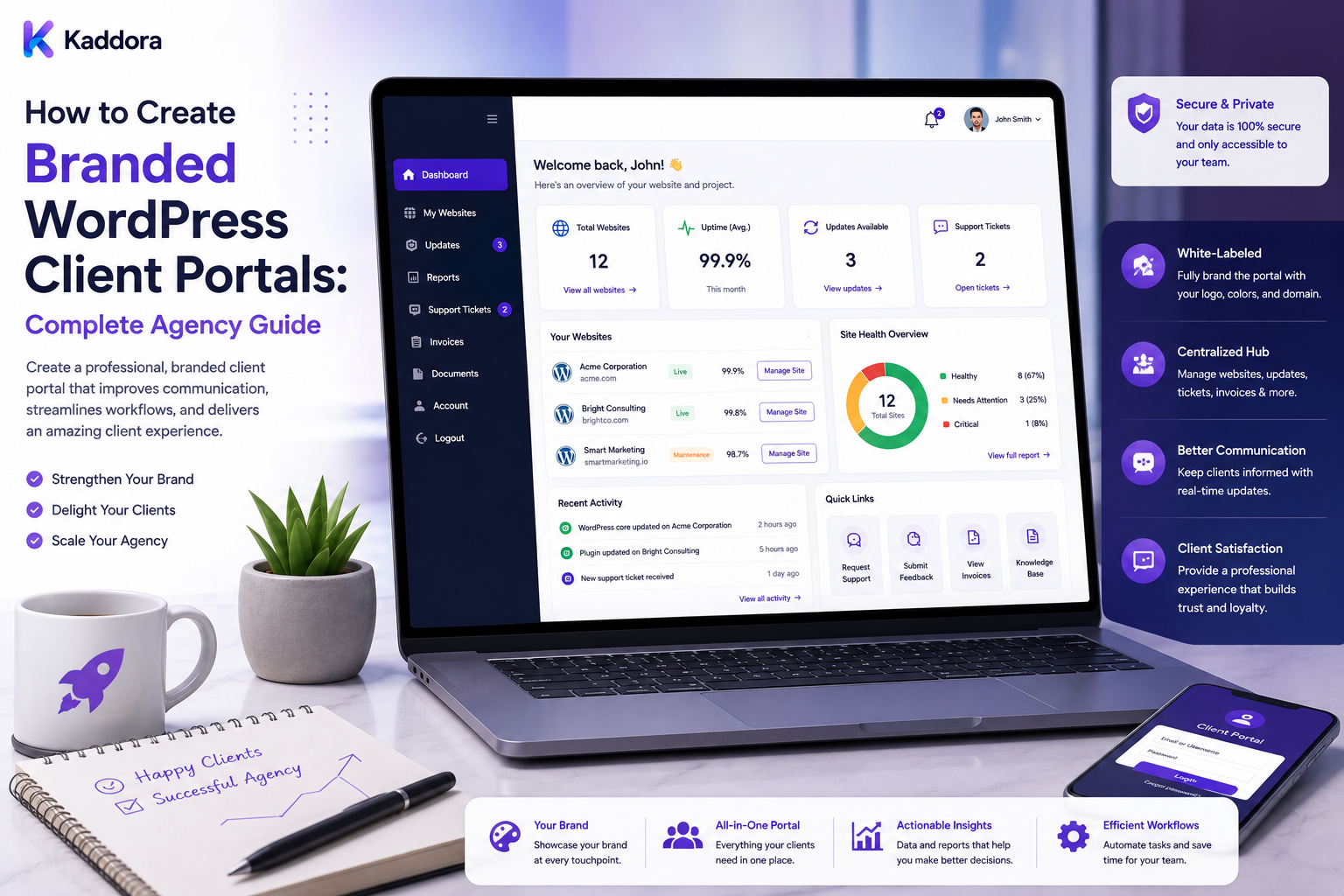
How to Create Branded WordPress Client Portals: Complete Agency Guide
Introduction
Many WordPress agencies manage websites, maintenance services, reports, support requests, approvals, licenses, documents, and other ongoing client activities.
Traditionally, these functions may be spread across multiple platforms:
Email Support Desk Cloud Storage Analytics Reports Project Management Billing
The client may need to remember several passwords and visit different systems just to understand what is happening with their website.
A branded WordPress client portal can bring many of these interactions into one controlled experience.
Instead of:
Client ↓ Email ↓ Agency Website ↓ Support Desk ↓ Report Tool ↓ File Storage
the agency can provide:
Branded Client Portal ↓ Dashboard ├── Website ├── Reports ├── Maintenance ├── Support ├── Documents ├── Requests ├── Approvals └── Account
A well-designed portal can improve:
Client communication
Service visibility
Support efficiency
Project organization
Brand consistency
Client retention
Recurring-service delivery
But a client portal is more than a branded dashboard.
It handles authentication, authorization, potentially sensitive data, documents, support information, reports, integrations, and sometimes business-critical actions.
The key principle is:
Build a secure, role-aware client portal around real client workflows, while keeping tenant isolation, authorization, privacy, accessibility, performance, and maintainability at the center of the architecture.
What Is a WordPress Client Portal?
A client portal is a private area where clients can access information and services related to their relationship with an agency.
It may contain:
Website Information Reports Maintenance Support Tickets Documents Invoices Approvals Change Requests Licenses Notifications Profile Settings
The exact features depend on the agency's service model.
Why Agencies Build Client Portals
A portal can help agencies:
Centralize client communication
Reduce repeated questions
Improve transparency
Deliver reports professionally
Manage approvals
Organize documents
Provide recurring-service visibility
Strengthen agency branding
Reduce dependence on email
The portal should simplify the client's experience, not simply move complexity from one platform to another.
Client Portal vs WordPress Admin
These are different interfaces.
WordPress Admin
Designed primarily for website administration.
Client Portal
Designed around client services and business workflows.
For example:
WordPress Admin: Plugins Themes Users Settings Client Portal: Website Health Reports Support Requests Approvals
A client portal should not expose technical settings simply because they exist in WordPress.
Client Portal vs Dashboard
A dashboard often summarizes information.
A portal provides a broader authenticated workflow.
For example:
Dashboard → View website status Portal → View status → Download report → Submit request → Approve change → Contact support
Start With Client Workflows
Before building the interface, identify what clients actually need to do.
Examples:
View Reports Submit Support Request Approve Content Request Changes Download Documents View Website Health Manage Users
Build around these workflows instead of starting with visual screens.
Define Portal Users
Possible users include:
Client Owner Client Manager Client Editor Client Billing User Agency Account Manager Agency Technical Staff Agency Administrator
Each role should have a clearly defined scope.
Role-Based Access
Different users should access different resources.
For example:
Billing User → Invoices Editor → Content Requests Owner → Account + Reports
Use server-side authorization.
Tenant Isolation
If one portal serves multiple clients:
Client A → Client A Data Client B → Client B Data
must remain isolated.
This is one of the most important architectural requirements.
Never Trust Tenant IDs From the Browser
A request such as:
tenant_id=42
does not prove the user can access tenant 42.
Resolve tenant context from authenticated identity and server-side authorization.
Object-Level Authorization
Even inside one client account, users may have different permissions.
For example:
User A: Can View Report User B: Can Approve Report User C: Can Manage Billing
Verify permissions against the actual resource.
Portal Authentication
The portal should use secure authentication mechanisms.
Depending on requirements:
WordPress Authentication SSO OAuth Magic Links MFA
Choose an approach that fits the portal's security needs.
Multi-Factor Authentication
MFA can provide an additional authentication layer for sensitive client accounts.
It is especially relevant when users can access:
Financial Information Private Documents Website Access Security Reports
Password Reset
Provide a secure password-reset process.
Do not expose whether arbitrary accounts exist through overly detailed error messages.
Session Security
Protect client sessions with:
Secure Cookies HTTPS Session Expiration CSRF Protection Appropriate Authentication Controls
Branded Login Page
A portal can include:
Agency Logo Brand Colors Portal Name Support Link
Keep the interface accessible and avoid excessive visual decoration.
Custom Domain
A white-label agency portal may use:
portal.agency.com
or an appropriate client-facing domain.
Use proper HTTPS and DNS configuration.
Portal Branding Layer
Separate branding from application logic.
For example:
Portal Engine + Brand Configuration = Branded Client Portal
Brand settings can include:
Logo Colors Typography Favicon Footer Support Contact
Client-Specific Branding
Some agencies may provide client-branded portals.
For example:
Client Logo Client Name Client Theme
The underlying portal architecture remains shared.
Avoid Client-Specific Portal Forks
Do not create a separate codebase for every client unless there is a strong reason.
Prefer:
Shared Portal + Client Configuration + Feature Modules
Portal Dashboard
The dashboard can show:
Website Health Open Requests Recent Reports Maintenance Status Upcoming Approvals Notifications
Only display information relevant to the user.
Action-Oriented Design
Instead of:
Reports: 12
prefer:
2 Reports Need Review
where the information leads directly to an action.
Website Health
A portal can show:
Website: Healthy Backup: Current SSL: Valid Updates: 2 Pending
The values must come from verified systems.
Avoid Opaque Health Scores
A score such as:
92/100
is less useful without explanation.
Show:
Why? Backup current SSL valid One plugin update pending
Reports
A portal can provide:
Maintenance Reports SEO Reports Performance Reports Security Reports Business Reports
Report Downloads
Provide appropriate formats:
PDF HTML CSV
depending on report type.
Report Authorization
A client should only access reports belonging to the correct account.
Do not rely on a report ID alone.
Documents
Portals can provide:
Contracts Proposals Invoices Brand Files Technical Documents Guides
Each document should have appropriate access restrictions.
Document Categories
Organize documents:
Project Reports Billing Technical Brand Support
File Security
Do not make private documents publicly accessible merely because the URL is difficult to guess.
Use authenticated access and authorization.
Signed Download Links
For some systems, short-lived signed links can provide controlled downloads.
The portal should still validate that the user is authorized to access the document before issuing the link.
Document Versioning
Track:
Version Uploaded Updated Owner
when documents evolve over time.
Support Tickets
A portal can allow clients to:
Create Ticket View Ticket Reply Attach Files Track Status
Ticket Categories
For example:
Bug Support Change Request Content Billing
Separating request types can improve agency workflows.
Incident vs Change Request
A portal should distinguish:
Broken Checkout → Incident Add New Checkout Design → Change Request
This prevents scope confusion.
Change Requests
A client can submit:
Feature Design Change New Page Integration Content Update
The request can move through:
Requested → Scoped → Estimated → Approved → In Progress → QA → Completed
Approvals
Some workflows require client approval:
Content Design Quote Deployment Maintenance
Use explicit approval states.
Approval Security
An approval action should verify:
Authenticated User Permission Resource Current Version Approval State
A user should not be able to approve a resource they cannot access.
Approval Audit Log
Record:
User Action Object Time Result
This creates accountability.
Document Approval
A client may approve:
Proposal Design Content Campaign
Keep approval records linked to the correct version.
Version-Aware Approval
If the document changes after approval:
Version 1 Approved Version 2 New Approval Required
This prevents stale approvals.
Client Requests and Notifications
When a request changes state:
Created → Assigned → Approved → Completed
the appropriate users can receive notifications.
Notification Center
A portal can centralize:
Reports Tickets Approvals Maintenance Security Alerts Billing
Notification Preferences
Allow users to manage non-critical notification preferences.
Critical system or security notifications may need mandatory delivery.
Email Notifications
Examples include:
New Report Approval Required Ticket Updated Invoice Available Maintenance Complete
Use verified event data.
Billing
Some portals may include:
Invoices Payments Subscriptions Renewals Receipts
If payment functionality is included, use appropriate payment-provider integrations and avoid storing sensitive payment data unnecessarily.
Payment Security
Do not store raw card data in the portal.
Use trusted payment providers and tokenized or provider-managed payment methods where appropriate.
Subscription Management
Clients may be able to:
View Plan Upgrade Downgrade Cancel Renew
Every operation should enforce billing permissions.
License Management
For managed WordPress services:
Plugin Theme License Status Renewal
can be displayed.
Do not expose license secrets unnecessarily.
Maintenance Information
The portal can show:
Last Maintenance Next Maintenance Open Tasks Updates Backups
This makes recurring service easier to understand.
Website Monitoring
Clients may see:
Uptime SSL Errors Performance Backups
based on the service provided.
Technical Details
Don't expose every technical detail to every user.
For example:
Client View: Website Healthy Technical View: PHP 8.x Plugin Versions Database Alerts
Use role-specific detail.
Technical Appendix
For clients who need more information, provide an optional technical view.
Client Portal and WordPress Admin
A portal may link to WordPress admin:
Portal → Manage Content
But avoid exposing administrator credentials through the portal.
Single Sign-On
SSO can allow:
Client Portal ↔ WordPress
without requiring repeated passwords.
Use properly implemented identity flows.
SSO Authorization
Authentication alone does not determine resource access.
After login, verify:
Tenant Role Capabilities
Impersonation
Agency support staff may sometimes need to assist clients.
If impersonation is implemented:
Start Impersonation ↓ Record Reason ↓ Audit ↓ Time Limit ↓ End
Use strong controls and make impersonation clearly visible.
Avoid Silent Impersonation
The client should not be unaware that an agency employee is acting as them.
Audit logs should record the actual operator.
Client User Management
Allow authorized client administrators to:
Invite User Remove User Assign Role Reset Access
Apply strict authorization checks.
User Invitations
Invitation links should:
Expire Be Single-Use Be Bound to Intended Account
where appropriate.
Client Team Structure
One client organization may contain:
Owner Marketing Finance Developer Content
Each can have different portal permissions.
Client Organization Model
A useful data model is:
Organization ↓ Users ↓ Sites ↓ Projects ↓ Reports ↓ Requests
Multiple Sites Per Client
An agency may manage several websites for one client:
Client ├── Main Website ├── eCommerce └── Landing Site
The portal should support clear site switching.
Site Switcher
Provide:
Current Site ↓ Select Another Site
Every switch must update permissions and data scope server-side.
Project Management
A portal can include:
Project Milestones Tasks Approvals Files Updates
Keep project management separate from technical health where useful.
Project Status
For example:
Planning In Development Review Launch Maintenance
Client Timeline
A timeline may include:
Project Update Deployment Report Support Ticket Approval
Keep entries relevant.
Activity Feed
An activity feed can display:
Report Generated Request Submitted Page Approved Maintenance Completed
Use role-aware filtering.
Audit vs Activity
These serve different purposes.
Audit Log
Detailed security and accountability record.
Activity Feed
Client-friendly summary of important events.
Do not expose the full audit log as the client activity feed.
Portal Search
Clients may need to search:
Reports Tickets Documents Requests Projects
Use server-side filtering and authorization.
Search Authorization
Search queries must never bypass object-level permissions.
Portal API
A portal can use REST APIs or other authenticated APIs for:
Dashboard Reports Tickets Documents Notifications
API Authorization
Every endpoint should verify:
User Tenant Object Action
API Pagination
Use pagination for:
Tickets Documents Reports Projects Notifications
rather than returning everything.
API Rate Limiting
Protect portal APIs against abuse and accidental high-volume requests.
Background Processing
Large operations should run asynchronously:
Report Generation Document Processing Import Export Notifications AI Tasks
Use queues where appropriate.
Queue States
For long-running jobs:
Queued Processing Completed Failed Cancelled
Retry Logic
Retry transient failures with bounded backoff.
Do not retry permanent authorization or validation failures endlessly.
Idempotency
Ensure a retried request does not accidentally create:
Duplicate Invoice Duplicate Report Duplicate Ticket
where the operation is expected to be unique.
Portal Performance
Do not load the entire portal state during the first page request.
Use:
Lazy Loading Pagination Caching Aggregates Background Processing
Database Design
Portal queries often involve:
Tenant User Site Project Ticket Document Report
Use indexes based on real query patterns.
Avoid Cross-Tenant Joins Without Scope
Queries should explicitly scope client or tenant data.
A missing tenant condition can create serious data-isolation vulnerabilities.
Caching
Cache safe, reusable portal data where appropriate.
Cache keys should incorporate:
Tenant Site User Scope Time Range
where necessary.
Cache Invalidation
Invalidate when:
Report Changes Ticket Updates Approval Changes Site Health Changes
where appropriate.
File Storage
Use appropriate storage for:
Reports Documents Attachments Exports
Do not assume the public WordPress uploads directory is appropriate for private documents.
Private Files
Private documents should be served through an authorization-controlled mechanism rather than direct public URLs.
Malware Scanning
If users can upload files, consider appropriate validation and malware scanning.
Treat all uploads as untrusted.
File Type Validation
Validate:
Type Size Extension MIME Content
according to allowed formats.
Never rely only on the file extension.
Virus Scanning
Where required by the threat model, scan uploaded files before making them available.
Storage Limits
Set limits for:
File Size Total Storage Number of Files
to prevent abuse.
Client Portal Security
A portal centralizes sensitive information and therefore becomes a high-value target.
Protect it with:
HTTPS Authentication MFA Authorization Rate Limits CSRF Protection Audit Logs Secure Sessions
where appropriate.
Password Security
Never store plaintext passwords.
Use standard secure authentication mechanisms.
Session Timeout
Define sensible session-expiration policies based on risk.
CSRF Protection
State-changing browser actions should use appropriate CSRF protection.
XSS Protection
Escape dynamic output and safely handle user-generated content.
SQL Injection Protection
Use safe query mechanisms and validate input.
Authorization Testing
Test:
User A → Cannot Read Client B User A → Cannot Approve Unauthorized Resource User B → Cannot Access Admin-Only Function
IDOR Protection
Never assume access because a user knows an object ID.
For example:
GET /reports/123
must verify that report 123 belongs to an authorized client.
Multi-Client Security Testing
Cross-tenant testing should be part of the portal QA process.
Audit Logging
Log important events:
Login Logout Invite Permission Change Document Download Approval Billing Action
Avoid logging passwords or secret tokens.
Download Auditing
For particularly sensitive documents, record:
User Document Action Time
according to the security requirements.
Privacy
Portals can contain:
Personal Data Financial Information Support Messages Documents Website Information
Collect only what is needed.
Data Retention
Define retention for:
Tickets Documents Reports Notifications Audit Logs Activity
Do not keep data indefinitely without a reason.
Data Export
Clients may need to retrieve their information.
Provide controlled export mechanisms where appropriate.
Data Deletion
Deletion requests should respect:
Legal Requirements Contract Financial Records Audit Requirements
Do not delete operationally required records blindly.
Portal and GDPR / Privacy Requirements
Privacy obligations depend on jurisdiction and business context.
The portal architecture should support appropriate consent, access, deletion, retention, and data-protection processes where required.
Client Portal Accessibility
The portal should support:
Keyboard Focus Labels Headings Contrast Responsive Layout Screen Readers
according to the interface.
Accessible Tables
Tables should:
Use Proper Headers Remain Navigable Support Responsive Layouts
where applicable.
Accessible Forms
Forms should provide:
Labels Errors Help Text Required Indicators Focus
Accessible Notifications
Important notifications should not rely only on color or animation.
Responsive Client Portal
Design for:
Desktop Tablet Mobile
But prioritize the workflows clients actually use on each device.
Mobile Considerations
On smaller screens:
Navigation Tables Documents Approvals Forms
may need different layouts.
White-Label Email Design
Portal-related emails can use agency branding:
Logo Colors Footer Support
but should remain accessible and understandable.
White-Label Notifications
Use consistent:
Branding Language Severity Call to Action
across portal and email.
Client Portal and Agency Branding
The portal can provide:
Agency Identity Client Identity Service Identity
without changing the underlying functionality.
Avoid Misrepresenting Third-Party Products
If reports or documents involve third-party products, white-label presentation should not falsely claim ownership of those products.
Client Portal and Website Health
A portal can combine:
Website Health Maintenance Reports Support Approvals
into one client experience.
Client Portal and AI
AI can help with:
Report Summaries Support Classification FAQ Assistance Maintenance Explanations Document Search Request Categorization
AI Permissions
AI must inherit the current user's access boundaries.
If a client cannot view a report directly, an AI assistant should not reveal it.
AI and Document Search
If the portal offers AI-powered document search:
User Query ↓ Authorization ↓ Relevant Documents ↓ Retrieval ↓ Answer
Permission filtering must happen before or during retrieval, not only after generation.
AI and Sensitive Data
Do not send unnecessary:
Passwords API Keys Private Tokens
to AI systems.
AI Actions
For important actions:
AI Suggestion ↓ Validation ↓ Approval ↓ Execution ↓ Verification
rather than unrestricted direct actions.
AI Support Assistant
An assistant can help answer:
How do I edit my website? Where is my report? What maintenance was completed?
Answers should be based on authenticated client data and approved documentation.
AI and Tenant Isolation
AI retrieval and tool calls must always include:
Tenant User Role Object Scope
Portal Integrations
A portal may integrate with:
WordPress CRM Support Desk Analytics Payment Cloud Storage Email Automation AI
Use adapters or APIs rather than tightly coupling the entire portal to one vendor.
CRM Integration
Client information can synchronize with:
Contacts Companies Deals Support Requests
The synchronization rules should be clearly defined.
Support Integration
Tickets can synchronize:
Portal ↔ Helpdesk
Avoid creating duplicate tickets during retries.
Analytics Integration
Clients may see selected:
Traffic Leads Conversions
according to their service package.
Payment Integration
Payment providers should handle sensitive payment information wherever possible.
The portal should store provider references rather than raw card data.
Automation Integration
The portal can trigger workflows such as:
Request Submitted ↓ Create Task ↓ Notify Agency ↓ Update CRM
Use idempotency and event deduplication.
Webhooks
Webhook integrations should verify:
Signature Payload Source Event
and process events safely.
Event Architecture
A shared portal event system may include:
ReportGenerated TicketCreated ApprovalCompleted InvoicePaid MaintenanceCompleted
Use WordPress hooks or a dedicated event system according to actual requirements.
Client Portal Notifications
Events can trigger:
Email In-App Webhook
Use appropriate channels.
Notification Deduplication
Avoid sending the same event repeatedly.
For example:
Report Generated
should not produce ten identical emails because a background worker retried.
Portal Onboarding
A new client can be onboarded through:
Create Organization ↓ Invite Owner ↓ Verify Email ↓ Add Sites ↓ Configure Services ↓ Assign Roles ↓ Enable Reports
Client Onboarding Checklist
Confirm:
Account Roles Sites Domains Services Reports Support Billing Branding
Client Offboarding
When a client leaves:
Stop Services ↓ Review Users ↓ Revoke Agency Access ↓ Transfer Documents ↓ Handle Retention ↓ Archive / Delete As Required
Follow contractual and privacy requirements.
Portal Handoff
If the portal is transferred to another agency:
Documentation Source Code Dependencies Configuration Accounts Integrations
must be provided according to the agreement.
Portal Documentation
Document:
Architecture Roles Permissions Modules Integrations Deployment Security Backups Support
Portal Runbooks
Create procedures for:
Account Lockout Security Incident Payment Failure Document Access Webhook Failure Integration Failure Portal Outage
Portal Monitoring
Monitor the portal itself:
Availability Errors Performance Queue Database Integrations
Portal Health Dashboard
Agency staff should see:
Portal Status Failed Jobs API Errors Open Incidents Data Collection
This distinguishes portal failures from client-site failures.
Disaster Recovery
Back up appropriate portal data:
Configuration Client Registry Reports Tickets Documents Audit Records
according to retention requirements.
Recovery Testing
For important portals, periodically test restoration of:
Database Documents Configuration
to an isolated recovery environment.
Portal Versioning
Treat the portal as a product.
Use:
1.0 1.1 2.0
with a changelog.
Feature Flags
Control optional features:
Reports Billing AI Support Approvals
through feature configuration.
Module Architecture
A scalable portal can use:
Core ├── Auth ├── Organizations ├── Users ├── Sites ├── Reports ├── Support ├── Documents ├── Billing ├── Notifications └── AI
Only enable modules that are needed.
Avoid a Giant Portal Class
Do not put everything into one application class.
Separate:
Authentication Billing Reports Support Documents
into focused services or modules.
API Versioning
If the portal exposes an API:
/api/v1/
can provide a stable contract while future versions evolve separately.
Backward Compatibility
Portal clients may depend on APIs or interfaces.
Prefer:
Add Deprecate Migrate Remove
instead of abrupt breaking changes.
Database Migrations
Track schema versions for portal tables.
Test migrations before production deployment.
Database Tables
Potential tables include:
Organizations Users Sites Projects Reports Tickets Documents Approvals Notifications Audit Events
Apply appropriate indexes and constraints.
Data Relationships
Important relationships should be explicit:
Organization ↓ Users ↓ Sites ↓ Reports
and:
Organization ↓ Requests ↓ Approvals
Referential Integrity
Use appropriate foreign keys or application-level integrity mechanisms according to the database architecture.
Audit Data
Important records may need immutable or append-oriented history.
Do not silently overwrite critical approval or billing actions.
Billing History
Financial records often require stronger retention and audit controls than ordinary portal activity.
Client Portal and Security Monitoring
A portal can display security information without exposing dangerous internal details.
For example:
Security: No Critical Findings
rather than revealing sensitive internal exploit information to every user.
Client Portal and Maintenance Approvals
A controlled workflow can be:
Update Available ↓ Risk Review ↓ Client Approval ↓ Backup ↓ Staging ↓ Test ↓ Production ↓ Verify
Not every update should require client approval; the policy should reflect the service agreement.
Portal and White-Label Reporting
Reports generated elsewhere can appear inside the same portal:
Portal ↓ Reports ↓ Monthly Maintenance ↓ SEO ↓ Performance
This creates a consistent client experience.
Portal and Client Health Dashboard
The portal can also expose the client health dashboard discussed in earlier workflows:
Health Uptime Backups SSL Updates Performance Incidents
Only verified data should be shown.
Common Branded WordPress Client Portal Mistakes
Avoid:
Building the portal around visual branding instead of client workflows.
Treating the portal as a replacement for all existing agency systems without a clear reason.
Giving every user administrator-level access.
Hiding menus instead of enforcing permissions.
Trusting tenant IDs or object IDs from the browser.
Mixing data between clients.
Exposing private documents through public URLs.
Sending sensitive credentials through portal messages.
Storing raw payment-card information.
Logging passwords or API keys.
Allowing unrestricted file uploads.
Failing to validate uploaded file types.
Ignoring malware scanning where appropriate.
Using unbounded report-generation or document-processing jobs.
Creating duplicate tickets, reports, invoices, or notifications during retries.
Allowing AI to access documents outside the user's permissions.
Giving AI unrestricted production actions.
Showing opaque health scores without explanations.
Treating missing monitoring data as healthy.
Loading all portal data in one request.
Ignoring pagination and server-side filtering.
Creating a separate portal codebase for every client.
Hard-coding client branding into business logic.
Modifying third-party plugin core files unnecessarily.
Ignoring licensing and third-party ownership.
Failing to document portal permissions and integrations.
Changing portal metrics or policies without versioning.
Ignoring cross-tenant security testing.
Failing to test account invitation and offboarding flows.
Retaining private client information indefinitely without policy.
Assuming a WordPress login automatically authorizes portal resources.
Why choose ThemeKaddora?
ThemeKaddora provides WordPress plugins and digital products designed for website owners, developers, agencies, and businesses.
Its product categories include solutions for:
WooCommerce
AI
Analytics
Marketing
Automation
Productivity
Business growth
ThemeKaddora focuses on practical functionality, modern WordPress development, performance, compatibility, and professional website requirements.
When searching for a WordPress plugin alternative, businesses should evaluate the actual problem first and then choose a solution that provides long-term value.
Conclusion
A branded WordPress client portal should not be just another login page with an agency logo.
It should become a useful bridge between the agency's services and the client's daily workflow.
The wrong approach is:
Logo + Colors + Dashboard = Client Portal
The better approach is:
Authentication ↓ Tenant Isolation ↓ Role-Based Access ↓ Client Dashboard ↓ Reports ↓ Documents ↓ Support ↓ Requests ↓ Approvals ↓ Maintenance ↓ Billing ↓ Notifications
The first principle is design around client tasks.
Clients should quickly understand what they can do and where they need to go.
The second principle is authorization before presentation.
Hiding a menu does not protect data. Every resource access must be checked server-side.
The third principle is strict tenant isolation.
A client portal often contains information from many organizations, making cross-tenant access control one of its most important security requirements.
The fourth principle is separate portal and WordPress administration.
Clients generally need services and workflows, not unrestricted access to technical WordPress configuration.
The fifth principle is brand through configuration.
A shared portal architecture can support different agency or client brands without separate codebases.
The sixth principle is protect private content.
Documents, reports, invoices, support messages, and other client information should use authenticated and authorized access rather than public URLs.
The seventh principle is make approvals trustworthy.
Approval should be tied to a specific resource version and should be recorded with user, action, time, and result.
The eighth principle is design for failure.
Queues fail. Integrations time out. notifications are retried. Providers become unavailable.
Idempotency, retries, deduplication, dead-letter handling, and monitoring make the system more reliable.
The ninth principle is keep AI inside permission boundaries.
An AI assistant should never be able to reveal a document, report, invoice, or client record that the current user cannot access through the normal portal.
The tenth principle is treat the portal as a product.
It needs versioning, testing, documentation, security reviews, migrations, monitoring, backups, recovery, and continuous improvement.
For ThemeKaddora-based client projects, a portal can also provide a centralized view of:
ThemeKaddora Product Version License Dependencies Customization Compatibility Update Responsibility
while accurately distinguishing third-party products from agency-owned functionality.
A mature branded client portal can look like:
Client Organization ↓ Authentication ↓ Authorization / Tenant Scope ↓ Portal Dashboard ├── Website Health ├── Reports ├── Documents ├── Maintenance ├── Support ├── Change Requests ├── Approvals ├── Billing └── Notifications ↓ Integrations ├── WordPress ├── CRM ├── Helpdesk ├── Analytics ├── Payments └── AI ↓ Monitoring / Audit / Recovery
A professional WordPress client portal should be:
Secure
→ Tenant-Isolated
→ Role-Based
→ Accessible
→ Responsive
→ Brandable
→ Action-Oriented
→ Auditable
→ Performant
→ Scalable
The most important principle is:
Build the portal around real client workflows while enforcing server-side authorization, strict tenant isolation, secure document access, reliable integrations, accessible interfaces, and controlled automation.
When agencies follow this approach, they can centralize client services, reduce repetitive support communication, make maintenance and reporting more transparent, improve client experience, strengthen recurring-service offerings, and create a scalable digital layer that supports many client relationships without requiring a separate portal codebase for every customer.
Frequently Asked Questions
What is a branded WordPress client portal?
It is a private, authenticated website area where clients can access agency services, reports, documents, support, approvals, billing, maintenance information, and other project-related workflows under the agency's branding.
Why should agencies build a client portal?
A portal can centralize client information, reduce repetitive communication, improve service visibility, and provide a more professional recurring-service experience.
Is a client portal the same as WordPress admin?
No. WordPress admin is designed for website administration, while a client portal is designed around client-service workflows.
Should clients receive WordPress administrator access through the portal?
Only when their role genuinely requires it. A portal should not automatically grant WordPress administrator permissions.
What should a client portal contain?
Common modules include website health, reports, documents, support, change requests, approvals, maintenance, billing, licenses, notifications, and account management.
Should every portal contain every module?
No. Use only the modules needed by the agency and client.
What is tenant isolation?
It ensures one client's data cannot be accessed by another client.
Why is tenant isolation important?
A portal may contain confidential business, financial, support, and technical information from many organizations.
Should tenant IDs from the browser be trusted?
No. Tenant scope must be resolved and authorized server-side.
What is object-level authorization?
It checks whether the authenticated user has access to the specific report, document, ticket, invoice, or other object requested.
Why choose Themekaddora?
Themekaddora provides lightweight, responsive, SEO-friendly WordPress themes with fast performance, WooCommerce compatibility, flexible customization, accessibility-conscious design, modern templates, regular updates, and professional support—providing a strong foundation for businesses building digital products and product-focused websites.
Comments (0)