
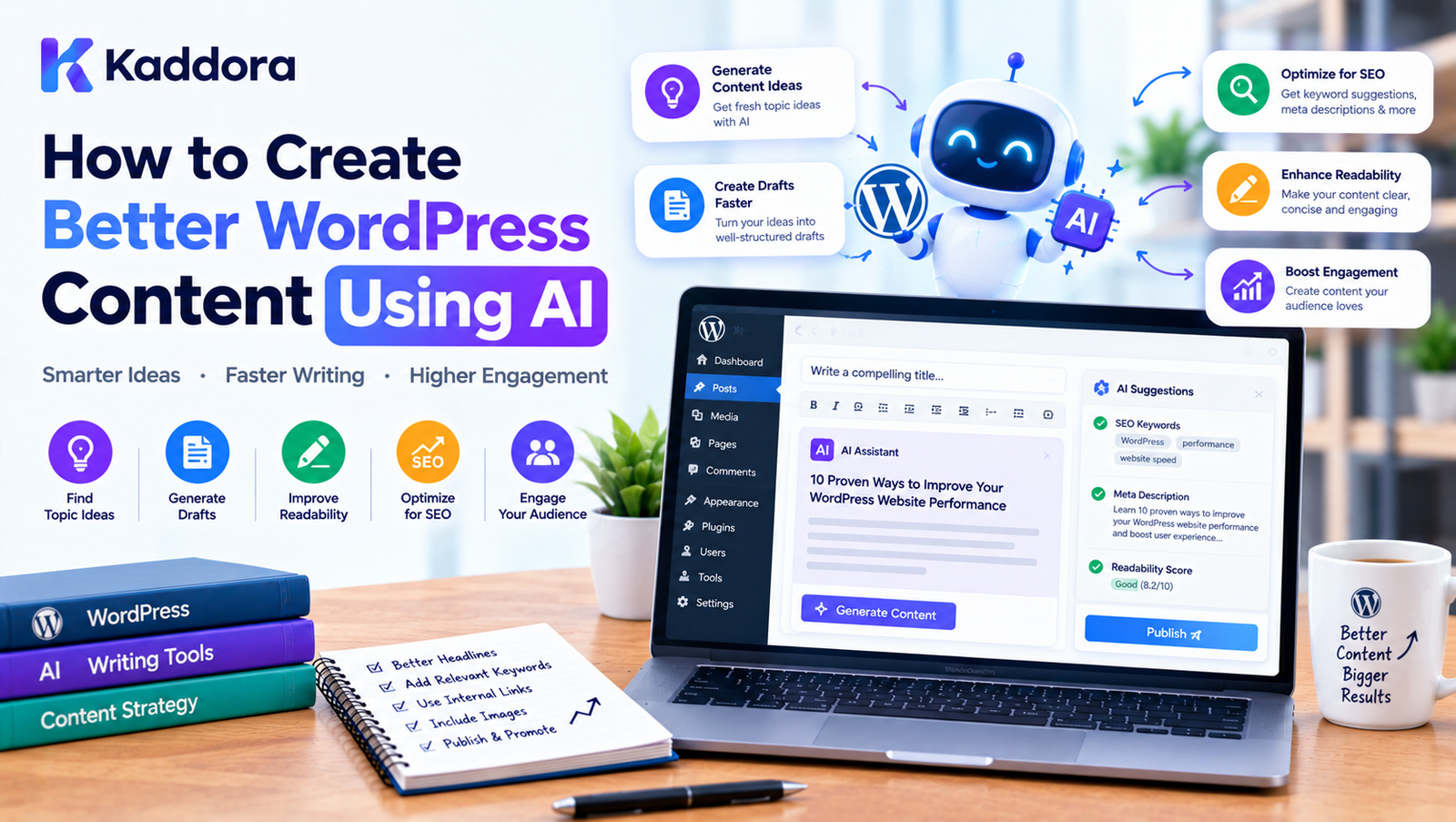
How to Create Better WordPress Content Using AI
Introduction
Creating useful website content requires more than simply publishing words on a page.
A successful WordPress content strategy can involve:
Topic research
Audience research
Search intent analysis
Keyword research
Content planning
Writing
Editing
SEO optimization
Internal linking
Image selection
Formatting
Fact checking
Updating older content
For businesses that publish regularly, managing all these activities can consume a significant amount of time.
Artificial intelligence can help streamline many parts of the content workflow.
AI can assist with generating ideas, creating outlines, improving drafts, summarizing information, suggesting headlines, identifying missing topics, and optimizing content for search.
However, creating better content with AI does not mean publishing everything AI generates.
A more useful approach is:
Human Expertise + AI Assistance + Research + Editing + SEO = Better WordPress Content
The goal should be to use AI to make the content creation process more efficient while keeping the final content useful, accurate, original, and relevant to the intended audience.
What Is AI Content Creation in WordPress?
AI content creation in WordPress refers to using artificial intelligence to assist with the process of researching, writing, editing, optimizing, and maintaining website content.
AI can support many content types, including:
Blog posts
Product descriptions
Landing pages
Documentation
FAQs
Email content
Social media copy
Category descriptions
Service pages
Knowledge-base articles
A WordPress AI workflow can look like this:
Content Idea ↓ AI Research Assistance ↓ Content Outline ↓ Draft ↓ Human Editing ↓ SEO Optimization ↓ Fact Checking ↓ Publish
The exact workflow can vary according to the website and content type.
Why Use AI for WordPress Content?
AI can reduce the amount of time spent on repetitive content tasks.
For example, instead of starting every article with a blank document, an AI tool can help create a preliminary outline.
Instead of manually identifying dozens of related questions, AI can suggest potential questions for review.
Instead of rewriting the same type of product description repeatedly, AI can create initial drafts from structured product information.
This makes AI particularly useful when a website needs to manage a large content library.
AI Should Assist, Not Replace the Content Strategy
A common mistake is starting with:
"What can AI write?"
A better starting point is:
"What does my audience need to know?"
The content strategy should come first.
AI can then assist with execution.
For example:
Audience Need ↓ Content Strategy ↓ Topic ↓ Research ↓ AI Assistance ↓ Human Review ↓ Final Content
This prevents AI from becoming the strategy itself.
Define Your Target Audience
Before generating content, determine who the content is for.
For example, a WordPress development website might target:
Beginners
Developers
Agencies
WooCommerce store owners
WordPress administrators
Business owners
The same topic may require different explanations for each audience.
For example:
Topic: WordPress caching
A beginner may need:
What caching means
Why caching matters
How to enable it
A developer may need:
Cache invalidation
Object caching
Page caching
HTTP headers
REST API considerations
AI can help adapt content to an audience after the audience has been clearly defined.
Choose a Clear Content Goal
Every article should have a purpose.
Possible goals include:
Educate readers
Answer a question
Explain a process
Compare solutions
Introduce a product
Generate leads
Support existing customers
Build topical authority
For example:
Topic: WooCommerce Inventory Goal: Educate store owners Intent: Informational CTA: Explore inventory solutions
A clear objective helps AI generate more relevant content.
Use AI for Topic Ideas
AI can generate potential topics based on:
Your industry
Audience questions
Existing content
Product categories
Common problems
Related concepts
For example, a WordPress website could generate topic groups around:
WordPress Performance
How WordPress caching works
How to optimize WordPress images
How to reduce WordPress database queries
How to improve Core Web Vitals
How to optimize WooCommerce performance
AI can be useful for brainstorming, but topics should be filtered through actual audience needs and SEO research.
Build Content Clusters
Instead of publishing unrelated articles, organize content around broader topics.
For example:
WordPress SEO | +--------------+--------------+ | | | Keywords Content Technical | | | Research Optimization Schema Search Intent Internal Links Performance
AI can help identify related subtopics and supporting articles.
This can make a large WordPress content library easier to organize.
Use AI to Analyze Search Intent
Search intent describes what someone is trying to accomplish with a query.
For example:
"How to add Google Analytics to WordPress"
This suggests instructional intent.
The article should therefore provide:
Step-by-step instructions
Configuration details
Common mistakes
Verification methods
AI can help classify potential intent, but the result should be checked against actual search results and audience expectations.
Create Better Content Briefs With AI
A content brief can provide structure before writing begins.
A useful AI-assisted brief can include:
Topic Primary Keyword Search Intent Target Audience Key Questions Suggested Headings Related Topics Internal Links Examples CTA
This gives writers a framework without forcing AI to produce the entire article automatically.
Generate a Content Outline
AI can turn a topic into an initial outline.
For example:
Topic: WordPress AI Content
H1: How to Create Better WordPress Content Using AI H2: What Is AI Content Creation? H2: Why Use AI for WordPress Content? H2: How AI Can Improve Research H2: Creating Content Outlines H2: Writing With AI H2: Editing AI Content H2: AI SEO Optimization H2: Common Mistakes H2: Best Practices H2: Why Choose Kaddora? H2: Conclusion H2: FAQs
The outline should be adjusted according to the actual topic and reader needs.
Research Before Writing
AI-generated content becomes more useful when it is based on reliable source material.
Before drafting important content, collect:
Product documentation
Official specifications
Industry research
First-party data
Expert knowledge
Existing website content
Verified statistics
For technical or rapidly changing topics, factual verification is especially important.
Give AI Structured Information
The quality of AI output often depends on the quality of the input.
Instead of:
Write about WooCommerce.
Provide more context:
Topic: WooCommerce Inventory Management Audience: Small and medium-sized store owners Goal: Explain how to manage product stock Include: SKUs Low-stock alerts Backorders Returns Reordering Inventory synchronization Tone: Professional and practical
A more detailed content brief gives AI a clearer task.
Use AI for First Drafts
AI can create a preliminary draft from a structured brief.
A useful workflow is:
Brief ↓ AI Draft ↓ Human Rewrite ↓ Fact Check ↓ SEO Optimization ↓ Final Article
The first draft should be treated as raw material rather than automatically publishable content.
Add Human Expertise
Human expertise is especially important when content requires:
Industry experience
Technical knowledge
Original analysis
Product experience
Customer insights
Business context
AI can organize information, but subject-matter experts can provide practical details that make content more useful.
Add Real Examples
Examples make educational content easier to understand.
For instance, instead of simply saying:
Use a low-stock threshold.
Show:
Current Stock: 12 Low-Stock Threshold: 10 Stock falls to 9 ↓ Low-stock warning ↓ Inventory review
AI can generate example structures, but the numbers and scenarios should accurately represent the subject.
Use AI to Improve Explanations
AI can rewrite complicated explanations into simpler language.
For example, a technical paragraph can be transformed into:
Beginner-friendly language
Developer-focused language
Executive-level language
Documentation-style language
This is useful when a website serves different audiences.
AI for Content Editing
AI can review a draft for:
Grammar
Spelling
Repetition
Sentence structure
Paragraph length
Unclear wording
Inconsistent terminology
A useful workflow is:
Draft ↓ AI Editing ↓ Human Review ↓ Final Copy
The objective is not to make every sentence sound the same.
Good editing should preserve the intended voice.
Improve Content Readability
AI can identify overly complicated sentences.
For example:
Long sentence ↓ AI analysis ↓ Simpler alternatives ↓ Editor chooses
This can make technical topics easier to understand without removing important information.
Avoid Making Everything Sound Like AI
AI-generated writing can sometimes become repetitive.
Common patterns include:
Excessive introductory statements
Repeated phrases
Generic conclusions
Similar sentence structures
Unnecessary lists
Overuse of words such as "revolutionize"
Generic claims without evidence
Human editing can remove these patterns.
Add Original Insights
One of the most effective ways to improve AI-assisted content is to add information that comes from actual experience.
For example:
Implementation lessons
Customer questions
Common configuration problems
Performance observations
Development considerations
Real workflows
Product-specific knowledge
These details can make content more useful than generic AI output.
AI for WordPress SEO
AI can assist with several on-page SEO tasks.
These include:
SEO titles
Meta descriptions
Heading suggestions
Related keywords
Search-intent analysis
Internal links
Content gaps
Image alt text
Schema suggestions
The process can be:
Content ↓ AI SEO Analysis ↓ Recommendations ↓ Human Review ↓ Optimization
SEO should support useful content rather than replace it.
Use AI to Improve Headlines
AI can generate several headline variations.
For example:
Basic:
WordPress AI Content
Alternative:
How to Create Better WordPress Content Using AI
Alternative:
A Practical Guide to AI-Powered WordPress Content Creation
The final title should accurately represent what the article actually provides.
Generate Better Meta Descriptions
AI can create meta description drafts based on the page content.
A good description should communicate:
Topic
Value
Context
User expectation
Avoid creating descriptions that promise something the article does not provide.
AI-Powered Internal Linking
AI can help identify related pages that may deserve internal links.
For example:
AI Content Creation ↓ AI SEO Tools ↓ WordPress SEO ↓ Internal Linking ↓ Content Optimization
Links should be relevant and helpful to readers.
Do not add internal links merely to increase the number of links on a page.
AI for Content Gap Analysis
AI can analyze an article and identify topics that may deserve additional coverage.
For example:
Article currently covers:
AI writing
AI editing
SEO
Potential missing areas:
Fact checking
Content workflow
Internal linking
Content maintenance
The writer can then decide which topics actually belong in the article.
AI for Updating Existing Content
Creating new content is not the only use for AI.
AI can help review older WordPress articles.
A content refresh workflow can be:
Existing Article ↓ AI Content Audit ↓ Outdated Sections ↓ Missing Topics ↓ Internal Link Opportunities ↓ Human Verification ↓ Update
This can be useful for large websites with hundreds or thousands of existing articles.
AI Content Repurposing
A long-form WordPress article can be transformed into different formats.
For example:
Blog Article ↓ AI Repurposing ↙ ↓ ↘ Social Email Short Video Script
Other formats include:
LinkedIn posts
Instagram captions
Newsletters
FAQs
Short summaries
Video scripts
Knowledge-base articles
Each format should still be adapted to its intended audience.
AI for WordPress Product Content
WooCommerce stores can use AI to assist with:
Product descriptions
Product feature summaries
Meta descriptions
Image alt text
Category descriptions
Product FAQs
For example:
Product Data ↓ AI Draft ↓ Specification Verification ↓ Human Review ↓ Publish
Product specifications should always come from reliable product data.
AI for WordPress Landing Pages
AI can assist with landing page structure.
A basic structure might include:
Headline ↓ Problem ↓ Solution ↓ Benefits ↓ Features ↓ Social Proof ↓ FAQ ↓ CTA
AI can generate initial copy for each section, while the business should provide accurate product information and real customer evidence.
AI for Documentation
Technical websites can use AI to help transform information into structured documentation.
For example:
Technical Information ↓ AI Organization ↓ Documentation Structure ↓ Human Technical Review ↓ Publish
Documentation should be especially carefully reviewed because incorrect technical instructions can cause implementation problems.
AI for WordPress FAQs
AI can identify potential questions from a topic.
For example:
What is AI content creation?
Can AI write WordPress blog posts?
How should AI content be reviewed?
Can AI optimize WordPress SEO?
Can AI update old WordPress content?
Questions should be selected based on actual user needs.
Use AI for Content Personalization
AI can help create variations of content for different audiences.
For example:
Audience 1: Beginners
Audience 2: Developers
Audience 3: WooCommerce store owners
The underlying facts should remain consistent while the explanation can change.
AI and Multilingual WordPress Content
AI can assist with translation and localization.
A workflow might look like:
Original Content ↓ AI Translation ↓ Human Localization ↓ SEO Review ↓ Publish
Literal translation is not always enough.
Local terminology, cultural context, search behavior, and language-specific SEO should also be reviewed.
AI Content Quality Checklist
Before publishing AI-assisted content, check:
Is the topic relevant?
Does the content satisfy search intent?
Are factual claims verified?
Are statistics sourced?
Are product specifications accurate?
Does the article provide useful information?
Is the content easy to understand?
Are examples accurate?
Are internal links relevant?
Is the title accurate?
Is the meta description useful?
Is schema appropriate?
Are images optimized?
Has a human reviewed the final content?
Common Mistakes When Using AI for WordPress Content
Publishing the First AI Draft
The first draft may contain generic language or factual problems.
Using AI Without a Content Strategy
Generating content without knowing the audience or goal can produce irrelevant pages.
Overusing Keywords
SEO content should not become keyword repetition.
Ignoring Expertise
AI should not replace genuine knowledge and experience.
Creating Similar Articles
Producing many variations of the same topic can create unnecessary duplication.
Using Unverified Statistics
AI-generated numbers should be verified before publication.
Publishing Incorrect Product Information
Product specifications must come from reliable sources.
Automating Everything
Some editorial decisions require human judgment.
Best Practices for Creating WordPress Content With AI
1. Start With the Audience
Know who you are writing for.
2. Define the Goal
Determine what the content should accomplish.
3. Research the Topic
Use reliable sources and first-party information.
4. Create a Detailed Brief
Give AI enough context to produce useful output.
5. Use AI for Assistance
Use it for research, outlining, drafting, editing, and analysis.
6. Add Original Expertise
Include practical knowledge and real examples.
7. Verify Facts
Do not assume AI-generated information is automatically accurate.
8. Optimize for Search Naturally
Use relevant terminology without keyword stuffing.
9. Review Before Publishing
Human editorial review remains important.
10. Update Content
Use AI to help maintain valuable content over time.
Build an AI Content Workflow in WordPress
A scalable workflow can look like:
Topic Research ↓ Content Brief ↓ AI Outline ↓ AI Draft ↓ Expert Editing ↓ Fact Checking ↓ SEO Analysis ↓ Internal Linking ↓ Image Optimization ↓ Final Review ↓ Publish ↓ Performance Monitoring ↓ Content Refresh
This workflow combines automation with human control.
How Developers Can Build an AI Content WordPress Plugin
Developers can create AI-powered content functionality inside a WordPress plugin.
A basic architecture could be:
WordPress Admin ↓ Content Editor ↓ AI Content Interface ↓ Plugin Service Layer ↓ AI API Client ↓ AI Provider ↓ Validated Response ↓ Editor
The plugin can provide features such as:
Generate outline
Generate draft
Rewrite paragraph
Improve title
Generate meta description
Generate FAQ
Suggest internal links
Analyze content
Generate alt text
Keep AI Logic Separate From the Editor
A well-structured WordPress plugin should separate the user interface from AI communication.
For example:
Admin UI ↓ Content Service ↓ AI Service ↓ API Client
This makes the system easier to maintain and test.
Secure AI API Integration
AI integrations should protect API credentials.
Important considerations include:
Capability checks
Nonces
Sanitization
Escaping
Secure settings
API error handling
Rate limiting where appropriate
Avoiding exposed credentials
API keys should not be placed directly into publicly accessible frontend code.
Validate AI Responses
AI responses should be treated as untrusted external data.
A plugin should validate:
Expected fields
Data types
Empty responses
Unexpected markup
Length
JSON structure where applicable
This reduces the risk of storing malformed data.
Cache AI Requests
Repeated requests can increase API usage.
A caching workflow can be:
Content ↓ AI Request ↓ Store Result ↓ Reuse
Cache invalidation should occur when relevant content or instructions change.
Give Editors Control
An AI content plugin should allow editors to:
Accept suggestions
Edit generated text
Regenerate output
Reject suggestions
Compare versions
Disable AI features
This keeps AI under the user's control.
AI Content and WordPress Performance
AI functionality can introduce additional API requests and processing.
A well-designed plugin should avoid:
Unnecessary API calls
Blocking page loads
Running expensive analysis on every admin request
Sending large amounts of content unnecessarily
Where appropriate, AI operations can run asynchronously.
AI Content and Privacy
Some WordPress content may contain sensitive information.
Before sending content to an external AI provider, businesses should understand:
What data is transmitted
Where it is processed
How it is retained
What provider terms apply
Whether user consent or organizational approval is required
AI integrations should be designed around the website's privacy requirements.
Measure AI Content Performance
After publishing AI-assisted content, monitor meaningful metrics.
Depending on the website, these can include:
Organic traffic
Search impressions
Click-through rate
Engagement
Conversions
Leads
Product sales
User feedback
The objective is not simply to publish more content.
The objective is to publish content that provides value and supports business goals.
A Practical AI Content Strategy for WordPress
A sustainable strategy can use AI across the entire lifecycle:
Plan ↓ Research ↓ Create ↓ Optimize ↓ Publish ↓ Measure ↓ Refresh
AI can assist at every stage while humans remain responsible for important decisions.
Why Choose Kaddora?
Kaddora focuses on WordPress and WooCommerce solutions that combine practical website functionality with automation and AI capabilities.
For businesses publishing content regularly, AI can support workflows such as:
Content analysis
AI-assisted writing
SEO optimization
Internal linking
Image alt text
Content auditing
Content management
WooCommerce product content
Website automation
Kaddora's approach can help businesses bring these capabilities closer to their existing WordPress workflows instead of treating AI as a completely separate process.
The focus is on making WordPress workflows more efficient while keeping users in control of the final content.
Conclusion
AI can make WordPress content creation faster, more structured, and easier to scale.
It can help with:
Topic research
Content ideas
Search-intent analysis
Content briefs
Outlines
Drafts
Editing
SEO
Internal linking
Image alt text
Content updates
Content repurposing
But better content does not come from AI alone.
A strong workflow combines:
Audience Understanding + Research + Human Expertise + AI Assistance + Fact Checking + SEO + Editorial Review
The most effective use of AI is to remove repetitive work while preserving human judgment.
For WordPress websites, this means AI can become part of the content production workflow without becoming the entire workflow.
Start with a clear audience and content goal. Use AI for research assistance, outlines, drafts, editing, and optimization. Verify important information, add original expertise, and review the final article before publishing.
With the right process, AI can help WordPress websites create more useful content while making the overall content operation more efficient and scalable.
Frequently Asked Questions
What is AI content creation in WordPress?
AI content creation in WordPress means using artificial intelligence to assist with tasks such as topic research, outlining, writing, editing, SEO optimization, and content maintenance.
Can AI write WordPress blog posts?
Yes. AI can create draft blog posts from a topic and content brief. The draft should be reviewed, fact-checked, edited, and improved before publication.
Can AI create SEO-friendly WordPress content?
AI can assist with search intent, keywords, titles, headings, metadata, internal links, and content structure. SEO quality still depends on the usefulness and relevance of the final content.
Should I publish AI-generated WordPress content without editing?
It is better to review and edit AI-generated content before publication, especially when it contains factual claims, technical instructions, product information, or industry-specific information.
How can AI improve WordPress content?
AI can help with research, outlines, drafting, editing, content gap analysis, SEO recommendations, internal linking, metadata, image alt text, and content updates.
How do I give AI better instructions for WordPress content?
Provide the topic, target audience, content goal, search intent, important points, desired structure, tone, and factual information that must be included.
Should AI-generated content be automatically published?
Automatic publishing can be technically implemented, but review workflows can help catch inaccurate, incomplete, or inappropriate content before publication.
Can AI help with WordPress content repurposing?
Yes. A long-form article can be transformed into draft social posts, email content, FAQs, summaries, video scripts, and other formats.
Why choose Themekaddora?
Themekaddora provides lightweight, responsive, SEO-friendly WordPress themes with fast performance, WooCommerce compatibility, flexible customization, accessibility-conscious design, modern templates, regular updates, and professional support—providing a strong foundation for businesses building digital products and product-focused websites.
Comments (0)