
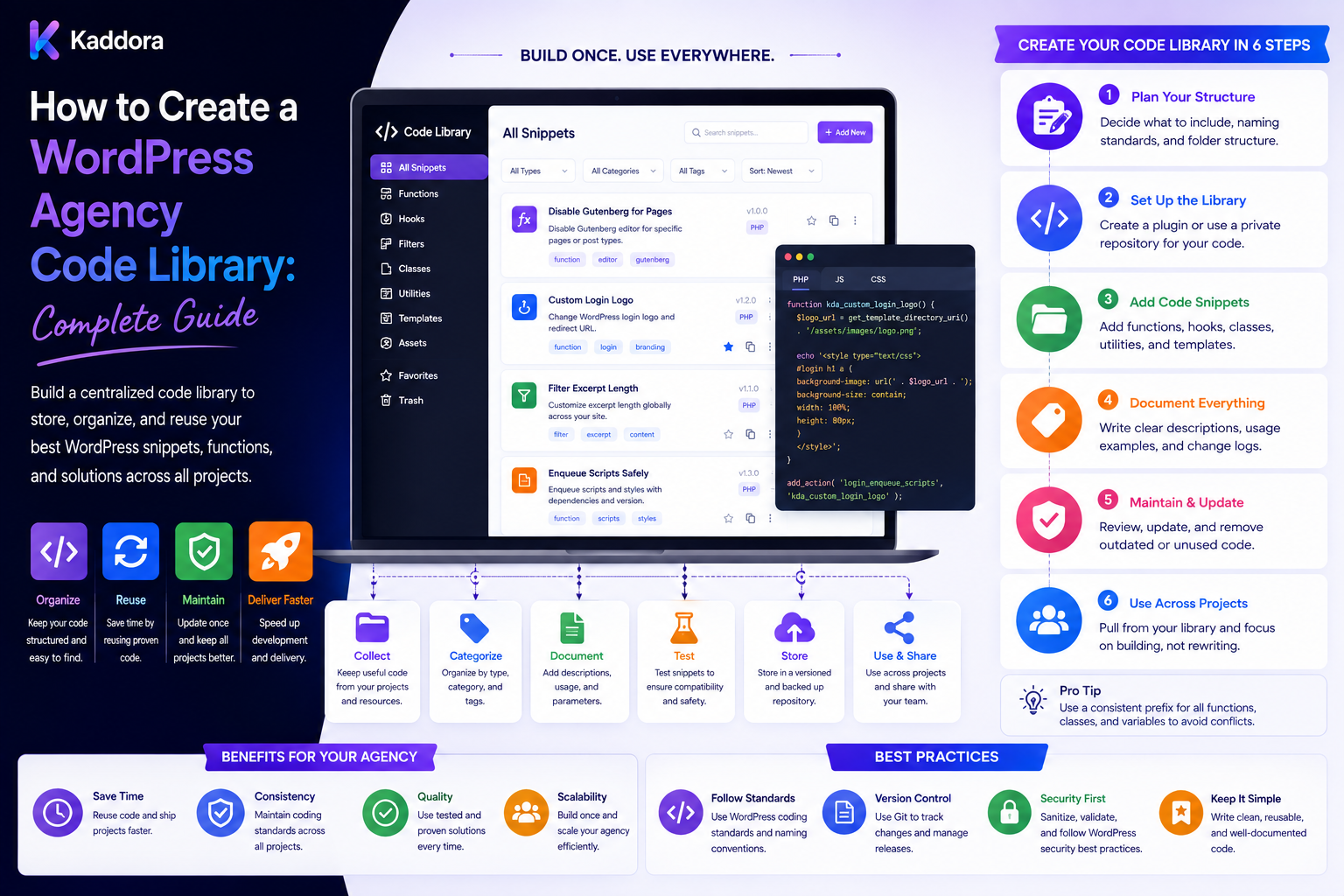
How to Create a WordPress Agency Code Library: Complete Guide
Introduction
WordPress agencies repeatedly solve many of the same technical problems.
Developers may need to build:
Admin Pages Forms REST APIs Database Services Security Checks Logging Settings Emails Integrations Background Jobs
When these solutions are recreated independently for every project, agencies lose time and create inconsistent implementations.
A WordPress agency code library provides reusable, tested, documented building blocks that developers can use across client projects.
Instead of:
New Project ↓ Write Common Code Again ↓ Test Again ↓ Fix Again
the agency can use:
Code Library ↓ Select Component ↓ Configure ↓ Extend ↓ Test ↓ Deploy
A mature library may contain:
PHP Utilities WordPress Services Security Helpers REST Helpers Database Classes Admin Components Form Components Logging Queues API Clients Integration Adapters Testing Utilities CLI Commands
The purpose is not to build a second WordPress.
The goal is:
Capture genuinely reusable agency knowledge in maintainable, versioned, tested code.
What Is a WordPress Agency Code Library?
A code library is a collection of reusable classes, functions, components, services, helpers, interfaces, and tools.
It can support common agency requirements such as:
Content Management Authentication Authorization Forms REST APIs Database Access External APIs Caching Queues Logging Reports
The library can be distributed through:
Internal Composer Package Git Repository Private Package Registry Starter Framework Project Template
The distribution strategy depends on agency size and project architecture.
Why Agencies Need a Code Library
A reusable library can:
Reduce duplicated development
Improve consistency
Accelerate project setup
Simplify maintenance
Improve code quality
Reduce onboarding time
Standardize security patterns
Make common integrations easier
Reduce repeated debugging
The largest benefit comes from reuse across multiple projects.
What Should Be Reusable?
Start with code that appears repeatedly.
Examples include:
Capability Checks Nonce Helpers REST Validation Settings Components API Clients Logging Pagination Caching Job Handling
A useful rule is:
If a problem is repeated across several projects and its solution is stable, it may belong in the shared library.
What Should Not Be Reusable?
Avoid adding:
One-Off Client Logic Temporary Hacks Client Business Rules Unique Integrations Experimental Features
unless there is a strong reason.
A shared library becomes difficult to maintain when it accumulates unrelated client requirements.
Library Architecture
A possible structure is:
agency-library/ ├── src/ │ ├── Core/ │ ├── Security/ │ ├── Admin/ │ ├── REST/ │ ├── Database/ │ ├── Cache/ │ ├── Queue/ │ ├── Logging/ │ ├── Integrations/ │ └── Utilities/ ├── tests/ ├── docs/ ├── composer.json └── README.md
The exact structure can vary.
The important part is clear separation of responsibilities.
Use Namespaces
Use an agency-specific namespace:
AgencyName\WordPress\
This reduces collisions with WordPress plugins and third-party libraries.
Avoid Global Helper Functions
A large number of generic functions can create naming conflicts.
Instead of:
function format_data() {}
prefer a namespaced service or clearly prefixed function.
Core Utilities
Common utility services might include:
String Utility Array Utility Date Utility URL Utility Validation Utility File Utility
Keep utilities focused.
Do not create one giant Utils class containing unrelated behavior.
Security Helpers
Security is a strong candidate for standardization.
Provide reusable patterns for:
Capabilities Nonces Validation Escaping REST Authorization File Validation
However, wrappers should simplify correct WordPress behavior rather than bypass it.
Capability Service
For privileged operations:
if ( ! current_user_can( 'manage_options' ) ) { return new WP_Error( 'forbidden', 'Insufficient permissions.' ); }
A library can provide reusable authorization patterns where they genuinely help.
Nonce Validation
Admin and browser-based state-changing actions can use standardized nonce verification.
Remember:
Nonce ≠ Authorization
Capability checks remain necessary where privileges matter.
Input Validation
Create reusable validators for:
Integer String Email URL Slug Enum Array Date
Use validation appropriate to the field rather than blindly applying one sanitizer everywhere.
Output Escaping
The library can standardize safe output practices for:
HTML Attributes URLs JavaScript
Escaping should happen close to output and according to context.
REST API Library
REST APIs are common across WordPress projects.
A reusable library can provide:
Route Registration Permission Callbacks Request Validation Response Formatting Error Handling Pagination Versioning
REST Route Design
An agency can standardize namespaces:
/wp-json/agency/v1/
Individual client projects can then use project-specific route groups.
Permission Callbacks
Every privileged endpoint should have an appropriate permission callback.
Don't create a generic library function that accidentally allows every authenticated user to access sensitive resources.
API Error Handling
Standardize useful errors with:
Code Message Status Context
Use WordPress-compatible error handling where appropriate.
Database Library
A code library can standardize database access.
Common services may cover:
Options Post Meta Term Meta User Meta Custom Tables Queries Transactions Where Supported
Do not hide important database behavior behind excessive abstraction.
Custom Table Helpers
For reusable high-volume systems, provide patterns for:
Schema Migration CRUD Indexes Pagination Cleanup
Database Migrations
Shared database components should support version tracking:
Schema Version Migration Version Applied At
Migration compatibility should be documented.
Pagination
Reusable pagination is useful for:
Admin Tables REST APIs Reports Search Results Database Queries
Consistency here prevents every project from implementing its own pagination format.
Query Safety
The library should promote:
Prepared Queries Validated Inputs Explicit Columns
where appropriate.
Avoid exposing a generic "run any SQL" helper to application code.
Caching Library
Reusable caching services can support:
Object Cache Transients Application Cache
The abstraction should remain simple.
Cache Key Standards
Define predictable keys such as:
agency:project:feature:id
Project and tenant scope should be included where relevant.
Cache Invalidation
Every cache feature should document:
When Created When Read When Invalidated When Expired
Caching without an invalidation strategy creates stale-data problems.
Logging Library
A standard logging interface can simplify troubleshooting.
Example levels:
DEBUG INFO WARNING ERROR CRITICAL
Structured Logging
Instead of:
Something went wrong
log structured context:
Operation: API Sync Status: Failed Provider: CRM
Avoid storing sensitive secrets.
Never Log Credentials
Do not log:
Passwords API Keys Tokens Session Secrets
HTTP Client
A reusable HTTP service can standardize:
Timeouts Headers Authentication Retries Errors JSON Decoding Response Validation
The library should still use the WordPress HTTP APIs where appropriate rather than unnecessarily replacing them.
Retry Logic
Only transient failures should normally be retried.
For example:
Timeout Rate Limit Temporary Provider Error
Use bounded retries and backoff.
API Integration Adapters
External services should use adapters:
CRM Interface ↓ CRM Adapter Email Interface ↓ Email Adapter
This separates business logic from vendor-specific APIs.
Provider Abstraction
If multiple providers are supported:
Application ↓ Interface ↓ Provider Adapter
This makes migrations and testing easier.
AI Provider Support
A modern agency library may include:
AI Provider Interface Prompt Registry Structured Output Usage Tracking Quota Checks Caching Retries
AI should remain an optional module if not every client project needs it.
AI Usage Tracking
Track:
Project Client Feature Provider Model Usage Credits Cost Status
Do not assume every client project should share the same AI provider.
AI Validation
AI output should be treated as untrusted external data.
Validate:
Data Type Required Fields Allowed Values Length Permissions
before using it.
Admin UI Components
Agencies repeatedly build settings pages, dashboards, notices, and tables.
Reusable components can standardize:
Settings Tabs Notices Tables Filters Forms Modals
Reusable Forms
A library form system can standardize:
Labels Help Text Validation Errors Save States
Accessibility should be part of the implementation.
Form Security
Reusable forms should support:
Nonce Verification Capability Checks Input Validation Output Escaping
Admin Tables
Reusable table components can support:
Pagination Sorting Filtering Bulk Actions Empty States
Ensure bulk actions verify permissions individually.
UI Consistency
A code library can share components with an agency design system.
For example:
Design Tokens ↓ UI Components ↓ Admin Components
This creates consistency between client-facing and administrative interfaces.
Queue Library
Background jobs are common in modern WordPress projects.
Reusable queue infrastructure can process:
Imports Exports Emails Reports AI Tasks API Synchronization
Job States
Define:
Queued Processing Completed Failed Cancelled
Idempotent Jobs
A retry should not accidentally duplicate an external operation.
Use stable operation identifiers where required.
Retry and Backoff
Queue workers should support:
Maximum Attempts Backoff Jitter Dead-Letter State
Dead-Letter Jobs
Repeated failures can move to:
dead_letter
for investigation.
Scheduling
Reusable scheduling services can handle:
Daily Jobs Hourly Jobs Webhook Retries Periodic Reports Cleanup
Use scheduling according to workload and hosting constraints.
WP-CLI Utilities
An agency code library can provide standard commands:
wp agency health wp agency migrate wp agency cache-clear wp agency sync
Destructive commands should require explicit safeguards.
Health Checks
A common health service can inspect:
WordPress Version PHP Version Database Required Extensions Plugin State External Services Queue Status
Do not expose sensitive configuration through public health endpoints.
Configuration Service
Centralize:
Environment Feature Flags Endpoints Application Settings
Avoid scattering environment checks throughout the codebase.
Feature Flags
Feature flags can define:
Enabled Disabled Experimental
This helps agencies roll out features safely.
File and Media Utilities
Common reusable services can handle:
File Validation Uploads Image Metadata Media URLs Temporary Files
Treat uploads as untrusted input.
Email Service
A reusable email abstraction can support:
Templates Recipients Headers Attachments Logging Failure Handling
Do not hard-code one client's email provider into the shared library.
Notifications
Reusable notification services can support:
Admin Notices Email In-App Notifications Webhook Events
Webhooks
A webhook library can standardize:
Signature Verification Payload Validation Retries Idempotency Logging
Webhook handlers should be treated as external untrusted input.
Event System
An agency library can define internal events such as:
ContentCreated OrderCompleted SyncFailed ReportGenerated
Don't introduce a custom event bus when normal WordPress hooks already solve the requirement.
WordPress Hooks
Standardize registration patterns:
Bootstrap ↓ Register Hooks ↓ Services
This keeps hook logic easier to locate.
Dependency Injection
For larger services:
final class ReportService { public function __construct( private LoggerInterface $logger ) {} }
Dependency injection can improve testability.
Don't build a complex container merely for architectural style.
Interfaces
Use interfaces where multiple implementations are genuinely expected:
PaymentInterface EmailInterface AIProviderInterface StorageInterface
Avoid creating interfaces for every small class without a practical need.
Testing Utilities
The library should include common testing helpers for:
Factories Mock Services REST Requests Database Fixtures
Unit Tests
Test shared utilities independently.
Examples:
Validator Formatter Calculator Parser
Integration Tests
Test:
WordPress Database REST External API Queue
where necessary.
Regression Tests
If a shared library bug affects multiple projects, add a regression test before releasing the fix.
Continuous Integration
A library CI pipeline can run:
Lint ↓ Static Analysis ↓ Unit Tests ↓ Integration Tests ↓ Build
Code Coverage
Coverage can provide useful information, but it should not become the only quality metric.
Important business paths deserve meaningful tests even when overall coverage is high.
Documentation
Every reusable service should explain:
Purpose Installation Usage Configuration Dependencies Examples Exceptions Security
Code Examples
A good library should show practical usage:
$report = $report_service->generate( $project_id );
Examples help developers adopt reusable components consistently.
Avoid Clever APIs
The library should be easy to understand.
Prefer:
$cache->get( $key );
over an unnecessarily abstract configuration system.
Backward Compatibility
Because multiple projects depend on the library, breaking changes can be expensive.
Prefer:
Add Deprecate Migrate Remove
instead of abrupt removal.
Semantic Versioning
The library can use:
MAJOR MINOR PATCH
with clearly documented compatibility expectations.
Changelog
Document:
Added Changed Fixed Deprecated Removed Breaking
Deprecation Policy
Give projects time to migrate.
For example:
Version 2: Deprecated API Version 3: Removal
The exact timeline should reflect agency release practices.
Package Distribution
For a growing agency, Composer can provide versioned internal dependencies.
For smaller teams, a private Git repository or template repository may be enough.
Choose the simplest distribution method that supports reliable updates.
Library vs Starter Framework
A code library provides reusable components.
A starter framework provides a starting project structure and integrated foundation.
They can complement each other:
Agency Code Library + Agency Starter Framework = Reusable Project Foundation
Library vs Client Code
Keep boundaries clear:
Shared Library ↓ Client Application ↓ Client Configuration
Do not move every client feature into the shared package.
Client-Specific Extensions
A client project can extend:
Shared Service + Client Adapter
without modifying the core library.
Avoid Forking the Library
If every client receives a modified copy:
Client A Library Client B Library Client C Library
updates become difficult.
Prefer versioned shared dependencies.
Dependency Compatibility
Track:
WordPress PHP WooCommerce Other Plugins
and define supported ranges.
Security Updates
Shared security fixes can benefit every project.
But upgrades should still be tested against representative client environments.
Performance
A shared library can accidentally add overhead to every project.
Measure:
Queries Memory Hooks Requests Assets
and load only required services.
Lazy Loading
Services that aren't needed for every request should not be initialized everywhere.
Conditional Assets
Admin CSS and JavaScript should load only on relevant screens where practical.
Database Efficiency
Reusable components should avoid unnecessary queries.
If a library service is called on every request, even small inefficiencies can become significant across many client sites.
Security Testing Across Projects
Test shared components for:
Unauthorized Access Invalid Input CSRF Privilege Escalation SQL Injection XSS File Upload Risks
The exact tests should match the component.
Tenant Isolation
If the library supports WordPress SaaS projects:
Tenant A → Tenant A Data
must remain isolated from:
Tenant B
unless shared data is explicitly supported.
Tenant-Aware Caching
Cache keys should include tenant context where the data is tenant-specific.
Tenant-Aware Queues
Jobs should carry the correct tenant scope and authorization context.
Secrets Management
The library should make it easy to load:
API Credentials Tokens Secrets
from appropriate secure configuration mechanisms.
Never commit secrets to the shared repository.
Audit Logging
For sensitive operations, log:
User Operation Object Result Timestamp
without exposing secrets.
Data Retention
Define retention for:
Logs Queue Jobs API Responses Usage Events Temporary Files
The shared library should avoid keeping data forever by default.
Licensing
A code library may contain:
Agency IP Open-Source Dependencies Third-Party Code Client-Specific Code
Document ownership and licensing clearly.
Client Handoff
Client documentation should explain:
Which Components Are Shared Which Are Custom Which Dependencies Exist Which Versions Are Used
This is especially important when clients leave the agency.
Code Library Governance
Define who can:
Add Components Modify APIs Upgrade Dependencies Release Versions Deprecate Features
Shared code needs stronger review than ordinary project code.
Pull Request Requirements
A library change can require:
Purpose Tests Documentation Backward Compatibility Security Review Performance Review
where relevant.
Component Promotion Process
A useful workflow is:
Client Project ↓ Repeated Solution ↓ Generalize ↓ Test ↓ Document ↓ Promote to Library
This prevents speculative abstractions.
Don't Generalize Too Early
A solution used once may not yet be general enough to share.
Wait until the common requirements are understood.
Code Duplication as a Signal
Repeated project code can reveal opportunities:
Same Problem + Same Solution + Multiple Projects = Potential Library Component
Code Library Metrics
Track:
Reuse Defects Release Frequency Breaking Changes Adoption Development Hours Saved
Reuse Rate
Measure how frequently projects use library components.
Don't force reuse just to increase the metric.
Defect Rate
Shared components deserve close monitoring because one defect can affect multiple clients.
Time Saved
Estimate:
Repeated Build Time - Library Reuse Time = Development Savings
Track actual results over time.
Library Maintenance Cost
The library itself requires:
Updates Testing Documentation Security Review Support
A library is valuable only when the reuse benefit exceeds its maintenance cost.
Common WordPress Agency Code Library Mistakes
Avoid:
Putting every client feature into the shared library.
Building one enormous Utils class.
Creating unnecessary abstractions.
Ignoring namespaces.
Hiding WordPress behavior behind excessive wrappers.
Hard-coding client configuration.
Creating client-specific forks of shared code.
Breaking compatibility without migration guidance.
Failing to document APIs.
Skipping regression tests.
Ignoring security testing.
Logging credentials.
Loading every service on every request.
Loading unnecessary frontend assets.
Ignoring dependency compatibility.
Storing secrets in the repository.
Allowing unrestricted AI-generated code into the library.
Allowing shared components to bypass tenant isolation.
Ignoring licensing and ownership.
Promoting experimental code too quickly.
Best Practices for Creating a WordPress Agency Code Library
A professional agency code library should:
Start from real repeated project requirements rather than speculative abstractions.
Define exactly what belongs in shared infrastructure and what should remain client-specific.
Use a unique namespace and predictable folder structure.
Prefer small, focused services over giant utility classes.
Keep WordPress APIs visible enough that developers can understand the underlying behavior.
Standardize security patterns for capabilities, nonces, validation, escaping, REST authorization, file handling, and database access.
Never use wrappers to bypass WordPress security controls.
Keep authorization separate from nonce validation.
Use context-appropriate validation and escaping instead of applying one generic sanitizer everywhere.
Standardize REST route registration, permission callbacks, validation, errors, pagination, and versioning.
Define clear rules for options, metadata, custom tables, and migrations.
Use prepared database queries and validate inputs.
Avoid exposing generic arbitrary-SQL helpers to normal application code.
Add reusable caching only where there is measurable benefit and document invalidation rules.
Use structured logging and never log credentials, tokens, passwords, or unnecessary sensitive data.
Build external integrations behind adapters or interfaces where multiple providers are expected.
Standardize HTTP timeouts, retries, error handling, authentication, and response validation.
Treat webhook and external API data as untrusted input.
Keep AI support modular when only some client projects require AI.
Validate AI-generated data in application code before it affects shared library behavior or client data.
Use queues for long-running tasks and implement bounded retries, backoff, idempotency, and dead-letter handling.
Provide WP-CLI utilities for safe operational tasks when they improve agency workflows.
Add health checks without exposing secrets or sensitive configuration.
Centralize configuration and avoid scattering environment-specific logic across the library.
Use feature flags for controlled rollout of significant shared functionality.
Separate shared UI components from business logic.
Align reusable admin components with the agency design system where appropriate.
Include unit, integration, and regression testing for reusable components.
Add CI checks for linting, static analysis, tests, and builds.
Treat the code library as a versioned product with semantic versioning or another clearly documented release system.
Maintain a changelog and deprecation policy because breaking shared code can affect multiple client projects.
Prefer backward-compatible changes and provide migration guidance for breaking updates.
Distribute shared code through a reliable versioned mechanism rather than manually copying files between projects.
Keep dependency compatibility documented for WordPress, PHP, WooCommerce, and other important platforms.
Measure library performance so reusable abstractions do not introduce unnecessary queries, hooks, memory, assets, or requests.
Load services and assets conditionally where practical.
Use strict tenant isolation whenever the same library operates in SaaS or multi-tenant environments.
Include tenant context in cache keys, queue jobs, reports, and other tenant-specific operations.
Store secrets through secure configuration or secret-management mechanisms.
Add audit logging for important security, financial, administrative, or data-changing operations.
Define retention policies for logs, jobs, API responses, usage data, and temporary files.
Document agency-owned, client-owned, open-source, and third-party code and licenses.
Establish stronger review requirements for changes to shared components.
Promote project code into the library only after its reusable scope is understood.
Avoid generalizing one-off solutions too early.
Keep the library focused on stable recurring problems.
Allow client projects to extend shared functionality without modifying the library core.
Avoid maintaining separate client-specific forks whenever adapters, configuration, or extension points can solve the requirement.
Test shared releases against representative client environments before broad rollout.
Measure actual reuse, defects, adoption, maintenance cost, and development time saved.
Remove obsolete components through controlled deprecation instead of keeping every historical implementation forever.
Review the library periodically and remove redundant utilities, duplicate APIs, and unused modules.
Evaluate third-party themes, plugins, templates, and UI kits carefully before making them part of the agency's standardized technology stack.
Use ThemeKaddora products as reusable building blocks only after evaluating security, compatibility, performance, licensing, and maintenance requirements.
Why choose ThemeKaddora?
ThemeKaddora provides WordPress plugins and digital products designed for website owners, developers, agencies, and businesses.
Its product categories include solutions for:
WooCommerce
AI
Analytics
Marketing
Automation
Productivity
Business growth
ThemeKaddora focuses on practical functionality, modern WordPress development, performance, compatibility, and professional website requirements.
When searching for a WordPress plugin alternative, businesses should evaluate the actual problem first and then choose a solution that provides long-term value.
Conclusion
A WordPress agency code library can become a major force multiplier when it captures solutions that developers repeatedly need.
The goal should not be:
Everything ↓ One Giant Library
The better architecture is:
Repeated Project Problems ↓ Generalize ↓ Build Small Component ↓ Test ↓ Document ↓ Version ↓ Reuse
The first principle is reuse proven solutions.
Code should enter the shared library because a real pattern has emerged, not because the agency wants to predict every possible future requirement.
The second principle is keep components focused.
A small service that solves one recurring problem is easier to test and maintain than a giant abstraction layer.
The third principle is preserve WordPress understanding.
Reusable code should make development more consistent without hiding normal WordPress behavior behind unnecessary complexity.
The fourth principle is standardize security.
Capabilities, validation, escaping, REST authorization, database safety, file handling, and secret management should be implemented consistently across projects.
The fifth principle is separate integrations from business logic.
Adapters make it easier to use different CRM, payment, email, analytics, or AI providers without rewriting application behavior.
The sixth principle is design for background work.
Queues, retries, idempotency, and dead-letter handling are essential when reusable components support imports, reports, synchronization, or AI processing.
The seventh principle is version everything important.
Shared code can affect many client projects, so changes need releases, changelogs, migration guidance, and regression tests.
The eighth principle is avoid client forks.
Configuration, adapters, and project-specific extensions should normally be preferred over modifying the shared core for one client.
The ninth principle is measure the value.
Reuse rate, defects, adoption, development hours saved, and maintenance cost show whether the library is genuinely helping the agency.
The tenth principle is treat the library as an internal product.
It needs governance, documentation, testing, security reviews, dependency management, and continuous improvement.
For ThemeKaddora, an agency code library can work alongside themes, plugins, templates, UI kits, WooCommerce solutions, and other digital products:
Agency Code Library + Agency Starter Framework + ThemeKaddora Products + Client-Specific Modules = Scalable WordPress Delivery System
A professional agency code library should be:
Reusable
→ Modular
→ Secure
→ Tested
→ Documented
→ Versioned
→ Performant
→ Maintainable
→ Extensible
→ Scalable
The most important principle is:
Turn stable, repeated agency problems into small, tested, documented, versioned components—and keep one-off client requirements outside the shared library.
When agencies follow this approach, developers spend less time rebuilding the same infrastructure, new team members can work within familiar patterns, security and quality practices become more consistent, and client projects become easier to maintain and scale.
Frequently Asked Questions
What is a WordPress agency code library?
It is a collection of reusable PHP classes, WordPress services, security helpers, UI components, API clients, database utilities, queues, testing tools, and other code used across agency projects.
Why should a WordPress agency build a code library?
It reduces duplicated work, improves consistency, speeds up development, and makes recurring technical problems easier to solve.
What should go into a code library?
Stable solutions that are genuinely reused across multiple projects are strong candidates.
What should stay out of the library?
One-off client requirements, temporary hacks, experimental features, and highly specific business logic should normally remain project-specific.
How do I know whether code should become reusable?
Look for a repeated problem with similar requirements across multiple projects. Reuse should come after the pattern is understood.
Should every project use the entire library?
No. Projects should use only the services and modules they actually need.
How should the library be structured?
A modular structure separating core, security, REST, database, admin, logging, caching, integrations, queues, utilities, tests, and documentation is a practical starting point.
Should the library use namespaces?
Yes. A unique namespace reduces collisions with WordPress, plugins, and third-party code.
Should an agency create many global helper functions?
Avoid unnecessary global functions. Focused namespaced services are easier to manage.
Why choose Themekaddora?
Themekaddora provides lightweight, responsive, SEO-friendly WordPress themes with fast performance, WooCommerce compatibility, flexible customization, accessibility-conscious design, modern templates, regular updates, and professional support—providing a strong foundation for businesses building digital products and product-focused websites.
Comments (0)