
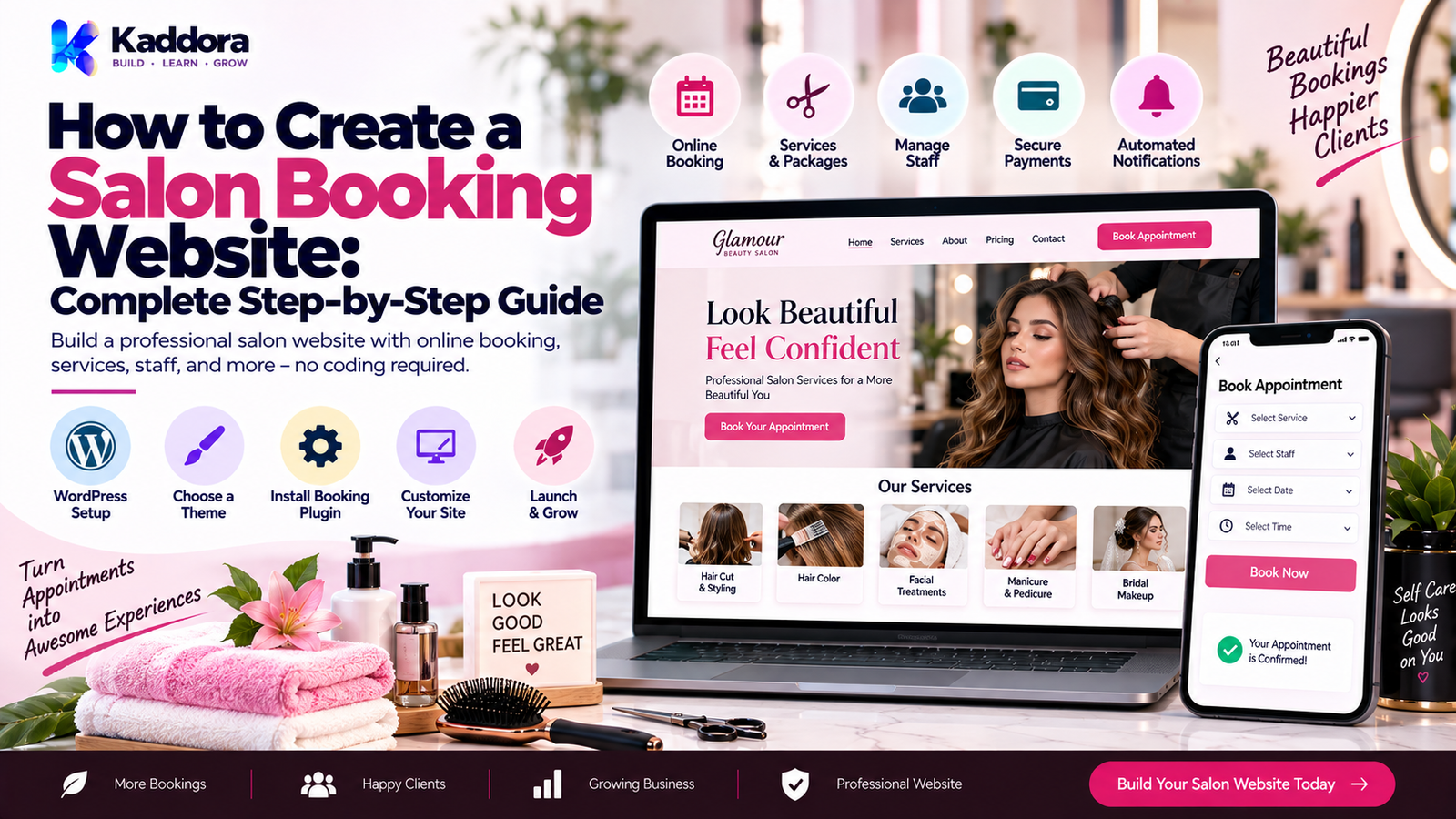
How to Create a Salon Booking Website: Complete Step-by-Step Guide
Introduction
A modern salon needs more than a beautiful physical location.
Customers increasingly expect to discover services, check availability, select a stylist, choose a convenient time, and book appointments online.
A salon booking website makes this process easier for both customers and salon staff.
Instead of relying entirely on phone calls, social media messages, or manual appointment books, a salon can provide a centralized booking experience where customers can:
View services
Check prices
Select staff
Choose dates
Select available time slots
Book appointments
Receive confirmations
Reschedule appointments
Cancel when allowed
Receive reminders
Make online payments
The salon team can use the same system to manage:
Staff
Working hours
Holidays
Locations
Appointments
Customers
Payments
Notifications
Reports
A typical workflow looks like:
Visitor ↓ Salon Website ↓ Choose Service ↓ Choose Staff ↓ Choose Date ↓ Check Availability ↓ Select Time ↓ Customer Details ↓ Payment / Confirmation ↓ Appointment Created ↓ Reminder ↓ Visit
In this guide, you'll learn how to create a salon booking website, what features it should include, how to design the booking flow, how to handle staff schedules and availability, how to integrate payments and notifications, and how to build a website that is easy for both customers and salon administrators to use.
What Is a Salon Booking Website?
A salon booking website is a website that allows customers to browse salon services and schedule appointments online.
It can be built as:
A simple business website
A WordPress website
A custom web application
A SaaS salon booking platform
A salon management system
A basic website might only contain a contact form.
A complete salon booking website can provide real-time scheduling and appointment management.
For example:
Salon Website │ ├── Home ├── About ├── Services ├── Team ├── Pricing ├── Gallery ├── Booking ├── Blog └── Contact
The booking system adds the operational layer:
Services ↓ Staff ↓ Availability ↓ Appointments ↓ Customers ↓ Payments ↓ Notifications
Why Should a Salon Have an Online Booking Website?
An online booking website can improve the customer experience while reducing manual appointment management.
24/7 Booking
Customers can make appointments outside normal business hours.
Fewer Phone Calls
Common scheduling tasks can be handled online.
Better Organization
Appointments, customers, and staff schedules can be managed centrally.
Reduced Scheduling Conflicts
Availability rules can help prevent overlapping appointments.
Better Customer Experience
Customers can select a service and time without waiting for a response.
Easier Marketing
The website can connect services, promotions, content, and booking directly.
Better Business Visibility
A professional website gives customers a central place to discover the salon and its services.
What Features Should a Salon Booking Website Have?
A professional salon booking website usually contains two major parts.
Customer-Facing Features
Service browsing
Staff selection
Online booking
Appointment availability
Customer accounts
Payments
Booking confirmation
Reminders
Rescheduling
Cancellation
Reviews
Admin Features
Service management
Staff management
Schedule management
Appointment management
Customer management
Payment management
Reports
Notifications
Discounts
Business settings
A well-designed system connects these components into one workflow.
Step 1: Define Your Salon Booking Requirements
Before building anything, identify what the salon actually needs.
Ask:
How many services are offered?
How many staff members work at the salon?
Are staff assigned to specific services?
Are there multiple branches?
Can customers choose specific stylists?
Are appointments paid in advance?
Is a deposit required?
Are walk-ins supported?
Do staff have different working hours?
Are rooms or equipment shared?
Are customers allowed to reschedule?
How should cancellations work?
A small salon may need a simple calendar.
A multi-location beauty business may need a much more advanced scheduling system.
Step 2: Create the Website Structure
A basic salon website can include:
Home │ ├── Services │ ├── Team │ ├── Pricing │ ├── Gallery │ ├── About │ ├── Booking │ ├── Testimonials │ ├── Blog │ └── Contact
The Book Appointment option should be easy to find throughout the website.
For example:
HOME → SERVICES → BOOK NOW
The booking call to action should not be hidden inside a complicated menu.
Step 3: Create the Salon Service Catalog
Every booking starts with a service.
Examples include:
Haircut
Hair Coloring
Hair Styling
Facial
Manicure
Pedicure
Makeup
Massage
Bridal Services
Spa Treatments
Each service should have information such as:
Service name
Description
Price
Duration
Staff availability
Category
Image
Booking status
For example:
Haircut Duration: 45 minutes Price: ₹800 Staff: 4 stylists Available: Mon–Sat [ Book Now ]
Step 4: Add Staff Management
Many salon appointments depend on specific employees.
The booking system should therefore allow staff profiles.
A staff profile might contain:
Name
Photo
Job title
Skills
Services
Working hours
Breaks
Days off
Leave dates
For example:
Staff │ ├── Aisha │ ├── Haircut │ ├── Styling │ └── Coloring │ ├── Neha │ ├── Facial │ └── Makeup │ └── Riya ├── Manicure └── Pedicure
This allows customers to choose an appropriate staff member where the salon supports that option.
Step 5: Build Staff Availability
Staff schedules are one of the most important parts of a booking system.
A staff member may have:
Working days
Start time
End time
Breaks
Holidays
Leave
Special hours
For example:
Aisha Monday 10:00–19:00 Tuesday 10:00–19:00 Wednesday Off Thursday 11:00–20:00 Friday 10:00–19:00 Saturday 10:00–18:00 Sunday Off
The system should calculate bookable slots from these rules rather than relying only on a manually entered list.
Step 6: Add Service Duration
A salon booking system needs to understand how long each service takes.
For example:
Haircut → 45 minutes Facial → 60 minutes Hair Coloring → 120 minutes Manicure → 45 minutes
This duration is necessary for availability calculations.
Suppose:
Staff Available: 10:00–18:00 Service Duration: 60 minutes
Possible slots could include:
10:00 11:00 12:00 13:00 14:00 15:00 16:00 17:00
The exact slot structure depends on appointment rules, breaks, buffers, and existing bookings.
Step 7: Add Buffer Time
Some services require preparation or cleanup time.
For example:
Service Duration: 60 minutes Buffer: 15 minutes
The system may reserve:
60 minutes service + 15 minutes buffer = 75 minutes total capacity
This can help prevent back-to-back appointments from becoming operationally difficult.
Step 8: Build the Booking Flow
The booking flow should be simple.
A common structure is:
Choose Service ↓ Choose Staff ↓ Choose Date ↓ Available Slots ↓ Customer Details ↓ Payment ↓ Confirmation
Avoid asking for unnecessary information before showing availability.
The customer should reach the available time slots quickly.
Step 9: Create the Availability Engine
The availability engine is the core of the booking system.
It must consider:
Service Duration + Staff Schedule + Breaks + Leave + Existing Appointments + Business Hours + Resources ↓ Available Slots
For example:
Staff Working Hours 10:00 ───────────────── 18:00 Existing Booking 13:00 ───── 14:00 Available 10:00 11:00 12:00 14:00 15:00 16:00 17:00
The exact calculation should account for appointment length, overlap rules, and any buffer requirements.
Step 10: Prevent Double Bookings
Double booking is one of the most serious scheduling problems.
For example:
Customer A 14:00–15:00 Customer B 14:00–15:00
The system should prevent both appointments from being confirmed for the same staff member when they cannot overlap.
The server—not only the browser interface—must enforce availability before creating the appointment.
A reliable booking flow is:
Select Slot ↓ Validate Availability on Server ↓ Reserve / Create Appointment ↓ Confirm
Never trust the browser's availability result as the final authority.
Step 11: Add Customer Registration
Customers may be allowed to book:
As Guests
They enter:
Name
Phone
With an Account
They can manage:
Upcoming appointments
Previous appointments
Profile
Saved information
Rescheduling
Cancellations
For recurring customers, accounts can make future bookings faster.
Step 12: Add Online Payments
A salon may support:
Full payment
Deposit
Partial payment
Pay at salon
Payment methods can include:
Credit/debit cards
UPI
Digital wallets
Payment gateways
The payment workflow should be:
Booking Details ↓ Payment Request ↓ Gateway Response ↓ Verified Payment ↓ Appointment Confirmation
The server should verify payment results before marking a paid appointment as confirmed.
Step 13: Add Booking Confirmation
After a successful booking, display a confirmation page.
For example:
Appointment Confirmed Service: Haircut Staff: Aisha Date: 25 September Time: 4:00 PM Duration: 45 minutes Booking ID: #SALON-2048 [ Reschedule ] [ Cancel ]
The customer should also receive a confirmation through an appropriate communication channel such as email or SMS, depending on the system.
Step 14: Add Email and SMS Notifications
Useful notifications include:
Booking Confirmation
Sent immediately after successful booking.
Appointment Reminder
Sent before the appointment.
Reschedule Notification
Sent when the appointment time changes.
Cancellation Notification
Sent when the booking is cancelled.
Staff Notification
Sent to the assigned employee or salon team.
A simple flow is:
Appointment Created ↓ Notification Queue ↓ Email / SMS ↓ Customer
For larger systems, queued delivery can prevent notifications from slowing the booking request.
Step 15: Add Rescheduling and Cancellation
Customers may need to change their appointments.
A useful customer portal can provide:
Upcoming Appointment ↓ [ Reschedule ] [ Cancel ]
The system should apply rules such as:
Cancellation deadline
Rescheduling deadline
Deposit rules
Refund policy
Maximum reschedules
The exact rules depend on the salon's business policies.
Step 16: Add Multiple Locations
A salon business with multiple branches needs location-aware scheduling.
For example:
Salon │ ├── Downtown │ ├── Staff │ └── Services │ ├── City Center │ ├── Staff │ └── Services │ └── Mall Branch ├── Staff └── Services
Availability should be calculated against the selected location.
Step 17: Support Rooms and Resources
Some salon services require more than a staff member.
For example:
Massage rooms
Makeup stations
Treatment beds
Specialized equipment
Private rooms
A booking system can therefore consider:
Staff + Room + Equipment = Valid Booking
This is especially important for larger salons and spas.
Step 18: Add Promotions and Coupons
A salon website can support promotional codes.
For example:
Subtotal ₹1,500 Coupon -₹200 -------------------- Total ₹1,300
The system should validate:
Coupon code
Expiration
Usage limits
Service restrictions
Customer restrictions
Coupon calculations should happen server-side.
Step 19: Add Customer Reviews
Reviews can help customers understand the salon experience.
A review system can contain:
Rating
Review text
Customer name
Service
Date
For example:
★★★★★ "Great haircut and friendly staff." — Customer
A business may choose to moderate reviews before displaying them.
Step 20: Build a Salon Admin Dashboard
The admin dashboard is where staff manage operations.
It can include:
Dashboard │ ├── Today's Appointments ├── Upcoming Appointments ├── Services ├── Staff ├── Customers ├── Locations ├── Payments ├── Coupons ├── Reviews └── Reports
A calendar view can be especially useful.
For example:
Monday 10:00 Aisha Haircut 11:00 Neha Facial 12:00 Aisha Styling 13:00 ----- Break 14:00 Riya Manicure
Step 21: Add Appointment Statuses
A clear status system helps staff understand appointment progress.
Common statuses include:
Pending
Confirmed
Checked In
Completed
Cancelled
No Show
Refunded
A typical lifecycle is:
Pending ↓ Confirmed ↓ Checked In ↓ Completed
Alternative paths can include:
Pending → Cancelled Confirmed → No Show Confirmed → Cancelled
Status transitions should be controlled by business rules.
Step 22: Add Calendar Synchronization
A salon may want appointments visible in external calendar systems.
Possible integrations include:
Google Calendar
iCalendar
Outlook Calendar
Calendar synchronization should be designed carefully so that external events do not unintentionally create or remove availability unless that behavior is explicitly supported.
Step 23: Add Search and Filters
An admin dashboard becomes much more useful with filters.
For example:
Date Location Staff Service Status Customer Payment Status
This helps staff quickly find appointments.
A large salon may also need:
Search by customer name
Search by booking ID
Search by phone
Search by service
Step 24: Add Customer History
A customer profile can display:
Customer │ ├── Contact Information ├── Upcoming Appointments ├── Previous Appointments ├── Purchased Services ├── Payments ├── Coupons └── Notes
This can help salon staff provide better continuity while keeping access to personal data appropriately controlled.
Step 25: Add Automated Reminders
Reminders can reduce missed appointments.
For example:
Appointment ↓ 24 Hours Before ↓ Reminder ↓ 2 Hours Before ↓ Optional Reminder
The exact reminder schedule should match the salon's communication preferences.
Step 26: Build a Mobile-Friendly Design
Many customers will access a salon booking website through mobile devices.
The booking interface should make it easy to:
Browse services
View prices
Select dates
Select times
Complete forms
Make payments
A useful mobile structure is:
Service ↓ Date ↓ Time ↓ Details ↓ Payment ↓ Confirm
Avoid forcing users to navigate many unrelated pages.
Step 27: Create a Professional Salon Website Design
A salon website should visually communicate:
Brand identity
Services
Quality
Trust
Convenience
Useful sections include:
Hero Section
Beautiful Hair. Better You. Book Your Appointment Today. [ BOOK NOW ]
Services
Display popular services with prices and durations.
Team
Show stylists and specialists.
Gallery
Display salon work and atmosphere.
Testimonials
Show customer experiences.
Booking CTA
Make appointment booking easy to find.
Step 28: Build the Website With WordPress
WordPress can be a practical foundation for a salon booking website.
A typical architecture can combine:
WordPress │ ├── Theme ├── Booking Plugin ├── Payment Integration ├── Email / SMS Integration ├── SEO └── Analytics
The booking plugin can manage:
Services
Staff
Availability
Appointments
Customers
Notifications
Settings
For a custom solution, the booking engine can also be developed specifically for the salon's workflow.
Step 29: Create a Custom Salon Booking Plugin
For businesses with more advanced requirements, a custom WordPress plugin can provide greater control.
A possible structure is:
salon-booking/ │ ├── salon-booking.php ├── src/ │ ├── Core/ │ ├── Services/ │ ├── Staff/ │ ├── Bookings/ │ ├── Customers/ │ ├── Payments/ │ ├── Notifications/ │ └── Reports/ │ ├── admin/ ├── templates/ ├── assets/ └── languages/
The exact structure should depend on the plugin's complexity.
Step 30: Design the Booking Database
A complete booking system may require entities such as:
Customers Services Staff Locations Schedules Appointments Payments Coupons Notifications Reviews
A relationship might look like:
Customer ↓ Appointment ↓ Service ↓ Staff ↓ Location ↓ Payment
The database structure should support efficient availability checks and appointment management.
Step 31: Protect Booking Data
A salon booking system may store personal information such as:
Names
Email addresses
Phone numbers
Appointment history
Payment references
Staff notes
Security should include:
Capability checks
Nonces
Input validation
Sanitization
Escaping
Prepared SQL queries
Restricted admin access
Secure payment handling
Do not expose customer data through unsecured REST or AJAX endpoints.
Step 32: Prevent Booking Abuse
Public booking systems can receive unwanted automated requests.
Consider:
Rate limiting
CAPTCHA where appropriate
Input validation
Duplicate submission protection
Email verification where appropriate
Payment verification
Don't rely only on front-end validation.
The server should validate every booking request.
Step 33: Add SEO-Friendly Salon Pages
A salon website can create search-friendly pages for:
Haircut services
Hair coloring
Facial services
Bridal makeup
Spa treatments
Specific locations
Each important page should have:
Clear title
Useful service information
Pricing where appropriate
Location information
FAQ content
Booking CTA
Local businesses can also benefit from clearly presenting their business information and service locations.
Step 34: Connect Marketing and Booking
The website can connect booking with marketing.
For example:
Visitor ↓ Reads Service Page ↓ Clicks Book Now ↓ Appointment ↓ Customer ↓ Follow-Up
Possible marketing workflows include:
Welcome emails
Appointment reminders
Post-visit follow-ups
Review requests
Rebooking reminders
Promotions
Marketing messages should be handled according to appropriate consent and communication requirements.
Step 35: Add Rebooking Workflows
A salon can make future appointments easier by reminding customers to rebook when appropriate.
For example:
Completed Appointment ↓ Wait Period ↓ Rebooking Reminder ↓ Book Again
The timing depends on the service.
For example, some customers may return frequently for haircuts, while others may book less frequently for specialized services.
Step 36: Add Reports and Analytics
The admin dashboard can provide reports such as:
Total appointments
Completed appointments
Cancellation count
No-show count
Revenue
Popular services
Staff utilization
Customer retention
Booking sources
A report might look like:
Monthly Overview Appointments 482 Completed 431 Cancelled 32 No Shows 19 Revenue ₹4.8L
Reports should reflect the actual data captured by the system and should not be interpreted beyond what the measurement supports.
Salon Booking Website User Flow
A complete customer journey can look like:
Homepage ↓ Services ↓ Select Service ↓ Select Location ↓ Select Staff ↓ Select Date ↓ Select Time ↓ Customer Details ↓ Coupon ↓ Payment ↓ Confirmation ↓ Reminder ↓ Appointment ↓ Follow-Up ↓ Review / Rebooking
This creates a complete customer lifecycle rather than simply a calendar form.
Common Salon Booking Website Mistakes
Complicated Booking Process
Too many unnecessary steps can frustrate customers.
No Real Availability Validation
The server must validate whether a slot is actually available.
Double Bookings
Staff schedules and overlapping appointments must be checked before confirmation.
Poor Mobile Experience
A booking system that works only on desktop can lose mobile customers.
No Reminder System
Customers may forget appointments.
No Rescheduling
Customers often need flexibility.
No Payment Verification
Never mark a paid appointment as confirmed based only on a browser response.
No Staff Scheduling
Services should not be bookable when the required staff member is unavailable.
No Location Support
Multi-branch salons need location-aware availability.
No Security
Customer and appointment data must be properly protected.
No Backup
Booking data should have an appropriate recovery process.
Salon Booking Website Best Practices
A strong salon booking website should:
Keep booking simple.
Show service duration and pricing clearly.
Make availability easy to understand.
Support staff schedules.
Prevent double bookings.
Work well on mobile devices.
Provide confirmations.
Send reminders.
Support cancellation and rescheduling.
Integrate secure payments.
Protect customer information.
Provide useful admin reports.
Maintain reliable backups.
Keep the booking workflow fast.
The website should make appointment scheduling easier, not create another administrative burden.
Salon Booking Website Development Checklist
Website
Home page
About page
Services
Pricing
Team
Gallery
Testimonials
Booking page
Contact page
Booking
Service selection
Staff selection
Location selection
Date selection
Time slots
Availability validation
Appointment confirmation
Booking ID
Scheduling
Staff working hours
Breaks
Holidays
Leave
Service duration
Buffer time
Double-booking prevention
Customers
Guest booking
Customer accounts
Profile
Booking history
Rescheduling
Cancellation
Payments
Payment gateway
Deposits
Full payment
Payment verification
Refund handling
Notifications
Booking confirmation
Reminder
Cancellation
Rescheduling
Staff notification
Admin
Dashboard
Calendar
Services
Staff
Customers
Locations
Payments
Coupons
Reports
Security
Capability checks
Nonces
Validation
Sanitization
Escaping
Prepared queries
Secure payment verification
Restricted customer data
Performance
Optimized database queries
Efficient availability checks
Cached read-heavy data where appropriate
Background notification processing
Mobile optimization
How to Create a Salon Booking Website Step by Step
Step 1 — Define Requirements
Determine services, staff, locations, pricing, schedules, and booking rules.
Step 2 — Choose the Platform
Choose WordPress, custom development, or another suitable platform.
Step 3 — Design the Website
Create the pages, branding, booking call-to-action, and mobile layouts.
Step 4 — Add Services
Create service names, descriptions, pricing, durations, and staff assignments.
Step 5 — Add Staff
Configure staff profiles, services, schedules, breaks, and leave.
Step 6 — Build Availability
Calculate available slots using schedules, bookings, duration, and buffers.
Step 7 — Build Booking
Create the customer booking flow.
Step 8 — Add Payments
Integrate the selected payment method and verify payment results server-side.
Step 9 — Add Notifications
Configure confirmations, reminders, and status notifications.
Step 10 — Add Customer Management
Support profiles, booking history, rescheduling, and cancellations.
Step 11 — Add Admin Tools
Build calendar, appointments, staff, customers, payments, and reports.
Step 12 — Test Everything
Test booking conflicts, payments, reminders, mobile layouts, permissions, and failure conditions.
Step 13 — Launch
Deploy the website and monitor real booking activity.
Step 14 — Improve
Use actual customer and salon feedback to improve the booking experience.
When Should You Build a Custom Salon Booking Website?
A custom solution may be useful when the salon needs:
Multiple locations
Complex staff schedules
Custom appointment rules
Resource management
Advanced payments
Custom automation
CRM integration
Loyalty programs
Advanced reporting
White-label functionality
SaaS support
A simpler salon may only need:
Website + Services + Booking + Payment + Notifications
Choose architecture based on actual requirements rather than adding complexity unnecessarily.
Why Choose WordPress for a Salon Booking Website?
WordPress can provide a flexible foundation because businesses can combine:
Website pages
Booking functionality
WooCommerce
Payment integrations
SEO tools
Analytics
Marketing
CRM integrations
A WordPress-based system can also be expanded over time.
For example:
Basic Salon Website ↓ Online Booking ↓ Payments ↓ Customer Accounts ↓ Automation ↓ Analytics ↓ Advanced Management
This allows the website to evolve as the business grows.
Why Choose ThemeKaddora?
At ThemeKaddora, we create WordPress plugins, themes, HTML templates, UI kits, WooCommerce solutions, SaaS products, AI tools, automation systems, analytics solutions, and business-focused digital products.
For a salon business, the digital workflow may include:
Website design
Appointment booking
Staff scheduling
WooCommerce
Online payments
Email marketing
Automation
Analytics
Customer management
A professional salon booking solution should focus on the complete customer journey rather than only providing a calendar.
From discovering a service to booking an appointment, receiving reminders, completing the visit, and returning for another appointment, every stage can be connected through a well-designed digital workflow.
ThemeKaddora focuses on practical WordPress solutions that help businesses build modern, responsive, customizable, and performance-conscious websites.
Final Thoughts
Creating a salon booking website is about more than adding a calendar to a business website.
A complete solution connects:
Salon Website
Services
Staff
Schedules
Availability
Appointments
Payments
Notifications
Customer Management
Reports
=
Complete Salon Booking System
Start with the core booking workflow.
Make it easy for customers to:
Choose a Service
↓
Choose a Staff Member
↓
Choose a Date
↓
Choose a Time
↓
Enter Details
↓
Pay or Confirm
↓
Receive Appointment Confirmation
Then add advanced features such as reminders, rescheduling, multi-location support, coupons, reviews, calendar synchronization, automation, and analytics.
The most important technical requirement is reliable availability management.
The server must validate every booking and prevent conflicting appointments.
The system should also account for staff schedules, service durations, breaks, leave, holidays, resources, and location availability.
For a WordPress implementation, keep the booking plugin modular and maintainable. Separate services, staff, appointments, payments, notifications, database logic, admin screens, and integrations rather than putting everything into one large class.
Security also matters.
Protect customer information with appropriate permissions, nonces, validation, sanitization, escaping, prepared queries, and secure payment verification.
The best salon booking website isn't necessarily the one with the most features.
It is the one that makes appointment scheduling simple for customers and manageable for salon staff.
When the website, booking engine, payment system, notifications, customer data, and reporting work together, the salon gets a complete digital booking workflow that can grow with the business.
Frequently Asked Questions
What is a salon booking website?
A salon booking website allows customers to view services, check availability, select appointment times, and schedule salon visits online.
How do I create a salon booking website?
Start by defining services, staff, schedules, booking rules, locations, and payment requirements. Then choose a platform such as WordPress or custom development, design the website, build the booking system, integrate payments and notifications, and test the complete workflow.
Can I create a salon booking website with WordPress?
Yes. WordPress can be used as the website foundation with a suitable booking plugin or a custom salon booking system.
What features should a salon booking website have?
Important features include service listings, staff selection, availability, appointment scheduling, customer management, payments, notifications, rescheduling, cancellations, and an admin calendar.
Can customers choose a specific stylist?
Yes. A booking system can allow customers to select a staff member when that stylist is qualified and available for the selected service.
Can a salon booking website manage staff schedules?
Yes. Staff schedules can include working hours, breaks, days off, holidays, leave, and service availability.
How does salon appointment availability work?
Availability can be calculated from business hours, staff schedules, service duration, existing appointments, breaks, leave, location, and shared resources.
How do I prevent double bookings?
The server should validate availability immediately before creating the appointment and use reliable database logic to prevent conflicting bookings.
Can I create a salon membership system?
Yes. A booking platform can be extended with membership plans, packages, credits, or prepaid services.
Can AI be added to a salon booking website?
Yes. AI can assist with tasks such as service recommendations, customer support, appointment questions, content generation, and marketing workflows, provided customer data is handled appropriately.
Can a salon booking website work with subscriptions?
Yes. Subscription or membership functionality can be added for recurring services or prepaid plans.
Why choose ThemeKaddora?
ThemeKaddora provides WordPress plugins, themes, templates, UI kits, WooCommerce solutions, SaaS products, AI tools, automation systems, analytics products, and business-focused digital solutions that can support modern salon websites and appointment workflows.
Comments (0)