
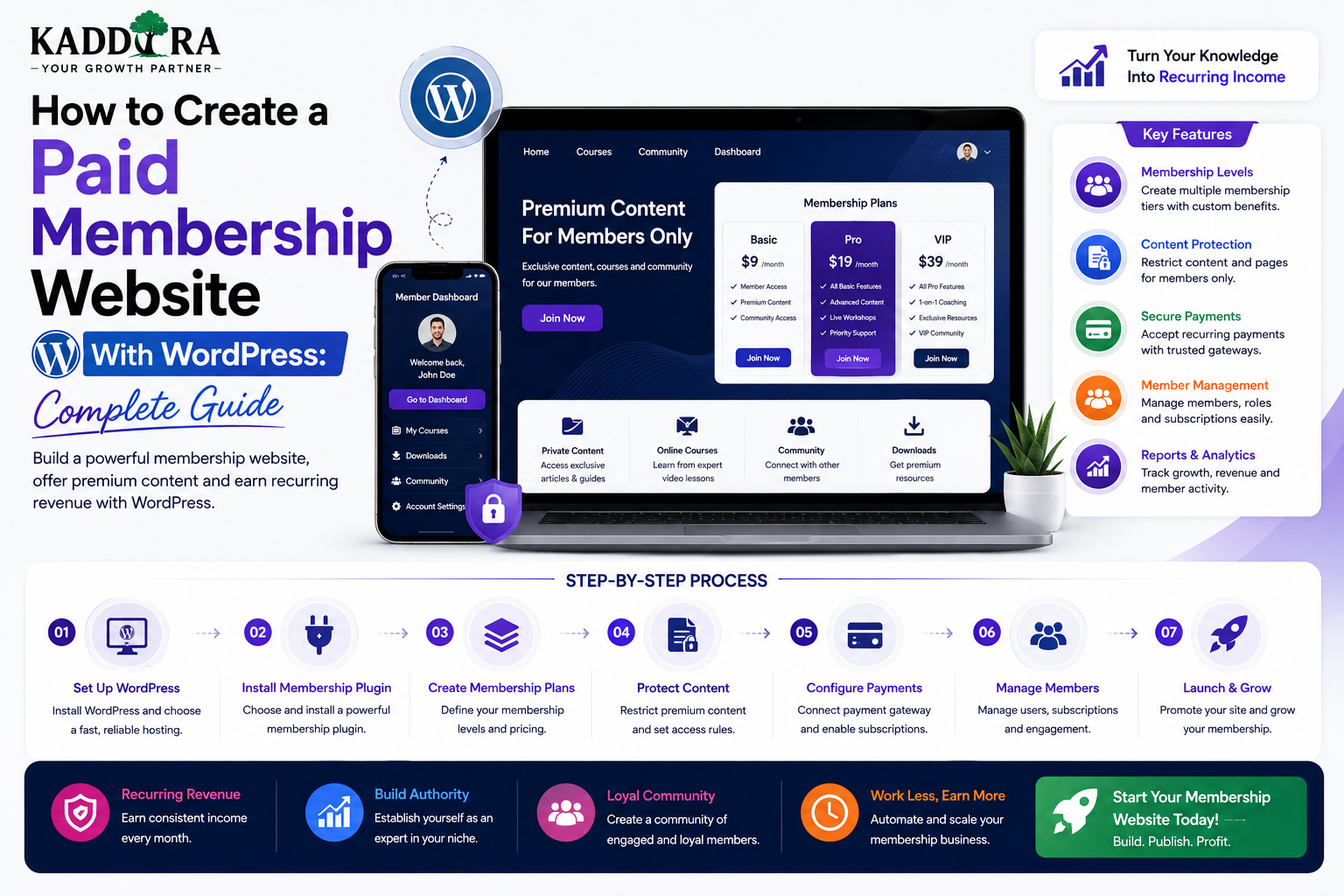
How to Create a Paid Membership Website With WordPress: Complete Guide
Introduction
A paid membership website allows visitors to become customers by paying for access to exclusive content, services, tools, communities, or other digital benefits.
Unlike a traditional website where everyone sees the same information, a membership website can provide different experiences based on a user's account and subscription.
A typical flow looks like:
Visitor ↓ Membership Page ↓ Choose Plan ↓ Create Account ↓ Payment ↓ Membership Activated ↓ Member Dashboard ↓ Premium Access
Paid membership models can work for:
Online education
Premium communities
Professional resources
Research websites
SaaS tools
Digital publications
Business resources
Fitness platforms
Coaching programs
Premium support services
WordPress can provide the foundation for this model through users, roles, capabilities, content management, plugins, APIs, and database functionality.
In this guide, you'll learn how to create a paid membership website with WordPress, choose the right business model, design membership plans, protect premium content, manage recurring payments, build member dashboards, handle cancellations and renewals, improve retention, secure private resources, and create a scalable membership architecture.
What Is a Paid Membership Website?
A paid membership website requires users to pay before they can access certain content, features, or services.
The core relationship is:
Payment ↓ Membership ↓ Permission ↓ Access
The paid resource could be:
Articles
Videos
Courses
Downloads
Software
Community
Reports
Consulting
Tools
Premium support
Why Build a Paid Membership Website?
A paid membership model can provide recurring revenue rather than relying only on one-time transactions.
It can also create:
Stronger customer relationships
Predictable revenue
Higher customer lifetime value
Community engagement
Direct audience access
Opportunities for upselling
However, recurring revenue only works when customers continue receiving value.
Types of Paid Membership Websites
Premium Content Website
Members pay for exclusive:
Articles
Reports
Tutorials
Research
Videos
Online Course Membership
Members receive access to a course library.
Professional Membership
Members receive:
Industry resources
Templates
Research
Expert content
Private events
Community Membership
Members pay for access to:
Discussions
Networking
Events
Expert sessions
Software Membership
Users pay for access to a web application or SaaS product.
Choose What Customers Are Actually Paying For
Before building the website, clearly define the member benefit.
For example:
Customer Problem ↓ Premium Resource ↓ Desired Result
Weak:
"Premium membership with exclusive features."
Stronger:
"Get weekly business automation guides, downloadable templates, private workshops, and expert Q&A sessions."
Specific value makes membership easier to understand.
Create Membership Plans
A simple pricing structure could be:
Plan
Access
Price
Support
Starter
Core content
Low
Community
Professional
Full content
Medium
Priority
Premium
All content + extras
High
Direct support
Don't create too many plans.
Three clearly differentiated options are often easier to compare than a long list of nearly identical tiers.
Monthly vs Annual Membership
Two common options are:
Monthly
Pay every month
Advantages:
Lower initial commitment
Easier entry
Annual
Pay once per year
Advantages:
More predictable revenue
Lower billing frequency
Potentially stronger retention
Some businesses offer both.
Lifetime Membership
A lifetime plan can generate a larger upfront payment.
For example:
Lifetime ↓ One-Time Payment ↓ Long-Term Access
However, businesses should carefully model the long-term cost of supporting lifetime customers.
A lifetime plan can create future support and infrastructure obligations without recurring revenue.
Free Trial
A free trial can reduce friction.
For example:
7-Day Trial ↓ Full Access ↓ Subscription Begins
Clearly communicate:
Trial duration
Price after trial
Billing date
Cancellation process
Included features
Avoid hidden trial conditions.
Freemium Membership
Another model is:
Free ↓ Limited Access ↓ Paid ↓ Full Access
The free tier should provide enough value to demonstrate the product while leaving meaningful premium value.
Premium Content Structure
A membership site can separate content into:
Public ├── Blog ├── Guides └── FAQ Members ├── Advanced Tutorials ├── Premium Videos ├── Reports └── Templates
This allows public content to support organic growth while paid content provides the subscription value.
Don't Hide Everything Behind the Paywall
If all content is private:
Search Engine ↓ Almost Nothing
This can make audience acquisition harder.
Public content can demonstrate expertise and attract visitors who may later become members.
Membership Access Rules
A membership system should determine:
User ↓ Plan ↓ Membership Status ↓ Access Rule ↓ Allow / Deny
For example:
Professional Member → Advanced Tutorials Free Member → Basic Tutorials
Access should be enforced on the server.
Never Protect Content Only With JavaScript
This is insecure:
Premium Article ↓ Loaded in HTML ↓ JavaScript Hides It
A user may still inspect the page source or API response.
Premium content should only be returned after appropriate authorization.
Membership Status
Memberships can have states such as:
Trial Active Past Due Paused Cancelled Expired Suspended
Your access-control logic should define what each state means.
For example:
Active → Full Access Expired → No Premium Access
Subscription and Membership Are Not the Same Thing
A useful distinction is:
Subscription
The billing agreement.
Membership
The user's current access entitlement.
For example:
Subscription → Payment Failed Membership → Grace Period
Separating these concepts makes billing and access logic easier to manage.
Payment Processing
A typical workflow is:
Choose Plan ↓ Checkout ↓ Payment Provider ↓ Verified Payment ↓ Subscription Created ↓ Membership Activated
Do not activate paid access based solely on the browser's checkout response.
Payment Webhooks
Payment providers can send events such as:
Payment succeeded
Payment failed
Subscription created
Subscription cancelled
Refund completed
The server should verify webhook authenticity before changing membership records.
Failed Payments
A recurring subscription can enter a failed-payment state.
For example:
Active ↓ Payment Failed ↓ Past Due ↓ Recovery Attempt ↓ Paid / Cancelled
Define a clear grace-period policy.
Don't immediately delete customer access without considering business rules.
Grace Periods
A grace period can allow customers to keep temporary access after a failed payment.
For example:
Payment Failed ↓ 7-Day Grace Period ↓ Payment Recovered
or:
Payment Failed ↓ Grace Period Ends ↓ Membership Restricted
The exact policy should be clearly communicated.
Membership Cancellation
Customers should be able to understand:
When access ends
Whether the current billing period continues
Whether refunds apply
Whether data is retained
How reactivation works
For example:
Cancel Today ↓ Access Until Billing Period End ↓ No Renewal
This is often less confusing than immediate access removal.
Upgrade and Downgrade Plans
A member may change from:
Starter ↓ Professional
or:
Professional ↓ Starter
The billing system and membership system should coordinate the change.
Proration and effective dates depend on the payment provider and business policy.
Member Dashboard
A paid membership website should provide a useful account area.
For example:
Dashboard ├── Membership ├── Content ├── Downloads ├── Events ├── Community ├── Billing └── Profile
The dashboard should make the member's benefits obvious.
Membership Dashboard Summary
A dashboard can show:
Current Plan: Professional Status: Active Next Billing: September 15 Content Available: 128 Resources
This gives members immediate visibility into their account.
Member Content Library
A paid membership can include:
Guides Videos Templates Reports Tools Courses
Add:
Search
Filters
Categories
Sorting
Recently added
As the library grows, navigation becomes increasingly important.
Drip Membership Content
Content can be released gradually.
For example:
Week 1 Module 1 Week 2 Module 2 Week 3 Module 3
This can improve learning and prevent overwhelming new members.
Content Expiration
Some membership resources may be available only temporarily.
For example:
Workshop Replay ↓ Available for 30 Days
Make expiration policies clear before users subscribe.
Downloadable Resources
Members may receive:
Templates
PDFs
Checklists
Spreadsheets
Plugins
Themes
Reports
For valuable or private resources, use controlled access rather than unrestricted public file URLs.
Protect Premium Downloads
A secure download flow is:
User Requests File ↓ Authenticate ↓ Check Membership ↓ Check Resource ↓ Allow Download
The server decides whether the download is permitted.
Premium Video Content
For valuable premium videos, consider how the video is delivered.
Simply hiding an ordinary media URL behind a login may not provide sufficient protection.
Depending on the content's value, consider appropriate:
Protected video platforms
Tokenized access
Expiring URLs
Streaming solutions
Membership Community
A paid membership can include a private community.
For example:
Members ↓ Community ↓ Discussions ↓ Events ↓ Networking
Community activity often becomes an important retention factor.
Member Events
Memberships can provide:
Webinars
Workshops
Q&A sessions
Private events
Networking calls
A member dashboard can display:
Upcoming Event Thursday 6:00 PM [Register]
Premium Support
Some membership tiers can include different levels of support.
For example:
Starter → Community Support Professional → Email Support Premium → Priority / Expert Support
Clearly communicate expected response times and scope.
Membership Onboarding
New members should immediately understand what they purchased.
A useful onboarding flow:
Welcome ↓ Complete Profile ↓ Explore Dashboard ↓ Start Recommended Resource ↓ Join Community ↓ Attend First Event
The first successful experience can strongly influence retention.
Member Engagement
Monitor whether customers actually use the membership.
Useful signals include:
Login frequency
Content consumption
Downloads
Event attendance
Community participation
Tool usage
A member who never uses the service may be at higher risk of cancellation.
Membership Retention
The long-term goal is:
Subscribe ↓ Use ↓ Achieve Result ↓ Receive New Value ↓ Continue ↓ Renew
If the member stops receiving value, cancellation becomes more likely.
Reduce Churn
Possible retention strategies include:
New content
Personalized recommendations
Member events
Progress tracking
Community activity
Renewal reminders
Re-engagement campaigns
Don't use manipulative cancellation flows.
Make cancellation clear and understandable.
Cancellation Survey
You can ask customers why they are cancelling:
Too Expensive Not Enough Value Not Using It Missing Feature Technical Problem Other
Keep the survey optional and concise.
The answers can reveal product improvements.
Membership Analytics
Track:
Acquisition
New members
Trial starts
Conversion rate
Engagement
Active members
Content usage
Event participation
Revenue
Monthly recurring revenue
Annual recurring revenue
Revenue per member
Retention
Renewal rate
Churn rate
Cancellation reasons
Customer Lifetime Value
One useful business metric is customer lifetime value.
Conceptually:
Average Revenue Per Customer × Expected Customer Lifetime
The exact calculation should include the costs and assumptions relevant to the business.
Membership Funnel
A common funnel looks like:
Visitor ↓ Free Content ↓ Email Subscriber ↓ Membership Trial ↓ Paid Member ↓ Renewal
Each stage has a different job.
Improve the Membership Conversion Page
The membership sales page should answer:
What do I receive?
Who is it for?
Why is it valuable?
How much does it cost?
What happens after signup?
Can I cancel?
What happens if I don't like it?
Clarity reduces hesitation.
Use Testimonials Carefully
Useful membership proof can include:
Customer testimonials
Case studies
Member results
Verified feedback
Never invent testimonials or exaggerated outcomes.
Membership Comparison Table
A pricing table can help customers compare plans.
Feature
Starter
Professional
Premium
Premium Articles
✓
✓
✓
Templates
Limited
✓
✓
Community
✓
✓
✓
Workshops
—
✓
✓
Priority Support
—
—
✓
Keep the table focused on meaningful differences.
Membership Discounts
Discounts can include:
Launch promotions
Annual-plan discounts
First-month discounts
Referral promotions
Avoid permanently displaying fake countdowns or artificial scarcity.
Referral Program
Members can help grow the business by referring others.
For example:
Member ↓ Referral ↓ New Subscriber ↓ Reward
Rewards can be:
Membership credit
Discount
Extended access
Commission
The referral rules should be clearly documented.
Affiliate Membership Program
A more formal affiliate system can allow external partners to promote memberships.
For example:
Affiliate ↓ Tracking Link ↓ Membership Signup ↓ Commission
Track referrals accurately and disclose relationships where required.
Membership SEO
A paid membership website still needs public content for discovery.
Create public pages for:
Core topics
FAQs
Tutorials
Industry problems
Free guides
Use cases
Then connect those resources to the premium membership naturally.
Public-to-Premium Content Funnel
For example:
Free Article ↓ Advanced Guide ↓ Premium Template ↓ Membership
The public article should be genuinely useful, not merely a teaser.
WordPress Membership Plugins vs Custom Development
A membership project can use:
Existing Membership System
Advantages:
Faster setup
Established features
Less custom development
Custom Plugin
Advantages:
Full control
Custom workflows
Specialized business rules
Unique integrations
Choose based on the actual product requirements.
When Custom Development Makes Sense
Custom development may be appropriate when you need:
Complex membership tiers
Custom access logic
Unique billing rules
Specialized dashboards
Custom APIs
SaaS integration
Advanced automation
Don't build everything from scratch simply to have custom code.
WordPress REST API for Memberships
A modern member dashboard may use endpoints such as:
/members/me /memberships /resources /subscriptions /notifications
Protected endpoints should enforce authentication and membership permissions.
React Membership Dashboard
React can provide:
Plan Card Content Library Progress Billing Notifications
WordPress can remain the backend.
This is useful when the membership experience needs application-like interaction.
Next.js Membership Portal
A separate frontend can use:
Next.js ↓ Secure API ↓ WordPress ↓ Membership Data
This can provide greater frontend flexibility but adds additional infrastructure.
Membership and WooCommerce
WooCommerce can be part of a membership architecture for:
Payments
Orders
Products
Customer accounts
Subscriptions
The membership layer should still maintain access rules separately from basic product purchase records when necessary.
Membership and SaaS
Paid membership can evolve into software access.
For example:
Membership ↓ Premium Tool ↓ Usage ↓ Subscription
The same membership account can provide access to both content and software.
Membership and AI
An AI membership could include:
AI Tools AI Prompts AI Reports Usage Credits Private Assistants
Usage limits should be enforced server-side.
For example:
Professional Plan → 500 AI Requests / Month
The browser should never be trusted to enforce that limit.
Membership Security
A paid membership website should protect:
User accounts
Billing information
Private content
Downloads
Member profiles
Support tickets
API credentials
Personalized dashboards
Important controls include:
HTTPS
Secure authentication
Authorization
Input validation
Secure file handling
Rate limiting
Audit logs
Backups
Monitoring
Common Paid Membership Website Mistakes
Selling Access Without Ongoing Value
Customers eventually cancel.
Too Many Membership Plans
Pricing becomes difficult to understand.
Hiding All Content
Organic acquisition becomes harder.
Weak Payment Verification
Billing state can become inconsistent.
Insecure Premium Downloads
Direct URLs can expose private resources.
No Grace Period
Payment failures create unnecessary cancellations.
Poor Onboarding
Members don't discover the value they purchased.
Confusing Cancellation
Customers lose trust.
Best Practices for Paid Membership Websites
A professional membership website should:
Define a clear value proposition.
Keep plans simple.
Explain billing clearly.
Secure premium content.
Verify payments server-side.
Handle webhooks securely.
Support cancellation and renewal properly.
Provide a useful member dashboard.
Protect private downloads.
Offer ongoing value.
Track engagement and churn.
Provide useful public content for SEO.
Optimize member experiences for mobile.
Maintain backups and recovery procedures.
Monitor billing and access synchronization.
Professional Paid Membership Architecture
A mature architecture can look like:
Visitor ↓ Marketing Website ↓ Membership Page ↓ Checkout ↓ Payment Provider ↓ Verified Webhook ↓ Membership Service ↓ Access Control ↓ Member Dashboard ├── Content ├── Resources ├── Community ├── Billing └── Support
External services can provide:
Payments Email Video Storage AI Analytics
Membership Launch Checklist
Before launch, verify:
☑ Plans defined ☑ Prices tested ☑ Registration works ☑ Login works ☑ Password reset works ☑ Checkout works ☑ Payment webhooks verified ☑ Membership activation works ☑ Premium content is protected ☑ Downloads are protected ☑ Dashboard works ☑ Renewal works ☑ Cancellation works ☑ Failed payment handling works ☑ Grace period works ☑ Emails work ☑ Mobile layout works ☑ SEO pages work ☑ Analytics work ☑ Backups are tested
Why choose ThemeKaddora?
ThemeKaddora provides WordPress plugins and digital products designed for website owners, developers, agencies, and businesses.
Its product categories include solutions for:
WooCommerce
AI
Analytics
Marketing
Automation
Productivity
Business growth
ThemeKaddora focuses on practical functionality, modern WordPress development, performance, compatibility, and professional website requirements.
When searching for a WordPress plugin alternative, businesses should evaluate the actual problem first and then choose a solution that provides long-term value.
Conclusion
Creating a paid membership website with WordPress requires much more than adding a payment form and hiding a few pages.
A successful membership platform connects:
Pricing
→ Payment
→ Membership
→ Access Control
→ Member Experience
→ Ongoing Value
The technical foundation should include:
Secure Authentication
→ Server-Side Authorization
→ Verified Billing Events
→ Protected Content
→ Protected Downloads
→ Reliable Subscription State
The business foundation is equally important:
Clear Value
→ Simple Plans
→ Strong Onboarding
→ Regular Engagement
→ Retention
WordPress can provide the infrastructure for many membership models, from premium content and education to communities, professional resources, software access, and digital-product memberships.
For ThemeKaddora, a paid membership could complement individual plugin, theme, template, and SaaS purchases by creating a recurring customer relationship around premium resources, tools, updates, documentation, and support.
The strongest membership websites don't simply lock content behind a payment.
They create an experience that makes members think:
"This is valuable enough to keep paying for."
Frequently Asked Questions
Can I create a paid membership website with WordPress?
Yes. WordPress can support paid memberships through membership systems, subscription integrations, custom plugins, and payment providers.
Can WordPress handle recurring membership payments?
Yes. Recurring memberships can be implemented through appropriate subscription and payment infrastructure.
Can I offer multiple membership plans?
Yes. You can create different plans with different content, features, usage limits, or support levels.
How do I protect paid content?
Access should be checked server-side based on the authenticated user's membership status and permissions.
Can members download premium files?
Yes. Premium downloads should use access-controlled delivery rather than unrestricted public URLs.
What happens when a member cancels?
The system should follow a clearly defined policy, such as continuing access until the end of the current billing period or ending access immediately.
How should failed payments affect membership access?
Businesses can use a grace period or another defined recovery policy. Payment events should be verified through trusted provider notifications.
Can I offer a free trial?
Yes. Trials can provide temporary access before a subscription begins, provided the duration and post-trial billing terms are clear.
Is annual membership better than monthly?
Neither is universally better. Monthly plans reduce initial commitment, while annual plans can provide more predictable revenue and potentially stronger retention.
Can a membership website have a free plan?
Yes. A freemium structure can provide limited access for free and premium access through paid plans.
Can React be used for a membership dashboard?
Yes. React can provide an interactive member dashboard while WordPress manages backend data and access rules.
Can Next.js be used for a paid membership website?
Yes. Next.js can provide a custom frontend while WordPress and its APIs handle membership data and backend operations.
Why choose Themekaddora?
Themekaddora provides lightweight, responsive, SEO-friendly WordPress themes with fast performance, WooCommerce compatibility, flexible customization, accessibility-conscious design, modern templates, regular updates, and professional support—providing a strong foundation for businesses building digital products and product-focused websites.
Comments (0)