
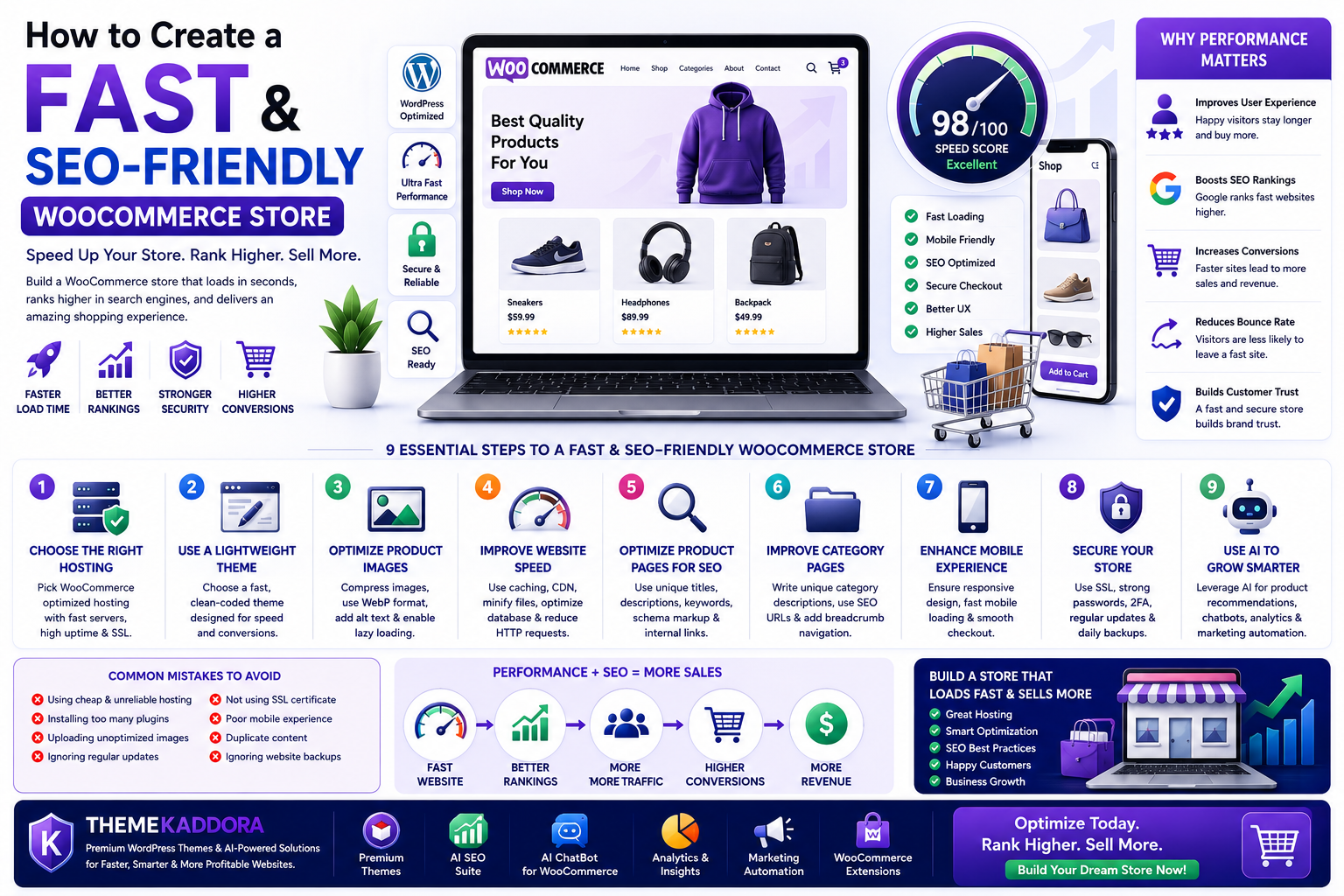
How to Create a Fast and SEO-Friendly WooCommerce Store
Introduction
WooCommerce has become one of the most popular eCommerce platforms for WordPress, allowing businesses of all sizes to build powerful online stores without the complexity of traditional eCommerce software. However, launching a WooCommerce website is only the first step. To attract customers, rank higher in search engines, and increase sales, your store must be fast, secure, mobile-friendly, and optimized for SEO.
Today's online shoppers expect websites to load within seconds. A slow-loading store can lead to higher bounce rates, abandoned carts, and lower customer satisfaction. At the same time, search engines reward websites that provide excellent user experiences with better visibility in search results. This means speed and SEO go hand in hand.
Whether you're starting a new online business or improving an existing WooCommerce store, optimizing performance should be one of your highest priorities. From choosing the right hosting provider to optimizing product images and improving checkout performance, every decision contributes to your store's overall success.
In this guide, you'll learn practical strategies to build a WooCommerce store that loads quickly, performs well in search engines, and delivers an exceptional shopping experience.
Why WooCommerce Performance Matters
Website performance affects every aspect of an online store.
A fast WooCommerce website helps:
- Improve customer satisfaction
- Reduce bounce rates
- Increase conversion rates
- Improve search rankings
- Encourage repeat purchases
- Build trust with visitors
Customers are more likely to complete a purchase when browsing feels smooth and responsive.
Choose the Right Hosting
Your hosting provider forms the foundation of your WooCommerce store.
Look for hosting that offers:
- Fast SSD or NVMe storage
- High uptime
- Automatic backups
- Free SSL certificate
- Server-side caching
- Strong security features
- WooCommerce optimization
Reliable hosting ensures your website performs consistently, even during busy shopping periods.
Use a Lightweight WooCommerce Theme
Your WordPress theme has a major impact on speed and usability.
A high-quality WooCommerce theme should include:
- Clean code
- Responsive design
- SEO-friendly structure
- Fast loading
- Easy customization
- WooCommerce compatibility
Avoid themes overloaded with unnecessary animations or features that slow down your website.
Optimize Product Images
Product images are essential for online shopping, but they can also slow down your website if not optimized properly.
Best practices include:
- Compress images before uploading
- Use modern formats such as WebP where supported
- Resize images to match display dimensions
- Add descriptive file names
- Write meaningful alt text
- Enable lazy loading
Optimized images improve page speed while maintaining excellent visual quality.
Improve WooCommerce Speed
Website speed depends on multiple factors working together.
Consider implementing:
Page Caching
Caching reduces server processing by serving pre-generated pages to visitors.
Content Delivery Network (CDN)
A CDN stores copies of your website on servers around the world, reducing loading times for international visitors.
Database Optimization
Regularly clean unnecessary data such as expired transients, spam comments, and old revisions.
Minify CSS and JavaScript
Reducing file sizes helps browsers load pages more efficiently.
Limit Heavy Plugins
Install only plugins that provide real value and remove unused extensions.
Optimize Product Pages for SEO
Each product page is an opportunity to attract search engine traffic.
Improve product SEO by using:
- Unique product titles
- Detailed product descriptions
- Relevant keywords
- Optimized meta titles
- Compelling meta descriptions
- Structured headings
- Internal links to related products
- High-quality images with alt text
Avoid copying manufacturer descriptions, as original content performs better in search results.
Improve Category Pages
Category pages help visitors browse products while also providing valuable SEO opportunities.
Optimize category pages by:
- Writing unique category descriptions
- Using SEO-friendly URLs
- Adding internal links
- Organizing products logically
- Including breadcrumb navigation
Well-structured categories make navigation easier for both users and search engines.
Enhance Mobile Shopping Experience
A significant portion of WooCommerce traffic comes from smartphones.
Ensure your website offers:
- Responsive layouts
- Fast mobile loading
- Large touch-friendly buttons
- Easy navigation
- Simple checkout process
- Readable typography
A smooth mobile experience encourages visitors to complete purchases.
Secure Your WooCommerce Store
Security protects both your business and your customers.
Essential security measures include:
- SSL certificate
- Strong administrator passwords
- Two-factor authentication
- Regular updates
- Daily backups
- Trusted plugins and themes
- Security monitoring
A secure website builds customer confidence during checkout.
Use AI to Improve WooCommerce
Artificial Intelligence is transforming online shopping experiences.
AI can assist with:
- Personalized product recommendations
- Customer support chatbots
- Product description generation
- Sales insights
- Customer behavior analysis
- Marketing automation
- Inventory forecasting
These tools help store owners save time while delivering more personalized shopping experiences.
Common WooCommerce Mistakes to Avoid
Avoid these common performance and SEO mistakes:
- Using low-quality hosting
- Uploading oversized images
- Installing too many plugins
- Ignoring website updates
- Skipping regular backups
- Writing duplicate product descriptions
- Using slow or outdated themes
- Ignoring mobile optimization
Correcting these issues can significantly improve both speed and user satisfaction.
Why Choose ThemeKaddora?
ThemeKaddora develops premium WordPress themes and WooCommerce solutions designed with performance, usability, and business growth in mind.
Benefits include:
- Fast-loading themes
- Responsive layouts
- SEO-friendly architecture
- WooCommerce compatibility
- Easy customization
- Clean coding standards
- Regular updates
- Business-focused designs
ThemeKaddora also offers AI-powered WordPress solutions that help businesses improve SEO, automate workflows, analyze performance, and enhance customer engagement.
Conclusion
Creating a fast and SEO-friendly WooCommerce store requires more than installing WordPress and adding products. Success comes from combining reliable hosting, lightweight themes, optimized images, clean website architecture, mobile responsiveness, and strong SEO practices.
By continuously monitoring performance and improving the shopping experience, you can build an online store that not only ranks well in search engines but also converts more visitors into loyal customers. Investing in speed, security, and optimization today creates a stronger foundation for sustainable business growth tomorrow.
Frequently Asked Questions
1. What makes a WooCommerce store SEO-friendly?
A well-optimized WooCommerce store uses clean URLs, unique product content, optimized images, structured data, and fast loading speeds.
2. How can I make WooCommerce faster?
Choose quality hosting, optimize images, enable caching, reduce unnecessary plugins, and use a lightweight theme.
3. Does website speed affect WooCommerce sales?
Yes. Faster websites generally provide a better shopping experience, which can help reduce cart abandonment and improve conversions.
4. Which image format is best for WooCommerce?
Modern formats like WebP provide excellent quality with smaller file sizes, though the best format depends on your workflow and compatibility needs.
5. Why is mobile optimization important?
Many customers shop on smartphones, making mobile responsiveness essential for usability and conversions.
6. Can AI improve WooCommerce stores?
Yes. AI can assist with product recommendations, customer support, content generation, analytics, and marketing automation.
7. Does hosting affect WooCommerce performance?
Absolutely. Reliable hosting improves loading speed, uptime, scalability, and overall website performance.
8. How often should I optimize my WooCommerce store?
Review performance regularly and optimize whenever you add new products, install plugins, or notice slower loading times.
9. Why should I avoid installing too many plugins?
Too many plugins can increase loading times, create compatibility issues, and make website maintenance more difficult.
10. Why choose ThemeKaddora for WooCommerce?
ThemeKaddora offers performance-focused themes and AI-powered WordPress solutions designed to improve speed, SEO, usability, and long-term business growth.
Comments (0)