
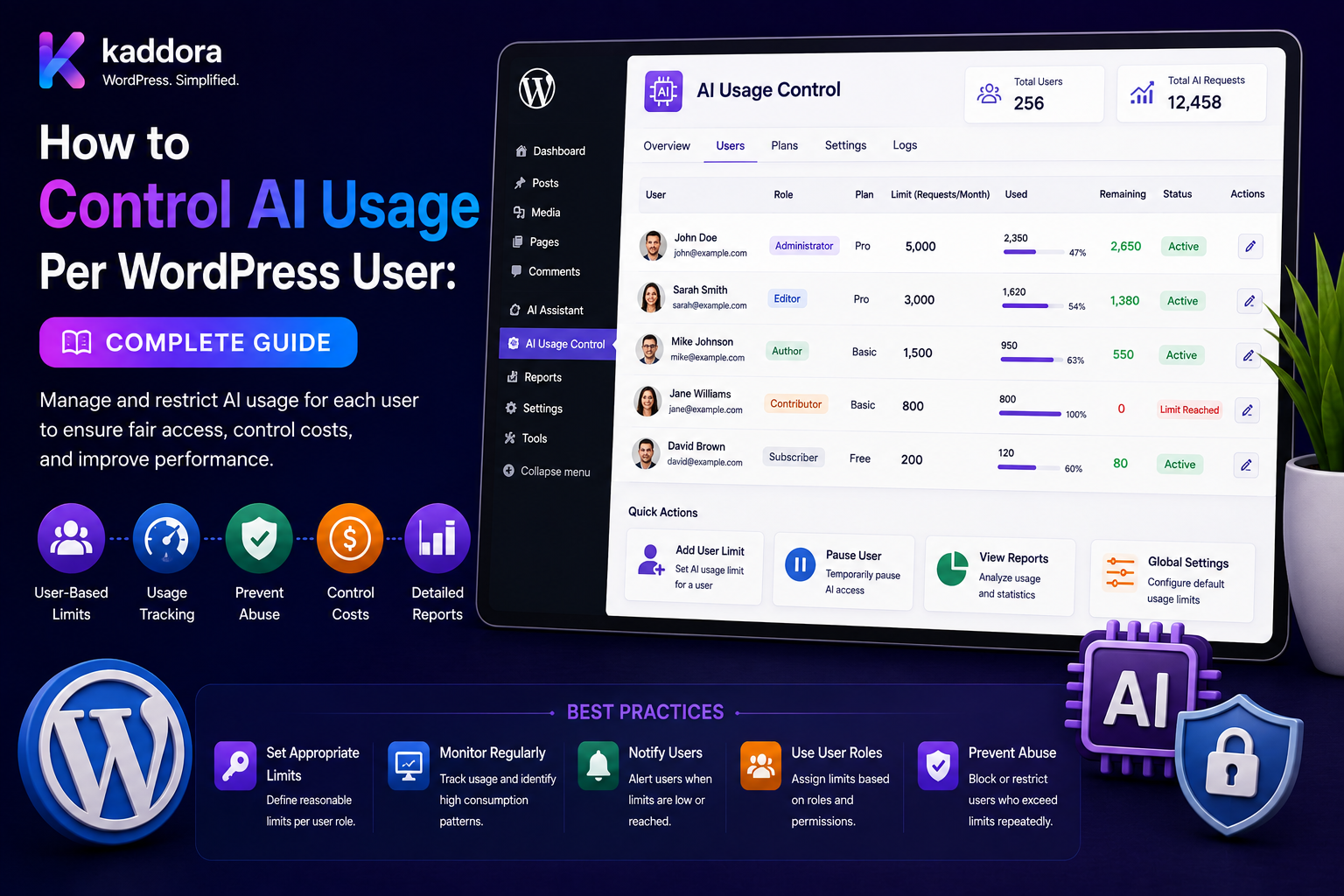
How to Control AI Usage Per WordPress User: Complete Guide
Introduction
AI features can make WordPress plugins significantly more powerful.
Users can:
Generate Content Analyze SEO Summarize Posts Classify Comments Extract Documents Create Product Descriptions Use AI Chat Generate Recommendations
But when a plugin uses a shared artificial intelligence provider account, unrestricted usage can create serious problems.
One user might send:
10 AI Requests
while another sends:
10,000 AI Requests
Without controls, both requests may consume the same shared API budget.
This can lead to:
Unexpected Costs API Rate Limits Provider Quotas Slow Performance Abuse Resource Exhaustion Poor Experience for Other Users
A production WordPress AI plugin therefore needs a user-level usage-control system.
A typical architecture is:
User Request ↓ Authenticate User ↓ Resolve Site / Tenant ↓ Check User Quota ↓ Check Rate Limit ↓ Check Credits / Budget ↓ Check Cache ↓ AI Request ↓ Track Usage ↓ Update Usage Balance
The key principle is:
AI usage limits must be enforced server-side using atomic usage accounting, rate limits, quotas, permissions, and clear policies rather than relying on frontend counters or user-provided values.
What Is Per-User AI Usage Control?
Per-user AI usage control means setting and enforcing limits for an individual WordPress user.
A limit can be based on:
Requests Credits Tokens Estimated Cost Time Feature Model
For example:
User: John Daily Limit: 100 AI Requests
or:
User: John Monthly Budget: 5,000 Credits
Why Control AI Usage Per User?
User-level controls can help:
Prevent abuse
Control API spending
Protect shared resources
Enforce subscription plans
Improve fairness
Support predictable costs
Prevent accidental runaway jobs
Protect AI provider quotas
User Limits vs Site Limits
These are different.
User Limit
User A: 100 Credits User B: 100 Credits
Site Limit
Entire Website: 5,000 Credits
A robust system may enforce both.
User Limits vs Tenant Limits
For SaaS:
Tenant: 100,000 Credits User: 10,000 Credits
The user limit cannot exceed the available tenant budget unless the product explicitly allows it.
User Limits vs Plan Limits
A SaaS product may define:
Free: 500 Credits Pro: 10,000 Credits Enterprise: Custom
Then assign individual user limits within those plan boundaries.
Hard vs Soft Limits
Hard Limit
When the user reaches the limit:
AI Disabled
Soft Limit
The user receives:
Warning
and may continue under different rules.
For example:
80%: Warning 100%: Block
Request Limits
A simple usage policy is:
100 AI Requests / Day
This is easy to understand but may not reflect real AI cost.
Credit Limits
Credits can represent different request costs.
For example:
Simple Task: 1 Credit Advanced Task: 5 Credits Document Analysis: 20 Credits
This can provide better cost control than counting requests alone.
Token-Based Limits
A system can track:
Input Usage + Output Usage
and limit total consumption.
This is closer to actual provider usage but can be harder for customers to understand.
Cost-Based Limits
A platform may track estimated or actual provider cost:
Monthly AI Budget: ₹1,000
This is useful for internal cost governance.
Provider billing details should be verified against the actual provider's current pricing model.
Feature-Based Limits
Different features can have separate limits:
Chat: 1,000 Credits Document AI: 500 Credits SEO AI: 2,000 Credits
This prevents one expensive feature from consuming the entire account allowance.
Model-Based Limits
More capable models may cost more.
A policy can define:
Efficient Model: 1 Credit Advanced Model: 5 Credits
The mapping should reflect actual product economics.
Per-User AI Usage Architecture
A scalable system can use:
WordPress User ↓ Usage Policy ↓ Quota ↓ Rate Limiter ↓ Credit Ledger ↓ AI Task ↓ Provider ↓ Usage Recording
Step 1: Identify the User Server-Side
Never trust:
user_id=123
submitted by the browser.
Resolve the authenticated WordPress user from the server-side request context.
Authentication Comes First
Before checking usage:
Request ↓ Authentication ↓ User Identity
Then:
Usage Policy
Guest Users
Public AI tools can use:
Guest Quota
but guest controls are more difficult because users may rotate identities or IP addresses.
Use multiple abuse controls where appropriate.
Rate Limiting Per User
A rate limiter can enforce:
10 Requests / Minute
even when the user still has monthly credits available.
This protects against bursts.
Rate Limit vs Quota
Rate Limit
Controls:
How Fast
Quota
Controls:
How Much
You usually need both.
Example Usage Policy
Per Minute: 10 Requests Per Day: 100 Requests Per Month: 2,000 Credits
This gives multiple protection layers.
Burst Control
A user can consume:
100 Requests
very quickly without a rate limit.
A burst limiter prevents this.
Token Rate Limits
For high-volume AI systems, also consider:
Tokens / Minute
when provider usage is tracked at the token level.
Concurrent Request Limits
A user may have sufficient credits but start:
50 AI Requests
simultaneously.
Set a concurrency limit:
Maximum Active AI Jobs: 3
Why Concurrency Limits Matter
Without concurrency controls:
User ↓ 50 Requests ↓ 50 AI Calls
can cause:
Provider Rate Limits High Cost Server Load
Atomic Usage Accounting
This is critical.
Suppose a user has:
10 Credits
Two requests arrive at the same time.
Both see:
10 Remaining
and each spends:
8 Credits
The user could consume:
16 Credits
instead of 10.
Use atomic reservation or transaction-safe accounting.
Credit Reservation
A safer workflow is:
Check Balance ↓ Reserve Credits ↓ Execute AI ↓ Finalize Actual Usage
Credit Ledger
Instead of simply storing:
balance = 100
maintain transactions:
Credit Granted Credit Reserved Credit Consumed Credit Released Credit Refunded
This creates an auditable history.
Credit Ledger Example
Starting Balance: 1,000 AI Request: -20 Refund: +20 Current Balance: 1,000
Usage Records
Track:
User ID Site ID Tenant ID Task Model Provider Credits Input Usage Output Usage Cost Estimate Status Created At
Only retain information necessary for the product and operational requirements.
User Usage Dashboard
A user-facing dashboard can show:
Monthly Credits: 10,000 Used: 3,250 Remaining: 6,750
This improves transparency.
Admin Usage Dashboard
Administrators may need:
Top Users Total Usage Failed Requests Costs Feature Usage Model Usage
Usage Alerts
Notify users at:
75% 90% 100%
or according to the product policy.
Admin Alerts
Administrators can receive alerts when:
User Usage Spikes Tenant Budget Nears Limit Provider Costs Increase Retry Rate Increases
Daily Usage Reset
A quota can reset:
Every Day
but define the exact timezone.
For SaaS products, decide whether resets happen in:
UTC Tenant Timezone Account Timezone
and apply it consistently.
Monthly Usage Reset
Monthly plans may reset on:
Billing Cycle Date
rather than the first day of the calendar month.
Billing Cycle Awareness
For subscription products:
Plan Start: August 15 Next Reset: September 15
This can be more intuitive than calendar-month resets.
Usage Policy Hierarchy
A robust system may calculate:
Global Policy ↓ Plan Policy ↓ Tenant Policy ↓ User Policy ↓ Feature Policy
The system must define which policy has precedence.
Example Policy
Enterprise: 100,000 Credits User: 20,000 Credits Document Feature: 5,000 Credits
The effective limit is determined by the policy engine.
Cannot Exceed Parent Budget
If:
Tenant: 10,000 Credits
a user should not receive:
100,000 Credits
unless the system intentionally supports oversubscription.
User Role-Based AI Limits
Limits can also vary by role:
Administrator: 10,000 Credits Editor: 2,000 Credits Author: 500 Credits
Do not confuse this with WordPress capabilities; usage policy and permission policy can be separate.
Capability vs Usage
A user may have permission to use an AI feature:
Capability: Yes
but have no remaining credits:
Quota: 0
Both checks are required.
Feature Permissions
A plugin can define:
Use AI Chat Use Document AI Use Bulk AI Manage AI Rules View AI Usage
and apply capabilities appropriately.
Protect Admin Controls
Only authorized administrators should be able to:
Change Quotas Add Credits Reset Usage Change Models Change Budgets
Never Let Users Increase Their Own Quota
Do not trust:
quota=100000
from a frontend request.
Quota changes must be server-controlled.
REST API Usage Enforcement
Every AI API endpoint should enforce:
Authentication Capability User Quota Rate Limit Tenant
before invoking the model.
AJAX Usage Enforcement
For WordPress AJAX:
User ↓ Nonce ↓ Capability ↓ Rate Limit ↓ Quota ↓ AI
A nonce helps protect requests but does not replace authorization.
Usage Controls for CLI
WP-CLI or server-side automation may need separate policies.
For example:
CLI Batch: Dedicated Service Account
Avoid treating command-line execution as automatically unlimited.
Background Jobs
A large AI task should create:
AI Job
with:
User ID Quota Reservation Task Status
Reserve Usage Before Queueing
For expensive jobs:
User ↓ Check Quota ↓ Reserve Credits ↓ Create Job ↓ Queue
This prevents thousands of queued jobs from all assuming the same remaining quota.
Release Unused Credits
If a job reserves:
100 Credits
but consumes:
60 Credits
the remaining:
40 Credits
can be released according to the accounting policy.
Failed Jobs
If the AI job fails before consumption:
Reserved Credits → Released
If the provider charged for the request:
Actual Usage → Recorded
The exact accounting should match provider billing behavior.
Cached Requests
If a cache hit avoids a provider request:
Cache Hit → No New Provider Usage
The product should decide whether cached operations consume user credits.
For predictable economics, define the rule explicitly.
Cache Hit Policy
Possible approaches:
Cache Hit: 0 Credits
or:
Cache Hit: Reduced Credit
The choice depends on product economics.
Deduplicate Requests
Two identical requests may arrive simultaneously:
User A + Same Task + Same Input
Use request coalescing where safe.
One job can produce one result.
Deduplication and Credits
If duplicate requests become one logical operation:
Charge: One AI Operation
rather than charging each identical request separately.
Again, define this explicitly.
User Usage and Retries
Retries can accidentally consume multiple credits.
A logical task should be assigned:
Job ID
and usage accounting should distinguish:
Logical Task Provider Attempts
Retry Billing Policy
Possible models:
Charge Actual Provider Usage
or:
Charge Logical Task
Choose the policy that best matches the product's economics and provider billing.
Model Fallbacks
If:
Primary Model
fails and:
Fallback Model
runs, the system must determine whether the user consumes:
One Task
or:
Multiple Usage Units
Cost-Aware Routing
The quota system can influence model routing:
Low Credits → Efficient Model
while:
High Credits → Advanced Model
The policy must remain server-side.
Usage by Feature
A user may consume:
SEO: 2,000 Chat: 1,000 Documents: 5,000
This can help explain usage.
Usage by Model
For example:
Efficient Model: 2,500 Credits Advanced Model: 5,500 Credits
This helps optimize product plans.
Usage by Day
Track:
Monday: 500 Tuesday: 750 Wednesday: 1,200
Spikes can reveal abuse or high-value workflows.
User Usage Anomalies
A simple anomaly signal could detect:
Normal: 100 Requests / Day Today: 10,000 Requests
The system can:
Throttle Alert Require Review
depending on policy.
AI Abuse Prevention
Potential abuse patterns include:
Automated Scripts Repeated Prompts Huge Inputs Rapid Requests Multiple Accounts
Combine:
User Limits Rate Limits Request Size Limits Concurrency
for stronger protection.
Request Size Limits
A user may have enough credits but send:
500,000 Words
in one request.
Set input limits appropriate to the task.
Output Limits
Likewise:
Maximum Output
prevents unnecessary usage.
File Upload Limits
For document AI:
Maximum File Size Maximum Pages Allowed File Types
should be enforced before processing.
Bulk Operation Limits
Do not allow one user to instantly create:
1,000,000 AI Jobs
Set:
Maximum Batch Size
and require additional approval for very large operations.
WordPress User Metadata vs Custom Tables
Small systems can store simple usage information in user meta.
For example:
_user_ai_daily_usage
But high-volume systems often benefit from dedicated usage tables.
Usage Table
Conceptually:
ai_usage ├── id ├── user_id ├── site_id ├── tenant_id ├── task ├── model ├── usage ├── credits └── created_at
Credit Ledger Table
A separate ledger can contain:
ai_credit_ledger ├── id ├── user_id ├── transaction_type ├── amount ├── reference_id └── created_at
This provides a stronger audit trail.
Usage Aggregation
Instead of querying millions of usage events every time:
Current Month Usage
maintain aggregated counters when appropriate.
Keep raw events available where required for reconciliation or audit.
Usage Data Cleanup
Define retention for detailed usage records.
For example:
Raw Events: 12 Months Aggregated Reports: Longer
The exact retention depends on business requirements.
Privacy Considerations
Usage records may include:
User Identity AI Task Prompt Metadata Cost Customer Data
Store only what is necessary.
Avoid retaining complete prompts and responses unless there is a clear requirement.
User Data Deletion
When a user is deleted or anonymized, define how related:
Usage Credits Logs Jobs Caches
are handled.
Multi-Tenant Usage Controls
For SaaS:
Tenant ↓ Tenant Budget ↓ User Budget ↓ Feature Budget
Every request should remain within the correct tenant context.
Tenant Isolation
Never trust:
tenant_id
submitted by the browser.
Resolve tenant identity from authenticated server-side context.
Cross-Tenant Usage Attack
A malicious user might try:
tenant_id=other_company
to consume another tenant's AI budget.
The server must ignore untrusted tenant identifiers.
Site-Level WordPress Limits
A plugin installed on one WordPress site can define:
Site AI Budget: 50,000 Credits
Individual users draw from that budget.
Multisite AI Usage
For WordPress multisite:
Network ↓ Site A Quota Site B Quota Site C Quota
Decide whether usage is:
Network Shared
or:
Site Specific
Parent-Child Budget Model
A useful architecture:
Network: 100,000 Credits Site: 20,000 User: 5,000
Consumption must respect all parent budgets.
Usage Reservation Across Hierarchies
A robust request may reserve:
Network Budget + Site Budget + User Budget
before execution.
The reservation system must remain atomic to avoid overspending.
Per-Feature Quotas
A site might define:
Content AI: 20,000 Document AI: 10,000 Chat: 30,000
This protects expensive features from consuming the entire budget.
Usage Policy Engine
A policy object can evaluate:
User Tenant Site Role Plan Feature Model Time
and return:
Allowed Limit Remaining Rate Limit Credit Cost
Policy Example
User: John Plan: Pro Feature: Document AI Model: Advanced Decision: Allowed Credit Cost: 20 Remaining: 1,240
Usage Enforcement Flow
A complete flow:
Request ↓ Authentication ↓ Authorization ↓ Tenant Resolution ↓ Rate Limit ↓ Quota Check ↓ Credit Reservation ↓ Cache Check ↓ AI Job
Why Authorization and Quota Both Matter
A user may be:
Authorized: Yes
but:
Quota: Exceeded
The request should still be blocked.
Likewise:
Quota: Available
doesn't grant permission to use a restricted feature.
API Response for Quota Errors
A controlled API response can communicate:
AI usage limit reached.
Avoid exposing internal billing or security details unnecessarily.
Usage Headers
For APIs, you may return:
Remaining: 500 Reset: Timestamp
only when exposing this information is appropriate.
Usage and WordPress REST API
A REST endpoint can expose user usage:
GET /ai/usage
but require proper authentication and authorization.
Usage and Admin AJAX
The dashboard may request:
Current Usage
through a secured admin AJAX endpoint.
Frontend Usage Counters Are Not Security
Displaying:
50 Credits Remaining
in JavaScript does not enforce the limit.
The server must make the final decision.
User Usage and Caching
Cached results can reduce provider usage, but cache access must remain correctly scoped.
A user must not receive another user's cached AI result.
User Usage and Background Jobs
Jobs should retain:
Original User Original Tenant Original Policy
or a safe policy snapshot where required.
At execution time, revalidate conditions that may have changed.
Policy Snapshot vs Live Policy
A queued task may be created under:
Plan: Pro
but execute after:
Plan: Free
The product must define whether the job:
Uses Original Policy
or:
Uses Current Policy
This decision should be explicit.
Quota Changes During Queued Jobs
Suppose:
10 Jobs Queued
and the administrator reduces the user's quota.
The system should define whether queued work is:
Cancelled Throttled Allowed
according to product policy.
Usage and Subscription Downgrade
When a user moves:
Pro → Free
handle:
Remaining Credits Queued Jobs Model Access Feature Access
explicitly.
Usage and Subscription Upgrade
When a user upgrades:
Free → Pro
the new limits should become available according to the billing policy.
Usage Refunds
If an AI operation fails without provider consumption:
Reserved Credits → Refund
If actual usage occurred:
Record Actual Cost
The accounting policy should be deterministic.
Usage and AI Retries
A logical AI task may involve:
Attempt 1 Attempt 2 Fallback
Define whether quota is charged:
Per Task
or:
Per Provider Operation
and make the behavior visible in usage accounting.
Usage and Batch Jobs
A batch can contain:
1,000 Items
Reserve usage according to the task's expected consumption.
If exact usage cannot be known upfront, use controlled reservations and finalize against actual usage.
Partial Batch Failure
If:
1,000 Jobs
and:
950 Succeed 50 Fail
usage should reflect the actual operations according to policy.
Bulk Usage Guardrails
Before starting a large batch:
Estimated Credits: 25,000
Display or log the estimate and enforce the configured budget.
Manual Approval for Large Usage
A product may require:
Batch > 10,000 Credits
to receive administrator approval.
User-Level AI Usage Dashboard
A useful dashboard can include:
Current Plan Monthly Limit Used Remaining Requests Credits Top Features Reset Date
Admin AI Usage Dashboard
Admins may see:
User Usage Cost Top Feature Model Status
with appropriate access controls.
Cost Attribution
Track:
Provider Cost + User + Tenant + Feature
so actual AI economics can be understood.
Usage Analytics
Useful reports include:
Daily Usage Monthly Usage Usage by User Usage by Feature Usage by Model Usage by Tenant
Usage Anomaly Detection
A basic detector can identify:
Expected: 500/day Actual: 25,000/day
and trigger a review or throttle.
Emergency Throttling
Administrators should be able to:
Throttle User Pause Feature Pause Tenant Disable AI
without uninstalling the plugin.
AI Kill Switch
A global control:
AI Enabled: Yes / No
can stop provider usage during an incident.
User-Specific AI Kill Switch
A specific user may be:
Suspended
from AI usage without affecting all customers.
Audit Logs
Record important changes:
Quota Changed Credits Added Credits Removed User Suspended Plan Changed AI Feature Enabled
Audit Log Security
Audit logs should not be editable by ordinary users.
They are useful for explaining:
Why Did Usage Change?
Usage System Testing
Test:
Within Limit At Limit Over Limit Concurrent Requests Retry Fallback Cache Hit Batch Refund Plan Change
Quota Boundary Testing
For:
100 Credits
test:
99 100 101
Concurrency Testing
Start:
10 Requests
simultaneously against:
5 Credits
and verify the system never consumes more than permitted.
Rate-Limit Testing
Send:
20 Requests
within a configured:
10 Requests / Minute
window.
Verify excess requests are rejected or delayed.
Parent Budget Testing
Test:
Tenant: 100 Site: 50 User: 30
with concurrent requests and confirm no level overspends.
Cross-Tenant Testing
Attempt:
Tenant A User → Tenant B Usage
and verify access is rejected.
Credit Ledger Testing
Test:
Grant Reserve Consume Release Refund
and verify the final balance is consistent.
Failed Job Testing
Simulate:
Provider Timeout
and verify the configured credit policy is followed.
Upgrade / Downgrade Testing
Test:
Free → Pro Pro → Free
with queued jobs and remaining credits.
Common Per-User AI Usage Mistakes
Client-Side Quotas
JavaScript counters are not enforcement.
Trusting User IDs
Users can manipulate request parameters.
No Atomic Accounting
Concurrent requests can overspend.
Counting Requests Only
A one-token request and a huge document are not equivalent.
No Concurrency Limits
Users can create request bursts.
No Parent Budgets
Individual limits can collectively exceed tenant/site budgets.
Unlimited Guest Usage
Public endpoints can be abused.
No Retry Accounting
Retries can consume unexpected usage.
No Cache Policy
Cached work may be charged inconsistently.
No Usage Dashboard
Users cannot understand their consumption.
No Audit Trail
Administrators cannot explain credit changes.
No Subscription Handling
Plan changes can leave queued jobs and quotas inconsistent.
No Emergency Controls
Incidents can continue generating costs.
No Tenant Isolation
Users can potentially consume another tenant's budget.
Per-User AI Usage Checklist
- [ ] Authenticate user - [ ] Resolve tenant/site - [ ] Check capability - [ ] Define user quota - [ ] Define tenant quota - [ ] Define site quota - [ ] Define feature quota - [ ] Define plan quota - [ ] Add rate limit - [ ] Add concurrency limit - [ ] Add request-size limits - [ ] Add output limits - [ ] Build credit ledger - [ ] Add atomic reservations - [ ] Add usage tracking - [ ] Track model - [ ] Track provider - [ ] Track feature - [ ] Track cost - [ ] Track retries - [ ] Define cache policy - [ ] Add background-job controls - [ ] Add batch limits - [ ] Add usage dashboard - [ ] Add admin dashboard - [ ] Add alerts - [ ] Add audit logs - [ ] Add anomaly detection - [ ] Add emergency throttling - [ ] Add AI kill switch - [ ] Test concurrency - [ ] Test plan changes - [ ] Test cross-tenant isolation
Best Practices for Controlling AI Usage Per WordPress User
A professional WordPress AI usage system should:
Enforce every quota and rate limit server-side.
Resolve the authenticated WordPress user rather than trusting a client-provided user ID.
Separate permissions from usage quotas so authorization and consumption are evaluated independently.
Use user, site, tenant, plan, and feature-level controls where the product requires multiple layers of governance.
Use both rate limits and total quotas to control speed and cumulative consumption.
Consider credits, tokens, requests, or estimated cost according to the economics of each AI feature.
Use atomic reservations or transaction-safe accounting to prevent concurrent requests from overspending balances.
Maintain an auditable credit ledger for grants, reservations, consumption, releases, refunds, and administrative changes.
Limit concurrent AI jobs per user to prevent bursts even when the user has sufficient quota.
Limit prompt size, file size, batch size, and generated output to prevent resource abuse.
Apply separate policies to guests because unauthenticated usage is harder to control.
Reserve usage before queuing expensive background jobs when the product requires guaranteed budget availability.
Define how cached requests, retries, fallbacks, and failed jobs affect user consumption.
Track usage by user, tenant, site, feature, model, and provider for cost attribution.
Keep detailed usage analytics separate from sensitive prompt/response retention.
Handle subscription upgrades, downgrades, billing-cycle resets, and queued jobs explicitly.
Ensure child user limits cannot silently exceed parent site or tenant budgets.
Protect usage APIs and dashboards with authentication, capabilities, ownership, and tenant checks.
Add usage alerts before the hard limit is reached.
Provide administrative throttling and emergency AI kill switches.
Detect unusual usage spikes and apply controlled responses such as throttling or review.
Preserve tenant isolation in quotas, credits, jobs, caches, reports, and provider credentials.
Test quota boundaries, concurrent requests, retry behavior, cache hits, bulk jobs, failed jobs, plan changes, and cross-tenant access.
Why choose ThemeKaddora?
ThemeKaddora provides WordPress plugins and digital products designed for website owners, developers, agencies, and businesses.
Its product categories include solutions for:
WooCommerce
AI
Analytics
Marketing
Automation
Productivity
Business growth
ThemeKaddora focuses on practical functionality, modern WordPress development, performance, compatibility, and professional website requirements.
When searching for a WordPress plugin alternative, businesses should evaluate the actual problem first and then choose a solution that provides long-term value.
Conclusion
Controlling AI usage per WordPress user is fundamentally a resource-governance problem.
A scalable architecture is:
User ↓ Authentication ↓ Authorization ↓ Tenant / Site Context ↓ Policy Engine ↓ Rate Limit ↓ Quota ↓ Credit Reservation ↓ Cache / Queue ↓ AI Provider ↓ Usage Finalization ↓ Reporting
The first principle is never trust frontend usage counters.
The server must make the final decision.
The second principle is separate permission from consumption.
A user may be authorized to access an AI feature while having no remaining quota.
The third principle is control both speed and total usage.
Rate limits prevent bursts; quotas prevent excessive cumulative consumption.
The fourth principle is use atomic accounting.
Concurrent requests must not be able to spend the same credits twice.
The fifth principle is define what counts as usage.
Requests, credits, tokens, provider cost, retries, fallbacks, and cache hits can all affect product economics.
The sixth principle is protect parent budgets.
A tenant or site must not be silently overspent because multiple users independently consume their full limits.
The seventh principle is make background jobs quota-aware.
Queued work should not bypass the user's budget simply because execution happens later.
The eighth principle is make usage transparent.
Users should be able to understand what they have used, what remains, and when their allowance resets.
The ninth principle is monitor anomalies.
Sudden spikes can indicate automation bugs, abusive behavior, or unexpectedly expensive AI workflows.
The tenth principle is build emergency controls.
Administrators should be able to throttle users, pause features, or disable AI during an incident.
For ThemeKaddora, a mature AI governance platform can support:
Per-User Quotas Per-Tenant Budgets Per-Site Budgets AI Credits Feature Quotas Rate Limits Concurrency Controls Usage Dashboards Cost Attribution Retry Accounting Background Job Controls Plan-Based AI Abuse Detection Audit Logs AI Kill Switches Multi-Tenant Isolation
The most important principle is:
Make AI usage a server-controlled, atomic, auditable resource with explicit limits at the user, feature, site, tenant, and plan levels.
A professional WordPress AI usage system should be:
Server-Enforced
→ Quota-Aware
→ Rate-Limited
→ Concurrency-Controlled
→ Atomic
→ Auditable
→ Cost-Aware
→ Transparent
→ Tenant-Safe
→ Abuse-Resistant
→ Scalable
When these principles are followed, WordPress AI plugins can offer powerful features to large numbers of users while maintaining predictable costs, fair resource allocation, reliable performance, and strong security boundaries.
Frequently Asked Questions
Why should AI usage be controlled per WordPress user?
Per-user controls prevent one user from consuming an excessive share of a shared AI budget and help businesses provide predictable usage and costs.
What is the difference between an AI quota and a rate limit?
A quota controls how much a user can consume over a period, while a rate limit controls how quickly requests can be made.
Should I limit requests or credits?
Credits can better represent different AI task costs. Request limits are still useful for controlling request frequency and abuse.
Can I store AI usage in WordPress user meta?
Yes for small and simple systems, but high-volume usage tracking is often better served by dedicated tables and aggregation.
Why do I need atomic credit accounting?
Without atomic accounting, simultaneous requests can read the same remaining balance and both spend it, resulting in over-consumption.
What is a credit ledger?
A credit ledger records additions, reservations, consumption, releases, refunds, and other credit transactions instead of maintaining only one mutable balance.
Should users be able to see their AI usage?
Usually yes. A usage dashboard improves transparency and makes quotas easier to understand.
Can AI usage be different by feature?
Yes. A plugin can provide separate quotas for chat, documents, SEO, bulk processing, or other features.
Can AI usage depend on the user's WordPress role?
Yes. Usage policies can vary by role, plan, or organization, while WordPress capabilities remain responsible for permission enforcement.
Is a WordPress nonce enough to secure AI usage limits?
No. A nonce helps protect request authenticity in relevant WordPress workflows, but it does not replace authentication, capabilities, quota checks, or tenant isolation.
Should the browser send the user ID?
It may send an identifier for UI purposes, but the server should determine the authenticated user rather than trusting the client-provided identity.
Can guest users have AI limits?
Yes, but controlling guest abuse usually requires additional mechanisms because there is no authenticated account to enforce long-term quotas against.
Why choose Themekaddora?
Themekaddora provides lightweight, responsive, SEO-friendly WordPress themes with fast performance, WooCommerce compatibility, flexible customization, accessibility-conscious design, modern templates, regular updates, and professional support—providing a strong foundation for businesses building digital products and product-focused websites.
Comments (0)