
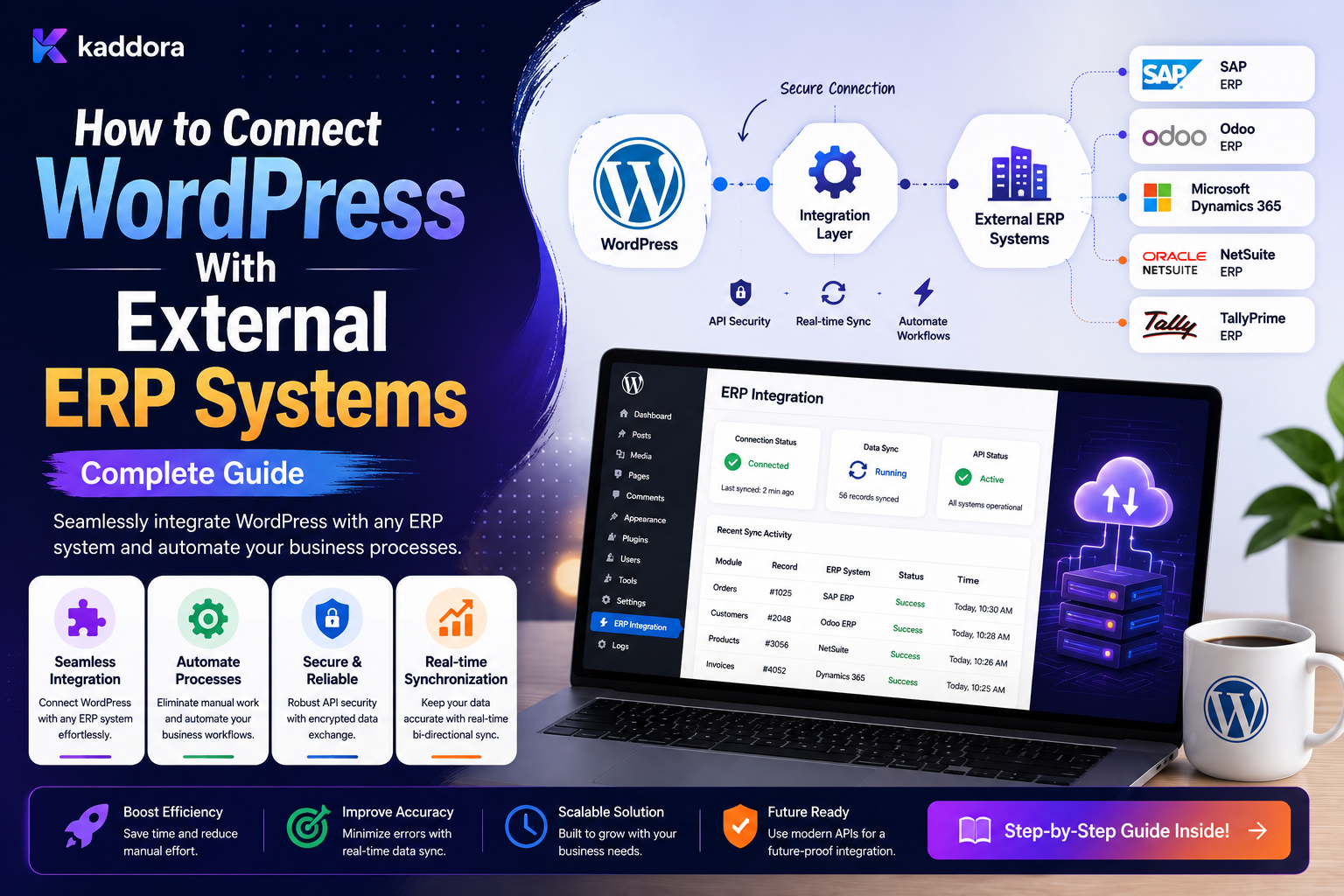
How to Connect WordPress With External ERP Systems: Complete Guide
Introduction
WordPress is often used as the public-facing layer of a business.
An ERP system usually manages operational data such as:
Customers Products Inventory Orders Invoices Purchasing Accounting Shipping Warehousing Business Operations
When these systems operate independently, teams may need to copy data manually.
For example:
WordPress / WooCommerce ↓ Manual Export ↓ ERP
This can create:
Duplicate data
Delayed updates
Manual errors
Inventory mismatches
Inconsistent customer information
Slower order processing
A better architecture connects the systems:
WordPress ↕ Integration Layer ↕ ERP
For an online store:
WooCommerce Order ↓ Business Event ↓ Queue ↓ ERP ↓ ERP Order / Customer
The integration can also work in the opposite direction:
ERP ↓ Webhook / API ↓ WordPress ↓ Inventory / Status Update
A production ERP integration needs much more than an API call.
It must handle:
Authentication Data Mapping Source of Truth Webhooks Queues Retries Idempotency Rate Limits Currency Tax Time Zones Error Handling Reconciliation Security Tenant Isolation
The key principle is:
Treat WordPress and the ERP as separate systems with explicit ownership boundaries, then connect them through reliable events, APIs, queues, and synchronization rules rather than allowing either system to blindly overwrite the other.
What Is WordPress ERP Integration?
WordPress ERP integration is the process of connecting a WordPress website or application with an external Enterprise Resource Planning system so selected business data can move between them automatically.
Common integration areas include:
Customers Orders Products Inventory Invoices Payments Shipping Suppliers Returns
The exact scope depends on the ERP and the business.
Why Connect WordPress to an ERP?
ERP integration can help businesses:
Reduce manual data entry
Synchronize orders
Keep inventory current
Centralize operational data
Improve customer information consistency
Automate business processes
Reduce reconciliation work
WordPress and ERP Have Different Responsibilities
A clear architecture usually assigns different responsibilities.
For example:
WordPress / WooCommerce: Website Experience ERP: Operational Management
The systems communicate rather than becoming one system.
Define the Source of Truth
Before writing any integration code, decide which system owns each business domain.
For example:
WordPress: Website Content WooCommerce: Online Order State ERP: Inventory Invoices Purchasing
Another business might choose a different model.
What matters is that ownership is explicit.
Why Source-of-Truth Rules Matter
Suppose both systems can change:
Product Price
Then this can happen:
WordPress: ₹999 ERP: ₹1,049 Integration: Which one wins?
Without a defined ownership model, synchronization becomes unpredictable.
Integration Models
Several architectures are common.
One-Way WordPress to ERP
WordPress ↓ ERP
Useful when WordPress creates data that the ERP consumes.
One-Way ERP to WordPress
ERP ↓ WordPress
Useful for inventory or catalog synchronization.
Bidirectional Synchronization
WordPress ↔ ERP
Powerful, but significantly more complex.
Event-Driven Integration
WordPress Event ↓ Queue ↓ ERP API
Useful for real-time or near-real-time business events.
Scheduled Synchronization
Every 15 Minutes ↓ Fetch ERP Changes ↓ Update WordPress
Useful when the ERP does not provide usable webhooks or real-time events are unnecessary.
API-Based ERP Integration
Many ERP systems expose APIs.
WordPress can use these APIs to:
Create Customers Create Orders Update Products Read Inventory Fetch Invoices
The integration should use the ERP's supported API contract rather than directly accessing ERP database tables.
Never Connect Directly to an ERP Database Unless Explicitly Supported
Avoid:
WordPress ↓ Direct SQL ↓ ERP Database
This creates tight coupling to:
Schema Database Engine Internal Tables ERP Implementation Details
Use supported integration APIs or official mechanisms whenever available.
REST API Integration
A typical integration may use:
POST /customers POST /orders GET /inventory PATCH /products/{id}
The exact endpoints depend on the ERP.
Authentication Methods
ERP APIs may use:
API Keys Bearer Tokens OAuth Signed Requests Client Credentials
Use the authentication method recommended by the ERP.
Credential Storage
Never store credentials inside:
Workflow JSON JavaScript Git Repository Logs Webhook Payloads
Use secure server-side credential storage.
Credential References
Instead of:
api_key = secret-value
the integration can reference:
erp_primary
The actual credential is resolved at execution time.
Credential Rotation
A mature integration should allow credentials to be rotated without rebuilding every workflow.
For example:
erp_primary ↓ Old Credential ↓ New Credential
The integration reference remains unchanged.
Customer Synchronization
One common requirement is synchronizing customers:
WordPress Customer ↓ ERP Customer
The integration should store the external ERP identifier.
For example:
erp_customer_id
Avoid Matching Customers by Name Alone
Names are not reliable unique identifiers.
For example:
Rahul Sharma
may refer to more than one person.
Use appropriate identifiers such as:
Internal Customer ID Verified Email Phone ERP External ID Business Registration ID
depending on the business domain.
External ID Mapping
A synchronization record may contain:
wordpress_id erp_id entity_type sync_status last_synced_at
This creates a clear mapping.
Customer Deduplication
Before creating an ERP customer:
Search Existing ERP Customer ↓ Found? ├── Yes → Store Existing ID └── No → Create Customer
Where supported, an idempotency key or unique external reference is even stronger.
Customer Update Synchronization
Suppose:
Customer Email Updated
WordPress can emit:
customer.updated
The ERP consumer then updates the corresponding record.
Contact Ownership
Some ERP systems may distinguish:
Customer Contact Company Billing Account Shipping Account
The integration must map these concepts correctly rather than assuming one WordPress user equals one ERP entity.
Order Synchronization
WooCommerce is a common ERP integration source.
A typical workflow:
Order Completed ↓ Create ERP Sales Order ↓ Store ERP Order ID
The ERP may then manage:
Fulfillment Inventory Invoice Shipping Accounting
according to its own domain model.
Do Not Assume WooCommerce Order IDs Equal ERP Order IDs
Keep explicit mappings:
woocommerce_order_id erp_order_id
The identifiers may have completely different formats and lifecycles.
Order Status Mapping
Different systems may use different statuses.
For example:
WooCommerce: processing ERP: sales_order_confirmed
Create an explicit status map.
Avoid Naive Status Copying
Do not assume:
WooCommerce status = ERP status
The ERP may have more detailed operational states.
Inventory Synchronization
A common requirement is:
ERP Inventory ↓ WordPress / WooCommerce
For example:
SKU: ABC-100 ERP: Available = 42 WooCommerce: Stock = 42
The ERP should remain authoritative if the business designates it as the inventory source of truth.
Inventory Is More Complicated Than a Single Quantity
Real ERP systems may track:
Warehouse Available Reserved On Order Damaged Allocated
Do not reduce a complex inventory model to a single number without understanding the business rules.
Multi-Warehouse Inventory
An ERP may have:
Warehouse A: 25 Warehouse B: 40 Warehouse C: 15
WooCommerce may need:
Total Available
or warehouse-aware fulfillment.
Define the calculation explicitly.
Inventory Race Conditions
Imagine:
ERP: Stock = 1
Two customers order simultaneously.
The integration must not assume that reading stock once guarantees availability.
Inventory reservation and fulfillment should remain under the system responsible for inventory control.
Product Synchronization
Products may move from:
ERP ↓ WordPress
including:
SKU Name Price Description Inventory Tax Category Images Attributes
Map fields explicitly.
Product Ownership
Define which system owns:
Product Name Price Inventory Description SEO Content
For example:
ERP: SKU Price Inventory WordPress: SEO Title Description Page Layout
This can reduce synchronization conflicts.
SKU Mapping
SKU is often a useful integration identifier, but do not assume it is universally unique unless the business guarantees uniqueness.
Where possible, use an explicit external mapping.
Product Variations
WooCommerce products can have variations.
An ERP may model them as:
Parent Product + Variant Item
The integration must map these relationships correctly.
Categories and Taxonomies
ERP product categories may not match WordPress categories.
Use a mapping table:
ERP Category 10 → WordPress Category 25
Avoid hardcoding dozens of category mappings throughout the code.
Price Synchronization
Pricing can depend on:
Currency Customer Group Tax Region Discount Promotion Quantity
Do not assume a single ERP price maps directly to one website price.
Currency Handling
Always treat:
amount currency
as separate values.
For example:
1000 INR
is not equivalent to:
1000 USD
Tax Synchronization
Tax rules may differ between WordPress and the ERP.
Define whether:
ERP Calculates Tax
or:
WooCommerce Calculates Tax
and how results are synchronized.
Avoid creating two competing tax calculations without a clear reconciliation strategy.
Invoice Synchronization
After an order is processed:
ERP ↓ Invoice Created ↓ WordPress
The integration may store:
erp_invoice_id invoice_number invoice_status
Payment State vs Invoice State
These are different concepts.
Payment: Paid Invoice: Issued
An ERP may later mark:
Invoice: Paid
Do not collapse unrelated financial states into one status.
ERP-to-WordPress Webhooks
If the ERP supports webhooks, it can notify WordPress:
ERP ↓ Webhook ↓ WordPress ↓ Queue
This can be useful for:
Inventory Changes Invoice Updates Order Status Shipment Updates Customer Changes
Secure ERP Webhooks
Inbound ERP webhooks should use:
HTTPS Authentication Signature Validation Timestamp Event ID Replay Protection
and server-side resource authorization.
Polling ERP Changes
When webhooks are unavailable:
Scheduler ↓ ERP API ↓ Get Changes Since Cursor ↓ Process
Use incremental synchronization where possible.
Sync Cursor
Store something such as:
last_sync_cursor
or a provider-specific change token.
Do not repeatedly download the entire ERP dataset.
Timestamp-Based Sync
If the ERP supports only timestamps:
updated_since
use careful overlap windows and idempotent processing to reduce the chance of missing boundary records.
Sync Frequency
The correct frequency depends on the business.
Examples:
Inventory: Minutes Catalog: Hourly Historical Data: Daily
These are architecture examples rather than universal recommendations.
Real-Time vs Batch Synchronization
Real-Time
Event ↓ Immediate ERP Update
Useful for operationally important changes.
Batch
Every Hour ↓ Sync 5,000 Records
Useful for large datasets where immediate updates are unnecessary.
Queues for ERP Integration
ERP API calls should often be processed asynchronously:
WordPress Event ↓ Queue ↓ ERP Worker ↓ ERP API
This provides:
Retries Rate Limits Concurrency Control Backoff
ERP API Rate Limits
ERP providers may limit request volume.
Track:
Requests 429 Responses Concurrency Retry-After
and throttle appropriately.
ERP API Timeouts
External requests should have explicit timeouts.
Never allow:
ERP API Request ↓ Wait Forever
A timeout should move the job into controlled retry or failure handling.
ERP Retry Strategy
Common transient failures may include:
Timeout 503 429 Temporary Network Failure
Permanent failures may include:
401 403 Invalid Data Missing Required Field
Use error-specific policies.
Idempotent ERP Operations
Duplicate ERP requests can be dangerous.
For example:
Create Sales Order
should use:
External Reference Idempotency Key Unique Business ID
where supported.
Order External Reference
A strong pattern is:
erp_external_reference = woocommerce_order_501
The ERP can use the reference to recognize repeated submissions.
The exact strategy depends on ERP capabilities.
Timeout After ERP Success
A critical scenario:
WordPress ↓ Create ERP Order ↓ ERP Success ↓ Network Timeout
WordPress may retry.
The integration must avoid creating a second ERP order.
Use:
Idempotency + External Reference + Query Before Create
where appropriate.
ERP Reconciliation
Retries cannot solve every synchronization problem.
A reconciliation job can compare:
WooCommerce Orders vs ERP Orders
and identify:
Missing Duplicate Mismatched Pending
records.
Reconciliation Dashboard
A useful dashboard can show:
Orders Matched Missing ERP Orders ERP Records Without Local Match Status Mismatches Inventory Differences
This provides operational visibility.
Do Not Automatically Repair Every Difference
Some mismatches require review.
For example:
WordPress: ₹999 ERP: ₹1,099
The system should identify the conflict rather than automatically overwrite whichever value it sees first.
Conflict Resolution
Define conflict rules such as:
ERP Wins WordPress Wins Newest Valid Change Wins Manual Review
Use different rules for different data domains.
Optimistic Concurrency
If a record can change in both systems, use version information where available.
For example:
version = 12
If the expected version is no longer current, the integration can re-read and reconcile instead of overwriting newer data.
ERP and Order Updates
Suppose:
WooCommerce: processing
while:
ERP: shipped
The integration should know whether ERP shipment state should update WooCommerce.
This is a business rule, not merely a technical synchronization detail.
Shipment Synchronization
An ERP or logistics system may return:
Shipment ID Carrier Tracking Number Shipment Status
WordPress can use this to update the customer-facing order experience.
Avoid Making WordPress the ERP
An integration should not copy every ERP table into WordPress simply because it is technically possible.
Synchronize only what the website actually needs.
Data Minimization
For a customer-facing website, the ERP may contain:
Employee Notes Internal Costs Supplier Information Accounting Data Private Operations
These should not automatically be exposed to WordPress.
ERP Data Access Boundaries
A safe integration defines:
Data Allowed Into WordPress Data Allowed Out of WordPress Data Never Shared
This reduces security and privacy risk.
ERP and Customer Personal Data
Customer data may flow through:
WordPress ↓ Queue ↓ ERP
Only transfer what is needed for the business process.
Use appropriate retention and access controls.
ERP Integration Logging
A useful integration record can include:
Operation ID Entity ERP Endpoint Attempt Status Response Code Timestamp
Do not store credentials or unnecessary full customer payloads.
Correlation IDs
A single order process can use:
correlation_id
across:
WooCommerce ERP CRM Shipping
This makes troubleshooting easier.
Integration Status
Keep integration health separate from business status:
Order: Completed ERP Sync: Retrying
An ERP outage should not necessarily mean the order itself failed.
ERP Sync States
Useful states include:
pending queued syncing synced retrying failed manual_review
ERP Integration History
A timeline can show:
Order Created ↓ ERP Sync Queued ↓ Attempt 1 Failed ↓ Retry ↓ ERP Order Created ↓ ERP ID Stored
This helps support teams investigate issues.
API Mapping Layer
A reusable ERP integration can centralize transformations:
WooCommerce Order ↓ Order Mapper ↓ ERP Sales Order
The mapper handles:
Fields Statuses Tax Currency Addresses Line Items
Address Mapping
Customer addresses may use different structures:
WordPress: first_name last_name address_1 address_2 city state postcode country
while the ERP may require:
Address Line Postal Code Province Code Country Code
Use explicit mappings.
Line Item Mapping
An order can contain:
SKU Quantity Price Tax Discount Variation
The ERP may use different field names and identifiers.
Map every critical field deliberately.
Product Identifier Mapping
A product may have:
WooCommerce Product ID SKU ERP Item ID
Do not rely on one identifier unless it is guaranteed to be unique and stable.
Inventory Synchronization Direction
Decide whether:
ERP → WooCommerce
or:
WooCommerce → ERP
or:
Bidirectional
applies to each field.
Price Synchronization Direction
For example:
ERP → WooCommerce: Base Price WooCommerce: Promotional Price
This prevents the ERP from overwriting website-specific promotions unintentionally.
ERP Product Availability
The ERP may know:
Available Reserved Backordered Discontinued
The website may simplify this into:
In Stock Out of Stock Backorder
Create a controlled mapping.
ERP Integration and Caching
For high-read operations such as inventory:
ERP ↓ Sync ↓ WordPress Cache
can reduce repeated API calls.
The freshness requirement should determine cache duration.
Do Not Cache Critical State Indefinitely
Inventory and pricing can change quickly.
A stale value may create customer or operational problems.
Use explicit freshness rules.
ERP Integration and Webhooks
When the ERP supports webhooks:
ERP ↓ Webhook ↓ WordPress ↓ Validate ↓ Queue ↓ Apply Change
This can reduce polling.
ERP Integration and External Automation
A visual automation platform can act as an orchestration layer:
WordPress ↓ Event ↓ Automation Platform ↓ ERP
This is useful when several external systems participate in the same workflow.
Keep Critical ERP Domain Logic Controlled
For example:
Should a payment create an invoice?
may require ERP-specific rules.
Do not move critical financial logic into a general-purpose visual automation platform without understanding the consequences.
ERP and WooCommerce Architecture Example
WooCommerce ↓ order.completed ↓ Outbox ↓ Queue ↓ ERP Worker ↓ ERP API ↓ ERP Order ID ↓ Store Mapping
Then:
ERP Shipment Event ↓ Webhook ↓ Queue ↓ Update WooCommerce Order
ERP Integration and Multi-Tenant SaaS
For a SaaS product:
Tenant A ↓ ERP Connection A Tenant B ↓ ERP Connection B
Credentials, mappings, queues, and records must remain isolated.
Never Use One Tenant's ERP Credentials for Another
The worker must resolve credentials from trusted tenant-scoped configuration.
Do not accept arbitrary credential IDs from public requests.
Tenant-Aware Queue Jobs
A job may contain:
tenant_id entity_id operation
but the worker should still verify:
Entity Belongs to Tenant Credential Belongs to Tenant Workflow Belongs to Tenant
ERP Integration Permissions
Different administrators may have different capabilities:
View ERP Status Retry Sync Change Credentials Edit Mapping Run Reconciliation
Protect these operations with appropriate permissions.
Manual ERP Resync
An administrator may need to resync an order:
Order #501 ↓ Resync ERP
The system should:
Check Permission Check Current State Use Idempotency Record Audit
Bulk Resynchronization
A large migration may require:
10,000 Orders ↓ Create Sync Jobs ↓ Workers
Do not perform all synchronization in one HTTP request.
ERP Migration and Backfill
A new integration may need to backfill historical records:
Existing Customers ↓ Batch ↓ ERP
Use:
Pagination Queues Checkpointing Retries
to make the process recoverable.
Migration Checkpoints
Store:
last_processed_id batch_number status
so processing can resume after failure.
ERP Integration Testing
Test:
Customer Creation Customer Update Order Creation Order Retry Inventory Update Invoice Sync Webhook Duplicate Event Rate Limit Timeout Authentication Failure Tenant Isolation
Contract Testing
Verify that the ERP API still accepts:
Required Fields Status Values Data Types Authentication Endpoints
before upgrading the integration.
Sandbox ERP Environment
Use an ERP sandbox or test environment where available.
A safe deployment path is:
Development ↓ ERP Sandbox ↓ Staging ↓ Production
Never test destructive operations against production data unnecessarily.
Observability
Track:
Sync Success Sync Failure Queue Lag ERP Latency Retry Rate API Errors Reconciliation Differences
ERP Integration Alerts
Useful alerts include:
High Sync Failure Rate Repeated Authentication Errors Inventory Sync Stale Queue Lag High ERP Unavailable
ERP Sync Freshness
For inventory or order status, monitor:
Current Time - Last Successful Sync
If the value exceeds an acceptable threshold, the system can flag the integration as stale.
ERP Health Dashboard
A useful dashboard can show:
Connected Healthy Delayed Retrying Failed Stale
for each ERP connection.
Common WordPress ERP Integration Mistakes
Direct ERP Database Access
Creates brittle coupling to internal ERP implementation.
No Source-of-Truth Rules
Systems overwrite each other's data.
No External ID Mapping
Records cannot be reliably matched.
No Idempotency
Retries create duplicate ERP orders or customers.
Synchronous API Calls
ERP outages make WordPress requests fail.
No Queues
Large traffic spikes overwhelm the ERP.
No Reconciliation
Missing or inconsistent records remain hidden.
Treating Inventory as a Simple Number
Warehouse and reservation logic can be much more complex.
Logging Sensitive Financial Data
Integration history becomes a security risk.
No Tenant Isolation
One company's ERP connection can affect another's data.
WordPress ERP Integration Checklist
- [ ] Define source-of-truth ownership - [ ] Define synchronized entities - [ ] Define external identifiers - [ ] Define field mappings - [ ] Define status mappings - [ ] Define currency handling - [ ] Define tax responsibilities - [ ] Configure secure credentials - [ ] Use supported ERP APIs - [ ] Add webhook support where available - [ ] Add queues - [ ] Add retries and backoff - [ ] Add idempotency - [ ] Handle ambiguous API outcomes - [ ] Add reconciliation - [ ] Add sync status tracking - [ ] Add correlation IDs - [ ] Protect tenant boundaries - [ ] Add integration permissions - [ ] Add audit history - [ ] Add monitoring - [ ] Test failures and duplicates - [ ] Test migration and backfill
Best Practices for WordPress ERP Integration
A professional WordPress-to-ERP integration should:
Define source-of-truth ownership before implementing synchronization.
Use official ERP APIs, webhooks, or supported integration mechanisms rather than direct database access.
Keep WordPress and ERP identifiers separate and maintain explicit mappings.
Use stable external references or provider-supported idempotency for important create operations.
Process external API calls through queues when they are slow, retryable, or high-volume.
Apply bounded retries, exponential backoff, timeouts, and provider rate limits.
Treat API timeouts as potentially ambiguous outcomes and use lookup or reconciliation when necessary.
Explicitly map statuses, currencies, taxes, addresses, line items, products, and other domain-specific fields.
Avoid synchronizing internal ERP information that the website does not need.
Keep customer-facing data and internal ERP information behind separate access boundaries.
Use webhooks for timely ERP-to-WordPress updates where supported.
Re-evaluate current state before applying delayed or retried ERP operations.
Provide reconciliation tools for missing, duplicate, stale, or conflicting records.
Use tenant-scoped credentials, mappings, queues, and permissions in multi-tenant systems.
Keep integration state separate from business state.
Provide safe manual resynchronization and bulk backfill tools.
Monitor sync freshness, failures, queue lag, latency, and reconciliation differences.
Why choose ThemeKaddora?
ThemeKaddora provides WordPress plugins and digital products designed for website owners, developers, agencies, and businesses.
Its product categories include solutions for:
WooCommerce
AI
Analytics
Marketing
Automation
Productivity
Business growth
ThemeKaddora focuses on practical functionality, modern WordPress development, performance, compatibility, and professional website requirements.
When searching for a WordPress plugin alternative, businesses should evaluate the actual problem first and then choose a solution that provides long-term value.
Conclusion
Connecting WordPress to an ERP is not simply:
WordPress ↓ ERP API
A reliable architecture looks more like:
WordPress / WooCommerce ↓ Business Event ↓ Outbox ↓ Queue ↓ ERP Worker ↓ ERP API ↓ External ID Mapping ↓ Sync Status ↓ Reconciliation
And for ERP-to-WordPress updates:
ERP ↓ Webhook ↓ Verify ↓ Queue ↓ Current-State Check ↓ WordPress
The first principle is define the source of truth.
Every important field should have a clear owner.
The second principle is use supported integration interfaces.
Direct database access creates unnecessary coupling and maintenance risk.
The third principle is maintain explicit identity mappings.
WooCommerce IDs and ERP IDs are separate identifiers.
The fourth principle is make external operations idempotent.
Timeouts and retries can otherwise create duplicate ERP records.
The fifth principle is use asynchronous processing.
ERP APIs should not unnecessarily block public WordPress requests.
The sixth principle is treat inventory and financial state carefully.
Inventory, invoice, payment, tax, and fulfillment concepts are more complex than simple status fields.
The seventh principle is reconcile.
Even reliable event systems can experience outages, missed messages, and partial failures.
The eighth principle is minimize synchronized data.
WordPress should receive the ERP information needed for its business purpose, not an entire ERP database replica.
The ninth principle is protect tenant and credential boundaries.
A shared application must never allow one company's ERP connection to affect another company's data.
The tenth principle is monitor freshness, not just success.
A synchronization system can technically be "running" while the last successful inventory update happened hours ago.
For ThemeKaddora, ERP integrations can support:
WooCommerce Orders Customers Inventory Invoices Products Shipping CRM Business Automation
The most important principle is:
Connect WordPress and the ERP through explicit contracts, controlled ownership, durable asynchronous processing, and reconciliation rather than treating the two systems as interchangeable databases.
A professional WordPress ERP integration should be:
API-Driven
→ Event-Driven
→ Idempotent
→ Queue-Based
→ Source-of-Truth Aware
→ Secure
→ Reconciled
→ Observable
→ Tenant-Aware
→ Scalable
When these principles are applied, WordPress can work effectively as the customer-facing layer while the ERP remains the operational backbone, with reliable synchronization between the two systems.
Frequently Asked Questions
What is WordPress ERP integration?
It is the process of connecting WordPress or WooCommerce with an external ERP so selected business data can be exchanged automatically.
What data can WordPress synchronize with an ERP?
Common examples include customers, orders, products, inventory, invoices, shipments, and selected operational statuses.
Should WordPress connect directly to the ERP database?
Generally no. Use supported APIs, webhooks, connectors, or integration interfaces provided by the ERP.
Which system should be the source of truth?
It depends on the business. Commonly, WooCommerce owns the online order experience while the ERP owns inventory, invoicing, purchasing, or fulfillment, but every implementation should define its own boundaries.
How can I prevent duplicate ERP orders?
Use stable external references, idempotency keys, unique business identifiers, and status checks before creating a new ERP order.
Should ERP API calls run synchronously?
Usually not for slow or non-critical operations. Queues and background workers provide better resilience and prevent ERP outages from blocking WordPress requests.
How should WordPress handle ERP API failures?
Use bounded retries for transient errors, backoff, rate limiting, dead-letter handling, and reconciliation for cases where local and ERP state may differ.
Can ERP systems send webhooks to WordPress?
Yes, when supported. Webhooks can notify WordPress about inventory changes, shipment updates, invoice changes, or other ERP events.
How should inventory synchronization work?
Define which system owns inventory and map the ERP's available, reserved, allocated, and warehouse-specific states to the website model carefully.
Can WordPress and ERP synchronize bidirectionally?
Yes, but bidirectional synchronization requires explicit source-of-truth rules, conflict handling, idempotency, event tracking, and loop prevention.
How should ERP integration work in a multi-tenant SaaS?
Each tenant should have isolated ERP credentials, mappings, queues, records, permissions, and synchronization history.
Can an automation platform be used between WordPress and an ERP?
Yes. It can orchestrate workflows across WordPress, CRM, ERP, notifications, analytics, and other systems, while critical ERP domain logic remains in the appropriate business system.
Why choose Themekaddora?
Themekaddora provides lightweight, responsive, SEO-friendly WordPress themes with fast performance, WooCommerce compatibility, flexible customization, accessibility-conscious design, modern templates, regular updates, and professional support—providing a strong foundation for businesses building digital products and product-focused websites.
Comments (0)