
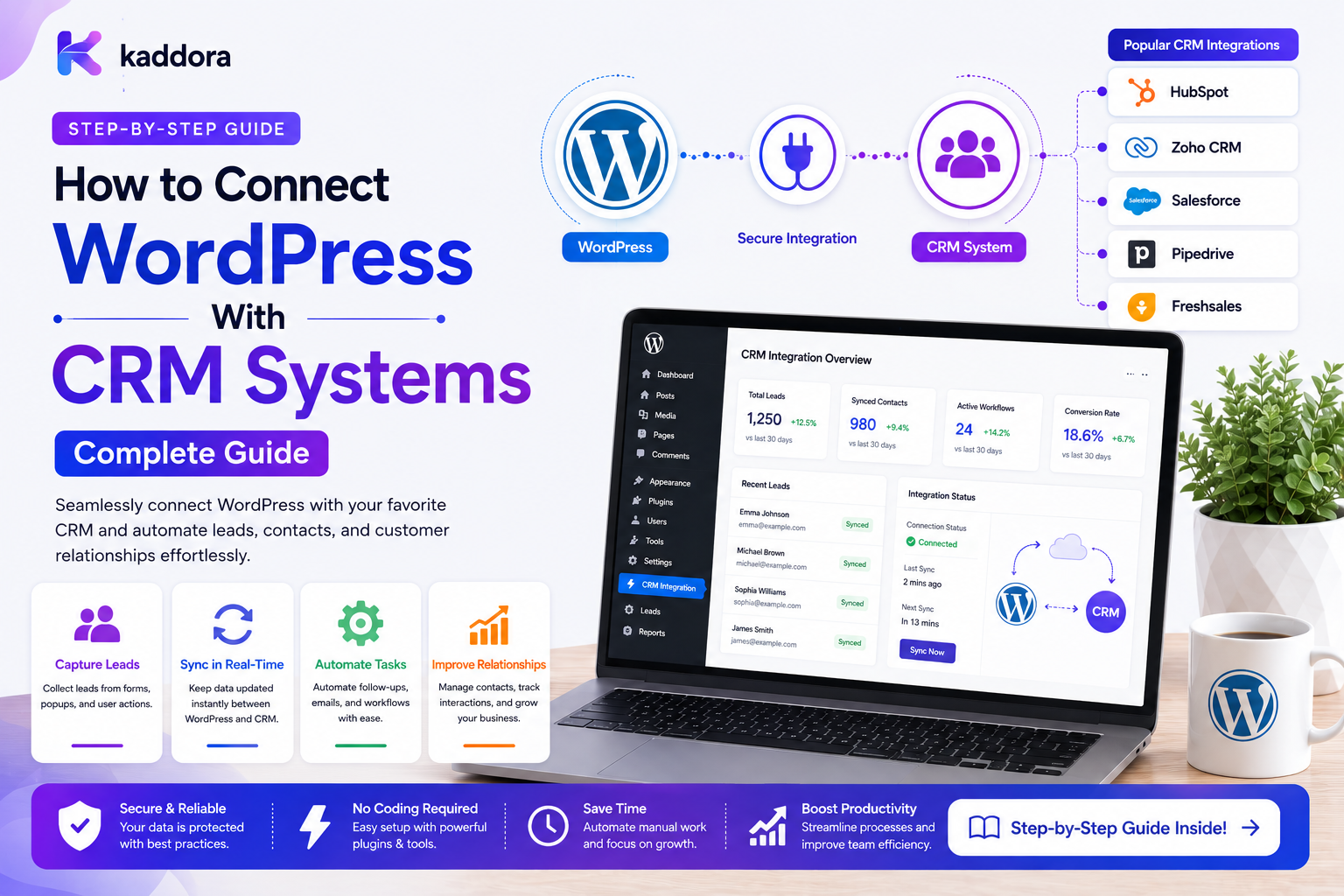
How to Connect WordPress With CRM Systems: Complete Guide
Introduction
A WordPress website can generate valuable customer information every day.
Visitors may:
Submit contact forms
Request quotes
Register accounts
Purchase products
Book appointments
Download resources
Start subscriptions
Request support
But collecting customer data is only the beginning.
A CRM system can help businesses manage:
Leads Contacts Companies Sales Opportunities Activities Tasks Follow-Ups Customer Relationships
Without integration, teams may manually move information:
WordPress Form ↓ Copy Data ↓ CRM
This creates unnecessary work and increases the possibility of:
Duplicate Leads Missing Records Incorrect Data Delayed Follow-Ups Lost Sales Opportunities
A connected architecture is more efficient:
WordPress ↓ Business Event ↓ Queue / Integration Layer ↓ CRM ↓ Sales Workflow
The CRM can also send information back to WordPress:
CRM ↓ Webhook ↓ WordPress ↓ Update Customer State
A production CRM integration requires more than sending an HTTP request.
It must consider:
Authentication Data Mapping Lead Deduplication Source of Truth Queues Retries Idempotency Webhooks Permissions Privacy Tenant Isolation Monitoring Reconciliation
The key principle is:
Connect WordPress and the CRM through explicit data contracts and reliable events while keeping clear ownership of customer information, enforcing authorization, and making synchronization safe to retry.
What Is WordPress CRM Integration?
WordPress CRM integration is the process of connecting a WordPress website or application with a CRM so that selected customer, lead, sales, and activity information can move between the systems automatically.
A common example is:
WordPress Form ↓ CRM Lead
A more complete workflow can be:
Form Submitted ↓ Validate ↓ Save Lead ↓ Queue CRM Sync ↓ Create / Update CRM Contact ↓ Create Follow-Up Task ↓ Notify Salesperson
Why Connect WordPress to a CRM?
CRM integration can help businesses:
Capture leads automatically
Reduce manual data entry
Improve follow-up speed
Centralize customer information
Assign leads automatically
Track sales activities
Connect website activity with sales workflows
Reduce duplicate records
WordPress and CRM Have Different Roles
A useful architecture separates responsibilities.
For example:
WordPress: Website Experience CRM: Sales Relationship Management
WordPress may collect the lead while the CRM manages:
Lead Owner Pipeline Stage Sales Activities Follow-Ups Opportunities
Define the Source of Truth
Before building the integration, decide which system owns each field.
For example:
WordPress: Website Account CRM: Lead Owner CRM: Sales Stage WordPress: Website Preferences
The exact ownership model depends on the business.
Why Source-of-Truth Rules Matter
Suppose both systems can update:
customer.phone
Then conflicting changes can occur:
WordPress: +91 90000 11111 CRM: +91 90000 22222
Without a conflict strategy, synchronization becomes unpredictable.
CRM Integration Models
Several architectures are possible.
One-Way WordPress to CRM
WordPress ↓ CRM
Useful for lead capture.
One-Way CRM to WordPress
CRM ↓ WordPress
Useful for displaying selected customer or account states.
Bidirectional Integration
WordPress ↔ CRM
More powerful, but significantly more complex.
Event-Driven CRM Integration
WordPress Event ↓ Queue ↓ CRM Worker ↓ CRM API
Useful for reliable background synchronization.
Scheduled CRM Synchronization
Every 15 Minutes ↓ Check CRM Changes ↓ Update WordPress
Useful when webhooks are unavailable.
Connect WordPress Forms to a CRM
One of the most common CRM integrations is form-to-lead automation.
For example:
Contact Form ↓ Validate ↓ Save Submission ↓ Create CRM Lead
A more robust flow is:
Form Submitted ↓ Server Validation ↓ Save Local Record ↓ Create Integration Event ↓ Queue ↓ CRM
This prevents CRM availability from unnecessarily blocking form submission.
Why Save the Lead Before CRM Sync?
Suppose the CRM is unavailable:
Form ↓ CRM ↓ CRM Timeout
If the lead was never stored locally, the business may lose the inquiry.
Instead:
Form ↓ Save Lead ↓ CRM Sync Pending
The lead remains safely stored while the integration retries later.
Form Data Mapping
A form may collect:
name email phone company message
The CRM may expect:
first_name last_name email_address phone_number organization notes
Use an explicit mapping layer.
Do Not Assume Field Names Match
Avoid hardcoded assumptions such as:
WordPress email = CRM email
when the CRM has custom field requirements.
Maintain a clear mapping.
Required CRM Fields
A form might allow:
Company: Optional
while the CRM requires:
Company: Required
The integration must decide how to handle the difference.
Possible strategies include:
Use Default Leave Unmapped Queue for Review Reject CRM Sync
The business rule should be explicit.
CRM Lead Source
A useful integration field is:
lead_source
For example:
Website Contact Form Landing Page WooCommerce Organic Search Referral
This helps sales teams understand lead origin.
UTM and Campaign Data
Marketing forms may also capture:
utm_source utm_medium utm_campaign utm_term utm_content
Only synchronize fields that the CRM actually needs.
Avoid Sending Hidden Tracking Data Blindly
Not every tracking field belongs in the CRM.
Define:
Marketing Data Required Purpose Retention Access
before sending it.
Lead Deduplication
One of the biggest CRM integration problems is duplicate leads.
A customer may submit:
Form 1
then later:
Form 2
with the same email address.
The CRM integration should determine whether this means:
Existing Contact Update
or:
New Lead
based on business rules.
Do Not Deduplicate by Name
Two people can have the same name.
Avoid:
name = "Rahul Sharma"
as the only matching field.
Common Matching Signals
Possible matching identifiers include:
CRM External ID Verified Email Phone Company ID Customer Number
Use a hierarchy appropriate to the CRM.
Existing CRM ID
The strongest mapping is often:
wordpress_contact_id crm_contact_id
Once linked, future synchronization can use the stable external ID.
Store External IDs
A mapping record may contain:
entity_type wordpress_id crm_id sync_status last_synced_at
This avoids repeatedly searching the CRM.
CRM Contact Creation
A safe process is:
Create / Find Customer ↓ Store CRM ID ↓ Mark Synchronized
The operation should be idempotent.
CRM Contact Update
When local customer data changes:
customer.updated ↓ Load CRM ID ↓ Update CRM Contact
Do not create a new contact if a mapping already exists.
What if the CRM ID Is Missing?
The integration may:
Search CRM ↓ Match Existing Contact? ├── Yes → Store CRM ID └── No → Create Contact
This should use a deterministic matching strategy.
Idempotent Contact Creation
A stable operation identity can prevent duplicate CRM contacts:
tenant_id + entity_id + operation_type
The exact key should represent the intended business uniqueness.
API Timeout After Contact Creation
A critical case:
WordPress ↓ Create CRM Contact ↓ CRM Success ↓ Response Timeout
WordPress may think the operation failed.
Retrying blindly can create another contact.
Use:
CRM Idempotency External Reference Query Before Create Reconciliation
where supported.
CRM Authentication
CRM APIs commonly use mechanisms such as:
OAuth Bearer Tokens API Keys Signed Requests
Use the provider's supported secure authentication mechanism.
Store CRM Credentials Securely
Never store credentials in:
Frontend JavaScript Workflow JSON Git Logs Database Exports
Use appropriate server-side credential storage.
CRM Credential References
A reusable integration can reference:
crm_primary
rather than storing the secret directly in each workflow.
Credential Rotation
CRM integrations should support credential changes without requiring every workflow to be rewritten.
Central credential references make this easier.
OAuth Connections
For user-authorized CRM access, OAuth can provide a secure connection model.
The integration should manage:
Access Token Refresh Token Expiration Connection Status
securely.
CRM Webhooks
The CRM can also send events back to WordPress.
For example:
CRM Lead Updated ↓ Webhook ↓ WordPress ↓ Queue ↓ Update Local State
Secure CRM Webhooks
Inbound CRM events should use:
HTTPS Authentication Signature Validation Timestamp Event ID Replay Protection
and resource-ownership checks.
CRM Webhook Event IDs
If the CRM sends:
event_id = crm_evt_501
WordPress can store it to prevent duplicate processing.
CRM Webhook Replay Protection
A robust receiver can validate:
Signature + Timestamp + Event ID + Processed State
before accepting the event.
CRM-to-WordPress State Synchronization
For example:
CRM Stage: Won ↓ Webhook ↓ WordPress ↓ Update Local Customer State
The application should verify that the event is authorized and that the transition is valid.
Do Not Let Webhooks Set Arbitrary State
Avoid blindly accepting:
status = won
from the request.
The server should validate the transition against its business rules.
Lead Pipeline Synchronization
A CRM may use:
New Contacted Qualified Proposal Negotiation Won Lost
WordPress may need only:
Open Customer Closed
Create an explicit mapping instead of copying raw CRM status names.
CRM Task Automation
When a lead is created:
Lead Created ↓ CRM Lead ↓ Create Follow-Up Task
The task can contain:
Owner Priority Due Date Related Lead
Automatic Lead Assignment
The CRM or WordPress automation layer can route:
Region Product Lead Value Customer Type
to the appropriate owner.
Keep Assignment Rules Deterministic
Avoid making ownership depend on hidden or arbitrary behavior.
For example:
High-value Enterprise → Enterprise Sales
is easy to explain and audit.
CRM and Customer Follow-Up
A typical workflow can be:
Lead Created ↓ Create Follow-Up ↓ Wait ↓ Check Current Status ↓ Follow Up or Stop
The CRM remains the source of current sales state.
CRM and WordPress User Accounts
A WordPress user and a CRM contact are not necessarily the same object.
One user may correspond to:
Contact Company Account Subscription
depending on the CRM.
Model the relationship explicitly.
Company / Contact Relationships
B2B CRMs often use:
Company ├── Contact A ├── Contact B └── Opportunity
WordPress may collect only an individual contact.
The integration may need to create or find the company first.
CRM Account Matching
Company matching should use stable business identifiers where possible:
CRM Company ID Registration Number Domain Verified Company Identifier
Avoid relying only on company name.
WordPress Membership Integration
A membership website might synchronize:
Member Created Member Upgraded Member Cancelled
with the CRM:
Contact Subscription Customer Tier
WooCommerce CRM Integration
An eCommerce workflow might be:
Order Completed ↓ Find CRM Contact ↓ Update Customer ↓ Create Purchase Activity
The CRM should generally not replace WooCommerce's order record.
WooCommerce Customer Lifetime Value
A CRM may store aggregated information such as:
Total Orders Revenue Last Purchase Customer Segment
These calculations should have a defined source and refresh strategy.
CRM and Support
Support events can create CRM activities:
Ticket Resolved ↓ CRM Activity ↓ Customer Timeline
This gives sales and customer-success teams more context.
CRM and Content
A form submission from a content download can create:
Lead Source: Content Download
Only automate marketing communication where appropriate authorization and applicable requirements exist.
CRM and ERP Together
A common enterprise architecture is:
WordPress / WooCommerce ↓ CRM ↓ ERP
But CRM and ERP ownership should remain explicit.
Direct WordPress → CRM → ERP
For example:
Order Completed ↓ CRM Activity ↓ ERP Order
This can work, but don't make the CRM an unnecessary intermediary if ERP synchronization is a separate operational concern.
Event-Driven CRM Architecture
A scalable architecture is:
WordPress ↓ Business Event ↓ Outbox ↓ Queue ↓ CRM Consumer ↓ CRM API
For CRM-to-WordPress:
CRM Event ↓ Webhook ↓ Verify ↓ Queue ↓ WordPress Consumer
Source-of-Truth Matrix
Before implementation, create a matrix:
Data
WordPress
CRM
Website Account
Primary
Secondary
Lead Stage
Read
Primary
Lead Owner
Read
Primary
Website Preferences
Primary
Secondary
Sales Activity
Secondary
Primary
The exact ownership depends on the business.
Conflict Resolution
When both systems can change data, define:
CRM Wins WordPress Wins Newest Valid Change Wins Manual Review
Do not let whichever API happens to run last determine business truth.
CRM Synchronization Status
Keep:
Customer State
separate from:
CRM Sync State
For example:
Customer: Active CRM Sync: Retrying
The customer record remains meaningful even while synchronization is temporarily unavailable.
CRM Sync States
Useful states include:
pending queued syncing synced retrying failed manual_review
CRM Integration Queues
Queue operations such as:
Create Contact Update Contact Create Activity Create Task Sync Stage
instead of blocking WordPress requests unnecessarily.
CRM Rate Limits
CRM APIs can limit:
Requests / Minute Requests / Day Concurrent Requests
The integration should throttle according to provider rules.
CRM Retry Strategy
Retry appropriate transient failures:
Timeout 429 503
while handling:
401 403 Validation Errors
through configuration or manual review.
CRM Reconciliation
A reconciliation process can identify:
Missing Contacts Duplicate Contacts Missing Activities Status Mismatches Failed Syncs
This is valuable for long-running integrations.
Don't Automatically Merge Duplicate Contacts
Two similar contacts may represent different people.
Use:
Candidate Match ↓ Human Review ↓ Merge
when ambiguity exists.
CRM Integration History
A timeline can show:
Lead Created ↓ CRM Sync Queued ↓ CRM Contact Created ↓ Follow-Up Task Created ↓ CRM Stage Updated
This is valuable for support and sales operations.
Correlation IDs
Use a shared correlation ID for complex workflows:
Form Request ↓ Lead ↓ CRM ↓ Follow-Up
This makes cross-system debugging easier.
CRM API Logs
Record safe operational details such as:
CRM Endpoint Operation Status Code Duration Attempt Result
Avoid storing:
OAuth Tokens API Keys Passwords Sensitive Customer Payloads
unless explicitly required and appropriately protected.
CRM Integration Monitoring
Useful metrics include:
Contacts Synced Leads Created Sync Failures Retry Rate Queue Lag API Latency Webhook Failures Duplicate Matches
CRM Health Dashboard
A useful dashboard can show:
Healthy Delayed Retrying Failed Disconnected
for each CRM connection.
CRM Sync Freshness
Measure:
Current Time - Last Successful Sync
This can show whether CRM data is becoming stale.
Manual CRM Resynchronization
An administrator may need:
Resync Contact Resync Lead Resync Order
The operation should:
Check Permission Check Current State Use Idempotency Queue Work Record Audit
Bulk CRM Resynchronization
For thousands of contacts:
10,000 Contacts ↓ Create Batches ↓ Queue ↓ Workers
Do not perform bulk CRM synchronization within a single HTTP request.
CRM Backfill
A new integration may require historical migration:
Existing Leads ↓ Batch ↓ CRM
Use checkpoints so the job can resume after failure.
Migration Checkpoints
Store:
batch_number last_processed_id status
This makes migration recoverable.
CRM and AI
AI can assist CRM processes with:
Lead Classification Conversation Summaries Intent Detection Next Best Action Data Extraction
For example:
Customer Message ↓ AI Classification ↓ Intent = Pricing ↓ Create CRM Task
AI output should be validated before affecting critical CRM state.
Don't Let AI Decide Ownership Without Rules
AI may suggest:
Recommended Team: Enterprise Sales
but the final routing should be determined by explicit business rules where appropriate.
CRM Multi-Tenancy
For SaaS:
Tenant A ↓ CRM Connection A Tenant B ↓ CRM Connection B
Every request, queue job, webhook, and credential must remain tenant-scoped.
Never Share CRM Credentials Between Tenants
A worker should resolve credentials through trusted tenant configuration.
Do not accept arbitrary credential IDs from public requests.
CRM Access Control
Different users may have permissions such as:
View CRM Status Retry Sync Edit Mapping Change Credentials Run Reconciliation
Protect these independently.
CRM Webhook Source Validation
An inbound CRM event should verify:
Integration Identity Signature Event ID Entity Ownership Allowed Transition
before changing WordPress data.
Testing WordPress CRM Integration
Test:
New Lead Existing Contact Duplicate Lead CRM Timeout 429 401 Webhook Duplicate Webhook CRM Outage Data Mapping Error Tenant Mismatch
Contract Testing
Verify that the CRM API still supports:
Endpoints Fields Required Data Authentication Status Values
before deployment.
CRM Sandbox
Use a CRM test environment where available:
Development ↓ CRM Sandbox ↓ Staging ↓ Production
Avoid testing destructive workflows against live CRM data.
Common WordPress CRM Integration Mistakes
Creating a CRM Record Directly in a Form Request
CRM outages make the website request fail.
No Duplicate Detection
Repeated submissions create multiple contacts.
Matching Only by Name
Names are not unique identifiers.
No External ID Mapping
Future synchronization becomes unreliable.
No Source-of-Truth Rules
CRM and WordPress overwrite each other.
No Idempotency
Retries create duplicate CRM records.
No Queues
High traffic overwhelms the CRM API.
No Reconciliation
Missing records stay undetected.
No Tenant Isolation
One company's CRM data becomes accessible to another.
Sending Unnecessary Customer Data
The CRM receives more personal information than required.
WordPress CRM Integration Checklist
- [ ] Define CRM integration scope - [ ] Define source-of-truth ownership - [ ] Define entities - [ ] Define external IDs - [ ] Define field mappings - [ ] Define status mappings - [ ] Define lead-source mapping - [ ] Configure secure credentials - [ ] Add form integration - [ ] Add customer integration - [ ] Add WooCommerce integration where required - [ ] Add CRM webhooks - [ ] Add queues - [ ] Add retries and backoff - [ ] Add idempotency - [ ] Add duplicate detection - [ ] Add reconciliation - [ ] Separate business status from sync status - [ ] Add audit history - [ ] Enforce tenant scope - [ ] Add integration permissions - [ ] Add monitoring - [ ] Test failure and duplicate scenarios
Best Practices for WordPress CRM Integration
A professional CRM integration should:
Define which system owns each important customer, lead, sales, and activity field.
Use supported CRM APIs and webhooks instead of direct database access.
Save important WordPress business data locally before attempting non-critical external synchronization.
Maintain explicit mappings between WordPress and CRM identifiers.
Use deterministic matching rules for deduplication.
Make create and update operations idempotent.
Treat timeouts as potentially ambiguous outcomes.
Use queues for slow, retryable, or high-volume CRM operations.
Apply bounded retries, exponential backoff, timeouts, and CRM-specific rate limits.
Keep customer state separate from CRM synchronization state.
Use CRM webhooks for timely inbound updates where supported.
Validate webhook signatures, event IDs, tenant scope, and allowed state transitions.
Avoid copying unnecessary personal or internal CRM data into WordPress.
Keep CRM credentials in secure credential storage.
Support credential rotation without changing every workflow.
Provide reconciliation tools for missing, duplicate, stale, or conflicting data.
Enforce tenant-specific CRM connections, mappings, credentials, and permissions in SaaS applications.
Monitor sync freshness, failure rates, queue lag, retries, and integration health.
Why choose ThemeKaddora?
ThemeKaddora provides WordPress plugins and digital products designed for website owners, developers, agencies, and businesses.
Its product categories include solutions for:
WooCommerce
AI
Analytics
Marketing
Automation
Productivity
Business growth
ThemeKaddora focuses on practical functionality, modern WordPress development, performance, compatibility, and professional website requirements.
When searching for a WordPress plugin alternative, businesses should evaluate the actual problem first and then choose a solution that provides long-term value.
Conclusion
Connecting WordPress with a CRM can transform a website from a lead collection tool into part of a complete customer-management workflow.
A basic architecture:
WordPress ↓ CRM
can become:
WordPress ↓ Business Event ↓ Outbox ↓ Queue ↓ CRM Worker ↓ CRM API ↓ External ID ↓ Sync Status ↓ Reconciliation
And for CRM-to-WordPress communication:
CRM ↓ Webhook ↓ Verify ↓ Queue ↓ Current-State Check ↓ WordPress
The first principle is define the source of truth.
WordPress and the CRM should not compete to own the same information without an explicit conflict strategy.
The second principle is map identities explicitly.
A WordPress user ID and CRM contact ID are different identifiers.
The third principle is prevent duplicates.
Use external IDs, deterministic matching, database uniqueness where appropriate, and idempotency.
The fourth principle is save important local business data before external synchronization.
A CRM outage should not necessarily cause a valid website lead or order to disappear.
The fifth principle is use queues for external work.
CRM APIs should not unnecessarily block customer-facing requests.
The sixth principle is treat CRM webhooks as untrusted input.
Authenticate, validate, deduplicate, and authorize every state-changing event.
The seventh principle is separate business state from integration state.
A customer can remain active while CRM synchronization is temporarily retrying.
The eighth principle is reconcile distributed data.
Events can be missed, APIs can fail, and users can change data in different systems.
The ninth principle is protect customer information.
Only transfer the data required for the CRM workflow.
The tenth principle is make the integration observable.
Track:
Sync Success Failures Retries Queue Lag CRM Latency Webhook Events
For ThemeKaddora, CRM integration can support:
Lead Generation WooCommerce Customer Onboarding Support Sales CRM ERP AI Business Automation
The most important principle is:
Treat the CRM as a connected business system with explicit ownership, stable identities, reliable asynchronous synchronization, and secure state transitions—not simply as another database that WordPress can freely overwrite.
A professional WordPress CRM integration should be:
API-Driven
→ Event-Driven
→ Idempotent
→ Queue-Based
→ Source-of-Truth Aware
→ Secure
→ Reconciled
→ Observable
→ Tenant-Aware
→ Scalable
When these principles are applied, WordPress can become a reliable entry point for leads, customers, orders, onboarding, and support while the CRM provides the centralized relationship-management layer required for growing businesses.
Frequently Asked Questions
What is WordPress CRM integration?
It is the process of connecting WordPress with a CRM so selected customer, lead, sales, activity, and website data can be exchanged automatically.
What data can WordPress send to a CRM?
Common data includes name, email, phone, company, lead source, form information, customer activity, orders, and selected custom fields.
Should WordPress store leads before sending them to the CRM?
For important lead-capture workflows, storing the local business record first is often safer because the CRM may be temporarily unavailable.
How do I prevent duplicate CRM contacts?
Use stable external IDs, deterministic matching, idempotency, unique business keys, and CRM-supported duplicate-prevention mechanisms.
Should I match CRM contacts by email?
Email can be a useful matching signal, but whether it is a reliable unique identifier depends on the business and CRM configuration.
What happens when the CRM API is down?
WordPress can keep the local business record and place the synchronization operation into a queue for later retry.
Can a CRM send webhooks to WordPress?
Yes. CRM webhooks can notify WordPress about lead, contact, opportunity, or pipeline changes when the CRM supports them.
How should CRM webhooks be secured?
Use HTTPS, authentication, signature verification, event IDs, replay protection, schema validation, tenant checks, and state-transition validation.
Can WordPress and the CRM synchronize bidirectionally?
Yes, but bidirectional synchronization requires clear source-of-truth rules, conflict resolution, idempotency, loop prevention, and reconciliation.
Can WordPress CRM integration work with WooCommerce?
Yes. WooCommerce can send order and customer events to the CRM and create sales activities, customer profiles, segments, or follow-up tasks.
Can AI be used in CRM automation?
Yes. AI can classify leads, summarize customer conversations, extract information, or suggest next actions. Important CRM state changes should remain governed by deterministic rules and appropriate authorization.
How should CRM integration work in a multi-tenant SaaS?
Each tenant should have separate CRM connections, credentials, mappings, queue jobs, permissions, and customer data boundaries.
Why choose Themekaddora?
Themekaddora provides lightweight, responsive, SEO-friendly WordPress themes with fast performance, WooCommerce compatibility, flexible customization, accessibility-conscious design, modern templates, regular updates, and professional support—providing a strong foundation for businesses building digital products and product-focused websites.
Comments (0)