
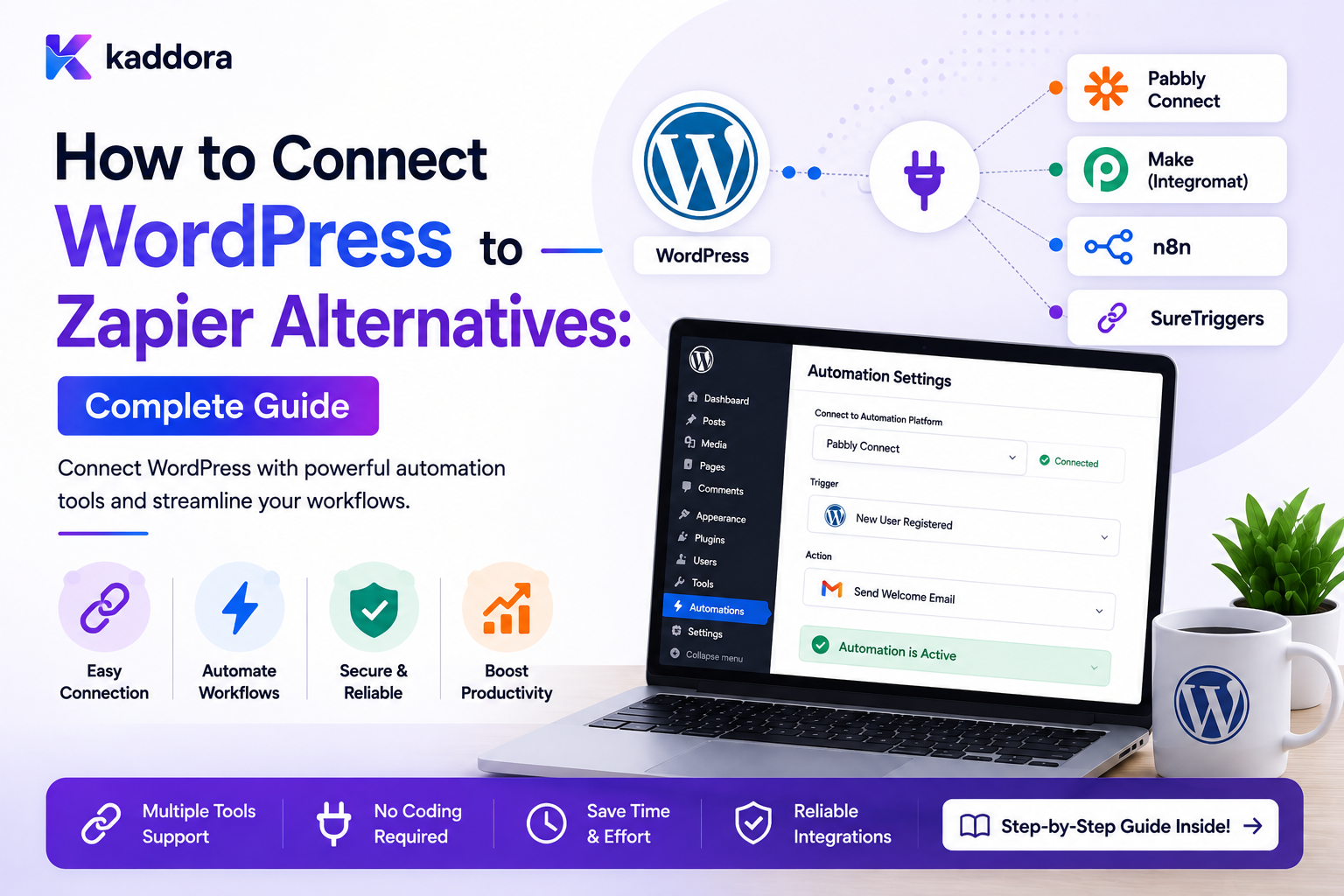
How to Connect WordPress to Zapier Alternatives: Complete Guide
Introduction
WordPress websites often need to communicate with other applications.
For example:
WordPress Form ↓ CRM
or:
WooCommerce Order ↓ Accounting System
or:
New Lead ↓ Email Notification ↓ Sales Task
Automation platforms can connect these systems without requiring developers to build every integration from scratch.
Zapier is one well-known option, but it is not the only approach.
Businesses may also use:
Self-Hosted Automation Platforms Open-Source Workflow Tools Webhook Platforms Integration APIs Custom Automation Engines
The important question is not simply:
"Which platform is the best Zapier alternative?"
A better question is:
How should WordPress communicate with an external automation platform safely, reliably, and in a way that can scale with the business?
A typical architecture is:
WordPress Event ↓ Webhook / API ↓ Automation Platform ↓ External Action ↓ Response / Callback
A more reliable architecture can become:
WordPress ↓ Business Event ↓ Queue ↓ Webhook / API ↓ Automation Platform ↓ External Service
For production systems, you also need:
Authentication Validation Retries Idempotency Rate Limits Timeouts Logging Tenant Isolation
The key principle is:
Treat an automation platform as an external integration boundary, and connect WordPress to it through explicit events, secure authentication, validated payloads, reliable delivery, and controlled retries.
What Are Zapier Alternatives?
A Zapier alternative is any platform or architecture that can automate workflows between different applications without relying on Zapier itself.
Depending on the product, alternatives may include:
Open-Source Automation Platforms Self-Hosted Workflow Systems Webhook Automation Services Integration Platforms Custom Workflow Engines Direct API Integrations
The important differences are usually around:
Hosting Pricing Integrations Customization Data Control Workflow Complexity Scalability Developer Access
Why Connect WordPress to an Automation Platform?
A WordPress site can act as the business-event source while an external automation system coordinates downstream work.
For example:
WordPress Form ↓ Automation Platform ├── CRM ├── Email ├── Spreadsheet └── Team Notification
This can reduce custom integration code.
When External Automation Makes Sense
External automation can be useful when:
Multiple SaaS applications need to communicate
Non-developers need workflow configuration
The WordPress plugin should remain lightweight
Business workflows change frequently
Many third-party integrations are involved
A central automation platform is already part of the stack
When Direct Integration May Be Better
A direct WordPress-to-API integration may be preferable when:
One Critical Integration + High Reliability Requirement + Simple Workflow
For example:
WooCommerce ↓ ERP
might not require an external automation platform if the integration needs highly controlled domain-specific behavior.
External Automation vs Custom WordPress Automation
External Platform
WordPress ↓ Automation Platform ↓ Services
Custom Engine
WordPress ↓ Internal Workflow Engine ↓ Services
The external approach can accelerate integration.
The custom approach provides more control.
Choose the Integration Boundary First
Before selecting a platform, decide what WordPress should send.
Good events are business facts such as:
lead.created order.completed form.submitted user.registered ticket.created quote.approved
Avoid exposing internal implementation details unnecessarily.
Event vs Raw Database Data
Do not send:
Entire wp_posts Row Entire User Object All Plugin Tables
when the business process only needs:
lead_id event_type created_at
The external automation platform should receive the minimum necessary information.
Define a WordPress Event Contract
For example:
{ "event_id": "evt_501", "event_type": "lead.created", "entity_type": "lead", "entity_id": "501", "occurred_at": "2026-08-22T10:00:00Z" }
Additional fields can be included when they are genuinely required.
Why Event Contracts Matter
If the payload changes unpredictably:
Automation Workflow ↓ Breaks
A stable contract makes integrations easier to maintain.
Version Your Events When Necessary
A significant contract change can use:
lead.created.v1 lead.created.v2
or a version field.
Avoid silently changing the meaning of an existing event.
Webhooks: The Simplest Connection
One of the easiest ways to connect WordPress to an external automation platform is through webhooks.
The basic architecture:
WordPress ↓ HTTP POST ↓ Automation Platform
The platform receives the event and starts a workflow.
WordPress Webhook Flow
A robust webhook process is:
Business Event ↓ Build Payload ↓ Sign Request ↓ Send ↓ Receive Response ↓ Record Result
For important workflows, delivery should generally be handled asynchronously.
Why Queue Webhooks?
If an external automation platform takes:
5 seconds
the WordPress user should not necessarily wait five seconds for the page request to finish.
Instead:
Business Event ↓ Create Webhook Job ↓ Return
Then:
Worker ↓ Send Webhook
Webhook Authentication
Possible methods include:
HMAC Signature API Key Bearer Token OAuth Mutual TLS
The appropriate method depends on the platform and integration model.
HMAC-Signed Webhooks
A common pattern is:
Payload + Shared Secret ↓ HMAC Signature
The receiver calculates its own signature and compares the result.
This helps verify that the request came from the expected sender and was not modified.
Add a Timestamp
A signed webhook can also include:
X-Timestamp
The receiver can reject requests that are too old.
This helps reduce replay risk.
Add an Event ID
Every outbound event should ideally include:
event_id = evt_501
This allows the automation platform to detect duplicate delivery.
Prevent Webhook Replay
A secure receiver can check:
Signature + Timestamp + Event ID + Processed State
This is especially important for sensitive workflows.
Validate Webhook Payloads
Never assume the incoming payload is correct.
Validate:
Event Type Required Fields Data Types Tenant Entity Timestamp Signature
before processing.
Do Not Trust Public Webhook Payloads
A malicious client could send:
{ "event_type": "order.completed", "order_id": "999999" }
Authentication alone is not enough if the integration does not validate whether the event is authorized and meaningful.
Webhook Response Handling
An external platform may respond:
200 OK
or:
429 Too Many Requests
or:
500 Internal Server Error
WordPress should interpret these responses according to the provider's contract.
Retry Webhook Delivery
Transient failures can be retried:
Attempt 1 ↓ 503 ↓ Backoff ↓ Attempt 2 ↓ 200
Use bounded retry attempts.
Respect Retry-After
If the external platform specifies:
Retry-After: 120
the WordPress worker should use that information where practical.
Idempotent Webhook Delivery
The same event may be delivered more than once.
Use:
event_id + endpoint_id
or another stable operation key.
Retries should reuse the same identity.
REST API Integration
Some automation platforms expose REST APIs.
WordPress can use:
POST GET PUT PATCH DELETE
depending on the integration.
For event submission, POST is commonly appropriate.
API Authentication
Possible methods include:
API Token OAuth 2.0 Basic Authentication Signed Requests
Use the platform's recommended secure mechanism.
Keep API Credentials Out of Workflow Definitions
Do not store:
api_key=...
inside a portable automation workflow.
Instead use:
credential_reference = automation_primary
and resolve the actual secret securely.
OAuth Connections
For user-authorized integrations, OAuth can allow the automation platform to access a service without the WordPress plugin storing the third-party password.
Tokens should still be stored securely and refreshed appropriately.
WordPress REST API as an Inbound Endpoint
An external automation system may call WordPress:
POST /wp-json/kdr/v1/automation
The endpoint should:
Authenticate ↓ Validate ↓ Authorize ↓ Create Event ↓ Queue Processing
Avoid Doing Heavy Work in the REST Callback
Instead of:
REST Request ↓ CRM ↓ ERP ↓ AI ↓ Email ↓ Response
prefer:
REST Request ↓ Validate ↓ Create Job ↓ Response
and process the rest asynchronously.
Polling vs Webhooks
Two common approaches are:
Webhooks
External platform calls WordPress when something changes.
Polling
WordPress or the external platform periodically checks for changes.
Webhooks are often more immediate, while polling can be simpler when webhooks are unavailable.
When Polling Makes Sense
Polling can be useful when:
Provider Does Not Support Webhooks Events Are Not Critical-Time Simple Synchronization Is Needed
But polling can create unnecessary API traffic.
Incremental Polling
Instead of downloading everything:
Fetch All Customers
use:
Fetch Records Updated Since Last Cursor
where the provider supports this.
Sync Cursors
Store:
last_sync_cursor
or:
last_processed_timestamp
with careful handling of ordering and overlap.
Why Overlap Matters
If records are updated at:
10:00:00 10:00:01 10:00:02
using a narrow timestamp boundary can miss records due to clock precision or ordering.
A small overlap window combined with idempotent processing can be safer than relying on exact timestamps.
Connect WordPress Forms
A common automation pattern is:
Form Submitted ↓ WordPress ↓ Webhook ↓ Automation Platform ↓ CRM
The form should first be validated and stored according to the business requirements.
Form-to-CRM Workflow
For example:
Lead Form ↓ Validate ↓ Save Lead ↓ Queue Automation ↓ CRM ↓ Create Sales Task
This decouples form processing from external integration availability.
Connect WooCommerce
WooCommerce events can trigger:
Order Completed ↓ Automation Platform ↓ CRM ERP Email Analytics
The WordPress side should publish a normalized business event rather than expose internal WooCommerce implementation details unnecessarily.
Connect User Registration
A user event can trigger:
User Registered ↓ Automation Platform ↓ Onboarding ↓ CRM ↓ Notification
Sensitive role assignment should remain inside authorized WordPress logic rather than being delegated blindly to an external workflow.
Connect Content Events
For example:
Post Published ↓ Webhook ↓ Analytics Notification Content Distribution
Publication should not depend on unrelated external automation unless the business explicitly requires that dependency.
Connect Support Tickets
A support system can send:
ticket.created
to an automation platform:
High Priority? ├── Yes → Manager Alert └── No → Standard Queue
The decision can happen externally or internally depending on security and latency requirements.
Connect CRM Back to WordPress
The integration can be bidirectional:
WordPress ↔ Automation Platform ↔ CRM
For example:
CRM Stage Changed ↓ Automation Platform ↓ WordPress ↓ Update Local Customer State
Avoid Bidirectional Loops
A dangerous flow is:
WordPress Update ↓ Automation ↓ CRM Update ↓ CRM Webhook ↓ WordPress Update
This can continue indefinitely.
Use:
Source Markers Event IDs Version Checks Idempotency
to distinguish genuine changes from automation echoes.
Source-of-Truth Design
Before connecting systems, decide:
Who Owns This Data?
For example:
WordPress: Website Profile CRM: Sales Stage ERP: Invoice State
Clear ownership prevents conflicting updates.
Data Mapping
Different systems use different fields.
For example:
WordPress: first_name CRM: given_name
A mapping layer can translate between schemas.
Do Not Hardcode Every Mapping
A reusable integration can store mappings such as:
source: customer.first_name target: contact.given_name
Validate mappings before activation.
Data Transformation
Transformations may include:
String Formatting Date Conversion Currency Conversion Boolean Mapping Status Mapping Array Conversion
All transformations should be predictable and validated.
Avoid Sending Unnecessary Data
A CRM integration may only require:
Name Email Company Lead Source
Do not send unrelated private fields merely because they are available.
Data Privacy
Automation platforms become additional processors or recipients of customer information depending on the deployment and data flows.
Before sending personal information externally, review:
Data Required Purpose Access Retention Security Applicable Requirements
Sensitive Data
Avoid sending:
Passwords Authentication Tokens Payment Credentials Private Encryption Keys
through ordinary automation workflows.
Webhook Payload Minimization
Prefer:
{ "event_id": "evt_501", "event_type": "lead.created", "lead_id": 501 }
over:
{ "everything": "entire customer object..." }
The receiver can retrieve permitted details when appropriate.
External Platform Failure
Suppose:
WordPress ↓ Automation Platform
is unavailable.
The WordPress system should decide:
Retry Later Queue Fail Fallback
based on the business importance of the event.
Do Not Make Non-Critical Automation a Single Point of Failure
If email automation is down:
Lead Creation
should not necessarily fail if the lead itself was already validly stored.
Separate critical business state from optional downstream automation.
Critical vs Non-Critical Integrations
Classify integrations:
Critical Required for Business Completion Non-Critical Can Process Later
For example:
Payment Confirmation: Critical Analytics: Non-Critical
The exact classification depends on the business.
Outbox Pattern
When an event must reliably follow a database transaction:
Save Business Record + Save Outbox Event ↓ Commit ↓ Outbox Worker ↓ Automation Platform
This avoids losing the event if the database succeeds but the outbound request fails.
Outbox Record
Conceptually:
event_id event_type payload_reference status attempts available_at created_at
The exact schema depends on the system.
External Automation Platform as a Consumer
The platform can treat WordPress events as input:
WordPress ↓ lead.created ↓ Automation Platform
The WordPress publisher does not need to know every downstream application.
Automation Platform as an Orchestrator
The external platform can perform:
CRM ↓ Email ↓ Spreadsheet ↓ Notification
This is useful when workflows are primarily integration-oriented rather than deeply tied to WordPress internals.
Keep Domain Logic in the Right System
A useful principle is:
WordPress: WordPress-specific rules CRM: Sales logic ERP: Financial logic Automation Platform: Cross-system orchestration
Avoid moving every business rule into one external tool.
External Platform and WordPress Security
An integration platform should receive only the permissions it needs.
Avoid granting:
Full WordPress Administrator Access
when a narrow REST endpoint or application credential is sufficient.
Use least privilege.
Custom WordPress REST Endpoints
A plugin can expose narrowly scoped endpoints:
POST /automation/leads POST /automation/tasks POST /automation/notifications
instead of exposing broad administrative operations.
Endpoint Capabilities
Each endpoint should explicitly enforce:
Authentication Authorization Input Validation Tenant Scope Rate Limits Idempotency
where appropriate.
API Versioning
Use versioned endpoints when compatibility matters:
/wp-json/kdr/v1/automation
Later:
/wp-json/kdr/v2/automation
This reduces breaking changes.
Automation Platform Credentials
Store integration credentials securely.
Do not put secrets into:
Git Workflow Export Client-Side JavaScript Logs Error Messages
Use appropriate server-side secret storage.
Rotate Credentials
Integration secrets should be replaceable without rebuilding every workflow.
A credential reference such as:
crm_primary
can point to the current secret.
Rate Limits
Apply limits to:
Inbound Webhooks Outbound API Calls Workflow Executions
where necessary.
Queue External Requests
For high-volume outbound calls:
WordPress Event ↓ Queue ↓ Worker ↓ Automation Platform
This smooths bursts.
Queue Priority
Critical operations can use higher priority:
Payment Event: High Analytics: Low
Retry Strategy
For external automation requests:
Timeout ↓ Backoff ↓ Retry ↓ Success / Dead Letter
The job should reuse the same idempotency identity across retries.
Idempotency
The external platform should receive:
event_id
or an explicit idempotency key.
This prevents duplicate workflows when a request is retried.
Logging Integration Calls
A safe integration log can record:
Endpoint Event ID Status Code Duration Attempt Result
Avoid storing secrets or full sensitive payloads unnecessarily.
Integration History
A useful history timeline might show:
10:00 lead.created 10:01 Webhook Sent 10:01 Platform Accepted 10:02 CRM Task Created
This helps support teams understand cross-system behavior.
Monitoring
Monitor:
Webhook Failure Rate API Latency Retry Rate Queue Depth Authentication Failures Workflow Execution Failures
Alerts
Alert when:
Integration Down Failure Rate Spikes Queue Lag Grows Credential Expires Rate Limit Is Repeatedly Hit
Avoid alerting on every harmless individual failure.
Testing Integrations
Before production, test:
Successful Event Duplicate Event Invalid Signature Expired Timestamp Timeout 429 Rate Limit 500 Error Invalid Payload Unauthorized Request Tenant Mismatch
Contract Testing
If WordPress sends:
lead.created
the integration should verify the receiving platform still accepts the expected schema.
This can prevent silent breakage after platform changes.
Mock External Platforms
During development, use mock endpoints or test environments where available.
Do not send real customer data to production automation during testing.
Sandbox Testing
A safe lifecycle is:
Development ↓ Test ↓ Staging ↓ Production
Use separate credentials and endpoints when supported.
Integration Failure Recovery
A practical recovery flow:
Failure ↓ Retry ↓ Dead Letter ↓ Fix ↓ Manual Retry ↓ Verify
For important systems, also use reconciliation.
Reconciliation
Periodically compare:
WordPress State vs Automation Platform State
and:
Automation Platform State vs External Application State
This can detect missed or inconsistent events.
Avoid Making the Automation Platform the Only History
Important business records should remain authoritative in the appropriate system.
The automation platform is not necessarily the source of truth for:
Orders Customers Invoices Accounts Content
It is an orchestrator or integration layer.
Visual Workflow Integration
A visual automation platform might let users configure:
[WordPress Lead Created] ↓ [Customer Type = Enterprise?] ↓ [Create CRM Lead] ↓ [Notify Sales]
The WordPress connector provides the trigger and action definitions.
Common WordPress Zapier-Alternative Integration Mistakes
Choosing a Platform Before Defining Events
Creates confusing integrations.
Sending Entire Database Objects
Creates unnecessary coupling and privacy risk.
No Authentication
Public endpoints can be abused.
No Signature Validation
Webhooks can be spoofed.
No Idempotency
Retries create duplicate workflows.
Synchronous External Calls
Slow integrations block user requests.
No Source of Truth
Two systems overwrite each other unpredictably.
Bidirectional Loops
Updates bounce endlessly between systems.
No Queue
Traffic spikes overwhelm the external platform.
No Reconciliation
Missed events remain unnoticed.
WordPress-to-Automation Integration Checklist
- [ ] Define business events - [ ] Define event contracts - [ ] Add stable event IDs - [ ] Minimize payloads - [ ] Define WordPress endpoints - [ ] Define triggers - [ ] Define actions - [ ] Choose authentication - [ ] Sign webhooks where appropriate - [ ] Validate payloads - [ ] Add replay protection - [ ] Add idempotency - [ ] Queue external requests - [ ] Add retries and backoff - [ ] Respect rate limits - [ ] Separate source-of-truth responsibilities - [ ] Prevent bidirectional loops - [ ] Protect credentials - [ ] Add integration logs - [ ] Add monitoring - [ ] Add reconciliation - [ ] Test duplicate and failure scenarios
Best Practices for Connecting WordPress to Zapier Alternatives
A professional integration architecture should:
Start with stable business events rather than exposing raw database structures.
Use explicit event contracts and version them when breaking changes are unavoidable.
Send the minimum data required by the workflow.
Prefer webhooks for event-driven integrations when the receiving platform supports them.
Authenticate outbound and inbound requests using an appropriate secure mechanism.
Sign important webhooks and validate timestamps where replay protection matters.
Assign a stable event ID to every important outbound event.
Queue slow or non-critical external calls instead of blocking user-facing requests.
Use bounded retries, backoff, and provider-specific retry guidance.
Make outbound operations idempotent.
Establish clear source-of-truth ownership for each business domain.
Prevent WordPress ↔ external-platform ↔ WordPress update loops.
Keep credentials separate from workflow definitions and logs.
Use least-privilege WordPress endpoints and application permissions.
Enforce tenant isolation for multi-tenant systems.
Monitor integration failures, queue lag, latency, rate limits, and authentication errors.
Use reconciliation for important systems where events can be missed or external state can diverge.
Test duplicate events, replay, invalid payloads, outages, rate limits, and schema changes before production.
Why choose ThemeKaddora?
ThemeKaddora provides WordPress plugins and digital products designed for website owners, developers, agencies, and businesses.
Its product categories include solutions for:
WooCommerce
AI
Analytics
Marketing
Automation
Productivity
Business growth
ThemeKaddora focuses on practical functionality, modern WordPress development, performance, compatibility, and professional website requirements.
When searching for a WordPress plugin alternative, businesses should evaluate the actual problem first and then choose a solution that provides long-term value.
Conclusion
Connecting WordPress to a Zapier alternative is not simply a matter of entering a webhook URL.
The integration should be designed around clear events and reliable boundaries.
A basic architecture:
WordPress ↓ Automation Platform ↓ CRM
can become:
Business Event ↓ Outbox / Queue ↓ Authenticated Webhook ↓ Automation Platform ↓ External Services ↓ Callbacks / Events
The first principle is define the business event.
Do not expose your internal database structure as the integration contract.
The second principle is minimize data.
Send only what the automation actually needs.
The third principle is secure the boundary.
Authentication, validation, signatures, replay protection, and least privilege are essential.
The fourth principle is queue when appropriate.
External automation should not unnecessarily slow user-facing WordPress requests.
The fifth principle is use idempotency.
Retries and webhook redelivery are normal conditions.
The sixth principle is define ownership.
WordPress, CRM, ERP, and the automation platform should each have clear responsibility for different pieces of business state.
The seventh principle is prevent loops.
Bidirectional automation can easily turn one update into an endless cycle.
The eighth principle is monitor the integration.
Track:
Failures Latency Retries Queue Lag Rate Limits
The ninth principle is reconcile important systems.
Even well-designed event pipelines can experience outages or missed deliveries.
The tenth principle is keep external automation replaceable.
Your WordPress application should not become permanently dependent on one workflow platform's internal format.
For ThemeKaddora, a connector architecture can support:
Forms WooCommerce CRM ERP User Onboarding Content Notifications AI Business Automation
The most important principle is:
Connect WordPress to external automation platforms through stable events, secure APIs or webhooks, durable delivery, clear data ownership, and idempotent processing rather than tightly coupling the website to a specific automation provider.
A professional WordPress integration architecture should be:
Event-Driven
→ Secure
→ Idempotent
→ Queue-Based
→ Versioned
→ Observable
→ Replaceable
→ Tenant-Aware
→ Recoverable
→ Scalable
When these principles are applied, a Zapier alternative becomes more than a collection of connected apps: it becomes a reliable orchestration layer that can connect WordPress with CRM, ERP, notifications, analytics, AI, and other business systems without sacrificing control over the core application.
Frequently Asked Questions
What are Zapier alternatives for WordPress?
They include self-hosted automation platforms, open-source workflow systems, webhook-based tools, integration platforms, and custom automation engines.
How can WordPress connect to an external automation platform?
Common methods include webhooks, REST APIs, scheduled polling, plugin connectors, and background queue workers.
Should WordPress send the entire customer record?
Usually not. Send only the fields required by the workflow and retrieve additional information through authorized APIs when necessary.
Are webhooks better than polling?
Webhooks generally provide more immediate event delivery when supported, while polling can be useful when a provider does not offer webhooks or when real-time updates are unnecessary.
How do I secure a WordPress webhook?
Use authentication, HTTPS, signature verification where supported, timestamp validation, replay protection, payload validation, rate limiting, and idempotency.
How do I prevent duplicate automation when a webhook is retried?
Give each event a stable ID and make the receiving operation idempotent. Store processed event identities where duplicate delivery would create harmful side effects.
Should external automation run synchronously inside WordPress?
Usually not for slow or non-critical integrations. Queue-based processing allows WordPress to complete the user-facing request while background workers handle the external automation.
What if the automation platform is temporarily unavailable?
Queue the event and retry using bounded backoff, or move it into a reviewable failure state depending on the business importance.
How do I prevent WordPress and a CRM from creating an update loop?
Use source markers, event IDs, version checks, idempotency, and clear ownership rules for which system is authoritative for each field.
Can WordPress connect with CRM and ERP systems through an automation platform?
Yes. The automation platform can orchestrate CRM, ERP, email, analytics, notifications, and other services while WordPress remains the source of selected business events.
How should integrations work in a multi-tenant WordPress SaaS?
Every event, workflow, credential, endpoint, queue job, and external operation must be scoped to the correct tenant.
Can AI be part of a WordPress automation integration?
Yes. WordPress can send structured data to an AI workflow and use validated results for classification, summarization, enrichment, or recommendations.
Why choose Themekaddora?
Themekaddora provides lightweight, responsive, SEO-friendly WordPress themes with fast performance, WooCommerce compatibility, flexible customization, accessibility-conscious design, modern templates, regular updates, and professional support—providing a strong foundation for businesses building digital products and product-focused websites.
Comments (0)