
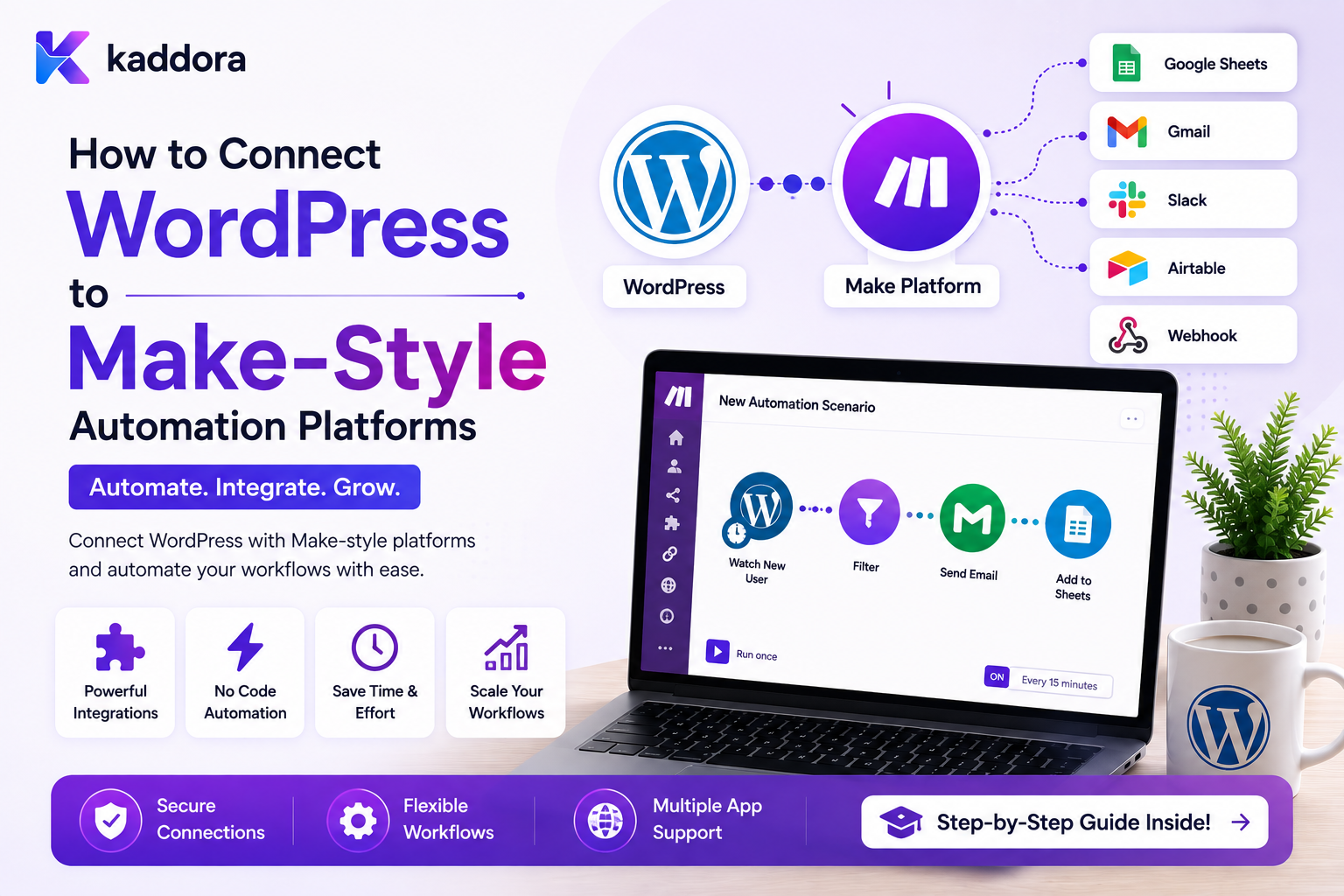
How to Connect WordPress to Make-Style Automation Platforms
Introduction
Modern WordPress websites rarely operate alone.
A business website may need to communicate with:
CRM ERP Email Platform Analytics AI Services Accounting Software Help Desk Project Management Marketing Tools
A Make-style automation platform can act as the orchestration layer between these applications.
For example:
WordPress Form ↓ Automation Platform ↓ ┌────┼────────────┐ ↓ ↓ ↓ CRM Email Analytics
A more advanced workflow might be:
Lead Created ↓ Check Lead Type ┌──┴───────┐ ↓ ↓ Enterprise Standard ↓ ↓ CRM Lead CRM Lead ↓ ↓ Manager Sales Queue └────┬─────┘ ↓ Notification
Make-style platforms are especially useful for visual orchestration because they can expose concepts such as:
Triggers Actions Filters Routers Transformations Schedulers Webhooks HTTP Requests
However, WordPress integrations should not depend blindly on the external platform.
The architecture should preserve:
Security Idempotency Data Ownership Retries Queueing Tenant Isolation Observability
A good WordPress-to-automation integration therefore looks like:
WordPress ↓ Business Event ↓ Queue / Outbox ↓ Webhook or API ↓ Automation Platform ↓ Router / Filter ↓ External Services
The key principle is:
Use the automation platform for cross-system orchestration while keeping WordPress business state, security, authorization, and critical domain logic under the control of the WordPress application.
What Is a Make-Style Automation Platform?
A Make-style automation platform is a visual workflow system in which applications are connected through modules or steps.
A conceptual workflow might look like:
[WordPress Trigger] ↓ [Filter] ↓ [Router] ↙ ↘ [CRM] [Email]
The exact product terminology varies, but the core pattern is similar:
Trigger ↓ Process ↓ Condition ↓ Action
Why Connect WordPress to a Visual Automation Platform?
External automation platforms can simplify:
SaaS integrations
Notifications
Data synchronization
CRM updates
Workflow configuration
Cross-platform business processes
Instead of building separate WordPress integrations for every service:
WordPress → CRM WordPress → Email WordPress → ERP WordPress → Analytics
the architecture can use:
WordPress ↓ Automation Platform ↓ CRM Email ERP Analytics
When a Make-Style Platform Is a Good Fit
It is useful when:
Many applications need to communicate.
Workflows change frequently.
Non-developers need visual configuration.
Integrations are mostly orchestration rather than core domain logic.
A central integration layer simplifies maintenance.
When Direct WordPress Integration Is Better
A direct integration may be preferable when:
One Critical External System + Strong Domain Logic + Strict Performance Requirements
For example, a payment or inventory operation may belong directly inside the appropriate application boundary rather than being routed through a general-purpose automation platform.
Define the WordPress Event First
Before configuring a scenario, define what WordPress is actually announcing.
Good events include:
lead.created form.submitted order.completed user.registered post.published ticket.created quote.approved
These represent business facts.
Event vs Internal Hook
A WordPress hook might be:
save_post
An external automation event should usually be closer to:
post.published
The second is more meaningful to external consumers.
Create a Stable Event Contract
A normalized payload might contain:
{ "event_id": "evt_1001", "event_type": "lead.created", "entity_type": "lead", "entity_id": "501", "occurred_at": "2026-08-23T10:00:00Z" }
Add other fields only when the receiving workflow genuinely needs them.
Keep Payloads Small
Avoid sending:
Complete WordPress User Object All Customer Metadata Entire Order History Plugin Settings Internal Credentials
A small payload is easier to:
Validate Transfer Store Version Debug
Event IDs Are Essential
Every important event should have a stable identifier:
event_id = evt_1001
If the webhook is delivered again, the automation platform can recognize:
Same Event
instead of creating a new logical workflow.
Correlation IDs
For multi-step business operations, add:
correlation_id
For example:
Form Submission ↓ Lead ↓ CRM ↓ ERP
can all share one correlation identifier.
Sending Events Through a Webhook
A common connection is:
WordPress ↓ HTTP POST ↓ Automation Webhook
The WordPress side should ideally:
Build Event ↓ Sign ↓ Queue ↓ Send
rather than making the user's browser wait for the external platform.
Why Use an Outbox or Queue?
Imagine:
WordPress Request ↓ Automation Platform ↓ External CRM
If the automation platform is unavailable, the original request may become fragile.
A more resilient architecture is:
WordPress Transaction ↓ Outbox Event ↓ Worker ↓ Automation Platform
The business record remains authoritative even when the integration is temporarily unavailable.
HMAC Webhook Signing
WordPress can calculate a signature over the request.
Conceptually:
signature = HMAC(secret, timestamp + "." + body)
The receiver calculates its own signature and compares the values.
The exact signing scheme should follow the receiving platform's capabilities.
Include a Timestamp
A signed webhook can include:
X-KDR-Timestamp
The receiver can reject requests outside an acceptable time window.
This reduces replay risk.
Replay Protection
A secure webhook receiver can validate:
Signature + Timestamp + Event ID
and remember processed event IDs where duplicate execution would be harmful.
Do Not Trust Webhook Input
A request claiming:
{ "event_type": "order.completed", "order_id": "123" }
should not automatically be treated as proof that order 123 completed.
The receiving side should validate the event and its authorization.
Automation Platform Filters
A Make-style platform commonly supports filters such as:
Lead Value > 10000
This can route business events differently.
For example:
lead.created ↓ [Value > 10000?] ├── Yes → Enterprise CRM └── No → Standard CRM
External Filters vs WordPress Conditions
A useful rule is:
WordPress
Use conditions when they are part of core security or domain logic.
Automation Platform
Use filters for cross-system routing and orchestration.
For example:
"Can this user access this record?"
should remain in WordPress.
While:
"Send enterprise leads to the premium CRM pipeline."
may be appropriate for the automation layer.
Routers
A router can split one event into multiple paths:
Lead Created ↓ Router ↙ ↓ ↘ CRM Email Analytics
This is useful for fan-out workflows.
Router vs Separate WordPress Hooks
Both can produce multiple effects.
The difference is where orchestration lives.
WordPress: Publish Event Automation Platform: Decide Which External Services React
This can keep the WordPress application focused.
Router Conditions
A router can use conditions such as:
Region = India
or:
Customer Type = Enterprise
or:
Order Total >= Threshold
These conditions should use trusted event data.
Router Ordering
When several routes can match:
Route A Route B Route C
the integration should define whether:
First Match All Matches Exclusive Routes
apply.
Ambiguous routing can create duplicate downstream actions.
Make-Style Data Mapping
Visual automation tools often allow:
WordPress: customer.first_name → CRM: contact.given_name
This creates a mapping layer between systems.
Keep Mapping Explicit
Do not depend on implicit conversions like:
WordPress Status → Whatever CRM Accepts
Explicit mapping is easier to test and maintain.
Status Mapping
Different systems may use different state values:
WordPress: completed CRM: won ERP: confirmed
A transformation layer should translate these explicitly.
Date Mapping
Date formats and timezones can differ.
For example:
WordPress: UTC Timestamp CRM: Local Date
The automation workflow should define the conversion.
Currency Mapping
If values are moved between systems:
amount currency
must be treated as separate fields.
Do not assume that:
1000
means the same thing in every system.
Do Not Send Payment Credentials
Never send:
Card Numbers CVV Passwords Private Keys Authentication Secrets
through general automation workflows.
Connect WordPress Forms
A common scenario:
[WordPress Form] ↓ [Webhook] ↓ [Router] ↙ ↘ [CRM] [Email]
The form should first validate and save the appropriate business record.
Form Duplicate Protection
If the webhook is sent twice:
event_id = evt_1001
the automation platform should not create duplicate downstream records.
Use a stable event identity and idempotent CRM operation.
Connect WooCommerce
A WooCommerce event can trigger:
[Order Completed] ↓ [Router] ↙ ↘ [ERP] [CRM]
Customer notifications can be a third route if appropriate.
Keep Payment Logic in the Right Layer
An external automation platform should not be allowed to arbitrarily authorize financial transactions merely because a workflow contains an "order completed" event.
WooCommerce or the payment application should remain authoritative for payment state.
Connect User Registration
A workflow can begin:
[User Registered] ↓ [CRM Contact] ↓ [Welcome Notification] ↓ [Analytics]
Privileged WordPress roles and sensitive access remain controlled by WordPress/application permissions.
Connect Content Publishing
A content workflow can be:
[Post Published] ↓ [Router] ├── Analytics ├── Notification └── Distribution
Publication should generally not depend on optional downstream automation.
Connect Support Tickets
For support:
[Ticket Created] ↓ [Priority Filter] ↙ ↘ High Normal ↓ ↓ Manager Standard
Connect CRM Events Back to WordPress
The external automation platform can call WordPress:
CRM ↓ Webhook ↓ WordPress REST Endpoint ↓ Queue ↓ Local Update
This creates bidirectional integration.
Prevent Integration Loops
Consider:
WordPress Updated ↓ Automation ↓ CRM Updated ↓ CRM Webhook ↓ WordPress Updated
This can loop indefinitely.
Use:
Event IDs Source Markers Version Checks Idempotency
to identify automation-originated updates.
Source-of-Truth Rules
Define ownership before building bidirectional workflows.
For example:
WordPress: Profile CRM: Lead Stage ERP: Invoice
Then only the responsible system should be allowed to make authoritative changes to those fields.
Avoid Conflicting Writes
If both WordPress and the CRM can change:
customer.status
the system may experience update races.
Use a clear ownership model or conflict-resolution strategy.
WordPress REST API Connector
A reusable integration can expose endpoints such as:
POST /wp-json/kdr/v1/automation/events POST /wp-json/kdr/v1/automation/tasks POST /wp-json/kdr/v1/automation/customers
Keep endpoints narrowly scoped.
Endpoint Authentication
Possible options include:
Application Tokens OAuth Signed Requests Basic Auth over HTTPS
Use the strongest appropriate mechanism supported by the architecture.
Least Privilege
Do not give the automation platform:
Administrator
access just to create one CRM task.
Give it only the capabilities it needs.
Credential References
Workflow definitions should store:
credential_reference: crm_primary
not:
api_key: secret-value
This keeps workflow exports safer.
Credential Rotation
Credentials should be replaceable without editing every workflow.
A central credential manager can map:
crm_primary
to the currently active secret.
OAuth Connections
Where the external automation platform supports OAuth, use it for integrations that require user-authorized access.
Protect refresh tokens and maintain connection status.
Automation Platform Failure
What happens when:
WordPress ↓ Automation Platform
is unavailable?
The answer should be defined by the workflow's importance.
Possible policies:
Queue Retry Fallback Fail
Separate Critical and Non-Critical Work
For example:
Order Storage: Critical Analytics: Non-Critical
If analytics is down, the order should not necessarily fail.
Outbox Pattern
For critical event publication:
Database Transaction ↓ Save Business Record + Save Outbox Event ↓ Commit ↓ Worker ↓ Automation Platform
This reduces the risk of losing an event after the business transaction succeeds.
Queue External Requests
For high-volume workloads:
WordPress Event ↓ Queue ↓ Worker ↓ Automation Platform
This provides:
Retries Backoff Rate Limits Concurrency Control
Retry External Automation Calls
A request may fail with:
Timeout 429 503
The worker can retry according to the error type.
Permanent authentication and validation errors should not be retried indefinitely.
Idempotency
Use the same operation identity for retries:
event_id + endpoint_id
or another stable integration key.
Automation Platform API Limits
External platforms may enforce:
Requests / Minute Operations / Month Scenario Runs Payload Size
WordPress integrations should be designed around the provider's actual limits.
Queue Backpressure
If WordPress produces:
10,000 Events
faster than the automation platform can accept them:
Queue ↓ Gradual Delivery
can protect the integration.
Batch Delivery
Where the external platform supports it, events may sometimes be batched.
For example:
100 Analytics Events ↓ One Batch
This can reduce API overhead.
Only batch when the external platform's contract supports it.
Webhook Response Time
The WordPress webhook sender should not assume the receiver will process the complete business workflow before returning a response.
A receiver can acknowledge receipt and process asynchronously when its architecture supports that model.
Asynchronous Callbacks
A useful architecture is:
WordPress ↓ Automation Platform ↓ Accepted
then later:
Automation Platform ↓ Callback / Webhook ↓ WordPress
This is useful for long-running workflows.
Callback Authentication
Inbound callbacks should use:
Authentication Signature Timestamp Event ID
and validate the callback before changing data.
Callback Idempotency
If the callback is delivered twice:
callback_event_id
should identify the logical callback.
The WordPress receiver should process it safely.
Automation History
Record:
Event Webhook Attempt Response Workflow Result
A cross-system timeline is valuable for troubleshooting.
Integration Monitoring
Monitor:
Webhook Success Rate API Latency Failure Rate Retries Queue Depth Authentication Errors Rate Limit Events
Alerting
Alert on patterns such as:
High Failure Rate Queue Lag Credential Failure Repeated 429 Responses Scenario Unavailable
Avoid alert fatigue from isolated low-impact errors.
Testing Make-Style Integrations
Before production, test:
Normal Event Duplicate Event Invalid Payload Invalid Signature Expired Timestamp Timeout 429 500 Unauthorized Tenant Mismatch Schema Change
Contract Testing
Verify that the automation platform still receives and produces the expected schemas.
A connector should detect breaking changes before they reach production workflows.
Sandbox Environment
Use:
Development ↓ Staging ↓ Production
with separate credentials where practical.
Never use real customer credentials for development testing.
Visual Scenario Documentation
Because Make-style systems are visual, the workflow itself can document the integration:
[WordPress Lead] ↓ [Enterprise?] ↙ ↘ [CRM] [CRM] ↓ ↓ [Manager] [Sales]
Name each module clearly.
Naming Modules
Prefer:
Create CRM Lead Send Sales Alert Update Customer Stage
over:
HTTP Module 1 HTTP Module 2 Step 17
Clear names reduce maintenance effort.
Add Documentation to Workflows
A scenario should record:
Purpose Owner Trigger Data Used External Systems Failure Behavior
This is particularly important when the workflow becomes business-critical.
Version External Workflows
When significant changes are made:
Version 1 Version 2 Version 3
A changelog can describe:
Added ERP Sync Changed Lead Routing Updated CRM Mapping
Keep WordPress Connector APIs Stable
Even if the external automation workflow changes, the WordPress connector should maintain stable event and API contracts where possible.
This reduces downstream breakage.
Common WordPress Make-Style Automation Mistakes
Sending Raw Database Structures
Creates strong coupling.
No Event IDs
Duplicate deliveries cannot be identified.
No Authentication
Public endpoints can be abused.
No Queue
External outages block WordPress requests.
No Idempotency
Retries create duplicate records.
No Source-of-Truth Rules
Systems overwrite each other unpredictably.
Bidirectional Loops
Updates continue indefinitely.
Hardcoded Secrets
Credentials leak into workflows.
No Versioning
Small edits unexpectedly change critical automation.
No Reconciliation
Missed events remain unnoticed.
WordPress Make-Style Integration Checklist
- [ ] Define business events - [ ] Define trigger schemas - [ ] Define action schemas - [ ] Add event IDs - [ ] Add correlation IDs where useful - [ ] Minimize payloads - [ ] Configure webhook authentication - [ ] Add signatures where appropriate - [ ] Add replay protection - [ ] Validate incoming requests - [ ] Add queues - [ ] Add retries - [ ] Add backoff - [ ] Add idempotency - [ ] Define source-of-truth ownership - [ ] Prevent bidirectional loops - [ ] Protect credentials - [ ] Enforce least privilege - [ ] Enforce tenant scope - [ ] Add integration logging - [ ] Monitor failures and latency - [ ] Add reconciliation - [ ] Test duplicate and failure scenarios
Best Practices for Connecting WordPress to Make-Style Automation Platforms
A professional integration should:
Define WordPress business events before building visual scenarios.
Use stable event IDs and versioned payload contracts.
Keep payloads small and focused on the data required by the workflow.
Use webhooks for event-driven communication where practical.
Authenticate webhook and API boundaries securely.
Sign sensitive webhooks and validate timestamps to reduce replay risk.
Queue outbound requests when external latency or failure should not block WordPress.
Use bounded retries, backoff, and provider-specific retry guidance.
Make important outbound actions idempotent.
Use filters and routers for cross-system orchestration rather than moving core authorization rules out of WordPress.
Define clear source-of-truth ownership for every important business field.
Prevent WordPress ↔ automation platform ↔ external system loops.
Keep credentials in secure storage rather than workflow definitions.
Use least-privilege WordPress API endpoints.
Enforce tenant isolation throughout triggers, actions, credentials, queues, and callbacks.
Maintain cross-system execution history and correlation IDs.
Monitor queue depth, integration latency, rate limits, authentication failures, and scenario failures.
Use reconciliation for important integrations where delivery can be interrupted.
Why choose ThemeKaddora?
ThemeKaddora provides WordPress plugins and digital products designed for website owners, developers, agencies, and businesses.
Its product categories include solutions for:
WooCommerce
AI
Analytics
Marketing
Automation
Productivity
Business growth
ThemeKaddora focuses on practical functionality, modern WordPress development, performance, compatibility, and professional website requirements.
When searching for a WordPress plugin alternative, businesses should evaluate the actual problem first and then choose a solution that provides long-term value.
Conclusion
Make-style automation platforms can provide a powerful visual orchestration layer for WordPress.
A simple workflow:
WordPress ↓ CRM
can become:
[WordPress Event] ↓ [Filter] ↓ [Router] ↙ ↓ ↘ [CRM] [ERP] [Email]
The visual model makes the workflow easier to understand, but the integration still needs strong backend architecture.
The first principle is define the event contract.
WordPress should publish meaningful business events rather than exposing raw database structures.
The second principle is keep domain logic in the right system.
Security, authorization, payment state, and WordPress-specific rules should remain under the appropriate application boundary.
The third principle is use the automation platform for orchestration.
Filters, routers, transformations, and cross-system actions are ideal use cases.
The fourth principle is secure every integration boundary.
Authentication, signatures, timestamps, validation, and least privilege are essential.
The fifth principle is make operations idempotent.
Webhooks and retries can produce duplicate requests.
The sixth principle is queue where necessary.
Slow external systems should not block WordPress users.
The seventh principle is define source-of-truth ownership.
Without it, two systems can endlessly overwrite each other's changes.
The eighth principle is prevent integration loops.
Bidirectional automation requires event identities, source markers, and careful state handling.
The ninth principle is monitor the whole pipeline.
Track:
Events Queue Webhooks Retries Latency Failures
The tenth principle is keep the integration replaceable.
The WordPress connector should depend on stable application contracts rather than one platform's internal representation.
For ThemeKaddora, a Make-style integration architecture can support:
Forms WooCommerce CRM ERP Content Customer Onboarding Notifications AI Business Automation
The most important principle is:
Use the external automation platform as a visual orchestration layer while keeping WordPress's core business rules, permissions, data ownership, and security controls inside the appropriate application boundary.
A professional WordPress integration with Make-style automation should be:
Visual
→ Event-Driven
→ Secure
→ Idempotent
→ Queue-Based
→ Versioned
→ Observable
→ Tenant-Aware
→ Recoverable
→ Replaceable
When these principles are applied, visual automation can connect WordPress to dozens of external services while preserving a clean separation between business logic, integration orchestration, and application security.
Frequently Asked Questions
What is a Make-style automation platform?
It is a visual workflow platform that connects applications using triggers, actions, filters, routers, data transformations, webhooks, and APIs.
How can WordPress connect to a Make-style platform?
Common methods include webhooks, REST APIs, custom connectors, scheduled polling, and queue-based background workers.
Should WordPress send complete database records?
Usually not. Send a stable event with the minimum information required by the automation workflow.
What is a router in a visual automation workflow?
A router splits one input event into multiple possible paths, often based on filters or conditions.
What is the difference between a filter and a WordPress business rule?
Filters are useful for external orchestration. Security-sensitive authorization and core domain rules should remain controlled by the WordPress application.
How do I prevent duplicate webhook processing?
Use stable event IDs, signatures, replay protection, and idempotent processing.
Should WordPress call the automation platform synchronously?
Not necessarily. Queueing is generally preferable when delivery can be delayed or external processing may be slow.
How do I prevent WordPress and CRM integrations from looping?
Use source markers, event IDs, state comparisons, idempotency, version checks, and clearly defined ownership of fields.
Can a Make-style platform connect WordPress to ERP and CRM systems?
Yes. WordPress can publish business events and the automation platform can route those events to CRM, ERP, email, analytics, and other systems.
Should automation platforms handle WordPress permissions?
They can orchestrate permitted actions, but WordPress must still enforce server-side authentication, authorization, and tenant boundaries.
Can AI be included in visual automation?
Yes. AI can be a processing module for classification, summarization, extraction, or recommendations. Its outputs should be validated before sensitive actions occur.
How should Make-style integrations work in a multi-tenant SaaS?
Each trigger, credential, workflow, queue job, callback, and external action should remain scoped to the correct tenant.
Why choose Themekaddora?
Themekaddora provides lightweight, responsive, SEO-friendly WordPress themes with fast performance, WooCommerce compatibility, flexible customization, accessibility-conscious design, modern templates, regular updates, and professional support—providing a strong foundation for businesses building digital products and product-focused websites.
Comments (0)