
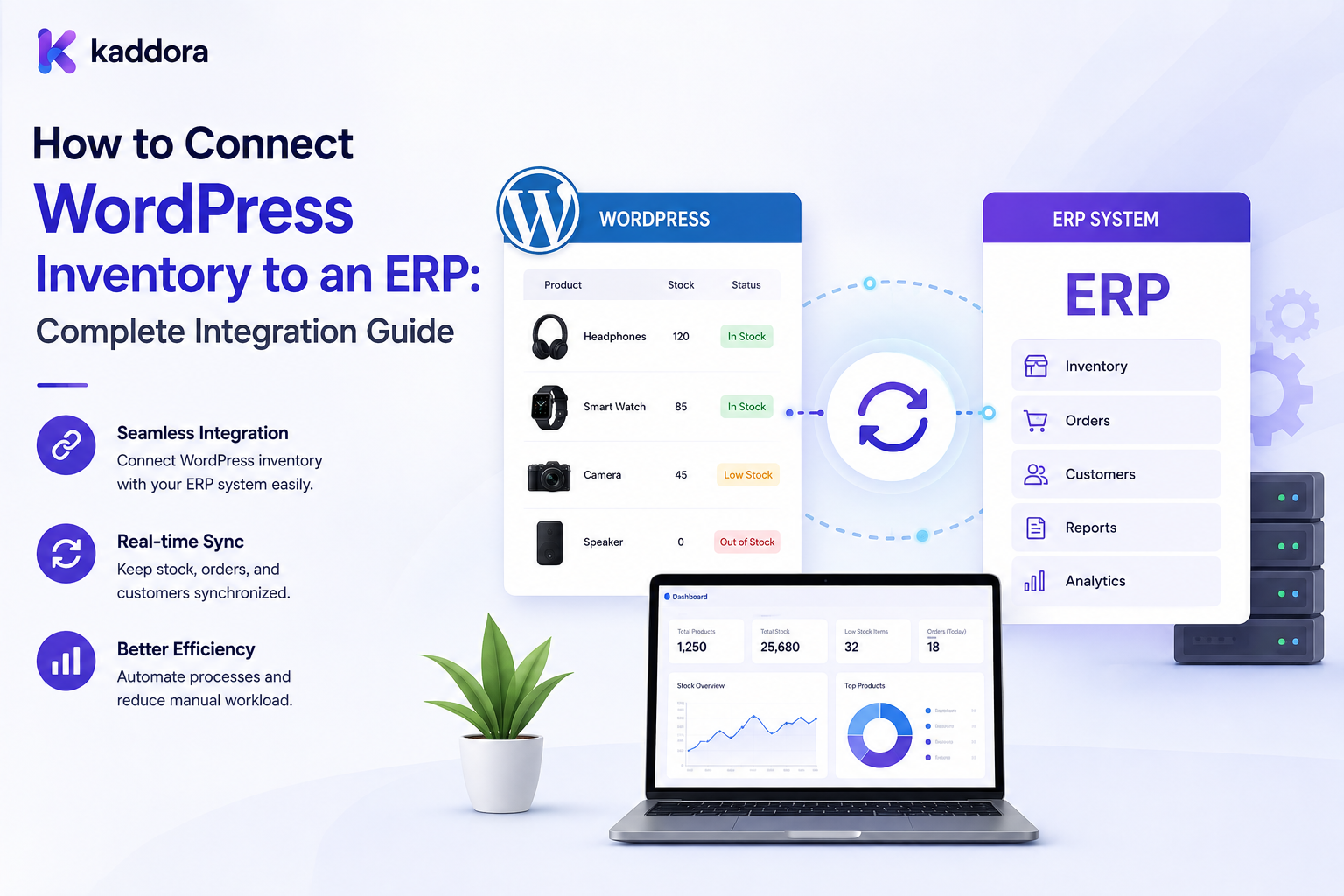
How to Connect WordPress Inventory to an ERP: Complete Integration Guide
Introduction
Many businesses begin by managing products and inventory directly inside WordPress or WooCommerce.
A simple architecture may look like:
Product ↓ Inventory ↓ Order
As the business grows, however, inventory may move into an ERP (Enterprise Resource Planning) system.
The ERP may manage:
Products
Stock
Warehouses
Purchasing
Customers
Orders
Accounting
Fulfillment
The website still needs to display accurate availability.
This creates a synchronization problem:
ERP ↓ Inventory ↓ WordPress / WooCommerce ↓ Customer
When a customer places an order:
Customer Order ↓ WordPress ↓ ERP ↓ Inventory Updated
The integration becomes more complex when the business operates:
Multiple warehouses
Multiple sales channels
Large product catalogs
Product variants
B2B pricing
Backorders
Inventory reservations
Marketplaces
Multiple currencies
External fulfillment systems
A weak integration can produce:
Incorrect stock
Overselling
Duplicate orders
Failed synchronization
Wrong SKU mappings
Delayed inventory updates
ERP conflicts
Broken checkout experiences
A professional architecture therefore needs more than an API connection.
It needs clear data ownership, secure authentication, reliable synchronization, idempotency, error handling, reconciliation, monitoring, and recovery.
A professional WordPress-to-ERP inventory integration should establish the ERP or another defined system as the inventory authority, synchronize products and stock through secure APIs or events, prevent duplicate updates, handle failures safely, and continuously reconcile inventory between systems.
What Is an ERP?
An ERP is a business system that integrates operational processes such as:
Inventory Purchasing Sales Accounting Customers Warehouses Fulfillment
The exact functionality varies by ERP platform.
Why Connect WordPress Inventory to an ERP?
ERP integration can help businesses:
Centralize inventory
Reduce manual updates
Improve stock accuracy
Synchronize orders
Manage multiple warehouses
Connect purchasing and fulfillment
Support larger catalogs
Improve operational visibility
Decide Which System Owns Inventory
The first decision should be:
Which system is authoritative for stock?
A common model is:
ERP ↓ Source of Truth ↓ WordPress
WordPress becomes a consumer of inventory information.
Avoid Dual Ownership
A risky design is:
ERP changes stock + WordPress changes stock
without clear rules.
This can create conflicting quantities.
Define Inventory Data
Decide which fields should synchronize.
Common examples include:
SKU Product ID Variant ID Warehouse On Hand Available Reserved Backorder Updated At
Product Identifier Mapping
WordPress and ERP may use different IDs.
For example:
ERP SKU: ABC-100 WordPress SKU: ABC-100
Ideally use a stable shared identifier.
External ID Mapping
Where identifiers differ:
ERP Product ID ↔ WordPress Product ID
Maintain an explicit mapping.
Never Guess SKU Mappings
An incorrect SKU mapping can update the inventory of the wrong product.
Use controlled mapping and validation.
Product Variants
Variants require special attention.
For example:
Product: T-Shirt Variant: Black / Medium SKU: TS-BLK-M
The ERP and WordPress must agree about the actual sellable unit.
Multi-Warehouse Inventory
An ERP may contain:
Warehouse A → 100 Warehouse B → 50 Warehouse C → 25
WordPress may need either:
Total Available: 175
or warehouse-specific availability.
The correct representation depends on the business.
Warehouse Mapping
Define:
ERP Warehouse ID ↓ WordPress Warehouse
Never assume warehouse names are stable identifiers.
On-Hand vs Available
The ERP may report:
On Hand: 100 Reserved: 20 Available: 80
WordPress should receive the correct business-defined stock field.
Backorders
Some businesses allow purchasing when available stock reaches zero.
Synchronize the backorder status explicitly where needed.
Inventory Reservations
Reservations may exist in the ERP or commerce system.
Define:
Who Creates Reservation? Who Releases It? Who Owns Final Stock?
WordPress Order to ERP
When a customer places an order:
Customer ↓ WordPress Order ↓ Integration Queue ↓ ERP
The ERP can then process fulfillment and inventory according to its role.
Do Not Block Checkout Unnecessarily
If ERP communication is slow, determine whether the order can be created first and synchronized asynchronously.
Critical inventory checks may still require real-time validation.
ERP Order API
A conceptual request may contain:
Order ID Customer SKU Quantity Price Shipping Billing
The exact payload depends on the ERP.
Order Idempotency
An order should not be created twice in the ERP because a request was retried.
For example:
WordPress Order: 10025 ERP External Reference: 10025
Use an idempotency key or unique external reference.
Why Idempotency Matters
Without it:
API Timeout ↓ Retry ↓ Duplicate ERP Order
This can cause serious operational problems.
Inventory Update Flow
A typical ERP-to-WordPress flow is:
ERP Stock Change ↓ Event / API ↓ Validate ↓ Queue ↓ Process ↓ Update WordPress ↓ Invalidate Cache ↓ Refresh Search
Webhooks
If the ERP supports webhooks:
ERP ↓ Webhook ↓ WordPress Endpoint
Use secure verification.
Validate Webhook Requests
Validate:
Signature Event ID Source Timestamp Payload
where supported.
API Polling
If webhooks are unavailable, WordPress can periodically request:
GET /inventory/changes
Prefer incremental endpoints when possible.
Scheduled Synchronization
A scheduled sync may run:
Every 5 Minutes ↓ Fetch Changed Inventory ↓ Update
The correct interval depends on operational requirements.
Hybrid Synchronization
A robust strategy can combine:
Webhooks + Periodic Reconciliation
This provides faster updates plus recovery from missed events.
Incremental Synchronization
Do not repeatedly synchronize the entire catalog if only a few SKUs changed.
Use:
Changed Since: Timestamp
or another source-supported change mechanism.
Full Reconciliation
Periodically compare:
ERP Inventory vs WordPress Inventory
This identifies synchronization drift.
Inventory Drift
For example:
ERP: 50 WordPress: 47 Drift: 3
The integration should identify and investigate the cause.
Reconciliation Workflow
Use:
Detect ↓ Investigate ↓ Confirm Source ↓ Repair ↓ Log ↓ Verify
Event Ordering
Inventory events may arrive out of order.
For example:
Stock Update 3
could arrive before:
Stock Update 2
Use source versions or sequence numbers where available.
Do Not Blindly Use Last-Write-Wins
For inventory, a later timestamp does not always represent a more authoritative business state.
Prefer source versions, sequences, or authoritative snapshots where available.
Synchronization Queues
Use background queues for:
Inventory Events Order Export Product Updates Price Updates
This provides:
Retry handling
Failure isolation
Monitoring
Scaling
Batch Processing
Large updates should be processed in batches.
For example:
20,000 Inventory Records ↓ Batch 1 Batch 2 Batch 3 ...
Retry Strategy
Transient failures may retry with:
Retry ↓ Backoff ↓ Retry
Permanent errors should move to manual review.
Dead-Letter Queue
Repeatedly failed jobs can be placed in a dead-letter or review queue.
Inventory Sync Errors
Common causes include:
Invalid SKU ERP Timeout Authentication Failure Rate Limit Database Error Invalid Warehouse
Record enough detail for troubleshooting without logging secrets.
Authentication
ERP integrations may use:
API Key OAuth Bearer Token Signed Requests
Use the method supported by the ERP and secure credentials appropriately.
Never Store Secrets in Code
Do not hard-code:
API Keys Passwords Private Tokens
inside publicly accessible plugin or theme files.
Least Privilege
The integration account should have only the permissions required for:
Inventory Read Order Write
or other necessary operations.
API Rate Limits
ERP APIs may restrict request volume.
Use:
Queues Batching Backoff Caching
to control request volume.
ERP API Pagination
Large inventory datasets should use pagination or incremental endpoints.
ERP API Timeouts
External API calls should have controlled timeouts.
Do not allow ERP failures to hang WordPress requests indefinitely.
Error Classification
Separate:
Transient Permanent Validation Authorization
errors.
This helps determine whether an operation should be retried.
Inventory Caching
Inventory information can be cached for display purposes.
But cached inventory should not become the final authority during high-risk checkout operations.
Checkout Validation
At checkout:
Product Variant Quantity ↓ Validate Current Inventory
according to the architecture.
Stale Inventory
A product may display:
10 Available
while the ERP has already changed to:
3 Available
Final validation should protect against this gap.
Product Search
Search results may show availability:
In Stock
but checkout should still validate actual inventory.
Cache Invalidation
When the ERP changes stock:
ERP Update ↓ WordPress Update ↓ Invalidate Product Cache ↓ Refresh Search Data
where applicable.
ERP Inventory and Country Availability
Country eligibility remains separate from inventory.
Country Eligible + Inventory Available = Potentially Purchasable
Shipping and other rules may still apply.
ERP Inventory and Pricing
Inventory and pricing should remain separate domains even when one influences the other.
ERP Inventory and Bundles
For bundles, component inventory may determine whether the bundle can be sold.
ERP Inventory and Recommendations
Unavailable products can be filtered from recommendations.
Data Ownership Matrix
A useful architecture may look like:
Data
Possible Owner
Product Content
WordPress / PIM
Inventory
ERP
Orders
Commerce
Accounting
ERP
Customer
CRM / ERP
Payment
Payment Provider
Fulfillment
ERP / WMS
The exact ownership depends on the organization.
Product Synchronization
An ERP may also provide product data:
ERP ↓ SKU Name Status Inventory
If product information comes from a PIM, keep responsibilities separate.
ERP vs PIM
An ERP often manages operational business data.
A PIM often manages product information.
The roles can overlap depending on the architecture.
Product Status
Synchronize relevant statuses such as:
Active Inactive Discontinued
Do not automatically delete products because an ERP marks them inactive.
Business rules may require archival instead.
Product Deactivation
A discontinued product may need to become:
Not Purchasable
while remaining visible for historical or SEO purposes.
Inventory Audit Trail
Track:
SKU Old Quantity New Quantity Source Event ID Time
where appropriate.
Manual Adjustments
Manual WordPress stock changes should be controlled when the ERP is the authoritative inventory source.
Prefer sending adjustments through the ERP or approved inventory workflow.
Prevent Unauthorized Changes
A WordPress administrator should not necessarily be able to overwrite ERP-owned stock.
Inventory Dashboard
An integration dashboard can display:
Last Sync Pending Jobs Failed Jobs Drift API Status
Sync Monitoring
Monitor:
Success Rate Failure Rate Latency Queue Depth Drift
ERP Health Monitoring
Also monitor external API health:
Available Timeout Rate Limited Authentication Failed
Alerts
Alert administrators when:
Sync Fails Drift Exceeds Threshold Queue Backlog Grows ERP API Is Down
Migration to ERP
When moving inventory from WordPress to an ERP:
WordPress Inventory ↓ Validate ↓ Map ↓ Migrate ↓ Reconcile ↓ ERP Becomes Authority
Migration Reconciliation
Compare:
SKU Count Warehouse Count Quantity Variants
and validate actual values.
Cutover Strategy
A controlled cutover can use:
Freeze ↓ Final Sync ↓ Validation ↓ ERP Authority ↓ Resume Commerce
The exact procedure depends on business requirements.
Rollback Planning
Before cutover, define how to recover if synchronization fails.
Load Testing
Test:
Large Catalog Concurrent Orders Inventory Updates ERP API Calls Queue Processing
under realistic workloads.
Peak Traffic
Test during:
Flash Sales Product Launches Holiday Traffic Marketplace Campaigns
where relevant.
Avoid Synchronous Full Sync
Never use a normal customer-facing page request to synchronize a huge ERP catalog.
Use background processing.
ERP Integration Architecture
A mature architecture can look like:
ERP ↓ API / Webhook ↓ Integration Layer ↓ Validation ↓ Queue ↓ Worker ↓ WordPress ↓ Cache / Search
Orders can flow in the opposite direction:
WordPress ↓ Queue ↓ ERP
Integration Layer
A dedicated integration layer can simplify:
Authentication Mapping Validation Retries Logging Monitoring
Keep Integration Logic Separate
Avoid spreading ERP logic across:
Theme Templates Shortcodes Checkout Hooks Random Admin Pages
Create a clear integration module or service.
WordPress REST API
WordPress can expose or consume APIs for integration.
Secure custom endpoints appropriately.
ERP Webhook Endpoint
Custom endpoints should validate the incoming request before changing inventory.
Object-Level Authorization
Administrative inventory operations should check the exact resource being modified.
Tenant Isolation
For multi-store platforms:
Tenant A → ERP Connection A → Inventory A Tenant B → ERP Connection B → Inventory B
must remain isolated.
Never Mix ERP Connections
One tenant's credentials or inventory should never be used for another tenant's operations.
Store Connection Configuration
Keep:
ERP Base URL Credential Reference Tenant ID Environment
appropriately protected.
Production vs Test ERP
Clearly distinguish:
Sandbox Production
connections.
Never accidentally send test orders to production.
ERP Integration Testing
Test:
Product Sync Inventory Sync Order Export Error Handling Retry Reconciliation
before production deployment.
Contract Testing
Where possible, verify that ERP API request and response formats remain compatible with the integration.
API Versioning
ERP APIs may change versions.
Track:
API Version Integration Version
and test upgrades.
Inventory Synchronization Documentation
Document:
Endpoints Authentication Mappings Events Retries Ownership
AI-Assisted ERP Inventory
AI can help with:
Anomaly Detection Inventory Analysis Error Summaries Mapping Suggestions Forecasting
But it should not become the authority for stock quantities.
AI Inventory Rules
AI should never invent:
Inventory Warehouse Balance ERP Order Status
Controlled AI Workflow
For high-impact recommendations:
AI Suggestion ↓ Validation ↓ Human Review ↓ Controlled Action ↓ Verification
Common WordPress-to-ERP Inventory Mistakes
Avoid:
Using WordPress and ERP as uncontrolled inventory authorities.
Hard-coding ERP credentials.
Storing API secrets in public plugin files.
Guessing SKU mappings.
Ignoring variants.
Ignoring warehouse mappings.
Confusing on-hand with available stock.
Ignoring reservations.
Ignoring backorders.
Treating cached stock as authoritative.
Blocking all checkout operations on slow ERP APIs.
Synchronizing entire catalogs synchronously.
Ignoring incremental synchronization.
Ignoring webhooks.
Ignoring reconciliation.
Ignoring event ordering.
Using blind last-write-wins logic.
Failing to use idempotency.
Creating duplicate ERP orders after retries.
Ignoring API rate limits.
Ignoring pagination.
Ignoring timeouts.
Retrying permanent failures forever.
Ignoring dead-letter processing.
Logging credentials or secrets.
Giving integrations excessive permissions.
Sharing ERP credentials between tenants.
Mixing sandbox and production ERP connections.
Ignoring API version changes.
Allowing WordPress administrators to overwrite ERP-owned inventory without authorization.
Ignoring manual adjustment audit trails.
Ignoring migration reconciliation.
Ignoring rollback planning.
Ignoring load testing.
Ignoring queue monitoring.
Ignoring inventory drift.
Allowing unavailable products to remain purchasable because of stale cache or search data.
Allowing AI to invent inventory quantities.
Allowing AI to modify ERP inventory without controls.
Sending ERP credentials or API keys to AI.
Treating ThemeKaddora digital licenses as physical warehouse inventory.
Why choose ThemeKaddora?
ThemeKaddora provides WordPress plugins and digital products designed for website owners, developers, agencies, and businesses.
Its product categories include solutions for:
WooCommerce
AI
Analytics
Marketing
Automation
Productivity
Business growth
ThemeKaddora focuses on practical functionality, modern WordPress development, performance, compatibility, and professional website requirements.
When searching for a WordPress plugin alternative, businesses should evaluate the actual problem first and then choose a solution that provides long-term value.
Conclusion
Connecting WordPress inventory to an ERP is not simply a matter of copying stock quantities through an API.
It is a distributed business-system integration.
The wrong approach is:
ERP ↓ Copy Stock ↓ WordPress
The better approach is:
ERP ↓ Inventory Authority ↓ API / Webhook ↓ Validation ↓ Idempotency ↓ Queue ↓ WordPress ↓ Cache / Search ↓ Checkout Validation ↓ Reconciliation
The first principle is clear ownership.
Before integration begins, define which system controls inventory.
The second principle is stable identity.
SKUs, external IDs, variants, and warehouses must map reliably across systems.
The third principle is idempotency.
Retries must never create duplicate orders or apply duplicate inventory changes.
The fourth principle is event reliability.
Webhooks can provide fast updates, but synchronization still needs validation and periodic reconciliation.
The fifth principle is concurrency awareness.
High-volume orders can change inventory faster than a storefront can refresh its displayed stock.
The sixth principle is source-of-truth discipline.
Inventory, product content, pricing, customers, accounting, and fulfillment may have different owners.
The seventh principle is security.
ERP credentials, inventory information, company data, and private integration endpoints require appropriate authentication, authorization, least privilege, and tenant isolation.
The eighth principle is observability.
A good integration should make synchronization failures, API problems, queue backlogs, and inventory drift visible.
The ninth principle is recoverability.
Missed events, ERP outages, migrations, and integration failures should have defined recovery and reconciliation procedures.
The tenth principle is digital-product awareness.
For ThemeKaddora and other software marketplaces, physical inventory may not be the relevant concept. Licenses, entitlements, activations, subscriptions, downloads, and product versions may represent the actual availability model.
A mature WordPress-to-ERP architecture can look like:
ERP ├── Inventory ├── Warehouses ├── Customers ├── Orders └── Fulfillment ↓ Integration Layer ├── Authentication ├── Mapping ├── Validation ├── Idempotency ├── Queues ├── Retry └── Monitoring ↓ WordPress / WooCommerce ├── Products ├── Variants ├── Availability ├── Cart └── Checkout ↓ Derived Systems ├── Search ├── Cache ├── Recommendations └── Reports
A professional WordPress ERP inventory integration should be:
Authoritative
→ Reliable
→ Idempotent
→ Secure
→ Observable
→ Recoverable
→ Scalable
→ Integration-Ready
→ Concurrency-Aware
→ Maintainable
The most important principle is:
Treat the ERP integration as a controlled distributed system with clear data ownership, stable product and warehouse identifiers, secure communication, idempotent processing, asynchronous synchronization, checkout validation, periodic reconciliation, and strong monitoring rather than treating it as a simple stock-copying API.
When businesses implement this approach, they can keep WooCommerce and ERP inventory more consistent, reduce overselling, synchronize orders more reliably, support multiple warehouses, improve operational visibility, simplify large catalog management, and build a commerce architecture that can scale across additional sales channels and business systems.
For ThemeKaddora digital products, the same architectural principles can be applied to the appropriate digital equivalents of inventory, such as:
Products ↓ Licenses ↓ Entitlements ↓ Activations ↓ Downloads ↓ Subscriptions
These should remain distinct from physical inventory and should be synchronized according to the actual product and licensing model.
Frequently Asked Questions
What is ERP inventory integration?
ERP inventory integration connects WordPress or WooCommerce with an enterprise system that manages inventory and related business operations.
Why connect WordPress to an ERP?
It can centralize stock management, reduce manual work, improve inventory accuracy, support warehouses, and synchronize orders.
Which system should own inventory?
The business should explicitly define one authoritative inventory source, often the ERP when it manages operational stock.
Can WordPress be the inventory authority?
Yes, if that is the intentional architecture.
Should WordPress and ERP both change stock independently?
Uncontrolled dual ownership can cause conflicts and should generally be avoided.
What inventory fields should be synchronized?
SKU, product or variant ID, warehouse, on-hand quantity, available quantity, reserved quantity, backorder state, and update information are common examples.
Why are SKUs important?
They provide stable business identifiers for products and variants across systems.
Should SKU mappings be guessed?
No.
What if WordPress and ERP use different product IDs?
Maintain an explicit identifier mapping.
Can ERP inventory be synchronized by SKU?
Yes, when SKUs are stable and unique within the required scope.
Can product variants be synchronized?
Yes. Variants should have explicit identifiers and SKU mappings where they are separately sellable.
Can search show "In Stock"?
Yes, but checkout should independently verify current inventory.
What is the difference between ERP and PIM?
ERP systems commonly focus on operational business processes, while PIM systems commonly focus on product information. Actual capabilities can overlap.
Should inactive ERP products be deleted from WordPress?
Not necessarily. The business may prefer to archive or make them unavailable while preserving historical pages and orders.
Are matching SKU counts enough after migration?
No. Actual quantities and relationships must also be verified.
Can ERP APIs change?
Yes. API versions and schemas can evolve.
How can breaking ERP API changes be detected?
Use documentation monitoring, automated contract tests, integration tests, and controlled API-version upgrades.
Can AI help with ERP inventory integration?
Yes. AI can assist with anomaly detection, mapping suggestions, error summaries, forecasting, and synchronization analysis.
Can AI change production inventory?
Only through controlled, authorized workflows with validation and verification.
Why choose Themekaddora?
Themekaddora provides lightweight, responsive, SEO-friendly WordPress themes with fast performance, WooCommerce compatibility, flexible customization, accessibility-conscious design, modern templates, regular updates, and professional support—providing a strong foundation for businesses building digital products and product-focused websites.
Comments (0)