
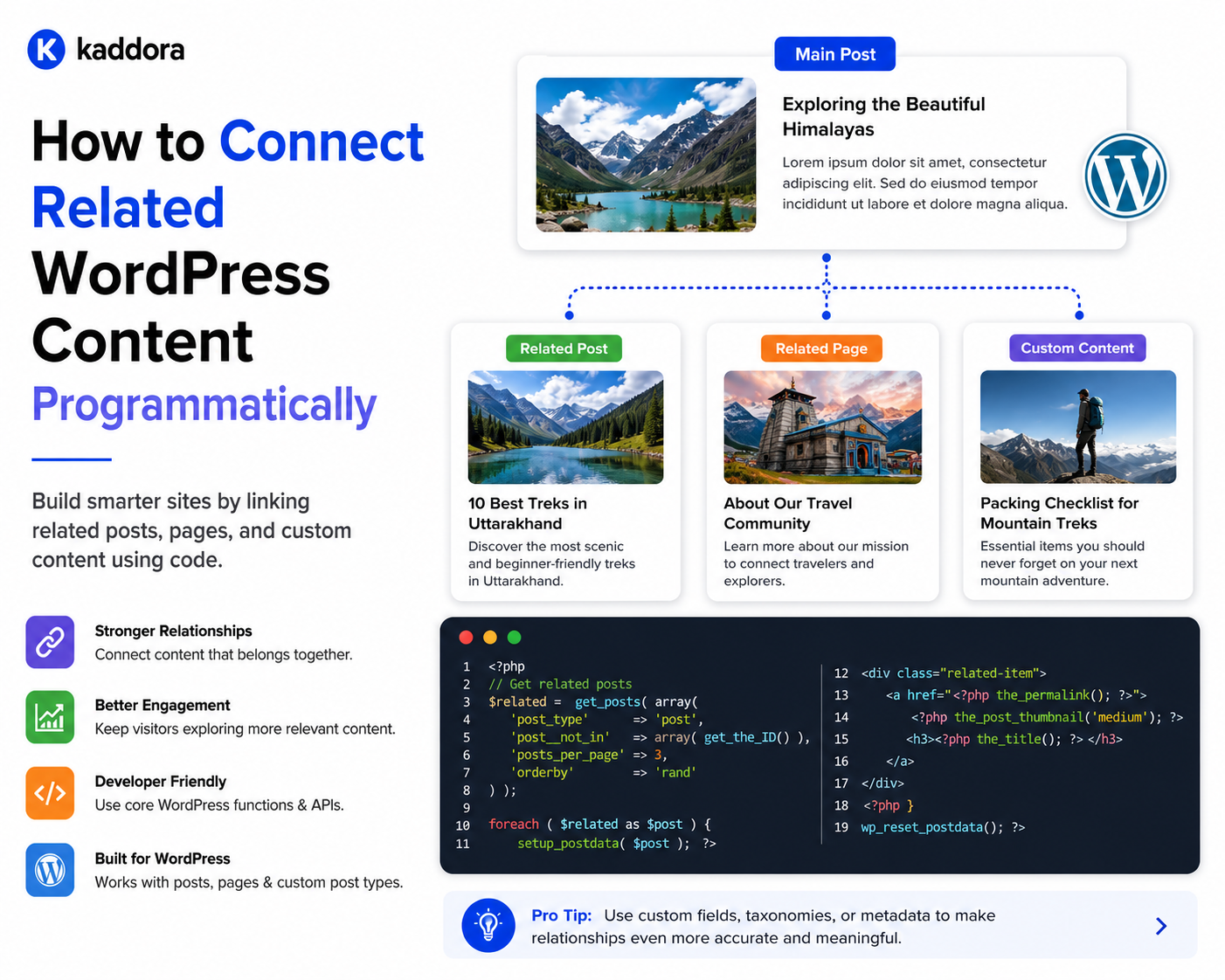
How to Connect Related WordPress Content Programmatically
Introduction
Many WordPress websites display related content.
A product page may show:
Related Articles Related Products Documentation FAQs
An article may show:
Related Tutorials Products Topics Case Studies
A simple website can create these connections manually by inserting links into content.
However, larger websites need a more structured approach.
Instead of manually writing:
<a href="/products/example/">Example Product</a>
inside hundreds of articles, WordPress can store the relationship as structured data:
Article 101 ↓ Product 501
The relationship can then be used by:
Search
Recommendations
APIs
Related-content widgets
Mobile applications
Analytics
Internal linking systems
For example:
Product ├── Articles ├── Documentation ├── FAQs └── Reviews
This creates a reusable content graph.
The key principle is:
Store important content relationships as structured data so the connection can be queried and reused instead of embedding the relationship only inside individual page content.
What Does It Mean to Connect Content Programmatically?
Programmatic content relationships are connections created or managed through code rather than relying entirely on manual hyperlinks.
For example:
Article ID: 101 Product ID: 501 Relationship: primary_product
Code can then retrieve:
All articles related to Product 501
without parsing article text.
Why Programmatic Relationships Matter
Programmatic relationships can provide:
Consistency
Automation
Reusability
Better filtering
Better recommendations
Easier APIs
Easier reporting
Centralized management
Better scalability
They also make it possible to change presentation without manually editing every content item.
Manual Links vs Structured Relationships
Manual Link
Article ↓ URL
The article contains a link to another page.
Structured Relationship
Article 101 ↓ Product 501 relationship_type = primary_product
The application knows exactly what the connection means.
Choose the Right Relationship Strategy
There is no single method for every WordPress website.
Possible approaches include:
Taxonomies
Post metadata
Parent-child structures
Custom relationship tables
Custom content models
Dedicated relationship plugins or frameworks
Choose based on:
Data volume
Relationship complexity
Query patterns
Relationship metadata
Performance
API requirements
Method 1: Use Taxonomies
Taxonomies are useful when related content shares a classification.
For example:
Topic: WordPress APIs
Articles assigned to the same topic can be retrieved together.
A query can look conceptually like:
$query = new WP_Query( array( 'post_type' => 'post', 'tax_query' => array( array( 'taxonomy' => 'topic', 'field' => 'slug', 'terms' => 'wordpress-apis', ), ), ) );
This is useful for classification-driven related content.
When Taxonomies Are Appropriate
Use a taxonomy when the relationship means:
These pieces of content share a common classification.
For example:
Article → Topic: AI Article → Industry: SaaS
When Taxonomies Are Not Enough
Suppose:
Article 101 → Product 501
means:
This specific article explains how to use this specific product.
That is not simply a shared classification.
A direct relationship may be better.
Method 2: Use Post Metadata
For simple relationships, post metadata can work well.
For example:
update_post_meta( $article_id, '_kdr_primary_product_id', $product_id );
Now the article has a direct relationship to one product.
Retrieving a Metadata Relationship
You can retrieve it with:
$product_id = (int) get_post_meta( $article_id, '_kdr_primary_product_id', true );
Then retrieve the product:
$product = get_post( $product_id );
When Metadata Works Well
Metadata is appropriate when:
Relationships are simple
There are relatively few related entities
Query requirements are modest
Relationship metadata is limited
For example:
Article → Primary Product
is a good candidate for simple metadata.
Metadata for Multiple Related Content Items
You can also store multiple IDs, but this becomes more complicated.
For example:
update_post_meta( $article_id, '_kdr_related_products', array( 501, 502, 503, ) );
This may work for small use cases.
However, large-scale querying of relationships stored as arrays inside metadata can become inefficient.
Avoid Treating Serialized Arrays as a Universal Relationship Database
Storing large collections of related IDs in one metadata value can make queries and indexing difficult.
For relationship-heavy systems, consider a more structured storage model.
Method 3: Parent-Child Relationships
WordPress pages support hierarchical relationships.
For example:
Documentation ├── Installation ├── Configuration └── Advanced Settings
A child page can have a parent.
You can set a parent programmatically when inserting a page:
$page_id = wp_insert_post( array( 'post_title' => 'Installation', 'post_type' => 'page', 'post_status' => 'publish', 'post_parent' => $documentation_id, ) );
This works well when the relationship is truly hierarchical.
Do Not Use Parent-Child for Every Relationship
Parent-child means:
This item belongs structurally under this parent.
It does not necessarily mean:
These two items are related.
For example:
Product → Related Article
is usually not a parent-child relationship.
Method 4: Custom Relationship Table
For complex relationship systems, a dedicated table may be more appropriate.
For example:
CREATE TABLE wp_kdr_relationships ( id BIGINT UNSIGNED NOT NULL AUTO_INCREMENT, source_id BIGINT UNSIGNED NOT NULL, source_type VARCHAR(50) NOT NULL, target_id BIGINT UNSIGNED NOT NULL, target_type VARCHAR(50) NOT NULL, relationship_type VARCHAR(50) NOT NULL, priority INT DEFAULT 0, created_at DATETIME NOT NULL, PRIMARY KEY (id) );
The exact schema should be designed around actual query patterns and WordPress database conventions.
Why Use a Relationship Table?
It can support:
Many-to-many relationships
Multiple content types
Relationship metadata
Complex queries
Explicit relationship types
Large relationship volumes
For example:
Article 101 → Product 501 relationship = primary_product Article 101 → Product 502 relationship = secondary_product
Add Appropriate Indexes
If the system frequently queries:
Find relationships by source Find relationships by target Find relationships by relationship type
the table should have appropriate indexes.
For example:
CREATE INDEX source_lookup ON wp_kdr_relationships ( source_type, source_id );
and:
CREATE INDEX target_lookup ON wp_kdr_relationships ( target_type, target_id );
Exact indexes should follow real queries rather than assumptions.
Prevent Duplicate Relationships
If the same relationship should exist only once, enforce that rule.
For example:
Article 101 Product 501 primary_product
should not appear twice.
A unique constraint can help enforce this at the database level.
Relationship Types
Avoid storing every relationship as simply:
related
Use meaningful relationship types where business meaning matters.
Examples:
primary_product documentation featured compatible_with prerequisite related_article
Building a Relationship Service
For larger plugins, isolate relationship operations behind a service.
For example:
final class KDR_Relationship_Service { public function __construct( private KDR_Relationship_Repository $repository ) {} public function connect( int $source_id, string $source_type, int $target_id, string $target_type, string $relationship_type ) { // Validate and create relationship. } }
This keeps relationship rules out of controllers and templates.
Add a Repository Layer
The repository can handle storage:
interface KDR_Relationship_Repository { public function add( array $relationship ); public function remove( int $relationship_id ); public function find_targets( int $source_id, string $relationship_type ); public function find_sources( int $target_id, string $relationship_type ); }
The service controls business rules while the repository handles persistence.
Validate the Source
Before creating a relationship:
Does source exist? Is the source type correct? Is the current user authorized?
Never assume a submitted ID is valid.
Validate the Target
Likewise:
Does target exist? Is it the expected content type? Is it available?
For example, a Product relationship may not allow a Draft record if only published products should appear publicly.
Validate the Relationship Type
Do not accept arbitrary relationship types from untrusted requests.
Use an allowed list:
$allowed = array( 'primary_product', 'documentation', 'related_article', );
Then reject unsupported values.
Permission Checks
Relationship creation through WordPress admin screens or REST endpoints should enforce appropriate capabilities.
For example:
if ( ! current_user_can( 'edit_post', $source_id ) ) { return new WP_Error( 'forbidden', 'You do not have permission.' ); }
The exact capability should reflect the plugin's security model.
Nonces for Admin Actions
If a relationship is created through an admin form or action, protect the request with a nonce where appropriate.
This prevents unauthorized requests from being accepted through browser sessions.
Relationship APIs
For larger applications, a REST endpoint can expose relationships.
For example:
GET /wp-json/kdr/v1/posts/101/relationships
could return:
{ "primary_product": [501], "documentation": [301, 302], "related_articles": [102, 103] }
Ensure the endpoint applies appropriate authentication and authorization.
Creating a Relationship Through REST
A request might conceptually contain:
{ "target_id": 501, "relationship_type": "primary_product" }
The server should validate all values before creating the relationship.
Avoid Trusting Client-Supplied Types
Do not let a public request decide:
source_type = whatever target_type = whatever
unless the endpoint is explicitly designed for that flexibility.
Prefer a constrained endpoint or a validated type registry.
Automatically Connecting Related Content
Sometimes relationships can be inferred.
For example, an article might be connected to products based on:
Shared topic
Explicit product references
Content metadata
Manual editorial selection
A recommendation process can suggest:
Article 101 → Suggested Product 501
The editor can then approve the relationship.
Manual + Automatic Relationships
A good architecture can support:
Manual: Primary Product Automatic: Suggested Products
This preserves editorial control while reducing manual work.
Programmatically Connecting Content by Taxonomy
Another useful approach is retrieving content that shares taxonomy terms.
For example:
$terms = wp_get_post_terms( $post_id, 'topic', array( 'fields' => 'ids', ) );
Then query other content using those term IDs.
This can produce related-content suggestions without storing direct relationships.
Example Related Article Query
Conceptually:
$related = new WP_Query( array( 'post_type' => 'post', 'posts_per_page' => 6, 'post__not_in' => array( $post_id, ), 'tax_query' => array( array( 'taxonomy' => 'topic', 'field' => 'term_id', 'terms' => $terms, ), ), ) );
This is useful for classification-based recommendations.
Improve Relevance With Multiple Signals
Instead of relying on one shared term, combine:
Topic Match + Product Relationship + Content Type + Manual Priority
This can produce better recommendations.
Rank Related Content
A relationship system can assign a priority:
priority = 100
for an editorially important relationship.
For example:
Primary Product priority = 100 Secondary Product priority = 50
The template can then display the highest-priority relationships first.
Relationship Relevance Scores
Automated systems may use a score:
topic match = 40 product match = 30 taxonomy match = 20 behavior = 10 total = 100
The exact scoring model depends on the application.
Avoid Storing Complex Recommendation Logic in Templates
The template should ask:
Give me related products.
It should not implement:
Compare five taxonomies + Check three metadata fields + Calculate score + Run four queries
Keep recommendation logic in a service.
Relationship Service Example
final class KDR_Related_Content_Service { public function get_products_for_article( int $article_id ): array { // Resolve structured relationships. // Fall back to taxonomy suggestions. // Apply priority. // Return normalized IDs. } }
This provides one reusable business entry point.
Keep Presentation Separate
A template might simply do:
$products = $related_content_service ->get_products_for_article( get_the_ID() );
Then render the results.
This keeps templates simple.
Cache Related Content
Related-content queries can be cached.
For example:
article:101:related_products
When relationships change, invalidate the relevant cache.
Do Not Cache Without an Invalidation Strategy
A cache that never updates can display old relationships.
Consider invalidating when:
Relationship created
Relationship removed
Source updated
Target archived
The exact strategy depends on the model.
Programmatic Relationships and Bulk Operations
Large sites may need to create relationships in bulk.
For example:
10,000 Articles → Product mapping
Do not process all records through a single browser request.
Use:
Queue + Batching + Checkpoint
Batch Relationship Creation
A safe workflow is:
Batch 1 ↓ Validate ↓ Create ↓ Checkpoint Batch 2 ↓ ...
This makes long-running migrations recoverable.
Programmatic Relationship Migration
Suppose the old system stores:
product_id = 501
but the new system requires:
relationship_type = primary_product
A migration can convert the old relationship into the new model.
Use:
Backup ↓ Map ↓ Migrate ↓ Validate ↓ Monitor
Relationship Auditing
A scheduled audit can identify:
Broken Target Duplicate Relationship Missing Type Invalid Source Deprecated Target
This is valuable for large content ecosystems.
Automatic Cleanup
Do not automatically delete every invalid relationship without understanding why it became invalid.
Some historical relationships may need to be preserved.
Use explicit lifecycle rules.
Content Relationships and Archiving
When an article is archived:
Article 101 → Archived
related content may need to:
Hide the article
Replace it
Keep it for historical navigation
Mark it archived
The business rule should determine the behavior.
Content Relationships and Deletion
Before deleting a product:
Product 501
find:
Articles Documentation FAQs Reviews
that depend on it.
A dependency-aware deletion workflow is safer than direct deletion.
Relationship Replacement
If Product 501 is replaced by Product 601:
Product 501 ↓ Replacement ↓ Product 601
a migration process can update all relevant relationships.
Relationship History
For some systems, keeping a history of changes is valuable:
Relationship Created Relationship Changed Relationship Removed
This can support auditing and editorial governance.
Relationship Audit Trail
A log might contain:
User: Editor 123 Action: Created relationship Source: Article 101 Target: Product 501 Type: primary_product
Do not store unnecessary sensitive information.
Programmatic Relationships and Content Graphs
Once relationships are structured, the site can form a graph:
Article ├── Topic ├── Product └── Documentation │ └── FAQ
This can power:
Recommendations
Search
Navigation
APIs
AI retrieval
Related-content widgets
Relationship Graph Queries
A more advanced system might ask:
Which products are connected to articles about AI?
or:
Which documentation pages are connected to products used by WooCommerce stores?
A structured relationship model makes these queries possible.
Relationship Queries at Scale
For large graphs, avoid deeply nested database queries for every page request.
Use:
Proper indexes
Caching
Aggregation
Search indexes
Precomputed relationships
when appropriate.
When to Use a Search Index
If users need complex queries across:
Products Articles Topics Technologies Relationships
a dedicated search index may eventually be more appropriate than repeatedly joining large WordPress datasets.
Programmatically Connect Content During Publishing
An editorial workflow can automatically connect:
New Article ↓ Topic ↓ Related Product
during publication.
For example, if an article is assigned:
Product = WooCommerce Analytics
the system can automatically create the appropriate primary relationship.
Validate Before Publishing
The workflow can enforce:
Article ✓ Topic ✓ Primary Product ✓ Author
before allowing publication when these fields are required.
Use WordPress Hooks
Programmatic relationships can be created in response to WordPress events.
For example:
add_action( 'save_post_kdr_article', 'kdr_update_article_relationships', 10, 3 );
The callback should remain lightweight or schedule background work when the operation is expensive.
Avoid Heavy Relationship Processing During Autosave
WordPress may save content multiple times.
Avoid running expensive relationship reconstruction during:
Autosave
Revision saves
Unnecessary admin requests
Check the save context appropriately.
Avoid Relationship Loops
If saving Article A updates Product B, and saving Product B updates Article A, an unintended loop can occur.
Use guards or a service-level synchronization strategy.
Example Loop Prevention
A process can use an internal operation identifier:
operation_id = relationship_sync_123
to ensure the same workflow is not recursively re-entered.
Relationship Processing and Transactions
When multiple local relationship records must be created together, database transactions may be appropriate for custom tables and operations where transactional guarantees are required.
Do not keep a database transaction open while waiting for external APIs.
Relationship Security
Programmatic relationship endpoints should protect against:
Unauthorized modification
Invalid IDs
Cross-tenant relationships
Arbitrary content types
Private-content exposure
Multi-Tenant Relationships
For SaaS:
Tenant A Article 101 → Product 501
must never be confused with:
Tenant B Article 101 → Product 501
if IDs are tenant-local.
Include tenant or connection context in relationship storage and queries when necessary.
Relationship Cache Keys in SaaS
Use appropriately scoped keys:
tenant:{tenant_id}:article:{article_id}:products
rather than globally ambiguous keys.
Programmatic Relationships and APIs
When exposing relationships through a REST API:
GET /articles/101/related-products
return only relationships the requesting user is authorized to see.
Do not expose private relationships simply because they exist in the database.
GraphQL and Relationships
Graph-based APIs can expose relationships naturally.
For example:
article { title relatedProducts { id name } }
The underlying content model should remain structured regardless of whether REST, GraphQL, or another API is used.
Testing Programmatic Relationships
Test:
Create Read Update Delete Duplicate Prevention Invalid Source Invalid Target Permission Archive Deletion Migration Cache Invalidation API Access
For large systems, include performance tests.
Test Relationship Consistency
For every relationship:
Source Exists Target Exists Type Valid Tenant Correct No Duplicate
This can be verified through scheduled audits.
Programmatic Relationship Checklist
- [ ] Define relationship types - [ ] Decide taxonomy vs direct relationship - [ ] Choose storage strategy - [ ] Validate source and target - [ ] Validate relationship type - [ ] Prevent duplicates - [ ] Handle orphaned relationships - [ ] Add appropriate indexes - [ ] Add permission checks - [ ] Protect admin requests with nonces where applicable - [ ] Scope relationships by tenant where needed - [ ] Cache frequently used relationship queries - [ ] Invalidate caches correctly - [ ] Support migrations - [ ] Audit relationship integrity - [ ] Test at realistic scale
Best Practices
A professional WordPress relationship system should:
Define clear relationship types.
Use taxonomies for classification and direct relationships for specific entity connections.
Prefer simple metadata for simple relationships.
Use structured relationship tables for complex or high-volume graphs.
Validate every source and target.
Prevent duplicate relationships.
Protect relationship modifications with authorization.
Keep relationship logic inside a service layer.
Keep persistence inside a repository.
Use indexes based on real query patterns.
Cache expensive relationship queries appropriately.
Invalidate caches when relationships change.
Process bulk relationship operations asynchronously.
Preserve relationship integrity during deletion and migration.
Respect tenant boundaries.
Expose only authorized relationships through APIs.
Audit orphaned and invalid relationships periodically.
Common Mistakes
Storing Every Relationship in Post Content
Makes the relationship difficult to query and reuse.
Using Only String URLs
URLs can change and do not express relationship meaning.
Using Serialized Arrays for Huge Relationship Sets
Can make large queries inefficient.
No Relationship Type
The system knows entities are connected but not why.
No Validation
Invalid IDs can create broken relationships.
Duplicate Relationships
Creates inconsistent output.
Heavy Processing During save_post
Can slow editorial requests and create repeated work.
No Cache Invalidation
Users see stale related content.
No Tenant Scope
Can create cross-tenant data exposure.
Why choose ThemeKaddora?
ThemeKaddora provides WordPress plugins and digital products designed for website owners, developers, agencies, and businesses.
Its product categories include solutions for:
WooCommerce
AI
Analytics
Marketing
Automation
Productivity
Business growth
ThemeKaddora focuses on practical functionality, modern WordPress development, performance, compatibility, and professional website requirements.
When searching for a WordPress plugin alternative, businesses should evaluate the actual problem first and then choose a solution that provides long-term value.
Conclusion
Programmatic content relationships provide a powerful foundation for building connected WordPress websites.
Instead of treating content as isolated records:
Article Product Documentation FAQ
you can create meaningful structured connections:
Product ├── Article ├── Documentation ├── FAQ └── Review
The first principle is choose the right storage model.
For simple relationships, metadata may be enough.
For classification, taxonomies may be better.
For complex relationship graphs, a dedicated relationship structure may be appropriate.
The second principle is define relationship semantics.
Use:
primary_product official_documentation compatible_with prerequisite
rather than a generic related field when the distinction matters.
The third principle is validate both sides.
Before creating a relationship, confirm:
Source exists Target exists Type is valid Permission is valid Tenant is correct
The fourth principle is make relationship operations reusable.
Put them in a dedicated relationship service rather than duplicating logic in templates, controllers, and admin screens.
The fifth principle is protect large workloads.
Bulk relationship creation should use:
Batching + Queues + Checkpoints
rather than a single browser request.
The sixth principle is maintain relationship integrity.
When content is archived, deleted, or replaced, connected relationships need to be handled deliberately.
The seventh principle is optimize queries at scale.
A relationship graph containing thousands of connections can behave very differently from one containing millions.
Use indexes, caching, aggregation, or specialized search infrastructure when appropriate.
The eighth principle is keep presentation separate from relationship logic.
Templates should ask:
Give me related products.
They should not implement complex relationship algorithms themselves.
The ninth principle is support APIs and future applications.
Structured relationships can power:
Website REST GraphQL Mobile Search Recommendations AI Retrieval
The tenth principle is govern the relationship model.
Define:
What relationships exist? Who can create them? What do they mean? How are they migrated? What happens when content is deleted?
For ThemeKaddora, a reusable relationship architecture can connect:
Product ├── Articles ├── Documentation ├── FAQs ├── Reviews ├── Related Products └── Compatible Products
and:
Article ├── Topics ├── Products ├── Technologies └── Related Articles
This turns the marketplace into a connected content ecosystem rather than a collection of isolated pages.
The most important principle is:
Store meaningful content connections as structured, validated relationships so they can be queried, reused, governed, cached, exposed through APIs, and maintained as the website grows.
A professional programmatic relationship system should be:
Structured
→ Validated
→ Meaningful
→ Reusable
→ Queryable
→ Secure
→ Cache-Aware
→ Migration-Friendly
→ Tenant-Aware
→ Scalable
When these principles are followed, WordPress can support sophisticated content graphs, recommendations, related-content systems, documentation networks, product ecosystems, and API-driven applications without relying on fragile manually maintained links.
Frequently Asked Questions
How can I connect related WordPress content programmatically?
You can use taxonomies, post metadata, parent-child relationships, custom relationship tables, or a dedicated relationship abstraction depending on the complexity of the content model.
Should I use a taxonomy or a direct relationship?
Use a taxonomy when the connection represents a shared classification. Use a direct relationship when two specific entities have a meaningful connection.
Can I store related post IDs in post meta?
Yes. This can work well for simple relationships, especially one-to-one or small relationship sets. Very large relationship sets may need a more structured storage model.
When should I use a custom relationship table?
Consider one when relationships are numerous, many-to-many, metadata-rich, queried frequently, or span several content types.
How do I prevent duplicate relationships?
Validate the relationship before inserting it and, where appropriate, enforce uniqueness at the database level.
How do I handle deleted content?
Audit relationships before deletion and remove, replace, archive, or preserve them according to the content model.
Can related content be generated automatically?
Yes. Relationships can be inferred from taxonomies, metadata, explicit mappings, or other signals. For important relationships, editorial approval can provide stronger accuracy.
How should I cache related content?
Cache frequently used relationship queries and invalidate the cache when the underlying relationship changes.
Can programmatic relationships work with REST APIs?
Yes. Structured relationship data can be exposed through custom REST endpoints or included in API responses with appropriate authorization.
Why choose Themekaddora?
Themekaddora provides lightweight, responsive, SEO-friendly WordPress themes with fast performance, WooCommerce compatibility, flexible customization, accessibility-conscious design, modern templates, regular updates, and professional support—providing a strong foundation for businesses building digital products and product-focused websites.
Comments (0)