
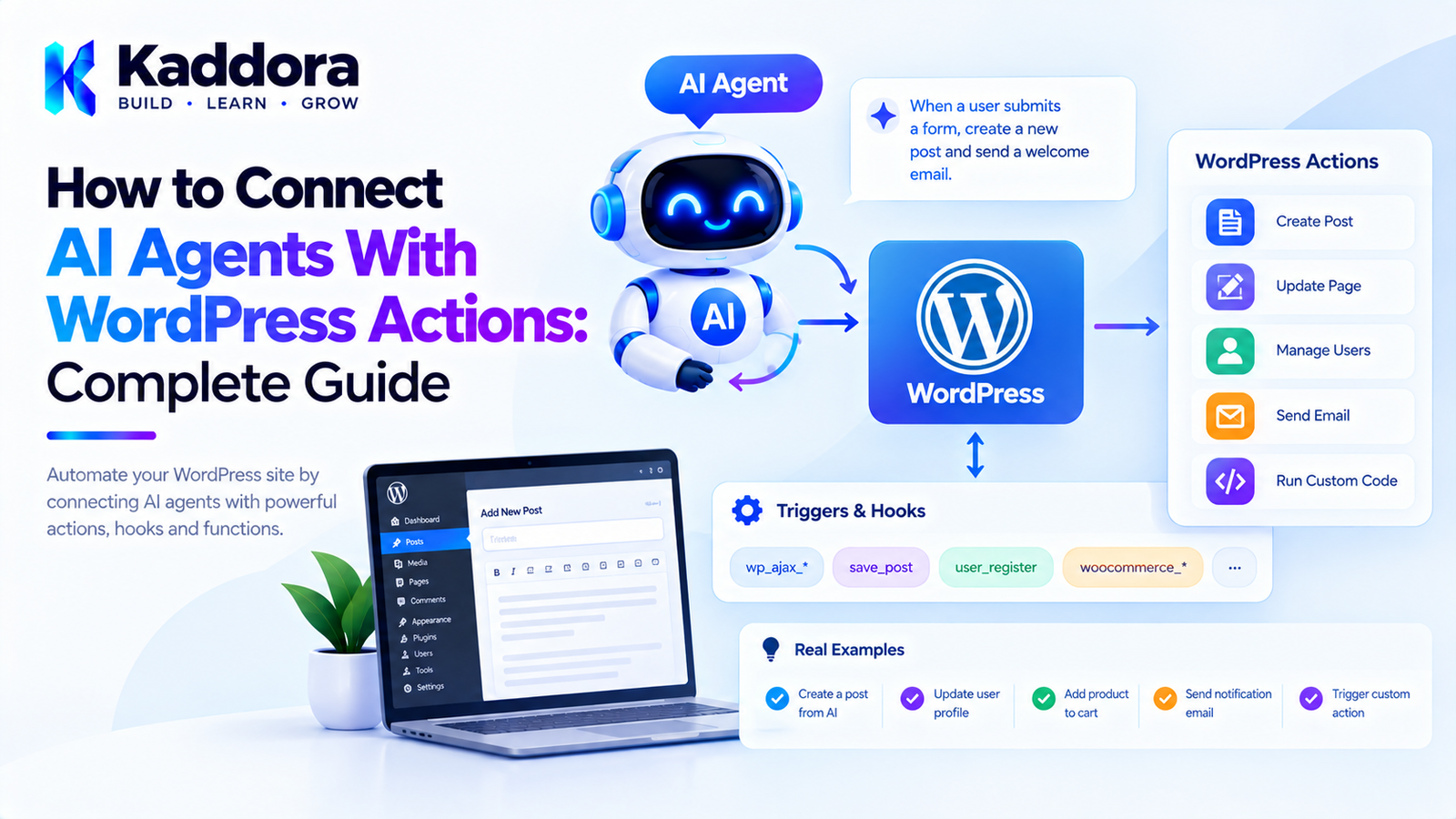
How to Connect AI Agents With WordPress Actions: Complete Guide
Introduction
AI agents become much more useful when they can interact with the applications they are connected to.
A traditional AI chatbot might only answer:
User ↓ AI ↓ Text Response
An AI agent can go further:
User ↓ AI Agent ↓ Understand Goal ↓ Select Action ↓ WordPress ↓ Execute Action ↓ Return Result ↓ AI Agent ↓ User
For WordPress, this creates many possibilities.
An AI agent could potentially:
Create a post draft
Update content
Search products
Retrieve WooCommerce information
Generate a report
Trigger an approved workflow
Schedule content
Analyze website data
Start a background task
Prepare an email
Update selected metadata
However, connecting an AI agent directly to WordPress actions requires careful architecture.
The AI should not receive unrestricted access to WordPress functions, PHP callbacks, database queries, or administrative operations.
Instead, the plugin should create a controlled bridge:
AI Agent ↓ Approved Tool ↓ Validation ↓ Permission Check ↓ Application Service ↓ WordPress Action
This guide explains how to connect AI agents with WordPress actions while keeping the architecture secure, maintainable, and compatible with modern WordPress plugin development.
What Are WordPress Actions?
WordPress actions are hooks that allow code to execute when a particular event occurs.
For example:
add_action( 'init', function () { // Code executed during init. } );
A plugin can also define its own custom action:
do_action( 'kaddora_order_created', $order_id );
Other components can listen to it:
add_action( 'kaddora_order_created', function ( $order_id ) { // React to the event. } );
Actions are primarily an event and integration mechanism.
They should not automatically be treated as unrestricted commands that an AI can invoke.
WordPress Actions vs AI Agent Actions
These concepts should be separated.
WordPress Action
An internal hook:
do_action( 'kaddora_order_created' );
AI Agent Action
A controlled capability:
create_post_draft generate_report search_products
A useful architecture connects them indirectly:
AI Agent Action ↓ Application Service ↓ WordPress Operation ↓ WordPress Action
This prevents the AI from directly selecting arbitrary WordPress hooks.
Why Connect AI Agents With WordPress Actions?
Connecting AI agents with controlled WordPress operations can automate repetitive workflows.
For example:
Content Workflow
User: Create a draft about WooCommerce SEO. ↓ AI Agent ↓ Generate Content ↓ create_post_draft ↓ WordPress Draft
WooCommerce Workflow
User: Find products with low inventory. ↓ AI Agent ↓ get_inventory ↓ WooCommerce ↓ AI Summary
Reporting Workflow
User: Prepare this week's sales report. ↓ AI Agent ↓ generate_sales_report ↓ WordPress / WooCommerce ↓ Report
Do Not Let AI Call Arbitrary WordPress Hooks
A dangerous architecture would look like:
AI ↓ Hook Name ↓ do_action()
For example:
do_action( $ai_supplied_hook, $ai_supplied_arguments );
This creates an uncontrolled execution surface.
An AI model should never be allowed to choose arbitrary hook names and arguments.
Instead, create an explicit action registry.
Recommended Architecture
A safer architecture looks like this:
User ↓ AI Agent ↓ Tool / Action ↓ Action Registry ↓ Schema Validation ↓ Permission Policy ↓ Application Service ↓ WordPress Operation ↓ WordPress
The WordPress action system can then be used internally where appropriate.
Create an AI Action Interface
A plugin can define a common interface:
interface Kaddora_AI_Action_Interface { public function get_name(): string; public function get_description(): string; public function get_schema(): array; public function execute( array $arguments ); }
Each AI-accessible operation implements this interface.
For example:
Create Post Draft Search Products Generate Report Get Order Analyze Content
Build an Action Registry
The registry controls which actions the AI agent can access.
final class Kaddora_AI_Action_Registry { private array $actions = array(); public function register( Kaddora_AI_Action_Interface $action ): void { $this->actions[ $action->get_name() ] = $action; } public function get( string $name ): ?Kaddora_AI_Action_Interface { return $this->actions[ $name ] ?? null; } public function all(): array { return $this->actions; } }
Only explicitly registered actions can be executed.
Register WordPress Actions as Controlled Capabilities
For example:
$registry->register( new Kaddora_Create_Post_Draft_Action( $post_service ) ); $registry->register( new Kaddora_Search_Product_Action( $product_service ) );
The AI agent can now discover these capabilities through the tool definitions provided by the application.
Use Application Services Between AI and WordPress
Avoid:
AI ↓ WordPress Function
Prefer:
AI ↓ AI Action ↓ Application Service ↓ WordPress
For example:
final class Kaddora_Create_Post_Draft_Action implements Kaddora_AI_Action_Interface { public function __construct( private Kaddora_Post_Service $post_service ) {} public function execute( array $arguments ) { return $this->post_service->create_draft( $arguments['title'], $arguments['content'] ); } }
The action becomes an integration layer rather than a place for large amounts of business logic.
Example: AI Creates a WordPress Draft
Suppose the user asks:
Create a draft titled "WooCommerce Product SEO Guide."
The agent determines that it needs:
create_post_draft
The request might contain:
{ "title": "WooCommerce Product SEO Guide", "content": "..." }
The WordPress plugin then:
Receive Request ↓ Validate Arguments ↓ Check Capability ↓ Call Post Service ↓ Create Draft ↓ Return Post ID
The AI can then tell the user that the draft was created.
WordPress Capability Checks
AI actions must respect WordPress permissions.
For example:
if ( ! current_user_can( 'edit_posts' ) ) { throw new RuntimeException( 'You are not authorized to create posts.' ); }
For publishing:
if ( ! current_user_can( 'publish_posts' ) ) { throw new RuntimeException( 'You are not authorized to publish posts.' ); }
The AI agent should never decide whether the current user has permission.
The WordPress application must enforce it.
AI Actions Are Not Security Boundaries
A tool schema might say:
create_post_draft
but that does not mean the user is authorized to perform the action.
The actual security boundary remains in the server-side application.
Think of the architecture as:
AI Suggestion ↓ Application Policy ↓ WordPress Authorization ↓ Execution
Separate Read and Write Actions
A useful design is to distinguish:
Read Actions
get_post search_posts get_product get_inventory get_report
Write Actions
create_draft update_post update_product schedule_post
High-Risk Actions
publish_post delete_post process_refund change_user_role modify_settings
This allows the plugin to apply different policies to different actions.
Add Action Risk Levels
A plugin can classify actions:
LOW MEDIUM HIGH CRITICAL
For example:
Action
Risk
Search posts
Low
Get product
Low
Create draft
Medium
Update product
Medium
Publish post
High
Delete content
Critical
Process refund
Critical
High-risk operations can require additional confirmation.
Human Approval for High-Risk Actions
A useful workflow is:
AI Agent ↓ Proposed Action ↓ Risk Assessment ↓ Approval Required ↓ Administrator ↓ Approve ↓ Execute
For example:
I found 12 products with outdated descriptions. I prepared updates for them. Would you like me to apply the changes?
The user can approve before production data changes.
Connecting AI Actions to WordPress Hooks
Once an approved application operation completes, it can trigger a WordPress action.
For example:
$post_id = $post_service->create_draft( $title, $content ); do_action( 'kaddora_ai_post_draft_created', $post_id );
Other plugin components can react:
add_action( 'kaddora_ai_post_draft_created', function ( $post_id ) { // Queue SEO analysis. } );
This creates a clean separation:
AI ↓ Application Action ↓ WordPress Operation ↓ WordPress Event ↓ Other Plugin Components
Use Hooks for Events, Not Authorization
A custom action such as:
do_action( 'kaddora_ai_post_created', $post_id );
can notify other components that something happened.
But do not use a hook as the primary permission mechanism.
Authorization should happen before the operation:
Permission Check ↓ Operation ↓ Event
not:
Event ↓ Maybe Check Permission
Example: Create Draft Service
final class Kaddora_Post_Service { public function create_draft( string $title, string $content ): int { if ( ! current_user_can( 'edit_posts' ) ) { throw new RuntimeException( 'Permission denied.' ); } $post_id = wp_insert_post( array( 'post_title' => sanitize_text_field( $title ), 'post_content' => wp_kses_post( $content ), 'post_status' => 'draft', 'post_type' => 'post', ), true ); if ( is_wp_error( $post_id ) ) { throw new RuntimeException( $post_id->get_error_message() ); } do_action( 'kaddora_ai_post_draft_created', $post_id ); return (int) $post_id; } }
The AI action can call this service without needing to know how WordPress creates posts.
Validate AI Action Arguments
Never trust the model-generated arguments.
For example:
$title = isset( $arguments['title'] ) ? sanitize_text_field( $arguments['title'] ) : ''; if ( '' === $title ) { throw new InvalidArgumentException( 'Post title is required.' ); }
For content:
$content = isset( $arguments['content'] ) ? wp_kses_post( $arguments['content'] ) : '';
The exact sanitization should match the expected content and security requirements.
Limit Input Size
AI-generated content can become unexpectedly large.
For example:
if ( strlen( $content ) > 50000 ) { throw new InvalidArgumentException( 'Content exceeds the permitted size.' ); }
Limits protect:
Database storage
Server resources
API usage
Processing time
Prevent AI From Selecting Arbitrary Post Types
Instead of allowing:
{ "post_type": "anything" }
define approved values:
$allowed_post_types = array( 'post', 'page', );
Then:
if ( ! in_array( $post_type, $allowed_post_types, true ) ) { throw new InvalidArgumentException( 'Unsupported post type.' ); }
For custom post types, explicitly register them as supported capabilities.
Connecting AI Agents With WooCommerce Actions
WooCommerce creates many useful AI workflows.
For example:
AI Agent ↓ search_products ↓ WooCommerce ↓ Product Results
Or:
AI Agent ↓ get_inventory ↓ WooCommerce ↓ Low Stock Data
Or:
AI Agent ↓ prepare_product_update ↓ Human Approval ↓ update_product
The same architecture applies.
Example WooCommerce Product Action
Conceptually:
final class Kaddora_Update_Product_Action implements Kaddora_AI_Action_Interface { public function __construct( private Kaddora_Product_Service $service ) {} public function get_name(): string { return 'update_product'; } public function get_description(): string { return 'Update approved WooCommerce product information.'; } public function execute( array $arguments ) { $product_id = absint( $arguments['product_id'] ?? 0 ); if ( ! $product_id ) { throw new InvalidArgumentException( 'Invalid product ID.' ); } return $this->service->update( $product_id, $arguments ); } }
The service should perform additional validation and authorization.
Do Not Let AI Directly Modify WooCommerce Orders
Order operations can be highly sensitive.
Avoid:
AI ↓ Raw Order Update
Prefer:
AI ↓ Proposed Order Action ↓ Business Rules ↓ Permission Check ↓ Approval if Required ↓ WooCommerce
For refunds, cancellations, or payment-related operations, stronger controls may be necessary.
AI Agents and WordPress Cron
AI agents can trigger scheduled workflows.
For example:
Daily at 9 AM ↓ WordPress Cron ↓ AI Task ↓ Analyze Orders ↓ Generate Report ↓ Store Result
The cron callback should invoke a controlled application service.
Do not put the entire AI workflow inside the cron callback.
AI Agents and Background Processing
Some AI actions may take too long for a normal web request.
For example:
Analyze 10,000 products and identify descriptions that need improvement.
Instead:
User Request ↓ Create AI Task ↓ Queue ↓ Background Worker ↓ Process Batches ↓ Save Results ↓ Notify User
This reduces timeout problems.
WordPress AI Action Queues
A queue can contain:
Task ID Action Arguments User ID Status Attempts Created At Completed At
For example:
Task #1025 Action: analyze_product Product: 458 Status: processing Attempts: 1
The worker can then execute the action under controlled conditions.
Retry Failed Actions
AI and external APIs can fail temporarily.
A task system can support:
Pending ↓ Processing ↓ Failed ↓ Retry ↓ Completed
Set a maximum number of retries.
For example:
Maximum attempts: 3
Do not retry destructive actions blindly.
Idempotency for AI Actions
An action should ideally avoid accidentally performing the same operation multiple times.
For example, a retry could otherwise create:
Draft #1 Draft #2 Draft #3
for the same request.
Use an idempotency key where appropriate:
Task ID + Action + Target
The application can determine whether the action has already completed.
AI Actions and WordPress Transactions
Some workflows involve multiple operations:
Create Order ↓ Create Order Items ↓ Update Inventory ↓ Create Log
If these operations need atomic behavior, transaction management should be handled at the appropriate application/data layer.
The AI agent should not manage database transactions directly.
AI Actions and WordPress Events
Events can make agent-driven workflows modular.
For example:
do_action( 'kaddora_ai_action_completed', $action_name, $result );
Another component might listen:
add_action( 'kaddora_ai_action_completed', function ( $action, $result ) { // Update analytics. }, 10, 2 );
Keep event payloads minimal and avoid exposing sensitive information.
Avoid Recursive Agent Loops
A serious architecture issue can occur when an AI action triggers another action that triggers the same agent.
For example:
AI ↓ Update Post ↓ WordPress Hook ↓ AI Agent ↓ Update Post ↓ AI Agent ...
Use explicit task IDs, event boundaries, and recursion guards.
For example:
if ( $this->is_agent_task_already_running() ) { return; }
The exact implementation depends on the architecture.
Prevent Action Loops
Track:
Task ID Agent ID Action ID Parent Action Depth
Then enforce:
Maximum workflow depth = 10
This helps prevent accidental infinite workflows.
AI Actions and REST APIs
REST endpoints can expose agent capabilities to the frontend.
A safer architecture is:
Frontend ↓ REST API ↓ Agent Service ↓ Action Registry ↓ Permission Policy ↓ WordPress
The browser should not be allowed to bypass the agent service and invoke privileged actions directly.
REST Endpoint Security
For authenticated administrative operations, use appropriate authentication and authorization.
Also consider:
Nonces where applicable
Capability checks
Input validation
Rate limiting
Request size limits
Error handling
Audit logging
A REST endpoint should never rely solely on the fact that it is difficult to discover.
AI Action Responses
Return structured results.
For example:
return array( 'success' => true, 'post_id' => $post_id, 'status' => 'draft', );
Avoid returning raw internal objects or sensitive database records.
Action Errors
Use meaningful application errors.
For example:
post_not_found permission_denied invalid_product action_not_allowed approval_required rate_limit_exceeded
The AI agent can then explain the result to the user.
Do Not Let AI Rewrite Security Errors
Suppose the application returns:
permission_denied
The AI should not simply retry the operation with another identity or mechanism.
The policy layer should terminate the action.
Security errors are application decisions, not prompts for the model to overcome.
AI Actions and User Context
The action should execute within the correct user context.
For example:
User A ↓ AI Agent ↓ Action ↓ User A Permissions
Do not accidentally execute an action using a privileged system identity when the user does not have equivalent permissions.
For background jobs, explicitly define which authorization policy applies.
Administrative AI Agents
An admin AI assistant might expose:
get_site_health get_plugin_status search_posts create_draft generate_report
The assistant can then answer:
Are any plugins generating errors?
The system can gather the information through approved tools.
This is much safer than allowing the agent to execute arbitrary diagnostic PHP.
AI Agent for WordPress Content Management
A content assistant could provide:
search_content get_post analyze_post create_draft update_draft generate_excerpt suggest_links
A workflow could be:
User Goal ↓ Search Content ↓ Analyze Existing Article ↓ Generate Suggestions ↓ Create Draft ↓ Human Review
This gives editors AI assistance while keeping publishing control with WordPress users.
AI Agent for WooCommerce Management
A commerce assistant might expose:
search_products get_product get_inventory get_sales_summary find_low_stock_products create_product_draft
For example:
Which products need inventory attention?
The agent can retrieve the relevant information and produce a summary without having permission to change inventory.
Read-Only AI Agents
For many use cases, a read-only agent is the safest starting point.
For example:
AI ↓ Search ↓ Analyze ↓ Explain
No production data is modified.
This is useful for:
Analytics
Support
Documentation
Site diagnostics
Reporting
Product discovery
Write-Capable AI Agents
When an agent needs to modify data, add additional controls:
AI ↓ Propose ↓ Validate ↓ Authorize ↓ Approve ↓ Execute
This pattern is useful for:
Content updates
Product updates
Scheduling
Workflow automation
High-Risk AI Actions
Some actions should have stronger restrictions.
Examples:
Delete user Delete product Delete post Process refund Change user role Change payment settings Change security settings
A plugin can simply exclude these operations from general-purpose agents.
Instead, create specialized workflows with explicit confirmation.
AI Action Audit Logs
Record important information:
Task ID User ID Agent Action Target Timestamp Approval Result
Avoid storing:
API keys Passwords Payment credentials Unnecessary personal information
Audit logging should be designed with privacy requirements in mind.
AI Actions and Privacy
AI agents may process WordPress data that contains personal information.
Before sending data to an external AI service, consider whether the information is necessary.
For example:
Customer ID: 102 Email: customer@example.com Address: ... Phone: ...
If the agent only needs:
Order total Order status
do not send the customer's entire record.
Use data minimization.
AI Action Data Filtering
A tool can explicitly select fields:
return array( 'id' => $order->get_id(), 'status' => $order->get_status(), 'total' => $order->get_total(), );
instead of:
return $order;
This gives the AI only the information required for the task.
Tool and Action Versioning
If your plugin has long-lived AI workflows, action contracts should remain stable.
For example:
create_post_draft
should not unexpectedly change from:
title + content
to:
title + body + arbitrary metadata
without considering compatibility.
For significant changes, version the action contract.
Testing AI-Connected WordPress Actions
Test at several levels.
Action Unit Tests
Verify:
Schema Validation Execution Errors
Service Tests
Verify:
Business Rules Permissions Data Changes
Integration Tests
Verify:
AI Action ↓ Service ↓ WordPress
Agent Tests
Verify:
User Goal ↓ Correct Action ↓ Correct Arguments ↓ Correct Result
Security Tests
Test scenarios such as:
Unauthorized user Invalid action Unknown action Invalid ID Oversized input Repeated calls High-risk action Prompt injection Malformed tool result
The expected result should always be safe failure.
Performance Considerations
AI-connected WordPress actions can introduce several layers of latency:
Browser ↓ WordPress ↓ AI API ↓ Tool ↓ Database ↓ AI API ↓ WordPress ↓ Browser
To improve performance:
Keep tool results small.
Avoid unnecessary model calls.
Cache safe read operations.
Use background processing for long tasks.
Batch database operations where appropriate.
Limit agent iterations.
Avoid loading unnecessary WordPress objects.
Recommended Architecture for AI-Driven WordPress Actions
A scalable plugin can use:
User ↓ AI Agent ↓ Agent Runtime ↓ Action Registry ↓ Validation / Policy ↓ Permission Checks ↓ Application Layer ↓ Domain / Business Rules ↓ WordPress / WooCommerce ↓ Database
WordPress hooks can then connect completed operations to other plugin components:
Application Operation ↓ do_action() ↓ Other Components
This keeps the architecture modular.
Recommended Project Structure
A practical plugin might use:
kaddora-ai-agent/ │ ├── kaddora-ai-agent.php │ ├── includes/ │ ├── Agent/ │ │ ├── Agent.php │ │ ├── Runtime.php │ │ └── ActionRegistry.php │ │ │ ├── Actions/ │ │ ├── CreatePostDraft.php │ │ ├── SearchPosts.php │ │ ├── GetProduct.php │ │ └── GenerateReport.php │ │ │ ├── Application/ │ │ ├── PostService.php │ │ └── ProductService.php │ │ │ ├── Security/ │ │ ├── Policy.php │ │ └── PermissionChecker.php │ │ │ └── Infrastructure/ │ ├── AIClient.php │ └── Logger.php │ ├── admin/ ├── assets/ └── uninstall.php
The exact structure should match the plugin's complexity.
Common Mistakes When Connecting AI Agents With WordPress Actions
1. Letting AI Call Arbitrary Hooks
Never allow model-generated hook names to be passed directly into do_action().
2. Allowing Arbitrary PHP Execution
AI should never be able to execute generated PHP code.
3. Skipping Capability Checks
Every privileged action still needs application-level authorization.
4. Treating Tool Schemas as Security
Schemas describe expected inputs. They do not replace server-side validation.
5. Putting Business Logic in Action Classes
Keep complex workflows in application/domain services.
6. Returning Entire Database Records
Return only the data required by the agent.
7. No Action Limits
Agents can loop or generate unexpected numbers of operations.
8. No Approval for Sensitive Changes
High-impact actions may need explicit user confirmation.
9. Ignoring Idempotency
Retries can accidentally duplicate operations.
10. Triggering Recursive Agent Workflows
WordPress hooks can accidentally cause an agent to trigger itself repeatedly.
11. Running Long AI Operations During Normal Requests
Use queues or background processing for expensive workflows.
12. Treating AI as the Security Layer
The application must remain responsible for authentication, authorization, validation, and execution.
Best Practices for Connecting AI Agents With WordPress Actions
Define explicit AI-accessible actions.
Never expose arbitrary WordPress hooks.
Use an action registry.
Validate every action argument.
Enforce WordPress capabilities.
Separate read and write operations.
Use application services for business workflows.
Keep high-risk actions behind approval controls.
Minimize data returned to the AI.
Add rate and iteration limits.
Support idempotency for retryable operations.
Prevent recursive agent loops.
Use queues for long-running tasks.
Log sensitive actions without storing secrets.
Treat external content as untrusted data.
Protect AI credentials.
Use WordPress APIs where appropriate.
Test unauthorized and malformed requests.
Version important action contracts.
Keep AI integration separate from core business logic.
WordPress AI Action Checklist
Architecture
AI actions use explicit contracts.
An action registry controls available operations.
Business logic lives in application services.
WordPress hooks are used as integration events where appropriate.
Arbitrary PHP execution is impossible.
Security
Every action validates its arguments.
WordPress capabilities are checked.
High-risk operations require additional controls.
API credentials remain server-side.
Sensitive data is minimized.
Unknown actions are rejected.
Reliability
Tool-call limits exist.
Agent iteration limits exist.
Failed tasks are handled.
Retry behavior is controlled.
Idempotency is considered.
Recursive workflows are prevented.
Performance
Large operations use background processing.
Tool responses are bounded.
Safe read results may be cached where appropriate.
Database queries are optimized.
Unnecessary AI requests are avoided.
WordPress Integration
REST endpoints are protected.
AJAX requests use appropriate security controls.
WordPress APIs are used appropriately.
$wpdb queries are safely prepared.
Multisite behavior is considered.
Why Choose Kaddora?
Connecting AI agents to WordPress requires a balance between automation and application control.
Kaddora focuses on practical WordPress plugin architecture where AI can interact with real website functionality through controlled capabilities instead of unrestricted access.
A Kaddora-style architecture can separate:
AI Reasoning ↓ Agent Runtime ↓ Action Registry ↓ Security Policy ↓ Application Services ↓ WordPress
This approach can support AI-powered:
Content management
WooCommerce automation
SEO workflows
Analytics
Reporting
Customer support
Product management
Administrative assistants
Background automation
The objective is not to let AI control everything.
The objective is to give AI specific capabilities with clearly defined boundaries.
That makes it possible to build powerful WordPress AI plugins while preserving WordPress's existing security and application architecture.
Conclusion
Connecting AI agents with WordPress actions creates a path from conversational AI to practical website automation.
However, the safest architecture does not connect the AI directly to arbitrary WordPress hooks or PHP functions.
Instead, use:
AI Agent ↓ Controlled Action ↓ Validation ↓ Permission ↓ Application Service ↓ WordPress
WordPress actions can then be used as internal events after approved operations occur.
This architecture provides several important benefits:
Clear security boundaries
Reusable application logic
Better testing
Controlled automation
Easier auditing
Better maintainability
Safer WooCommerce integration
Support for background workflows
More predictable AI behavior
The most important principle is simple:
Let the AI decide what it wants to accomplish, but let WordPress decide what it is actually allowed to do.
When AI actions, application services, WordPress permissions, and hooks are separated properly, developers can build intelligent WordPress plugins without turning the AI model into an unrestricted administrator.
Frequently Asked Questions
What are WordPress actions?
WordPress actions are hooks that allow code to execute when a specific event occurs. Plugins can use built-in actions or create custom actions for their own workflows.
Can an AI agent directly call a WordPress action?
It should not be allowed to call arbitrary WordPress hooks directly. A safer approach is to expose controlled application actions through a registry and let those actions interact with WordPress.
How do AI agents interact with WordPress?
An AI agent can request an approved tool or action. The WordPress plugin validates the request, checks permissions, executes an application service, and returns a structured result.
Can AI agents create WordPress posts?
Yes. A plugin can expose a controlled action such as create_post_draft, validate the content, check the user's capabilities, and create a WordPress draft.
Can AI agents update WooCommerce products?
Yes, provided the plugin exposes a controlled product-update action and performs appropriate authorization, validation, and business-rule checks.
Should AI be allowed to publish WordPress posts automatically?
It can be technically implemented, but publishing is a higher-impact operation than creating a draft. A plugin can require explicit approval before publishing.
Can AI actions run in the background?
Yes. Long-running workflows can be placed into a queue and processed asynchronously using scheduled tasks or background workers.
Can AI agents work with WooCommerce?
Yes. Controlled actions can allow agents to search products, retrieve inventory, analyze sales, prepare reports, and perform approved product-management workflows.
Can AI agents use custom WordPress hooks?
They can indirectly interact with custom hooks through approved application actions. The agent itself should not be allowed to choose arbitrary hook names.
Why choose Themekaddora?
Themekaddora provides lightweight, responsive, SEO-friendly WordPress themes with fast performance, WooCommerce compatibility, flexible customization, accessibility-conscious design, modern templates, regular updates, and professional support—providing a strong foundation for businesses building digital products and product-focused websites.
Comments (0)