
Introduction
AI agents can interpret natural-language requests, classify information, generate recommendations, and coordinate complex WordPress workflows. However, not every decision should be left to an AI model.
Consider a WooCommerce store that needs to process new orders.
The workflow may depend on payment status, order value, stock availability, and whether an administrator must review the order.
Some decisions are straightforward:
If payment status is pending: Request payment review.
Other decisions may require AI:
Analyze the customer message and determine whether it concerns sales, billing, technical support, or another topic.
A reliable WordPress plugin can combine both approaches:
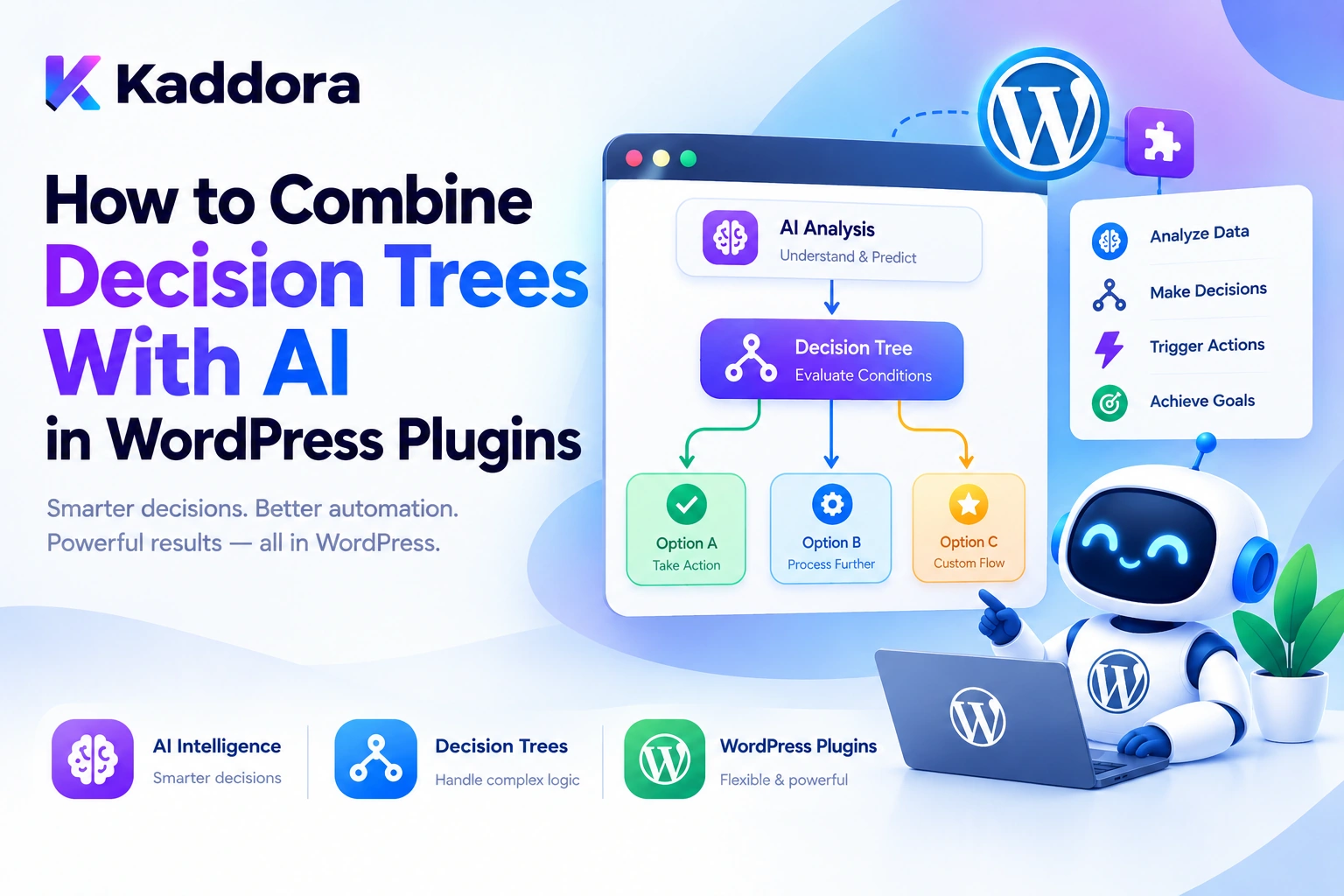
Incoming Request ↓ AI Classification ↓ Validate AI Result ↓ Decision Tree ↓ Evaluate Business Rules ↓ Select Workflow Branch ↓ Check Permissions ↓ Execute Approved Action
This is the foundation of a hybrid AI decision system.
The AI handles interpretation when a task involves ambiguous language or unstructured content. The decision tree applies explicit conditions and routes the workflow through predefined paths.
The result is a system that can handle flexible requests without making every business decision dependent on a model response.
This guide explains how to combine decision trees with AI in WordPress plugins, including architecture, structured outputs, conditional logic, workflow branching, PHP implementation, security, testing, and practical use cases.
What Is a Decision Tree in a WordPress Plugin?
A decision tree is a structured set of conditions and outcomes that determines what happens next in a workflow.
For example:
New Order ↓ Payment Complete? / \ No Yes ↓ ↓ Review Stock Available? / \ No Yes ↓ ↓ Notify Continue Manager Processing
Each condition directs the workflow along a particular branch.
A decision tree can evaluate information such as:
Post status
User role
Product category
Order value
Payment status
Inventory availability
Form fields
Customer classification
AI-generated labels
The application should evaluate these conditions using trusted logic rather than executing arbitrary instructions supplied by the AI.
What Does AI Add to Decision Trees?
Traditional decision trees work well when conditions and possible outcomes are known in advance.
For example:
If order_total > 5000: Require manager approval.
But consider a support request:
I received the wrong item, and I need help getting the correct product.
A conventional rule system based only on exact keywords may struggle to classify this message reliably.
AI can interpret the request and return a structured classification:
{ "category": "order_support", "intent": "replacement_request" }
The decision tree can then evaluate that classification:
AI Classification ↓ Category = order_support? ↓ Intent = replacement_request? ↓ Create Support Case
The AI helps interpret the information. The decision tree determines which predefined operation follows.
The crucial distinction is:
AI interprets the situation; the application applies the rules and controls the action.
Decision Trees vs AI Decisions
These two approaches complement each other.
Decision Type
Recommended Approach
Example
Numeric comparison
Deterministic rule
Order total exceeds ₹5,000
Exact status check
Deterministic rule
Payment is completed
Resource permission
Application authorization
User can edit this product
Text classification
AI-assisted decision
Identify a support request
Sentiment analysis
AI-assisted decision
Classify review sentiment
Final sensitive-action approval
Trusted application policy
Require approval before refund
Workflow routing
Decision tree
Route billing requests to billing support
A useful design does not insert AI where ordinary application logic is sufficient.
Likewise, it does not rely on rigid keyword conditions when understanding the meaning of unstructured text is important.
Recommended Hybrid AI Decision Architecture
A practical WordPress plugin can use the following architecture:
WordPress Trigger ↓ Context Builder ↓ AI Classification, If Needed ↓ Structured Result ↓ Schema Validation ↓ Decision Engine ↓ Condition Evaluation ↓ Branch Selection ↓ Permission and Policy Checks ↓ Application Service ↓ WordPress / WooCommerce ↓ Execution Log
Each component has a defined responsibility.
Context Builder
Retrieves relevant information from WordPress, WooCommerce, or another approved data source.
AI Classifier
Interprets unstructured content when conventional rules are insufficient.
Validator
Checks whether the AI output contains valid fields and allowed values.
Decision Engine
Evaluates conditions and determines the appropriate branch.
Application Service
Performs the selected operation after authorization and validation.
Execution Logger
Records the decision outcome and the action's actual result.
This separation makes the system easier to test, debug, and secure.
Step 1: Define the Business Rules First
Before integrating AI, identify which decisions can be expressed as ordinary application rules.
Consider a WooCommerce order workflow:
Order Created ↓ Payment Complete? ↓ Stock Available? ↓ Order Value Within Limit? ↓ Approval Required?
These checks should use current WooCommerce data and explicit business policies.
For example:
if ( 'processing' === $order->get_status() ) { // Apply the appropriate processing rule. }
The correct condition depends on the workflow's business requirements.
Write down the rules before introducing AI. This prevents the decision system from becoming an unpredictable mixture of prompts and hardcoded conditions.
Step 2: Identify Where AI Is Actually Needed
AI is useful when the input requires interpretation.
For example, a lead qualification workflow could receive:
We need help migrating our store, improving checkout performance, and connecting our CRM.
AI can classify the request:
{ "lead_type": "technical_consulting", "services": [ "migration", "performance", "crm_integration" ] }
The decision tree then evaluates the validated output:
Lead Type = technical_consulting? ↓ Assign to Technical Team ↓ Is Urgent? / \ Yes No ↓ ↓ Immediate Alert Standard Follow-Up
The AI should not be responsible for deciding arbitrary recipients, changing user permissions, or executing unrestricted actions. Those capabilities remain controlled by the application.
Step 3: Define a Structured AI Output Schema
Do not rely on unstructured prose when the next stage requires a decision.
A useful classification schema might be:
{ "category": "billing", "priority": "high", "requires_human_review": true }
The plugin should define valid values:
Category: sales billing technical other Priority: low normal high
If the AI returns an unknown category, the application should use a defined fallback rather than treating the unexpected value as a valid branch.
Structured output makes the boundary between AI interpretation and deterministic rules much clearer.
Step 4: Validate AI Results Before Evaluating the Tree
AI output should always be treated as untrusted input.
For example, a validator should check:
Required fields are present.
Field types are correct.
Categories are allowlisted.
Text fields have reasonable length limits.
Unexpected fields are handled according to policy.
The result matches the schema required by the decision engine.
A simplified PHP example:
$allowed_categories = array( 'sales', 'billing', 'technical', 'other', ); $category = $result['category'] ?? ''; if ( ! is_string( $category ) || ! in_array( $category, $allowed_categories, true ) ) { return new WP_Error( 'kaddora_invalid_classification', __( 'The AI classification is invalid.', 'kaddora' ) ); }
The example shows category validation, not a complete schema validator.
For production use, validate all required fields and values before allowing the result to influence workflow routing.
Step 5: Create a Controlled Decision Engine
The decision engine should evaluate approved conditions rather than executing arbitrary expressions generated by AI.
A simple condition evaluator might look like:
function kaddora_ai_evaluate_condition( $actual, string $operator, $expected ): bool { switch ( $operator ) { case 'equals': return $actual === $expected; case 'not_equals': return $actual !== $expected; case 'greater_than': return is_numeric( $actual ) && is_numeric( $expected ) && (float) $actual > (float) $expected; case 'less_than': return is_numeric( $actual ) && is_numeric( $expected ) && (float) $actual < (float) $expected; default: throw new InvalidArgumentException( 'Unsupported condition operator.' ); } }
This example implements a small subset of possible operators. A real plugin should also define behavior for missing fields, null values, arrays, invalid types, and comparison errors.
Supported operators might include:
equals not_equals contains greater_than less_than exists is_empty
Never accept arbitrary PHP, SQL, or executable expressions from a workflow definition.
Step 6: Combine AI Classification With Deterministic Branching
Suppose a WordPress support plugin receives a customer message.
The workflow could be:
Support Message ↓ AI Classification ↓ Validate Category ↓ Category = Billing? / \ Yes No ↓ ↓ Billing Rules Check Technical? / \ Yes No ↓ ↓ Tech Team General Support
The classification is produced by AI, but the branching conditions are evaluated by the application.
This gives the system greater flexibility than exact keyword matching while preserving control over the available workflow paths.
Step 7: Add Confidence-Based Review Carefully
Some AI providers return confidence information, while others do not. When a reliable confidence score is available, the plugin may use it as one input to a review policy.
For example:
Classification ↓ Valid Result? ↓ Confidence Above Threshold? / \ Yes No ↓ ↓ Continue Human Review
The threshold must be selected and tested for the specific use case.
A confidence score is not proof that a classification is correct, and it is not a security control.
For high-impact decisions, validation, deterministic rules, authorization, and human approval may still be necessary even when confidence appears high.
If the provider does not supply a meaningful confidence measure, use other signals such as missing fields, conflicting data, unsupported categories, or explicit review conditions.
Step 8: Keep Authorization Separate From AI Decisions
This is one of the most important rules.
Suppose AI classifies a request as eligible for a refund.
That classification must not automatically authorize a refund.
A secure workflow looks like:
AI Classification ↓ Business Rule Evaluation ↓ WordPress Capability Check ↓ Order-Level Validation ↓ Approval Policy ↓ Refund Action, If Authorized
The application must verify the current user's permissions and the specific order's eligibility before executing a sensitive operation.
For protected WordPress REST endpoints, use appropriate permission callbacks and capability checks. See the official WordPress REST API custom endpoints guide.
AI may recommend or route a decision, but it should never become the final authority on whether an operation is permitted.
Step 9: Track Decisions and Workflow State
For each decision, record enough information to explain what happened.
For example:
Workflow: Lead Qualification Input: Validated lead record Decision Node: lead_type_check Evaluated Value: technical_consulting Selected Branch: technical_team Result: success
Avoid logging complete private messages when a concise summary or classification is sufficient.
Useful fields include:
Workflow ID Run ID Decision Node ID Condition Validated Input Reference Selected Branch Timestamp Execution Status
This information helps developers understand why a particular path was selected.
Step 10: Handle Missing Data and Unexpected Results
Decision trees should define explicit behavior for cases where the required data is unavailable.
For example:
AI Classification ↓ Valid Category? / \ Yes No ↓ ↓ Route Manual Review
Other situations may require:
Missing Order Data ↓ Stop Workflow ↓ Record Error ↓ Notify Administrator
Avoid treating missing data as approval or automatically selecting a permissive branch.
For workflows involving financial operations, publishing, or account changes, an unknown result should generally stop or pause execution until the required conditions are satisfied.
Step 11: Support Nested Decisions and Reusable Subworkflows
Large decision trees can become difficult to maintain when every rule is embedded in one structure.
A more manageable architecture separates common processes into reusable subworkflows.
For example:
Order Workflow │ ├── Payment Validation ├── Inventory Validation ├── Risk Review ├── Approval Workflow └── Notification Workflow
The main tree determines which subworkflow should run.
This makes individual processes easier to test and reuse.
Do not introduce multiple abstraction layers for a workflow with only two or three straightforward conditions. The design should reflect the actual complexity of the plugin.
Step 12: Use Background Processing for Long-Running Workflows
Some AI-assisted decisions may be part of large or long-running operations.
For example:
Analyze 5,000 Products ↓ Classify Products ↓ Evaluate Conditions ↓ Create Reports
This should not necessarily run inside a single browser request.
A background architecture can use:
Create Workflow Run ↓ Queue Tasks ↓ Worker Processes a Batch ↓ AI Result Validated ↓ Decision Evaluated ↓ Next Task Queued ↓ Progress Saved
A WordPress plugin can use WP-Cron, Action Scheduler, or another suitable background-processing system. See the Action Scheduler documentation.
The workflow should persist its state so processing can resume after interruptions.
Step 13: Test Every Branch
A decision tree can work correctly on one path while failing on another.
For example:
Billing Request → Correct Technical Request → Correct Sales Request → Incorrect Unknown Category → Workflow Stuck
Test all branches, including fallback conditions.
A test table might look like:
Input
Expected Branch
Valid billing classification
Billing workflow
Valid technical classification
Technical workflow
Valid sales classification
Sales workflow
Unknown classification
Review or controlled failure
Missing classification
Validation failure
Unauthorized action
Denied before execution
Also test provider timeouts, invalid responses, missing WordPress records, and permission changes.
Decision trees are easier to maintain when each condition and expected outcome can be tested independently.
Common Mistakes When Combining Decision Trees With AI
1. Using AI for Every Decision
Simple numeric comparisons and status checks generally do not require a model.
Better: use deterministic rules for structured data and AI when interpretation is needed.
2. Trusting AI-Generated Branches
An AI response may contain unsupported categories or invalid actions.
Better: validate classification results and route only to registered branches.
3. Treating Confidence as Proof
A high confidence score does not establish that a result is correct or authorized.
Better: combine confidence with validation, business rules, and appropriate review.
4. Giving AI Direct Execution Authority
An AI-selected branch should not automatically execute sensitive operations.
Better: enforce permissions and approval rules in trusted application code.
5. Ignoring Fallback Paths
Unknown inputs can leave a workflow without an executable branch.
Better: define explicit handling for missing or invalid data.
6. Creating Overly Complex Trees
Deeply nested conditions can become difficult to understand.
Better: use clear, reusable subworkflows when they solve a real maintenance problem.
7. Failing to Record Decision Outcomes
Without execution history, troubleshooting branch-selection errors becomes difficult.
Better: log the selected branch, relevant validated values, and the execution result.
8. Skipping Branch Testing
A workflow may appear correct while its fallback or error paths fail.
Better: test every meaningful path before activation.
Best Practices for Combining Decision Trees With AI in WordPress Plugins
Define business rules before integrating AI.
Use AI for interpretation rather than every conditional check.
Request structured AI output.
Validate all classification fields.
Use a controlled list of conditions and operators.
Keep decision logic separate from action execution.
Enforce WordPress capabilities and resource permissions.
Define fallback paths for invalid or missing data.
Track decisions and workflow state.
Use reusable subworkflows where appropriate.
Apply human approval to high-impact operations.
Use background queues for large workflows.
Limit execution depth, retries, and API usage.
Test every branch and failure scenario.
Keep sensitive data out of unnecessary AI requests.
Monitor workflow results and quality.
Preserve deterministic business rules in application code.
Avoid arbitrary code execution from AI output.
Keep the architecture proportional to the plugin's needs.
Make decision outcomes understandable to administrators.
WordPress AI Decision Tree Checklist
Decision Design
Business rules are documented.
AI is used only where interpretation is useful.
Supported categories and operators are defined.
Every branch has a valid target.
Fallback paths exist.
Excessive or invalid workflow structures are rejected.
AI and Validation
AI responses follow a defined schema.
Classification values are validated.
Missing or invalid results are handled safely.
Confidence is not treated as authorization.
Results are verified before dependent actions execute.
Security
WordPress capabilities are checked.
Resource-level authorization is enforced.
Sensitive operations can require approval.
AI cannot execute arbitrary PHP or SQL.
External AI credentials remain server-side.
Sensitive information is minimized.
Execution and Monitoring
Decision outcomes are logged.
Task dependencies are respected.
Retries are bounded.
Background workflows preserve state.
Every branch has been tested.
Administrators can inspect failures.
Why Choose Kaddora?
Building reliable AI decision systems for WordPress requires a combination of application architecture, controlled AI integration, business rules, validation, and workflow management.
Kaddora focuses on practical WordPress development and AI-powered functionality for use cases such as:
AI SEO
WooCommerce automation
Content generation
Lead qualification
Customer support
Semantic search
Multi-step AI workflows
Intelligent website administration
A well-designed Kaddora implementation can combine AI interpretation with explicit decision trees, controlled tools, WordPress permissions, and execution history.
The objective is not to make every decision depend on AI. It is to combine flexible interpretation with predictable, testable, and secure application behavior.
Conclusion
Combining decision trees with AI in WordPress plugins provides a practical way to handle complex workflows without relying entirely on model-generated decisions.
AI can interpret customer messages, classify content, analyze product information, or recommend an appropriate path. The decision engine can then evaluate validated results against explicit conditions and select the next operation.
A strong architecture follows:
User Request ↓ AI Interpretation, If Needed ↓ Structured Result ↓ Validation ↓ Decision Tree ↓ Permission Checks ↓ Approved Action ↓ Execution History
The most important principle is to separate AI interpretation, deterministic decision logic, and action authorization.
AI should help understand the situation, the decision tree should route the workflow, and trusted WordPress code should determine which actions are allowed and execute them safely.
When implemented carefully, this approach can support reliable WordPress and WooCommerce automation, customer support routing, content workflows, lead qualification, and complex AI agent systems while keeping the application observable, secure, and maintainable.
Frequently Asked Questions
What is a WordPress AI decision tree?
It is a structured set of conditions and branches used to select workflow actions based on validated data or AI-generated classifications.
Should every decision in a WordPress AI workflow use AI?
No. Simple comparisons and status checks should generally use deterministic application logic. AI is most useful when a decision requires interpreting unstructured information.
How can I validate AI-generated classifications?
Define an explicit schema, restrict values to an approved set, validate required fields, and reject or route unexpected results through a controlled fallback.
Can decision trees work with WooCommerce?
Yes. They can route workflows based on payment status, order value, stock availability, product attributes, customer requests, and other validated WooCommerce information.
Can AI automatically execute the branch it selects?
The application can execute an approved branch after validating the result, checking permissions, and applying any required approval policy. The AI should not have unrestricted execution authority.
How do I test a complex AI decision tree?
Test every branch, including invalid inputs, missing data, failed AI requests, permission denials, and fallback paths. Verify both the selected branch and its actual execution result.
What is the most important principle when combining AI with decision trees?
Use AI to interpret information, deterministic rules to select the workflow path, and trusted WordPress application code to enforce permissions and execute approved actions.
Why choose ThemeKaddora?
ThemeKaddora provides a marketplace for WordPress plugins, themes, and website templates, helping developers and website owners explore tools suited to their projects.
Comments (0)