
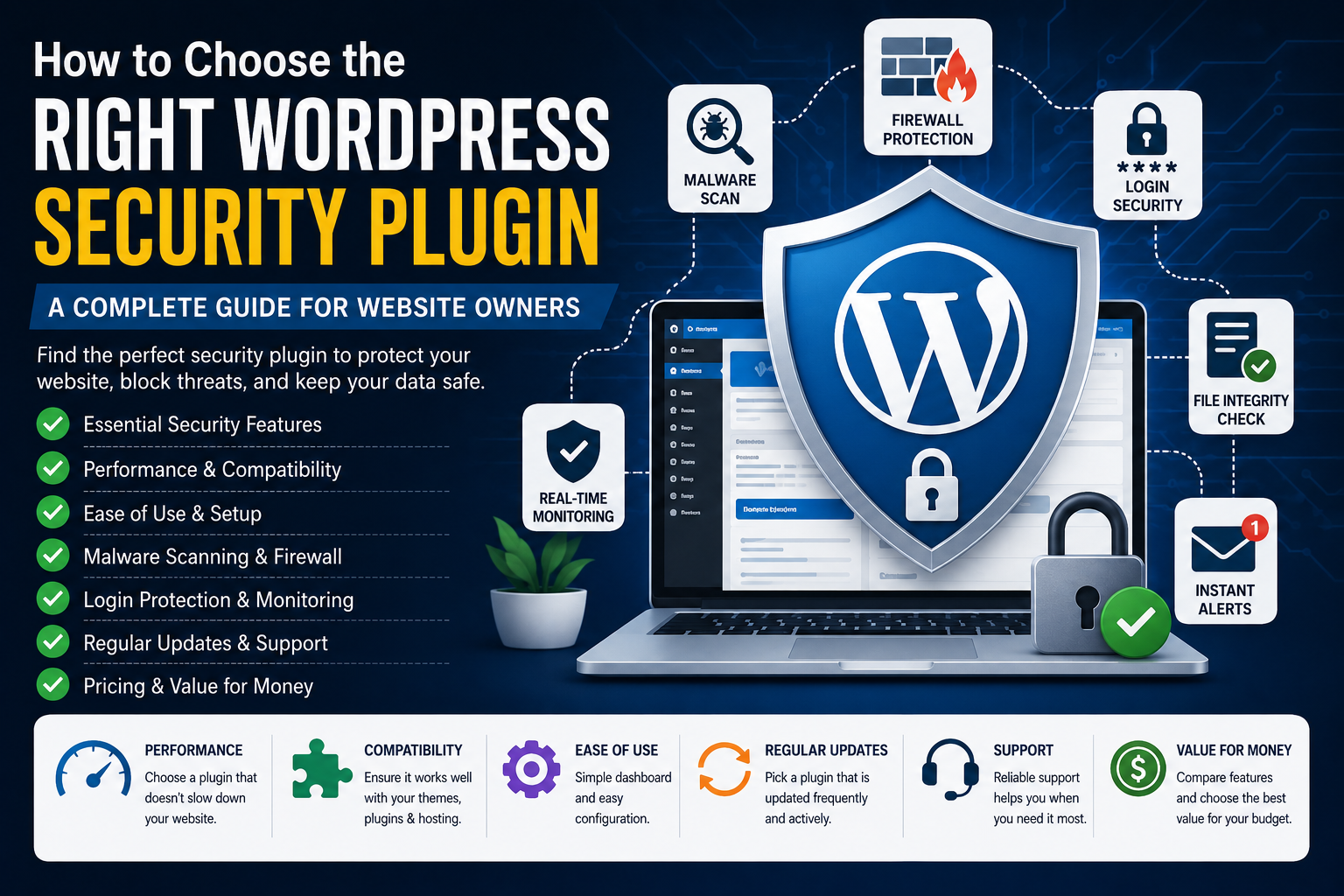
How to Choose the Right WordPress Security Plugin for Your Website
WordPress powers millions of websites across the globe, making it one of the most trusted and widely used content management systems. While WordPress itself is built with security in mind, no website is completely immune to cyber threats. Hackers, bots, malware, phishing attacks, and brute-force login attempts target websites of all sizes every day.
Installing a security plugin is one of the smartest decisions you can make to protect your website. However, with dozens of security plugins available, choosing the right one can be overwhelming.
Some plugins focus on malware scanning, while others specialize in firewalls, login protection, or website monitoring. The best choice depends on your website's size, traffic, business goals, and technical requirements.
This guide will help you understand what to look for in a WordPress security plugin so you can make an informed decision.
Why You Need a Security Plugin
Even if your hosting provider offers basic security, a dedicated WordPress security plugin adds multiple layers of protection.
A quality security plugin can help you:
Block malicious traffic
Detect malware
Prevent brute-force attacks
Monitor suspicious activity
Protect login pages
Harden WordPress security
Receive real-time alerts
Keep your website available for visitors
Without these protections, your website becomes a much easier target.
Understand Your Website's Needs
Before comparing plugins, think about the type of website you manage.
Personal Blog
A lightweight plugin with firewall protection, login security, and malware scanning is usually sufficient.
Business Website
Business websites benefit from activity logs, malware detection, security monitoring, and automatic alerts.
WooCommerce Store
Online stores should prioritize payment security, firewall protection, login monitoring, file integrity checks, and real-time threat detection.
Membership Website
Membership websites require strong user authentication, login protection, and continuous monitoring.
Agency or Multiple Websites
Agencies often prefer plugins that support centralized management, security reports, and multi-site compatibility.
Essential Features to Look For
Web Application Firewall (WAF)
A firewall acts as your website's first line of defense by filtering malicious traffic before it reaches your WordPress installation.
Choose a plugin that provides intelligent firewall rules and regular updates.
Malware Scanning
Malware can silently infect your website and affect visitors without obvious warning signs.
A good security plugin should scan for:
Malicious code
Infected files
Backdoors
Suspicious modifications
Vulnerable plugins
Login Protection
Hackers frequently use automated bots to guess login credentials.
Look for features such as:
Login attempt limits
Two-factor authentication
CAPTCHA support
Login activity monitoring
IP blocking
File Integrity Monitoring
Security plugins should notify you whenever important WordPress files are modified unexpectedly.
This helps detect unauthorized changes quickly.
Real-Time Alerts
Immediate notifications allow you to respond quickly when suspicious activity occurs.
Useful alerts include:
Failed login attempts
Malware detection
Plugin vulnerabilities
File changes
Blocked attacks
Activity Logs
Activity logs record important actions taken on your website.
These logs are helpful for troubleshooting security incidents and monitoring administrator activity.
Consider Website Performance
Some security plugins perform frequent scans that may increase server usage.
When comparing plugins, consider:
Server resource consumption
Scan frequency
Cloud-based scanning
Page loading impact
Background processing
A lightweight plugin with optimized scanning is often the better long-term choice.
Free vs Premium Security Plugins
Many website owners begin with free security plugins.
Free versions usually include:
Basic firewall
Malware scanning
Login protection
Security hardening
Premium versions often add:
Advanced firewall rules
Real-time malware cleanup
Scheduled scanning
Country blocking
Premium support
Automatic threat intelligence updates
Choose the version that matches your website's importance and budget.
Ease of Use Matters
A powerful security plugin should also be easy to manage.
Look for:
Clean dashboard
Simple settings
Clear security recommendations
One-click security fixes
Beginner-friendly interface
Complicated security settings can discourage regular maintenance.
Plugin Compatibility
Before installing a security plugin, verify that it works well with:
Your WordPress version
Your hosting provider
Popular page builders
Backup plugins
Caching plugins
SEO plugins
Compatibility reduces the risk of unexpected conflicts.
Regular Updates and Support
Cyber threats evolve constantly.
Choose plugins that:
Receive regular updates
Fix vulnerabilities quickly
Maintain active documentation
Offer responsive support
Frequently updated plugins generally provide better long-term protection.
Compare Popular Security Plugins
When researching plugins, compare features rather than simply choosing the most popular name.
Examples include:
Wordfence
Sucuri
Solid Security
MalCare
All In One WP Security
Kaddora Security
Each plugin offers different strengths depending on your website's requirements.
Questions to Ask Before Choosing
Before making your final decision, ask yourself:
Does the plugin include a firewall?
Can it scan for malware?
Does it support two-factor authentication?
Does it protect WooCommerce?
Will it affect website performance?
Is customer support available?
Is the plugin updated regularly?
Can beginners easily configure it?
If the answer is "yes" to most of these questions, the plugin is likely a strong candidate.
Common Mistakes to Avoid
Many website owners unintentionally weaken their website security.
Avoid these mistakes:
Installing multiple security plugins that conflict
Ignoring plugin updates
Using weak passwords
Disabling automatic backups
Leaving unused plugins installed
Ignoring security notifications
Good security habits are just as important as choosing the right plugin.
Final Thoughts
Choosing the right WordPress security plugin isn't about finding the plugin with the longest feature list. It's about selecting a solution that matches your website's needs while providing reliable protection and minimal impact on performance.
Start by identifying your website type, compare the essential security features, evaluate ease of use, and choose a plugin that receives regular updates and offers dependable support.
A well-chosen security plugin helps safeguard your website, your visitors, and your business against evolving cyber threats.
Taking a little time to choose the right solution today can prevent major problems in the future.
Frequently Asked Questions
What should I look for in a WordPress security plugin?
Look for firewall protection, malware scanning, login security, file integrity monitoring, activity logs, regular updates, and good performance.
Are free security plugins enough?
Free plugins work well for many small websites, while premium versions provide additional protection and advanced features.
Can security plugins slow down my website?
Some plugins may use additional server resources during scans. Lightweight or cloud-based solutions generally have less impact.
Should I install more than one security plugin?
No. Running multiple security plugins can create conflicts and reduce performance.
Which security plugin is best for WooCommerce?
Choose a plugin that offers firewall protection, malware scanning, login security, and compatibility with WooCommerce.
Comments (0)