
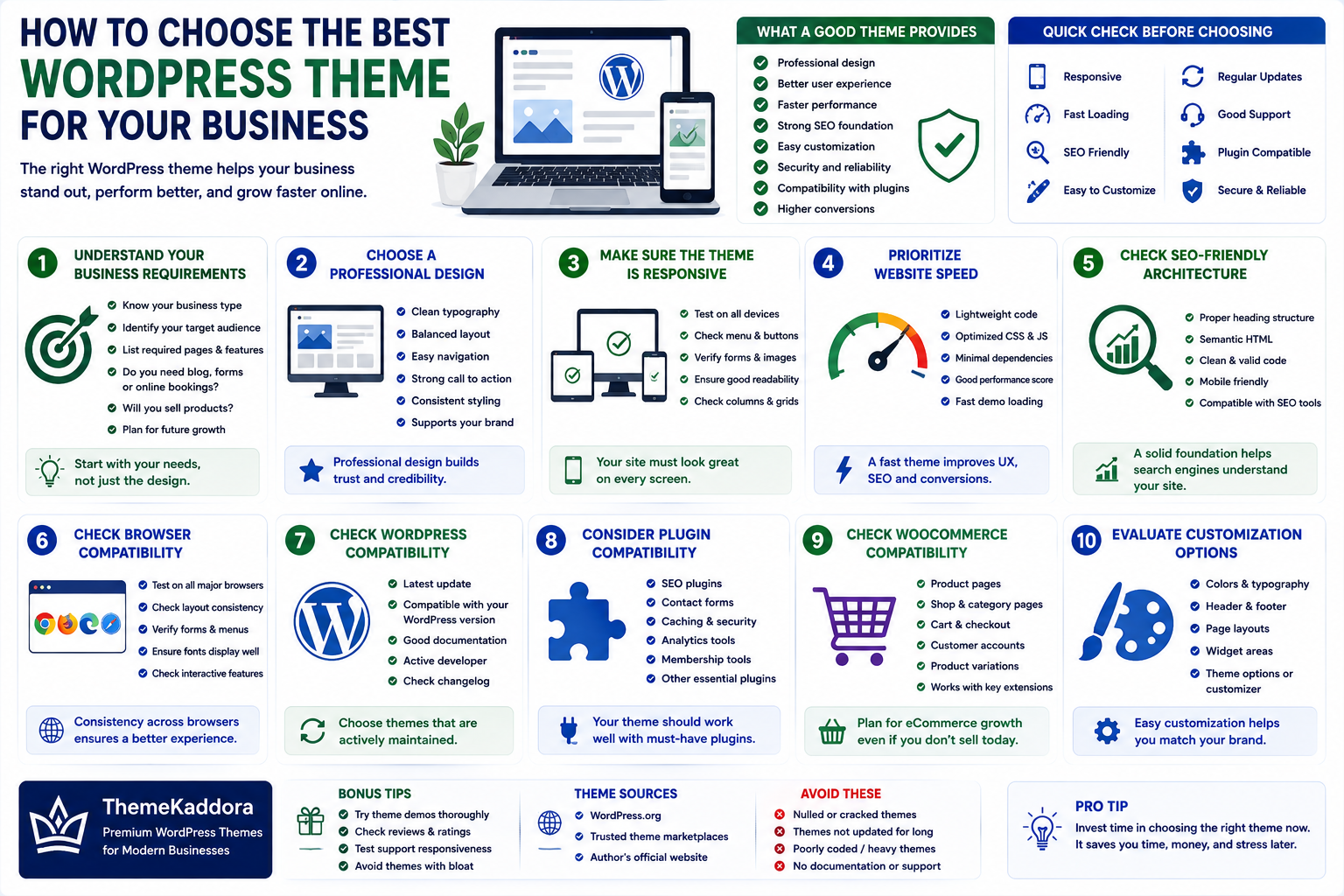
How to Choose the Best WordPress Theme for Your Business
Introduction
Choosing a WordPress theme is one of the most important decisions when building a business website.
A theme does much more than determine how your website looks. It can influence:
Website performance
User experience
Mobile responsiveness
SEO
Customization
Security
Compatibility
Maintenance
Conversion rates
With thousands of WordPress themes available, choosing the right one can be difficult.
A visually impressive theme is not necessarily the best theme for your business.
The ideal theme should combine professional design with performance, flexibility, security, usability, and reliable long-term support.
This guide explains the most important factors to consider before choosing a WordPress theme.
1. Understand Your Business Requirements
Before browsing themes, determine what your website actually needs.
Consider:
What type of business do you operate?
Who is your target audience?
What pages will you need?
Will you publish a blog?
Do you need online bookings?
Will you sell products?
Do you need forms?
Will you integrate third-party services?
For example, a law firm, restaurant, agency, SaaS company, and online store may require completely different layouts and functionality.
Start with business requirements instead of choosing a theme based only on appearance.
2. Choose a Professional Design
Your website is often the first interaction potential customers have with your business.
A professional theme should provide:
Clear typography
Balanced spacing
Consistent visual hierarchy
Easy navigation
Strong calls to action
Professional layouts
Avoid themes overloaded with unnecessary animations, sliders, and decorative elements.
The design should support your business message rather than distract visitors.
3. Make Sure the Theme Is Responsive
A responsive theme automatically adapts to different screen sizes.
Your website should work correctly on:
Desktop computers
Laptops
Tablets
Smartphones
Check important elements such as:
Navigation menus
Buttons
Forms
Images
Tables
Typography
Columns
Do not assume that a theme is responsive simply because its description says so. Test the actual demo on different devices.
4. Prioritize Website Speed
Theme code can have a major effect on website performance.
Look for themes designed with:
Lightweight code
Efficient CSS
Optimized JavaScript
Minimal unnecessary dependencies
Good loading performance
Avoid themes that require large numbers of scripts simply to display basic layouts.
A fast theme creates a better experience and provides a stronger technical foundation for SEO.
5. Check SEO-Friendly Architecture
A theme should make it easy for search engines to understand your website.
Look for:
Proper heading structure
Semantic HTML
Clean code
Mobile responsiveness
Fast loading
Proper navigation
Compatibility with SEO tools
Remember that a theme alone cannot make a website rank.
Content, technical SEO, backlinks, search intent, and many other factors also matter.
6. Check Browser Compatibility
Your visitors may use different browsers.
Test the theme with commonly used browsers and verify that:
Layouts remain consistent
Menus work
Forms function correctly
Fonts display properly
Interactive features work
A professional website should provide a consistent experience across supported browsers.
7. Check WordPress Compatibility
WordPress continues to evolve.
Choose a theme that is actively maintained and compatible with current WordPress versions.
Before purchasing or installing a theme, check:
Last update
WordPress compatibility
Documentation
Changelog
Developer activity
An abandoned theme may become problematic over time.
8. Consider Plugin Compatibility
Your theme should work well with the plugins your business depends on.
Common integrations may include:
SEO plugins
Contact forms
Caching plugins
Security plugins
Analytics
Membership tools
Booking systems
WooCommerce
Before selecting a theme, verify compatibility with your essential plugins.
9. Check WooCommerce Compatibility
Even if you do not sell products today, your business may eventually add eCommerce functionality.
If WooCommerce compatibility is important, verify that the theme supports:
Product pages
Shop pages
Cart
Checkout
Customer accounts
Product categories
Product variations
A flexible theme can make future expansion easier.
10. Evaluate Customization Options
Your website should reflect your brand.
Look for customization options for:
Colors
Typography
Header
Footer
Layouts
Buttons
Menus
Blog pages
Sidebars
A good theme should allow meaningful customization without requiring extensive coding for every small change.
11. Check Page Builder Compatibility
Some businesses prefer visual page builders for creating custom layouts.
If you use a page builder, verify that the theme supports it properly.
However, avoid choosing a theme simply because it includes many builders and frameworks.
Too many dependencies can make the website harder to maintain.
Choose the tools that fit your workflow.
12. Review Theme Documentation
Good documentation can save significant time.
Look for documentation covering:
Installation
Setup
Customization
Importing demos
Plugin configuration
Troubleshooting
Updates
Clear documentation is especially important if you manage the website yourself.
13. Check Developer Support
Reliable support can be valuable when something goes wrong.
Before choosing a premium theme, review:
Support channels
Response expectations
Documentation
Support history
Update policy
A theme is a long-term website component, so ongoing support can matter as much as the initial design.
14. Review Theme Updates
WordPress themes should be maintained regularly.
Updates may address:
Security issues
WordPress compatibility
Browser compatibility
Performance
Bugs
New features
Check the theme's update history before installing it.
A theme that has not been updated for a long time deserves additional scrutiny.
15. Check Theme Security
Theme security should never be ignored.
Avoid themes from unknown or untrusted sources.
Look for themes developed using responsible coding practices.
Potential warning signs include:
Suspicious code
Unnecessary external requests
Poor documentation
Abandoned development
Unauthorized or modified copies
Never use pirated or "nulled" themes on a business website.
16. Avoid Feature Bloat
Some themes advertise hundreds of features.
More features do not automatically mean a better theme.
Unnecessary features can increase:
Code size
JavaScript
CSS
Maintenance
Complexity
Choose a theme that provides the functionality your business actually needs.
17. Consider Accessibility
A professional website should be usable by as many people as possible.
Look for accessibility-conscious features such as:
Keyboard navigation
Readable typography
Sufficient contrast
Clear focus states
Proper semantic structure
Accessible forms
Accessibility can improve usability for all visitors.
18. Check Typography
Typography strongly affects readability and brand perception.
Consider:
Font readability
Font size
Line height
Heading hierarchy
Number of font families
Number of font weights
Avoid using too many different fonts.
A simple typography system often looks more professional.
19. Check Navigation
Visitors should be able to find important information quickly.
A good business theme should support clear navigation for:
Home
About
Services
Products
Blog
Contact
Avoid complicated menus that make visitors work too hard to find important pages.
20. Consider Conversion-Focused Design
A business website should support business objectives.
Depending on your business, important calls to action might include:
Contact Us
Request a Quote
Book a Consultation
Start Free Trial
Buy Now
Download
Subscribe
Choose a theme that provides space for clear calls to action without making every section look like an advertisement.
21. Review the Theme Demo Carefully
Do not look only at the homepage.
Explore:
Blog pages
Contact pages
About pages
Search results
404 pages
Mobile layouts
Navigation
Forms
Check whether the theme still looks professional outside the main demo page.
22. Check Theme Performance Yourself
Theme demos can be optimized differently from the theme package you install.
Test the theme where possible.
Review:
Page size
Number of requests
JavaScript
CSS
Image sizes
Server response
Mobile performance
Use performance testing as one part of the decision rather than relying solely on a marketing score.
23. Check Licensing and Updates
Understand what your theme license includes.
Depending on the provider, licensing may cover:
Updates
Support
Multiple websites
Premium features
Documentation
Read the licensing terms before purchasing.
24. Consider Long-Term Maintenance
A theme should not only look good on launch day.
Ask:
Will it receive updates?
Is the developer active?
Is documentation available?
Can I customize it?
Will it work with future WordPress versions?
Can I migrate away if necessary?
Long-term maintainability is especially important for business websites.
25. Common WordPress Theme Selection Mistakes
Avoid these common mistakes.
Choosing Only by Appearance
A beautiful design can still have poor performance or limited flexibility.
Installing Too Many Features
Extra functionality can increase complexity.
Ignoring Mobile Performance
Many visitors access websites from smartphones.
Using an Abandoned Theme
Outdated themes can create compatibility and security problems.
Buying From Untrusted Sources
Unauthorized themes can contain malicious code.
Ignoring Documentation
Poor documentation can make customization unnecessarily difficult.
Forgetting Future Growth
Your business needs may change over time.
26. Best WordPress Theme Checklist
Before selecting a theme, review:
Design
Professional appearance
Clear navigation
Strong typography
Good visual hierarchy
Performance
Lightweight code
Optimized assets
Fast loading
Mobile performance
Compatibility
Current WordPress support
Required plugin compatibility
Browser compatibility
WooCommerce support if needed
Security
Trusted developer
Regular updates
Clean development practices
Customization
Colors
Fonts
Layouts
Header
Footer
Templates
Support
Documentation
Updates
Support channels
Active development
27. Why Choose ThemeKaddora?
At ThemeKaddora, we believe a WordPress theme should do more than make a website look attractive.
It should provide a strong foundation for:
Performance
SEO
Responsiveness
Customization
Security
Maintainability
Business growth
Our approach focuses on creating WordPress themes that balance modern design with practical functionality.
Whether you are building a business website, agency website, SaaS platform, blog, portfolio, or WooCommerce store, choosing the right theme can make future development significantly easier.
Conclusion
Choosing the best WordPress theme for your business requires more than selecting the most attractive design.
Consider the complete picture:
Design
Performance
Responsiveness
SEO
Security
Customization
Plugin compatibility
Documentation
Support
Long-term maintenance
Start by understanding your business requirements.
Then evaluate themes against those requirements instead of changing your business website around a theme.
A good WordPress theme should support your goals rather than limit them.
The right choice can provide a faster website, better user experience, easier maintenance, and a stronger foundation for long-term growth.
Frequently Asked Questions
1. What makes a WordPress theme good for business?
A good business theme should be professional, responsive, fast, secure, customizable, regularly maintained, and compatible with the tools your business requires.
2. Should I choose a free or premium WordPress theme?
Both can work well. Evaluate quality, updates, support, customization, security, and compatibility rather than choosing solely based on price.
3. How important is WordPress theme speed?
Very important. Theme code can affect page size, browser processing, and overall website performance.
4. Should my WordPress theme be responsive?
Yes. Your website should provide a usable experience across desktops, tablets, and smartphones.
5. How often should a WordPress theme be updated?
There is no universal schedule. What matters is that the theme is actively maintained and receives updates when needed for compatibility, security, and improvements.
6. Can I change my WordPress theme later?
Yes, but changing themes can affect layouts, widgets, menus, customizations, and functionality. Always create a backup and test major changes before applying them to a live website.
7. Should I use a multipurpose WordPress theme?
It depends on your needs. A multipurpose theme can provide flexibility, but a focused lightweight theme may be easier to maintain and optimize.
8. Are nulled WordPress themes safe?
No. Unauthorized or modified themes can contain malicious code, backdoors, or other security problems.
9. Does a WordPress theme affect SEO?
Yes, indirectly. Theme architecture can affect performance, mobile usability, HTML structure, accessibility, and other technical aspects of a website.
10. Why choose ThemeKaddora themes?
ThemeKaddora focuses on WordPress themes designed around performance, responsive design, customization, SEO-friendly architecture, and practical business requirements.
Comments (0)