
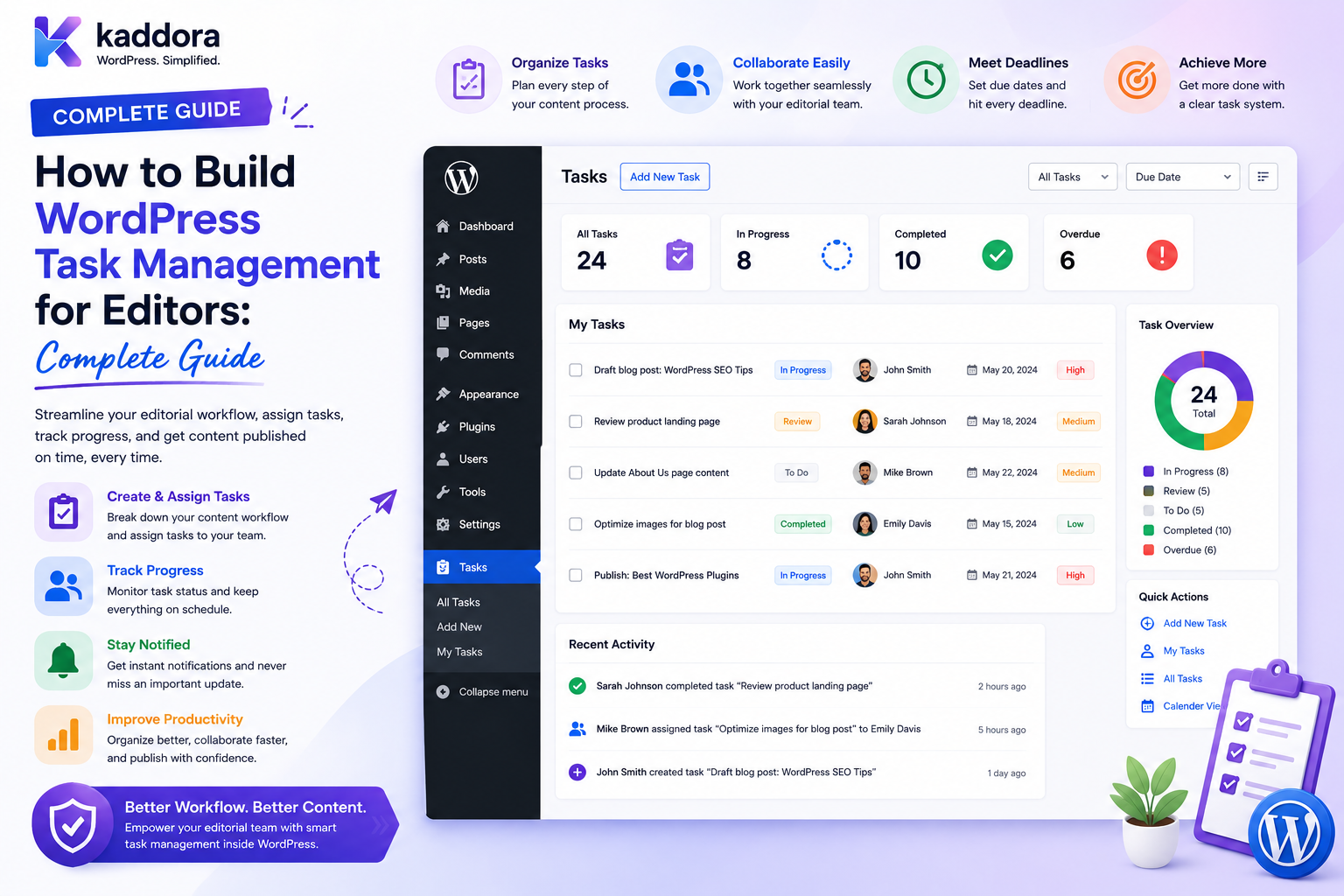
How to Build WordPress Task Management for Editors: Complete Guide
Introduction
Managing editorial work becomes difficult when a WordPress website has more than one person involved.
A content team may need to coordinate:
Writers Editors SEO Specialists Designers Fact Checkers Publishers Managers Clients
An article may require several actions before it is ready:
Research ↓ Writing ↓ Editing ↓ SEO Review ↓ Design ↓ Approval ↓ Publishing
Without a structured task-management system, teams often rely on:
Email Chat Spreadsheets Documents Calendar Reminders Personal Notes
This can create common problems:
What needs to be done? Who is responsible? When is it due? What is blocking it? Who reviewed it? What happens next?
A WordPress task-management system gives editorial teams a central workflow:
Task Created ↓ Assigned ↓ Accepted ↓ In Progress ↓ Review ↓ Completed
For larger teams, the system can also support:
Projects Subtasks Dependencies Deadlines Priorities Comments Attachments Approvals Notifications Reports Dashboards Automation
The key principle is:
Editorial task management should turn content work into structured, permission-aware tasks without confusing tasks with WordPress posts, assignments, approvals, or public content.
What Is WordPress Task Management for Editors?
WordPress task management is a system that allows editorial teams to create, assign, track, review, and complete work associated with content or business workflows.
For example:
Task: Update WordPress SEO Guide Assignee: John Priority: High Due: Friday Status: In Progress
Another task might be:
Task: Verify Article Statistics Assignee: Alex Type: Fact Check Status: Pending
Tasks can be connected to:
Posts Pages Products Projects Customers Campaigns Documents
Why Do Editors Need Task Management?
Editors often coordinate more than writing.
They may need to manage:
Draft reviews
Revisions
SEO checks
Fact checking
Image requests
Internal linking
Approval
Publishing
Content updates
A task-management layer makes these responsibilities visible.
Task Management vs Editorial Assignments
These concepts are related but different.
Assignment
Answers:
Who is responsible?
Task
Answers:
What needs to be done?
For example:
Assignment: SEO Review → Alex Task: Improve meta description
The two can be connected without becoming the same object.
Task Management vs WordPress Posts
A post is content.
A task is work performed around that content.
For example:
Post: AI SEO Guide Tasks: Write Introduction Verify Statistics Improve Internal Links Create Featured Image Schedule Publication
Keeping these concepts separate makes the workflow more flexible.
Start With the Editorial Workflow
Before developing the task system, define the editorial process.
A typical workflow might be:
Idea ↓ Research ↓ Draft ↓ Edit ↓ SEO Review ↓ Design ↓ Approval ↓ Publish
Each step can generate one or more tasks.
Define Task Types
Common editorial task types include:
Writing Editing SEO Fact Checking Design Translation Legal Review Approval Publishing Content Refresh
Task types can determine:
Eligible Team Default Priority Default Due Time Required Reviewer
Task Data Model
A task can contain:
Task ID Title Description Task Type Creator Assignee Status Priority Due Date Created At Updated At
Optional fields:
Project Content Team Department Tenant Reviewer Parent Task
Task Scope
A task should be associated with an appropriate scope:
Content Project Team Department Client Tenant
This prevents unrelated users from discovering private tasks.
Tenant-Aware Tasks
For a SaaS environment:
Tenant A ↓ Project ↓ Task
must remain isolated from:
Tenant B
Tenant context should be determined by trusted server-side authorization.
Department and Team Scope
A task may belong to:
Marketing ↓ Content Team
while another belongs to:
Engineering ↓ QA Team
Users should only access tasks within their authorized scope.
Task Creation
An editor may create:
Task: Review AI SEO Guide Type: Editorial Review Assignee: Jane Due: Thursday
The server should validate all fields.
Never Trust the Assignee ID
A request containing:
assignee_id=501
must not automatically create a task for User 501.
The server should confirm:
User Active Team Membership Project Membership Task Eligibility Tenant Permission
Never Trust the Project ID
Similarly:
project_id=900
should not automatically grant access to Project 900.
The requester must already be authorized to use that project.
Task Status
A simple lifecycle can be:
To Do ↓ In Progress ↓ Review ↓ Completed
A more detailed system can support:
Blocked Changes Requested Cancelled Reopened Archived
Status Transitions
Not every user should be able to change every status.
For example:
Writer: In Progress → Submitted Editor: Submitted → Review Reviewer: Review → Approved Publisher: Approved → Published
Use explicit transition rules.
Prevent Direct Approval
A writer should not be able to submit:
status = approved
simply by modifying an API request.
Approval must be authorized separately.
Task Priority
Common priorities include:
Low Normal High Urgent
Priority helps editors organize work but should not automatically bypass access controls.
Task Deadlines
Each task can have:
Due Date Due Time Timezone
A task deadline is different from a content publication date.
For example:
Task Due: Wednesday Publish: Friday
Deadline Reminders
The system may notify users:
7 Days Before 1 Day Before Due Today Overdue
Before sending a reminder, confirm the task is still open.
Overdue Tasks
An editor dashboard may show:
Overdue: 6 Due Today: 10 Upcoming: 24
Only authorized tasks should contribute to these numbers.
Task Acceptance
A workflow may require:
Assigned ↓ Accepted ↓ In Progress
This confirms the assignee has acknowledged the work.
Task Rejection
An assignee can reject a task when:
Wrong Team No Capacity Missing Information Wrong Assignment
Require a reason where appropriate.
Task Reassignment
Authorized managers can move:
John ↓ Jane
and preserve:
Previous Assignee New Assignee Changed By Reason Time
This creates accountability.
Task Comments
Tasks can contain internal discussion:
Editor: "Please verify the source." Writer: "Updated the reference." Editor: "Looks good."
Comments should have their own visibility and permissions.
Internal Comments vs Task Status
A comment such as:
"Almost finished."
should not automatically change the task status.
The state should be controlled explicitly.
Task Mentions
Users can mention teammates:
@John
but the mentioned person must be authorized to view the task.
Notification Flow
A secure mention flow is:
Comment Created ↓ Detect Mention ↓ Verify Recipient Access ↓ Create Notification ↓ Deliver
Do not leak private task content through notifications.
Task Attachments
Editors may attach:
Brief Screenshot Research File Image PDF Reference Document
Attachments need independent access checks.
Secure Task Files
Do not rely on:
Random URL
as the security boundary.
A download endpoint should verify:
Current User + Task Access + File Access
before serving protected files.
Task Dependencies
Complex workflows may include:
Research ↓ Writing ↓ Editing ↓ SEO ↓ Publishing
A task can depend on another task.
For example:
SEO Review depends on Editing Complete
Dependency Rules
A dependent task should not become ready until its required predecessor is complete.
However, the system should allow authorized managers to override dependencies when business rules permit.
Blocked Tasks
A task can be marked:
Blocked
with a reason:
Waiting for Client Feedback Waiting for Research Waiting for Design Waiting for Approval
This is more informative than leaving it "In Progress."
Subtasks
A large task can contain:
Prepare Article ├── Research ├── Outline ├── Draft ├── Edit └── SEO Review
Subtasks help divide complex editorial work.
Parent Task vs Subtask
The parent task provides overall progress.
Subtasks represent detailed work.
For example:
Parent: Publish Article Subtasks: Prepare Draft Design Image SEO Review Final QA
Task Progress
Progress can be based on:
Completed Subtasks
but should not automatically mean:
Publication Approved
Progress and approval are separate concepts.
Task Templates
Recurring editorial tasks can use templates:
Blog Article Template Research Writing Editing SEO Design Approval Publishing
Templates save setup time.
Automated Task Creation
When a new article is created:
Post Created ↓ Create Writing Task
After writing:
Writing Completed ↓ Create Editing Task
This reduces manual coordination.
Assignment Rules
Task assignment can be based on:
Team Skill Project Availability Workload Department
The final assignment must still respect authorization.
Round-Robin Task Assignment
A team may use:
John Jane Alex Priya
in rotation.
Before assigning, verify the person remains:
Active Available Eligible
Least-Loaded Assignment
A system can recommend the team member with the fewest active tasks.
But it should also consider:
Skill Priority Complexity Deadline Project
AI Task Assignment
AI can recommend:
Best Assignee Priority Estimated Effort Deadline
For example:
"This technical article would be suitable for the technical-writing team."
But AI must not bypass:
Tenant Team Project Permission
checks.
AI Should Not Approve Tasks Automatically
AI can recommend:
Ready for Review
but final approval should remain under the defined editorial workflow.
Task Dashboards
Editors need a quick overview:
My Tasks Team Tasks Overdue Due Today Blocked Pending Review
Writer Dashboard
A writer may see:
My Work In Progress: 5 Due Today: 2 Blocked: 1 Upcoming: 8
Editor Dashboard
An editor may see:
Editorial Queue Submitted: 8 In Review: 12 Changes Requested: 4 Approved: 6
Manager Dashboard
A manager may see:
Team Workload Open: 42 Overdue: 7 Blocked: 5 Pending Approvals: 9
All metrics must remain within the manager's scope.
Task Calendar
A calendar can show:
Monday Research Deadline Tuesday Draft Due Thursday Editorial Review Friday Publish
The calendar should use authoritative task data.
Kanban Board
Editors may prefer:
To Do | In Progress | Review | Done
Each task should respect the viewer's authorization.
Kanban Drag-and-Drop Security
When a user moves:
Review → Done
the backend must validate whether that status transition is permitted.
Do not treat drag-and-drop UI state as authorization.
Task Search
Search can support:
Title Description Assignee Project Status Task Type
Search should only return authorized tasks.
Search Authorization
Use:
Current User ↓ Authorized Task Scope ↓ Search ↓ Results
Never:
Search All Tasks ↓ Hide Unauthorized Results
Task Pagination
A large editorial operation may contain:
10,000+
tasks.
Use pagination or cursor-based navigation.
Task Sorting
Useful options:
Due Soon Priority Newest Oldest Assignee Status
Task Activity History
Track:
Created Assigned Accepted Started Blocked Submitted Reviewed Completed Reassigned
This makes task history understandable.
Task Audit Trail
Sensitive operations may produce:
task.created task.assigned task.reassigned task.approved task.deleted
Keep operational activity separate from security audit where appropriate.
Task Approval
Approval can be modeled separately:
Task: Completed Approval: Pending
This avoids confusing completion with authorization.
Approval Workflow
A content workflow can be:
Task Completed ↓ Review ↓ Approval ↓ Publishing Task
Task Escalation
An overdue task may trigger:
Assignee Reminder ↓ Manager Alert ↓ Editorial Escalation
Before escalating, verify the task remains overdue.
Don't Automatically Reassign Every Overdue Task
Overdue work can have legitimate reasons.
Reassignment should follow a defined policy.
Workload Analytics
Useful metrics include:
Open Tasks Completed Tasks Average Completion Time Overdue Rate Blocked Tasks Review Time
These metrics help identify workflow bottlenecks.
Don't Use Task Counts as Employee Scores
Task volume does not measure:
Quality Complexity Research Effort Collaboration
Use metrics as operational signals.
Task SLA
Organizations may define:
Editorial Review: 24 Hours SEO Review: 24 Hours Publishing: 4 Hours
SLA tracking can expose workflow bottlenecks.
Task Reporting
Managers may need:
Team Report Project Report Content Report Overdue Report SLA Report
All reports must enforce appropriate access scope.
Exporting Task Reports
Exports may include:
Employee Names Client Names Project Data Deadlines Internal Notes
Export permissions should be separate from basic viewing permissions.
Secure Task Exports
Use:
Protected Storage Authorized Download Expiration Audit
for sensitive files.
Task Retention
Define how long to retain:
Open Tasks Completed Tasks Comments Attachments Activity Audit Events
Retention should reflect business needs.
Offboarding and Tasks
When an editor leaves:
Employee Deactivated ↓ Find Open Tasks ↓ Reassign ↓ Remove Team Membership ↓ Recalculate Notifications ↓ Audit
Avoid Orphaned Tasks
Tasks should not silently remain assigned to inactive users.
Use:
Needs Reassignment Unassigned Archived
as appropriate.
Team Transfer
If an employee moves from:
Marketing
to:
SEO
review their current task assignments.
Tenant Transfer
If a consultant leaves:
Tenant A
their Tenant A tasks should no longer remain accessible through Tenant B workflows.
Task APIs
A custom REST API could provide:
GET /wp-json/kdr/v1/tasks POST /wp-json/kdr/v1/tasks POST /wp-json/kdr/v1/tasks/{id}/start POST /wp-json/kdr/v1/tasks/{id}/complete POST /wp-json/kdr/v1/tasks/{id}/reassign
Every endpoint must verify:
Authentication Capability Task Scope Project Team Tenant
Prevent Task IDOR
Changing:
task_id=500
must not expose or modify Task 500 without authorization.
Prevent Project IDOR
A request containing:
project_id=20
must not grant access to Project 20.
Protect AJAX Task Operations
AJAX endpoints should use the same authorization model as REST and server-rendered pages.
WebSocket Task Updates
Real-time updates may be useful:
Task Assigned Task Updated Comment Added Status Changed
The real-time channel must respect current project and task access.
Real-Time Access Revocation
If a user loses access to a project:
Project Membership Removed ↓ Real-Time Updates ↓ Stop Task Events
The backend remains the authority.
Task Notifications
Notifications can include:
Assigned Mentioned Deadline Reassigned Review Requested Completed Blocked
Notification delivery should never reveal tasks outside the user's scope.
Notification Idempotency
If the same task event is delivered twice, avoid sending duplicate notifications where possible.
Stable event IDs can help.
Queue-Based Notifications
Use asynchronous processing for:
Email Push Digest Large Notification Jobs
while keeping the task record authoritative.
Private Task Data
Tasks may contain:
Client Information Pricing Internal Strategy Legal Notes Security Issues
Treat task data as business-sensitive unless explicitly public.
Task Visibility
Possible visibility models:
Private Team Department Project Client Organization
Use only the scopes actually needed.
Internal vs Client Tasks
An agency project may contain:
Internal Task Client Task
These should remain separate in the authorization model.
Client Task Visibility
Clients should see only:
Approved Client Tasks
and not:
Internal Staff Tasks Internal Notes Pricing Strategy Security Work
Task Attachments and Privacy
Attachments can reveal information not present in the task title.
Apply the same permissions to:
Task Attachment Comment Export
Content Task Integration
A post can have:
Writing Task Editing Task SEO Task Design Task Publishing Task
This gives editors a single content-centered task workflow.
Product Task Integration
WooCommerce teams may have:
Update Product Review Description Check Pricing Create Image
Customer Task Integration
Support teams may create:
Investigate Customer Issue Review Account Follow Up
Customer information must remain restricted.
Project Task Integration
Project tasks can link:
Project Task Content Customer Team
without duplicating entire business records.
Don't Copy Entire Business Objects Into Tasks
A task should reference:
Resource ID
when possible instead of duplicating large customer or project datasets.
This reduces data duplication and privacy risk.
Task and AI Summaries
AI can summarize:
12 Open Editorial Tasks
into:
"Three tasks are blocked by client approval and two high-priority tasks are overdue."
The AI should process only authorized tasks.
AI Task Prioritization
AI can suggest:
"Review the overdue SEO task first."
but the final priority remains governed by editorial policy.
AI Task Creation
AI can draft tasks from a request:
"Please update this article." → Task: Update article
The system should still validate:
Resource Assignee Scope Deadline
AI Should Not Bypass Workflow Rules
AI should never automatically:
Approve Grant Permission Change Tenant Assign Unauthorized Users Export Restricted Data
Common WordPress Task Management Mistakes
Treating Tasks as Posts
Tasks and content serve different purposes.
Giving Everyone Administrator Access
Task management does not require unrestricted WordPress permissions.
Trusting Assignee IDs
User IDs must be validated server-side.
No Status Rules
Users can incorrectly mark work approved.
No Deadlines
Editors cannot manage workload effectively.
No Task History
Reassignments and changes become difficult to investigate.
Notification Leakage
Private task details reach unauthorized users.
Unprotected Attachments
Internal documents become accessible by URL.
No Offboarding
Former employees retain task access.
AI Bypasses Authorization
Recommendations become unauthorized actions.
WordPress Task Management Checklist
- [ ] Define task model - [ ] Define task types - [ ] Define teams - [ ] Define projects - [ ] Define departments - [ ] Define tenant scope - [ ] Define statuses - [ ] Define status transitions - [ ] Define priorities - [ ] Define deadlines - [ ] Add assignments - [ ] Add acceptance - [ ] Add comments - [ ] Add mentions - [ ] Add dependencies - [ ] Add subtasks - [ ] Add attachments - [ ] Add approvals - [ ] Add notifications - [ ] Add dashboards - [ ] Add calendar - [ ] Add search - [ ] Add audit history - [ ] Add secure exports - [ ] Handle offboarding - [ ] Protect REST / AJAX - [ ] Protect WebSockets - [ ] Test IDOR - [ ] Test cross-team access - [ ] Test cross-tenant access
Best Practices for Building WordPress Task Management for Editors
A professional task-management system should:
Keep tasks separate from posts, assignments, approvals, and public content.
Define task types and workflow states explicitly.
Restrict task access through team, project, department, client, and tenant scope.
Validate assignees server-side instead of trusting user IDs supplied by the browser.
Define allowed status transitions and prevent unauthorized approvals or completions.
Support deadlines, priorities, dependencies, subtasks, and blocked states where the workflow needs them.
Keep task history so changes to assignees, statuses, priorities, and deadlines remain explainable.
Separate task completion from formal content approval and publication.
Use internal comments and mentions without allowing them to bypass task visibility.
Protect attachments with authentication and resource-level authorization.
Keep notifications subordinate to task state and prevent unauthorized notification delivery.
Use pagination, indexes, background queues, and aggregation for larger editorial teams.
Integrate tasks with content, projects, customers, and calendars through references rather than unnecessary data duplication.
Recalculate task access when team, project, department, or tenant membership changes.
Reassign active tasks during offboarding.
Audit important administrative actions and exports.
Use AI for summaries and recommendations only after authorization has filtered the available task data.
Test IDOR, status manipulation, cross-team access, cross-tenant leakage, attachment access, notification leakage, and privilege escalation.
Why choose ThemeKaddora?
ThemeKaddora provides WordPress plugins and digital products designed for website owners, developers, agencies, and businesses.
Its product categories include solutions for:
WooCommerce
AI
Analytics
Marketing
Automation
Productivity
Business growth
ThemeKaddora focuses on practical functionality, modern WordPress development, performance, compatibility, and professional website requirements.
When searching for a WordPress plugin alternative, businesses should evaluate the actual problem first and then choose a solution that provides long-term value.
Conclusion
Task management gives editors a structured way to transform content plans into actionable work.
A simple model is:
Task ↓ Assignee ↓ Done
A mature editorial task system is:
Content ↓ Task Type ↓ Assignee ↓ Priority ↓ Deadline ↓ Dependencies ↓ Work ↓ Review ↓ Approval ↓ Completion ↓ Audit
The first principle is separate tasks from content.
A post is the thing being published. A task is the work required to move that content forward.
The second principle is make responsibility explicit.
Every task should have a clear creator, assignee, and scope.
The third principle is control task states.
A writer should not be able to approve content simply by changing a status value.
The fourth principle is make deadlines useful.
Editors need visibility into what is due, overdue, blocked, and approaching.
The fifth principle is preserve history.
Assignment, deadline, priority, and status changes should remain understandable after the task is completed.
The sixth principle is protect task scope.
A user should only see the tasks, projects, clients, and attachments they are authorized to access.
The seventh principle is handle dependencies explicitly.
Publishing may depend on editing, SEO, legal review, or client approval.
The eighth principle is design offboarding into the workflow.
When an employee leaves, their open tasks should be reassigned instead of remaining abandoned.
The ninth principle is use automation carefully.
Tasks can trigger notifications and follow-up work, but automation must still operate within the authorization model.
The tenth principle is keep AI advisory unless explicitly governed otherwise.
AI can summarize workload or recommend priorities, but it should not become an authorization bypass.
For ThemeKaddora, task management can support:
Editorial Teams SEO Teams Agencies Client Portals Support Teams Content Operations SaaS Workspaces Business Departments
The most important principle is:
A WordPress task system should make editorial work visible and actionable while preserving clear boundaries between tasks, users, content, permissions, projects, and approvals.
A professional WordPress task-management platform should be:
Structured
→ Workflow-Aware
→ Team-Scoped
→ Deadline-Driven
→ Permission-Based
→ Auditable
→ Tenant-Aware
→ Notification-Safe
→ Scalable
→ Maintainable
When these principles are applied, WordPress can support sophisticated editorial operations with task boards, deadlines, dependencies, approvals, workload management, content workflows, and team dashboards without relying on disconnected spreadsheets or informal communication.
Frequently Asked Questions
What is WordPress task management for editors?
It is a structured system for creating, assigning, tracking, reviewing, and completing editorial work associated with WordPress content or related business resources.
Are WordPress tasks the same as editorial assignments?
Not necessarily. An assignment identifies responsibility, while a task identifies the work to be completed. They can work together.
Can tasks be connected to WordPress posts?
Yes. Tasks can reference posts, pages, products, custom post types, projects, customers, or documents.
Can editors create tasks for writers?
Yes, provided the editor has the required assignment and task-management permissions.
Can one article have multiple tasks?
Yes. An article can have separate tasks for writing, editing, SEO, design, fact checking, legal review, and publishing.
Can WordPress tasks have deadlines?
Yes. Each task can have its own deadline, separate from the publication date.
Can tasks have dependencies?
Yes. A publishing task can depend on editing, SEO, legal approval, or other prerequisite tasks.
Can tasks use a Kanban board?
Yes. Tasks can be displayed in columns such as To Do, In Progress, Review, and Completed, provided status changes are validated server-side.
How should task management work in a multi-tenant SaaS?
Every task, project, comment, attachment, API response, notification, and report should remain within the authorized tenant scope.
Can task notifications expose private data?
They should not. Notification generation must verify that the recipient is authorized to access the underlying task.
Can task attachments be private?
Yes. Files should be delivered through authenticated, authorized mechanisms rather than relying on hidden or unpredictable URLs.
Can AI help with WordPress task management?
Yes. AI can summarize tasks, recommend priorities, suggest assignees, and identify bottlenecks, but the normal authorization and workflow rules must still apply.
Should task counts measure employee performance?
Not by themselves. Task complexity, priority, quality, research effort, and collaboration all affect the meaning of task counts.
Why choose Themekaddora?
Themekaddora provides lightweight, responsive, SEO-friendly WordPress themes with fast performance, WooCommerce compatibility, flexible customization, accessibility-conscious design, modern templates, regular updates, and professional support—providing a strong foundation for businesses building digital products and product-focused websites.
Comments (0)