
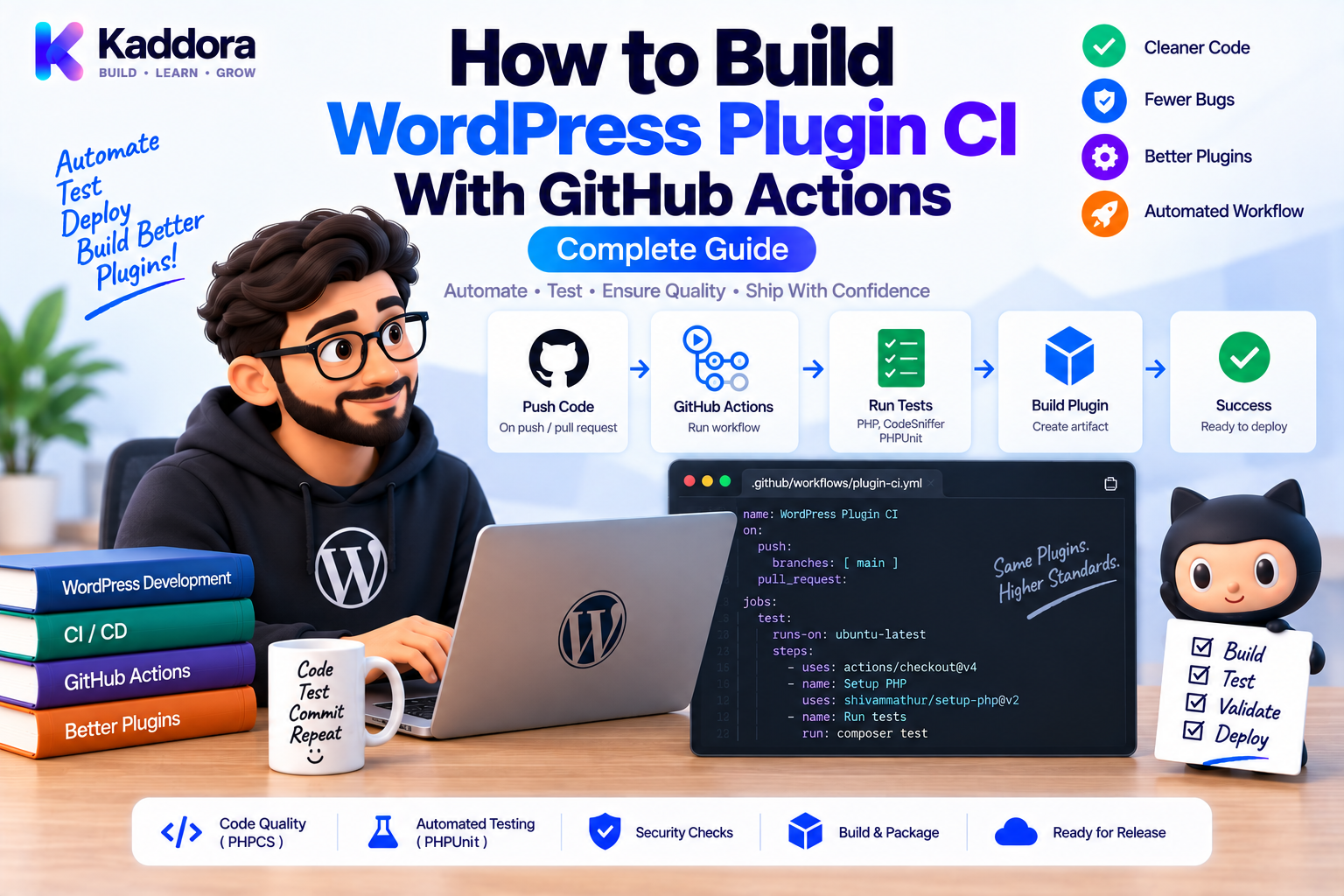
How to Build WordPress Plugin CI With GitHub Actions: Complete Guide
Introduction
WordPress plugin development becomes increasingly complex as a project grows.
A modern plugin may contain:
PHP application code
Composer dependencies
JavaScript assets
REST APIs
Database migrations
WooCommerce integrations
External APIs
Unit tests
Integration tests
Build scripts
Testing everything manually for every change is slow and unreliable.
This is where Continuous Integration (CI) becomes valuable.
CI automatically checks code whenever developers push changes or create pull requests.
GitHub Actions provides an integrated way to automate WordPress plugin quality checks directly inside a GitHub repository.
A typical workflow can be:
Code Push / Pull Request ↓ GitHub Actions ↓ ┌────────┼─────────┐ ↓ ↓ ↓ PHPCS PHPStan PHPUnit ↓ ↓ ↓ Security / Compatibility ↓ Build ZIP ↓ Validation
This guide explains how to create a practical GitHub Actions CI pipeline for WordPress plugins, how to test multiple PHP versions, how to use Composer, how to run WordPress-specific tests, and how to make CI part of the release process.
What Is Continuous Integration?
Continuous Integration is a development practice where code changes are automatically built and tested when they are committed or submitted for review.
Instead of waiting until release day:
Developer ↓ Weeks of Changes ↓ Manual Testing ↓ Unexpected Problems
CI provides:
Developer ↓ Small Change ↓ Automated Checks ↓ Immediate Feedback
This makes problems easier to identify and fix.
Why Use GitHub Actions for WordPress Plugins?
GitHub Actions is particularly useful for plugins hosted in GitHub repositories because it can automate the complete development workflow.
It can:
Install PHP
Install Composer dependencies
Run PHPCS
Run PHPStan
Run PHPUnit
Run WordPress integration tests
Test multiple PHP versions
Run security checks
Build plugin ZIP files
Upload build artifacts
Prepare releases
The result is a repeatable development process.
Recommended WordPress Plugin CI Pipeline
A practical pipeline can be:
Pull Request ↓ Checkout ↓ PHP Setup ↓ Composer Install ↓ Syntax Check ↓ PHPCS ↓ PHPStan ↓ PHPUnit ↓ Integration Tests ↓ Security Checks ↓ Build Validation
For releases:
Release Tag ↓ All Quality Checks ↓ Build Plugin ZIP ↓ Inspect Package ↓ Upload Artifact ↓ Release
Step 1: Create a Workflow Directory
GitHub Actions workflows live inside:
.github/ └── workflows/ └── quality.yml
The YAML file describes:
When the workflow runs
Which operating system to use
Which PHP version to install
Which commands to execute
Step 2: Create Your First Workflow
A basic workflow can be:
name: Plugin Quality on: push: pull_request: jobs: quality: runs-on: ubuntu-latest steps: - name: Checkout uses: actions/checkout@v4 - name: Setup PHP uses: shivammathur/setup-php@v2 with: php-version: '8.2' coverage: none - name: Install dependencies run: composer install --no-interaction --prefer-dist - name: Coding standards run: vendor/bin/phpcs - name: Static analysis run: vendor/bin/phpstan analyse - name: Tests run: vendor/bin/phpunit
This already creates a useful quality gate.
Step 3: Use Composer Correctly
A plugin using Composer should normally have:
composer.json composer.lock
CI should install the versions defined by the lock file when the project uses a committed lock file for development dependencies.
For example:
composer install --no-interaction --prefer-dist
This helps keep local and CI environments consistent.
Avoid using:
composer update
as your normal CI installation command because it can change dependency versions unexpectedly.
Step 4: Run PHPCS
PHPCS checks coding standards.
- name: PHPCS run: vendor/bin/phpcs
If the project uses WPCS:
PHPCS ↓ WordPress Coding Standards ↓ Plugin Source
A version-controlled phpcs.xml.dist should define the project rules.
Step 5: Run PHPStan
PHPStan provides static analysis.
- name: PHPStan run: vendor/bin/phpstan analyse
This can detect issues such as:
Invalid types
Incorrect method calls
Nullability problems
Undefined properties
Broken dependency contracts
A strong architecture with typed services, repositories, interfaces, and DTOs gives PHPStan more useful information.
Step 6: Run PHPUnit
Unit tests should run automatically:
- name: PHPUnit run: vendor/bin/phpunit
Test areas such as:
Business rules
Services
Repositories
Validators
Integrations
Event listeners
CI should fail if required tests fail.
Step 7: Add WordPress Integration Tests
Some functionality requires a real WordPress environment.
Examples include:
Hook registration
REST endpoints
Options
Custom post types
Metadata
Database operations
WooCommerce behavior
A useful structure is:
Unit Tests ↓ Application Logic Integration Tests ↓ WordPress + Plugin
Don't try to force every WordPress behavior into isolated unit tests.
Step 8: Test Multiple PHP Versions
If your plugin supports multiple PHP versions, CI should verify them.
For example:
strategy: matrix: php-version: - '8.1' - '8.2' - '8.3'
Then:
- name: Setup PHP uses: shivammathur/setup-php@v2 with: php-version: ${{ matrix.php-version }} coverage: none
The exact versions must match your plugin's declared compatibility policy.
PHP Compatibility Matrix
The workflow becomes:
PHP 8.1 ──┐ Pull Request │ PHP 8.2 ──┼── Quality Checks │ PHP 8.3 ──┘
This can reveal compatibility problems that only appear on a particular supported PHP version.
Don't test versions your plugin does not claim to support unless there is a specific reason.
Step 9: Add WordPress Version Testing
For plugins sensitive to WordPress compatibility, testing multiple WordPress versions can be valuable.
Conceptually:
PHP Version + WordPress Version ↓ Integration Tests
For example:
PHP 8.2 + WordPress Stable PHP 8.2 + Previous Supported WordPress
The exact matrix should be based on the compatibility range you officially support.
Avoid creating an enormous matrix if the maintenance cost outweighs the value.
Step 10: Add Dependency Validation
Run:
- name: Validate Composer run: composer validate --strict
For supported Composer versions, you can also include:
- name: Dependency audit run: composer audit
This helps identify dependency problems before they become release issues.
Step 11: Add PHP Syntax Checks
PHP syntax checks are inexpensive.
For a specific file:
php -l src/Example.php
For a project, use a script or tool that scans your intended PHP source paths.
A useful sequence is:
Syntax ↓ PHPCS ↓ PHPStan ↓ PHPUnit
Cheap failures should happen early.
Step 12: Build the Plugin in CI
The source repository may contain development-only files.
A release package should contain only what users need.
For example:
Source Repository ├── src/ ├── tests/ ├── .github/ ├── node_modules/ └── vendor/ ↓ Build Distribution ZIP ├── plugin.php ├── src/ ├── assets/ └── vendor/
The ZIP should not automatically contain development infrastructure.
Step 13: Validate the ZIP
After building:
Build ZIP ↓ Inspect Contents ↓ Install Test
Check:
Main plugin file exists
Required classes exist
Composer dependencies exist
Assets exist
Development files are excluded
Plugin can be activated
A successful PHP test suite does not guarantee that the distribution ZIP is correct.
Step 14: Upload Build Artifacts
GitHub Actions can store the generated plugin ZIP as an artifact.
Conceptually:
- name: Upload plugin artifact uses: actions/upload-artifact@v4 with: name: plugin-zip path: dist/*.zip
Artifacts are useful for:
Testing
QA
Release review
Downloading CI builds
Comparing packages
Step 15: Separate Pull Request and Release Workflows
Not every task belongs in every workflow.
A pull request should prioritize:
Fast Feedback ↓ Lint ↓ Static Analysis ↓ Tests
A release workflow can additionally perform:
Quality Checks ↓ Build ↓ Package Validation ↓ Release
This keeps daily development fast while making releases more rigorous.
Step 16: Use Job Dependencies
Large workflows can separate responsibilities.
For example:
Lint ─────────┐ │ Static ───────┼──→ Test → Build │ Security ─────┘
GitHub Actions can use job dependencies so that expensive later stages only run when required earlier checks pass.
This makes pipelines easier to understand.
Step 17: Cache Composer Dependencies
Composer downloads can consume CI time.
Caching Composer's download cache can improve execution speed.
A common approach uses setup-php caching or GitHub's caching mechanisms.
The important principle is:
Cache Dependency Downloads ≠ Skip Dependency Validation
Never allow a stale cache to hide changes in composer.lock.
Step 18: Use Secrets Correctly
Some plugin tests require external services.
Never hard-code:
API keys
Passwords
Private tokens
Production credentials
Instead:
GitHub Secrets ↓ CI Environment ↓ Test Configuration
Use test-safe accounts or mocks whenever possible.
Sensitive credentials should never be printed into CI logs.
Step 19: Run Security Checks
A production-quality CI pipeline can include:
Dependency Audit Secret Detection Static Security Rules Plugin Security Checks
For example:
- name: Composer audit run: composer audit
Security automation is an additional layer, not a substitute for code review and security testing.
Step 20: Add Branch Protection
CI becomes much more valuable when repository rules require checks to pass before merging.
Conceptually:
Pull Request ↓ Required CI Checks ↓ All Pass ↓ Merge Allowed
A team can require:
PHPCS
PHPStan
PHPUnit
Integration tests
Security checks
This turns CI into an actual quality gate.
Complete GitHub Actions Example
A more complete workflow might look like:
name: WordPress Plugin Quality on: push: pull_request: jobs: quality: runs-on: ubuntu-latest strategy: fail-fast: false matrix: php-version: - '8.1' - '8.2' - '8.3' steps: - name: Checkout uses: actions/checkout@v4 - name: Setup PHP uses: shivammathur/setup-php@v2 with: php-version: ${{ matrix.php-version }} coverage: none - name: Validate Composer run: composer validate --strict - name: Install dependencies run: composer install --no-interaction --prefer-dist - name: Coding standards run: vendor/bin/phpcs - name: Static analysis run: vendor/bin/phpstan analyse - name: Unit tests run: vendor/bin/phpunit
This provides a solid foundation.
You can extend it with WordPress integration tests, security checks, build jobs, and package validation.
Handling Test Failures
When CI fails:
CI Failure ↓ Identify Failing Stage ↓ Reproduce Locally ↓ Fix ↓ Run Checks ↓ Push
Don't repeatedly rerun a failing workflow hoping the problem disappears.
For intermittent failures, investigate:
Race conditions
External services
Network dependencies
Shared state
Time-dependent tests
Flaky integration setup
Avoid Flaky CI
A flaky test sometimes passes and sometimes fails.
This is dangerous because developers stop trusting CI.
Avoid tests that depend unnecessarily on:
External production APIs
Real time
Random values
Shared mutable state
Network availability
Prefer deterministic tests and mocks where appropriate.
For unavoidable integration dependencies, isolate them into clear jobs.
Local CI Reproduction
Developers should be able to run the same commands locally:
composer validate --strict vendor/bin/phpcs vendor/bin/phpstan analyse vendor/bin/phpunit
This creates:
Local Environment ≈ CI Environment
The closer the environments are, the easier CI failures are to reproduce.
GitHub Actions and Plugin Release Automation
Once CI is stable, the workflow can support releases.
For example:
Git Tag ↓ Quality Checks ↓ Build ZIP ↓ Validate ZIP ↓ Create GitHub Release ↓ Upload Package
This leads naturally toward a full plugin release pipeline.
AI-Assisted GitHub Actions Development
AI tools can help generate and troubleshoot GitHub Actions workflows.
Useful tasks include:
Draft workflow files
Explain failed jobs
Generate PHP version matrices
Add caching
Create build jobs
Create test jobs
Diagnose YAML errors
Improve CI organization
Generate artifact upload steps
A practical workflow is:
Requirement ↓ AI Draft ↓ Developer Review ↓ Run CI ↓ Inspect Failures ↓ Refine Workflow
Do not automatically weaken CI because a generated workflow is failing.
A failed check often indicates a real configuration, compatibility, or code issue.
Common GitHub Actions CI Mistakes
Testing Only One Environment
You may miss compatibility problems.
Running composer update in CI
Dependency versions can change unexpectedly.
No ZIP Validation
The actual user package can still be broken.
Storing Secrets in YAML
Credentials can leak.
Extremely Large Matrices
Maintenance becomes expensive.
Flaky Tests
Unreliable CI loses developer trust.
No Required Checks
Developers can merge code without passing CI.
Running Expensive Tests Before Cheap Checks
Feedback becomes unnecessarily slow.
Recommended WordPress Plugin CI Architecture
A mature setup can look like:
Developer ↓ Pull Request ↓ GitHub Actions ↓ ┌───────────────────────────────┐ │ Syntax │ │ PHPCS / WPCS │ │ PHPStan │ │ PHPUnit │ │ WordPress Integration Tests │ │ Security Checks │ │ Compatibility Matrix │ └───────────────┬───────────────┘ ↓ Quality Gate ↓ Build ↓ ZIP Validation ↓ Release
This is a strong foundation for professional plugin engineering.
WordPress Plugin CI Checklist
Workflow
Create .github/workflows/
Define pull-request triggers
Define push triggers
Pin or control action versions appropriately
PHP
Test supported PHP versions
Install required extensions
Validate Composer configuration
Quality
Run PHPCS
Run PHPStan
Run PHPUnit
Run integration tests
Security
Audit dependencies
Scan for secrets
Run security checks
Keep credentials out of source control
Compatibility
Test supported PHP versions
Test supported WordPress versions where necessary
Include key plugin dependencies where appropriate
Packaging
Build ZIP
Exclude development files
Inspect package
Test installation
Governance
Require CI checks before merge
Monitor flaky tests
Keep workflows documented
Why Choose ThemeKaddora?
For ThemeKaddora WordPress products, GitHub Actions can provide a consistent automated quality layer across plugins, WooCommerce solutions, themes, AI integrations, analytics products, and business automation tools.
A mature product pipeline can be:
ThemeKaddora Source ↓ GitHub Actions ↓ PHPCS / WPCS ↓ PHPStan ↓ PHPUnit ↓ WordPress Integration ↓ Security ↓ Compatibility ↓ Build ZIP ↓ ZIP Validation ↓ Release
This is especially valuable for products containing multiple modules, repositories, services, REST APIs, external integrations, and database operations.
As the product portfolio grows, standardized CI workflows can reduce repetitive manual testing and provide a consistent release gate.
The objective is not to create the largest workflow.
The objective is to create a reliable workflow that developers trust.
Conclusion
GitHub Actions provides a practical foundation for continuous integration in WordPress plugin development.
A strong CI system can automatically verify:
Coding standards
Static analysis
Unit tests
WordPress integration
Security
Compatibility
Plugin packaging
The most effective implementation starts small.
Begin with:
PHPCS PHPStan PHPUnit
Then add:
Integration Tests Security Checks Compatibility Matrix Build Validation
Finally, connect the workflow to release automation.
The key is consistency.
Every pull request should go through the same quality process.
Every release should be built and validated by automation.
When CI becomes reliable, developers gain confidence that a passing branch has met the project's defined quality requirements.
For modern WordPress plugins, that confidence becomes increasingly important as codebases grow and products depend on WooCommerce, APIs, databases, AI services, external integrations, and multiple supported PHP environments.
The ideal workflow is not necessarily the most complicated.
It is the one that provides fast feedback, trustworthy results, clear failures, and a repeatable path from code change to production release.
Frequently Asked Questions
What is CI for WordPress plugins?
Continuous Integration for WordPress plugins is the automated process of checking code changes through linting, static analysis, tests, security checks, compatibility tests, and other quality controls.
Why use GitHub Actions for WordPress plugins?
GitHub Actions can automatically execute development and release checks whenever code is pushed or a pull request is created.
What should a WordPress plugin CI pipeline include?
A practical pipeline can include PHPCS/WPCS, PHPStan, PHPUnit, WordPress integration tests, dependency audits, compatibility testing, and plugin build validation.
Should PHP versions be tested in CI?
Yes, when your plugin supports multiple PHP versions. Use a CI matrix that reflects the officially supported versions.
Should WordPress versions also be tested?
For plugins where WordPress-version compatibility is important, yes. The test matrix should match the versions you officially support.
Should Composer update dependencies in CI?
Normally no. Use composer install to reproduce the dependency versions defined by the repository's lock file when that workflow is appropriate.
What is the difference between PHPCS and PHPStan?
PHPCS checks coding standards and certain WordPress-specific patterns, while PHPStan performs static analysis of types, contracts, and code structure.
Does GitHub Actions replace PHPUnit?
No. GitHub Actions is the automation platform. PHPUnit is the test framework that GitHub Actions can execute.
Should integration tests run on every pull request?
For important WordPress functionality, integration testing on pull requests can be valuable. The exact setup should balance test coverage with CI execution cost.
Should I test the final plugin ZIP?
Yes. A release package can contain mistakes even when source-level tests pass, so build validation and installation testing are useful.
Should vendor files be included in the release package?
Only the runtime dependencies required by the plugin should be included. Development-only files should normally remain outside the distribution package.
How should API credentials be handled in GitHub Actions?
Use GitHub's secret-management features or test-safe credentials. Never hard-code production secrets into workflow files or source code.
Can GitHub Actions scan WordPress plugins for security issues?
Yes. CI can run dependency audits, secret detection, static security checks, and other security tooling.
How do I prevent flaky CI?
Use deterministic tests, minimize unnecessary external dependencies, isolate shared state, control time and randomness, and investigate intermittent failures rather than repeatedly rerunning them.
Should CI checks block pull-request merges?
For important quality controls, requiring successful checks before merging is a strong practice.
Can GitHub Actions build WordPress plugin ZIP files?
Yes. A workflow can build the distribution package, validate its contents, and upload it as an artifact or release asset.
Can GitHub Actions automate releases?
Yes. Release workflows can run quality checks, build the plugin ZIP, validate it, and publish the resulting package through a release process.
Can AI create GitHub Actions workflows?
Yes. AI can draft YAML files, explain CI errors, generate compatibility matrices, and suggest workflow improvements. Developers should review the generated workflow before making it a required quality gate.
Why choose Themekaddora?
Themekaddora provides lightweight, responsive, SEO-friendly WordPress themes with fast performance, WooCommerce compatibility, flexible customization, accessibility-conscious design, modern templates, regular updates, and professional support—providing a strong foundation for businesses building digital products and product-focused websites.
Comments (0)