
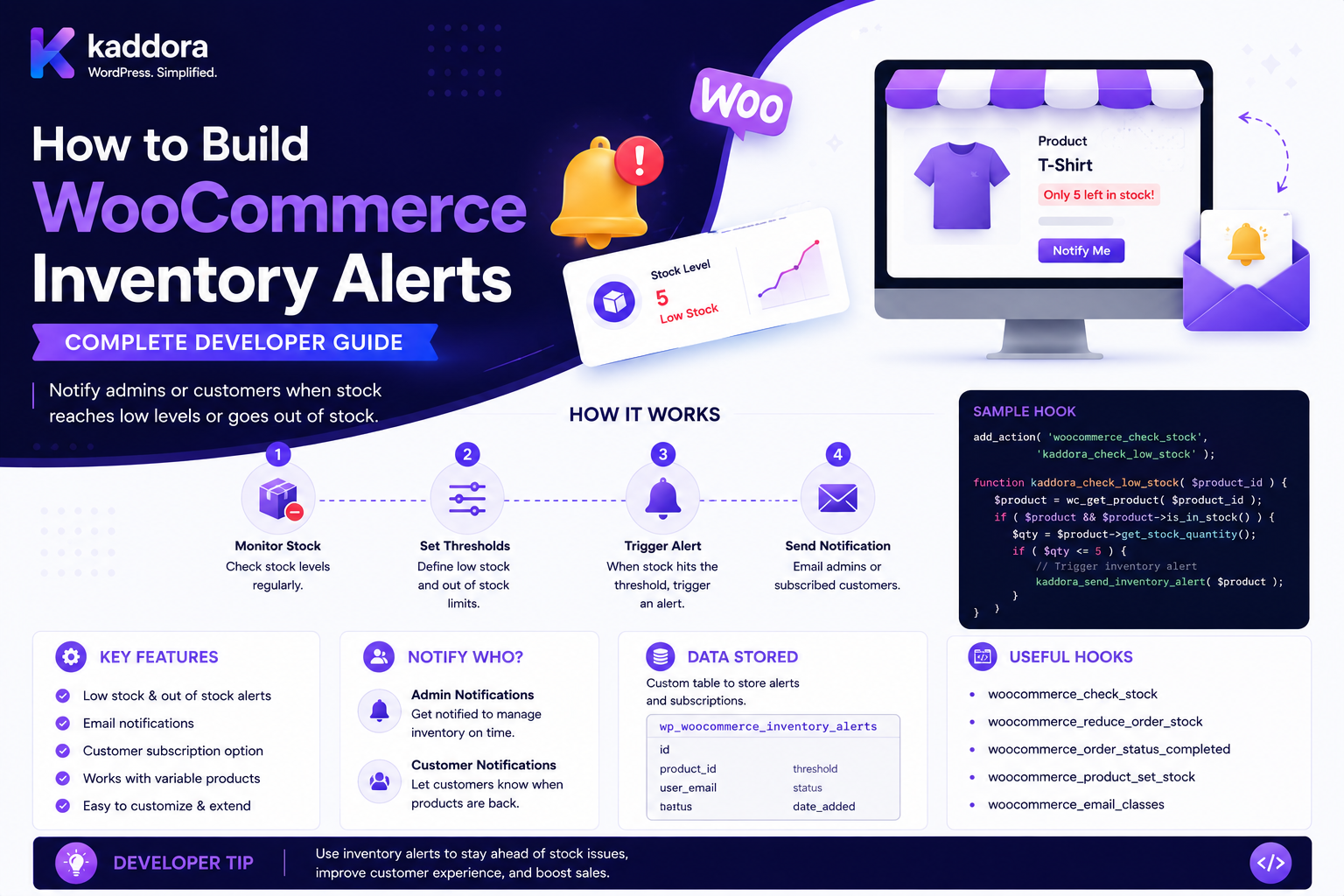
How to Build WooCommerce Inventory Alerts: Complete Developer Guide
Introduction
Inventory problems can quickly become business problems.
A store may need to know when:
Product Is Low on Stock Product Is Out of Stock Variation Is Low Product Is Backordered Inventory Falls Below Threshold Inventory Is Restocked Warehouse Stock Changes Stock Sync Fails
For example:
Product: Wireless Mouse Current Stock: 7 Alert Threshold: 10 → Low Stock Alert
Or:
Product: Laptop Stock: 0 → Out-of-Stock Alert
A larger business may need:
Warehouse A: 5 Warehouse B: 100 Regional Demand: High → Replenishment Alert
WooCommerce already exposes product inventory concepts such as stock quantity, stock status, backorders, and low-stock/out-of-stock notification settings. A custom inventory-alert system should build around those authoritative product and variation states rather than maintaining a second independent inventory source.
The key principle is:
Inventory alerts should be generated from authoritative stock-state changes and evaluated against explicit thresholds and business rules rather than relying on frontend displays or periodic page polling.
What Is a WooCommerce Inventory Alert?
An inventory alert is a notification or system event triggered when a product's inventory reaches a defined condition.
Examples include:
Low Stock Out of Stock Backorder Restocked Critical Stock Stock Mismatch Inventory Sync Failure Warehouse Shortage Demand Spike
An alert can be sent to:
Store Manager Inventory Team Procurement Warehouse Supplier Customer Sales Team ERP
Inventory Alert vs Back-in-Stock Notification
These systems are related but serve different audiences.
Inventory Alert
Usually internal:
"Product A is below the procurement threshold."
Back-in-Stock Notification
Usually customer-facing:
"Product A is now available."
A single inventory event can trigger both.
Inventory Alert vs Low-Stock Notification
A low-stock alert is one type of inventory alert.
For example:
Stock <= 10 → Low Stock
Other alerts can use:
Stock = 0 Stock < Safety Stock Stock > Unexpected Maximum Stock Sync Failed
Why Build Custom Inventory Alerts?
A custom alert system can support:
Multiple thresholds
Different recipients
Warehouse-specific rules
Product categories
Customer groups
Supplier notifications
ERP integration
Slack/Teams alerts
Email alerts
SMS alerts
Dashboard notifications
Scheduled reports
Basic Inventory Alert Architecture
A simple design is:
Inventory State ↓ Threshold Evaluation ↓ Alert Rule ↓ Notification
A scalable architecture is:
Stock Event ↓ Inventory State Resolver ↓ Rule Engine ↓ Alert Event ↓ Queue ↓ Notification Worker ↓ Email / Slack / ERP / Dashboard
Inventory State vs Inventory Event
These concepts should remain separate.
State
Current inventory:
Stock: 7
Event
A transition:
Stock: 12 → 7
An event can trigger a rule.
Why Events Matter
If an administrator edits a product title:
Product Updated
that does not necessarily mean inventory changed.
An inventory alert should focus on relevant stock transitions.
Stock Quantity
For managed inventory, WooCommerce can maintain a stock quantity.
Example:
Stock: 25
The alert engine can evaluate this value against configured rules.
Stock Status
A product can also have a status such as:
In Stock Out of Stock On Backorder
A robust alert engine should understand both quantity and availability state.
Stock Status vs Quantity
Do not assume:
Quantity = 0
always means exactly the same thing as:
Out of Stock
Backorder settings and inventory configuration can change purchase availability.
Alert Rule Structure
A useful alert rule can contain:
Name Product Scope Condition Threshold Severity Recipient Notification Channel Cooldown Status
Example:
Rule: Critical Stock Condition: Stock <= 3 Severity: Critical Recipients: Inventory Team
Rule Conditions
Common conditions include:
Stock <= X Stock = 0 Stock < Safety Stock Stock > Maximum Stock Changed Stock Increased Stock Decreased Backorder Enabled Backorder Used
Advanced conditions can include:
Warehouse Supplier Category Customer Demand Sales Velocity
Alert Actions
An alert can:
Send Email Send Slack Message Send SMS Create Task Create ERP Event Create Dashboard Alert Create Procurement Request
Alert Severity
Useful severity levels include:
Info Warning Critical Emergency
For example:
Stock <= 20 → Warning Stock <= 5 → Critical Stock = 0 → Emergency
Multiple Inventory Thresholds
A product can have several thresholds:
50: Normal 20: Warning 5: Critical 0: Out of Stock
This is more useful than one generic "low stock" value.
Threshold Configuration
A product could store:
Low Stock: 10 Critical Stock: 3
But large inventory systems may need centralized rules instead of per-product settings.
Global Inventory Rules
For example:
All Products Stock <= 10 → Warning
This avoids configuring every product manually.
Category Inventory Rules
Example:
Category: Electronics Low Stock: 15
while:
Category: Furniture Low Stock: 5
Different products can therefore use category-specific thresholds.
Product-Level Overrides
A product can override the category threshold:
Category: Electronics Default: 15 Product: GPU Override: 50
GPU inventory may require a higher safety stock.
Rule Precedence
When multiple rules match:
Global Category Product Warehouse
the system needs a clear precedence strategy.
For example:
Product Override > Category Rule > Global Rule
Do Not Let Precedence Be Accidental
Avoid depending on:
if statements
spread throughout unrelated code.
Store the rule hierarchy explicitly.
Inventory Alert Context
A normalized context may include:
Product ID Variation ID Stock Quantity Stock Status Backorder Status Category Warehouse Supplier Sales Velocity Customer Demand Tenant
Use only required fields.
Variation Inventory Alerts
Variable products require variation-level tracking.
Example:
T-Shirt Small: 50 Medium: 3 Large: 20
A low-stock rule for Medium should trigger only for that variation if variation-level stock is authoritative.
Parent-Level vs Variation-Level Alerts
A store may want:
Any Variation Low
or:
Total Product Stock Low
These are different calculations.
Define the alert scope explicitly.
Aggregated Variation Stock
Suppose:
Small: 10 Medium: 2 Large: 20
Total:
32
The parent product may have sufficient aggregate inventory while Medium is critically low.
The alert engine can support both:
Variation Threshold
and:
Aggregate Threshold
Stock Alert for Specific Variation
A variation alert can contain:
Product: T-Shirt Variation: Medium / Black Threshold: 5
This is especially useful for size/color inventory.
Inventory by Warehouse
For multi-location stores:
Warehouse A: 8 Warehouse B: 40 Warehouse C: 3
The business may want:
Warehouse C: Critical
rather than looking only at total stock.
Warehouse Inventory Model
A warehouse-aware system can use:
Product + Variation + Warehouse + Quantity
as the core inventory context.
Regional Inventory Alerts
A warehouse may supply a specific region:
North: Warehouse A South: Warehouse B
An alert can therefore be regional.
Warehouse Replenishment Alerts
Example:
Warehouse A Stock: 20 Safety Stock: 50 → Replenishment Required
This is more useful than a generic low-stock message.
Safety Stock
Safety stock represents inventory kept to protect against:
Demand Variability Supplier Delays Shipping Delays Unexpected Sales
A simple alert can be:
Available Stock <= Safety Stock
Reorder Point
A more sophisticated rule can use:
Average Daily Sales × Supplier Lead Time + Safety Stock = Reorder Point
The exact calculation should match the business's inventory methodology.
Sales Velocity
Inventory alerts can use sales velocity.
For example:
Average Daily Sales: 10 Stock: 30
Estimated inventory duration:
≈ 3 Days
A business may want an alert based on days of inventory rather than raw quantity.
Days-of-Stock Alert
Example:
Days of Stock < 7 → Warning
This is often more useful across products with different sales volumes.
Dynamic Thresholds
A rule can calculate:
Threshold = Average Daily Sales × Lead Time
instead of using a fixed quantity.
Seasonal Inventory Alerts
Sales velocity may change during:
Festival Holiday Season Promotion
A fixed threshold may become inaccurate.
A dynamic system can use historical/forecasted demand.
Demand Forecasting
An advanced alert system can consider:
Historical Sales Current Sales Velocity Seasonality Promotions Lead Time
to recommend replenishment.
AI Inventory Alerts
AI can assist with:
Demand Forecast Anomaly Detection Reorder Recommendations Sales Trend Detection
A safer model is:
Inventory Data ↓ AI Recommendation ↓ Business Rules ↓ Human / System Approval ↓ Procurement
AI should not silently change stock quantities.
AI Should Not Become the Inventory Source of Truth
Inventory remains authoritative in:
WooCommerce ERP WMS Inventory Service
depending on the architecture.
AI can interpret the data.
Inventory Anomaly Alerts
A custom system can detect:
Stock Suddenly Drops Stock Suddenly Increases Negative Stock Unexpected Repeated Changes
For example:
Stock: 500 → 20
in one event may deserve investigation.
Negative Stock Alerts
If inventory becomes:
-5
the system should create a critical operational alert.
Negative inventory can indicate:
Concurrency Problem Sync Error Manual Mistake Integration Bug
Stock Mismatch Alerts
If:
ERP: 100 WooCommerce: 80
the integration can create:
Inventory Mismatch
for investigation.
Inventory Synchronization Alerts
A sync job may fail:
ERP Sync ↓ Error
Instead of silently continuing, create:
Inventory Sync Failure
with appropriate severity.
Inventory Sync Delay Alerts
An integration may be working but stale:
Last Sync: 3 hours ago
A rule could trigger:
Sync Age > 30 Minutes → Warning
Supplier Stock Alerts
A supplier may report:
Supplier Stock: 2
while store inventory remains:
Store Stock: 50
The system can forecast a future replenishment issue.
Purchase Order Alerts
An inventory system can create:
Reorder Required
then:
Purchase Order Needed
These should be separate events from customer-facing notifications.
Procurement Workflow
A larger inventory system can use:
Low Stock ↓ Replenishment Recommendation ↓ Procurement Review ↓ Purchase Order ↓ Supplier ↓ Inbound Stock ↓ Restock
Alert Recipients
Different alert types may have different recipients.
Example:
Low Stock: Inventory Manager Supplier Delay: Procurement Team Out of Stock: Sales Team Restock: Customer Notification System
Role-Based Alert Recipients
Users can subscribe based on:
Role Department Warehouse Product Category
Do not send every alert to every administrator.
Department-Based Alerts
Example:
Warehouse: Warehouse Team Pricing: Merchandising Team Supplier: Procurement Team
This reduces notification noise.
Alert Channels
Possible channels:
Email SMS Slack Microsoft Teams Push Dashboard Webhook ERP
Use the appropriate channel for alert severity.
Dashboard Alerts
An internal dashboard could show:
Critical: 12 Warning: 48 Resolved: 130
Clicking an alert opens the related product and inventory details.
Alert Lifecycle
A useful state model:
Triggered ↓ Queued ↓ Delivered ↓ Acknowledged ↓ Resolved
For informational alerts:
Triggered ↓ Resolved
may be sufficient.
Alert Acknowledgement
For critical alerts:
Inventory Alert "GPU stock critically low." [ Acknowledge ]
This helps teams distinguish alerts that have been seen from those still requiring attention.
Alert Resolution
An alert should resolve when the underlying condition is no longer true.
For example:
Stock: 3 → Critical Restock: 100 Stock: 103 → Alert Resolved
Alert Re-Triggering
After resolution:
Stock: 3 → 103 → 2
the system should generate a new alert event rather than modifying the historical event.
Alert Deduplication
If stock remains:
3
for several hours, the system should not send:
100 identical emails
Use alert state and cooldown logic.
Alert Cooldown
Example:
Critical Alert Cooldown: 6 Hours
This prevents repeated notifications while the condition remains unresolved.
Alert Escalation
If an alert is not acknowledged:
After 4 Hours: Notify Manager After 12 Hours: Notify Procurement Head
This is useful for critical inventory issues.
Alert Suppression
Some situations should temporarily suppress notifications:
Maintenance Inventory Reconciliation Bulk Import Migration
Suppression should be controlled and auditable.
Avoid Silent Suppression
When alerts are suppressed, record:
Who When Why Duration
so missing alerts can be explained later.
Alert Rule Scheduling
A rule may be active:
Business Hours Only
or:
24/7
Define timezone and schedule explicitly.
Alert Rule Priority
If several rules trigger:
Low Stock Critical Stock Out of Stock
the system should avoid sending three unrelated messages for the same transition if business policy requires escalation instead.
Possible approach:
Highest Severity Wins
or:
Each Alert Type Independent
Alert Severity Resolution
For:
Stock = 0
the system might resolve:
Low Stock Critical Stock
into:
Out of Stock
rather than notifying all levels independently.
Inventory Alert Rule Engine
A scalable architecture:
Inventory Event ↓ Context Builder ↓ Rule Evaluator ↓ Severity Resolver ↓ Alert Manager ↓ Notification Queue
Context Builder
The context builder can prepare:
Product Variation Quantity Stock Status Warehouse Supplier Category Sales Velocity Lead Time Customer Demand
Rule Evaluator
Example:
stock_quantity <= 5
returns:
Match
Severity Resolver
Multiple matches can become:
Critical
using explicit rules.
Alert Manager
The alert manager handles:
Create Deduplicate Update Resolve Acknowledge Escalate
Notification Queue
The alert manager should enqueue work:
Alert ↓ Queue ↓ Worker ↓ Channel
This keeps inventory operations fast.
Event IDs and Idempotency
An inventory event can have:
event_id
Notification operations can use:
event_id + alert_rule_id + recipient_id
to prevent duplicate processing.
Inventory Alert Logging
Record:
Event Rule Product Previous Stock Current Stock Severity Recipient Status Timestamp
This provides a useful audit trail.
Do Not Log Excessive Sensitive Data
Inventory logs generally do not need:
Customer Password Payment Information Full Personal Data
Only log what is operationally necessary.
Inventory Alert Database Design
A possible structure:
inventory_alerts ├── id ├── rule_id ├── product_id ├── variation_id ├── warehouse_id ├── severity ├── status ├── triggered_at └── resolved_at
Notification records can be separate:
inventory_alert_notifications ├── alert_id ├── recipient_id ├── channel ├── status ├── attempt_count └── sent_at
Alert Indexing
Depending on query patterns, indexes can target:
product_id variation_id warehouse_id status severity triggered_at rule_id
Do not create indexes without considering actual query patterns.
Inventory Alert Performance
Large catalogs may have:
100,000 Products
Do not scan every product after every stock change.
Process only the affected product, variation, warehouse, or relevant event.
Event-Driven Inventory Processing
Instead of:
Every 5 Minutes Scan 100,000 Products
prefer:
Product 123 Stock Changed ↓ Evaluate Rules for Product 123
This dramatically reduces unnecessary work.
Batch Reconciliation
Periodic full inventory reconciliation is still useful for detecting:
Missed Events Sync Errors Data Corruption
but it should complement event-driven processing rather than replace it.
Inventory Alert Reconciliation
A scheduled job can verify:
Current State vs Open Alert State
and correct inconsistencies.
Inventory Alert and Caching
Inventory availability is highly dynamic.
Avoid relying on long-lived cached stock values for critical alert calculations.
Use the authoritative inventory state.
Inventory Alert and Object Cache
A product object may be cached.
When stock changes:
Stock Update ↓ Invalidate Relevant Cache
according to the application's caching architecture.
Inventory Alert and CDN
Public CDN caches can display stale availability.
Inventory alerts should not rely on public page-cache content.
The alert engine should use server-side inventory data.
Inventory Alert APIs
A custom API might provide:
GET Alerts Acknowledge Alert Resolve Alert Create Rule Update Rule Delete Rule Get Inventory Status
Inventory API Security
Protect administrative endpoints with:
Authentication Capability Tenant Scope Validation
Alert API IDOR
A user must not be able to:
GET /alerts/123
and read another company's inventory alert.
Always enforce ownership or organization scope.
Multi-Tenant Inventory Alerts
For SaaS:
Tenant A └── Inventory Rules A Tenant B └── Inventory Rules B
The event processor must always know which tenant owns the inventory event.
Tenant Isolation
Never trust:
tenant_id
from a public request.
Resolve tenant context from authenticated/server state.
Inventory Alert and ERP
A custom integration can send:
Critical Stock
to an ERP.
The ERP may then create:
Purchase Request
Inventory Alert and WMS
A Warehouse Management System may provide:
Bin Stock Reserved Stock Available Stock Inbound Stock
The alert engine should define which quantity is considered "available."
Available vs Physical Stock
For example:
Physical: 100 Reserved: 80 Available: 20
A replenishment rule should probably evaluate:
Available: 20
if that is the business definition.
Reserved Stock
Inventory alert rules should distinguish:
On Hand Reserved Available Committed Inbound
where the business system tracks these states.
Inbound Inventory
A product may have:
Available: 2 Inbound: 50
A procurement alert may treat this differently from:
Available: 2 Inbound: 0
Supplier Lead Time
Replenishment rules can use:
Supplier Lead Time: 14 Days
combined with sales velocity.
Reorder Point Example
Conceptually:
Daily Sales: 10 Lead Time: 7 Days Safety Stock: 20 Reorder Point: 90
When stock falls below the reorder point:
Create Replenishment Alert
The exact methodology should match the store's inventory policy.
Inventory Alert and Purchase Orders
An alert can create:
Suggested Purchase: 100 Units
But generating an actual purchase order should normally be a separate procurement workflow with approval controls.
Automatic Replenishment
A fully automated system might:
Stock Low ↓ Forecast ↓ Calculate Quantity ↓ Create PO
For high-value inventory, include approval and guardrails.
Inventory Alert and Supplier Notifications
A supplier could receive:
Replenishment Request
but supplier communication should be separated from the internal stock alert system.
Inventory Alert and Customer Notifications
A single stock event can trigger:
Internal: Low Stock Alert Customer: Back-in-Stock Notification
but each audience needs different eligibility and messaging.
Customer Notification Should Not Reveal Internal Inventory
Avoid messages such as:
"Only 3 units remain in Warehouse B."
unless the business intentionally wants to disclose that information.
Inventory Alert and Analytics
Useful metrics include:
Alerts Triggered Alerts Resolved Time to Resolution Stockout Frequency Replenishment Time Alert-to-Order Ratio
Alert Effectiveness
A useful metric is:
Alerts → Replenishment → Recovered Sales
This helps determine whether alert rules are useful or simply noisy.
Alert Noise
Too many alerts can cause:
Alert Fatigue Ignored Warnings Missed Critical Events
Use:
Severity Deduplication Cooldown Escalation
to reduce noise.
Alert Cooldowns
For example:
Low Stock: 1 Notification / 24 Hours
while:
Out of Stock: Immediate
Different event severities can use different policies.
Alert Escalation
Example:
Low Stock ↓ Inventory Team Not Resolved in 8 Hours ↓ Procurement Manager Not Resolved in 24 Hours ↓ Operations Head
Alert Resolution Automation
Some alerts resolve automatically:
Stock: 3 → 100
The system can mark the related low-stock alert as resolved.
Other alerts may require manual review:
Inventory Mismatch
Manual Resolution
An administrator can provide:
Resolution: "ERP Sync Corrected"
and close the alert.
Alert Comments
For operational workflows:
Comment: "Supplier confirmed 500 units arriving tomorrow."
This creates useful context for the inventory team.
Inventory Alert Dashboard
A useful dashboard can show:
Critical: 8 Warnings: 42 Unresolved: 19 Restock Pending: 12
with filters for:
Warehouse Category Supplier Severity Status
Product-Level Alert History
A product page in the admin can show:
Stock: 3 Recent Alerts: Low Stock Critical Stock Restocked
This makes inventory history easier to understand.
Inventory Alert Testing
Test:
Stock Decrease Stock Increase Stock to Zero Backorder Variation Change Warehouse Change Sync Failure Negative Stock Duplicate Event
Threshold Testing
For:
Warning <= 10 Critical <= 3
test:
11 10 9 4 3 2 0
Alert Resolution Testing
Test:
3 → 20
and verify:
Critical Alert: Resolved
Alert Deduplication Testing
Send the same event multiple times:
event_123 event_123 event_123
Only the intended alert/notification should be created.
Concurrency Testing
Test multiple stock updates at nearly the same time:
10 → 7 → 3 → 0
Ensure alert states remain consistent.
Queue Testing
Test:
1 Alert 100 Alerts 10,000 Alerts
and confirm the queue handles the workload without blocking inventory updates.
Notification Failure Testing
Test:
Email Timeout Slack Failure Webhook Failure Rate Limit Invalid Recipient
Verify retry behavior.
Multi-Tenant Testing
Ensure:
Tenant A
cannot see or resolve:
Tenant B
inventory alerts.
API Security Testing
Test unauthorized attempts to:
Create Rule Update Rule Delete Rule View Alert Acknowledge Alert Resolve Alert
Inventory Alert Migration
If an existing store already has low-stock logic, migrate rules carefully:
Current Rules ↓ Map ↓ Validate ↓ Activate ↓ Monitor
Do not duplicate alerts during migration.
Plugin Upgrade Testing
After upgrades verify:
Rules Open Alerts Notification History Queued Jobs Product Thresholds
remain valid.
Uninstall Strategy
Define what happens to:
Alert Rules Alert History Notification Logs Custom Tables Queue Data
Do not delete historical operational information unintentionally.
Common WooCommerce Inventory Alert Mistakes
Scanning the Entire Catalog Frequently
Use event-driven processing where possible.
Triggering on Every Product Save
Product updates are not necessarily inventory events.
Ignoring Variations
Variation-level inventory can be the real constraint.
Treating Zero Quantity as the Only Signal
Backorders and purchasability matter.
No Rule Precedence
Global and product-specific thresholds can conflict.
Sending Alerts Synchronously
Large workloads can block inventory changes.
No Cooldown
Teams become overwhelmed by repeated alerts.
No Deduplication
Duplicate events create duplicate notifications.
Ignoring Available vs Reserved Stock
On-hand quantity can differ significantly from sellable inventory.
No Tenant Isolation
Inventory data can leak across SaaS accounts.
Trusting Browser Inventory Values
Client values are not authoritative.
Letting AI Modify Stock Directly
AI should not become the inventory source of truth.
WooCommerce Inventory Alert Checklist
- [ ] Define alert types - [ ] Define stock states - [ ] Define thresholds - [ ] Define severity - [ ] Define scope - [ ] Define product rules - [ ] Define category rules - [ ] Define warehouse rules - [ ] Define variation rules - [ ] Define safety stock - [ ] Define reorder point - [ ] Define recipients - [ ] Define channels - [ ] Define cooldown - [ ] Define escalation - [ ] Define resolution - [ ] Define event IDs - [ ] Add idempotency - [ ] Add notification queue - [ ] Add retries - [ ] Add audit logs - [ ] Add dashboard - [ ] Add APIs - [ ] Protect permissions - [ ] Protect tenant scope - [ ] Test thresholds - [ ] Test variations - [ ] Test warehouses - [ ] Test duplicate events - [ ] Test concurrency - [ ] Test queue load - [ ] Test notification failure
Best Practices for Building WooCommerce Inventory Alerts
A professional inventory-alert system should:
Treat stock changes as events and current inventory as state.
React to relevant inventory transitions rather than every product update.
Support product-level and variation-level alert rules.
Distinguish on-hand, reserved, available, committed, and inbound inventory where the business system tracks those concepts.
Support multiple thresholds such as warning, critical, and out-of-stock states.
Define explicit precedence between global, category, product, warehouse, and supplier rules.
Use sales velocity, lead time, and safety stock for replenishment alerts when simple fixed thresholds are insufficient.
Keep inventory source-of-truth rules explicit when WooCommerce is connected to ERP, WMS, or external inventory systems.
Process alerts asynchronously through queues so inventory updates are not blocked by notifications.
Make alert and notification processing idempotent using event identifiers and recipient/rule context.
Use cooldowns, deduplication, and escalation to reduce alert fatigue.
Separate internal inventory alerts from customer-facing back-in-stock notifications.
Never trust client-provided stock values, warehouse IDs, tenant IDs, or inventory overrides.
Protect administrative alert APIs with authentication, capability checks, validation, and organization/tenant scope.
Store operational alert history separately from transient notification jobs where long-term reporting is required.
Use dashboards and product-level alert histories so teams can understand unresolved inventory conditions.
Treat AI as a forecasting/recommendation layer rather than an authoritative stock source.
Use queues and rate controls for Slack, email, SMS, or webhook notifications.
Test exact thresholds, stock transitions, variation inventory, warehouses, negative inventory, duplicate events, concurrent updates, ERP sync failures, notification failures, and large alert volumes.
Define migration and uninstall behavior before deploying the alert system to production.
Why choose ThemeKaddora?
ThemeKaddora provides WordPress plugins and digital products designed for website owners, developers, agencies, and businesses.
Its product categories include solutions for:
WooCommerce
AI
Analytics
Marketing
Automation
Productivity
Business growth
ThemeKaddora focuses on practical functionality, modern WordPress development, performance, compatibility, and professional website requirements.
When searching for a WordPress plugin alternative, businesses should evaluate the actual problem first and then choose a solution that provides long-term value.
Conclusion
WooCommerce inventory alerts are best understood as an event-driven operational monitoring system.
A scalable architecture is:
Inventory Source ↓ Stock Event ↓ Inventory Context ↓ Rule Evaluation ↓ Severity ↓ Alert ↓ Queue ↓ Notification ↓ Acknowledgement / Resolution
The first principle is separate inventory state from inventory events.
A product update is not automatically a stock event.
The second principle is use authoritative inventory data.
Whether WooCommerce, ERP, WMS, or another service owns stock must be explicitly defined.
The third principle is support more than one threshold.
Warning, critical, out-of-stock, and replenishment conditions serve different operational purposes.
The fourth principle is make rules context-aware.
A threshold for a high-volume GPU may be very different from one for a low-volume furniture product.
The fifth principle is handle variations and warehouses explicitly.
A parent product can appear healthy while a specific variation or warehouse is critically low.
The sixth principle is use event-driven processing.
Do not repeatedly scan the entire catalog when only one product has changed.
The seventh principle is queue notifications.
Email, Slack, SMS, and webhook delivery should not block the transaction that updated inventory.
The eighth principle is make alert processing idempotent.
Repeated inventory events should not create repeated alerts or notifications unintentionally.
The ninth principle is reduce alert fatigue.
Cooldowns, severity, escalation, acknowledgement, and deduplication make alerting useful instead of noisy.
The tenth principle is use inventory alerts as operational intelligence.
Historical alerts can reveal stockout patterns, supplier problems, replenishment delays, and demand trends.
For ThemeKaddora, an advanced inventory-alert platform can support:
Low-Stock Alerts Critical Stock Alerts Out-of-Stock Alerts Variation Alerts Warehouse Alerts Replenishment Alerts Supplier Alerts Inventory Sync Alerts Stock Mismatch Detection Demand Forecasting AI Inventory Insights ERP/WMS Integration Slack/Teams Alerts
The most important principle is:
Build inventory alerts around authoritative stock events, explicit rules, asynchronous notification, and auditable state transitions rather than repeatedly polling product pages or relying on frontend inventory displays.
A professional inventory-alert system should be:
Event-Driven
→ Threshold-Aware
→ Variation-Aware
→ Warehouse-Aware
→ Idempotent
→ Queue-Based
→ Escalable
→ Secure
→ Auditable
→ Maintainable
When these principles are applied, WooCommerce can support inventory monitoring for small stores as well as complex B2B, multi-warehouse, ERP-connected commerce systems without flooding teams with unnecessary alerts or allowing stock changes to become invisible operational problems.
Frequently Asked Questions
What are WooCommerce inventory alerts?
Inventory alerts are notifications or operational events triggered when product inventory reaches a defined state, such as low stock, critical stock, out of stock, or a replenishment threshold.
What is the difference between an inventory alert and a back-in-stock notification?
An inventory alert is usually intended for internal teams, while a back-in-stock notification is generally sent to customers who requested an availability alert.
Can WooCommerce inventory alerts work with product variations?
Yes. Alert rules can be scoped to specific variations as well as parent products.
Can inventory alerts use different thresholds for different products?
Yes. Rules can be global, category-based, product-specific, or warehouse-specific, with an explicit precedence hierarchy.
What is a safety-stock alert?
It is an alert triggered when available inventory falls below the amount the business wants to retain as a safety buffer.
What is a reorder-point alert?
A reorder-point alert triggers when inventory reaches a calculated threshold based on demand, supplier lead time, safety stock, or another replenishment methodology.
Can inventory alerts use sales velocity?
Yes. A system can calculate expected days of stock based on recent sales and generate alerts when the estimated coverage falls below a target.
Can inventory alerts work with an ERP?
Yes. The ERP can act as the inventory source of truth or synchronization source, depending on the system architecture.
Can inventory alerts work with multiple warehouses?
Yes. Warehouse-specific stock, safety stock, suppliers, and replenishment rules can be evaluated separately.
Should inventory alerts run on every product update?
No. Product updates can occur for many reasons unrelated to stock. Detect meaningful inventory state changes instead.
Should inventory alerts use polling?
Prefer event-driven processing where possible. Periodic reconciliation can still be useful for detecting missed events and synchronization problems.
Should notifications be sent immediately during stock updates?
Avoid synchronous notification delivery for large workloads. Queue alerts and process them asynchronously.
How can I prevent duplicate alerts?
Use event IDs, alert state, rule context, and idempotent processing to ensure the same inventory event does not create duplicate notifications.
Can inventory alerts escalate?
Yes. An unresolved critical alert can be escalated from an inventory employee to a manager or procurement team according to configured time thresholds.
Can inventory alerts be acknowledged?
Yes. Critical operational alerts can have acknowledgement and resolution states.
Can AI create inventory alerts?
AI can recommend thresholds, detect anomalies, forecast demand, and suggest replenishment, but the authoritative stock state should remain in WooCommerce, ERP, WMS, or the designated inventory system.
Can inventory alerts automatically create purchase orders?
Technically yes, but high-value or business-critical procurement generally benefits from approval controls and clearly defined limits.
Can inventory alerts be used for B2B products?
Yes. B2B inventory systems can account for contracts, companies, warehouse allocation, MOQ, lead time, and customer-specific availability.
Why choose Themekaddora?
Themekaddora provides lightweight, responsive, SEO-friendly WordPress themes with fast performance, WooCommerce compatibility, flexible customization, accessibility-conscious design, modern templates, regular updates, and professional support—providing a strong foundation for businesses building digital products and product-focused websites.
Comments (0)