
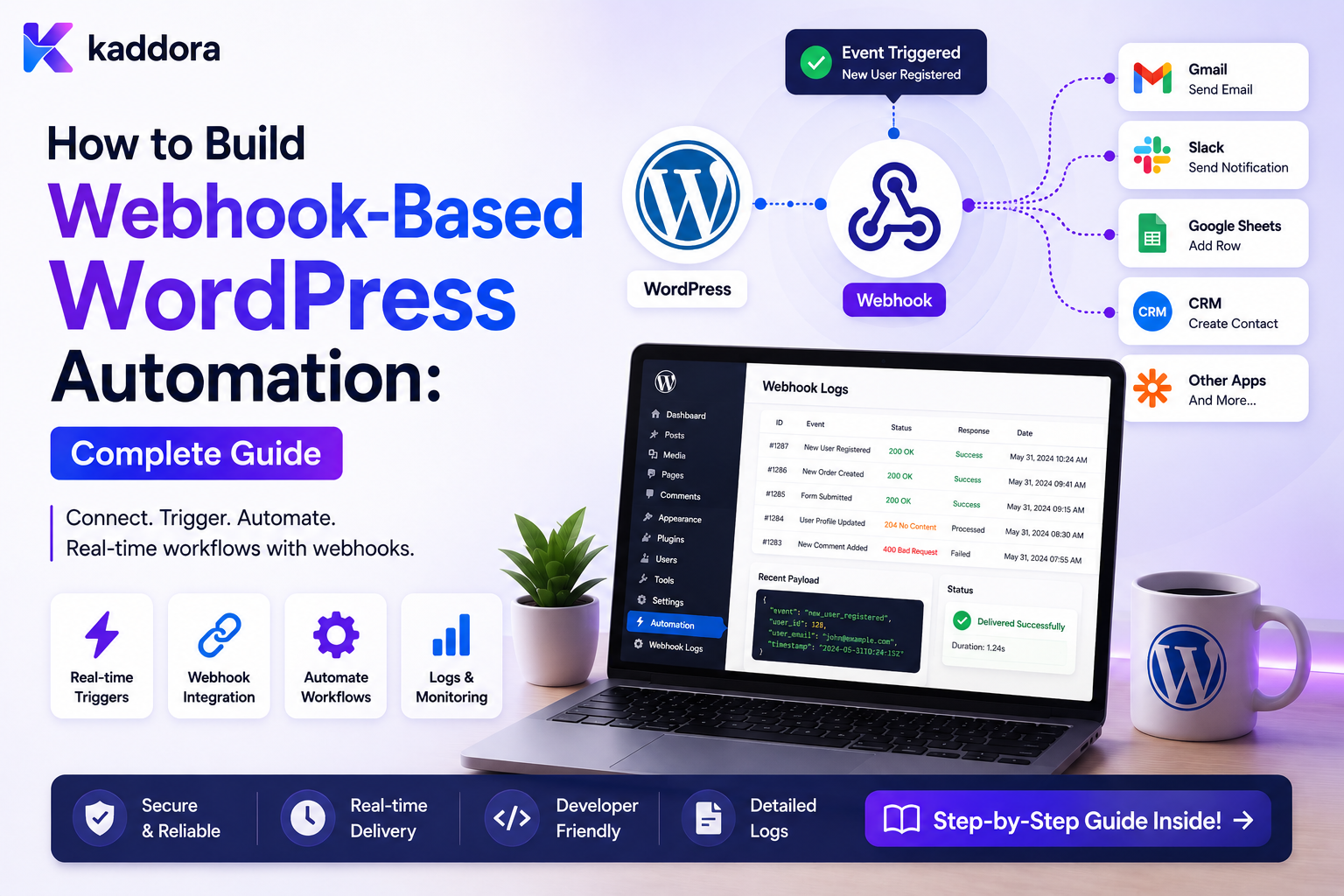
How to Build Webhook-Based WordPress Automation: Complete Guide
Introduction
Modern websites rarely operate in isolation.
A WordPress website may need to exchange information with:
CRM ERP Payment Platform Email Service Help Desk Analytics Platform Automation Platform AI Service Mobile Application
Webhooks provide a practical way to communicate when something happens.
For example:
WordPress ↓ lead.created ↓ Webhook ↓ CRM
Or an external system may notify WordPress:
Payment Platform ↓ Webhook ↓ WordPress ↓ Update Order
A more complete automation architecture can look like:
Business Event ↓ Normalize ↓ Create Event ID ↓ Queue ↓ Signed Webhook ↓ External Platform ↓ Workflow
Inbound webhooks follow the opposite direction:
External Service ↓ HTTPS Webhook ↓ Authentication ↓ Signature Verification ↓ Schema Validation ↓ Idempotency Check ↓ Queue ↓ WordPress Workflow
The simplicity of an HTTP POST can hide significant engineering requirements.
A production webhook system must handle:
Authentication Signatures Replay Protection Validation Rate Limiting Idempotency Retries Timeouts Queues Tenant Isolation Logging Monitoring
The key principle is:
Treat every webhook as an untrusted integration boundary until it has been authenticated, validated, deduplicated, authorized, and safely queued for processing.
What Is a Webhook?
A webhook is an HTTP request sent from one system to another when a defined event occurs.
The basic pattern is:
Event ↓ HTTP Request ↓ Webhook Endpoint
For example:
order.completed ↓ POST /automation/webhook
Webhook vs API
These are related but different.
API
WordPress or another system is asked to retrieve or modify information.
Client ↓ API Request ↓ Server
Webhook
A system pushes an event to another system.
Event Occurs ↓ Server ↓ Webhook ↓ Receiver
Webhooks are particularly useful for event-driven automation.
Why Use Webhooks in WordPress Automation?
Webhooks can provide:
Near-real-time event delivery
Loose coupling
Easier third-party integration
Lower polling overhead
Cross-system automation
Event-driven workflows
Common WordPress Webhook Use Cases
Webhooks can be used for:
Form Submissions Orders Payments User Registration Content Publication Support Tickets CRM Updates Workflow Events Subscription Changes Automation Triggers
Outbound vs Inbound Webhooks
There are two directions.
Outbound
WordPress sends:
WordPress ↓ External System
Inbound
WordPress receives:
External System ↓ WordPress
Both require security and reliability controls.
Build the Event Model First
Before creating a webhook endpoint, define the business event.
For example:
lead.created
rather than:
some_form_callback
The webhook should communicate a stable business fact.
Example Event Contract
A normalized event might look like:
{ "event_id": "evt_10001", "event_type": "lead.created", "event_version": 1, "entity_type": "lead", "entity_id": 501, "occurred_at": "2026-08-23T14:00:00Z" }
Additional fields can be included when required.
Why Event IDs Matter
A webhook sender may retry the same event:
evt_10001 evt_10001
The receiver needs a stable identity to detect duplicate delivery.
Event Versioning
Webhook consumers should know which schema they received.
For example:
event_version = 1
A breaking contract change can move to:
event_version = 2
Avoid silently changing the meaning of an existing event.
Keep Webhook Payloads Small
A webhook usually does not need to contain an entire database record.
Prefer:
event_id event_type entity_id metadata
over:
Entire Customer Entire Order History All Metadata Private Notes
Smaller payloads reduce coupling and privacy risk.
Use HTTPS
Webhooks should be sent and received over HTTPS.
Avoid transmitting authentication credentials or sensitive business data over unencrypted connections.
Outbound Webhook Authentication
Several strategies are available.
Common approaches include:
HMAC Signatures Bearer Tokens API Keys OAuth Mutual TLS
The best choice depends on the receiving platform.
HMAC Webhook Signatures
A common design is:
Secret + Timestamp + Request Body ↓ HMAC ↓ Signature Header
The receiver calculates the expected signature and compares it with the supplied signature.
Why Sign the Raw Body?
If the receiver parses and re-serializes JSON before validating the signature, formatting changes can produce a different byte sequence.
Signature verification should generally use the exact request body used by the sender's signing scheme.
Timing-Safe Comparison
When comparing cryptographic signatures, use a timing-safe comparison mechanism rather than a simple string comparison where the implementation environment supports one.
This reduces timing side-channel risk.
Include a Timestamp
A webhook can include:
X-Timestamp
and sign it together with the body.
The receiver can reject messages outside an allowed time window.
Replay Attacks
A valid webhook can potentially be captured and sent again.
For example:
Valid Webhook ↓ Captured ↓ Sent Again
Signature verification alone may not prevent replay if the original signature remains valid.
Use:
Timestamp + Event ID + Processed-State Tracking
where appropriate.
Webhook Nonce or Event ID
A unique event identifier allows the receiver to record:
evt_10001
as already processed.
A second delivery can then be recognized as a duplicate.
Authentication vs Authorization
These are different.
Authentication
Who sent this request?
Authorization
Is this request allowed to change this resource?
A valid signature does not automatically prove that the event is allowed to modify every object referenced in it.
Validate Resource Ownership
Suppose an incoming webhook says:
{ "event_type": "customer.updated", "customer_id": 501 }
WordPress should verify that the authenticated integration is actually authorized to update customer 501 in the current tenant.
Multi-Tenant Webhooks
For a SaaS application:
Webhook ↓ Tenant Context ↓ Tenant Customer
must remain isolated.
A webhook intended for Tenant A must never update Tenant B.
Do Not Trust Tenant IDs From the Payload Alone
Avoid relying solely on:
tenant_id = 10
from the incoming body.
Tenant context should be derived or verified from trusted integration configuration and ownership rules.
Webhook Endpoint Design
A custom WordPress REST endpoint might look conceptually like:
POST /wp-json/kdr/v1/webhooks/events
The endpoint should have a narrow responsibility.
Keep Webhook Endpoints Separate From Business APIs
It is often clearer to distinguish:
/wp-json/kdr/v1/webhooks/...
from:
/wp-json/kdr/v1/customers/...
This makes authentication and processing semantics easier to manage.
Webhook Request Processing
A secure inbound webhook flow can be:
Request ↓ Read Raw Body ↓ Verify Authentication ↓ Verify Signature ↓ Check Timestamp ↓ Parse JSON ↓ Validate Schema ↓ Validate Tenant / Resource ↓ Check Idempotency ↓ Queue Event ↓ Respond
Respond Quickly
Webhook providers often expect a response within a limited period.
Do not perform expensive operations directly inside the webhook request when asynchronous processing is possible.
Prefer:
Receive ↓ Validate ↓ Persist / Queue ↓ Respond
then:
Worker ↓ Process
Why Queue Inbound Webhooks?
Suppose a webhook triggers:
CRM Sync + ERP Update + Email + AI
Running everything synchronously can make the webhook slow and prone to timeout.
Queue the business event instead.
Webhook Acknowledgment
A receiver can acknowledge that it has safely accepted the event:
200 / 202
depending on the endpoint's contract and processing semantics.
Do not return success before the event has been durably accepted if the sender uses the response to decide whether it should retry.
Return an Error When the Event Was Not Safely Accepted
If the application cannot securely validate or persist the event, a success response can prevent the sender from retrying.
The response behavior should match the integration contract.
Schema Validation
Validate:
Event Type Required Fields Data Types Version Entity ID Timestamp
For example:
event_type: string entity_id: integer event_version: integer
Reject Unknown Event Versions When Necessary
If WordPress understands:
version 1
but receives:
version 4
it may be safer to reject the event clearly rather than process an incompatible structure.
Backward-compatible schema changes can sometimes be accepted safely.
Validate Enum Values
For an event:
status
define allowed values:
pending approved rejected
Do not accept arbitrary strings without validation.
Payload Size Limits
Webhook endpoints should have reasonable request-size limits.
A malicious or misconfigured sender could otherwise send enormous payloads.
Keep payloads compact and reject unexpectedly large bodies.
Rate Limiting Webhooks
Inbound webhook endpoints can be abused.
Use rate limits based on:
Integration IP Tenant Endpoint Event Type
The correct strategy depends on the deployment.
Authentication Failures
Repeated authentication failures may indicate:
Credential Problem Attack Misconfiguration
Log enough information to investigate without storing secrets.
Signature Failures
Signature verification failures should generally stop processing.
Do not queue an unverified event and "check it later."
The trust boundary should be established before the event enters the business workflow.
Idempotency Store
A receiver can track processed webhook events in a dedicated table:
wp_kdr_webhook_events event_id event_type status received_at processed_at
A uniqueness constraint on the appropriate identity can prevent duplicate event records.
Event Processing Status
Useful states include:
received queued processing completed failed ignored
This makes webhook operations observable.
Duplicate Webhook Handling
Suppose:
evt_1001
arrives twice.
The receiver can respond according to its integration semantics while ensuring the event is processed only once at the business-effect level.
A duplicate delivery may be recorded as:
duplicate
rather than creating another workflow execution.
Duplicate Delivery vs Duplicate Business Event
These are different.
Two webhook deliveries with the same event ID are usually duplicates.
Two unique event IDs representing two separate valid changes are not duplicates.
Webhook Retry Strategy
Inbound sender retries should be anticipated.
For example:
Sender ↓ Webhook ↓ Temporary Failure ↓ Sender Retries
WordPress should make duplicate delivery safe.
Outbound Webhook Retry
When WordPress sends a webhook:
WordPress ↓ Webhook ↓ 503
a queue worker can retry with:
Backoff + Maximum Attempts + Idempotency
Retry-After
If the receiver returns:
Retry-After
respect the specified delay where practical.
Timeout Handling
Treat a network timeout as potentially ambiguous:
Webhook Sent ↓ No Response
The receiver may have processed the event.
Retry using the same operation identity rather than generating a new one.
Webhook Delivery Record
Outbound delivery can be tracked:
event_id endpoint_id attempt status response_code scheduled_at sent_at
This provides useful delivery history.
Webhook Delivery Status
Possible states:
pending sending accepted retrying failed dead_letter
Dead-Letter Webhooks
After retry exhaustion:
Webhook ↓ Retry ↓ Retry ↓ Dead Letter
Administrators can inspect and retry after resolving the issue.
Webhook Event Ordering
Some events may require ordering:
order.created ↓ order.paid ↓ order.completed
But distributed delivery can arrive out of order.
The consumer should define whether ordering matters and how it handles unexpected sequences.
Sequence Numbers
A sender may include:
sequence = 101
Consumers can use sequence numbers to identify gaps or unexpected ordering when required.
Do not build strict ordering infrastructure unless the business process needs it.
Current-State Validation
Suppose events arrive:
Order Paid
then:
Order Refunded
but the second event arrives first.
A robust consumer can load authoritative current state where appropriate instead of blindly applying stale transitions.
Webhooks and State Machines
An incoming event may attempt:
Pending → Completed
The application should verify that the transition is valid.
Avoid allowing a webhook to arbitrarily set any state.
Webhook Authentication Rotation
Credentials can change.
A production system should support credential rotation without unnecessary downtime.
For example:
Old Secret + New Secret ↓ Transition
The exact rotation process depends on the integration.
Secret Storage
Store webhook secrets outside:
Git Workflow JSON Frontend Code Logs Database Exports
Use secure server-side configuration or credential storage.
Secret Scope
Different tenants or integrations may need different secrets:
Tenant A → Secret A Tenant B → Secret B
Do not accidentally use one global credential where tenant isolation requires separate credentials.
Outbound Webhook Signing Architecture
A reusable sender can do:
Event ↓ Serialize Exact Body ↓ Timestamp ↓ Sign ↓ Send ↓ Record Delivery
This avoids each plugin implementing its own inconsistent signing logic.
Webhook Headers
Useful metadata can include:
X-Event-ID X-Event-Type X-Event-Version X-Timestamp X-Signature
The actual header names should follow your integration contract.
Correlation Headers
A webhook can include:
X-Correlation-ID
to help trace the request across systems.
Webhook and REST API Together
A robust integration may use both:
Webhook: Event Notification REST API: Fetch Additional Authorized Data
This can keep webhook payloads small.
Do Not Let the Receiver Fetch Arbitrary Data
If the webhook contains:
entity_id = 501
the receiver should only retrieve data it is authorized to access.
An event reference does not grant unrestricted access to the entire object.
Webhook-Based CRM Integration
A WordPress lead event can become:
lead.created ↓ Webhook ↓ CRM Automation ↓ Create CRM Lead
If the CRM workflow fails, the original WordPress lead remains intact.
Webhook-Based ERP Integration
For an order:
order.completed ↓ Webhook ↓ ERP ↓ Fulfillment Process
Financial and inventory state should remain authoritative in their appropriate systems.
Webhook-Based Notification
A workflow can route:
ticket.created ↓ Webhook ↓ Automation ↓ Email / Team Notification
Notification failure should not automatically invalidate the ticket.
Webhook-Based AI Processing
For content:
post.published ↓ Webhook ↓ AI Classification ↓ Store Structured Result
Validate AI output before using it for consequential actions.
Webhook-Based Onboarding
A user event can trigger:
user.registered ↓ Webhook ↓ Automation ↓ CRM ↓ Onboarding Task
Role and access decisions should remain under the appropriate WordPress security boundary.
WordPress Webhook Event Bus
For a larger platform:
WordPress Events ↓ Webhook / Event Dispatcher ↓ External Consumers
This allows several automation systems to subscribe to the same event model.
Consumer-Specific Delivery
For:
lead.created
the system may have:
CRM Endpoint Analytics Endpoint Automation Endpoint
Each consumer should have independent delivery status when appropriate.
One Consumer Failure Should Not Block Others
For example:
CRM ✓ Analytics ✓ Automation ✗
The automation failure should not necessarily prevent successful delivery to CRM and analytics.
Webhook Routing
The WordPress event system can route based on:
Event Type Tenant Integration Priority
This reduces unnecessary outbound calls.
Webhook Monitoring Dashboard
A useful dashboard can show:
Sent Accepted Retrying Failed Dead Letter
and:
Success Rate Average Latency Retry Rate Queue Lag
Webhook Audit History
For important events, record:
Event Endpoint Attempt Response Timestamp Result
Avoid logging secrets and unnecessary payloads.
Webhook Failure Alerts
Alert on:
Repeated 5xx Authentication Failures Queue Growth Signature Failures Provider Outage
Use aggregation to avoid notification storms.
Webhook Testing
Test the following:
Valid Request Invalid Signature Expired Timestamp Duplicate Event Malformed JSON Missing Field Large Payload Rate Limit Timeout 500 Response Tenant Mismatch
Security Testing
Attempt:
Forged Signature Replay Wrong Tenant Unauthorized Entity Oversized Payload Malformed Input
The endpoint should fail safely.
Load Testing
For high-volume integrations, simulate:
1,000 Webhooks 10,000 Webhooks Burst Traffic Slow Consumers Duplicate Delivery
Measure:
Latency Queue Growth Database Load Worker Capacity Failure Rate
Webhook Contract Testing
A contract test verifies:
Payload Schema Headers Authentication Response Codes Event Semantics
This can catch integration-breaking changes before deployment.
Webhook Schema Migration
If the event changes:
Version 1
to:
Version 2
support both versions during migration when practical.
Backward Compatibility
Prefer additive changes:
Add Optional Field
over breaking changes:
Rename Required Field
unless a versioned contract is introduced.
Webhook Documentation
Every webhook should document:
Event Method URL Authentication Headers Payload Signature Retry Behavior Response Codes Examples Version
Common Webhook-Based WordPress Automation Mistakes
No Signature Verification
Attackers can forge requests.
No Replay Protection
The same valid webhook can be processed repeatedly.
Doing Heavy Work in the Request
Webhooks time out and become unreliable.
No Event ID
Duplicate delivery cannot be tracked.
No Idempotency
Retries create duplicate side effects.
Trusting Tenant IDs
One customer can potentially affect another.
No Payload Validation
Malformed or malicious data reaches business logic.
No Rate Limiting
Webhook endpoints can be abused.
No Versioning
Payload changes silently break consumers.
Logging Secrets
Credentials and signatures become exposed.
WordPress Webhook Automation Checklist
- [ ] Define business events - [ ] Define webhook contracts - [ ] Add event IDs - [ ] Add event versions - [ ] Use HTTPS - [ ] Authenticate requests - [ ] Verify signatures - [ ] Validate timestamps - [ ] Add replay protection - [ ] Validate payload schema - [ ] Validate tenant and resource ownership - [ ] Limit payload size - [ ] Add rate limiting - [ ] Queue heavy processing - [ ] Add idempotency - [ ] Add retries - [ ] Respect Retry-After - [ ] Add dead-letter handling - [ ] Protect secrets - [ ] Add monitoring - [ ] Add audit history - [ ] Test duplicates and failures
Best Practices for Webhook-Based WordPress Automation
A professional webhook system should:
Model webhooks around stable business events rather than internal WordPress implementation details.
Give every significant event a unique, reusable event ID.
Use versioned webhook contracts when breaking payload changes are necessary.
Transmit data only over HTTPS.
Authenticate webhook senders and verify cryptographic signatures when supported.
Include timestamps and replay protection for security-sensitive events.
Validate the raw signed payload before trusting parsed business data.
Verify tenant and resource ownership independently of webhook identity.
Keep webhook payloads minimal and avoid sensitive data whenever references are sufficient.
Acknowledge safely accepted events quickly and move expensive processing to queues.
Use bounded retries with backoff for outbound delivery failures.
Make outbound and inbound processing idempotent.
Treat timeouts as potentially ambiguous outcomes.
Keep source-of-truth responsibilities explicit across WordPress and external systems.
Prevent bidirectional update loops with event IDs, source markers, and state validation.
Maintain delivery history without logging secrets.
Monitor failures, latency, retries, queue lag, and signature failures.
Provide clear webhook documentation and contract tests.
Enforce tenant isolation across authentication, routing, processing, storage, and logs.
Why choose ThemeKaddora?
ThemeKaddora provides WordPress plugins and digital products designed for website owners, developers, agencies, and businesses.
Its product categories include solutions for:
WooCommerce
AI
Analytics
Marketing
Automation
Productivity
Business growth
ThemeKaddora focuses on practical functionality, modern WordPress development, performance, compatibility, and professional website requirements.
When searching for a WordPress plugin alternative, businesses should evaluate the actual problem first and then choose a solution that provides long-term value.
Conclusion
Webhooks provide one of the most useful building blocks for WordPress automation.
A simple webhook looks like:
Event ↓ HTTP POST
A production webhook architecture looks more like:
Business Event ↓ Event ID ↓ Outbox / Queue ↓ Signed Webhook ↓ Receiver ↓ Verify ↓ Deduplicate ↓ Queue ↓ Process ↓ Audit
The first principle is define stable business events.
The webhook should communicate meaningful facts such as:
lead.created order.completed user.registered
The second principle is secure the boundary.
HTTPS, authentication, signatures, timestamps, validation, and replay protection are essential for serious integrations.
The third principle is do not trust the payload.
Even authenticated data should be validated against current server-side state and authorization rules.
The fourth principle is respond quickly and process asynchronously.
Webhook handlers should not spend seconds or minutes waiting for CRM, ERP, AI, or notification providers.
The fifth principle is expect duplicates.
Webhook providers can retry. Networks can fail. Workers can restart.
The sixth principle is use idempotency.
Repeated delivery should not produce repeated business effects.
The seventh principle is protect tenant boundaries.
Webhook authentication must never become a path around application ownership rules.
The eighth principle is define source-of-truth ownership.
WordPress, CRM, ERP, and external automation systems should know which system owns which state.
The ninth principle is monitor the entire delivery chain.
Track:
Received Queued Processed Retried Failed Dead Letter
The tenth principle is version and document the contract.
An undocumented webhook becomes a fragile integration as soon as multiple systems depend on it.
For ThemeKaddora, webhook automation can connect:
Forms WooCommerce CRM ERP Content Customer Onboarding Notifications AI Business Automation
The most important principle is:
A webhook is an untrusted transport boundary, not a trusted business command: authenticate it, validate it, deduplicate it, queue it, and only then allow it to affect application state.
A professional WordPress webhook system should be:
Event-Driven
→ Authenticated
→ Signed
→ Validated
→ Idempotent
→ Replay-Protected
→ Queue-Based
→ Retryable
→ Observable
→ Tenant-Aware
→ Scalable
When these principles are applied, webhooks become a reliable foundation for connecting WordPress with automation platforms, CRM, ERP, AI, analytics, notifications, and other external systems without sacrificing security or control.
Frequently Asked Questions
What is webhook-based WordPress automation?
It is an automation architecture where WordPress sends or receives HTTP webhook events to trigger workflows and communicate with external systems.
What is the difference between a webhook and a REST API?
A webhook pushes an event when something happens. An API is generally used when a client explicitly requests data or an operation.
Should WordPress process webhooks synchronously?
Only for very lightweight processing. External calls and expensive business workflows should usually be queued after secure acceptance of the webhook.
How do I secure an inbound WordPress webhook?
Use HTTPS, authentication, signature verification, timestamp validation, replay protection, schema validation, rate limiting, and server-side authorization.
Why are webhook event IDs important?
They allow systems to identify duplicate deliveries and implement idempotent processing.
What is webhook replay protection?
It prevents an attacker or sender from reusing an otherwise valid webhook to trigger the same operation again.
Should webhook payloads contain the full customer record?
Usually not. A stable entity ID and required event metadata are often safer and easier to maintain than a complete record.
How should WordPress handle outbound webhook failures?
Use background queues, bounded retries, exponential backoff, provider retry guidance, idempotency, and dead-letter handling where appropriate.
What if an outbound webhook times out?
The receiver may have processed the event even if WordPress did not receive the response. Retry using the same operation identity rather than creating a new logical event.
Can webhooks connect WordPress to CRM and ERP systems?
Yes. Webhooks can notify CRM, ERP, analytics, notification, AI, and other automation systems when WordPress business events occur.
How should WordPress handle webhook events in a multi-tenant SaaS?
The event must be authenticated and mapped to the correct tenant and resource, with server-side ownership checks before any business state is changed.
Can AI workflows be triggered through webhooks?
Yes. A webhook can trigger AI classification, extraction, summarization, or recommendation workflows. AI results should be validated before affecting important business operations.
Why choose Themekaddora?
Themekaddora provides lightweight, responsive, SEO-friendly WordPress themes with fast performance, WooCommerce compatibility, flexible customization, accessibility-conscious design, modern templates, regular updates, and professional support—providing a strong foundation for businesses building digital products and product-focused websites.
Comments (0)