
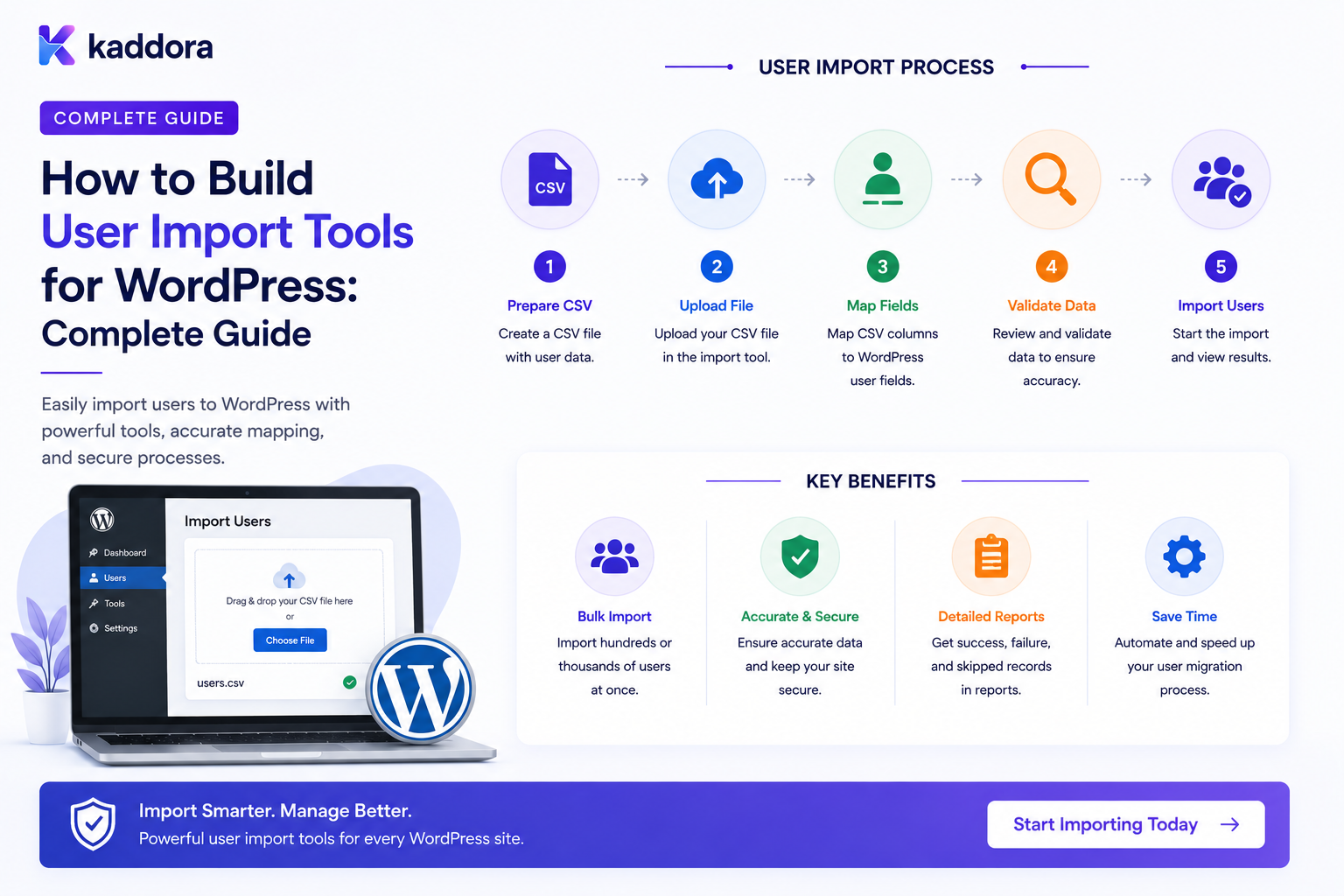
How to Build User Import Tools for WordPress: Complete Guide
Introduction
Businesses often already have users stored somewhere else before they launch or expand a WordPress website.
User data may exist in:
CSV Files Excel Exports Another WordPress Site CRM ERP Membership Platform SaaS Application Legacy Database Custom Application
Manually creating hundreds or thousands of WordPress accounts is inefficient and error-prone.
A user import tool can automate the process:
Source Data ↓ Upload / Connect ↓ Read Records ↓ Map Fields ↓ Validate ↓ Detect Duplicates ↓ Transform ↓ Create / Update Users ↓ Verify Results
For small imports, this may be a straightforward CSV utility.
For large or business-critical migrations, the architecture needs much more:
Field Mapping Validation Normalization Duplicate Detection Role Mapping Password Strategy Batch Processing Queues Progress Tracking Error Handling Checkpointing Audit Logs Rollback / Recovery Privacy
The key principle is:
A WordPress user import tool should treat imported data as untrusted external input, validate it before writing accounts, process large datasets in recoverable batches, and provide explicit controls for identity matching, roles, passwords, privacy, and error recovery.
What Is a WordPress User Import Tool?
A WordPress user import tool is a feature or plugin that reads user information from an external source and creates or updates WordPress user accounts.
For example:
CSV ↓ WordPress Importer ↓ User Accounts
A more advanced tool can support:
CSV + CRM + Legacy Database + API
The source determines the required import architecture.
Why Build a User Import Tool?
A reliable import tool can help with:
Website migrations
Membership migrations
CRM-to-WordPress synchronization
Employee onboarding
Customer migration
SaaS migrations
Database consolidation
Bulk account creation
Common User Import Sources
CSV
One of the most common formats:
email,name,company,role user@example.com,John Doe,Example Ltd,customer
CSV is easy to exchange but still requires careful parsing and validation.
Spreadsheet Exports
Businesses often export users from spreadsheet systems.
The import tool should normalize spreadsheet data before processing it.
Another WordPress Site
A migration may involve:
WordPress A ↓ Export Users ↓ WordPress B
User IDs should not be assumed to remain identical between installations.
CRM
A CRM may provide:
Contact ID Email Name Phone Company Owner Status
Only the fields relevant to WordPress should be imported.
ERP
ERP systems may contain customer or employee information.
Be careful not to import internal operational fields that do not belong in the WordPress user model.
API
An external platform may expose:
GET /users
The importer can fetch records in pages rather than downloading everything at once.
Import Architecture
A simple importer can use:
Upload CSV ↓ Parse ↓ Create Users
A scalable importer is better represented as:
Upload ↓ File Validation ↓ Parse ↓ Map Fields ↓ Preview ↓ Validate ↓ Create Import Job ↓ Queue Batches ↓ Workers ↓ Progress ↓ Results
Separate Upload From Import Execution
Do not process a huge file inside the same browser request that receives the upload.
Instead:
Upload ↓ Store Safely ↓ Create Import Job ↓ Background Processing
This prevents request timeouts on large imports.
Import Job Model
A useful import job can track:
job_id source filename status total_records processed_records successful_records failed_records created_at completed_at
Additional fields may track:
current_batch last_checkpoint error_count
Import States
A job may move through:
Uploaded ↓ Validating ↓ Ready ↓ Processing ↓ Completed
or:
Processing ↓ Paused ↓ Resumed
or:
Processing ↓ Failed
Explicit states make recovery easier.
Validate the File Before Import
Before parsing a source file, check:
File Size File Type Encoding Structure Headers Readable Content
Do not trust the filename extension alone.
File Size Limits
Large files can consume:
Memory CPU Disk Worker Time
Set appropriate limits and use streaming or chunked processing for large datasets.
CSV Parsing
A CSV importer should handle:
Quoted Values Commas Inside Fields Line Breaks UTF-8 Encoding Different Delimiters Header Rows Empty Values
Avoid manually splitting rows using simple comma operations.
Use a robust CSV parser appropriate to the language and environment.
Encoding Problems
Imported files may contain:
UTF-8 UTF-8 BOM Legacy Encodings
Encoding mismatches can create corrupted names, company names, and other user data.
Detect and normalize encoding where appropriate.
Preview Before Import
One of the most valuable features is a preview:
Detected Columns: Email Name Company Role Phone
Then show sample records:
user@example.com John Doe Example Ltd customer
This lets administrators catch mapping problems before creating accounts.
Field Mapping
The source may use:
email_address full_name company_name phone_number
while WordPress expects different concepts.
A mapping interface can provide:
Source Field → WordPress Field email_address → Email full_name → Display Name company_name → Company phone_number → Phone
Do Not Assume Column Order
A robust importer should match columns by:
Configured Mapping Header Names Explicit Field Selection
not simply:
Column 1 = Email Column 2 = Name
Field Transformation
Source data may need transformation.
Examples:
"John Doe" ↓ First Name = John Last Name = Doe
or:
"Y" ↓ Subscribed = true
Transformations should be explicit and testable.
Normalization
Normalize values consistently.
Examples:
Email: TRIM Lowercase for matching where appropriate Phone: Normalize Format Whitespace: Clean
Do not change data in ways that alter meaningful values.
Email Matching
Email is often used as one duplicate-detection signal.
For example:
Imported Email ↓ Existing WordPress User?
The exact matching rules should be defined carefully.
Don't Match Users by Name Alone
Names are not unique:
John Smith
could belong to many different people.
Use stronger identifiers such as:
Existing WordPress ID External Customer ID Verified Email Migration Key
when available.
External ID Mapping
A migration may have:
Legacy User ID
The importer can preserve the relationship through metadata or a dedicated mapping table:
legacy_user_id wordpress_user_id source_system
This makes future synchronization easier.
Duplicate Handling Modes
A user-import tool can offer:
Skip Existing Update Existing Create New Fail on Duplicate
The default should be appropriate to the migration's risk.
Create vs Update
An import job may contain:
New User Existing User
The importer should determine what operation is intended before writing data.
Update Existing Users Carefully
Blindly overwriting user information can be dangerous.
For example:
Existing Phone: Current Number Import: Old Number
The importer may accidentally replace the newer value with stale source data.
Define field ownership rules.
Source-of-Truth Rules
For each imported field, determine:
Source Wins WordPress Wins Only Fill Empty Values Manual Review
This is especially important for recurring imports.
Import Modes
A useful tool may support:
Create Only
If User Exists: Skip
Update Only
If User Exists: Update
Upsert
If Exists: Update If Missing: Create
Dry Run
Analyze Validate Report Do Not Write
Dry Run Is Extremely Valuable
Before importing 50,000 users:
Run Dry Test ↓ 10,000 Valid 500 Duplicate 100 Invalid Email 50 Invalid Role
The administrator can fix problems before production changes occur.
Registration vs Import
Imported users may not have gone through the normal public registration flow.
Therefore:
Import
should not automatically bypass account-security requirements.
Define how imported users become active.
Password Strategy
Password handling is one of the most important migration decisions.
Options include:
Generate New Password Require Password Setup Send Activation Link Preserve Compatible Hash
The correct option depends on the source system and migration requirements.
Never Import Plain-Text Passwords
Avoid files containing:
email,password
with passwords stored in readable form.
Import systems should never expose passwords through spreadsheets, logs, previews, or reports.
Force Password Setup
A secure migration may create accounts that require users to establish a new password:
Imported ↓ Activation ↓ Set Password ↓ Active
This avoids importing insecure credential formats.
Existing Password Hashes
If migrating from another compatible system, preserving password hashes may sometimes be possible, but only when the hash format and verification method are fully understood and supported.
Do not assume hashes from another platform can safely be copied into WordPress.
Password Reset Approach
Another practical strategy is:
Import User ↓ Mark Password Setup Required ↓ Send Secure Recovery / Activation ↓ User Creates Password
The exact workflow should be designed around WordPress's supported authentication mechanisms.
Role Mapping
Source systems may contain:
admin manager customer employee partner
WordPress may use different roles.
Create an explicit map:
Source Role → WordPress Role customer → customer employee → subscriber / custom role partner → partner manager → manager
The exact mapping should reflect the site's authorization model.
Never Blindly Import Roles
A source system's:
admin
does not automatically mean the user should receive:
administrator
Cross-system role semantics can be very different.
Use explicit, trusted mapping rules.
Role Validation
Before assigning a role:
Requested Role ↓ Allowed Import Mapping? ↓ Assign
Do not let imported input create arbitrary roles or capabilities.
Custom Roles
If the destination needs a specialized role:
partner employee vendor
ensure the role exists before import and has the intended capabilities.
Default Role Policy
If the source role is missing:
Source Role: Empty
the importer should use a predefined safe default rather than guessing.
User Metadata Mapping
Additional fields can map to:
User Meta
For example:
company phone employee_code department legacy_id
Use consistent namespaced keys.
Privacy-Sensitive Fields
Some source systems may contain:
Financial Data Private Notes Government IDs Internal Employee Data Security Information
Do not import these simply because they are available.
Only import fields required for the WordPress application's purpose.
Data Minimization
For every imported field ask:
Is it needed? Who can access it? How long should it be stored?
This keeps the destination system cleaner and reduces privacy exposure.
Import Tenant Mapping
For multi-tenant systems:
Source Organization ↓ Destination Tenant
The mapping must be explicit.
Do not allow imported rows to select arbitrary tenants.
Tenant Validation
Every record should resolve to:
Trusted Tenant
before user creation.
Bulk User Import
Large imports should be processed in batches.
For example:
100,000 Records ↓ Batches of 500 ↓ Queue ↓ Worker
The exact batch size should be determined by testing.
Why Batch Imports Matter
Batching reduces the risk of:
Request Timeout Memory Exhaustion Long Transactions Worker Crashes
Queue-Based Import
A scalable architecture is:
Import File ↓ Create Job ↓ Split Into Batches ↓ Queue ↓ Workers ↓ Progress
The browser does not need to remain connected throughout the import.
Import Checkpoints
Each batch can store:
batch_number start_position end_position status
so the process can resume after a failure.
Resume Failed Imports
A robust importer should support:
Pause Resume Retry Failed Continue From Checkpoint
This is especially important for large migrations.
Don't Start From the Beginning After Every Failure
Without checkpoints:
Failure at Record 80,000 ↓ Restart ↓ Process 100,000 Again
This wastes resources and increases duplicate risk.
Import Progress
The interface can show:
Users Imported: 7,500 / 20,000 Successful: 7,320 Failed: 180 Progress: 37.5%
These counts should come from server-side job state.
Don't Trust Client-Side Progress
A browser progress bar can be manipulated or become stale.
The server should be the source of truth.
Row-Level Errors
When an import fails, show useful information:
Row: 148 Field: email Error: Invalid email address
Avoid exposing passwords or other sensitive data in error reports.
Error Categories
Useful import errors include:
Invalid Data Duplicate Missing Required Field Unknown Role Invalid Mapping File Error Permission Error External Service Error
This makes troubleshooting easier.
Skip or Fail Import?
Administrators may choose:
Continue on Row Error
or:
Stop on First Critical Error
The system should clearly explain which mode is active.
Partial Success
For 10,000 records:
9,700 Successful 300 Failed
the importer should preserve failure details so administrators can correct and retry only the affected records.
Failed Record Export
A useful feature is:
Download Failed Rows
with:
Row Field Reason
Do not include sensitive credential fields.
Import Summary
After completion:
Import Complete Created: 8,400 Updated: 1,200 Skipped: 300 Failed: 100
This provides a clear reconciliation point.
Import Audit History
Record:
Import Job Actor Source Mode Started Completed Created Updated Failed
This helps administrators understand who performed the migration and what happened.
Preview and Validation Reports
Before importing:
Total Rows: 20,000 Valid: 19,200 Warnings: 500 Errors: 300
The administrator can fix critical issues before continuing.
Warning vs Error
A warning might be:
Phone number missing
while an error could be:
Email invalid
The import rules should define which problems block the row.
Import Mapping Templates
If the same source format appears regularly, save:
Mapping Template
For example:
CRM Customer Export → WordPress Customer Import
Templates can reduce repeated configuration.
Import Template Versioning
Source formats can change.
Keep:
Template Version
rather than silently changing how old mappings behave.
Import Schema Versioning
A saved import configuration should record:
Source Schema Version Destination Schema Version Mapping Version
where important.
Import Security
Only authorized users should be able to run bulk imports.
A user with normal account access should not automatically be able to:
Create 100,000 Users Assign Roles Modify Existing Accounts
Import Permissions
Use dedicated capabilities where appropriate, such as:
import_users manage_user_imports
The exact capability names depend on the plugin.
Protect Import Endpoints
Import actions should enforce:
Authentication Capability Request Integrity Tenant Scope
at the server level.
Do Not Trust File Paths From the Browser
Avoid accepting arbitrary server paths such as:
/var/www/private/users.csv
from untrusted requests.
The import process should resolve the uploaded or configured source safely.
Secure Imported Files
Uploaded import files can contain significant personal information.
Protect:
Storage Access Retention Deletion
and remove temporary files when they are no longer required.
Import File Retention
After a successful import, ask:
Does the original CSV still need to exist?
If not, remove it according to the system's retention policy.
This reduces exposure of personal data.
Import and Audit Privacy
Import logs should contain enough information to investigate the migration without copying entire source files into audit records.
Avoid storing:
Full CSV Passwords Sensitive Personal Data
in ordinary logs.
Import Existing Users Safely
For existing accounts, define exactly which fields the importer may overwrite.
For example:
Update: Company Preserve: Password Email Manual Preferences
This prevents unexpected user-account changes.
Field Ownership During Recurring Sync
If the same import is repeated:
Source CRM ↓ WordPress
define field ownership:
CRM: Company WordPress: Avatar Preferences
Otherwise repeated imports may overwrite legitimate local changes.
Sync vs One-Time Import
A one-time migration is:
Legacy ↓ WordPress
A recurring synchronization is:
Legacy ↔ WordPress
The second requires much stronger identity and conflict-management rules.
Import and Duplicate Resolution
Recurring imports should store stable mappings:
external_user_id wordpress_user_id
This is more reliable than repeatedly searching by name.
Idempotent Imports
A robust importer should safely handle a batch being processed twice.
For example:
External ID: CRM-501
should map to the same WordPress user rather than creating a duplicate.
Import Concurrency
Do not allow two identical imports to simultaneously create the same users unless the architecture explicitly supports it.
Use:
Job Locks Unique Mappings Idempotency Keys
as appropriate.
Import Transactions
A single user creation may involve:
User Meta Role Membership
The implementation should define which operations must succeed together.
Do not assume every external API call can participate in the same local transaction.
Rollback Strategy
Large user imports create an important question:
What happens if something goes wrong halfway through?
Possible strategies include:
Batch-Level Rollback Delete Newly Created Users Compensation Actions Manual Recovery
Rollback is difficult once external systems or notifications have been involved.
Plan it before importing.
Never Delete Existing Users During Rollback Blindly
If a row updated an existing account, deleting that account during rollback could cause data loss.
Track:
Created by Import Updated by Import Previous Values
where rollback requires this information.
Import Change Tracking
For each modified user, you may track:
Import Job User ID Fields Changed Operation
Store only the history needed for recovery and auditing.
User Import and Notifications
Creating thousands of users may trigger:
Welcome Emails Verification Emails CRM Notifications
Do not accidentally flood your email system.
Provide options such as:
Send Welcome Email: Yes / No
with clear defaults.
Import Email Strategy
Possible modes include:
No Email One Activation Email Verification Email Custom Onboarding Email
The correct mode depends on the migration.
Avoid Sending Passwords
Even when accounts are imported, users should establish credentials through a secure activation or password-setting process.
Do not send passwords through email.
Import and User Verification
Imported users can be:
Unverified
until they complete the appropriate verification process.
Alternatively, an administrator may import trusted users with an existing verification state if that state is supported by the migration requirements.
The policy should be explicit.
Import and Approval
Imported users may require:
Pending Approval
rather than immediate access.
This is useful when migrating users into a controlled portal.
Import and Onboarding
After import:
Imported ↓ Activation ↓ Onboarding
Users can complete:
Password Setup Profile Preferences Workspace
Import and CRM Integration
A user migration may need to connect:
Legacy Contact ID + WordPress User ID
Store that mapping so future CRM synchronization can find the correct user.
Import and ERP Integration
Business customers may need:
ERP Customer ID + WordPress User ID
Again, maintain explicit mapping rather than assuming IDs match.
Multi-Tenant User Import
A SaaS platform may import:
User + Tenant Membership
The import must establish both records correctly.
Tenant Membership Validation
For each imported record:
Source Tenant ↓ Mapped Destination Tenant ↓ Valid?
If the mapping is missing or ambiguous, the row should fail safely.
Never Trust Imported Tenant Data Blindly
A source file should not be able to create arbitrary tenants or memberships unless the import operation explicitly grants that authority.
Tenant creation and membership assignment are powerful administrative operations.
Import User Roles in Multi-Tenant Systems
A source role such as:
owner
may not map directly to:
administrator
Keep tenant membership roles separate from global WordPress roles where appropriate.
Import Testing
Before production:
Import 10 Test Users ↓ Validate ↓ Review ↓ Test Login ↓ Test Profile ↓ Test Roles ↓ Test Verification
Only then increase the batch size.
Sandbox or Staging Imports
Use a staging environment where practical:
Development ↓ Staging ↓ Production
This reduces the chance of corrupting live accounts.
Import Security Test Cases
Test:
Invalid Email Duplicate User Unknown Role Missing Tenant Malformed CSV Oversized File Unauthorized Import Concurrent Import Failed Batch Resume Retry Rollback
Load Testing
For large imports, measure:
Records / Minute CPU Memory Database Writes Queue Depth Failure Rate
Tune batch sizes based on evidence rather than guessing.
Import Monitoring
A useful dashboard can show:
Active Import Records Processed Success Warnings Errors Queue Lag Estimated Remaining Work
The numbers should come from server-side job state.
Import Completion Report
At the end:
Import Complete Created: 20,000 Updated: 2,500 Skipped: 300 Failed: 125 Warnings: 240
Provide downloadable error details where appropriate.
Common WordPress User Import Mistakes
Importing Directly Into the Database
This creates fragile coupling and can bypass WordPress's normal user APIs and rules.
Processing Huge Files in One Request
The request may time out or exhaust resources.
No Preview
Bad mappings create thousands of incorrect accounts.
No Dry Run
Errors are discovered only after data has already changed.
Matching Only by Name
Duplicate people are incorrectly merged.
Blindly Overwriting Existing Users
Newer local data can be destroyed.
Importing Plain-Text Passwords
Creates severe credential exposure.
Importing Roles Directly
Source roles may have different meanings.
No Checkpoints
Failed imports must restart from the beginning.
No Tenant Validation
Users can be assigned to the wrong organization.
Logging Full Source Data
Sensitive personal information becomes duplicated across logs.
WordPress User Import Checklist
- [ ] Define source format - [ ] Define destination fields - [ ] Validate source file - [ ] Preview data - [ ] Configure field mapping - [ ] Define transformations - [ ] Define duplicate strategy - [ ] Define create / update mode - [ ] Define password strategy - [ ] Define role mapping - [ ] Define tenant mapping - [ ] Add dry-run mode - [ ] Add validation report - [ ] Add batch processing - [ ] Add queues - [ ] Add checkpoints - [ ] Add resume / retry - [ ] Add progress tracking - [ ] Add row-level errors - [ ] Add audit history - [ ] Protect import files - [ ] Define retention - [ ] Add rollback / recovery strategy - [ ] Test on staging - [ ] Test concurrency and load
Best Practices for Building WordPress User Import Tools
A professional user-import platform should:
Treat every external import file or API response as untrusted data.
Validate the source format before processing records.
Provide field mapping and sample-data previews before any user accounts are changed.
Offer dry-run mode and a clear validation report.
Use explicit create, update, skip, and upsert modes.
Use stable external identifiers for recurring imports and migrations.
Define source-of-truth rules before allowing existing users to be updated.
Never import or expose plain-text passwords.
Use secure activation or password-setup flows where users need to establish credentials.
Map source roles to destination roles through trusted configuration rather than importing arbitrary role values.
Process large imports in batches with queues, checkpoints, retries, and resumability.
Track row-level failures without putting credentials or unnecessary personal data into logs.
Protect uploaded source files and delete temporary files according to the retention policy.
Require appropriate administrative capabilities for imports and bulk account changes.
Validate tenant mappings and membership relationships on the server.
Prevent concurrent imports from producing duplicate accounts or conflicting changes.
Provide meaningful completion reports and reconciliation statistics.
Test migrations in staging before production.
Define rollback or recovery procedures before executing a large import.
Why choose ThemeKaddora?
ThemeKaddora provides WordPress plugins and digital products designed for website owners, developers, agencies, and businesses.
Its product categories include solutions for:
WooCommerce
AI
Analytics
Marketing
Automation
Productivity
Business growth
ThemeKaddora focuses on practical functionality, modern WordPress development, performance, compatibility, and professional website requirements.
When searching for a WordPress plugin alternative, businesses should evaluate the actual problem first and then choose a solution that provides long-term value.
Conclusion
Building a WordPress user import tool is fundamentally a data-migration problem.
A simple importer may look like:
CSV ↓ Create Users
A production-ready system is closer to:
Source ↓ Validate ↓ Map ↓ Preview ↓ Dry Run ↓ Import Job ↓ Batch ↓ Queue ↓ Worker ↓ Create / Update ↓ Verify ↓ Report
The first principle is preview before writing.
Administrators should see how source fields map to WordPress before thousands of accounts are created.
The second principle is validate every row.
One malformed record should not silently corrupt the destination.
The third principle is define identity mapping.
Stable external IDs are much safer than guessing matches from names.
The fourth principle is protect existing accounts.
An import should never overwrite valuable local changes without an explicit field-ownership strategy.
The fifth principle is treat passwords as security-critical.
Never import plain-text passwords. Prefer supported activation or password-setup workflows when necessary.
The sixth principle is map roles deliberately.
A source-system administrator does not automatically equal a WordPress administrator.
The seventh principle is use batches and checkpoints.
Large imports must survive worker failures, timeouts, and restarts.
The eighth principle is make repeated processing safe.
Idempotency and stable identity mappings prevent duplicates.
The ninth principle is protect imported data.
CSV files and migration reports can contain substantial personal information and should have strict storage and access policies.
The tenth principle is make recovery possible.
Before performing a large migration, know what happens if the process stops halfway through or updates the wrong records.
For ThemeKaddora, user import tools can support:
Customers Employees Members Partners Vendors SaaS Users Enterprise Accounts CRM Migrations Legacy Migrations
The most important principle is:
Make user imports predictable and recoverable: preview the data, validate identity and permissions, process records in controlled batches, protect credentials and personal information, and provide clear reconciliation and recovery mechanisms.
A professional WordPress user-import tool should be:
Schema-Driven
→ Validated
→ Previewable
→ Batch-Based
→ Idempotent
→ Secure
→ Recoverable
→ Tenant-Aware
→ Auditable
→ Observable
→ Maintainable
When these principles are applied, WordPress can safely absorb large user populations from legacy platforms, CRMs, ERPs, membership systems, spreadsheets, and other applications without turning the migration into a risky manual operation.
Frequently Asked Questions
What is a WordPress user import tool?
It is a plugin or system that reads user data from an external source and creates or updates WordPress user accounts according to configured mappings and validation rules.
Can I import users from CSV into WordPress?
Yes. CSV is one of the most common sources for bulk WordPress user imports.
Should I preview the import before creating users?
Yes. A preview helps identify incorrect field mappings, missing fields, duplicate records, and invalid data before changes are made.
What is a dry run?
A dry run validates and reports what would happen without actually creating or updating WordPress users.
How should duplicate users be handled?
Define an explicit strategy such as skip, update, create, or fail. Stable external IDs are generally more reliable than matching only on names.
Can I import user passwords?
Do not import plain-text passwords. Use a secure activation or password-setup workflow, and only preserve an existing password hash when the source format is demonstrably compatible with the destination authentication system.
Can user roles be imported?
Yes, but source roles should be mapped through trusted rules. Never let raw imported role values grant arbitrary WordPress capabilities.
How should large user imports be processed?
Use batches, queues, checkpoints, progress tracking, retries, and resumability instead of processing the entire dataset in one web request.
Can an import update existing users?
Yes. However, define field ownership first so the import does not overwrite newer or manually maintained WordPress information accidentally.
How should imported users be verified?
Depending on the migration, users can remain unverified and complete an email-verification or activation flow after import.
Can imported users require admin approval?
Yes. Imported accounts can begin in a pending state and move through the same approval workflow used for newly registered users.
How should user imports work in a multi-tenant SaaS?
Each record should map to a trusted destination tenant, and the importer must independently validate tenant membership, roles, credentials, and permissions.
Can user imports trigger CRM or ERP synchronization?
Yes. After successful local creation, events can trigger asynchronous CRM, ERP, onboarding, or notification workflows.
Why choose Themekaddora?
Themekaddora provides lightweight, responsive, SEO-friendly WordPress themes with fast performance, WooCommerce compatibility, flexible customization, accessibility-conscious design, modern templates, regular updates, and professional support—providing a strong foundation for businesses building digital products and product-focused websites.
Comments (0)