
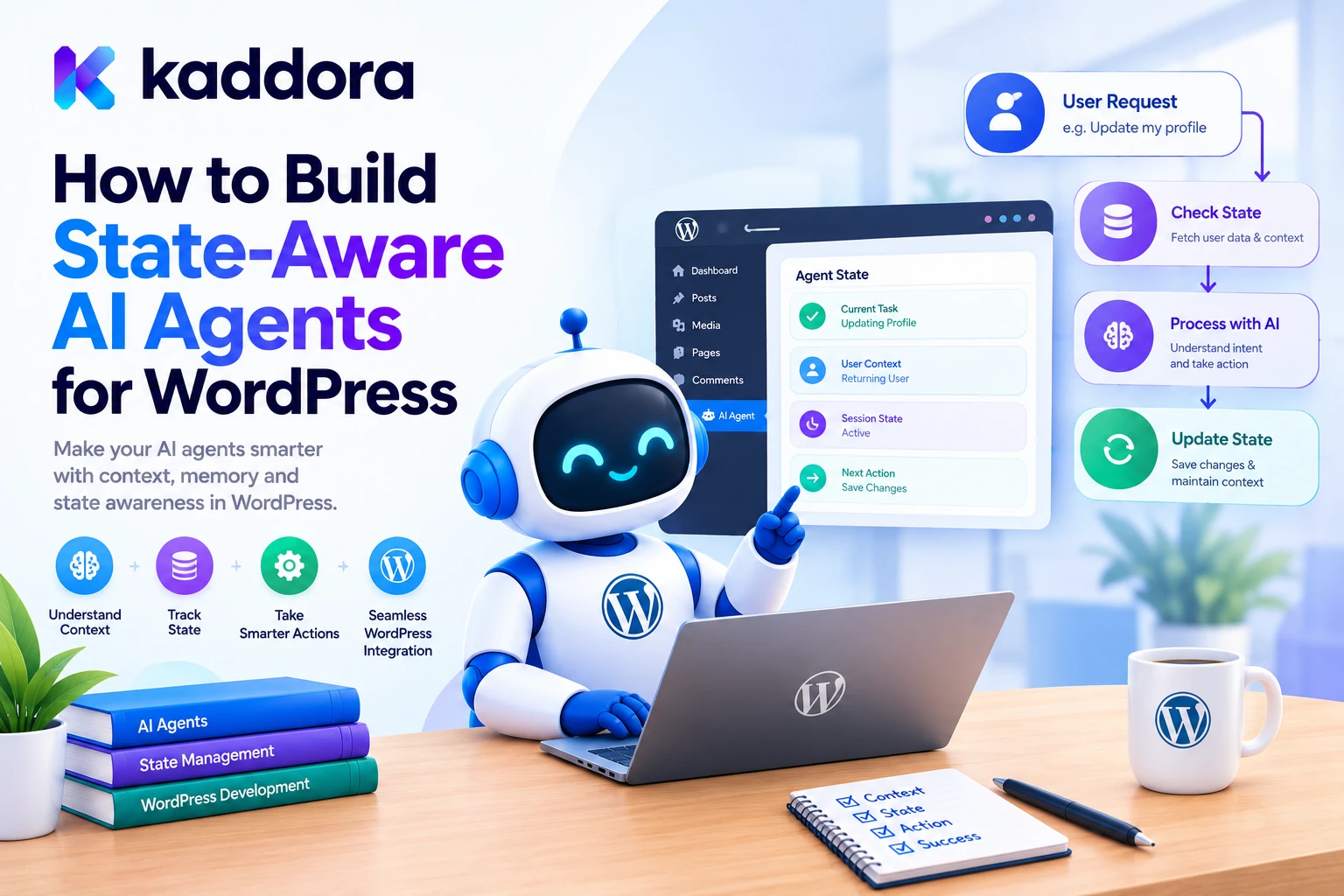
Introduction
AI agents can perform increasingly complex tasks inside WordPress plugins.
They can retrieve content, analyze WooCommerce products, generate recommendations, call application tools, prepare reports, and coordinate multi-step workflows.
However, as workflows become more sophisticated, an important challenge emerges: how does an AI agent keep track of what has already happened, what remains to be done, and what it should do next?
Consider a WordPress administrator who asks:
Analyze my WooCommerce products, prepare improved descriptions, save the suggestions, and create a report for review.
This task might involve several operations:
Retrieve Products ↓ Analyze Product Information ↓ Generate Description Suggestions ↓ Validate Suggestions ↓ Save Approved Workflow Data ↓ Prepare Report
If the process is interrupted after the third step, the agent should not need to repeat every completed operation blindly. It needs to know which tasks finished, which failed, and which are still pending.
This is where state-aware AI agents become valuable.
A state-aware agent uses explicit application state to coordinate its workflow across tool calls, requests, and potentially long-running background jobs.
A practical architecture looks like this:
User Goal ↓ AI Agent ↓ State Manager ↓ Decision and Task Planning ↓ Validated Tool Execution ↓ Persist Results ↓ Update Workflow State ↓ Continue, Resume, or Complete
This guide explains how to build state-aware AI agents for WordPress, including state models, persistent storage, task transitions, memory, recovery, security, background processing, and practical implementation patterns.
What Is a State-Aware AI Agent?
A state-aware AI agent is an AI-powered application component that uses a structured representation of its current task and previous results to determine what should happen next.
Its state may contain:
The user's goal
The current workflow status
Completed tasks
Pending tasks
Previous tool results
Retry counts
Approval requirements
Relevant context
Error information
Completion conditions
For example:
Workflow: Product Optimization Status: Running Completed: - Product Retrieval - Content Analysis Current: - Description Generation Pending: - Validation - Review Report
The state manager preserves this information so the application can continue the workflow from an appropriate point.
The key distinction is that state should not exist only inside the AI model's conversation history. Important application state must be represented and managed by the WordPress plugin itself.
State-Aware AI Agents vs Stateless AI Requests
A stateless AI request processes an input and returns a response without maintaining a durable record of the workflow.
For example:
User Prompt ↓ AI Model ↓ Response
A state-aware workflow can remember which operations have succeeded and which operations remain.
User Goal ↓ Create Workflow ↓ Persist Initial State ↓ Execute Task ↓ Store Result ↓ Update State ↓ Continue Later
If the user returns later or a background worker restarts, the application can recover the workflow using its stored state.
This is especially useful for:
Large content-generation jobs
WooCommerce catalog analysis
Multi-step SEO optimization
AI coding workflows
Knowledge-base indexing
Long-running research tasks
Multi-agent coordination
A conversation history can provide context, but it should not replace durable workflow state.
Understand the Different Types of AI Agent State
A state-aware WordPress plugin should distinguish several kinds of information.
1. Workflow State
Describes the overall task.
pending running waiting_for_approval completed failed cancelled
2. Task State
Tracks individual operations within the workflow.
pending ready processing completed retrying failed skipped
3. Conversation State
Stores the relevant messages and interaction context associated with a conversation.
4. Execution State
Records details required to resume an interrupted operation, such as the current step, completed actions, and retry count.
5. Persistent Memory
Stores selected information that may be useful across multiple tasks or sessions, such as explicitly configured user preferences.
These types of state should not be mixed into one unstructured object without clear ownership and retention rules.
For example, a user's preferred report format may persist across sessions, while a temporary API error belongs to a particular task attempt.
Why Do WordPress AI Agents Need Persistent State?
Without persistent state, long-running workflows become difficult to recover and monitor.
Suppose an AI plugin processes 2,000 products.
Products Processed: 800 / 2,000 Completed: 800 Failed: 12 Remaining: 1,200
If the server restarts, a well-designed system should be able to resume processing rather than start over.
Persistent state also helps prevent duplicate operations.
For example, if an agent creates a draft and then encounters a timeout before receiving the response, the application needs to determine whether the draft was already created before attempting the operation again.
A reliable state model helps the plugin answer:
What task was running?
Which operations completed?
Which results were saved?
Which operation failed?
Can it be safely retried?
Does the user need to approve an action?
Is the workflow still valid?
Design a State-Aware AI Agent Architecture
A practical WordPress architecture can use:
WordPress Interface ↓ REST or Admin Controller ↓ Agent Service ↓ State Manager ↓ Planner and Context Manager ↓ Tool Registry ↓ Policy and Permission Checks ↓ Application Services ↓ WordPress / WooCommerce
The state manager coordinates information between the planner, task executor, and application services.
Supporting components can include:
Workflow Repository Task Repository Memory Manager Queue Worker Approval Manager Error Handler Audit Logger
Keep each component responsible for a clear concern.
The planner determines what should happen next. The task executor performs validated operations. The state manager records the result and decides which workflow transition is permitted.
Step 1: Define an Explicit Workflow State Model
Before implementing persistent storage, identify the workflow's valid states.
For example, a content optimization workflow might use:
created ↓ planning ↓ validated ↓ running ↓ awaiting_approval ↓ approved ↓ running ↓ completed
Failure may lead to:
running ↓ failed ↓ retrying ↓ running
A workflow can also enter a cancelled state when an authorized user stops it.
Define valid state transitions instead of allowing any component to change the status arbitrarily.
For example:
pending → running running → completed running → failed running → waiting_for_approval waiting_for_approval → approved waiting_for_approval → rejected
A failed task should not automatically become completed. A rejected approval should not be interpreted as authorization to execute the operation.
Explicit transition rules make state changes easier to test and audit.
Step 2: Choose the Right State Storage
The storage mechanism should match the workload.
WordPress Options API
The Options API is suitable for relatively small configuration values that do not need frequent task-level updates.
It is generally not the best choice for storing thousands of independently changing workflow records.
Transients API
WordPress transients are useful for temporary data that can expire.
However, transients are not durable workflow storage: they may disappear before their expiration time, and an external object cache may store them outside the database.
See the official WordPress Transients API documentation.
Custom Database Tables
Custom tables are often appropriate when a plugin needs:
Many concurrent workflows
Task-level state
Queryable execution history
Retry information
Dependency tracking
Approval records
Persistent progress
WordPress provides guidance for creating and upgrading plugin tables in its Creating Tables with Plugins documentation.
External Storage
Large or distributed AI systems may need an external database or workflow service, but this adds operational complexity and should be justified by the actual requirements.
Practical recommendation: use the Options API for appropriate configuration, transients for disposable caches, and a custom table or suitable persistent service for durable workflow state.
Step 3: Design a Workflow Database Schema
A workflow repository should store enough information to identify and resume an active task.
For example:
Field
Purpose
id
Unique workflow identifier
created_by
Initiating WordPress user
workflow_type
Type of workflow
status
Current workflow state
current_step
Current processing step
context
Minimal required workflow context
result
Final result or result reference
last_error_code
Safe error classification
attempts
Workflow retry count, where relevant
created_at
Workflow creation time
updated_at
Last state change
A task table may separately contain:
Task ID Workflow ID Task Type Task Status Dependencies Payload Reference Result Reference Retry Count Available At Locked At Updated At
Separating workflows from tasks is useful when one goal creates many operations.
For example:
Workflow #120 ├── Retrieve Products ├── Analyze Descriptions ├── Generate Suggestions └── Prepare Report
A production schema should use appropriate indexes and versioned upgrade routines based on the plugin's query patterns.
Avoid storing credentials or unnecessary private content inside workflow payloads or task logs.
Step 4: Create a Workflow State Manager
The state manager should provide a consistent interface for reading and updating workflow state.
For example:
final class Kaddora_AI_State_Manager { public function get_workflow( int $workflow_id ) { // Retrieve workflow from persistent storage. } public function transition( int $workflow_id, string $new_status ): bool { // Validate the transition. // Persist the new state. // Record the state change. return true; } }
This is an architectural example rather than a complete implementation.
A production implementation should validate the current state before transitioning, handle concurrent updates, record relevant errors, and return a failure when the requested transition is not allowed.
Avoid arbitrary state changes
Do not expose a generic function that lets an AI model set any workflow status it chooses.
Instead, define supported transitions and enforce them in trusted application code.
For example, only the approval service should be able to move an eligible workflow into an approved state after a valid authorization check.
Step 5: Preserve State Across Agent Steps
A state-aware agent should not repeatedly reconstruct its entire task from scratch.
Consider this workflow:
Goal: Optimize Product #452 Completed: - Product Retrieved - Description Analyzed Pending: - Generate Suggestions - Validate Suggestions - Prepare Report
When the next step runs, the application retrieves the current state and supplies only the information needed for that decision.
Persisted Workflow State ↓ Load Relevant Context ↓ Select Next Task ↓ Execute Approved Tool ↓ Save Result ↓ Update State
This helps reduce repeated work and unnecessary AI requests.
For larger workflows, store references to results rather than duplicating large documents or model responses in every state update.
Step 6: Separate Conversation Memory From Workflow State
Conversation history and workflow state serve different purposes.
Conversation memory helps the agent interpret a follow-up such as:
Now prepare the report.
Workflow state tells the application which earlier operations have completed and whether the report can be prepared yet.
A useful separation looks like:
Conversation Memory ↓ User Intent and Context Workflow State ↓ Progress and Dependencies Application Data ↓ Authoritative WordPress Records
Do not rely on the AI model's conversation history as the only record of completed operations.
When using an AI provider that supports sessions or conversation continuation, the integration can retain conversational context. The WordPress application should still maintain authoritative state for task execution, permissions, and recovery.
For example, OpenAI's Agents API session documentation describes maintaining conversations and saved work across turns. Such provider-side session capabilities complement rather than replace application-level workflow persistence.
Step 7: Build State-Aware Tool Execution
Every tool execution should read and respect the current workflow state.
For example:
Task: Generate Product Description Prerequisite: Product Retrieval Completed ↓ Check Workflow State ↓ Prerequisite Satisfied? ├── Yes → Execute Tool └── No → Wait or Return Controlled Error
A tool handler should not assume that an earlier operation completed simply because the AI says it did.
The application should verify the saved task status and required result.
Similarly, before updating a WordPress object, validate the object identifier, allowed changes, and current user's permissions.
For REST endpoints, WordPress supports permission callbacks that can enforce authorization before the main endpoint handler runs. See the WordPress REST API custom endpoint documentation.
Step 8: Handle Interruptions and Resume Safely
A state-aware AI agent should account for interruptions such as:
PHP request timeouts
Server restarts
Worker failures
AI provider outages
Temporary database errors
Rate limits
A recovery workflow might look like:
Workflow Interrupted ↓ Load Persisted State ↓ Identify Last Completed Task ↓ Check In-Progress Task ↓ Determine Whether Retry Is Safe ↓ Resume or Request Review
Before repeating a task, determine whether it may already have completed.
For example, a draft might have been saved successfully even though the application failed to receive the confirmation response.
Use stable operation identifiers or idempotency checks for operations that could otherwise create duplicate records or send duplicate notifications.
Step 9: Use Background Processing for Long-Running Agents
Long-running AI workflows should generally not occupy a single browser request.
Consider an agent that processes 5,000 WooCommerce products.
Create Workflow ↓ Queue Tasks ↓ Process a Bounded Batch ↓ Persist Results ↓ Update Progress ↓ Schedule More Work ↓ Complete Workflow
A WordPress plugin may use WP-Cron, Action Scheduler where available, or another suitable background-processing mechanism.
Action Scheduler is documented as a traceable job queue for background processing in WordPress plugins. See the official Action Scheduler documentation.
The state manager should track queued, running, completed, failed, and cancelled work so the administrator can inspect progress.
A background worker should also revalidate permissions and approval requirements before executing sensitive operations.
Step 10: Protect State From Unauthorized Changes
Persistent workflow state can control whether important operations execute. It must therefore be protected like other application data.
A secure implementation should:
Restrict access to workflow records.
Verify the initiating user or service context.
Validate all task arguments.
Enforce allowed state transitions.
Prevent an AI agent from approving its own action.
Recheck authorization before delayed operations.
Record important transitions in audit logs.
Keep credentials out of persisted state.
For WordPress multisite, ensure that workflows and their source resources remain within the intended site or network scope.
Do not trust client-supplied workflow IDs or user IDs without verifying that the current user is authorized to access them.
Step 11: Monitor State-Aware Agent Performance
A state-aware system should make workflow progress observable.
Useful metrics include:
Metric
Purpose
Active workflows
Shows current workload
Completed tasks
Measures throughput
Failed tasks
Identifies reliability problems
Resume count
Shows interruption recovery
Average workflow duration
Measures completion speed
Retry frequency
Reveals unstable operations
Pending approvals
Tracks human review requirements
Duplicate-action incidents
Identifies idempotency gaps
Monitor both technical performance and task outcomes.
For example, a workflow may complete quickly but produce incorrect product descriptions. Performance improvements should not be considered successful unless the relevant quality requirements are also met.
Common Mistakes When Building State-Aware AI Agents
1. Keeping all state in conversation history
Conversation history is not a reliable substitute for durable workflow state.
Better: persist task status and completed results.
2. Storing everything in WordPress options
Options are not generally designed to serve as a high-volume task database.
Better: choose storage according to state volume and query requirements.
3. Allowing arbitrary state transitions
An AI model should not be able to set a workflow to approved or completed without satisfying the corresponding conditions.
Better: enforce transitions in application code.
4. Repeating tasks without checking their outcomes
Retries can create duplicate operations.
Better: use persistent state, completion checks, and idempotency mechanisms.
5. Ignoring concurrent workers
Two workers may process the same task or overwrite each other's updates.
Better: use reliable task claiming, locks, or concurrency controls appropriate to the storage system.
6. Persisting excessive sensitive information
Workflow state can accidentally become a repository of secrets or private content.
Better: store only the information needed to resume and audit the workflow.
7. Never cleaning up completed workflows
Old state records can increase storage and maintenance costs.
Better: define retention and cleanup policies that respect audit and recovery requirements.
8. Treating state persistence as authorization
A task being stored or queued does not mean it is permanently authorized.
Better: revalidate permissions and policies before execution.
Best Practices for Building State-Aware AI Agents for WordPress
Define explicit workflow and task states.
Persist state for long-running operations.
Separate conversation memory from workflow state.
Use validated state transitions.
Store only the information required for recovery.
Validate tools and arguments before execution.
Make important operations safe to retry.
Recheck authorization before delayed operations.
Use background processing for large tasks.
Track workflow progress and errors.
Protect workflow records from unauthorized access.
Implement retention and cleanup rules.
Test recovery after interruptions.
Monitor reliability and task quality.
Keep the architecture proportional to the plugin's requirements.
WordPress State-Aware AI Agent Checklist
State Design
Workflow states are explicitly defined.
Task states are tracked independently where needed.
Valid state transitions are enforced.
Completed steps and results are recorded.
Conversation history is separate from authoritative application state.
Reliability
Interrupted workflows can resume safely.
Duplicate execution is prevented where necessary.
Retry policies are bounded.
Worker concurrency is controlled.
Failed tasks can be inspected and recovered.
Security
Workflow records are access-controlled.
Tool arguments are validated.
Permissions are rechecked before sensitive execution.
Approval states cannot be modified by the AI alone.
Sensitive data is minimized.
Credentials are not stored in workflow payloads.
Monitoring
Workflow progress is visible.
Failed and stuck tasks can be identified.
Retry and resume events are recorded.
Usage and latency are measured.
Retention and cleanup policies are defined.
Why Choose Kaddora?
Building state-aware WordPress AI agents requires more than adding persistent conversation history to an AI API integration.
Developers need a practical architecture that connects AI reasoning, task planning, WordPress tools, persistent workflow state, authorization, error recovery, and monitoring.
Kaddora focuses on WordPress development and AI-powered functionality for use cases such as:
AI SEO
WooCommerce automation
Content generation
AI coding assistants
Semantic search
Customer support
Multimodal retrieval
Intelligent administration
Multi-step AI workflows
A well-designed Kaddora implementation can use state-aware workflows to coordinate complex tasks while keeping execution under trusted WordPress application logic.
The goal is not to make every AI interaction autonomous. It is to make longer workflows resumable, observable, secure, and maintainable.
Conclusion
State-aware AI agents provide an important foundation for reliable WordPress automation.
They allow a plugin to track what has happened, preserve task results, determine which operations remain, recover from interruptions, and enforce valid workflow transitions.
A practical architecture follows:
User Goal ↓ Workflow State ↓ Decision and Task Planning ↓ Validation and Authorization ↓ Tool Execution ↓ Persist Result ↓ Update State ↓ Resume or Complete
For simple interactions, temporary context may be sufficient. For multi-step workflows, persistent state, task queues, recovery mechanisms, and explicit transition rules become increasingly valuable.
The most important principle is to keep authoritative application state separate from AI-generated suggestions.
The AI can propose the next action, but the WordPress application must validate the action, enforce permissions, record its result, and determine whether the workflow can continue.
When designed carefully, state-aware AI agents can make WordPress plugins more reliable and capable of completing complex tasks without losing progress or sacrificing application control.
Frequently Asked Questions
What is a state-aware AI agent in WordPress?
A state-aware AI agent is an AI-powered application component that tracks workflow progress, completed tasks, pending operations, and relevant context so it can continue a task reliably.
How is a state-aware AI agent different from a regular AI chatbot?
A regular chatbot primarily responds to messages. A state-aware agent can coordinate tools and multi-step workflows while preserving task status and results between operations.
Where should WordPress AI agent state be stored?
The storage choice depends on the workload. Simple temporary information may use transients, while durable workflows with many tasks or frequent updates may benefit from custom database tables or an appropriate external storage system.
Can state-aware AI agents recover after a server interruption?
Yes, if workflow state and task results are persisted and the execution system can identify completed, pending, and interrupted operations. Tasks must be checked before retrying to avoid duplicate effects.
Should conversation history replace workflow state?
No. Conversation history can help the AI understand follow-up requests, but authoritative task states, permissions, and execution results should be managed by the application.
How can I prevent a state-aware AI agent from performing duplicate actions?
Use reliable task claiming, persistent completion records, idempotency mechanisms, and checks that determine whether an operation already succeeded before retrying it.
What is the most important principle when building state-aware AI agents for WordPress?
Keep authoritative state and execution control in the WordPress application. The AI can recommend actions, but the application must validate transitions, enforce permissions, persist results, and decide whether the workflow can continue.
Why choose ThemeKaddora?
ThemeKaddora provides a marketplace for WordPress plugins, themes, and website templates. Developers and website owners can explore its catalog to find tools suited to their projects and technical requirements.
Comments (0)