
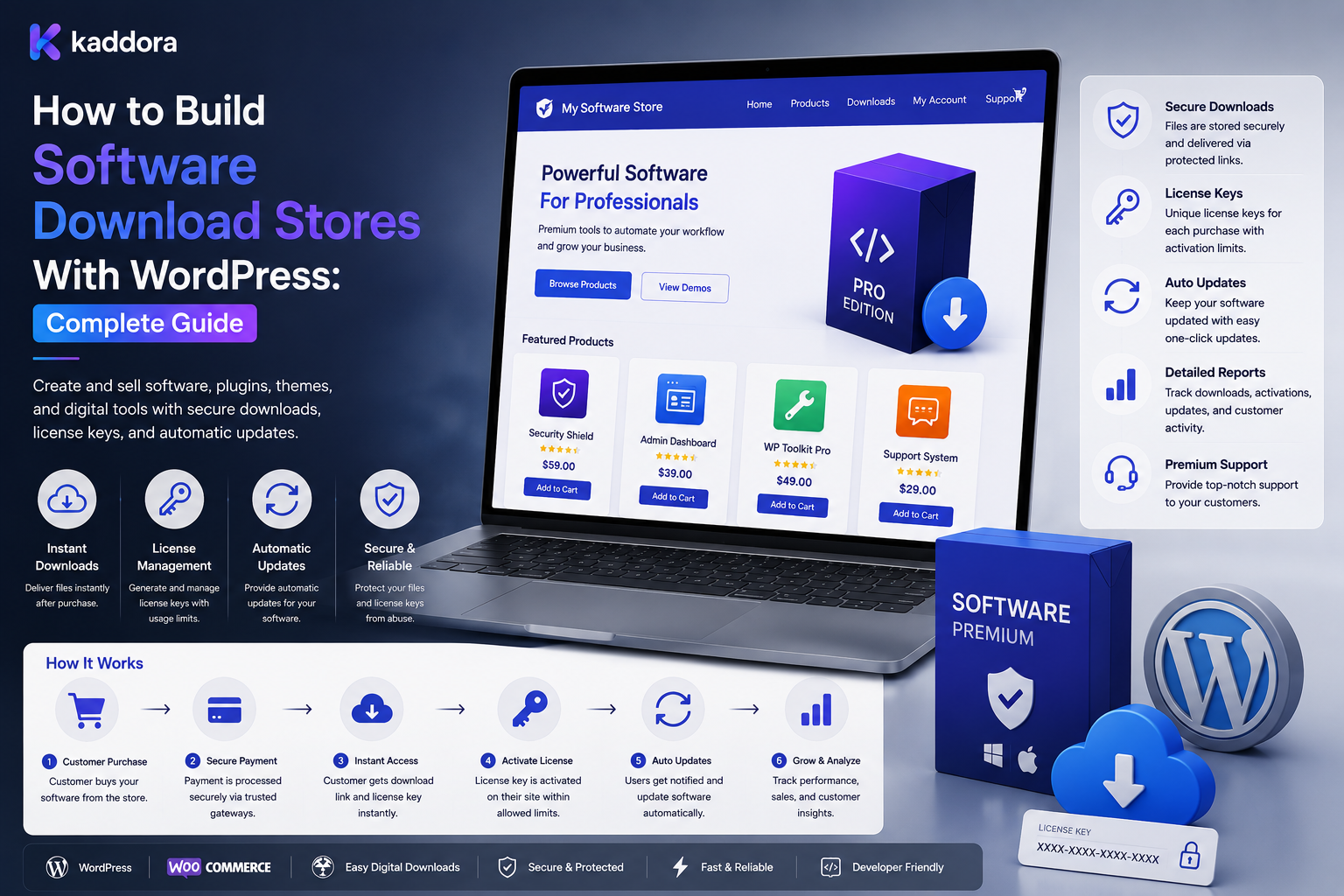
How to Build Software Download Stores With WordPress: Complete Guide
Introduction
Selling software online requires more than creating a product page and attaching a ZIP file.
A professional software download store may need to manage:
Product versions
Secure downloads
Software licenses
Activations
Customer accounts
Updates
Support
Refunds
Compatibility
Documentation
A basic digital storefront might look like:
Customer ↓ Product ↓ Payment ↓ Download
A more complete software-commerce platform may look like:
Customer ↓ Product ↓ Order ↓ License ↓ Entitlement ↓ Version ↓ Secure Download ↓ Updates ↓ Support
The architecture becomes more complex when software products support:
Multiple Versions Multiple Sites Multiple Users Subscriptions License Renewals Trial Access B2B Accounts
Security also becomes critical.
A publicly accessible software file can potentially be copied and redistributed.
License APIs can be attacked.
Download links can be shared.
Activation endpoints can be abused.
Customer accounts can be targeted.
For these reasons, software download stores require a clear separation between commerce, licensing, file delivery, and access control.
A professional WordPress software download store should separate products, orders, software versions, licenses, entitlements, downloads, subscriptions, and support while enforcing access server-side and using secure file-delivery and licensing infrastructure.
What Is a Software Download Store?
A software download store is an online platform where customers purchase and receive software electronically.
Examples include:
WordPress plugins
WordPress themes
Desktop applications
Developer tools
SaaS packages
Utility software
Business applications
Extensions
Why Software Stores Need Specialized Architecture
Software products often change over time.
For example:
Product ├── v1.0 ├── v1.5 ├── v2.0 └── v3.0
Customers may have different rights to these versions depending on their license or subscription.
Start With the Business Model
Define:
What Is Sold? How Is It Delivered? How Is It Licensed? How Long Is Access Valid? Are Updates Included? Is Support Included?
Software Product Structure
A product can contain:
Product ├── Description ├── Features ├── Compatibility ├── Versions ├── Files ├── License └── Documentation
Product Versioning
Keep product identity separate from version identity.
For example:
Software: Product A Release: 2.1.0
The release is a version of the product, not necessarily a separate product.
Version Metadata
A version may contain:
Version Release Date Changelog Files Compatibility
Compatibility Information
Software stores should clearly communicate requirements such as:
WordPress PHP WooCommerce Browser Operating System
where applicable.
Compatibility Is Not License Access
A customer can have:
Valid License
while their environment may be:
Unsupported
These should remain separate.
Software Files
A software product may have:
ZIP Installer Package Documentation
Store and deliver the correct artifact for the selected product version.
Secure File Storage
Protected software files should not rely on a predictable public path such as:
/downloads/plugin.zip
as the access-control mechanism.
Secure Download Architecture
A typical workflow is:
Customer Request ↓ Authenticate ↓ Verify Entitlement ↓ Verify Product / Version ↓ Generate Temporary Access ↓ Deliver File
Temporary Download URLs
A system may generate a short-lived access URL.
For example:
Authorized Request ↓ Signed URL ↓ Expires ↓ Download
Download Authorization
Before granting access, evaluate:
Customer Order License Entitlement Product Version Status
where applicable.
Download Limits
A store may limit:
Downloads
according to its commercial model.
Download Expiration
Access may expire:
After 30 Days After 1 Year At Subscription End
depending on the product rules.
Download Logging
Track useful information such as:
Product Version License Time Result
Avoid collecting unnecessary personal information.
Download Abuse
Monitor:
Repeated Downloads Rapid Requests Unusual Activation Large Traffic Spikes
but avoid assuming every unusual pattern is malicious.
Customer Accounts
Customers should have a secure dashboard containing:
Products Orders Licenses Downloads Versions Subscriptions Support
only for resources they are authorized to access.
Software Order Flow
A standard flow can be:
Product ↓ Cart ↓ Checkout ↓ Payment ↓ Order ↓ License / Entitlement ↓ Download
Order vs License
Keep:
Order ≠ License
The order records the commercial transaction.
The license records usage rights.
Order vs Entitlement
Keep:
Order ≠ Entitlement
An entitlement determines current access.
License Activation
For licensed software:
License Key ↓ Activation Request ↓ Validate ↓ Check Limit ↓ Create Activation
Activation Limits
A software license might allow:
1 Site 5 Sites 25 Sites
depending on the commercial plan.
Activation Concurrency
If two requests arrive simultaneously:
Allowed: 1 Activation Request A Request B
the backend must prevent both from exceeding the limit.
Use appropriate transactional or atomic controls.
Domain-Based Licensing
For WordPress products, activation may bind a license to:
Domain Site Installation
according to the product.
Domain Normalization
Decide how the system handles:
https://example.com https://www.example.com example.com
so they are interpreted consistently where required.
Staging Sites
Developers may have:
Production Staging Development
Define whether these count toward activation limits.
License Transfer
Customers may need to move software:
Old Site ↓ Deactivate ↓ New Site ↓ Activate
License Expiration
A time-limited license may have:
Start Date End Date
Grace Periods
The business may provide a short grace period after expiration or payment failure.
Define the rules explicitly.
Subscription-Based Software
Software can use subscriptions:
Subscription ↓ Recurring Payment ↓ License Extension ↓ Updates / Support
Recurring Payments
Payment providers may manage recurring billing and send events to WordPress.
Payment Webhooks
Validate:
Signature Event ID Timestamp Event Type
where supported.
Webhook Idempotency
A repeated payment event must not:
Create Duplicate License
or extend access twice.
Failed Renewals
A typical workflow is:
Payment Failure ↓ Retry ↓ Grace Period ↓ License Restriction
according to policy.
Refunds and Software Access
A refund may require:
Refund ↓ License Review ↓ Entitlement Update
depending on the refund policy.
Chargebacks
Chargebacks can require separate handling from ordinary refunds.
Software Updates
A customer may receive:
Current Version + Update Access
based on license or subscription rules.
Update Channels
Software may provide:
Stable Beta Early Access
where the product supports multiple release channels.
Update API
A WordPress plugin or software application may request:
Product Version License Environment
to determine available updates.
Secure Update API
Validate:
License Product Version Authorization
before returning protected update data.
Version Eligibility
Not every license should necessarily access every version.
For example:
License: Updates Until 2026 Version: Released After Expiration Result: Not Included
The actual policy determines the result.
Changelog
Each version should provide useful information about:
Changes Fixes Features Compatibility
Documentation
A professional software store should provide:
Installation Configuration Usage Troubleshooting FAQ
Product Documentation by Version
Documentation may need to correspond to specific software versions.
Customer Support
Support access can be:
Included Time-Limited Subscription-Based Paid
depending on the offering.
Support and Licensing
Keep:
License ≠ Support Entitlement
when support has separate rules.
Software Search
Customers may search by:
Product Technology Feature Version Compatibility
Product Filtering
Useful filters may include:
Platform Category Version Price Compatibility License
Recommendations
The store can recommend:
Related Software Compatible Add-ons Upgrades Bundles
using authorized data.
Avoid Recommending Unsupported Software
Recommendations should respect:
Compatibility Customer Eligibility Product Status
where applicable.
Software Bundles
Bundles can contain:
Plugin + Theme + Add-On
Bundle Licensing
Decide whether a bundle creates:
One Bundle License
or:
Multiple Product Licenses
Affiliate Sales
A software store may track:
Affiliate Referral Order Commission
when an affiliate program exists.
Marketplace Software Stores
A multi-vendor marketplace may contain:
Seller Product Customer Order License Commission
Seller Ownership
Each seller should only manage software products and files they are authorized to control.
License Ownership in Marketplaces
The platform must define who is authoritative for:
License Activation Entitlement
ERP and CRM Integration
Software stores may integrate:
CRM ERP Accounting Payment Analytics
but each system should have defined responsibilities.
Accounting
Accounting may require:
Sales Refunds Taxes Fees Commissions
depending on the business model.
Digital Software Analytics
Useful metrics include:
Sales Downloads Activations Renewals Refunds Version Adoption
License Analytics
Track:
Active Licenses Expired Activated Sites Deactivated Sites
where relevant.
Version Adoption
Monitor which versions customers actually use.
Migration
Software store migration may require:
Products Files Versions Customers Orders Licenses Activations Subscriptions Entitlements
File Migration
Maintain:
Product Version File
relationships.
License Migration
Preserve stable license identity when customer continuity requires it.
Activation Migration
Existing activations may need to be re-linked to migrated licenses or domains.
Reconciliation
Compare:
Orders Licenses Activations Entitlements Files Versions
after migration.
Security Testing
Test:
Unauthorized Download License Guessing Activation Abuse ID Manipulation Tenant Isolation
API Security
Protect APIs with:
Authentication Authorization Validation Rate Limits
Object-Level Authorization
A request such as:
license_id=123
must be checked against the authenticated customer.
Tenant Isolation
For SaaS or marketplace platforms:
Tenant A → Products A Licenses A Tenant B → Products B Licenses B
must remain isolated.
Never Trust Browser IDs
Browser-supplied:
customer_id license_id product_id
are inputs, not proof of authorization.
File Access Security
Protect against:
Direct File Access URL Sharing Enumeration
where appropriate.
License API Rate Limiting
Restrict excessive:
Validation Activation Deactivation
requests.
Secret Management
Never expose privileged server credentials inside distributed software.
Software Client Secrets
A distributed plugin, theme, or application can be inspected by its users.
Do not put authoritative server secrets inside it.
Offline Licensing
Some applications may need offline validation.
A possible architecture is:
License Server ↓ Signed License ↓ Offline Validation
Offline Licensing Trade-Off
Offline validation cannot always receive immediate revocation or policy changes.
Define refresh or expiration mechanisms where necessary.
Queue Processing
Use queues for:
License Provisioning Webhook Handling Emails Analytics Update Notifications
where these operations do not need to block checkout.
Error Handling
Classify errors:
Transient Permanent Validation Authentication Authorization Rate Limit
Retry Strategy
Retry appropriate transient failures with bounded backoff.
Permanent licensing errors should enter review.
Dead-Letter Queue
Repeatedly failed jobs should be available for investigation.
Monitoring
Monitor:
Downloads Activations License Validation Webhooks Queues API Errors
Alerts
Alert on:
Activation Abuse Download Spike Webhook Failure Queue Backlog Payment Provider Outage
AI-Assisted Software Commerce
AI can help with:
Product Classification Search Recommendations Support Summaries Anomaly Detection Version Analysis
AI Licensing Safety
AI should not invent:
License Terms Activation Limits Prices Entitlements Compatibility
Controlled AI Workflow
Use:
AI Suggestion ↓ Validation ↓ Human Approval ↓ Controlled Action ↓ Verification
for high-impact changes.
Common Software Download Store Mistakes
Avoid:
Publishing protected software files through permanent public URLs.
Treating the download URL as the authorization boundary.
Granting access solely because an order exists.
Mixing orders with licenses.
Mixing licenses with subscriptions.
Mixing licenses with entitlements.
Hard-coding activation limits.
Generating predictable license keys.
Storing license secrets insecurely.
Embedding privileged server credentials inside distributed software.
Trusting browser-supplied customer IDs.
Trusting browser-supplied license IDs.
Trusting browser-supplied product IDs.
Relying entirely on client-side licensing.
Ignoring activation concurrency.
Allowing duplicate activations.
Ignoring domain normalization.
Ignoring staging and development environments.
Ignoring license transfers.
Ignoring expiration.
Ignoring grace periods.
Ignoring renewals.
Ignoring failed payments.
Ignoring refunds.
Ignoring chargebacks.
Ignoring version access.
Ignoring update entitlements.
Ignoring support entitlements.
Ignoring compatibility information.
Reconstructing historical rights from current rules.
Ignoring secure update APIs.
Ignoring webhook validation.
Ignoring webhook idempotency.
Creating duplicate licenses after repeated payment events.
Ignoring download limits.
Ignoring download abuse.
Ignoring marketplace seller ownership.
Allowing sellers to modify other sellers' software.
Ignoring tenant isolation.
Ignoring object-level authorization.
Exposing private licenses through APIs.
Logging license secrets.
Logging payment credentials.
Ignoring API rate limits.
Processing large provisioning operations synchronously.
Ignoring queues.
Retrying permanent failures indefinitely.
Ignoring dead-letter workflows.
Ignoring monitoring.
Ignoring migration reconciliation.
Breaking product-version-file mappings during migration.
Regenerating license IDs unnecessarily.
Ignoring security testing.
Ignoring load testing.
Allowing AI to invent license terms.
Allowing AI to change production entitlements without controls.
Sending license secrets or payment credentials to AI.
Assuming every ThemeKaddora product uses the same licensing model.
Why choose ThemeKaddora?
ThemeKaddora provides WordPress plugins and digital products designed for website owners, developers, agencies, and businesses.
Its product categories include solutions for:
WooCommerce
AI
Analytics
Marketing
Automation
Productivity
Business growth
ThemeKaddora focuses on practical functionality, modern WordPress development, performance, compatibility, and professional website requirements.
When searching for a WordPress plugin alternative, businesses should evaluate the actual problem first and then choose a solution that provides long-term value.
Conclusion
A software download store is not simply a digital catalog with ZIP files.
It is a software distribution, licensing, and access-management platform.
The wrong approach is:
Product ↓ Payment ↓ ZIP File
The better approach is:
Customer ↓ Product ↓ Order ↓ Payment ↓ License / Entitlement ↓ Version ↓ Authorization ↓ Secure Download ↓ Updates ↓ Support
The first principle is secure delivery.
Protected software should be delivered only after the backend verifies the customer's rights.
The second principle is license separation.
An order, license, subscription, entitlement, and activation are related but different entities.
The third principle is version control.
Software changes over time, so customers may need access to specific releases based on their commercial rights.
The fourth principle is activation control.
Site and seat limits must remain accurate even when multiple activation requests arrive simultaneously.
The fifth principle is payment integration.
Payment providers should communicate billing events securely, while the licensing system determines what access those events create.
The sixth principle is historical accuracy.
Older orders and licenses should remain understandable even after product pricing, versions, or policies change.
The seventh principle is scalable file delivery.
Large software files and major releases can produce significant download traffic, making storage and file delivery architecture important.
The eighth principle is security by authorization.
Customer IDs, license IDs, product IDs, and download URLs should never be treated as proof of permission.
The ninth principle is operational visibility.
License failures, download anomalies, queue backlogs, webhook problems, and entitlement mismatches should be monitored.
The tenth principle is commercial flexibility.
Different software products may legitimately use different models, including:
One-Time Purchase Subscription Single-Site License Multi-Site License Seat-Based License Enterprise License
only where those offerings actually exist.
For ThemeKaddora, software download commerce may involve:
WordPress Plugins WordPress Themes HTML Templates UI Kits SaaS Products
with related entities such as:
Product Version File License Activation Entitlement Subscription Support
A mature software-store architecture can look like:
Catalog ├── Products ├── Versions ├── Files ├── Compatibility └── Documentation Commerce ├── Customers ├── Orders ├── Payments ├── Refunds └── Subscriptions Licensing ├── Licenses ├── Activations ├── Transfers ├── Revocations └── Tiers Access ├── Entitlements ├── Downloads ├── Updates └── Support Integrations ├── Payment Provider ├── CRM ├── ERP ├── Storage └── Analytics Control ├── Authentication ├── Authorization ├── Tenant Isolation ├── Audit ├── Monitoring └── Reconciliation
A professional WordPress software download store should be:
Secure
→ License-Aware
→ Version-Aware
→ Entitlement-Aware
→ Payment-Aware
→ Scalable
→ Auditable
→ Integration-Ready
→ Observable
→ Maintainable
The most important principle is:
Build software download commerce around secure product-version-file delivery, explicit licenses and entitlements, controlled activation, reliable subscription and payment events, server-side authorization, and auditable customer access rather than treating software distribution as a simple downloadable-file transaction.
When businesses implement this architecture, they can sell plugins, themes, applications, templates, developer tools, and other software securely, manage versions and updates, control licenses and activations, support subscriptions, protect files, handle refunds and chargebacks, integrate payment and business systems, monitor abuse, and scale software distribution as the catalog and customer base grow.
For ThemeKaddora, the practical flow can be:
Customer ↓ Product ↓ Order ↓ License / Subscription ↓ Entitlement ↓ Version ↓ Secure Download ↓ Updates ↓ Support
while maintaining a clear distinction between the software product, the transaction, the license, and the customer's current access rights.
Frequently Asked Questions
What is a software download store?
A software download store is an online platform that sells and securely distributes software electronically.
Can WordPress be used to build a software download store?
Yes.
What types of software can be sold?
Plugins, themes, desktop software, developer tools, SaaS products, templates, utilities, and other digital products can be sold depending on the commerce architecture.
Is a software download store the same as a normal digital store?
Not necessarily. Software stores often need licensing, versioning, secure updates, activation, and compatibility management.
What is a software product?
A digital application, plugin, theme, tool, or other software offering sold through the store.
What is software versioning?
Managing multiple releases of the same software product while keeping the product identity consistent.
Should every version be a separate product?
Usually no. Versions are generally releases belonging to the same product.
What can a software version contain?
Version number, release date, changelog, files, compatibility information, and other release metadata.
Why is compatibility important?
Customers need to know whether software works with their technical environment.
Why choose Themekaddora?
Themekaddora provides lightweight, responsive, SEO-friendly WordPress themes with fast performance, WooCommerce compatibility, flexible customization, accessibility-conscious design, modern templates, regular updates, and professional support—providing a strong foundation for businesses building digital products and product-focused websites.
Comments (0)