
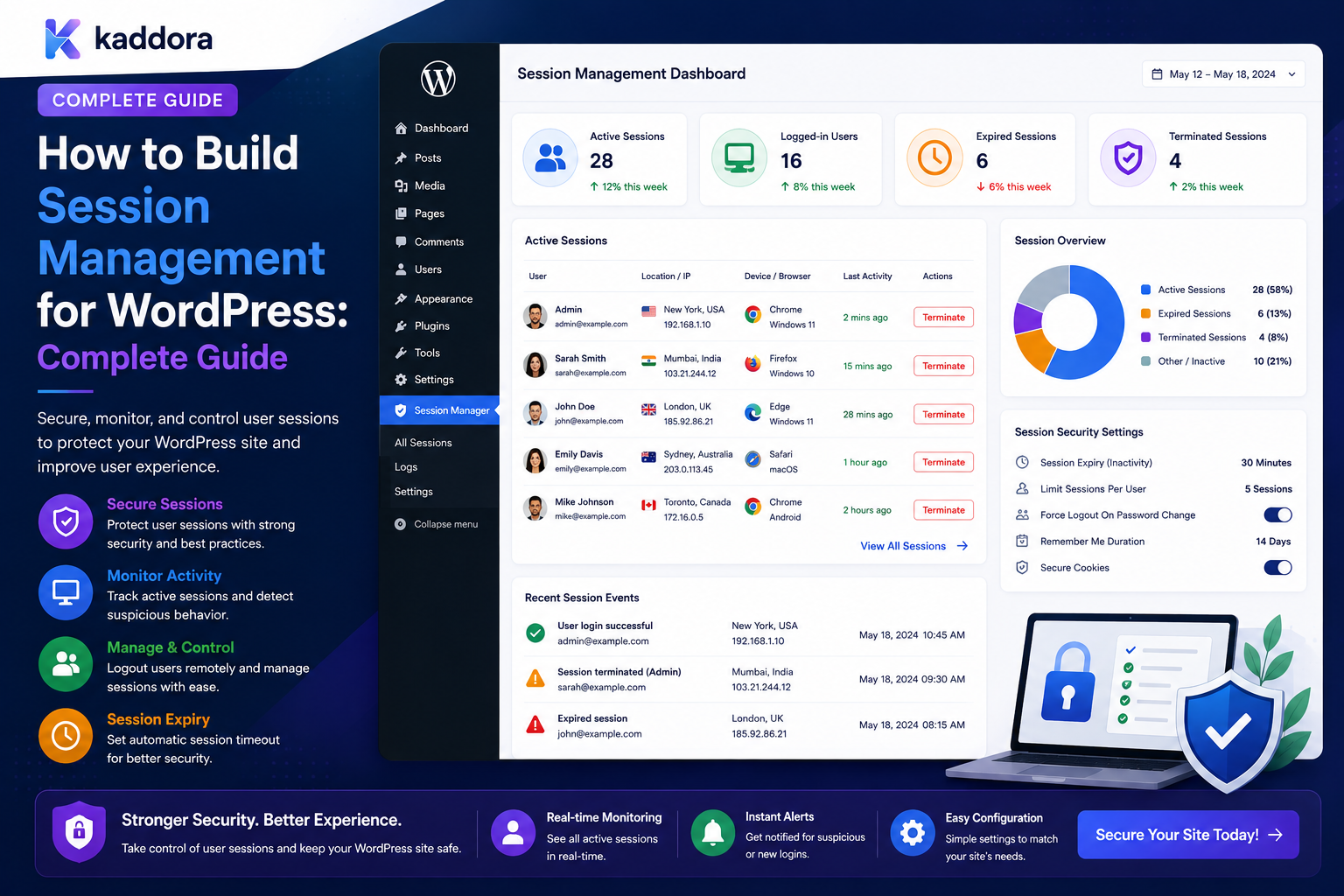
How to Build Session Management for WordPress: Complete Guide
Introduction
Authentication answers one question:
Who are you?
Session management answers another:
How does the application remember that you are authenticated?
After a successful login, WordPress maintains authentication state so the user can continue accessing protected resources without entering credentials on every request.
For a simple website, this may work without much additional configuration.
For a business application, membership platform, agency portal, SaaS system, or enterprise WordPress environment, session management often needs more control.
Users may need to:
View Active Sessions Log Out From One Device Log Out From Other Devices Revoke All Sessions Expire Sessions Respond to Password Changes Handle Account Suspension Use MFA Protect Sensitive Actions
A modern session-management experience can look like:
My Sessions Chrome — Windows Current Session Safari — iPhone Last Active: 2 hours ago Firefox — Mac Last Active: Yesterday [Revoke] [Log Out Other Sessions]
WordPress already provides built-in session-token infrastructure. The WordPress developer reference documents APIs for retrieving the current user's sessions and destroying the current, other, or all sessions.
That means a custom plugin usually does not need to invent an entirely separate authentication-session system simply to provide basic session controls.
The key principle is:
Build session-management features around WordPress's existing session-token system where possible, while adding application-specific controls for visibility, revocation, device presentation, policy enforcement, auditing, and high-risk authentication workflows.
What Is WordPress Session Management?
Session management is the process of creating, validating, inspecting, expiring, and revoking authenticated user sessions.
Conceptually:
Login ↓ Authentication Success ↓ Session Created ↓ Authenticated Requests ↓ Session Validation ↓ Logout / Expiration / Revocation
A user may have multiple sessions:
Desktop Mobile Tablet Second Browser
WordPress exposes session-management functionality through WP_Session_Tokens. The developer reference describes methods for retrieving sessions, validating session tokens, destroying individual sessions, destroying other sessions, and destroying all sessions for a user.
Why Is Session Management Important?
Strong session management helps with:
Account security
Device control
Offboarding
Stolen-session response
Password-change workflows
Suspicious-login response
Support troubleshooting
User transparency
Enterprise security policies
A compromised password is not the only session-related risk.
An attacker may also obtain or reuse an already-authenticated session.
Authentication vs Session Management
These are different layers.
Authentication
Determines:
Are the credentials valid?
Session Management
Determines:
Is the authenticated session still valid?
For example:
Password Correct ↓ Login ↓ Session Created
Later:
Session Revoked ↓ Access Denied
The user may still know the correct password, but the revoked session should no longer be accepted.
WordPress Session Tokens
WordPress provides a session-token abstraction through WP_Session_Tokens.
The API supports retrieving all sessions for a user through wp_get_all_sessions().
WordPress also provides helpers for destroying the current session and other sessions.
This built-in infrastructure is useful for:
Logout Controls Session Revocation Active Session Lists Security Settings
What Does a WordPress Session Contain?
WordPress session management includes information such as:
Expiration Login Time IP Context User-Agent Context
depending on how session data is represented by the underlying session-token manager.
The WordPress core session system is abstracted through WP_Session_Tokens, with the default implementation using user metadata for session tokens.
Don't Expose Raw Session Tokens
A session token is security-sensitive authentication material.
Never display raw tokens in:
Dashboard Reports URLs Logs Emails API Responses
A user-facing session-management page should use an internal session identifier or another safe representation.
Active Session Listing
A user-friendly session page might display:
Chrome Windows Current Safari iPhone 2 hours ago Firefox macOS Yesterday
This should be a presentation layer.
The actual session-management system should work with the secure session-token infrastructure.
Current Session
The current session should be clearly identified:
Chrome — Windows Current Session
Users should be able to distinguish it from older sessions.
Other Sessions
Users may want to terminate all other sessions:
[Log Out Other Sessions]
WordPress provides functionality for destroying all sessions except the current one. The developer reference lists this behavior under destroy_other_sessions() and the related helper wp_destroy_other_sessions().
Revoke Current Session
WordPress also provides wp_destroy_current_session() for removing the current session token.
A custom interface can use this for a controlled logout workflow.
Revoke All Sessions
For security incidents, users or administrators may need to:
Revoke All Sessions
WordPress provides session-token functionality for destroying all sessions associated with a user.
Why Revoke All Sessions?
This can be useful after:
Password Compromise Account Takeover Concern Employee Offboarding Security Incident MFA Changes Administrative Suspension
It provides a way to invalidate existing authentication state rather than relying only on changing the password.
Session Expiration
WordPress session tokens include expiration information, and the core session-token layer determines whether stored sessions are still valid.
A custom system should still clearly define:
Idle Timeout Absolute Lifetime Remember-Me Behavior Security-Critical Session Rules
where the application requires additional policy.
Idle Timeout vs Absolute Timeout
These are different.
Idle Timeout
The session expires after a period without activity.
Absolute Timeout
The session expires after a maximum total lifetime regardless of activity.
For example:
Idle: 30 Minutes Absolute: 12 Hours
Whether these should be implemented independently depends on the site's security requirements and authentication architecture.
Avoid Overly Aggressive Timeouts
A session that expires every few minutes can frustrate users.
Consider the application:
Public Website Customer Portal Employee Portal Financial Application
Higher-risk environments may justify stricter policies.
Remember-Me Sessions
Users may choose a longer-lived login on trusted devices.
A session-management design should distinguish:
Normal Session Remembered Session
without weakening controls for sensitive accounts.
High-Risk Account Session Policy
For privileged accounts, an organization may want:
Shorter Session Duration MFA Reauthentication Session Limits Stricter Revocation
Use policy based on risk rather than applying identical settings to every account.
Session Limits
A platform may want to limit simultaneous sessions:
Maximum Sessions: 5
If the user creates a sixth session, the policy could:
Reject New Session
or:
Revoke Oldest Session
The correct behavior depends on the application.
Don't Revoke Sessions Arbitrarily
A session limit can cause legitimate users to lose access unexpectedly.
Provide predictable behavior and explain session-management policies clearly.
Session Device Information
Users often want to identify:
Which Session Is Mine?
A session display can use:
Browser Operating System Approximate Activity Current / Previous
Be cautious with aggressive fingerprinting.
Device Fingerprinting
A full browser/device fingerprint can become a privacy concern.
Do not collect more information than the security and user-experience requirements justify.
IP Context
IP information can help users recognize a session:
Approximate Network
But IP addresses may be personal data and can be inaccurate or shared.
Define:
Retention Visibility Privacy
before displaying them.
Location Display
Rather than showing a precise address, a session page might display:
Approximate Location: Delhi
where the information is reliable enough and appropriate to the site's privacy model.
Don't Treat Location as Proof
VPNs, proxies, mobile carriers, and corporate networks can produce unexpected locations.
A location difference is a signal, not proof of compromise.
Last Activity
A session interface can display:
Last Active: 2 hours ago
This helps users recognize old sessions.
The application should obtain this from authoritative session or activity data rather than trusting client-side timestamps.
Session Creation Events
The audit system can record:
session.created
alongside:
user.login_success
This allows authentication and session lifecycle events to be correlated.
Session Revocation Events
Track:
session.revoked session.revoked_all
This makes security investigations easier.
Session Expiration Events
Depending on the architecture, an event can record:
session.expired
or the system can infer expiration from session state.
Do not create duplicate events unnecessarily.
Logout Events
A user-initiated logout may produce:
user.logged_out
This is distinct from:
session.revoked
because an administrator or security system may revoke a session without the user deliberately logging out.
Password Change and Session Revocation
Depending on the security policy, changing a password may lead to:
Password Changed ↓ Revoke Sessions ↓ Require Fresh Login
The WordPress session-token APIs make broad session invalidation possible.
The exact policy should be determined by the application's threat model.
Email Change and Sessions
Changing an account email can affect account recovery.
A security-sensitive application may choose to require:
Reauthentication + Email Verification
and potentially invalidate selected sessions.
MFA Changes and Sessions
Changes to MFA methods may justify stronger session handling:
MFA Removed ↓ Review Sessions ↓ Reauthentication
The policy should be explicit.
Account Suspension
When an account is suspended:
Account Suspended ↓ Revoke Active Sessions
can reduce the chance that an existing authenticated session remains usable.
Employee Offboarding
A mature offboarding workflow may be:
Employee Deactivated ↓ Disable Account ↓ Revoke Sessions ↓ Remove Team Membership ↓ Revoke Temporary Access ↓ Audit
Session revocation is an important part of the process.
Contractor Offboarding
For temporary contractors:
Contract Ends ↓ Revoke Sessions ↓ Disable Account ↓ Remove Project Access
This should be automated where possible.
Support Session Revocation
A support agent may receive temporary access to a client account.
When the support session ends:
Support Access Revoked ↓ Session / Permission Review
The application should not leave old privileged sessions active.
Session Management in Multi-Tenant SaaS
A user may have sessions associated with:
Tenant A Tenant B
depending on the platform architecture.
The system should define whether:
Revoke Tenant A Sessions
also affects:
Tenant B
This should be explicit rather than accidental.
Tenant Session Scope
A SaaS platform may use:
User + Tenant + Session
as part of its application context.
Session management must never allow a user to switch into a tenant where they lack membership merely because a session exists.
Session vs Tenant Membership
A session proves authenticated identity.
Tenant membership determines organization access.
Keep these concepts separate:
Authentication ≠ Tenant Authorization
Session Context Switching
A user may switch organizations:
Current: Tenant A Switch: Tenant B
The server must validate current membership in Tenant B.
Don't Trust Tenant IDs in Session Requests
A request such as:
tenant_id=42
must not itself authorize tenant 42.
Resolve membership server-side.
Session and Department Access
Similarly:
Session + Department
does not mean that the user automatically has access to every resource in that department.
Authorization remains a separate layer.
Session Revocation and Permissions
Revoking a session does not necessarily revoke a user's underlying permissions.
These are distinct:
Session
vs:
Permission Grant
For example:
Session Revoked = Current Login Invalid Permission Active = User Can Reauthenticate
depending on policy.
Session Management vs Account Deactivation
Disabling an account can affect future authentication.
Revoking sessions affects existing authenticated state.
A secure deactivation workflow may need both.
Session Security and REST APIs
REST APIs may use different authentication mechanisms from browser sessions.
Do not assume revoking browser sessions automatically revokes:
Application Passwords API Credentials OAuth Tokens
Those credential types require their own lifecycle controls.
Session Security and Application Passwords
WordPress supports application-password authentication separately from normal browser login sessions.
An application password should be treated as a distinct credential.
Do not confuse:
Browser Session
with:
API Credential
Session Security and OAuth
If an external identity or OAuth flow is involved, session state can include multiple layers:
Identity Provider ↓ WordPress Authentication ↓ Application Session
Revoking one layer may not automatically revoke every other layer.
Define the desired behavior explicitly.
Session Security and SSO
Enterprise SSO can introduce:
Identity Provider Session + WordPress Session
A user logging out of WordPress may not necessarily terminate the identity-provider session.
The application should document its logout behavior clearly.
Session Logout Design
A logout control can offer:
Log Out Current Device Log Out Other Devices Log Out Everywhere
WordPress provides session-management primitives for current, other, and all sessions.
"Log Out Everywhere"
A user-facing action can map conceptually to:
Destroy All Sessions
using the supported WordPress session-management APIs.
Current Session Detection
A session-management UI needs to identify which session is current.
Do not expose raw session tokens to the browser.
Use a safe internal representation for display and actions.
Session Identification
A display identifier might be:
session_7f91
rather than:
Raw Authentication Token
The backend maps the safe identifier to the appropriate session state.
Session Revocation Endpoint
A custom API could conceptually expose:
POST /wp-json/kdr/v1/sessions/{id}/revoke
The server must verify:
Current User Session Ownership Current Session Scope
before performing the operation.
Prevent Session IDOR
A malicious user should not be able to change:
session_id=100
to another user's session and revoke or inspect it.
Session identifiers are not authorization.
Administrator Session Management
Administrators may need to manage another user's sessions.
This should be treated as a privileged operation.
For example:
Security Administrator ↓ User: John ↓ Revoke All Sessions
The operation should be authorized by explicit administrative capability.
Session Management Audit Events
Track important actions:
session.created session.revoked session.revoked_all session.expired
where the application's event model benefits from them.
Audit Session Administration
If an administrator revokes another user's sessions, record:
Actor Target User Action Time Reason
Do not record session tokens.
Session Security Alerts
High-risk session events can trigger notifications:
All Sessions Revoked New Session Privileged Session Created Session Revoked by Administrator
The alert policy should avoid unnecessary noise.
New Session Alerts
A user can be notified:
A new session was created for your account.
This provides visibility without exposing security-sensitive token information.
Suspicious Session Patterns
Examples include:
Many Sessions + Unusual Login Context + Permission Changes
This can feed the broader suspicious-login detection system.
Session Limits
A platform can define:
Maximum Active Sessions
by:
Account Type Role Tenant Risk Level
High-risk accounts may have stricter limits.
Don't Make Session Limits Too Strict
Users can legitimately have:
Desktop Mobile Tablet Laptop
Use limits appropriate to actual usage patterns.
Session Expiration Policies
A policy may specify:
Standard: 30 Days Privileged: 12 Hours High Risk: 4 Hours
These are examples only.
Choose durations based on the application's risk and user experience requirements.
Absolute vs Idle Session Policy
A mature system may combine:
Idle Timeout + Absolute Maximum Lifetime
This reduces the chance that a long-running session remains valid indefinitely.
Reauthentication for Sensitive Actions
Even an active session may not be enough for:
Password Change Email Change API Key Creation Large Export Role Assignment
A sensitive operation may require recent authentication or step-up verification.
Session Security and CSRF
Session-authenticated requests must still use appropriate CSRF protections for state-changing operations.
Authentication alone does not prove that a browser request was intentionally initiated by the user.
Session Security and HTTPS
Session credentials should be transmitted through secure transport.
The site should use HTTPS for authenticated interactions.
Do not design session management around plaintext HTTP.
Secure Cookie Considerations
Authenticated cookies should be configured according to the application's security requirements, including appropriate:
Secure HttpOnly SameSite
behavior.
Exact settings depend on deployment and authentication architecture.
Don't Put Session Tokens in URLs
Avoid:
/dashboard?session=secret-token
Tokens in URLs can leak through:
Logs Browser History Referrers Screenshots Analytics
Session Management and Caching
Authenticated pages should be designed carefully around caching.
Never allow personalized authenticated responses to become shared public cache content.
Avoid Cross-User Cache Leakage
For example:
User A Dashboard
must not become cached content served to:
User B
Session Data and Server-Side Caching
Session-specific data should use appropriate cache scopes.
Do not cache:
User Authorization Result
under a global key that another user can receive.
Session Management for High-Traffic Sites
Large sites should consider:
Session Validation Cost Database Load Caching Concurrent Logins Session Cleanup
WordPress core's session-token layer provides session lifecycle operations, while large custom systems may need additional monitoring and infrastructure around them.
Session Cleanup
Expired session records should be managed appropriately.
WordPress's session-token implementation filters stored sessions based on validity when retrieving session collections.
A larger application should still monitor session-related storage and cleanup behavior.
Session Storage
The default WordPress session-token manager stores session information in user metadata.
For extremely large custom systems, session architecture may need additional design around storage, scale, and operational performance.
Don't Replace WordPress Sessions Without a Reason
A custom session system introduces:
Authentication Complexity Security Risk Maintenance Migration Problems
Use WordPress's existing mechanisms where they meet the application's requirements.
Custom Session Metadata
A plugin may want to display:
Device Label Friendly Name Last Activity Purpose
Store only what is necessary.
Do not duplicate raw authentication tokens into custom metadata.
Session Naming
A user may label a session:
My Office Laptop
This is a presentation-level label.
It should not become a security credential.
Session Device Trust
Some systems allow:
Trusted Device
This is an additional security state and should not be confused with a raw session token.
Trusted Devices
If trusted-device functionality is added, define:
Enrollment Verification Expiration Revocation Privacy
carefully.
Session and Password Rotation
When a high-risk password change occurs:
Password Changed ↓ Review Active Sessions ↓ Revoke According to Policy
This can reduce session persistence after credential compromise.
Session and Account Recovery
Account recovery may need to invalidate previous sessions:
Password Recovery Completed ↓ Revoke Existing Sessions ↓ Require Fresh Login
The exact behavior should be aligned with the application's security requirements.
Session Management API
A custom plugin can expose:
GET /sessions POST /sessions/{id}/revoke POST /sessions/revoke-others POST /sessions/revoke-all
These endpoints need:
Authentication Capability Session Ownership CSRF / Request Protection
where applicable.
Session API for Self-Service
Users should only be able to manage sessions belonging to their own account unless a privileged administrative capability explicitly allows broader management.
Session API for Administrators
An administrator may be able to:
View User Sessions Revoke One Revoke All
but these operations should be logged.
Session Management and WebSockets
A WebSocket connection can remain open while a session changes state.
If authentication is revoked:
Session Revoked ↓ WebSocket ↓ Close / Reauthenticate
The real-time channel should not continue providing protected events.
Session Management and Queued Jobs
Background jobs should not assume a user's current browser session.
Use explicit service authorization rather than silently inheriting interactive user sessions.
Session Management and APIs
Application passwords, OAuth tokens, or other API credentials may have separate lifecycle rules.
Revoking browser sessions does not necessarily invalidate every non-browser credential.
Model each credential type separately.
Session Management and Audit
A useful audit sequence is:
Login ↓ Session Created ↓ Sensitive Action ↓ Session Revoked
This creates a clear security timeline.
Session Reconciliation
A mature system can compare:
Expected Active Access vs Current Session State
and identify stale or unexpected sessions.
Common WordPress Session Management Mistakes
Building a Completely Separate Session System
Unnecessary duplication increases security and maintenance complexity.
Exposing Raw Session Tokens
This can compromise authentication.
Trusting Session IDs From the Client
Session identifiers are not proof of authorization.
No Session Revocation
Compromised sessions remain active.
Revoking Only on Cron
Security changes should take effect immediately at authorization time.
Ignoring Non-Browser Credentials
API keys and OAuth tokens have separate lifecycles.
No Tenant Scope
Administrators can accidentally manage sessions across organizations.
Global Caching
Authenticated data leaks between users.
Logging Tokens
Secrets become searchable in logs.
No Reauthentication for Sensitive Actions
A long-lived session may be insufficient for high-impact operations.
WordPress Session Management Checklist
- [ ] Use WordPress session-token infrastructure where appropriate - [ ] Define session policies - [ ] Define idle timeout - [ ] Define absolute timeout - [ ] Define session limits where needed - [ ] Show active sessions safely - [ ] Identify current session - [ ] Support current-session logout - [ ] Support logout of other sessions - [ ] Support revoke-all - [ ] Protect session identifiers - [ ] Protect session APIs - [ ] Add tenant scope - [ ] Add administrator scope - [ ] Add audit events - [ ] Revoke on high-risk account changes where appropriate - [ ] Handle account suspension - [ ] Handle employee offboarding - [ ] Protect authenticated caching - [ ] Protect WebSocket connections - [ ] Separate browser sessions from API credentials - [ ] Add reauthentication for sensitive actions - [ ] Test IDOR - [ ] Test session revocation - [ ] Test cache leakage - [ ] Test concurrent sessions
Best Practices for Building WordPress Session Management
A professional session-management system should:
Prefer WordPress's established session-token infrastructure rather than replacing it without a clear architectural reason.
Provide users with safe visibility into their active sessions without exposing raw session tokens.
Support revocation of the current session, other sessions, or all sessions as appropriate.
Treat session expiration as an authentication-state concern and define idle and absolute policies where required.
Keep authentication, authorization, tenant membership, and session state as separate concepts.
Re-evaluate current authorization after role, department, tenant, or permission changes rather than relying on stale session assumptions.
Revoke sessions promptly during account suspension, offboarding, or high-confidence compromise response.
Never expose or log raw session tokens.
Use server-side authorization for every session-management API and administrative action.
Protect session-management endpoints against IDOR and cross-account access.
Apply strict tenant and organizational scope in multi-tenant systems.
Treat application passwords, OAuth credentials, API keys, and other non-browser credentials as separate authentication mechanisms with their own lifecycle controls.
Require reauthentication or stronger verification for especially sensitive actions where appropriate.
Keep authenticated content out of shared public caches.
Handle active WebSocket or real-time connections when session or permission state changes.
Audit privileged session-management operations without recording secrets.
Use appropriate privacy controls for IP, location, device, and activity information.
Test concurrent sessions, revocation, expiry, account suspension, offboarding, cache behavior, API bypass, and cross-tenant isolation.
Why choose ThemeKaddora?
ThemeKaddora provides WordPress plugins and digital products designed for website owners, developers, agencies, and businesses.
Its product categories include solutions for:
WooCommerce
AI
Analytics
Marketing
Automation
Productivity
Business growth
ThemeKaddora focuses on practical functionality, modern WordPress development, performance, compatibility, and professional website requirements.
When searching for a WordPress plugin alternative, businesses should evaluate the actual problem first and then choose a solution that provides long-term value.
Conclusion
Session management is the layer that keeps authenticated access under control after a user has successfully signed in.
A basic model is:
Login ↓ Session ↓ Logout
A mature model is:
Authentication ↓ Session Creation ↓ Session Validation ↓ Authorization ↓ Activity ↓ Expiration / Revocation ↓ Audit
The first principle is use established WordPress session mechanisms where possible.
WordPress already provides a session-token architecture with APIs for inspecting and destroying user sessions.
The second principle is never expose session secrets.
Users need a friendly session list, not the raw credentials that authenticate those sessions.
The third principle is make revocation practical.
Users and authorized administrators should have clear ways to end sessions when needed.
The fourth principle is keep session state separate from authorization.
A valid session does not automatically mean the user can access every organization, department, project, or resource.
The fifth principle is handle high-risk changes carefully.
Password resets, account suspension, offboarding, MFA changes, and security incidents may justify session revocation or reauthentication.
The sixth principle is separate browser sessions from other credential types.
API credentials, application passwords, OAuth tokens, and identity-provider sessions may require independent lifecycle management.
The seventh principle is protect authenticated content and APIs.
A correctly managed session can still be undermined by insecure caching, IDOR, or weak endpoint authorization.
The eighth principle is treat sessions as security state.
Session creation, revocation, and administrative session actions can be valuable audit events.
The ninth principle is consider privacy.
Device, location, IP, and session history can reveal sensitive information and should be collected and retained deliberately.
The tenth principle is test the entire lifecycle.
Test:
Login Multiple Sessions Logout Revoke One Revoke Others Revoke All Password Reset Suspension Offboarding Expiration API Access WebSocket Access
For ThemeKaddora, session management can support:
Employees Customers Members Developers Support Teams Agencies SaaS Users Enterprise Accounts
The most important principle is:
A secure session-management system should make authenticated access visible, controllable, and revocable without exposing the underlying credentials or confusing authentication state with authorization.
A professional WordPress session system should be:
Built on Trusted Primitives
→ Revocable
→ Time-Aware
→ Scope-Aware
→ Tenant-Aware
→ Privacy-Conscious
→ Auditable
→ API-Secure
→ Cache-Safe
→ Resilient
→ Maintainable
When these principles are applied, WordPress can provide user-facing active-session controls, administrator session management, secure offboarding, incident response, and enterprise authentication workflows without introducing an unnecessary second session system.
Frequently Asked Questions
What is WordPress session management?
It is the process of creating, validating, viewing, expiring, and revoking authenticated user sessions.
Does WordPress support multiple user sessions?
Yes. WordPress has a session-token system that can retrieve and manage multiple sessions for a user.
Can users log out of other devices?
Yes. WordPress provides session-management functionality for destroying sessions other than the current one.
Can users log out everywhere?
Yes. WordPress provides functionality for destroying all sessions for a user.
Can I build a custom active-sessions page?
Yes. A plugin can retrieve a user's sessions through the WordPress session APIs and present safe, human-readable session information.
Should raw WordPress session tokens be displayed?
No. Session tokens are authentication-sensitive information and should never be exposed through normal dashboards, APIs, logs, or URLs.
Should I create my own session system?
Usually not for ordinary WordPress authentication. WordPress already provides session-token infrastructure; custom session layers add complexity and should be justified by a specific architectural requirement.
Should password changes revoke all sessions?
That can be an appropriate security policy, especially for account-recovery or compromise scenarios. The exact behavior should match the application's risk model.
Does revoking browser sessions revoke API credentials?
Not necessarily. Application passwords, OAuth credentials, and other API authentication mechanisms can have separate lifecycles.
Can session management work in a multi-tenant SaaS?
Yes. Session state should remain separate from tenant authorization, and every tenant-sensitive operation must validate current membership.
Can WebSocket connections remain open after session revocation?
They should not continue providing protected data after the associated authentication or authorization state becomes invalid. Real-time systems need explicit handling for revocation and expiration.
Can session data be cached?
Some non-sensitive session summaries can be cached carefully, but authenticated and user-specific information must not leak through shared caches.
Can AI help with session security?
AI can assist with anomaly analysis or session-risk summaries, but session creation, revocation, and authorization should remain controlled by deterministic security policies.
Why choose Themekaddora?
Themekaddora provides lightweight, responsive, SEO-friendly WordPress themes with fast performance, WooCommerce compatibility, flexible customization, accessibility-conscious design, modern templates, regular updates, and professional support—providing a strong foundation for businesses building digital products and product-focused websites.
Comments (0)