
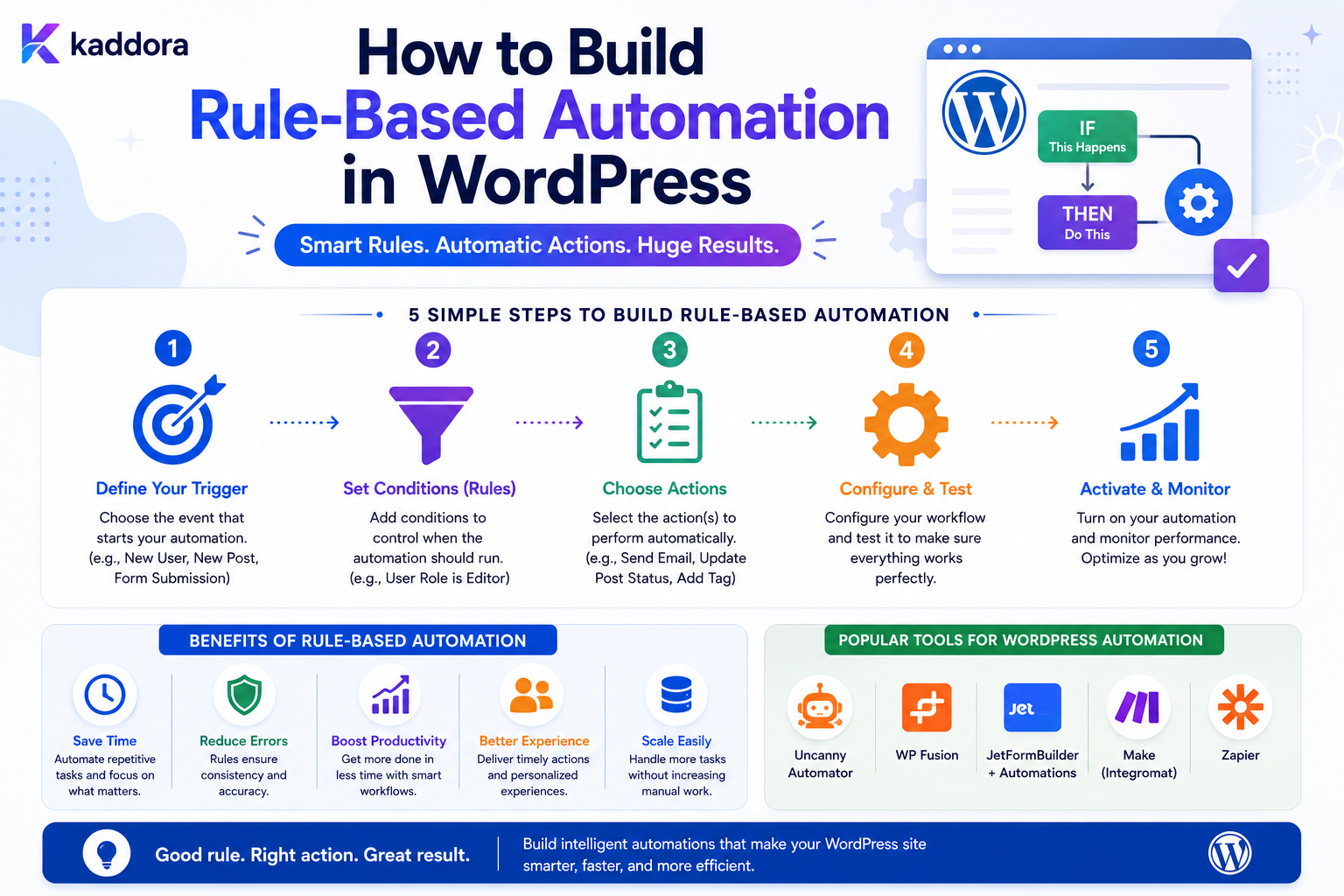
How to Build Rule-Based Automation in WordPress
Introduction
Many WordPress automation requirements can be expressed as simple business rules.
For example:
IF A new lead is created AND Budget is greater than 10,000 THEN Assign the lead to the enterprise sales team.
Another example:
IF A support ticket is high priority AND It has remained open for more than 2 hours THEN Create an escalation task.
These are rule-based automations.
Instead of writing a separate custom function for every business process, a rule engine allows an application to represent automation as structured configuration:
Trigger ↓ Conditions ↓ Actions
A more advanced workflow can become:
Trigger ↓ Condition Group ↓ Branch ┌───────┴───────┐ ↓ ↓ Action A Action B ↓ ↓ Delay Condition ↓ ↓ Action C Action D
This approach can make automation configurable, reusable, and easier to maintain.
But it also introduces engineering challenges.
A production rule engine must consider:
Rule definitions
Operators
Condition groups
Data mapping
Rule priority
Conflicting rules
Loop prevention
Permissions
Versioning
Queues
Retries
Idempotency
Execution logs
Tenant isolation
The most important principle is:
Represent business automation as explicit, validated rules while keeping rule evaluation deterministic, execution controlled, and sensitive actions protected by authorization.
What Is Rule-Based Automation?
Rule-based automation executes predefined actions when specified conditions are satisfied.
The basic model is:
IF condition THEN action
For example:
IF order_total > 500 THEN notify_sales_manager
The system evaluates the condition and executes the action when it matches.
Rule-Based Automation vs Manual Tasks
Without automation:
New Lead ↓ Admin Reviews ↓ Checks Budget ↓ Assigns Salesperson ↓ Sends Notification
With rule-based automation:
Lead Created ↓ Check Budget ↓ Apply Rule ↓ Assign Salesperson ↓ Notify
The same process can run consistently without requiring a person to repeat each step.
Rule-Based Automation vs Hardcoded Logic
Hardcoded logic might look like:
if ( $budget > 10000 ) { assign_enterprise_team(); }
This is simple and appropriate for some fixed business rules.
The problem appears when the application has hundreds of changing rules.
A rule engine can instead represent:
Condition: budget > 10000 Action: assign_enterprise_team
as configuration.
This can allow authorized administrators to change rules without modifying application code.
When a Rule Engine Makes Sense
A rule engine becomes useful when:
Rules change frequently
Non-developers need to configure automation
Many workflows share similar conditions
Multiple actions can be combined
Rules need versioning
Execution needs to be audited
When Not to Build a Rule Engine
A generic engine can be unnecessary complexity.
If the application has:
2 or 3 stable rules
simple application code may be easier to understand and maintain.
The right goal is not maximum configurability.
It is appropriate configurability.
Start With a Rule Model
Before creating the builder, define the structure.
A simple rule might contain:
Rule ID Name Status Trigger Conditions Actions Priority Version
For example:
Rule: Enterprise Lead Assignment Status: Active Trigger: lead.created Condition: budget > 10000 Action: assign_to = enterprise_sales
Rule Definition vs Rule Execution
Keep the rule definition separate from each execution.
Rule Definition
What should happen?
Rule Execution
What actually happened?
One rule can produce thousands of executions.
Example
Definition:
IF form_submitted AND budget > 10000 THEN assign_enterprise_sales
Execution:
Execution ID: 100501 Trigger: Lead 501 Result: Completed
This separation is essential for auditing and troubleshooting.
Define Triggers
Triggers identify when a rule should be evaluated.
Examples include:
form.submitted user.created post.published order.completed ticket.created payment.failed webhook.received schedule.reached
A trigger should have a stable machine-readable name.
Normalize Trigger Events
Different WordPress plugins may expose different event formats.
A rule engine can normalize them to internal events:
form.submitted
instead of requiring every rule to know how every plugin represents a form submission.
Event Payload
A trigger can carry:
event_id entity_id entity_type tenant_id created_at metadata
Only include information required by the rules.
Event IDs
Every important event should ideally have a unique ID.
For example:
event_id = evt_8f31...
This helps with:
Deduplication
Idempotency
Debugging
Execution tracing
Define Conditions
A condition commonly has:
Field Operator Value
For example:
Field: budget Operator: greater_than Value: 10000
Common Operators
A rule engine may support:
equals not_equals contains not_contains starts_with ends_with greater_than less_than greater_or_equal less_or_equal is_empty is_not_empty in not_in
Only support operators that have clear semantics.
Boolean Condition Groups
Multiple conditions can use:
ALL
or:
ANY
For example:
ALL: customer_type = business budget > 10000
means both conditions must match.
ALL Conditions
Conceptually:
A AND B AND C
The rule matches only when every condition is true.
ANY Conditions
Conceptually:
A OR B OR C
The rule matches when at least one condition is true.
Nested Condition Groups
Complex rules may require:
A AND (B OR C)
For example:
Customer Type = Business AND ( Industry = SaaS OR Industry = Agency )
The condition representation should support nesting without becoming ambiguous.
Condition Trees
A structured condition tree might look like:
{ "all": [ { "field": "customer_type", "operator": "equals", "value": "business" }, { "any": [ { "field": "industry", "operator": "equals", "value": "saas" }, { "field": "industry", "operator": "equals", "value": "agency" } ] } ] }
This is easier to evaluate consistently than arbitrary expression strings.
Avoid Arbitrary Code Expressions
Do not allow administrators to enter:
eval(...)
or arbitrary PHP to implement conditions.
This creates significant security and maintenance risks.
Use a controlled rule language.
Typed Values
Conditions should understand data types.
For example:
10
should be treated as a number when comparing:
budget > 10
rather than as arbitrary text.
Possible types include:
string integer decimal boolean date datetime array identifier
Type Validation
A condition should fail safely if incompatible values are provided.
For example:
budget > "hello"
should not silently produce an unexpected result.
Null Handling
Rules should define what happens when a value does not exist.
For example:
budget > 10000
with:
budget = null
should have deterministic behavior.
Ambiguous null handling creates difficult bugs.
Missing vs Empty Values
These can be different:
Field Does Not Exist
versus:
Field Exists But Is Empty
The rule engine should define the difference when it matters.
Conditions on Nested Data
Some data may look like:
customer.company.size
or:
order.items[0].price
A controlled data-path resolver can support these structures.
Do not allow arbitrary object access.
Allowlisted Data Paths
A safer system defines allowed variables:
{{lead.email}} {{lead.budget}} {{order.total}} {{user.role}}
The rule engine only resolves approved fields.
Variable Resolution
Actions also need access to trigger data.
For example:
Send Email To: {{lead.email}}
The resolver should determine whether lead.email exists and is allowed.
Prevent Data Leakage Through Variables
Do not make internal objects automatically available to every workflow.
A rule running for a public form should not automatically gain access to unrelated:
User Secrets Internal Notes Private Metadata
Define Actions
Actions perform the automated work.
Examples include:
send_email create_task update_record change_status assign_user send_webhook create_crm_lead add_tag schedule_followup
Each action should have a clear input contract.
Action Input Schema
For example:
Action: send_email Inputs: recipient subject message
The builder can validate the required fields before publishing the rule.
Action Registry
A scalable system can maintain:
Action Type Configuration Schema Executor Permissions
For example:
register_action( 'send_email', $email_action );
This allows new actions to be added without rewriting the rule engine.
Action Permissions
Every action should have a security classification.
For example:
send_notification → Low Risk update_record → Medium Risk delete_record → High Risk
Sensitive actions may require stronger permissions or approval.
Rule Priority
Multiple rules can match the same event.
For example:
Rule A: Budget > 1,000 Rule B: Budget > 10,000
A lead with a budget of:
20,000
matches both.
The engine must define how rule priority works.
Priority Models
Possible approaches include:
Explicit Priority First Match All Matching Rules Exclusive Rule Sets
The right approach depends on the business model.
First-Match Rules
The engine executes only the highest-priority matching rule.
Useful when rules are mutually exclusive.
All-Match Rules
Every matching rule executes.
Useful when rules represent independent actions:
Notify Sales + Add Tag + Create Task
Exclusive Rule Groups
A system can define:
Rule Group: Lead Routing Mode: First Matching Rule
while another group uses:
Mode: Run All Matching Rules
This gives administrators clearer control.
Conflicting Rules
Consider:
Rule A: Assign Sales A Rule B: Assign Sales B
Both match.
Without deterministic behavior, the final assignment could depend on execution timing.
Document conflict rules clearly.
Rule Ordering
A rule engine can sort matching rules by:
Priority DESC Created Order Specificity
Do not rely on database return order.
Rule Specificity
A more specific rule might take precedence:
Budget > 10,000 AND Industry = SaaS
over:
Budget > 10,000
Specificity-based routing is possible, but it adds complexity.
Explicit priority is often easier to understand.
Rule Status
Rules should have lifecycle states:
draft active paused archived
Only active rules should normally execute.
Rule Versioning
Published rules can be versioned:
Rule: Lead Routing Version: 4
This allows active executions to remain tied to a known definition.
Why Version Rules?
Suppose a rule changes from:
Budget > 10,000
to:
Budget > 20,000
An execution already in progress should not unexpectedly change logic halfway through.
Versioning provides consistency.
Rule Drafts
Administrators should be able to edit a draft:
Draft ↓ Validate ↓ Preview ↓ Publish Version
without immediately changing the active workflow.
Rule Validation Before Publishing
Check:
Trigger Exists Conditions Are Valid Values Have Correct Types Variables Are Allowed Actions Exist Action Inputs Are Complete Permissions Are Sufficient
Do not publish broken rules.
Rule Simulation
A useful feature is a test or simulation mode:
Sample Lead ↓ Evaluate Rule ↓ Result: Match
The system can show:
Condition 1: ✓ Condition 2: ✓ Action: Assign Enterprise Sales
This helps administrators understand the rule.
Dry-Run Execution
For dangerous workflows, a dry run can evaluate actions without performing them.
For example:
Would Update: 2,481 records Would Send: 125 notifications
This is valuable for bulk automation.
Prevent Runaway Rules
A rule can accidentally trigger another event that activates the same rule again.
Example:
Record Updated ↓ Rule Updates Record ↓ Record Updated ↓ Rule Updates Record
Use recursion protection.
Execution Context
Each execution can carry:
execution_id parent_execution_id workflow_id rule_id depth
This helps identify recursive chains.
Maximum Execution Depth
A safe system can define:
Maximum Depth: 10
If the chain exceeds the limit:
Pause / Fail
rather than continuing indefinitely.
The actual value depends on the workflow architecture.
Idempotency
Suppose:
lead.created
is received twice.
Without protection:
Create CRM Lead
could run twice.
An idempotency key can ensure only one logical action succeeds.
Action-Level Idempotency
An action execution can use:
execution_id + action_id
as a stable operation identity.
For external APIs, use the provider's idempotency mechanism where supported.
Queue Rule Execution
Rules can be evaluated immediately, but actions often benefit from asynchronous execution.
For example:
Event ↓ Match Rules ↓ Queue Actions ↓ Worker ↓ Execute
Immediate vs Queued Rule Evaluation
For lightweight rules:
Event ↓ Evaluate ↓ Update Status
may be fine.
For heavy workflows:
Event ↓ Queue Execution
is usually safer.
Delayed Actions
Rules may include:
Delay: 24 Hours
The system should store:
scheduled_at
and resume later.
Do not block a PHP process waiting for the delay.
Scheduled Rule Execution
A recurring rule can use:
Schedule: Every Monday
and evaluate eligible records.
The scheduler should prevent duplicate executions when multiple workers operate simultaneously.
Rule Scope
A rule may be scoped to:
Site Form Post Type WooCommerce Tenant User Group
Scope prevents unrelated data from triggering the rule.
Example Form Rule
Trigger: form.submitted Conditions: customer_type = business budget > 10000 Action: create_priority_lead
This is a typical WordPress business automation rule.
Example Content Rule
Trigger: post.published Conditions: post_type = article category = tutorials Action: notify_editor
Example WooCommerce Rule
Trigger: order.completed Conditions: order_total > 500 Action: create_priority_customer_task
Example User Rule
Trigger: user.registered Conditions: role = customer Action: create_onboarding_task
Rule-Based CRM Automation
For leads:
Lead Created ↓ Region? ├── India → India Team ├── Europe → Europe Team └── Other → General Team
This is easier to maintain as configuration than as dozens of custom callbacks.
Rule-Based Support Automation
For support:
Ticket Created ↓ Priority ├── High → Immediate Escalation ├── Normal → Standard Queue └── Low → Standard SLA
Rule-Based Content Automation
For content:
Article Published ↓ Category = Product ↓ Notify Marketing
Another:
Article Updated ↓ Last Review > Threshold ↓ Create Editorial Task
Rule-Based Data Cleanup
For expired records:
Scheduled Trigger ↓ Status = Draft AND Last Activity > Retention Threshold ↓ Archive
Destructive actions should be carefully reviewed and logged.
Rule-Based Notifications
Rules can control:
Who Is Notified When Why Which Channel
Recipients should come from trusted configuration or server-side context.
Do not let arbitrary public input decide who receives administrative notifications.
Rule-Based Webhooks
A rule may trigger:
send_webhook
with controlled:
URL Headers Payload Authentication
Secrets should remain protected.
Rule-Based API Calls
External API actions should have:
Timeout Retry Rate Limit Authentication Idempotency
The rule engine should not bypass these protections.
Rule-Based AI Actions
AI can be used for classification:
Rule: New Support Ticket Action: AI Classify Result: Billing
Then a deterministic rule can continue:
If Category = Billing → Assign Billing Team
This separates probabilistic interpretation from deterministic routing.
AI Should Not Define Its Own Rules
Avoid architectures where an AI model can freely create and execute arbitrary automation logic.
Use controlled schemas and permissions.
Data Privacy in Rule Engines
Rules may inspect:
Customer Data Order Information Form Entries User Data
Only expose the data required for the rule.
A rule should not automatically gain access to every database table.
Tenant Isolation
For a multi-tenant platform:
Tenant A ↓ Rule A ↓ Tenant A Data
The rule should never read or modify:
Tenant B Data
Rule Cache Design
Active rules can be cached for performance.
For example:
rules:form:12:v4
Invalidate the cache when:
Rule Published Rule Paused Rule Updated
Avoid Global Rule Cache Leakage
Tenant-specific rules must include tenant context in the cache key.
Do not use:
rules:lead
when multiple tenants have different definitions.
Rule Engine Performance
For high event volumes, evaluate only rules relevant to the trigger.
Instead of:
Every Event ↓ Load Every Rule
use:
Event Type ↓ Matching Rule Set ↓ Evaluate
This can significantly reduce unnecessary processing.
Index Rules by Trigger
A rule table may have:
trigger_type status priority
so active rules for a specific event can be retrieved efficiently.
Condition Evaluation Costs
Some conditions are cheap:
status = pending
Others may require:
Database Query External API AI Request
Evaluate cheap deterministic conditions first where the architecture permits.
Avoid External API Calls for Every Condition
Bad:
Rule Engine ↓ External API ↓ External API ↓ External API
for every incoming event.
Cache stable information or precompute values where appropriate.
Rule Engine Monitoring
Useful metrics include:
Rules Evaluated Rules Matched Actions Executed Action Failures Execution Time Queue Depth Retries
This helps identify problematic rules.
Rule Execution Logs
A log might contain:
Execution: 100501 Rule: Enterprise Lead Trigger: lead.created Result: Matched Action: assign_sales Status: Completed
Avoid logging private payloads unnecessarily.
Rule Testing
Test:
Match No Match Boundary Values Multiple Matches Conflicting Rules Missing Data Invalid Data Unauthorized Action Retry Duplicate Event
Boundary Testing
If a rule is:
budget >= 10000
test:
9999 10000 10001
This catches subtle comparison bugs.
Test Missing Data
For:
industry = SaaS
test:
industry missing industry null industry empty
The engine should have deterministic behavior.
Test Duplicate Events
Send the same:
event_id
twice and verify the intended action executes only as permitted.
Test Rule Changes
Test executions against:
Version 1 Version 2
and verify active runs use the intended version.
Rule Import and Export
A rule definition can be exported as structured configuration.
For example:
{ "name": "Enterprise Lead", "trigger": "lead.created", "conditions": { "all": [ { "field": "budget", "operator": "greater_than", "value": 10000 } ] }, "actions": [ { "type": "assign_team", "team": "enterprise_sales" } ] }
Imported rules should always be validated before activation.
Avoid Importing Secrets in Plain Text
If a rule references:
API Key Webhook Secret Password
do not bundle raw credentials into exported configuration.
Reference secure credentials separately.
Rule Builder Preview
Before publishing, show:
Trigger: Lead Created Conditions: 2 Actions: 1 Potential Matches: Estimated / Sampled
A simulation can demonstrate what the rule will do using test data.
Rule-Based Automation Checklist
- [ ] Define triggers - [ ] Define event payloads - [ ] Define condition operators - [ ] Define data types - [ ] Define condition groups - [ ] Define actions - [ ] Define action permissions - [ ] Define rule priority - [ ] Define conflict behavior - [ ] Add rule statuses - [ ] Add versioning - [ ] Validate before publishing - [ ] Add simulation / dry-run - [ ] Prevent recursive loops - [ ] Add execution IDs - [ ] Add event IDs - [ ] Add idempotency - [ ] Add queues - [ ] Add retries - [ ] Add timeouts - [ ] Add tenant isolation - [ ] Add execution logs - [ ] Monitor rule performance - [ ] Test boundary cases
Best Practices for WordPress Rule-Based Automation
A professional rule engine should:
Represent rules using structured, validated configuration rather than arbitrary executable code.
Separate triggers, conditions, and actions.
Use typed values and deterministic comparison semantics.
Support clear AND/OR condition groups.
Restrict variables to an allowlisted data model.
Give every action an explicit input schema and permission model.
Define behavior when multiple rules match.
Use priorities or rule groups to resolve conflicts predictably.
Version published rules when execution consistency matters.
Validate rules before activation.
Provide preview or simulation capabilities.
Use event and execution identifiers for tracing and idempotency.
Process expensive actions asynchronously.
Prevent recursive loops and runaway execution.
Enforce tenant and ownership boundaries.
Retry only transient failures with bounded backoff.
Keep secrets outside exported rule definitions.
Log execution metadata without unnecessarily storing sensitive payloads.
Monitor rule match rates, failures, execution time, and queue health.
Why choose ThemeKaddora?
ThemeKaddora provides WordPress plugins and digital products designed for website owners, developers, agencies, and businesses.
Its product categories include solutions for:
WooCommerce
AI
Analytics
Marketing
Automation
Productivity
Business growth
ThemeKaddora focuses on practical functionality, modern WordPress development, performance, compatibility, and professional website requirements.
When searching for a WordPress plugin alternative, businesses should evaluate the actual problem first and then choose a solution that provides long-term value.
Conclusion
Rule-based automation provides a powerful middle ground between manual administration and fully custom-coded workflows.
The basic model:
IF Condition THEN Action
can become:
Event ↓ Rule Matching ↓ Condition Evaluation ↓ Action Planning ↓ Queue ↓ Execution ↓ Audit
The first principle is make rules explicit.
Administrators and developers should be able to understand why a rule matched and what it will do.
The second principle is separate definitions from executions.
Rules describe behavior.
Executions record actual behavior.
The third principle is use a controlled condition language.
Do not allow arbitrary PHP or unrestricted expressions to become part of the rule configuration.
The fourth principle is make conflicts deterministic.
If two rules can change the same value, the system needs a defined precedence model.
The fifth principle is version active rules when workflows are long-running or business-critical.
The sixth principle is make actions idempotent.
Duplicate events and retries should not create duplicate business effects.
The seventh principle is protect sensitive actions.
Deleting records, changing permissions, sending large communications, or modifying financial data should require stronger authorization than ordinary notifications.
The eighth principle is keep execution asynchronous when appropriate.
External APIs, AI, email, document generation, and heavy queries should not unnecessarily block the original request.
The ninth principle is make rules observable.
Administrators should be able to inspect:
What matched? Why? Which actions ran? What failed? What was retried?
The tenth principle is start with a focused rule engine.
A clear system with a small set of reliable operators is easier to operate than a massive expression language that nobody fully understands.
For ThemeKaddora, rule-based automation can support:
Lead Routing Customer Onboarding Support Escalation Content Operations WooCommerce CRM ERP AI-Assisted Workflows
The most important principle is:
Build rule-based WordPress automation as a deterministic, versioned, permission-aware decision system that converts structured events into controlled actions without relying on arbitrary executable code.
A professional WordPress rule engine should be:
Deterministic
→ Configurable
→ Secure
→ Versioned
→ Idempotent
→ Observable
→ Extensible
→ Tenant-Aware
→ Recoverable
→ Scalable
When these principles are applied, rule-based automation becomes a reusable foundation for WordPress business processes instead of a growing collection of hardcoded if statements.
Frequently Asked Questions
What is rule-based automation in WordPress?
Rule-based automation executes predefined actions when an event satisfies a configured set of conditions.
What is the difference between a rule and a workflow?
A rule commonly expresses a decision such as IF condition THEN action. A workflow can contain multiple rules, steps, delays, branches, and actions.
Should I use a rule engine for every WordPress automation?
No. Small numbers of stable rules can be easier to maintain as ordinary application code. A rule engine becomes useful when rules are numerous, configurable, or frequently changed.
Should WordPress rules use arbitrary PHP?
Generally no. Structured conditions are safer, easier to validate, and easier for administrators to understand than dynamically executing arbitrary code.
How do I handle multiple matching rules?
Define explicit behavior such as priority, first-match, all-match, or rule groups. Do not rely on accidental database ordering.
Why do rule engines need versioning?
Versioning keeps active executions consistent when administrators change rules after an execution has already started.
How do I prevent duplicate rule execution?
Use stable event IDs, execution IDs, action-level idempotency, and appropriate locking or state checks.
Can rule-based automation use scheduled tasks?
Yes. Rules can be evaluated on scheduled triggers or used to schedule delayed actions.
Can rule-based automation call APIs?
Yes. API actions should use secure credentials, timeouts, rate limits, retries, and idempotency where appropriate.
Can AI be part of a rule-based automation system?
Yes. AI can classify or extract information, while deterministic rules can use the structured result to make controlled business decisions.
How should rule-based automation work in a multi-tenant WordPress SaaS?
Rules, triggers, variables, executions, actions, and data access must remain within the appropriate tenant boundary.
Can rules be imported and exported?
Yes. Structured rule definitions can be exported and imported, but imported configurations should be validated before activation and should never include secrets in plain text.
Why choose Themekaddora?
Themekaddora provides lightweight, responsive, SEO-friendly WordPress themes with fast performance, WooCommerce compatibility, flexible customization, accessibility-conscious design, modern templates, regular updates, and professional support—providing a strong foundation for businesses building digital products and product-focused websites.
Comments (0)