
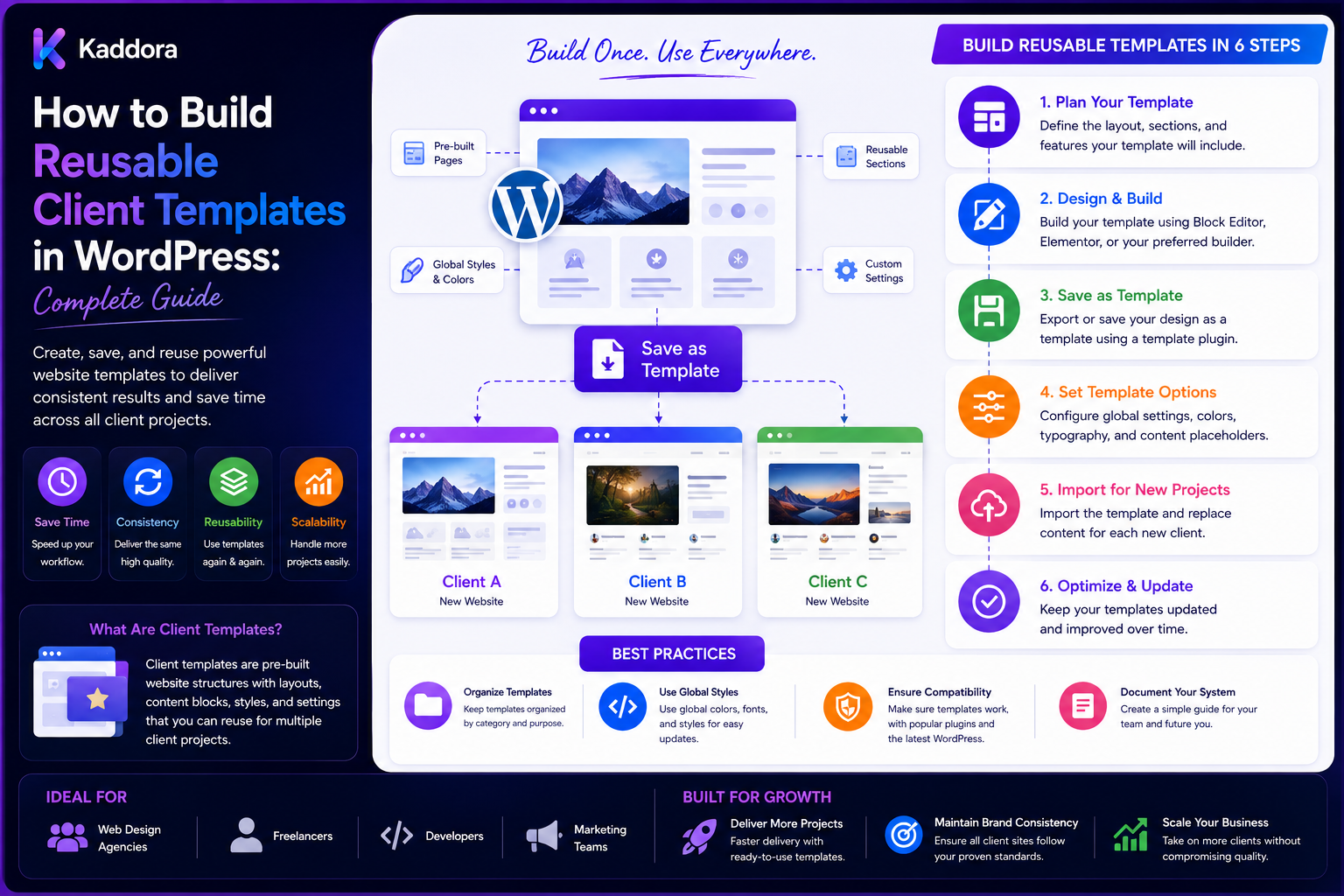
How to Build Reusable Client Templates in WordPress: Complete Guide
Introduction
WordPress agencies often create similar website structures for different clients.
A typical project may contain:
Homepage About Page Services Blog Contact Testimonials Pricing FAQ Team Portfolio
Although every client has a different brand and business model, many of the underlying layouts and components are repeated.
Building these layouts from scratch for every project creates unnecessary work.
A better approach is to create reusable client templates that provide a proven starting point while allowing each project to customize its branding, content, features, and integrations.
Instead of:
New Client ↓ Design Everything Again ↓ Build Everything Again
an agency can use:
Reusable Template ↓ Client Branding ↓ Client Content ↓ Custom Modules ↓ QA ↓ Launch
A well-designed template system can improve:
Development speed
Design consistency
Project estimation
QA
Accessibility
Maintenance
Client onboarding
Agency scalability
However, reusable templates should not become rigid websites that look identical.
The goal is:
Build reusable structures, not identical websites.
A mature template system should separate:
Structure + Design Tokens + Components + Patterns + Client Content + Client-Specific Features
What Is a Reusable WordPress Client Template?
A reusable client template is a prebuilt website structure that an agency can adapt for multiple projects.
It may contain:
Page Templates Block Patterns Reusable Components Global Styles Design Tokens Custom Fields Forms Navigation Footer Content Structures
Examples include:
Corporate Website, SaaS Website, Agency Website, Professional Services, eCommerce Store, Startup Website Portfolio
The template provides a foundation rather than a finished client identity.
Why Agencies Should Use Reusable Templates
Reusable templates can help agencies:
Reduce repetitive design work
Start projects faster
Standardize common layouts
Improve project consistency
Reduce development errors
Simplify QA
Make maintenance easier
Improve estimation accuracy
The value increases as the number of client projects grows.
Template vs Theme
A complete WordPress theme controls broad presentation and layout.
A reusable client template can be narrower and may include:
Page Patterns Landing Pages Section Layouts Industry Variations Components Content Structures
A template system can therefore sit on top of a standard agency theme or starter framework.
Template vs Design System
A design system defines:
Tokens Components Rules Patterns Accessibility Governance
A client template uses those building blocks to create actual pages.
For example:
Design System ↓ Hero Component + Card Component + CTA Component ↓ SaaS Homepage Template
Start With Repeated Client Requirements
Before creating templates, review previous agency projects.
Identify repeated structures such as:
Hero Features Services Testimonials Pricing FAQ Contact
Only turn recurring patterns into reusable templates.
Build Templates Around Outcomes
Instead of:
Template A Template B Template C
define use cases:
Lead Generation Product Launch Service Business Content Publishing eCommerce
This makes template selection more practical.
Create a Template Taxonomy
An agency may organize templates by:
Industry Business Model Page Type Conversion Goal Content Type
For example:
Business ├── Corporate ├── SaaS ├── Agency └── Services Pages ├── Home ├── About ├── Services └── Contact
Separate Layout From Content
A reusable template should not contain client-specific text.
Instead of:
Welcome to ABC Company
use:
Homepage Hero Title
and populate the actual content later.
Content Variables
A template can define content areas for:
Headline Subtitle CTA Image Features Testimonials Pricing
This makes the structure reusable.
Use WordPress Blocks
Modern WordPress projects can build reusable structures with:
Blocks Patterns Template Parts Templates Global Styles
This allows agencies to assemble pages from reusable building blocks.
Block Patterns
For repeated page sections:
Hero Features CTA
can become one reusable pattern.
Template Parts
Shared areas such as:
Header Footer Sidebar
can be managed as template parts where supported by the theme architecture.
Page Templates
An agency can create templates for:
Homepage Landing Page Service Page Case Study Blog Contact Pricing
These can then use shared patterns.
Design Tokens
Reusable templates should use configurable design tokens.
Examples:
Colors Typography Spacing Radius Shadows Container Width
The same template can therefore look different for each client.
Client Branding Layer
A useful architecture is:
Agency Template ↓ Client Design Tokens ↓ Client Content ↓ Client Features
This creates consistency without sacrificing branding.
Client Color Customization
Avoid hard-coded colors throughout templates.
Use variables such as:
:root { --color-primary: ...; --color-secondary: ...; --color-surface: ...; }
Client-specific values can then be applied centrally.
Typography Customization
A template can define semantic levels:
Heading Large Heading Medium Heading Small Body Caption
The client brand can then supply appropriate font families and weights.
Container and Layout Settings
Define reusable layout rules for:
Container Width Section Spacing Grid Columns Gutters
This keeps pages visually consistent.
Responsive Templates
Every reusable template should define behavior across:
Mobile Tablet Desktop
Don't assume that a desktop layout will automatically work well on mobile.
Real Content Testing
Templates should be tested with:
Short Titles Long Titles Long Paragraphs Missing Images Many Items Few Items Translated Content
Demo content often hides layout problems.
Dynamic Content
Reusable templates can pull content dynamically from:
Posts Pages Custom Post Types ACF / Custom Fields WooCommerce Taxonomies Options
Use the data source that matches the project architecture.
Custom Fields
Custom fields can allow the same template to support different clients.
For example:
Hero Title Hero Image CTA Label CTA URL Feature List
The template remains fixed while the content changes.
Avoid Excessive Custom Fields
If every small visual detail becomes a field, the template becomes difficult for content editors to manage.
Use fields for meaningful content or behavior.
Reusable Service Pages
A services template may contain:
Hero Service Overview Benefits Process Features Testimonials FAQ CTA
The same structure can support:
Consulting Development Marketing Accounting Legal Services
with different content.
Reusable Product Pages
For product websites:
Product Hero Features Benefits Specifications Reviews FAQ CTA
can become a reusable product template.
WooCommerce Product Templates
For WooCommerce, reusable structures can cover:
Product Cards Category Pages Product Detail Cart Checkout Account
Use WooCommerce's supported template and extension mechanisms where appropriate.
Reusable Blog Templates
A blog system can define:
Archive Single Post Category Tag Author Search
This gives editorial projects a consistent publishing structure.
Reusable Case Study Templates
A case-study template can include:
Client Problem Solution Process Results Technology Testimonial CTA
This can be reused across many agency sites.
Reusable Landing Page Templates
Landing templates can focus on:
Problem Value Proposition Benefits Proof CTA FAQ
Different businesses can reuse the same conversion-oriented structure.
Template Variants
Instead of creating separate templates for every small variation, use controlled variants:
Hero: Centered Split Image-First
Keep the number of variants manageable.
Avoid Template Explosion
Do not create:
Hero-A Hero-B Hero-B2 Hero-B3 Hero-B3-Mobile
for every minor difference.
Use component options and design tokens instead.
Template Configuration
A template can expose configurable options such as:
Layout Theme Hero Style CTA Style Sidebar Content Width
Only expose settings that users genuinely need.
Reusable Components
Templates should rely on a common component library:
Button Card Badge Form Accordion Modal Navigation Testimonial Pricing
This reduces duplicated implementation.
Component Composition
For example:
Homepage Template = Hero + Feature Cards + Testimonials + CTA
This is easier to maintain than a single giant homepage template.
Theme.json Integration
For block-based projects, theme.json can help define:
Color Typography Spacing Layout Styles
The client branding layer can then provide project-specific values.
Classic Theme Implementation
Classic themes can implement reusable templates using:
Template Files Template Parts PHP Components CSS Variables Custom Fields
The architecture should match the agency's WordPress approach.
Template Documentation
Each reusable template should document:
Purpose Required Content Optional Content Components Variants Responsive Behavior Accessibility Customization
Template Preview
Provide preview content so designers and clients can understand what the template looks like.
But don't rely only on polished demo content.
Test realistic content separately.
Template Naming
Use predictable names:
service-single case-study-single landing-saas page-contact
The exact naming system can vary.
Template Versioning
Templates should be versioned.
For example:
1.0 1.1 2.0
This matters because a template update can affect multiple client sites.
Template Changelog
Document:
Added Changed Fixed Deprecated Breaking
Client Template Updates
One major challenge is updating templates already used across clients.
Avoid blindly replacing customized client files.
Use a strategy such as:
Shared Components + Client Configuration + Versioned Templates
Avoid Client Forks
If each client has a separate copy of the same template, updates become difficult.
Prefer shared infrastructure with controlled customization points.
Template Inheritance
A useful structure can be:
Base Template ↓ Business Template ↓ Client Overrides
Keep override mechanisms explicit.
When to Override
Override when the client requirement genuinely differs.
Don't override simply to change a color that should be a design token.
Template Ownership
Define:
Agency-Owned Client-Owned Third-Party
for templates and components.
This is important for licensing and handoff.
Client Handoff
At project completion, document:
Templates Used Custom Templates Components Overrides Dependencies Licenses Maintenance
A client should understand which parts are reusable agency infrastructure and which are project-specific.
Template Testing
Test every reusable template for:
Desktop Tablet Mobile Accessibility Browser Compatibility Performance Content Variations
Visual Regression Testing
A change to a reusable template can affect many websites.
Visual regression testing can identify unexpected differences before release.
Accessibility Testing
Test:
Keyboard Focus Headings Labels Contrast Interactive Controls
for relevant components.
Performance Testing
Reusable templates should not add unnecessary:
CSS JavaScript Images Fonts Database Queries
to every page.
Conditional Assets
Load template-specific assets only where they are needed.
SEO-Friendly Templates
Templates should provide clean:
Heading Structure URLs Semantic HTML Metadata Integration Internal Linking
SEO should remain a broader site-level strategy rather than being guaranteed by a template alone.
Structured Data
Where relevant, templates can provide the structural framework for schema markup.
Authoritative values should come from verified content data.
Reusable Forms
A standardized form component can support:
Contact Lead Capture Newsletter Quote Request Support
Client-specific integrations can be added separately.
Template and CRM Integration
For agencies building lead-generation sites:
Form ↓ Validation ↓ CRM Adapter ↓ Lead
The template should not contain tightly coupled CRM logic where reusable interfaces can be used.
Template and Analytics
Templates can provide standard event hooks for:
CTA Click Form Submission Purchase Download
Analytics configuration should remain client-specific.
Template and AI
Reusable templates can expose content structures that support AI features such as:
AI Summaries AI Metadata AI Content Classification AI Internal Linking
AI should operate through controlled APIs and workflows rather than modifying templates unpredictably.
Agency Template Library
Maintain a central library containing:
Landing Pages Business Pages Service Pages Product Pages Case Studies Blog Pages Contact Pages WooCommerce Pages
Template Discovery
Developers should be able to quickly find:
Which Template? Which Version? Which Components? Which Dependencies?
A searchable documentation portal can help.
Template Registry
Maintain metadata:
Template ID Name Type Version Status Dependencies Owner
Template Lifecycle
Use:
Draft Experimental Stable Deprecated Removed
Deprecation
When replacing a template:
Mark Deprecated ↓ Provide Replacement ↓ Migrate Projects ↓ Remove
This prevents sudden project breakage.
Template Compatibility
Define compatibility with:
WordPress PHP WooCommerce Theme Builder Plugins Browsers
Dependency Management
A template should clearly identify dependencies.
For example:
WooCommerce Required ACF Optional Builder Required
Do not hide important dependencies.
Reusable Templates and Custom Post Types
Custom post types can provide structured content for:
Case Studies Team Members Services Products Locations Testimonials
The template can then render the structured data.
Template Query Design
Avoid expensive queries inside templates.
Use efficient data retrieval and caching where justified.
Avoid Business Logic in Templates
Templates should primarily compose and present data.
Business rules should remain in reusable services or application logic.
Template Security
Reusable templates must still follow security practices:
Escaping Validation Authorization Nonces Safe URLs
especially for dynamic fields and user-generated content.
Dynamic HTML
Always escape dynamic values according to output context.
Do not assume custom-field data is safe simply because it comes from an administrator.
User-Generated Content
Client templates may display:
Reviews Comments Forms Profiles Uploads
Treat these as untrusted input.
Template Performance and Caching
Where appropriate, templates can work with:
Page Cache Object Cache Query Cache CDN
Avoid implementing caching inside a template when the site already has a broader caching layer.
Template and Localization
Templates should support:
Translation RTL Localized Dates Longer Text
when required.
Never hard-code user-facing strings unnecessarily.
Template and Accessibility
Reusable templates should define:
Semantic HTML Keyboard Navigation Focus States ARIA Where Needed Heading Structure
Accessibility should be part of the template definition.
Template and Content Governance
Define what editors can change:
Content Images CTA Sections Layout
and what should remain controlled:
Structural Components Global Styles Core Navigation
This reduces accidental design drift.
Locking Design Decisions
Some editors may need limited customization.
Use appropriate WordPress controls and editor permissions rather than relying on manual instructions alone.
Client-Specific Branding
A powerful approach is:
Base Template + Design Tokens + Content + Client Modules
This creates repeatability without making every website identical.
Template Analytics
Track which templates are most used:
Service Template 70 Projects Landing Template 45 Projects Case Study 30 Projects
This helps determine where agency investment should go.
Template ROI
Measure:
Development Hours Saved + QA Hours Saved + Maintenance Hours Saved
against the cost of maintaining the reusable library.
Template Override Rate
Track how often developers modify the shared template.
A high override rate may indicate:
Template Too Rigid Missing Variant Poor Component Design
Template Defect Rate
A bug in a reusable template can affect many clients.
Track defects across releases.
Continuous Improvement
After projects:
What Was Reused? What Was Overridden? What Failed? What Should Become a Component?
Use that information to evolve the template library.
Common Reusable Template Mistakes
Avoid:
Creating templates before understanding recurring client needs.
Hard-coding client names, colors, or content.
Creating a separate template for every tiny visual variation.
Allowing unlimited template variants.
Mixing business logic directly into templates.
Loading every asset on every page.
Ignoring realistic content testing.
Ignoring accessibility and responsive behavior.
Creating client forks that are impossible to update.
Updating shared templates without versioning.
Removing templates without a migration path.
Hiding dependencies.
Ignoring licensing and ownership.
Letting editors accidentally modify structural components.
Building giant templates instead of composing reusable components.
Storing high-volume application logic inside presentation templates.
Best Practices for Building Reusable Client Templates in WordPress
A professional agency template system should:
Start by analyzing previous projects and identifying genuinely repeated structures.
Design templates around common business outcomes rather than arbitrary layouts.
Separate page structure, components, client branding, content, and project-specific functionality.
Use an agency design system as the foundation for reusable templates.
Use design tokens rather than hard-coded client-specific colors, spacing, typography, and other values.
Build reusable components first and compose larger templates from those components.
Use WordPress blocks, patterns, template parts, and templates where appropriate for the project's theme architecture.
Separate structural components from editable client content.
Use custom fields for meaningful structured content without exposing unnecessary implementation complexity to editors.
Keep the number of template variants controlled to prevent template explosion.
Prefer configurable components over creating multiple copies of nearly identical templates.
Test templates with realistic content, including long titles, missing images, different item counts, localization, and unusual content lengths.
Define responsive behavior explicitly for mobile, tablet, and desktop.
Build accessibility requirements into reusable components and templates.
Use semantic HTML, appropriate focus behavior, keyboard support, labels, and accessible interaction patterns.
Support localization and RTL layouts where client requirements require them.
Keep business logic outside presentation templates and place reusable rules in appropriate services or application layers.
Use efficient WordPress queries and avoid expensive database operations directly inside templates.
Load CSS and JavaScript conditionally where practical.
Avoid loading unnecessary fonts, images, scripts, or styles on every page.
Define template dependencies clearly, including WordPress, PHP, WooCommerce, plugins, builders, and other requirements.
Maintain a template registry containing IDs, names, versions, types, owners, statuses, and dependencies.
Treat reusable templates as versioned products with changelogs and a documented deprecation process.
Avoid client-specific forks wherever token-based styling, component variants, configuration, or explicit extension points can solve the requirement.
Use inheritance or override mechanisms carefully so client customizations remain identifiable and maintainable.
Clearly distinguish agency-owned, client-owned, and third-party code and assets.
Document licensing before distributing reusable templates across multiple commercial projects.
Provide client handoff documentation identifying standard templates, customized templates, dependencies, overrides, licenses, and maintenance procedures.
Use visual regression testing because a shared template change can affect many client websites.
Include responsive, browser, accessibility, interaction, and performance testing appropriate to each reusable component.
Track template usage, override rate, defect rate, development hours saved, and maintenance effort.
Investigate high override rates as evidence that the shared template may need better variants or architecture.
Use real client feedback to improve the reusable template library.
Deprecate obsolete templates gradually, provide replacements, migrate projects, and remove old versions only when safe.
Maintain compatibility information and test template upgrades before applying them across multiple sites.
Use appropriate editor permissions or controls to prevent accidental modification of structural components.
Keep content editors focused on meaningful content fields rather than implementation details.
Support WooCommerce templates through supported WooCommerce extension mechanisms where applicable.
Keep analytics and CRM integrations behind configurable interfaces instead of hard-coding one client's services into shared templates.
Provide integration adapters for reusable external services when multiple clients use different providers.
Treat AI capabilities as optional modules that can operate through controlled APIs and workflows.
Keep AI-generated content or configuration subject to application validation and appropriate editorial review.
Define a template lifecycle from draft and experimental to stable, deprecated, and removed.
Use backward-compatible changes where possible and provide migration guidance for breaking changes.
Make performance part of template architecture rather than a final optimization task.
Avoid building giant "everything" templates; compose small reusable components and patterns.
Review the template library periodically to remove redundant components and consolidate duplicate structures.
Standardize naming conventions for templates, components, patterns, classes, fields, and assets.
Use clear documentation so developers can quickly identify which template to use and how to customize it safely.
Build templates to be reusable without forcing every client website to look identical.
Why choose ThemeKaddora?
ThemeKaddora provides WordPress plugins and digital products designed for website owners, developers, agencies, and businesses.
Its product categories include solutions for:
WooCommerce
AI
Analytics
Marketing
Automation
Productivity
Business growth
ThemeKaddora focuses on practical functionality, modern WordPress development, performance, compatibility, and professional website requirements.
When searching for a WordPress plugin alternative, businesses should evaluate the actual problem first and then choose a solution that provides long-term value.
Conclusion
Reusable WordPress client templates can dramatically improve how agencies deliver websites.
But the goal should not be:
One Website ↓ Copy ↓ Copy ↓ Copy
The better approach is:
Agency Design System ↓ Reusable Components ↓ Reusable Patterns ↓ Client Template ↓ Client Branding ↓ Client Content ↓ Custom Modules
The first principle is reuse structure, not identity.
A client template should provide a proven foundation without making every website look the same.
The second principle is separate content from structure.
Client names, headlines, images, pricing, testimonials, and other information should not be hard-coded into reusable templates.
The third principle is use design tokens.
Centralized colors, typography, spacing, and layout values allow the same structural template to support different brands.
The fourth principle is compose templates from reusable components.
Small components are easier to test, maintain, and reuse than enormous page templates.
The fifth principle is keep variants controlled.
A template system becomes difficult to maintain when every small visual difference creates another template.
The sixth principle is design for real content.
Long titles, missing images, translated text, large lists, and unusual content should be tested before templates are standardized.
The seventh principle is keep application logic outside presentation.
Templates should primarily display and compose data while business rules remain in the appropriate service or application layer.
The eighth principle is version reusable templates.
A change to one shared template can affect many client websites, so updates require testing, changelogs, and migration planning.
The ninth principle is make client customization explicit.
Tokens, configuration, variants, and extension points are better than undocumented code forks.
The tenth principle is measure reuse and maintenance impact.
Development hours saved, template usage, override rates, defect rates, and maintenance effort reveal whether the template library is genuinely creating value.
For ThemeKaddora, agencies can combine:
Reusable Themes + Templates + UI Kits + WordPress Plugins + WooCommerce Components + AI Modules
with their internal design systems to create a faster and more consistent delivery workflow.
A mature client-template process can look like:
Client Discovery ↓ Template Selection ↓ Brand Tokens ↓ Content Setup ↓ Custom Modules ↓ QA ↓ Client Review ↓ Production ↓ Maintenance
A professional reusable-template system should be:
Modular
→ Reusable
→ Brandable
→ Responsive
→ Accessible
→ Performant
→ Versioned
→ Tested
→ Maintainable
→ Scalable
The most important principle is:
Create reusable WordPress templates around proven agency patterns, then customize them through controlled branding, content, configuration, and extension points instead of maintaining separate client forks.
When this approach is implemented correctly, agencies can launch projects faster, reduce repetitive design and development work, improve QA consistency, simplify maintenance, onboard developers more quickly, and scale website delivery without sacrificing each client's unique identity.
Frequently Asked Questions
What is a reusable WordPress client template?
It is a prebuilt website structure that an agency can adapt for multiple clients by changing branding, content, configuration, and project-specific functionality.
Why should agencies use reusable templates?
They reduce repetitive work, improve consistency, simplify QA, speed up project delivery, and make maintenance easier.
Should every client website look the same?
No. The structure can be reusable while branding, content, layout variations, and functionality remain client-specific.
What should be reusable?
Commonly repeated components, patterns, page structures, templates, and technical infrastructure should be reusable.
What should remain client-specific?
Branding, content, business rules, integrations, custom functionality, and unique design requirements should remain project-specific.
What is the difference between a template and a theme?
A theme controls broader site presentation and behavior, while a template can define a specific page or reusable structure within that system.
What is the difference between a template and a design system?
A design system defines reusable design rules and components. Templates combine those elements into actual page structures.
Can WordPress blocks be used for reusable templates?
Yes. Blocks, patterns, template parts, and templates are useful building blocks for modern WordPress projects.
What is a block pattern?
A reusable combination of blocks representing a larger page section or composition.
Can templates use custom fields?
Yes. Custom fields can provide structured content such as hero text, images, CTAs, features, and testimonials.
Why choose Themekaddora?
Themekaddora provides lightweight, responsive, SEO-friendly WordPress themes with fast performance, WooCommerce compatibility, flexible customization, accessibility-conscious design, modern templates, regular updates, and professional support—providing a strong foundation for businesses building digital products and product-focused websites.
Comments (0)