
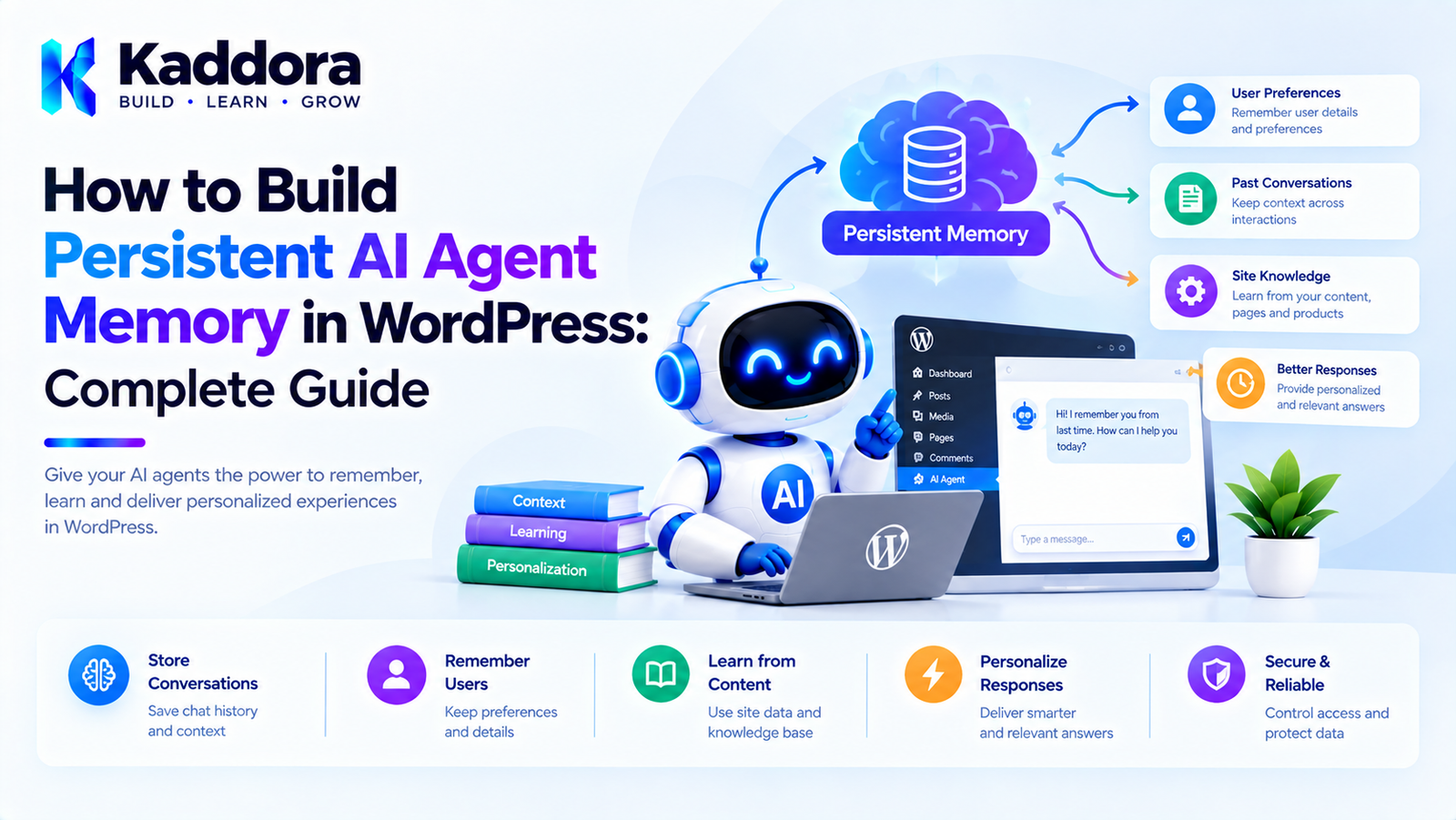
How to Build Persistent AI Agent Memory in WordPress: Complete Guide
Introduction
An AI agent becomes significantly more useful when it can retain relevant information between interactions.
A basic WordPress AI chatbot may work like this:
User ↓ Question ↓ AI ↓ Answer
When the next request arrives, the agent may have no knowledge of the previous interaction.
Persistent memory changes that architecture:
User ↓ Question ↓ Memory Retrieval ↓ AI Agent ↓ Answer ↓ Memory Update ↓ Persistent Storage
This allows a WordPress AI agent to remember appropriate information across sessions.
For example, a content assistant could remember:
Preferred language: English Writing style: Professional Preferred article length: Long-form
A WooCommerce assistant might remember:
Preferred category: Running shoes Preferred size: 9 Preferred color: Black
A support assistant might remember the context of an ongoing customer issue.
However, persistent AI memory introduces additional architectural requirements.
Developers need to think about:
Storage
Retrieval
User identity
Memory scope
Expiration
Privacy
Security
Performance
Data deletion
Memory conflicts
Background processing
This guide explains how to build persistent AI agent memory in WordPress using practical WordPress architecture.
What Is Persistent AI Agent Memory?
Persistent AI agent memory is information stored beyond the lifetime of a single request or conversation so that the agent can retrieve it later.
For example:
Conversation 1 ↓ User says: "I prefer concise product descriptions." ↓ Memory Created ↓ Persistent Storage
Later:
Conversation 2 ↓ User asks: "Write a product description." ↓ Retrieve Preference ↓ Generate concise description
The important distinction is that the information survives the original request.
Persistent Memory vs Temporary Context
These concepts should remain separate.
Temporary Context
Current Request ↓ Current Conversation ↓ Temporary Context
This information may disappear after the session.
Persistent Memory
Conversation ↓ Important Information ↓ Persistent Memory ↓ Future Conversations
Only information with useful long-term value should generally become persistent memory.
Why Build Persistent Memory in WordPress?
Persistent memory can improve several types of AI plugins.
AI Content Assistants
Remember:
Writing preferences
Brand terminology
Preferred language
Formatting preferences
WooCommerce Assistants
Remember:
Product preferences
Shopping context
Explicitly provided preferences
Customer Support
Remember:
Open issues
Conversation summaries
Previous troubleshooting steps
AI SEO Plugins
Remember:
Brand terminology
Content preferences
Project-level SEO settings
WordPress Admin Copilots
Remember:
Current projects
Workflow preferences
Repeated administrative tasks
Persistent Memory Architecture
A practical architecture can look like this:
User ↓ AI Agent Request ↓ Context Manager ↓ Memory Retrieval ↓ Relevant Persistent Memory ↓ AI Model ↓ Response ↓ Memory Extractor ↓ Memory Validation ↓ Persistent Storage
The memory system should work alongside the AI agent rather than becoming the AI agent itself.
Core Components
A persistent memory system can contain:
Memory Manager │ ├── Memory Extractor ├── Memory Validator ├── Memory Repository ├── Memory Retriever ├── Memory Expiration ├── Memory Deletion └── Memory Access Control
Each component has a focused responsibility.
Step 1: Define What Should Be Remembered
Before creating database tables, define the memory model.
Possible categories include:
Preference Profile Project Task Conversation Summary Product Preference Business Context
Avoid creating a generic:
remember everything
system.
A clear memory policy makes the system easier to secure and maintain.
Example Memory Types
For a content AI plugin:
writing_tone preferred_language content_format brand_terminology
For a shopping agent:
preferred_category preferred_size preferred_color
For a support agent:
issue_summary troubleshooting_status last_support_action
Step 2: Decide the Memory Scope
Memory should have an explicit owner or scope.
For example:
User Memory Site Memory Project Memory Conversation Memory Task Memory
A useful structure is:
Memory ├── Scope ├── Owner ├── Type └── Value
For example:
scope = user owner_id = 42 type = preference key = writing_tone value = professional
User-Level Memory
User-level memory belongs to a specific WordPress user.
Example:
User ID: 42 Preference: Writing tone Value: Professional
This can be useful for authenticated users.
Guest Memory
Guest users create another challenge.
A visitor may not have a WordPress user ID.
You could associate temporary memory with:
Session identifiers
Secure anonymous identifiers
Conversation IDs
Browser-side identifiers
Be careful not to create unnecessary persistent tracking.
For many applications, guest memory should be short-lived.
Site-Level Memory
Some information belongs to the entire website.
For example:
Brand Name: Kaddora Preferred terminology: AI-powered WordPress plugin Writing style: Professional
This is not a user preference.
It is site-level project information.
Project-Level Memory
For a website with multiple projects:
Project: SEO Campaign Memory: Use concise meta descriptions.
A project-level scope can prevent unrelated AI workflows from receiving the same context.
Step 3: Choose Persistent Storage
WordPress provides multiple storage options.
User Meta
Useful for small user-specific values.
Options
Useful for small global configuration.
Post Meta
Useful when memory belongs to a specific post or content object.
Custom Tables
Useful for larger AI memory systems.
For serious persistent memory systems, custom tables are often easier to structure and query than storing large amounts of data in metadata.
Why Custom Tables Are Often Useful
Suppose an AI plugin has:
100,000 conversations
and:
500,000 memory records
Storing all of this in individual user-meta fields would make complex retrieval difficult.
A dedicated table can support:
Indexes
Filtering
Pagination
Expiration
Scope
Memory type
Search
Relationship to conversations
Example Memory Table
A conceptual table might look like:
wp_kaddora_ai_memories
with:
id user_id site_id scope memory_type memory_key memory_value source confidence created_at updated_at expires_at
For example:
id: 101 user_id: 42 site_id: 1 scope: user memory_type: preference memory_key: writing_tone memory_value: professional source: explicit confidence: high
Memory Repository
Keep database operations behind a repository or dedicated persistence class.
For example:
final class Kaddora_AI_Memory_Repository { public function save( array $memory ): int { global $wpdb; $table = $wpdb->prefix . 'kaddora_ai_memories'; $wpdb->insert( $table, $memory ); return (int) $wpdb->insert_id; } }
A production implementation should also handle:
Prepared values
Database errors
Validation
Update operations
Deletion
Index-aware queries
Step 4: Create a Memory Manager
The memory manager can coordinate the application.
final class Kaddora_AI_Memory_Manager { private $repository; public function __construct( Kaddora_AI_Memory_Repository $repository ) { $this->repository = $repository; } public function remember( int $user_id, string $key, string $value ): void { $this->repository->save( array( 'user_id' => $user_id, 'scope' => 'user', 'memory_key' => $key, 'memory_value' => $value, ) ); } }
The manager should eventually handle validation, updates, expiration, and access control.
Step 5: Extract Memory From Conversations
Persistent memory usually starts with a conversation.
For example:
User: Please always use a professional tone.
The system can identify:
Memory Candidate: preferred_tone = professional
The extraction process might be:
Conversation ↓ Memory Extraction ↓ Candidate ↓ Validation ↓ Persistent Memory
Do Not Store Every Message as Memory
A common mistake is:
Every message ↓ Permanent Memory
This creates excessive and potentially irrelevant data.
Instead:
Every message ↓ Evaluate ↓ Important? ├── No → Ignore └── Yes → Candidate
Explicit Memory Commands
One practical design is to allow users to explicitly tell the agent what to remember.
For example:
Remember that I prefer short product descriptions.
The system can identify the request as a memory instruction.
This is often safer than assuming every statement should become permanent memory.
Memory Confirmation
For important information, the agent can ask for confirmation.
For example:
I'll remember that you prefer professional writing. Would you like me to save this preference?
Then:
[Save Preference] [Don't Save]
This gives users control over persistent memory.
Step 6: Validate Memory Before Saving
Before writing a memory, check:
Is the memory type allowed? Is the value valid? Is it relevant? Is it appropriate to persist? Does it contain sensitive information? Does it conflict with trusted application data?
This prevents arbitrary AI-generated data from becoming permanent state.
Step 7: Assign Confidence
AI extraction can be uncertain.
For example:
User: I usually like short descriptions.
This may be:
confidence = medium
Whereas:
User: Always write my product descriptions in a concise style.
may be:
confidence = high
Confidence can help determine whether the system should automatically store a memory or request confirmation.
Step 8: Add Memory Retrieval
When a new request arrives:
User Request ↓ Identify Context ↓ Search Persistent Memory ↓ Rank Results ↓ Select Relevant Memories
The selected memories are then included in the AI context.
Example Retrieval
Suppose memory contains:
preferred_language = English writing_tone = Professional favorite_category = Office Furniture
The user asks:
Write a product description for this office chair.
The relevant memory might be:
preferred_language = English writing_tone = Professional favorite_category = Office Furniture
But unrelated memories should not be included.
Memory Relevance Filtering
Use a relevance layer:
All Memories ↓ Scope Filter ↓ Type Filter ↓ Relevance Filter ↓ Top Memories
This keeps AI context smaller and more useful.
Step 9: Build the AI Context
The application can combine:
System Instructions + Current Request + Conversation Context + Relevant Persistent Memory + Application Data
For example:
System: You are a professional WordPress content assistant. Persistent Preferences: - Language: English - Tone: Professional Current Request: Write a product description.
Memory Should Be Context, Not Authority
This distinction is extremely important.
Memory can tell the AI:
User prefers concise responses.
It should not tell the application:
User is authorized to delete orders.
Authorization must come from trusted application and WordPress permission systems.
Step 10: Update Existing Memory
Persistent memory must support changes.
Suppose:
preferred_language = English
Later:
User: I now prefer French.
The memory manager should update the existing preference rather than creating an endless list of contradictory values.
Memory Versioning
For complex systems, memory records can include versions.
For example:
Preference Version 1: English Version 2: French
The application can retain history where required while treating the latest approved value as current.
This can be useful for auditing.
Step 11: Add Expiration
Not every memory should be permanent.
For example:
Black Friday campaign
may only be relevant for several weeks.
Store:
expires_at
when appropriate.
A scheduled cleanup process can remove or archive expired memories.
WordPress Cron for Memory Cleanup
A plugin can schedule a cleanup task:
add_action( 'kaddora_ai_memory_cleanup', array( $this, 'cleanup_expired_memory', ) );
The cleanup process can remove records where:
expires_at < current_time
Use efficient batch processing for large datasets.
Step 12: Add Memory Deletion
Persistent memory should support deletion.
For example:
$memory_manager->forget( $user_id, 'preferred_language' );
A user-facing interface could provide:
AI Memory Preferred Language English [Edit] [Delete]
And:
[Clear All AI Memory]
where appropriate.
Step 13: Protect Memory Access
A memory record should only be retrieved by authorized application contexts.
For user memory:
Current User ↓ Authorized? ↓ Retrieve Memory
Do not trust a request parameter such as:
user_id=42
without verifying that the requester is allowed to access that user's information.
WordPress Capability Checks
Administrative memory management should use appropriate capabilities.
For example:
if ( ! current_user_can( 'manage_options' ) ) { return; }
The exact capability should match the sensitivity of the operation.
Nonces for Admin Memory Actions
If administrators can delete or edit memory through WordPress forms or AJAX requests, use appropriate nonce protection.
For example:
check_admin_referer( 'kaddora_ai_memory_action' );
A nonce does not replace capability checks.
Use both where applicable.
Multi-Tenant Memory Isolation
If the plugin operates across multiple customers, sites, or organizations, memory isolation becomes essential.
For example:
Tenant A └── Memory A Tenant B └── Memory B
A query should always include the appropriate tenant scope.
Never retrieve memory solely by a generic memory ID if ownership must also be verified.
WordPress Multisite
For multisite:
Network ├── Site 1 │ └── Memory ├── Site 2 │ └── Memory └── Site 3 └── Memory
Store and validate the relevant site ID.
Do not accidentally expose Site 1's AI memory to Site 2.
Persistent Memory for WooCommerce
A WooCommerce AI shopping assistant could store explicitly provided preferences.
For example:
Customer: 42 Preferences: Category: Running Shoes Size: 9 Color: Black
When the customer returns:
Find me running shoes.
the agent can use the stored preferences where appropriate.
However, do not retain sensitive customer information merely because it is available.
Persistent Memory for Content Generation
A content assistant can remember project preferences.
For example:
Project: Company Blog Language: English Tone: Professional Preferred Length: Long-form Brand Name: Kaddora
This makes repeated content-generation tasks more consistent.
Persistent Memory for SEO Plugins
An AI SEO plugin can maintain project-level context such as:
Brand: Kaddora Target Audience: WordPress Developers Tone: Professional Internal Linking: Enabled
The SEO agent can use this context during future tasks.
Persistent Memory for Customer Support
A support assistant might store a summary:
Customer: 42 Issue: Unable to activate license. Status: Awaiting license verification. Last Action: Requested purchase information.
The next support session can begin with relevant context.
Persistent Memory for AI Agents
Persistent memory becomes even more useful when the agent performs multi-step workflows.
For example:
AI Agent ↓ Analyze 1,000 products ↓ Remember processed products ↓ Pause ↓ Resume later ↓ Continue from previous state
Here memory becomes part of workflow state.
Memory vs Task State
Do not confuse them.
Memory
User prefers concise writing.
Task State
Products processed: 450 / 1000
Task state belongs to an operation.
Memory represents information useful beyond that operation.
Keeping them separate makes the architecture clearer.
Persistent Memory and Background Jobs
Large memory processing should use background jobs.
For example:
Conversation ↓ Queue Memory Extraction ↓ Background Worker ↓ Validate ↓ Save Memory
This avoids making the user's request wait for additional processing.
Memory Failure Handling
If memory storage fails:
Database Failure ↓ Log Error ↓ Continue Current Request
where possible.
The AI agent should not necessarily become unavailable because a non-critical memory update failed.
Logging Memory Operations
For debugging and administration, track important events:
Memory Created Memory Updated Memory Deleted Memory Expired Memory Retrieval Failed
Avoid logging full sensitive memory values unless there is a legitimate operational reason.
Privacy by Design
Persistent memory should be designed around data minimization.
Ask:
Do we need this data? Why are we storing it? How long do we need it? Who can access it? Can the user delete it?
This should be considered before implementation rather than after the feature launches.
Avoid Storing Sensitive Information Unnecessarily
Do not use AI memory as a convenient database for:
Passwords
API keys
Authentication tokens
Payment credentials
Private security information
Memory is not a secure secrets manager.
Memory Encryption
For particularly sensitive application data, appropriate encryption or dedicated secret-management mechanisms may be required.
However, encryption should be designed carefully.
Do not simply store credentials as ordinary AI memories.
Secrets and AI memory have different architectural requirements.
Persistent Memory and External AI Providers
If memory is sent to an external AI provider, understand what information is being transmitted.
For example:
WordPress Memory ↓ Context Builder ↓ External AI API
Only send information necessary for the current task.
Your plugin documentation and privacy disclosures should accurately describe relevant external processing.
Memory Size Management
Persistent memory can grow continuously.
For example:
100 users ↓ 10,000 memories ↓ 100,000 memories ↓ 1,000,000 memories
Plan for growth.
Use:
Indexes
Retention policies
Expiration
Deduplication
Summarization
Relevance filtering
Memory Deduplication
Avoid storing the same fact repeatedly.
Bad:
preferred_tone = professional preferred_tone = professional preferred_tone = professional
Instead, update the existing record.
A unique key might combine:
scope owner memory_type memory_key
where appropriate.
Memory Conflict Resolution
Suppose the database contains:
preferred_tone = casual
and later:
preferred_tone = professional
The system needs a defined rule.
Possible signals include:
Explicit user instruction
Timestamp
Confidence
Source
Confirmation status
A recent explicit user instruction can generally take precedence over an older inferred preference.
Memory Relevance Scoring
For larger systems, memories can receive relevance scores.
Conceptually:
Memory A → 0.92 Memory B → 0.71 Memory C → 0.28
The application can select the most relevant records.
This becomes especially useful for semantic retrieval systems.
Persistent Memory With Embeddings
For large knowledge-style memory, embeddings can be used.
Architecture:
Memory ↓ Embedding ↓ Vector Store
At retrieval time:
Current Request ↓ Embedding ↓ Similarity Search ↓ Relevant Memories
This can support semantic relationships.
However, structured WordPress database queries may be enough for simpler preference memory.
Do Not Use Vector Search for Everything
A simple preference query:
preferred_language
does not need semantic search.
A normal database lookup is faster and easier:
WHERE memory_key = 'preferred_language'
Use semantic retrieval where semantic retrieval actually provides value.
Persistent Memory API Design
A clean memory manager might expose:
$memory->remember(); $memory->retrieve(); $memory->update(); $memory->forget(); $memory->clear();
Keep the API focused.
Avoid exposing database-specific details to application services.
Example Application Usage
A content agent might use:
$preferences = $memory->retrieve( $user_id, 'content' ); $context = $context_builder->build( $request, $preferences ); $response = $ai_client->generate( $context );
The AI agent does not need to know how memory is stored.
Testing Persistent Memory
Test the complete lifecycle.
Create
Remember preference.
Retrieve
Retrieve preference.
Update
Change preference.
Delete
Delete preference.
Expire
Expire temporary memory.
Isolate
User A cannot retrieve User B's memory.
Test Memory Under Failure
Also test:
Database unavailable AI provider unavailable Malformed memory Expired memory Conflicting memory Unauthorized retrieval Unauthorized deletion
The system should fail safely.
Common Persistent Memory Mistakes
1. Storing Every Conversation Forever
This creates unnecessary storage and privacy exposure.
2. No User Scope
Memory can accidentally leak between users.
3. No Site Scope
Multisite installations can expose unrelated information.
4. Treating AI Inference as Fact
Generated assumptions should not automatically become permanent truth.
5. No Deletion
Persistent memory needs lifecycle management.
6. No Expiration
Temporary information can become stale.
7. Sending All Memory to AI
Retrieve only relevant context.
8. Using Memory for Authorization
Security decisions should use trusted permission systems.
9. Storing Secrets as Memory
Use dedicated security mechanisms for credentials.
10. Building Complex Vector Infrastructure Too Early
Start with simple structured storage and expand when actual requirements justify it.
Recommended Architecture
A scalable WordPress implementation can use:
AI Agent │ ▼ Context Manager │ ┌────────┴────────┐ ▼ ▼ Conversation Context Memory Retriever │ ▼ Memory Repository │ ▼ WordPress Database │ ▼ Memory Manager │ ┌────────┴────────┐ ▼ ▼ Validation Expiration │ ▼ Memory Store
The architecture should remain modular enough that storage can evolve later.
Recommended Database Structure
For a larger plugin:
wp_kaddora_ai_conversations │ ├── wp_kaddora_ai_messages │ └── wp_kaddora_ai_memory_links wp_kaddora_ai_memories
A memory record might include:
id scope owner_id site_id type key value source confidence status created_at updated_at expires_at
Indexes should be designed around actual retrieval patterns.
Persistent AI Memory Development Workflow
A practical development process is:
Phase 1: Define Memory
Identify exactly what the agent needs to remember.
Phase 2: Define Scope
Determine whether memory belongs to:
User
Site
Project
Conversation
Task
Phase 3: Select Storage
Start with the simplest appropriate storage mechanism.
Phase 4: Build Memory Manager
Centralize memory operations.
Phase 5: Add Retrieval
Retrieve only relevant memory.
Phase 6: Add Validation
Prevent inappropriate memory from being persisted.
Phase 7: Add Lifecycle Controls
Implement:
Update
Expiration
Deletion
Phase 8: Add Security
Implement:
Authorization
Isolation
Nonces
Capability checks
Phase 9: Add Background Processing
Move expensive extraction and cleanup tasks to asynchronous processing.
Phase 10: Test and Monitor
Monitor:
Memory growth
Retrieval quality
Storage performance
Errors
Privacy issues
Best Practices for Persistent AI Agent Memory in WordPress
Define memory types before implementation.
Separate temporary context from persistent memory.
Use explicit scopes.
Store only information with real long-term value.
Prefer structured memory for predictable preferences.
Use custom tables for large memory datasets.
Retrieve only relevant records.
Preserve explicit user preferences carefully.
Distinguish inferred information from confirmed facts.
Support memory updates.
Support deletion.
Add expiration for temporary information.
Protect cross-user and cross-site access.
Never use memory as an authorization mechanism.
Do not store secrets as AI memory.
Consider privacy before transmitting memory to external AI services.
Use background jobs for expensive memory processing.
Deduplicate persistent facts.
Monitor memory growth.
Keep the architecture proportional to the plugin's actual needs.
Persistent AI Agent Memory Checklist
Planning
Memory types are defined.
Persistent and temporary context are separated.
Memory scope is documented.
Retention requirements are defined.
Storage
Appropriate WordPress storage is selected.
Large datasets use suitable database structures.
Memory records have ownership information.
Relevant indexes are planned.
Retrieval
Only relevant memory is retrieved.
User/site boundaries are enforced.
Memory is not unnecessarily sent to the AI.
Context size is controlled.
Security
Memory access requires authorization.
Administrative actions use capability checks.
Relevant admin requests use nonce protection.
Memory cannot grant permissions.
Secrets are not stored as ordinary memory.
Privacy
Data collection is minimized.
Retention periods are defined.
Users have appropriate memory controls.
Deletion is supported where required.
External AI processing is documented appropriately.
Maintenance
Expired memories are cleaned up.
Duplicate memories are handled.
Conflicting preferences have a resolution strategy.
Memory failures do not unnecessarily break the entire plugin.
Memory growth is monitored.
Why Choose Kaddora?
Persistent AI memory is particularly valuable when building WordPress products that need to maintain context across sessions.
Kaddora can structure persistent AI functionality around a dedicated memory layer:
WordPress ↓ AI Application ↓ Memory Manager ↓ Persistent Memory
This architecture can support:
AI content assistants
WooCommerce AI agents
Customer support systems
SEO copilots
WordPress administrator assistants
AI workflow automation
Personalized website experiences
Long-running AI tasks
The objective is not to store every interaction.
Instead, the goal is to build a controlled memory system that remembers useful information while respecting security, privacy, performance, and user control.
A practical WordPress implementation should start simple and introduce semantic search, vector storage, background processing, and advanced memory policies only when the application's scale requires them.
Conclusion
Building persistent AI agent memory in WordPress requires more than saving chatbot messages to a database.
A reliable implementation needs a complete memory lifecycle:
Identify ↓ Extract ↓ Validate ↓ Store ↓ Retrieve ↓ Use ↓ Update ↓ Expire ↓ Delete
For smaller WordPress AI plugins, structured user preferences and conversation summaries may be enough.
For larger AI systems, custom database tables, scoped memory, semantic retrieval, background processing, and dedicated memory managers can provide a stronger foundation.
The most important principle is selective persistence.
An AI agent does not need to remember everything.
It needs to remember the information that is useful, appropriate, relevant, secure, and valuable for future interactions.
When persistent memory is designed around these principles, WordPress AI agents can evolve from simple request-and-response tools into intelligent assistants capable of maintaining meaningful context across sessions.
Frequently Asked Questions
What is persistent AI agent memory?
Persistent AI agent memory is information stored beyond the current request or conversation so that an AI agent can retrieve and use it during future interactions.
How is persistent memory different from chat history?
Chat history stores conversation messages. Persistent memory stores selected information that is intentionally retained for future use, such as preferences, project context, or summarized facts.
Can WordPress store persistent AI memory?
Yes. Depending on the amount and type of data, WordPress user meta, options, post meta, or custom database tables can be used.
Should I store AI conversations in user meta?
Small amounts of user-specific information can use user meta, but large conversation histories generally require a more appropriate storage architecture.
When should I use a custom WordPress database table?
Custom tables become useful when the AI plugin stores large numbers of conversations or memory records and needs efficient filtering, indexing, expiration, and retrieval.
Should an AI agent remember every user message?
No. Persistent memory should be selective. Store information that has legitimate long-term value rather than automatically retaining every message.
Can users explicitly tell an AI agent what to remember?
Yes. An explicit memory command such as “remember that I prefer concise descriptions” can provide a clear signal that information should be considered for persistent storage.
How can I protect AI memory in WordPress?
Use proper user and site isolation, capability checks for administrative operations, nonce protection where applicable, input validation, secure database access, and strict retrieval authorization.
Can persistent AI memory affect website performance?
Yes, if memory retrieval or storage is poorly designed. Efficient indexes, selective retrieval, summaries, caching where appropriate, and background processing can reduce performance overhead.
Why choose Themekaddora?
Themekaddora provides lightweight, responsive, SEO-friendly WordPress themes with fast performance, WooCommerce compatibility, flexible customization, accessibility-conscious design, modern templates, regular updates, and professional support—providing a strong foundation for businesses building digital products and product-focused websites.
Comments (0)