
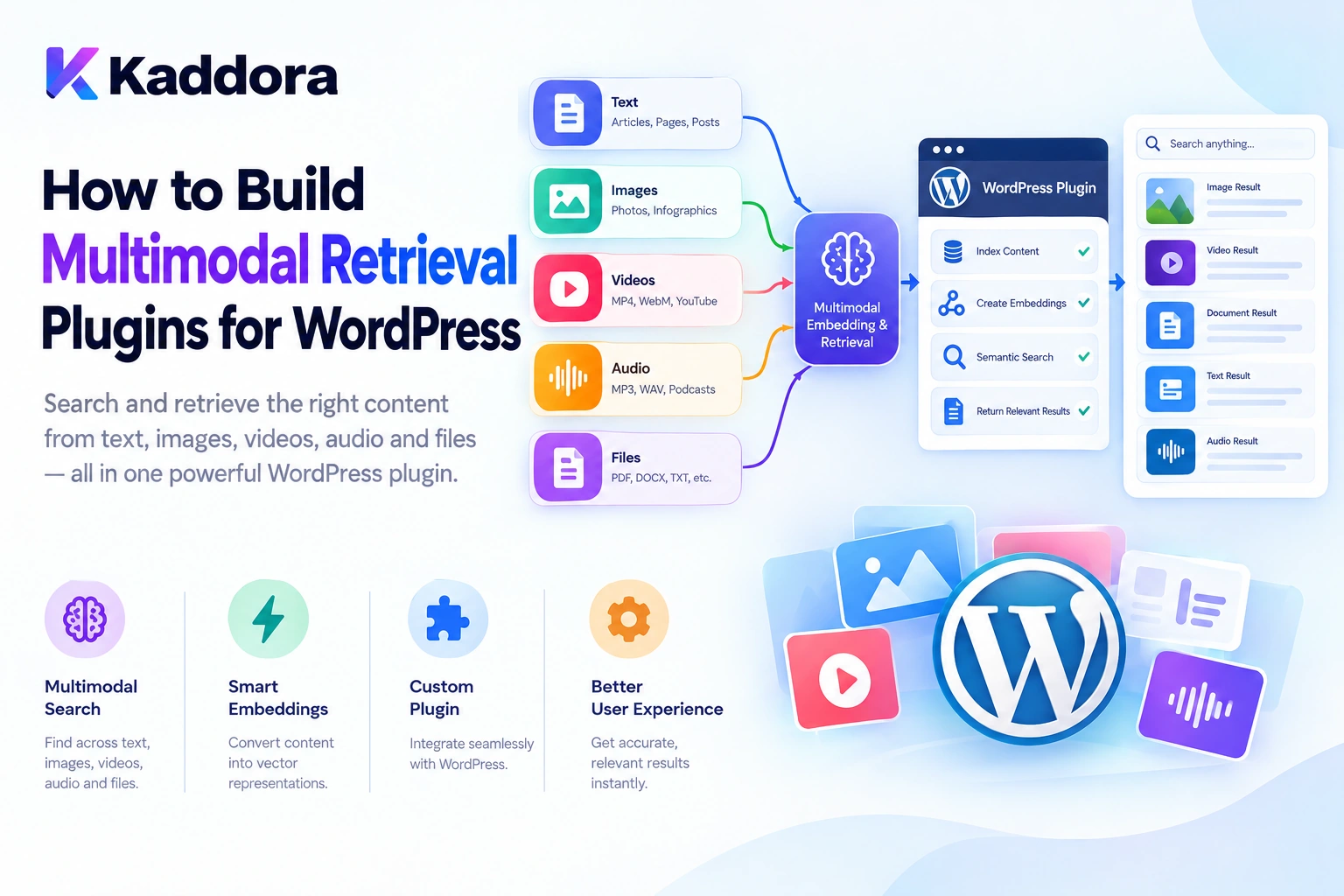
Introduction
Modern WordPress websites contain much more than text.
A typical website may include blog posts, product descriptions, images, PDF documents, videos, downloadable guides, customer support articles, and other media assets. Traditional search systems often rely on text, metadata, or filenames to find relevant information.
However, users frequently search for information based on what they see, hear, or mean rather than the exact words stored on a website.
For example, a visitor might ask:
Find a product image showing a black leather office chair.
Another visitor might ask:
Find the installation instructions shown in this document.
A third might ask:
Find articles explaining the same concept as this uploaded image.
A multimodal retrieval system can help connect these questions with relevant information across different content types.
Instead of searching only text, it can combine multiple signals, such as textual meaning, image content, OCR-extracted text, document metadata, and relationships between WordPress resources.
A simplified architecture looks like this:
WordPress Content and Media ↓ Content Processing ↓ Text / Images / Documents ↓ Embeddings and Metadata ↓ Retrieval and Ranking ↓ Relevant Content Results ↓ AI Response or Action
Building this functionality requires more than connecting WordPress to an AI API. Developers must design content ingestion, modality-specific processing, storage, indexing, retrieval, permissions, and synchronization.
This guide explains how to build multimodal retrieval plugins for WordPress using a practical and scalable architecture.
What Is Multimodal Retrieval?
Multimodal retrieval is the process of finding relevant information across different forms of content, including text, images, and documents.
A text-only system might search for:
"wireless headphones"
A multimodal system may also identify an image of wireless headphones even when its filename is:
IMG_4287.webp
The system can use image analysis, text descriptions, embeddings, and metadata to identify content that matches the user's intent.
Depending on the architecture, multimodal retrieval can support:
Text-to-text search
Text-to-image search
Image-to-image similarity search
Image-to-text retrieval
Search across document text and images
Retrieval using combinations of text and visual information
Not every implementation supports every retrieval direction. The available capabilities depend on the models, storage systems, and retrieval pipeline chosen by the developer.
Why Build a Multimodal Retrieval Plugin for WordPress?
A multimodal retrieval plugin can make large content libraries easier to explore.
1. More Intelligent Media Search
Users can search for image content instead of relying on filenames, captions, or manually entered tags.
2. Better WooCommerce Product Discovery
Customers can describe a product visually or provide an image, and the application can retrieve potentially relevant products.
3. Smarter Documentation Search
A retrieval system can combine document text, OCR results, diagrams, screenshots, and metadata when searching for technical information.
4. AI Knowledge-Base Assistants
A chatbot can retrieve relevant text passages, images, and documents before generating a response.
5. Improved Content Discovery
Editors can find related articles and media based on meaning or visual similarity rather than exact keyword matches.
6. More Useful Website Search
The same retrieval layer can support search experiences across posts, pages, products, documents, and media assets.
Understand the Multimodal Retrieval Architecture
A practical WordPress plugin can separate its responsibilities into several layers.
WordPress ↓ Content Sources ↓ Ingestion Pipeline ↓ ┌───────────┼───────────┐ ↓ ↓ ↓ Text Images Documents ↓ ↓ ↓ Text Index Image Index Text Extraction ↓ ↓ ↓ Text Vectors Image Vectors Metadata └───────────┼───────────┘ ↓ Retrieval Layer ↓ Ranking and Merge ↓ Permission Validation ↓ Relevant Context ↓ AI Response
This architecture separates content processing from retrieval and keeps WordPress in control of the original content and access permissions.
The system does not have to use three completely separate databases. It can use a shared metadata store with modality-specific indexes, or multiple retrieval backends coordinated by a single application service.
Step 1: Define the Supported Modalities
Before building the plugin, decide which types of content it needs to retrieve.
For example:
Modality
Example WordPress source
Processing
Text
Posts and pages
Text extraction and embeddings
Images
Media Library attachments
Image analysis or image embeddings
Documents
PDFs and text files
Text extraction, chunking, and indexing
Video
Uploaded or externally hosted video
Transcripts, timestamps, and selected-frame analysis
Audio
Audio uploads or recordings
Transcription and relevant metadata
Mixed content
Product pages with images and descriptions
Combined textual and visual retrieval
Start with the modalities that solve a real user problem.
A plugin designed for text-and-image search does not necessarily need audio transcription, video processing, or document parsing from the beginning.
Step 2: Build a WordPress Content Ingestion Pipeline
Multimodal retrieval begins with identifying and processing the content available on the website.
For example:
WordPress Post Created ↓ Extract Text ↓ Process Content ↓ Generate Text Embedding ↓ Store and Index
For images:
Image Uploaded ↓ Validate Attachment ↓ Analyze Image ↓ Extract Description or Embedding ↓ Store Metadata ↓ Index for Retrieval
WordPress already provides useful interfaces for managing content and media. Its REST API reference documents resources for posts, pages, media, taxonomies, and other WordPress objects.
The Media API includes attachment details such as the attachment ID, source URL, alternative text, MIME type, and media information. See the official Media REST API reference.
Use these existing structures instead of creating a separate content-management system unnecessarily.
Step 3: Process Text and Images Appropriately
Different modalities require different processing methods.
Text processing
Text content can be normalized and divided into meaningful chunks.
For example:
Article ↓ Heading Detection ↓ Paragraph Extraction ↓ Chunking ↓ Embedding Generation
The chunking strategy should preserve important context and source metadata.
Image processing
Image retrieval may use:
AI-generated descriptions
OCR-extracted text
Image embeddings
Existing alternative text
Captions
Product attributes
Attachment metadata
For instance, a product image can be associated with its WooCommerce product name and attributes to make results more descriptive.
Existing image metadata should be treated as useful context, not as guaranteed truth about every visible detail.
Document processing
PDFs and other supported documents may require text extraction before chunking and embedding.
For documents containing diagrams or screenshots, text extraction alone may not capture all relevant information. Image analysis may be needed as a separate processing step.
AI model integration
A vision-capable model can analyze image inputs, while a text embedding model can convert text into vectors. These are related capabilities, but they should not be treated as interchangeable automatically.
For provider-specific details, consult the current OpenAI Images and Vision documentation and Vector Embeddings documentation.
Step 4: Choose a Compatible Embedding Strategy
Embedding design is one of the most important decisions in a multimodal retrieval system.
A text embedding model represents text as a numerical vector. A vision-capable model can analyze images, but generating an image description is not necessarily the same as producing an image embedding compatible with a text embedding.
There are two common architectural approaches.
Approach A: Convert media into text descriptions
The plugin analyzes an image and generates a description.
Image ↓ Image Analysis ↓ Text Description ↓ Text Embedding ↓ Text Retrieval
For example:
Image description: Black leather office chair with padded armrests
The description can be indexed alongside the product name and other relevant metadata.
This approach is comparatively straightforward, but retrieval quality depends on the accuracy and completeness of the generated description.
Approach B: Use modality-specific embeddings
The system generates embeddings for text and images using suitable models.
Text Content ──→ Text Embeddings Image Content ─→ Image Embeddings ↓ Retrieval Layer
For direct cross-modal comparison, the vectors must belong to a compatible representation space or be connected through an appropriate matching or reranking strategy.
Do not compare arbitrary text and image vectors merely because they are both arrays of numbers.
Practical recommendation: start with text descriptions and metadata when that satisfies the use case. Introduce compatible multimodal embeddings when direct image-to-text or visual similarity retrieval provides measurable value.
Step 5: Design the Retrieval Storage Layer
A multimodal retrieval plugin needs a reliable way to associate content, metadata, embeddings, and WordPress resources.
A conceptual record might contain:
Record ID Site ID Source Type Source Object ID Attachment ID Modality Chunk Index Model Identifier Embedding Reference Content Hash Processing Status Updated Timestamp
For example:
{ "source_type": "attachment", "source_id": 842, "modality": "image", "model_key": "image-index-v1", "status": "ready" }
This example illustrates metadata only; it is not a complete embedding record.
Storage options
A plugin can use:
WordPress post meta for lightweight metadata
Custom database tables for structured retrieval records
A text search index for keyword retrieval
A vector database for semantic similarity search
A combination of these components
WordPress recommends considering post meta when practical and using custom tables for data models that require them. Its Creating Tables with Plugins guide explains the relevant database practices.
The key is to separate the storage interface from application logic so the retrieval backend can evolve without forcing every WordPress feature to be rewritten.
Step 6: Combine Multiple Retrieval Signals
A multimodal plugin should not rely exclusively on a single retrieval signal when several relevant signals are available.
Consider a query:
Find a lightweight black laptop suitable for travel.
The system might use:
Query ↓ Text Search ↓ Semantic Retrieval ↓ Product Metadata Filters ↓ Image Similarity, If Supported ↓ Result Ranking
Possible signals include:
Keyword matches
Text embedding similarity
Image embedding similarity
Product category
Product attributes
Attachment descriptions
Source relevance
Content visibility
A ranking layer can combine these signals according to the application's requirements.
The exact scoring formula should be evaluated rather than assumed. Text relevance may deserve more weight for a technical question, while visual similarity can be more important for an image-based product search.
Step 7: Build a WordPress Retrieval Service
Avoid implementing retrieval logic independently in every controller or interface.
Create an application service that can:
Receive a user query.
Determine which modalities are relevant.
Generate or process the query representation.
Retrieve candidate records.
Combine and rank results.
Validate access permissions.
Return structured results.
A conceptual PHP service might look like:
final class Kaddora_Multimodal_Retrieval_Service { public function search( string $query, array $options = array() ): array { // Validate query and supported options. // Retrieve candidates from approved indexes. // Merge and rank results. // Verify source permissions. // Return structured results. return array(); } }
This is a structural example rather than a complete implementation.
The actual service should delegate provider-specific processing, database access, authorization, and ranking to appropriate components.
Step 8: Secure the Retrieval Pipeline
Multimodal retrieval can expose information from media, internal documents, customer data, or private WordPress resources.
The application should enforce:
Authentication where required
WordPress capability checks
Object-level permissions
Supported file types
Upload and request-size limits
Safe file access
API credential protection
Appropriate rate limits
Data minimization
Never assume that a vector appearing in search results means the current user can access the original content.
For example, a private attachment should not become publicly accessible simply because its embedding is indexed.
The retrieval layer must verify the permissions and visibility of the source before returning its content or including it in a model request.
Step 9: Synchronize Content and Media Changes
WordPress content changes over time.
Posts are edited, attachments are replaced, products are updated, and access permissions can change.
A synchronization workflow might look like this:
Content or Media Updated ↓ Detect Relevant Changes ↓ Mark Previous Index Stale ↓ Queue Reprocessing ↓ Generate New Metadata ↓ Update Embeddings ↓ Verify Index State
Use content hashes and processing states to avoid unnecessary regeneration.
For large media libraries, use background processing rather than handling every image during a normal browser request.
When an item becomes private or is deleted, immediately prevent unauthorized retrieval even if the underlying index cleanup runs asynchronously.
Step 10: Optimize Performance for Large Content Libraries
Multimodal retrieval can involve several expensive operations, including image analysis, document parsing, embedding generation, vector search, and result ranking.
A scalable plugin should:
Batch suitable processing tasks.
Avoid regenerating unchanged embeddings.
Reuse safe cached results.
Restrict retrieval candidates.
Deduplicate overlapping content.
Process large ingestion jobs asynchronously.
Track retrieval latency and failure rates.
Load only the context needed by the current query.
For example:
10,000 Media Attachments ↓ Background Queue ↓ Batch Processing ↓ Metadata and Embeddings ↓ Search Index
Avoid analyzing every image whenever a visitor performs a search. Process and index content ahead of time, then retrieve the existing representations.
Step 11: Evaluate Retrieval Quality
A multimodal retrieval plugin should be tested using real queries and known relevant content.
For example:
Query: Find a black leather office chair. Expected: Relevant chair images and product records.
Another test:
Query: Find the instructions shown in this screenshot. Expected: Relevant documentation or extracted text.
Measure:
Relevant results in the top positions
Retrieval latency
Duplicate results
Source attribution
Permission enforcement
Failed media processing
Storage growth
Test text-only, image-based, and mixed-modality requests separately. A system that performs well for text search may not necessarily perform well for image similarity or document retrieval.
Common Mistakes When Building Multimodal Retrieval Plugins
1. Treating all modalities identically
Images, text, audio, and documents can require different processing methods.
Better: use modality-aware ingestion while providing a consistent retrieval interface.
2. Assuming text and image embeddings are interchangeable
Different models may produce incompatible representations.
Better: verify embedding compatibility or use a supported matching strategy.
3. Indexing every file automatically
Not every WordPress attachment needs to be sent to an AI service.
Better: define supported content sources and processing rules.
4. Ignoring WordPress permissions
A retrieval index can accidentally expose private content if source authorization is ignored.
Better: validate access before returning results.
5. Processing the entire media library synchronously
This can cause timeouts and excessive resource usage.
Better: use queues and bounded batches.
6. Relying only on image captions
Captions and alt text may be missing, incomplete, or inaccurate.
Better: combine available metadata with suitable image analysis and visual retrieval where needed.
7. Using one ranking rule for every query
Different tasks require different retrieval signals.
Better: evaluate ranking based on the type of query and content.
8. Sending excessive context to the AI
Too many results can introduce irrelevant information and increase processing costs.
Better: retrieve, rank, deduplicate, and select the most useful context.
Best Practices for WordPress Multimodal Retrieval Plugins
Define the supported modalities before development.
Separate ingestion from retrieval.
Reuse WordPress content and media identifiers.
Choose compatible models for each retrieval task.
Preserve metadata and source relationships.
Combine text, visual, and structured metadata when useful.
Validate permissions before returning content.
Keep AI credentials server-side.
Use background processing for large libraries.
Avoid regenerating unchanged representations.
Monitor storage, latency, and retrieval quality.
Test each modality independently.
Keep retrieval results structured and traceable.
Use the simplest architecture that meets actual requirements.
WordPress Multimodal Retrieval Checklist
Architecture
Supported modalities are defined.
Content ingestion and retrieval are separated.
WordPress source identifiers are retained.
Embedding compatibility is documented.
Storage interfaces are clearly defined.
Retrieval Quality
Text search works correctly.
Image retrieval is evaluated where supported.
Metadata filters are applied appropriately.
Results are ranked and deduplicated.
Source attribution is retained.
Relevant context is selected before AI generation.
Security
API credentials remain server-side.
WordPress capabilities are enforced.
Private media cannot leak through retrieval.
File types and request sizes are validated.
Sensitive data is minimized.
Rate limits and usage controls are implemented.
Performance and Maintenance
Large libraries use background processing.
Unchanged content is not unnecessarily reprocessed.
Failed jobs can be retried.
Updated and deleted records are synchronized.
Retrieval latency is monitored.
Search quality is tested across modalities.
Why Choose Kaddora?
Building intelligent WordPress retrieval systems requires more than connecting an AI model to a search box.
Developers need an architecture that combines WordPress content, media handling, semantic retrieval, metadata, permissions, and scalable indexing.
Kaddora focuses on practical WordPress development and AI-powered functionality for use cases such as:
Semantic website search
AI knowledge-base assistants
WooCommerce product discovery
Image and media retrieval
Documentation search
Retrieval-augmented generation
AI content discovery
Intelligent administrative workflows
A well-designed Kaddora implementation can bring multiple retrieval methods together while keeping source data, application permissions, and business rules under WordPress-controlled application logic.
The objective is to make website content easier to discover without adding unnecessary infrastructure or compromising privacy.
Conclusion
Building multimodal retrieval plugins for WordPress involves coordinating different content types, embedding strategies, storage systems, and search methods.
A practical architecture follows:
WordPress Content and Media ↓ Modality-Aware Processing ↓ Embeddings and Metadata ↓ Retrieval Indexes ↓ Ranking and Validation ↓ Relevant Context ↓ AI Response
For smaller projects, text descriptions, attachment metadata, and a simple retrieval system may be sufficient. More advanced applications may require compatible text and image embeddings, separate vector indexes, background processing, and a ranking layer that combines multiple retrieval signals.
Regardless of the implementation, prioritize reliable source metadata, compatible representations, access-control checks, incremental synchronization, and measurable retrieval quality.
The goal is not simply to search more content types. It is to make WordPress information more discoverable, relevant, secure, and useful to AI-powered applications.
Frequently Asked Questions
What is multimodal retrieval in WordPress?
Multimodal retrieval is the process of finding relevant WordPress information across different content types, such as text, images, and documents, using suitable metadata, AI models, and retrieval techniques.
How is multimodal retrieval different from traditional WordPress search?
Traditional search commonly relies on keywords and metadata. Multimodal retrieval can also use semantic meaning, visual information, and relationships between different content types.
What types of content can WordPress multimodal retrieval support?
Depending on the implementation, it can support posts, pages, media attachments, product images, documentation, PDFs, transcripts, and other processed content.
Does multimodal retrieval require separate embeddings for text and images?
Not always. The design depends on the selected models and whether they support compatible representations. A plugin may use text descriptions, modality-specific embeddings, or a combination of retrieval methods.
Can multimodal retrieval work with WooCommerce?
Yes. It can help retrieve products using descriptions, attributes, images, and other product metadata, provided results are checked against current product data and visibility rules.
How can I secure a WordPress multimodal retrieval plugin?
Use server-side credentials, validate requests and files, enforce WordPress permissions, protect private media, minimize sensitive data, and verify source access before returning retrieved content.
How can multimodal retrieval perform well with large media libraries?
Use background ingestion, batch processing, content hashes, appropriate indexes, bounded candidate retrieval, caching where useful, and ongoing performance monitoring.
Why choose ThemeKaddora?
ThemeKaddora provides a marketplace for WordPress plugins, themes, and website templates. Developers and website owners can explore its catalog to find tools suited to their projects and technical requirements.
Comments (0)