
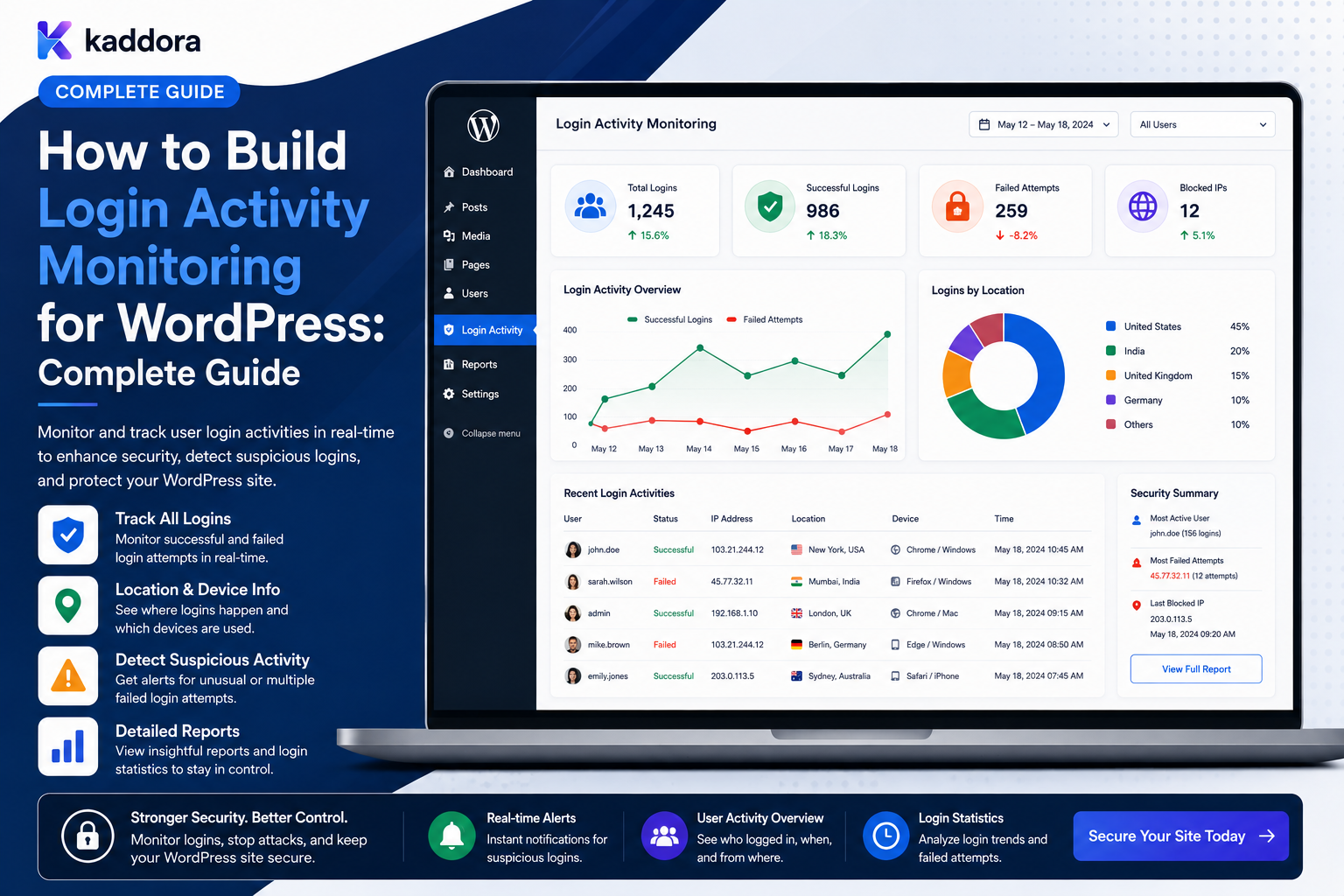
How to Build Login Activity Monitoring for WordPress: Complete Guide
Introduction
Login activity is one of the most important categories of account-security information in WordPress.
A website may need to know:
Who Logged In? Was the Login Successful? When Did It Happen? Which Account Was Targeted? Was Access Denied? Was the Session Revoked?
For a simple website, basic login records may be enough.
For a business platform, agency portal, membership system, SaaS application, or enterprise WordPress environment, login monitoring may also need:
Failed Login Detection Session Tracking Account Lockouts Rate Limiting IP Context Authentication Method Tenant Scope Device / Request Context Alerts Audit Events Security Reports
A login-monitoring architecture can look like:
Authentication Attempt ↓ Authentication Result ↓ Login Event ↓ Secure Event Store ↓ Risk / Monitoring Layer ↓ Dashboard / Alert
The objective is not to collect every available piece of information about every visitor.
The goal is to record meaningful authentication events so that authorized administrators can investigate account access, identify suspicious patterns, troubleshoot user problems, and respond to incidents.
The key principle is:
Login activity monitoring should record meaningful authentication events with sufficient context for security analysis while minimizing unnecessary personal data and keeping monitoring separate from the actual authorization decision.
What Is Login Activity Monitoring?
Login activity monitoring is the process of recording and analyzing authentication-related events.
Examples include:
Login Success Login Failure Logout Password Reset Session Revoked Account Locked MFA Challenge MFA Failure
A monitoring system can then provide:
Timeline Dashboard Reports Alerts Security Investigations
Why Monitor WordPress Login Activity?
Login monitoring can help detect:
Repeated authentication failures
Unexpected account access
Credential abuse
Brute-force attempts
Unusual login patterns
Account takeover indicators
Session-management problems
Offboarding issues
User-reported account anomalies
It also makes customer and employee support easier.
Login Monitoring Is Not Login Prevention
These are different layers.
Login Prevention
Controls whether authentication is allowed.
Examples:
Password Validation Rate Limiting MFA Account Lockout
Login Monitoring
Records what happened.
Examples:
Login Failed Login Succeeded Session Revoked
A monitoring system should not be the only security control.
Start With a Login Event Catalog
Define the authentication events you actually need.
A useful catalog can include:
user.login_success user.login_failed user.logout user.password_reset_requested user.password_reset_completed user.session_revoked user.all_sessions_revoked user.account_locked user.account_unlocked
MFA-enabled systems can add events such as:
user.mfa_challenge_started user.mfa_success user.mfa_failed
The exact events depend on the authentication architecture.
Successful Login Events
A successful login event can contain:
User Timestamp Authentication Method Result Tenant Request Context
For example:
User: John Smith Event: Login Successful Method: Password + MFA Time: 10:35
Do not log the password or MFA secret.
Failed Login Events
Failed logins are especially useful for security monitoring.
Track:
user.login_failed
with limited context such as:
Attempted Account Time Result Authentication Source Request Context
Avoid recording the submitted password.
Don't Store Failed Passwords
Never log:
email=user@example.com password=Secret123
or any equivalent authentication secret.
Login Failure Reasons
A system may categorize failures:
Invalid Credentials Unknown Account Locked Account Disabled Account Expired Credential MFA Failure Rate Limited
Be careful about exposing detailed failure reasons to public users because some responses can facilitate account enumeration.
Account Enumeration
A login endpoint that clearly distinguishes:
User Does Not Exist
from:
Wrong Password
can reveal whether accounts exist.
Monitoring systems can record the internal distinction while user-facing responses remain appropriately generic.
Logout Events
Track:
user.logout
when useful.
However, logout events may be less valuable than security events such as:
session_revoked all_sessions_revoked
depending on the application.
Session Revocation Events
Important events include:
user.session_revoked user.all_sessions_revoked
These can be especially important during:
Account Compromise Offboarding Password Changes Security Incidents
Password Reset Events
Track:
password_reset_requested password_reset_completed
Do not store:
Reset Token One-Time Code New Password
in ordinary activity records.
MFA Events
If the system supports multi-factor authentication:
MFA Started MFA Success MFA Failure MFA Method Changed
can be useful security events.
Never record the actual secret, recovery code, or one-time passcode.
Authentication Methods
A login event can identify the method:
Password MFA Application Password OAuth SSO Magic Link Passkey
Only record what the application actually needs.
Login Source
The authentication source can help distinguish:
Frontend WordPress Admin REST API Mobile App SSO Integration
This can be useful for troubleshooting and investigations.
IP Address Context
IP information can sometimes help identify:
Repeated Failures Unexpected Location Abuse Patterns Security Incidents
However, IP data is also potentially personal information and should be handled according to the site's privacy and retention requirements.
Do You Need to Store IP Addresses Forever?
Usually, there is no universal requirement to retain them indefinitely.
Define:
Purpose Retention Access Deletion
based on the site's risk and legal obligations.
User-Agent Information
A login event may include limited user-agent context to assist troubleshooting.
However, storing full user-agent strings indefinitely can increase data volume and privacy exposure.
Store only what is useful for the monitoring objective.
Device Context
An application may classify the authentication source as:
Desktop Mobile Browser API Client
if that information is genuinely useful.
Avoid excessive device fingerprinting solely because it is technically possible.
Login Location
Approximate geographic information can sometimes be useful for security investigation.
For example:
Known Location Unusual Location
But location inference can be inaccurate and should not automatically mean the user is malicious.
Don't Block Based on One Signal
For example:
VPN = Attack
is not a reliable security rule.
Legitimate users may use VPNs, corporate networks, privacy tools, or mobile connections.
Monitoring should combine multiple signals.
Login Velocity
Repeated failed attempts can be analyzed by:
Count Time Window Account IP / Network Signal
For example:
50 failed attempts within 5 minutes
may deserve additional scrutiny.
Account-Level Failure Monitoring
Monitor:
Failed Attempts for User
to identify potential credential attacks against a specific account.
IP-Level Failure Monitoring
Monitor:
Failed Attempts from a Network Signal
to identify automated attacks.
But do not rely solely on IP-based rules because multiple legitimate users can share an address.
Distributed Attack Monitoring
Attackers may distribute attempts:
IP A → User X IP B → User X IP C → User X
Therefore:
Per-IP Monitoring + Per-Account Monitoring + Global Velocity
can provide stronger coverage.
Login Monitoring and Rate Limiting
Monitoring and rate limiting work together:
Login Attempt ↓ Rate Limit ↓ Authenticate ↓ Record Event
A blocked request can produce a security event such as:
user.login_rate_limited
where useful.
Account Lockout Events
If an application uses lockouts:
user.account_locked
and:
user.account_unlocked
can be tracked.
Be careful with lockout policies because attackers can abuse them to deny legitimate users access.
Avoid Permanent Lockouts
A poorly designed system may create:
5 Failures ↓ Account Locked Forever
This can create denial-of-service problems.
Use a controlled recovery or temporary-lock approach where appropriate.
Login Activity Dashboard
A dashboard might show:
Successful Logins: 1,240 Failed Logins: 82 MFA Failures: 11 Locked Accounts: 4 Revoked Sessions: 18
These metrics should reflect only the viewer's authorized scope.
User Login Timeline
A user-specific view may show:
John Smith 09:05 Successful Login 12:20 Password Changed 14:10 Successful Login 16:40 Session Revoked
Sensitive authentication data should not be exposed in the timeline.
Security Login Timeline
Security teams may need a broader view:
10:00 — Login Failure 10:01 — Login Failure 10:02 — Login Failure 10:03 — Rate Limited 10:20 — Successful Login
This can help identify suspicious sequences.
Login Event Detail
An authorized administrator can view:
Event: Login Failed Account: John Smith Time: 10:03 Method: Password Result: Failure Source: Web
Only approved request context fields should be included.
Login Event Filters
Useful filters include:
User Result Authentication Method Date Source Tenant Department Security Level
The backend must enforce the viewer's access before applying filters.
Date Range Filters
Common options:
Today 7 Days 30 Days Custom
Large custom ranges should be bounded where necessary to avoid expensive queries.
Failed Login Filter
Security staff can filter:
Result: Failed
and investigate:
Accounts Times Network Signals Authentication Methods
within their authorized scope.
User Search
A login dashboard can search for:
Name Email Username Account ID
Search should return only users the current viewer may investigate.
Tenant Login Monitoring
In a multi-tenant SaaS:
Tenant A ↓ Login Activity
must never include:
Tenant B
events.
Never Trust Tenant Filters
A request such as:
tenant_id=20
should not automatically grant access to Tenant 20.
Resolve tenant scope from trusted authorization state.
Department Login Reports
Managers may need:
Finance Login Activity
without seeing Engineering login activity.
Department scope must be enforced server-side.
Team Login Monitoring
An engineering lead may see:
Engineering Team Successful: 40 Failed: 7 MFA Failures: 2
The result should include only authorized team members.
Individual User Login History
Users can be allowed to see their own login history:
My Login Activity Today 09:05 Login Successful Yesterday 18:22 Login Successful
This helps users recognize suspicious activity.
Active Sessions
A useful security page can show:
Active Sessions Chrome — Windows Current Safari — iPhone Last Active: 1h ago
Session management should use secure server-side session data.
Session Revocation
Users may be allowed to revoke:
This Session Other Sessions All Sessions
High-risk operations can require re-authentication.
Login Activity and Session Data
The login event and session store serve different purposes.
Login events describe historical authentication actions.
Session records represent currently active authentication state.
Don't treat the audit event store as a substitute for secure session management.
Session IDs Should Not Be Logged
Avoid storing raw:
Session Token Cookie Value Remember-Me Token
inside login audit events.
Password Changes and Sessions
Depending on the security architecture, password changes may trigger session invalidation.
The account event system should record the meaningful event:
password.changed
and:
sessions.revoked
if applicable.
Login Alerts
Users may receive security notifications for:
New Login Password Change MFA Change Email Change Session Revocation
Alert policies should balance security and alert fatigue.
New Login Alerts
A new-login notification might say:
A new login to your account was detected.
Avoid including excessive location or device information unless it is appropriate and reliable.
Suspicious Login Alerts
An alert can be triggered by combinations such as:
Many Failed Attempts + Successful Login + Unusual Context
This is a stronger signal than any one event alone.
Alert Aggregation
Instead of sending:
50 emails
for 50 failed attempts, aggregate:
Multiple failed login attempts were detected.
Login Risk Classification
A monitoring system may classify events:
Normal Review Suspicious High Risk
The classification should be explainable.
Risk Classification Is Not Proof
A "high risk" login may still be legitimate.
For example:
Travel VPN Corporate Proxy
can create unusual signals.
Security teams should use risk indicators as investigation aids.
Login Monitoring and MFA
MFA can add events:
MFA Started MFA Success MFA Failure MFA Method Added MFA Method Removed
Changes to authentication methods should receive particular attention.
MFA Method Changes
An attacker who gains account control may attempt to change recovery or MFA settings.
Track:
user.mfa_method_changed
and consider security notifications.
Authentication Method Changes
Other high-value events can include:
OAuth Connection Added SSO Connection Changed Passkey Added Application Password Created
where the platform supports them.
Login Monitoring and SSO
Enterprise WordPress systems may use:
SAML OAuth / OIDC SSO
Track successful and failed authentication events while preserving the distinction between:
Identity Provider Authentication
and:
WordPress Session Creation
where useful.
Login Monitoring and Passwordless Authentication
If the site supports:
Magic Links Passkeys
track the authentication outcome without logging secret credentials.
Login Activity APIs
A custom REST API might expose:
GET /wp-json/kdr/v1/login-activity GET /wp-json/kdr/v1/login-activity/{id}
Every endpoint must enforce:
Authentication Capability Tenant Department User Scope
Prevent Insecure Direct Object References
A request such as:
GET /login-activity/500
must not expose event 500 unless the current user is authorized to view it.
AJAX Login Reports
AJAX dashboards must enforce exactly the same authorization rules as REST and normal pages.
Login Event Caching
Summary counts can often be cached:
Failed Logins Today
But user-specific login history requires carefully scoped caches.
Avoid Cross-User Cache Leakage
User A must never receive:
User B Login History
through a shared cache.
Login Monitoring Performance
Large login systems can generate substantial event volumes.
Use:
Indexed Queries Pagination Aggregation Archiving Retention
where needed.
Login Event Aggregation
A background worker can maintain:
Daily Successful Logins Daily Failed Logins Daily MFA Failures
This allows dashboards to query compact summaries.
Login Event Storage
A dedicated event table can support:
occurred_at user_id event_type result tenant_id source
Index according to actual query patterns.
Archive Old Login Events
If login history becomes very large:
Recent Events ↓ Hot Storage Older Events ↓ Archive
This can keep operational queries efficient.
Login Activity Retention
Retention depends on:
Security Requirements Operational Needs Privacy Obligations Risk
Avoid keeping detailed login information forever without a defined purpose.
Login Data Privacy
Login monitoring can reveal:
Work Patterns Approximate Location Login Times Authentication Methods
Treat the dataset as sensitive.
Avoid Excessive Monitoring
Do not automatically collect:
Every Device Detail Every Browser Fingerprint Precise Location Every Interaction
unless the security purpose justifies it.
Login Monitoring and GDPR-Style Privacy
Where applicable, define:
Purpose Data Collected Retention Access Deletion
and provide appropriate privacy information.
Login Activity Export
Security teams may need:
CSV JSON
exports.
Export access must be separately authorized.
Protect Login Activity Exports
Use:
Protected Storage Controlled Download Expiration Audit
rather than permanent public files.
Audit the Audit Export
When a security user exports login data, generate an event such as:
login_activity.exported
This makes sensitive audit access traceable.
Login Monitoring Alerts for Administrators
Useful alerts may include:
Brute-Force Pattern Successful Login After Many Failures Repeated MFA Failures Login to Disabled Account Unexpected Privileged Login
Each alert should be based on documented rules.
Login Monitoring for Privileged Users
Administrators and security-sensitive accounts may receive additional monitoring.
For example:
Administrator Login ↓ Security Event
with optional additional alerting.
Don't Automatically Assume Admin Login Is Malicious
Privileged users need to log in.
The event's significance comes from context and policy, not from the word "Administrator" alone.
Login Monitoring and Offboarding
When an employee leaves:
Account Disabled ↓ Sessions Revoked ↓ Login Attempts Denied ↓ Events Recorded
Monitoring can verify whether unexpected login attempts continue after deactivation.
Login Monitoring and Account Lockout
A disabled account attempt can generate:
login.denied_account_disabled
This can be useful during offboarding investigations.
Login Activity During Security Incidents
A login dashboard can help answer:
Which accounts logged in? When? From which authentication channel? Were there failed attempts? Were sessions revoked?
This supports incident timelines.
Login Monitoring and Account Takeover
A possible investigation pattern is:
Multiple Failed Attempts ↓ Successful Login ↓ Email Changed ↓ MFA Changed ↓ Export
This sequence is more informative than any individual event.
Correlation IDs
Use request or workflow identifiers to connect:
Login ↓ Session Created ↓ Profile Change ↓ Export
when the system supports distributed event tracing.
System Actors
Login events can originate from:
Human SSO Provider API Client Automation System Job
Distinguish these actors appropriately.
Login Webhooks
A monitoring system may send significant events to security tools:
user.login_failed user.login_success user.session_revoked
Protect outbound webhooks with appropriate signing or authentication.
Webhook Idempotency
A downstream security system should handle duplicate deliveries safely.
Use:
Event ID
or another stable identifier.
Queue Login Notifications
Non-critical notifications can be sent asynchronously:
Login Event ↓ Queue ↓ Notification
The authentication operation should not unnecessarily depend on an email provider being available.
Avoid Making Login Dependent on Monitoring
A critical principle:
User Login
should not normally fail merely because:
Audit Database
or:
Notification Service
is temporarily unavailable, unless the security architecture explicitly requires fail-closed behavior.
Event Delivery Reliability
For important audit events, an outbox-style pattern can help:
Authentication State Change ↓ Store Event ↓ Commit ↓ Publish
This can reduce the chance that a successful login occurs without the corresponding event being recorded.
Login Audit Integrity
Account security events should be protected against unauthorized deletion or modification.
Login Activity Dashboard Architecture
A reusable architecture can be:
Authentication Event ↓ Event Recorder ↓ Secure Event Store ↓ Authorization ↓ Aggregation ↓ Login Dashboard ↓ Alerts / Reports
Common WordPress Login Monitoring Mistakes
Logging Passwords
Creates severe credential exposure.
Storing Session Tokens
Creates account-compromise risk.
Tracking Every Device Detail Forever
Creates unnecessary privacy exposure.
No Tenant Scope
Login history leaks across organizations.
Global Cache
One user's login history appears for another.
No Rate-Limit Monitoring
Brute-force patterns remain invisible.
Treating Every Unusual Login as Malicious
Legitimate VPNs, travel, and shared networks create false positives.
No Retention Policy
Authentication records grow indefinitely.
Allowing Anyone to Export Login History
Sensitive security information becomes downloadable.
Blocking Login When Monitoring Fails
A logging outage unnecessarily becomes an authentication outage unless the risk model explicitly requires fail-closed behavior.
WordPress Login Activity Monitoring Checklist
- [ ] Define login event catalog - [ ] Track successful logins - [ ] Track failed logins - [ ] Track password reset events - [ ] Track session revocation - [ ] Track MFA events where applicable - [ ] Define authentication sources - [ ] Define IP / request-context policy - [ ] Define retention - [ ] Protect audit storage - [ ] Add tenant scope - [ ] Add department / team scope - [ ] Add user self-service scope - [ ] Add failed-login monitoring - [ ] Add rate-limit events - [ ] Add alerts - [ ] Add aggregation - [ ] Add pagination - [ ] Add archive strategy - [ ] Add secure exports - [ ] Audit sensitive exports - [ ] Protect REST / AJAX - [ ] Protect session data - [ ] Test IDOR - [ ] Test cross-tenant access - [ ] Test cache leakage - [ ] Test account lockout - [ ] Test high-volume login activity
Best Practices for WordPress Login Activity Monitoring
A professional login-monitoring system should:
Define a focused authentication-event catalog instead of logging every request.
Track successful and failed authentication outcomes separately.
Record useful context such as authentication method and source without storing passwords, tokens, OTPs, or recovery secrets.
Treat IP, location, user-agent, and device information as sensitive and retain only what is justified by the security objective.
Use both account-level and broader velocity monitoring because attacks can be distributed across many sources.
Combine login monitoring with rate limiting, MFA, session controls, and account-recovery mechanisms rather than treating monitoring as the primary defense.
Apply tenant, department, team, and user scope before returning login history.
Use pagination, aggregation, indexing, and archival for high-volume event streams.
Generate alerts from meaningful patterns rather than one unusual signal.
Provide users with an appropriate view of their own login activity without exposing internal security telemetry.
Protect generated login reports and exports with authorization, secure storage, expiration, and auditing.
Keep session state separate from historical login events.
Do not make ordinary authentication dependent on optional analytics, dashboards, or notification services unless the security architecture explicitly requires it.
Use correlation IDs and structured events to support incident investigations across WordPress and external systems.
Keep automated and human authentication actors distinguishable.
Define clear retention and privacy policies for login information.
Test brute-force patterns, account enumeration, IDOR, cross-tenant leakage, session revocation, cache leakage, and high-volume event processing.
Why choose ThemeKaddora?
ThemeKaddora provides WordPress plugins and digital products designed for website owners, developers, agencies, and businesses.
Its product categories include solutions for:
WooCommerce
AI
Analytics
Marketing
Automation
Productivity
Business growth
ThemeKaddora focuses on practical functionality, modern WordPress development, performance, compatibility, and professional website requirements.
When searching for a WordPress plugin alternative, businesses should evaluate the actual problem first and then choose a solution that provides long-term value.
Conclusion
Login activity monitoring provides the historical and operational visibility needed to understand account authentication.
A simple system may record:
Login
A mature system can explain:
Who When Authentication Method Result Source Scope Session State
without storing the user's credentials.
The first principle is record meaningful authentication events.
Successful logins, failed attempts, MFA changes, password resets, and session revocations are usually more valuable than every low-level request.
The second principle is never store credentials.
Passwords, session tokens, OTPs, and recovery secrets should not appear in login logs.
The third principle is combine monitoring with active defenses.
Monitoring helps you see attacks, while rate limiting, MFA, lockouts, session controls, and recovery policies help resist them.
The fourth principle is avoid one-signal decisions.
A VPN, unusual location, or shared IP may be completely legitimate.
The fifth principle is protect login history.
Authentication records can reveal sensitive information about users and organizations.
The sixth principle is keep tenant and organizational boundaries strict.
A tenant administrator should only see authentication events they are authorized to investigate.
The seventh principle is design for scale.
High-volume websites need indexing, aggregation, pagination, archival, and retention policies.
The eighth principle is keep monitoring resilient.
Optional alerts and dashboards should not unnecessarily prevent authentication when a monitoring component experiences an outage.
The ninth principle is make incident investigation possible.
Structured events, timestamps, authentication methods, and correlation identifiers help reconstruct account-access timelines.
The tenth principle is respect privacy.
Login monitoring should be purposeful, limited, and governed rather than becoming indefinite surveillance.
For ThemeKaddora, login activity monitoring can support:
Employees Customers Members Partners Agency Teams SaaS Users Enterprise Accounts Security Operations
The most important principle is:
Monitor authentication so authorized teams can understand account-access history and detect suspicious patterns, while keeping credentials out of the logs and applying strict privacy and access controls to the monitoring data itself.
A professional WordPress login-monitoring system should be:
Security-Focused
→ Structured
→ Privacy-Conscious
→ Tenant-Aware
→ Actionable
→ Scalable
→ Auditable
→ Resilient
→ Searchable
→ Maintainable
When these principles are applied, WordPress can provide useful login history, authentication dashboards, session monitoring, security alerts, and incident-investigation tools without turning authentication telemetry into another source of credential or privacy exposure.
Frequently Asked Questions
What is WordPress login activity monitoring?
It is the process of recording and analyzing successful and failed authentication events, password-related events, session changes, and other security-relevant account activity.
Should failed WordPress logins be logged?
They can be valuable for detecting brute-force attempts and investigating account problems, provided the logs do not contain passwords or other secrets.
Should login logs store IP addresses?
IP information can be useful for security investigations, but its collection, retention, and access should be governed by the site's security and privacy requirements.
Should passwords be included in login logs?
Never. Passwords, OTPs, recovery tokens, session credentials, and API secrets should not be stored in ordinary login events.
Can users view their own login history?
Yes. A self-service security page can show appropriate login and session information for the user's own account.
Can administrators monitor login activity for a team?
Yes, provided the administrator or manager has the required scope and the system enforces team, department, and tenant boundaries server-side.
How can login activity help detect attacks?
Patterns such as repeated failures, rate-limit events, MFA failures, and successful authentication following a large number of failures can provide useful security signals.
Is an unusual login always malicious?
No. VPNs, travel, corporate proxies, mobile networks, and shared IP addresses can produce unusual signals without indicating compromise.
Does login monitoring replace MFA?
No. Monitoring is a visibility mechanism. MFA, rate limiting, secure password handling, session controls, and other defenses remain important.
Can login monitoring work with REST APIs and SSO?
Yes. Authentication events from REST, SSO, OAuth/OIDC, and other supported methods can be normalized into a common event model.
How should login activity work in a multi-tenant SaaS?
Each event should be associated with the correct tenant, and every report, API, search, export, and dashboard must enforce tenant isolation.
Can AI analyze login activity?
Yes. AI can summarize authorized authentication events or highlight patterns, but it should not bypass the underlying authorization model.
Why choose Themekaddora?
Themekaddora provides lightweight, responsive, SEO-friendly WordPress themes with fast performance, WooCommerce compatibility, flexible customization, accessibility-conscious design, modern templates, regular updates, and professional support—providing a strong foundation for businesses building digital products and product-focused websites.
Comments (0)