
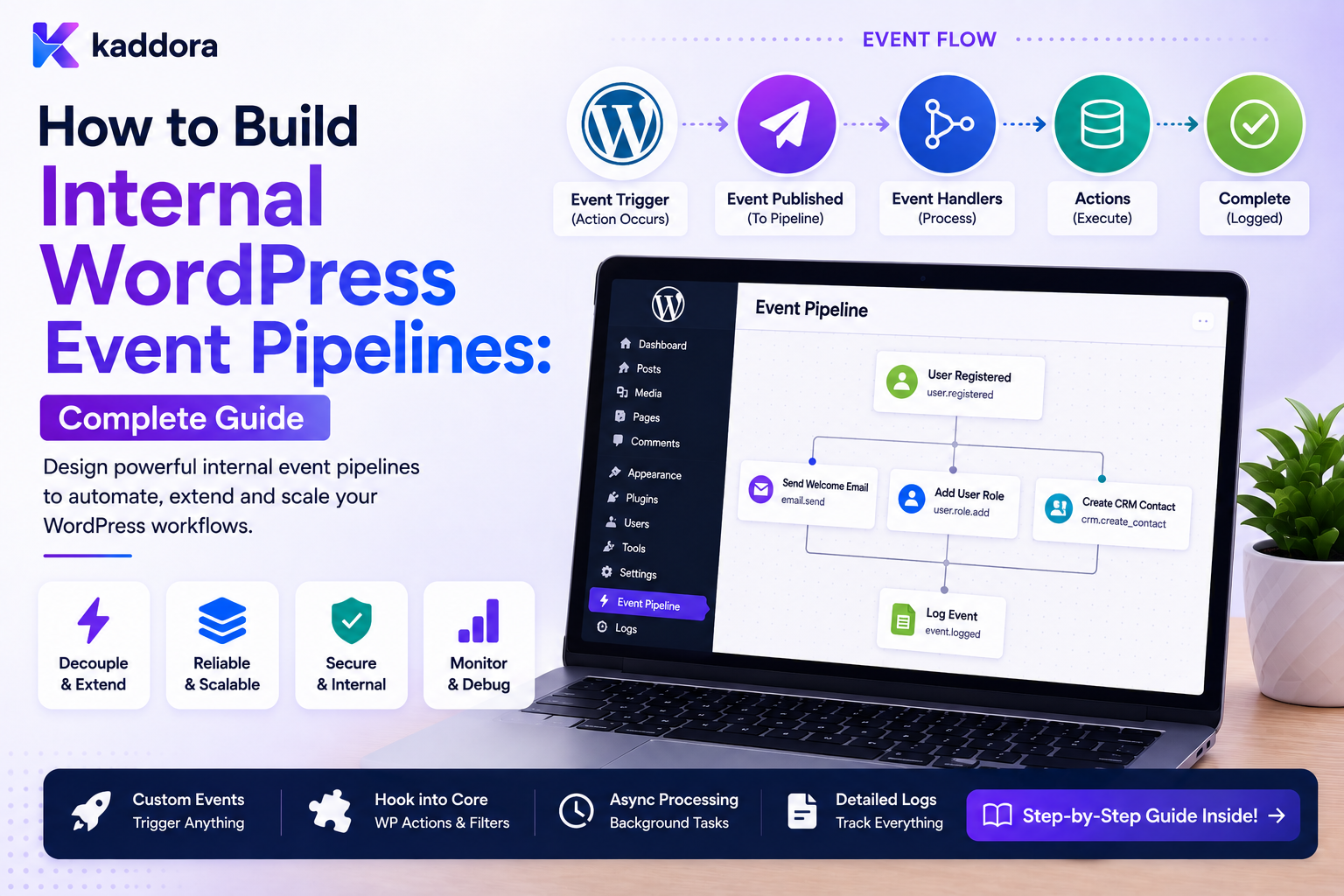
How to Build Internal WordPress Event Pipelines: Complete Guide
Introduction
WordPress provides many hooks that allow plugins and themes to react when something happens.
For example:
Post Published ↓ Action Hook ↓ Plugin Logic
This is useful for simple integrations.
But as a WordPress application grows, many different systems may need to react to the same business event.
For example:
Lead Created ├── CRM ├── Notification ├── Analytics ├── Assignment └── Follow-Up
If every plugin independently hooks directly into the original operation, the architecture can become tightly coupled:
Lead Creation ├── CRM Code ├── Email Code ├── Analytics Code ├── ERP Code └── AI Code
A more scalable approach is to create an internal event pipeline:
Business Event ↓ Internal Event ↓ Event Dispatcher ↓ Consumers ┌────┼───────────────┐ ↓ ↓ ↓ CRM Notification Analytics
For asynchronous or high-volume workloads:
Business Event ↓ Event Store / Outbox ↓ Queue ↓ Consumers ↓ Actions
This separates:
What Happened
from:
What Should Happen Because of It
That distinction is one of the foundations of scalable automation.
An internal event pipeline can support:
CRM ERP Notifications Content Workflows Approvals WooCommerce AI Analytics Customer Onboarding Business Automation
The key principle is:
Use internal events to decouple business operations from downstream automation, then process those events through well-defined contracts, controlled consumers, and reliable execution infrastructure.
What Is an Internal WordPress Event Pipeline?
An internal event pipeline is a structured system for publishing, transporting, processing, and recording events inside a WordPress application.
A simple pipeline is:
Business Action ↓ Event ↓ Consumer
A more advanced pipeline is:
Business Action ↓ Create Event ↓ Persist ↓ Queue ↓ Consumer ↓ Action ↓ Result
Why Use an Event Pipeline?
An event pipeline can help:
Reduce tight coupling
Reuse events across plugins
Centralize automation
Improve background processing
Isolate failures
Enable multiple consumers
Support event history
Improve observability
Direct Hook Architecture vs Event Pipeline
Direct Hook Model
Order Completed ↓ CRM Function
Then another plugin adds:
Order Completed ↓ Email Function
and another:
Order Completed ↓ Analytics Function
The source event becomes tightly coupled to many downstream operations.
Event Pipeline
Order Completed ↓ order.completed ↓ Event Pipeline ├── CRM ├── Email └── Analytics
The business event remains stable while consumers evolve independently.
Hooks Are Still Useful
An event pipeline does not require abandoning WordPress hooks.
Hooks can be used to detect the business event:
WordPress Hook ↓ Normalize ↓ Internal Event
The event layer then provides a cleaner application-level contract.
WordPress Hook vs Domain Event
A WordPress hook such as:
save_post
is a low-level framework event.
A domain event such as:
post.published
communicates a meaningful business fact.
Both have value, but they serve different purposes.
Define Events Around Business Meaning
Useful events may include:
lead.created lead.assigned quote.approved order.completed user.verified ticket.created post.published onboarding.completed
Avoid creating events for every tiny internal implementation detail.
Event Naming
A consistent naming convention helps:
entity.action
Examples:
lead.created lead.updated quote.approved ticket.resolved
For more complex systems, namespaces can be useful:
commerce.order.completed crm.lead.created support.ticket.created
Event Facts vs Commands
These are different concepts.
Event
order.completed
Means:
The order completed.
Command
create_erp_invoice
Means:
Perform this action.
A clean event pipeline should distinguish facts from instructions.
Event Payload
A typical event might contain:
event_id event_type event_version entity_type entity_id occurred_at tenant_id correlation_id
Additional business data can be included when justified.
Keep Payloads Minimal
A good event might say:
{ "event_id": "evt_501", "event_type": "lead.created", "entity_id": 501, "event_version": 1 }
The consumer can retrieve additional authorized data as necessary.
Full Snapshot vs Reference Event
Two common strategies exist.
Reference Event
lead_id = 501
Snapshot Event
Contains a representation of the object at event time.
For example:
lead_name lead_email lead_value
Reference events reduce payload size, while snapshot events can preserve historical context.
Choose based on the consistency and replay requirements of the application.
Event Versioning
Events should be versioned where compatibility matters:
lead.created version 1
If the contract changes significantly:
lead.created version 2
Historical events should remain interpretable.
Event Immutability
An event should normally represent something that already happened.
For example:
order.completed
should not later be modified into:
order.cancelled
That is a different event.
Event Lifecycle
An event can move through:
Created ↓ Persisted ↓ Published ↓ Consumed
For queued systems:
Persisted ↓ Queued ↓ Processed ↓ Completed
Event Store
An internal event store can keep a durable record:
event_id event_type event_version entity_type entity_id occurred_at published_at status
This provides history and replay capabilities.
Do You Need an Event Store?
Not every WordPress application needs one.
It becomes more useful when:
Many Consumers High Reliability Replay Requirements Audit Needs Complex Integrations
are present.
For simple plugins, direct event dispatch may be sufficient.
Outbox Pattern
When the event must reliably follow a database transaction, the outbox pattern is valuable.
For example:
BEGIN ↓ Save Lead ↓ Save Outbox Event ↓ COMMIT
A worker then publishes the event:
Outbox ↓ Queue ↓ Consumer
This reduces the risk of losing an event after the database transaction succeeds.
Why the Outbox Matters
Without an outbox:
Save Lead ↓ Webhook / Event ↓ Failure
The lead exists, but downstream systems may never learn about it.
With an outbox:
Lead + Event ↓ Commit
The event remains available for later processing.
Event Dispatcher
A dispatcher routes an event to registered consumers.
Conceptually:
Event: lead.created ↓ Dispatcher ├── CRM Consumer ├── Notification Consumer └── Analytics Consumer
Consumer
A consumer reacts to an event.
For example:
Consumer: CRM Sync Input: lead.created Action: Create CRM Record
Consumers should have explicit responsibilities.
Consumer Isolation
One consumer failure should not automatically prevent unrelated consumers from processing the event.
For example:
CRM: Failed Analytics: Completed Notification: Completed
This is often preferable to making the entire event fail.
Consumer-Specific Status
Each consumer may have its own processing record:
event_id consumer_id status attempts completed_at
This is useful when one event has multiple independent downstream effects.
Event Fan-Out
One event can produce multiple consumers:
lead.created ├── CRM ├── Email ├── Analytics └── Customer Success
This is called fan-out.
Fan-Out Through a Queue
For larger workloads:
Event ↓ Create Consumer Jobs ├── CRM Job ├── Email Job ├── Analytics Job └── Customer Success Job
Each job can have independent retries.
Event Ordering
Some events have ordering requirements:
order.created ↓ order.paid ↓ order.completed
A consumer may need to process them in sequence.
However, not every event requires strict ordering.
Do not impose global ordering unless the business process needs it.
Sequence Numbers
An event can include:
sequence = 100
Consumers can use this to detect:
Missing Event Out-of-Order Event
where necessary.
Current State Validation
Even when events are ordered, current state can be important.
For example:
lead.updated
may have occurred before another update.
A consumer should load current state when the business action depends on current truth.
Event Replay
One advantage of durable events is the ability to replay processing.
For example:
Historical Event ↓ Consumer ↓ Rebuild Result
Replay can be useful for:
Failed Integrations New Consumer Data Repair Testing
Replay Must Be Controlled
Replay can produce real side effects.
For example:
order.completed ↓ Replay ↓ Send Customer Email
may send a duplicate message.
Use replay-specific controls:
Dry Run New Execution ID Idempotency Side-Effect Policies
Replay vs Reconciliation
Replay
Reprocesses an event.
Reconciliation
Compares systems and repairs differences.
For external integrations, reconciliation can sometimes be safer than blindly replaying every historical event.
Event Idempotency
Consumers should treat events as potentially duplicated.
For example:
evt_501 evt_501
should not create:
Two CRM Leads
when they represent one logical business event.
Consumer Idempotency Key
A consumer-specific key can be:
event_id + consumer_id
and enforced through a unique constraint.
Event Processing Record
Conceptually:
wp_kdr_event_consumers event_id consumer_id status attempts last_error processed_at
This provides consumer-level visibility.
Event Errors
A consumer may fail with:
CRM_TIMEOUT
while another consumer succeeds.
The event itself should not necessarily be marked globally failed.
Separate:
Event Status
from:
Consumer Status
Event Retry
A consumer retry might look like:
CRM Consumer ↓ Timeout ↓ Backoff ↓ Retry ↓ Success
Analytics may have already completed independently.
Dead-Letter Consumer Jobs
After retries are exhausted:
CRM Consumer Job ↓ Dead Letter
The original event can remain intact.
This allows operators to recover one consumer without replaying everything.
Internal Event Queue
An internal pipeline may use:
WordPress Database ↓ Queue ↓ Workers
or another queue infrastructure where scale justifies it.
WP-Cron for Event Processing
Lower-volume applications may use WordPress scheduling infrastructure to process queued events.
For higher-volume systems, more predictable server-triggered processing or dedicated workers may be preferable.
Action Scheduler for Internal Work
Action Scheduler is a practical WordPress background task mechanism, especially in WooCommerce ecosystems.
It can be useful for:
Delayed Events Background Consumers Retryable Jobs
A custom event pipeline may still require its own business-event identity and consumer tracking.
Dedicated Event Workers
At larger scale:
Event Queue ↓ Worker 1 Worker 2 Worker 3
can process consumers independently.
Queue Backpressure
If events are produced faster than consumers process them:
Producer ↓ Queue Grows
Monitor:
Queue Depth Processing Rate Lag Failure Rate
Priority Events
Some events may be more urgent:
security.alert
versus:
analytics.page_view
Use priority only where business value justifies it.
Event Batching
High-volume consumers may process events in batches:
100 Analytics Events ↓ One Batch
This can improve throughput.
Do not batch events that require individual transactional semantics.
Event Filtering
Consumers can subscribe only to relevant events.
For example:
CRM Consumer: lead.* Analytics: *
A subscription registry can avoid unnecessary processing.
Event Topics
Larger platforms may group events into topics:
crm commerce support content users
This helps organize subscriptions.
Event Schema Registry
A larger internal platform can maintain:
Event Name Version Schema Description Producer Consumers
This acts as an internal event contract registry.
Event Documentation
Each event should document:
Meaning Trigger Version Payload Source Consumers Retry Behavior
This reduces integration confusion.
Do Not Create Events That Have No Stable Meaning
Avoid events like:
plugin.callback.finished
if consumers cannot understand the business significance.
Prefer:
lead.created
or another stable domain event.
Event Naming Consistency
Avoid mixing:
lead.created new_lead LeadCreated leadCreate
Choose a consistent naming convention.
Event Payload Compatibility
Prefer additive changes:
Add Optional Field
over breaking changes:
Remove Required Field
When breaking changes are necessary, version the event contract.
Internal Event Security
Even internal events should not expose unrestricted secrets.
Avoid putting:
Passwords API Keys Tokens Encryption Secrets
inside event payloads.
Event Tenant Context
For multi-tenant systems:
tenant_id
or an equivalent trusted ownership reference may be required.
Consumers must enforce tenant scope.
Do Not Trust Tenant IDs Alone
A consumer should verify the event's entity belongs to the expected tenant.
Never treat:
tenant_id = 20
as sufficient proof of ownership.
Correlation IDs
Events can share a correlation ID:
Form ↓ Lead ↓ CRM ↓ ERP
This allows support teams to trace a business process across several consumers.
Causation IDs
A more advanced event model can use:
causation_id
to identify which event or operation caused the current event.
For example:
order.completed
may have been caused by:
payment.confirmed
This helps build detailed execution traces.
Event Trace
A trace can look like:
form.submitted ↓ lead.created ↓ crm.lead.created ↓ followup.created
This provides a powerful view of business automation.
Event Loops
Bad design can create:
A ↓ B ↓ C ↓ A
A consumer publishes an event that triggers itself indirectly.
Use:
Event Source Causation Depth Loop Guards
to detect dangerous cycles.
Event Depth
An internal workflow can maintain:
event_depth
and reject executions that exceed a safe limit.
This is especially useful for complex automation.
Event Consumers Should Be Narrow
A consumer should do one clear type of work.
For example:
CRM Consumer: CRM synchronization Notification Consumer: Notification delivery
Avoid giant consumers that perform unrelated operations.
Event Consumer Contracts
Each consumer can define:
Input Event Required Fields Permissions Output Retry Policy Idempotency
This makes the platform more modular.
Event Consumer Failure Isolation
If:
AI Consumer: Failed
the CRM consumer can still succeed:
CRM: Completed
unless the business process explicitly requires both.
Synchronous Consumers
Not every consumer needs a queue.
A simple local action may execute immediately:
Event ↓ Fast Local Consumer
Use synchronous execution only when:
Fast Deterministic Low Risk
conditions hold.
Asynchronous Consumers
External integrations and heavy jobs should generally use:
Event ↓ Queue ↓ Consumer
Event Pipeline and Transactions
A business action can create the event inside the same database transaction through an outbox.
This avoids:
Business Success + Event Lost
Event Pipeline and External APIs
Consumers should not assume external APIs are always available.
Use:
Timeout Retry Backoff Idempotency
where appropriate.
Event Pipeline and CRM
For:
lead.created
the CRM consumer can:
Load Authorized Lead ↓ Create CRM Contact ↓ Store External ID
The event does not need to contain every CRM field.
Event Pipeline and ERP
For:
order.completed
an ERP consumer can:
Load Current Order ↓ Transform ↓ Send ERP Request ↓ Record Sync State
Event Pipeline and Notifications
A notification consumer can respond to:
ticket.created
with:
Create Notification Job
Notification delivery remains separate from the original event.
Event Pipeline and AI
An AI consumer can process:
content.submitted
and produce:
content.classified
The result should be validated before downstream consumers trust it.
Event Pipeline and Customer Onboarding
user.verified ↓ Onboarding Consumer ↓ Create Workspace ↓ Create Tasks
Idempotency prevents duplicate workspace creation if the event is delivered twice.
Event Pipeline and Approvals
quote.submitted ↓ Approval Consumer ↓ Create Approval Request
The approval process can then generate additional events:
quote.approved
Event Pipeline and Content
post.published ↓ Distribution Consumer ↓ Notification Consumer ↓ Analytics Consumer
Each consumer works independently.
Internal Event APIs
An internal application may expose event publishing through a service:
$eventBus->publish( 'lead.created', $payload );
The implementation should enforce schema and security rather than accepting arbitrary event types without validation.
Event Registry
A registry might define:
lead.created Version 1 Producer: CRM Consumers: CRM, Notifications order.completed Version 1 Producer: WooCommerce Consumers: ERP, CRM
This gives the event system an explicit contract.
Don't Allow Arbitrary Event Types From Public Input
A request should not be able to submit:
event_type = delete_everything
and cause the event bus to publish an unauthorized internal command.
Public input must map to approved event types.
Event Pipeline Permissions
Different plugins may be allowed to:
Publish Specific Events Subscribe to Specific Events
An internal permission registry can control access.
Event Payload Permissions
A consumer may be allowed to receive:
lead.created
but not:
security.credentials.changed
Keep sensitive events restricted.
Event History
An internal pipeline benefits from history:
Event Created Event Published Consumer Started Consumer Completed Consumer Failed Consumer Retried
This complements application logs.
Event Monitoring
Useful metrics include:
Events Published Events Processed Consumer Failures Event Lag Retry Rate Dead Letters
Event Lag
Measure:
Consumer Start Time - Event Creation Time
This identifies slow processing.
Consumer Lag
A single consumer may fall behind:
CRM Consumer: 2 minutes Analytics: 2 seconds
Monitoring should expose this difference.
Event Pipeline Dashboard
A useful internal dashboard can display:
Events Today Pending Processing Failed Dead Letters
and:
Top Failure Types Slowest Consumers Queue Lag
Replay and Testing
Historical events can be replayed in a controlled environment.
For example:
Event: lead.created Consumer: CRM Mode: Dry Run
No external side effects should occur during dry-run mode.
Replay With Real Side Effects
If replaying with real effects:
New Execution ID + Idempotency + Explicit Authorization
should be required.
Event Pipeline Testing
Test:
Event Creation Event Persistence Duplicate Events Multiple Consumers Consumer Failure Retry Dead Letter Replay Event Ordering Tenant Isolation
Consumer Contract Testing
Each consumer should be tested against supported event versions.
A schema change should not silently break a consumer in production.
Load Testing
For high-volume systems, simulate:
1,000 Events 10,000 Events Burst Events Slow Consumer Failed Consumer
Measure:
Throughput Queue Depth Lag Database Load Memory
Internal Event Pipeline Architecture
A mature architecture can look like:
Business Operation ↓ Domain Event ↓ Outbox ↓ Event Dispatcher ↓ Queue ↓ Consumer Workers ┌─────┼─────────────┐ ↓ ↓ ↓ CRM ERP Notifications ↓ ↓ ↓ Result Result Result └─────┼─────────────┘ ↓ History
Common Internal WordPress Event Pipeline Mistakes
Publishing Events Without Contracts
Consumers break when payloads change unexpectedly.
Treating Hooks as Business Events
Low-level hooks become tightly coupled to external logic.
No Outbox
Important events can be lost after successful database transactions.
One Consumer Failure Stops Everything
Independent automation becomes coupled.
No Idempotency
Duplicate events create duplicate records.
No Versioning
Historical events become ambiguous.
No Tenant Isolation
One customer's event can affect another.
Payloads Contain Secrets
Event history becomes a security risk.
No Replay Controls
Reprocessing events can create unintended side effects.
No Event Monitoring
Consumers fall behind unnoticed.
Internal WordPress Event Pipeline Checklist
- [ ] Define business events - [ ] Define naming convention - [ ] Define event schemas - [ ] Add event versions - [ ] Add stable event IDs - [ ] Add correlation IDs - [ ] Add causation IDs where useful - [ ] Define publishers - [ ] Define consumers - [ ] Separate events from commands - [ ] Add outbox persistence where required - [ ] Add queue processing - [ ] Add consumer-specific idempotency - [ ] Add retries - [ ] Add dead-letter handling - [ ] Add event ordering rules where necessary - [ ] Add replay controls - [ ] Enforce tenant scope - [ ] Protect sensitive event types - [ ] Add event history - [ ] Monitor lag and failures - [ ] Test duplicate and failure scenarios
Best Practices for Internal WordPress Event Pipelines
A professional event pipeline should:
Define events around stable business facts.
Separate domain events from commands and low-level framework hooks.
Give every event a stable identifier and version.
Use consistent event naming.
Persist critical events through an outbox when they must survive transaction boundaries.
Treat consumers as independent processing units.
Use consumer-specific idempotency.
Keep payloads minimal while preserving the context required by the consumer.
Support retries and dead-letter handling at the consumer level.
Preserve event ordering only where the business process actually requires it.
Re-read current authoritative data for state-sensitive actions.
Use correlation and causation identifiers for complex workflows.
Restrict sensitive events and consumer subscriptions through explicit permissions.
Enforce tenant boundaries throughout event publication and consumption.
Make event replay an explicit, authorized operation.
Keep event history separate from general-purpose debug logs.
Monitor event volume, consumer lag, retry rate, failures, and dead letters.
Version event contracts rather than silently changing their meaning.
Why choose ThemeKaddora?
ThemeKaddora provides WordPress plugins and digital products designed for website owners, developers, agencies, and businesses.
Its product categories include solutions for:
WooCommerce
AI
Analytics
Marketing
Automation
Productivity
Business growth
ThemeKaddora focuses on practical functionality, modern WordPress development, performance, compatibility, and professional website requirements.
When searching for a WordPress plugin alternative, businesses should evaluate the actual problem first and then choose a solution that provides long-term value.
Conclusion
Internal event pipelines provide a strong foundation for scalable WordPress automation.
A direct architecture:
Business Event ↓ Many Plugins
can eventually become difficult to maintain.
An event-driven architecture creates a cleaner boundary:
Business Operation ↓ Domain Event ↓ Event Pipeline ├── CRM ├── ERP ├── Notifications ├── Analytics └── AI
The first principle is events should describe facts.
For example:
lead.created
describes something that happened.
The second principle is separate events from commands.
An event describes a fact.
A command asks a system to perform an action.
The third principle is use stable event contracts.
Consumers need predictable schemas and versions.
The fourth principle is persist critical events reliably.
The outbox pattern can connect database transactions to event publication without losing important events.
The fifth principle is isolate consumers.
CRM failure should not necessarily stop analytics or notifications.
The sixth principle is make consumers idempotent.
Duplicate delivery is a normal distributed-processing condition.
The seventh principle is re-evaluate current state when necessary.
An old event may not describe the current business state.
The eighth principle is use controlled replay.
Historical event replay can be useful for recovery, but it can also create real side effects.
The ninth principle is protect event data.
Internal does not mean automatically safe to expose.
The tenth principle is observe the pipeline.
Track:
Event Volume Consumer Lag Failures Retries Dead Letters
For ThemeKaddora, an internal event pipeline can become the foundation for:
CRM ERP WooCommerce Forms Content Approvals Notifications AI Customer Onboarding Business Automation
The most important principle is:
Publish meaningful, versioned business events once, then let independent consumers react to those events through reliable, idempotent, and observable processing pipelines.
A professional WordPress event pipeline should be:
Event-Driven
→ Decoupled
→ Versioned
→ Persistent
→ Idempotent
→ Queue-Based
→ Observable
→ Recoverable
→ Tenant-Aware
→ Scalable
When these principles are applied, WordPress can evolve from a hook-driven collection of plugins into a more structured application platform where business events provide a stable foundation for automation, integrations, and complex workflows.
Frequently Asked Questions
What is an internal WordPress event pipeline?
It is a system that publishes business events inside a WordPress application and routes them to independent consumers for automation and integration work.
How is an event pipeline different from WordPress hooks?
Hooks are framework-level extension points. An event pipeline creates stable, business-oriented contracts that can be persisted, queued, versioned, and consumed by multiple systems.
What is an example of an internal WordPress event?
Examples include lead.created, order.completed, user.verified, quote.approved, and post.published.
Why use an outbox pattern?
It helps ensure that an important event is persisted as part of the same database transaction as the business operation, reducing the risk of losing the event after the transaction succeeds.
Should all WordPress events go through a queue?
No. Fast, local, deterministic operations may execute synchronously. External, slow, retryable, or high-volume consumers are stronger candidates for asynchronous processing.
How do I prevent duplicate event processing?
Use stable event IDs, consumer-specific idempotency keys, uniqueness constraints, and safe processing state transitions.
Can multiple consumers process the same event?
Yes. One event can fan out to CRM, analytics, notifications, AI, ERP, and other independent consumers.
What happens if one consumer fails?
Ideally, that consumer enters its own retry or dead-letter lifecycle without unnecessarily blocking unrelated consumers.
Can internal events be replayed?
Yes, when event history is durable. Replay should be explicit, authorized, and protected against unintended duplicate side effects.
Should event payloads contain complete database records?
Usually not. Use references and fetch current authorized data when possible, unless a historical snapshot is required.
How should event pipelines work in a multi-tenant WordPress SaaS?
Events, consumers, queues, credentials, history, and data access must remain strictly scoped to the correct tenant.
Why choose Themekaddora?
Themekaddora provides lightweight, responsive, SEO-friendly WordPress themes with fast performance, WooCommerce compatibility, flexible customization, accessibility-conscious design, modern templates, regular updates, and professional support—providing a strong foundation for businesses building digital products and product-focused websites.
Comments (0)